Listed from the MCP registry; nobody on Odel publishes it.

5AM
Edit videos and photos, make Motion films and cut clips from your agent. Local tools need no login.
Runs on your machine from its package; the steps are below.
What it does
- Reads
- Writes
- High impact
At most: moves money, runs code or commands, deletes data, or sends messages for you.
What it costs
FreeOdel charges nothing per call. The publisher may charge for its own service.
Runs locally over stdio
This server isn't hosted — your MCP client launches it from a package registry. Use one of the commands below, or drop the config into your client (e.g. Claude Desktop).
Distributed as an MCP bundle (`https://github.com/digvan/5am-cli/releases/download/v1.8.99/5am-darwin-arm64.mcpb`) — download it and import the bundle in your MCP client.
Distributed as an MCP bundle (`https://github.com/digvan/5am-cli/releases/download/v1.8.99/5am-darwin-amd64.mcpb`) — download it and import the bundle in your MCP client.
Distributed as an MCP bundle (`https://github.com/digvan/5am-cli/releases/download/v1.8.99/5am-linux-amd64.mcpb`) — download it and import the bundle in your MCP client.
Distributed as an MCP bundle (`https://github.com/digvan/5am-cli/releases/download/v1.8.99/5am-linux-arm64.mcpb`) — download it and import the bundle in your MCP client.
Distributed as an MCP bundle (`https://github.com/digvan/5am-cli/releases/download/v1.8.99/5am-windows-amd64.mcpb`) — download it and import the bundle in your MCP client.
5am CLI — recipes, examples & guides
Use the 5AM CLI to manage media, edit images, create video/audio pipelines, and automate work through AI agents and managed workflows. This repository contains public documentation, agent skills, and runnable examples; it is not the CLI source distribution.
Motion graphics with 5am motion (from v1.5.0): films from a brief (kinetic type, counters, charts, your photos and clips, a narrator) by Motion Studio's engine, with a live preview, free contact sheets and four sample films. From v1.7.0 they render on Native Skia, with no browser.
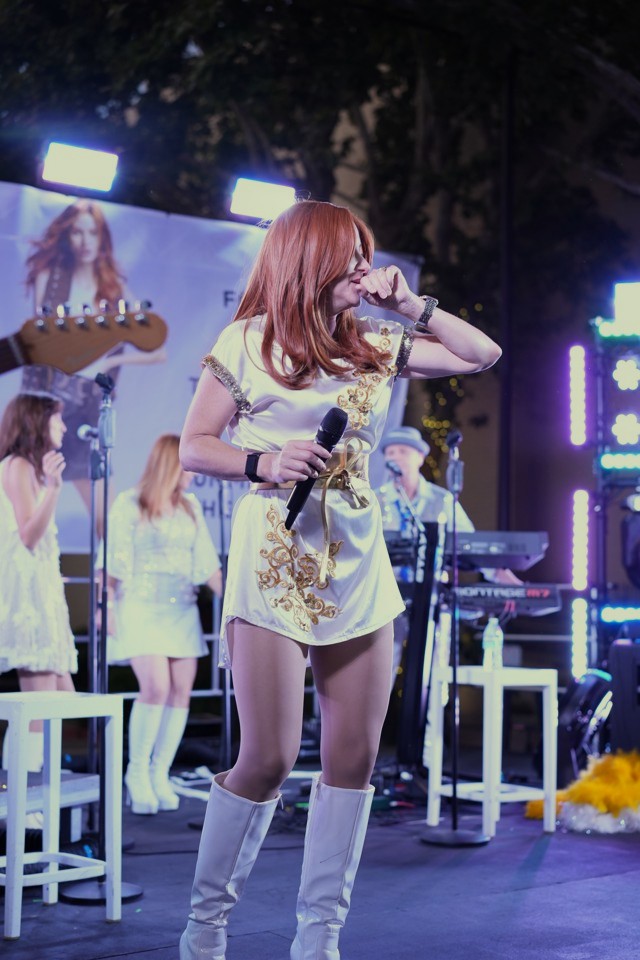
IEDL visual field guide — 113 examples using one concert photograph: before/after comparisons, 20 presets, mask previews, and downloadable recipes. Browse the Markdown gallery directly on GitHub. For interactive sliders, clone the repo and open examples/image-edit/index.html in a browser; GitHub itself shows HTML source.
The gallery uses iedl-1.1.0 on the default Native Skia (@napi-rs/canvas 1.0.11, skia/simd) engine, shipped with the optional image-edit runtime. It includes conservative auto white balance. See runtime compatibility and engine_benchmark.md before replaying its resolved bundles.
Install and update
Current release: v1.8.99 (November 2026). Since v1.5.0:
- v1.7.0: image edits and Motion films render on Native Skia by default, with no browser (
--engine chromeremains as the alternative);5am motion doctor. - v1.8.0: a video edit (
5am media edit render) is a free draft with a small mark, and the unmarked export costs AI credits; agents can ask the account owner for credits or pay with a Link token. - v1.8.4:
5am motion podcastclips, narration from a recording (--audio), and films fitted to a soundtrack. - v1.8.6:
5am doctor(what is ready on this computer), album names inmedia list,media upload --skip-existing. - v1.8.8: a do-not-contact list for outreach (
5am pipeline suppress),5am credits history, paged draft lists, and VEDL titlesizethat means the same font size on every render path. - v1.8.9:
media collagewith Ken Burns and crossfades on ffmpeg 7,media edit measurethat checks each title, caption and card on its own, absolute album cover URLs, a clearer message when the runtime's folder is not writable, and an outreach email about a new episode by default. - v1.8.91: server-agent capabilities for chosen characters only (
allowed_character_ids), a skill's arguments as one JSON object on stdin (stdin_json), and who asked for each command (its origin) in the skill's environment. See docs/server-agent.md. - v1.8.92:
5am motion podcast clipasks 5AM to clip an episode of a show you subscribe to in Episode Clips now, and5am motion podcast episodeslists the show's episodes and their ids. See docs/motion.md. - v1.8.94: Motion films written by hand:
5am motion inspect(each scene's beats, seconds and frames, and every layer's box, visibility and text lines at chosen moments),lint --strictand the fields the engine ignores,stillsandsheet --boxes, and a free 360p draft with the sound (render --draft, as every render is while signed out); tables, tracks and overlays on the film's own beats,list,baranddrawing(SVG paths, flat or on a globe) layers, exact text layout (valign,fit,box) and font files beside the film.5am motion podcast subscribe,shows,pause,resumeandunsubscriberun Episode Clips from the terminal. Over MCP,motion_rendermakes free drafts too (options.draft, in thelocalpreset).playground task --auto-approve-proposalsstops with exit code 2 when a proposal needs your own login. See docs/motion.md. - v1.8.95: transparent Motion films (
5am motion render --alpha, ProRes 4444 in a.mov, also kept and paid withfinalize) to lay over a video,sheet --times,stills --boxes --compact,revisekeeping a film's tables, font files from your account, and apodcastscript cut off at Gemini's length limit asked for again. VEDL edits cut between 2 to 4 cameras (angle, synced by5am media sync), name people with alower_thirdcard, lay a transparent graphic over the picture (insert ... mode=overlay), and export to Final Cut Pro or DaVinci Resolve (5am media edit export-fcpxml, multi-cam as a multicam clip), one fee covering a clip version's MP4 and its XML; a clip in a Clip Maker project folder renders on the project's canvas. In5am studio, Clip Maker adds motion graphics made from what is said.5am outreach engagedlists the prospects who played their clip, for a nudge thatprepare --follow-upchecks against the email it follows. The Claude Desktop bundle (below) starts on thelocaltools, and so does an empty5am mcp --tools;5am loginprints where to make a token. See docs/motion.md and the VEDL guide. - v1.8.96: when a token cannot read the keys saved in your account, the CLI says why (
this token has read scope, orthis token belongs to an AI character or a workflow run) and5am keys listprintskeys_hidden_reason;--provider openaireadsOPENAI_API_KEYfrom the environment first, for a CLI that runs on a read-only token or an AI character's token. See the CLI guide and the AI character guide. - v1.8.97:
5am media generate videomakes clips withgemini-omni-1.2-flashby default (any length from 3 to 15 seconds, reference images named in words), andgemini-4-hydrogenjoins the text models. Motion films draw emoji in colour in every face, take colours with an alpha (#rgba,#rrggbbaa), andlintreads the words on a faint text box as the box shows. Outreach counts a watch beside a play (about 10 seconds of the clip in a visible tab, with the sound on or off), in5am outreach engagedand5am pipeline outreach list. In VEDL exports, each clip of a combined Clip Maker project keeps its own captions, and Fill scales a source of any shape to fill the frame exactly in Final Cut Pro. See docs/motion.md, the outreach guide and the VEDL guide. - v1.8.98:
5am characters noticeposts an answer from your own agent (a coding agent, a script, a scheduled job) into one of your character chats: a card with a--title, the markdown of--text-fileand, with--html-file, an HTML report in the chat's sandboxed preview. It is labelled "From your agent" (or your--source), shows live on the web, iOS and Android, and never enters the character's history or memory;--keymakes a retry safe. See the AI character guide. - v1.8.99:
5am outreach prepare --real-clipsgives each podcast prospect a clip of their own episode, a moment where the guest or host speaks, with captions, instead of the template's title card. It asks first, with an estimate of the Gemini access it spends, and a real clip renders at 100 credits. The sign-off card names the listening app for a YouTube, Spotify or Apple Podcasts link ("LISTEN ON YOUTUBE"), or reads "LISTEN WHEREVER YOU GET PODCASTS", and the outreach emails offer a video where they offered a teaser. See the outreach guide.
macOS and Linux:
curl -fsSL https://cli.5am.app/cli/latest/install.sh | sh
5am --version
5am update --check
5am update
Windows PowerShell:
Invoke-WebRequest https://cli.5am.app/cli/latest/5am-windows-amd64.exe -OutFile 5am.exe
.\5am.exe --version
Release checksums and metadata are available in the release manifest. Core CLI installation needs no Node.js, Chromium, or image-edit runtime. Individual media tools have their own dependencies, such as FFmpeg for video.
For library access, create a personal access token in Settings → CLI Access Tokens, then run:
5am login
5am whoami
From v1.8.95, 5am login without --token first prints where to make one (https://5am.app/settings?utm_source=cli&utm_medium=login_handoff#keys), and a command refused for a missing scope names the same page.
Choose scopes for the work: server-agent queries can use read; library writes, AI credits and Motion exports require write. Local image validation and local-only rendering do not require login. Gemini features use the normal access resolver: the user's own Gemini key where configured, else the account's AI credits. A credits refusal is not a reason to bypass account limits.
Claude Desktop and the MCP Registry
From v1.8.95, 5am mcp is in the official MCP Registry as app.5am/cli, and every release on this repository's Releases page carries one MCP bundle per platform (5am-<os>-<arch>.mcpb). Double-click the one for your computer to add 5AM to Claude Desktop (or install it from Claude's Settings, Extensions). The bundle runs its own 5am mcp and starts on the local tools, which need no account. To add your library, albums and the AI tools, set its "Toolsets or preset" setting to all, then sign in with 5am login (or paste a personal access token into its optional token setting). Setup for every client: 5am.app/cli/docs/mcp.
Image editing: generate → validate → render
Image editing is optional. Update the CLI first, install Node.js 20+, then install the runtime matched to your CLI release (which installs @napi-rs/canvas@1.0.11 for the default Native Skia engine and also carries motion graphics). To upgrade an existing installation and enable image editing:
5am update
5am update --runtime-only
5am media image-edit generate \
  --brief "Warm portrait, gentle contrast, 4:5 crop. Local adjustments only; no AI selections or generative edits." \
  -o portrait.iedl
5am media image-edit validate portrait.iedl
5am media image-edit render portrait.iedl --input photo.jpg \
  -o edited.jpg --resolved edited.iedl-resolved.json --bundle edited.iedl.zip
generate uses model quota. Go handles the Gemini request and credentials; the shared JS runtime prepares the prompt/schema and validates/prints the recipe. generate and validate need Node and the runtime, and no browser. Rendering and input-bound inspect run on the Native Skia (@napi-rs/canvas 1.0.11, skia/simd) engine in Node worker threads by default without needing a browser (or on Headless Chrome when --engine chrome or FIVEAM_IEDL_ENGINE=chrome is set). Runtime installation provisions @napi-rs/canvas@1.0.11 next to the runtime; it does not download Node or Chrome. Normal updates keep an opted-in managed runtime synchronized with the CLI.
To edit entirely locally, start from one of the checked-in recipes:
cd examples/image-edit
5am media image-edit render recipes/stage-balance.iedl --input source.jpg \
  -o concert.jpg --bundle concert.iedl.zip
5am media image-edit render concert.iedl.zip --input source.jpg -o replay.jpg
IEDL supports adjustments, curves/HSL, masks, editable layers, retouching, liquify, presets, local analysis, and smart baseline edits. See the language reference, visual gallery guide, engine benchmark, and focused authoring skill.
- Use
--runtime/IEDL_RUNTIME,--node,--engine skia|chrome/FIVEAM_IEDL_ENGINE, or--browser/CHROME_PATH(when--engine chrome) for explicit overrides. - Reusable recipes resolve edits for each input. Resolved bundles preserve one result and require its matching source.
- Hand-drawn masks transfer geometry, not subject recognition. Review them on every new photograph.
- AI selections and masked generative edits use
--media-idinstead of--input, with authenticated backend access. They may incur credits. Do not automatically repeat an ambiguous paid edit. - Rendering writes local files. Uploading them is a separate operation. Existing output files require
--overwrite.
Directory batches are nonrecursive and accept PNG/JPEG/WebP. They process up to four images concurrently in isolated Node worker threads on Native Skia (skia) by default (or share one Chrome browser across isolated contexts when --engine chrome is selected), saving resolved sidecars and per-image results:
5am media image-edit batch portrait.iedl --input-dir photos --output-dir edited --report batch.json
Set --concurrency 1 through 4 to control memory and CPU use; --concurrency 1 processes images serially. Use local-only recipes for directory batches. --media-id is not supported by batch. Results remain in input order, and processing continues after per-image failures. Inspect the report before publishing results; the command exits nonzero if any image fails.
Make your own visual gallery
The Apache 2.0 gallery builder accepts your own photo and creates a standalone HTML gallery with local renders and editable recipes:
python3 examples/image-edit/build_gallery.py \
  --input "/path/to/photo.jpg" --output-dir /tmp/my-iedl-gallery
Open /tmp/my-iedl-gallery/index.html. See the builder guide for setup, preview size, selective rendering, and adapting the sample masks.
Motion graphics: generate → check → render
5am motion turns a brief into a motion-graphics film: kinetic type, shapes, counters, dials, charts, 3D point clouds and your own photos and video clips, cut on a beat grid with a composed score and an optional narrator. A film is a small JSON file (a MotionDoc) that you can revise in plain language or edit by hand. It uses the optional runtime above, plus FFmpeg for stills and renders.
5am update --runtime-only
5am motion generate --brief "A 10 second launch film for a coffee app: bold type, a counter to 10,000 cups, an end card" \
  --format 9:16 --duration 10 -o coffee.motion.json
5am motion lint coffee.motion.json                     # free: layout issues, size, fonts
5am motion sheet coffee.motion.json -o coffee.png      # free contact sheet
5am motion revise coffee.motion.json "warmer colours, slower ending" --in-place
5am motion narrate coffee.motion.json --script "Mornings, sorted."   # a voice track beside the film
5am motion preview coffee.motion.json                  # free: plays in your browser, updates on save
5am motion render coffee.motion.json -o draft.mp4 --draft      # free: 360p, the sound, a DRAFT mark
5am motion render coffee.motion.json -o coffee.mp4 --dry-run    # price and checks, no charge
5am motion render coffee.motion.json -o coffee.mp4 --fps 30     # 20 AI credits
5am motion render lower-third.motion.json -o lower-third.mov --alpha   # from v1.8.95: transparent ProRes 4444, to lay over a video
- Costs.
generateandreviseuse model quota: one call, or two when the layout needs a repair;narratemakes one speech call.lint,inspect,stills,sheetandprevieware free, and so is a 360p draft with a DRAFT mark (render --draft). Each MP4 export costs 20 AI credits on every account, including accounts with their own Gemini key. - No charge for a film that cannot render. Every font, photo and clip loads before anything is charged; the charge comes after the last frame.
- A refused charge keeps the render. If the charge is refused, the MP4 is kept
for 24 hours, and
5am motion finalize <requestId>pays for it once you have bought credits (5am credits buymakes a payment link you can pay on your phone, without signing in, and waits for it). Never render again to recover: that is a second export. - Your photos and clips.
--phototakes files (JPEG, PNG, WebP, GIF, HEIC) ormedia:<id>from your library, up to 12;--cliptakes videos the same way, up to 4 (clips are decoded with FFmpeg). - Speed. Renders on the default Native Skia (
@napi-rs/canvas1.0.11) engine in parallel worker threads (--engine skia|chrome).
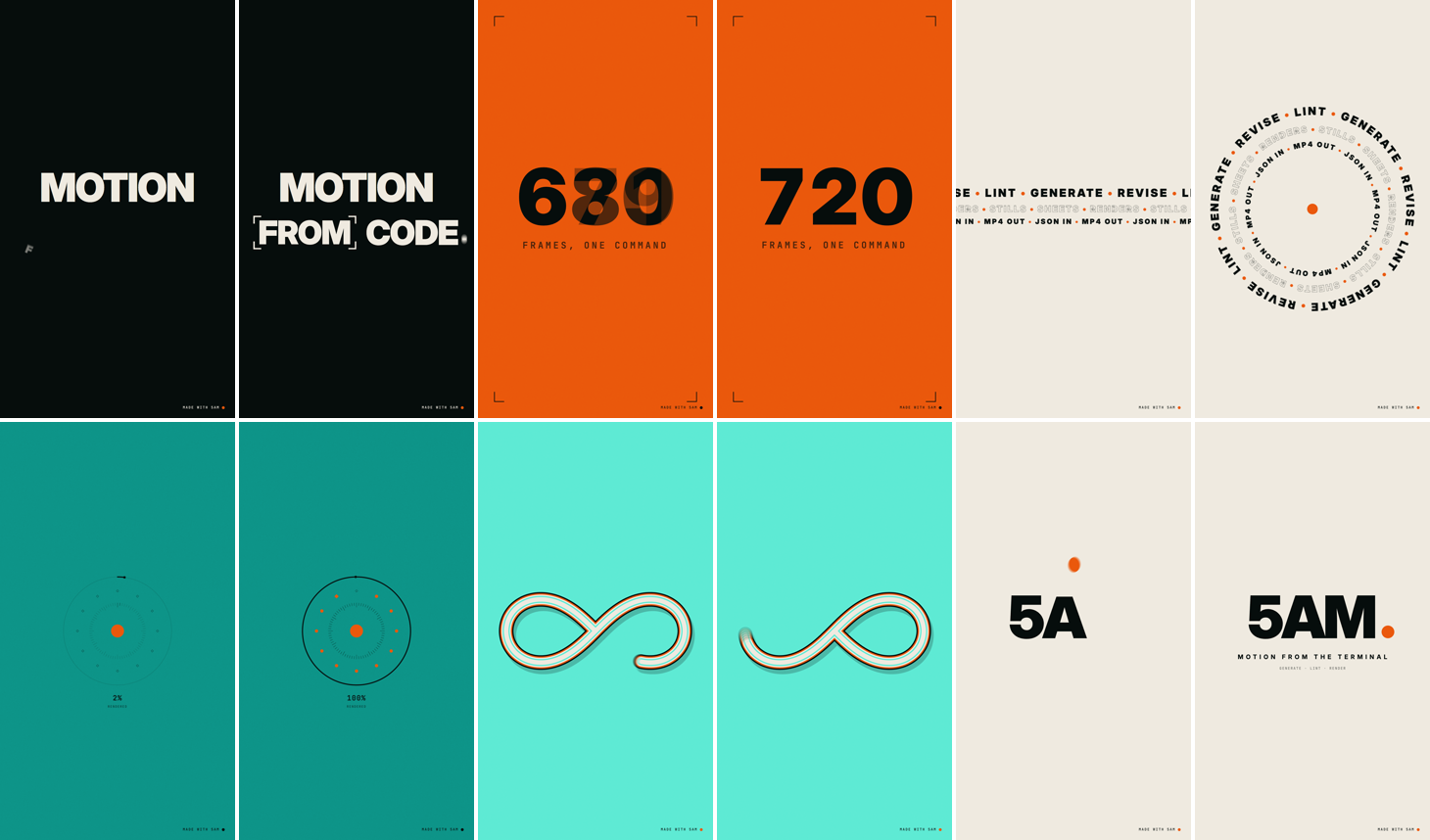
See the motion guide for every command, the film format and troubleshooting, and examples/motion/ for four sample films: the 5AM showreel, a vertical launch film, a square data story and a photo film.
What's here
| Path | Purpose |
|---|---|
SKILL.md | Current CLI command guidance for agents and workflow generation. |
skills/iedl/SKILL.md | Focused IEDL authoring instructions, with the portable language specification. |
docs/iedl.md | IEDL grammar, capabilities, presets, coordinate semantics, and runtime contract. |
docs/motion.md | 5am motion: commands, costs, clips, narration, the preview, the export sequence, the film format, and troubleshooting. |
examples/motion/ | Four sample MotionDoc films (16:9, 9:16, 1:1, one with a photo) with contact sheets. |
examples/image-edit/ | Interactive HTML field guide, sample image, 113 recipes, real renders, masks, reports, engine_benchmark.md, and rebuild script. |
docs/server-agent.md | Server-agent architecture, datasets, query operations, systemd deployment, and security. |
examples/install-agent.sh | Install a persistent server agent under systemd. |
examples/sysmetrics.sh | Linux/macOS CPU, memory, and disk samples as JSON lines. |
examples/sysmetrics.schema.json | Schema for the system metrics sampler. |
examples/nginx-requests.schema.json | Schema for nginx/Apache access logs. |
examples/podcast_to_video.py | Podcast audio → MP4 using a waveform or AI b-roll, with optional captions. |
examples/test_podcast_to_video.py | Offline tests for the podcast example. |
AI agents and managed workflows
Use SKILL.md to teach an agent how to invoke 5am, or serve its tools over MCP with 5am mcp (see Claude Desktop and the MCP Registry). Download the current release copy of the skill with:
curl -fsSL https://cli.5am.app/cli/latest/SKILL.md -o SKILL.md
For direct IEDL authoring, provide the entire skills/iedl/ directory, including references/; the entrypoint alone is not the full specification. Add it through your agent's supported skill mechanism, or reference it from project instructions.
Workflow Python should delegate recipe creation to 5am media image-edit generate --brief …. It then validates and renders through subprocess argument lists, checking each exit status. It does not need the full IEDL spec. When a user supplies an approved recipe, preserve it unchanged rather than generating a replacement.
Managed runs need an explicitly provisioned image-edit runner. Machine size alone does not install Node, Native Skia, or the runtime. Missing capabilities should produce diagnostics, not dependency installation or a substitute rendering engine during the run.
For motion films, an agent should iterate on the film with lint, sheet and revise (free or cheap), hear it with a free render --draft, and render once at the end; a failed export is recovered with 5am motion finalize, never a second render. 5am motion preview is for people: it never exits on its own, so scripts look at a film with sheet. See agents and scripts.
Most CLI commands return JSON on stdout; progress and errors use stderr. Some commands, such as --version, help, and default character chat, return text. Check the individual command contract in the skill rather than treating every stdout stream as JSON.
Server agents: make logs askable
Server agents answer structured queries over data stored locally; they return results instead of uploading raw logs. Use a read-scoped token for this role.
From this repository's root, on your server:
5am data ingest --dataset requests \
  --schema examples/nginx-requests.schema.json \
  --file /var/log/nginx/access.log --format combined
5am data query --dataset requests --op count_distinct --field ip --since -24h
sudo AGENT_NAME=web-1 ./examples/install-agent.sh
Enable Query Server Agent on your character in the web UI, then ask about the data. docs/server-agent.md covers deployment and custom datasets.
5am serve agent is a foreground daemon; use systemd for persistence. Datasets retain their schemas. Changing fields requires an explicit rebuild with --replace, not a silent schema merge.
Podcast audio → shareable video
The Python example is standard-library-only and requires FFmpeg. Its b-roll mode also needs Gemini access:
# Animated waveform and captions; no AI generation.
python3 examples/podcast_to_video.py -i episode.wav --visualize \
  --cover cover.jpg -s episode.srt

# AI b-roll; uses model quota.
python3 examples/podcast_to_video.py -i episode.wav -s episode.srt -a 9:16

python3 examples/test_podcast_to_video.py
See Podcast Studio and the public CLI docs for related workflows, video clips/highlights, VEDL, and audio tools.
License
Code and documentation: Apache 2.0; see LICENSE. The supplied photograph has separate rights; see photo provenance.