Listed from the MCP registry; nobody on Odel publishes it.

OmniContext
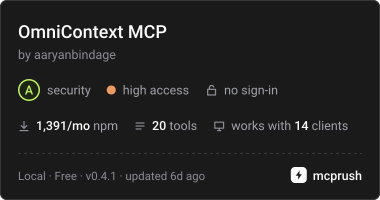
Persistent cross-device memory for Claude: your profile, projects, and resumable handoffs.
Runs on your machine from its package; the steps are below.
What it does
- Reads
- Writes
- High impact
At most: creates or changes data: records, files, settings.
What it costs
FreeOdel charges nothing per call. The publisher may charge for its own service.
Runs locally over stdio
This server isn't hosted — your MCP client launches it from a package registry. Use one of the commands below, or drop the config into your client (e.g. Claude Desktop).
Run
npx -y @aaryanbindage/omnicontext
MCP client config
{
  "mcpServers": {
    "omnicontext": {
      "command": "npx",
      "args": [
        "-y",
        "@aaryanbindage/omnicontext"
      ]
    }
  }
}
OmniContext
One memory for every AI agent, on every device.
Claude Code, Claude Desktop, ChatGPT, OpenAI Codex, Cursor, Gemini CLI and any MCP client, on any of your machines, know who you are, what you're working on, and where you left off. Start in Claude, resume in Codex.
Download (Mac · Windows · Linux) · Claude Code plugin · Codex plugin · MCP server · Website


You (on your laptop):  continue my game project
Claude:                Resuming Starfall (the Godot space roguelike). Last session on your desktop
                       you finished the enemy state machine; next up is the boss fight timings…
What it does
- Knows you. A profile (role, preferences, tools, facts) shared with every session. Claude adds to it when you tell it something lasting (
remember). - Knows your projects. Name them once, give them nicknames, and "my game project", "the website" or "that bot" resolve to the right one in any session. Each project keeps notes, its repo, and its folder on each device.
- Resumes across devices.
/omnicontext:handoffsaves a self-contained summary and next steps, plus the git branch and commit and any uncommitted or unpushed work. On another machine,/omnicontext:resumepicks it up, opens the project's folder on that device, and tells you how to get the checkout to the same state. - Inbox for quick thoughts. Dictate on your Apple Watch, or run
omnicontext capture "…". The next Claude session offers to file each one as a profile fact or a project note (/omnicontext:inbox). - Apple Watch app. A standalone watchOS viewer that needs no iPhone. It shows open handoffs, projects and your profile, lets you mark handoffs done, and dictates captures. It talks straight to your private GitHub data repo. See watch/.
- Knowledge graph, Obsidian-style. The desktop app's Graph tab draws everything in memory: you, projects, tags, devices, handoffs, facts, inbox and
[[Topics]]. Projects link through shared tags and whenever one names another. Drag, zoom, search and filter, and click a node to see its connections. Claude can walk it with therelatedtool ("what else uses Godot?"), and the watch app can browse it too. - Forgets on request. "That's not true anymore" →
forget. - Syncs without a cloud service. Your memory is a folder of plain Markdown and JSON files (
~/.omnicontext) synced through a private git repo you own. Nothing goes to a third-party server. - Shared by all your agents. Claude Code and Codex plugins inject your context at session start; Claude Desktop, Cursor, Gemini CLI, VS Code, Windsurf and Zed connect to the same MCP server. A handoff saved in Claude can be resumed in Codex (and vice versa), and each one records which agent wrote it.
omnicontext install allwires up every agent it finds. - Works everywhere. A desktop app for Mac, Windows and Linux, a CLI, and an Apple Watch app.
Install
Desktop app (Mac · Windows · Linux)
Download from Releases:
| OS | File |
|---|---|
| Windows | OmniContext-Setup-x.y.z.exe (installer) or …-Windows-x64.zip (portable) |
| macOS | …-macOS-arm64.dmg (Apple Silicon) / …-macOS-x64.dmg (Intel) |
| Linux | …-Linux-x86_64.AppImage / …-Linux-amd64.deb (x64), …-Linux-arm64.AppImage / …-Linux-arm64.deb (ARM64, e.g. Raspberry Pi 4/5) |
The app lets you edit your profile, projects and handoffs, set up sync, and connect Claude Code and Claude Desktop with one click. It stays in the tray and syncs in the background.
macOS builds aren't notarized yet. If macOS says the app is damaged, run
xattr -cr /Applications/OmniContext.app.
Claude Code plugin
/plugin marketplace add aaryanbindage/omnicontext
/plugin install omnicontext@omnicontext
Requires Node.js 18+. You get:
| SessionStart hook | injects your profile, project index, the current project, and open handoffs |
| SessionEnd hook | syncs your memory to your other devices |
/omnicontext:handoff [title] | save the current work so it can be resumed anywhere |
/omnicontext:resume [project] | continue the latest (or a named) handoff |
/omnicontext:remember <fact> | remember something about you or a project |
/omnicontext:project [name aka nickname] | register this folder as a project |
/omnicontext:sync | sync now |
| MCP tools + skill | Claude resolves "my X project", saves notes and handoffs |
OpenAI Codex
Plugin (skill + MCP server + SessionStart hook):
codex plugin marketplace add aaryanbindage/omnicontext
Then install OmniContext from the Plugins directory in Codex.
Or just the MCP server and instructions (Codex CLI, IDE extension and app all read ~/.codex/config.toml):
npx -y @aaryanbindage/omnicontext install codex
This adds [mcp_servers.omnicontext] to ~/.codex/config.toml and a short OmniContext section to ~/.codex/AGENTS.md. Re-running it updates both in place.
ChatGPT
ChatGPT (web, desktop and mobile) connects to MCP servers by URL, so OmniContext runs an HTTP endpoint on your computer and shares it through a Cloudflare quick tunnel:
- Desktop app: Connect agents → ChatGPT → Start ChatGPT link, then copy the link.
- CLI:
npx -y @aaryanbindage/omnicontext serve --tunnelprints the link. It usescloudflaredif installed, otherwise downloads it via npm.
In ChatGPT, open Settings → Apps & Connectors → Advanced, turn on Developer mode, then Create a connector with that URL and No authentication. Enable it in a chat (or under the + menu) and ask "what do you know about my projects?". Developer mode availability depends on your ChatGPT plan.
The link contains a random secret (/mcp/<secret>), and anyone with it can read and write your memory, so keep it private; omnicontext serve --rotate (or New secret) replaces it. Quick-tunnel links change each time the tunnel starts, and the link only works while your computer is on. For a permanent address, put omnicontext serve --port 8787 behind your own HTTPS proxy or named tunnel and pass --public https://your.host.
Every agent at once
npx -y @aaryanbindage/omnicontext install all # Claude Code, Claude Desktop, Codex, Cursor, Gemini CLI — whichever are installed
Or one at a time: install codex, install cursor, install gemini, install claude-code, install claude-desktop. The desktop app has the same buttons under Connect agents.
Claude Desktop & other MCP clients
One click: download omnicontext.mcpb from Releases and open it with Claude Desktop.
You can also use the desktop app (Connect agents → Install) or run npx @aaryanbindage/omnicontext install claude-desktop.
Manually (Claude Desktop, Cursor, Windsurf, VS Code, Zed, Cline and others):
{
  "mcpServers": {
    "omnicontext": { "command": "npx", "args": ["-y", "@aaryanbindage/omnicontext", "mcp"] }
  }
}
CLI
npm i -g @aaryanbindage/omnicontext
omnicontext project add "Starfall" --alias "my game" --tag godot --desc "2D space roguelike" --path .
omnicontext resolve "my game project"
omnicontext remember "Prefers TypeScript and short answers"
omnicontext forget "TypeScript"
omnicontext capture "try a grappling hook in level 3" --project starfall
omnicontext export backup.json     # everything in one file; import with: omnicontext import backup.json
omnicontext sync --github          # one-time: create a private repo and sync
Sync your devices
On your first device:
omnicontext sync --github                  # needs the GitHub CLI (gh auth login); creates <you>/omnicontext-data (private)
# or
omnicontext sync --remote <any git url you own>
On every other device, connect the same repo:
omnicontext sync --remote https://github.com/<you>/omnicontext-data.git
omnicontext device "MacBook"               # optional: a friendly device name
You can do the same from the desktop app's Sync & devices tab. After that, sync runs on its own: at the start and end of each Claude Code session, a few seconds after the MCP server makes a change, and every few minutes while the desktop app is open. Each record is its own file, so two devices rarely conflict. When they do, the local version wins, and git history keeps everything.
MCP tools
| Tool | Purpose |
|---|---|
get_context | Full briefing: profile, projects, open handoffs (for clients without hooks) |
get_profile / update_profile / remember / forget | Read and update what Claude knows about you |
list_projects / get_project / upsert_project / add_project_note | Manage projects, nicknames, per-device folders, notes |
resolve_project | "my game project" → the matching project, ranked |
save_handoff / list_handoffs / resume_handoff / complete_handoff | Cross-device resume |
capture / list_inbox / file_inbox | Quick captures (for example from the watch) and filing them |
related | Walk the knowledge graph from a project, #tag, device or [[topic]] |
search_memory | Search the profile, notes, handoffs, and inbox |
sync_now | Push and pull with your other devices |
It also provides the prompts resume and handoff, and the resources omnicontext://profile, omnicontext://context and omnicontext://projects/{slug}.
Data format
~/.omnicontext/
  profile.md               # you — edit freely
  projects/starfall.json   # name, aliases, tags, description, repo, paths per device, notes
  handoffs/<id>.json       # title, summary, next steps, files, device, status, git state
  inbox/<id>.json          # quick captures waiting to be filed
  snapshot.json            # everything above in one file, written on sync (read by the watch app)
  local.json               # this device only (name, sync prefs) — not synced
Set OMNICONTEXT_HOME to use a different folder. You can also put the folder in Dropbox, iCloud or OneDrive instead of using git sync.
Privacy
Everything stays on your machines and in the git remote you choose. OmniContext has no server, no telemetry, and no account. Don't store secrets in it. The instructions it gives Claude say the same.
Development
npm install
npm test
npm run build          # bundles dist/omnicontext.mjs (used by the plugin, the app, and npm)
cd app && npm install && npm start     # run the desktop app
Releases: push a v* tag. GitHub Actions builds the Windows, macOS and Linux apps and the .mcpb bundle, and publishes to npm.
License
MIT © aaryanbindage







