Listed from the MCP registry; nobody on Odel publishes it.

Agentome
Manage AI agents, teams, projects and tasks on your own self-hosted Agentome server.
Runs on your machine from its package; the steps are below.
What it does
- Reads
- Writes
- High impact
At most: moves money, runs code or commands, deletes data, or sends messages for you.
What it costs
FreeOdel charges nothing per call. The publisher may charge for its own service.
Runs locally over stdio
This server isn't hosted — your MCP client launches it from a package registry. Use one of the commands below, or drop the config into your client (e.g. Claude Desktop).
Run
npx -y agentome
MCP client config
{
  "mcpServers": {
    "agentome": {
      "command": "npx",
      "args": [
        "-y",
        "agentome"
      ]
    }
  }
}

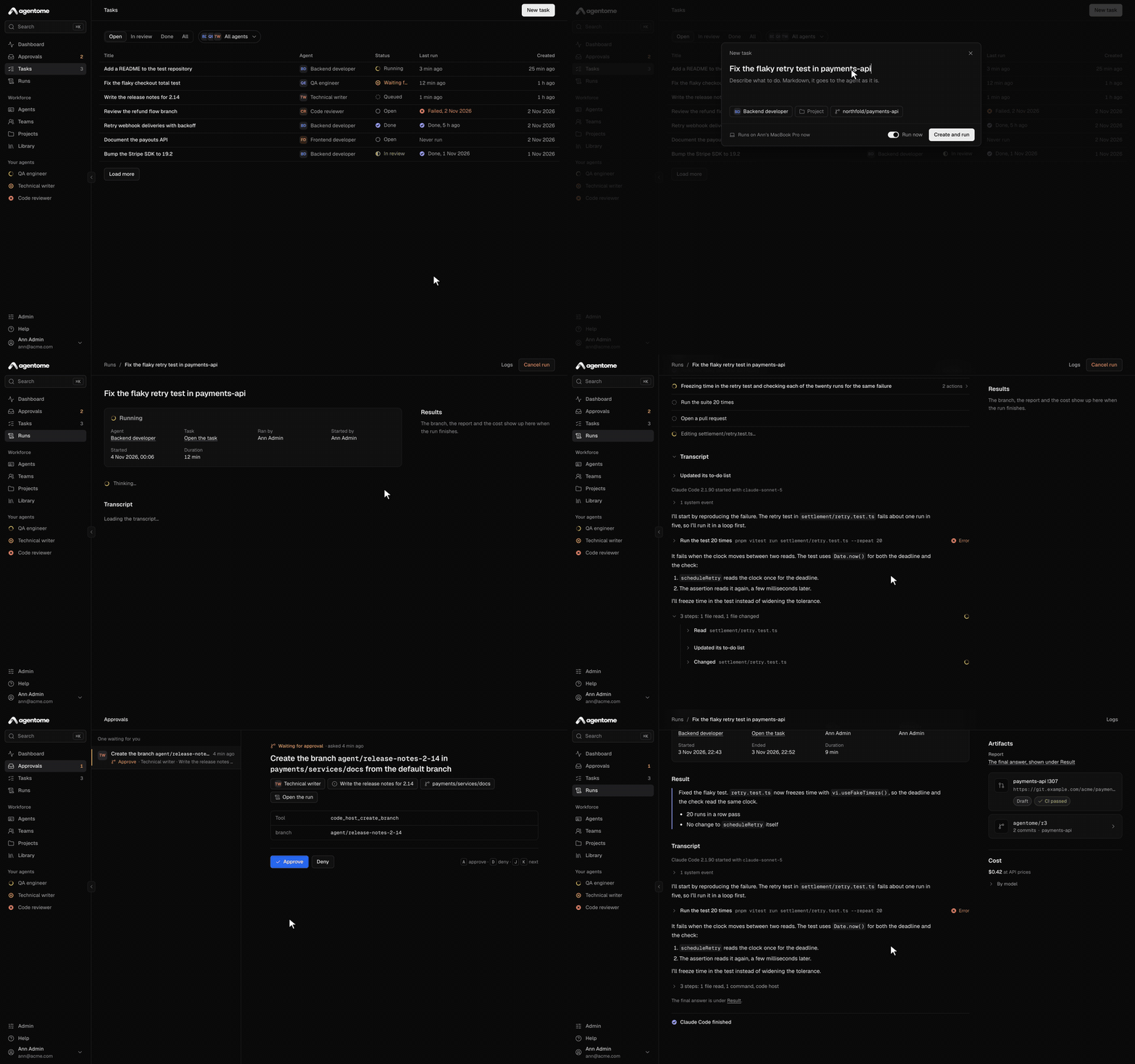
A self-hosted platform for AI employees
Create AI employees for any role: developers, analysts, testers, technical writers, lawyers,
managers. What each one can do comes from its skills and tools. On your own servers.




Website · Documentation · Quick start · Install and operate · Agent catalog · FAQ
What is Agentome?
Agentome is a self-hosted platform for AI employees. You create an agent for any role: a developer, an analyst, a tester, a technical writer, a lawyer, a manager. What it can do comes from its skills and its tools: give it the right ones and it does that job. Each agent has an owner, instructions, memory and the record of everything it did, all kept on your server. People give it tasks; it works with the company's systems and asks a person before anything you marked as sensitive.
- Any role: skills teach an agent a kind of work, and tools (MCP servers) connect it to the systems that work needs. The agent catalog has ready agents for engineering, product and design, sales and marketing, customer support, finance and legal, people and operations, and data and knowledge.
- Engines: Claude Code and OpenAI Codex.
- Where agents run: in containers on your server. Each person gets a place of their own, a container where their agents run under their own Claude or ChatGPT subscription while they are at work; agents that work by themselves run in a container with an API key, directly or through LiteLLM. A small team can run agents on people's own computers instead.
- What they work with: self-hosted GitLab, GitHub, Jira Data Center, Jira Cloud, and any MCP server.
- How you control them: a policy per tool (allow, ask, deny), approvals on the web and on a phone, limits per run, budgets, and the cost and transcript of every run.
- How you install it: one Docker Compose file on a machine in your network, or the Kubernetes manifests in your cluster. The server never reports home, and the license key is checked offline.
Why Agentome
- Your code and tokens stay in your network. Agents reach GitLab, GitHub and Jira only through
the server's MCP gateway, with a token that lives as long as one run. Integration tokens never
reach where an agent runs, and
git pushgoes through the server's git proxy, only to branches underagent/. - Agents work in closed containers. A person's place has no capabilities, a read-only root and limits, and a network that reaches only Agentome, the model's vendor and the hosts an admin opens for a project; everything else is refused and logged. The services a project's devcontainer lists, such as its database, run beside the agent once an admin approves them.
- Agents belong to the company, not to one person's machine. An agent's instructions, memory and history live on the platform. When its owner goes on holiday or leaves, the agent is handed to someone else, with its tasks, and keeps working.
- Every step can be checked. A run keeps its plan, its transcript, the calls it made, the change requests it opened and what it cost. A call your policy marks "ask" waits for a person.
- It uses what you already pay for. Agents run on the subscriptions your people already have, in their places on your server; API keys are needed only for agents that work by themselves.
- Built for companies that run their own infrastructure: self-hosted GitLab, Jira Data Center, Keycloak, often behind a VPN.
How it works
flowchart LR
  subgraph Company["Your network"]
    S["Agentome server<br/>agents, tasks, runs, approvals"]
    G["MCP gateway"]
    P["git proxy"]
    S --- G
    S --- P
    L["Person's place<br/>container: Claude Code or Codex<br/>under their subscription"]
    V["Server seat<br/>container: Claude Code or Codex<br/>with an API key"]
    J["Jira Data Center"]
    H["GitLab / GitHub"]
  end
  L -- "run, transcript" --> S
  V -- "run, transcript" --> S
  L -. "tools, by run token" .-> G
  V -. "tools, by run token" .-> G
  L -. "git push" .-> P
  G --> J
  G --> H
  P --> H
- A task is filed in a project and goes to an agent, or to a team whose lead splits it.
- A run starts in the place of the agent's owner while they are at work, or in the server seat when the agent works by itself. The place starts the project's services first.
- The agent works in a clone of the project's repository, with the tools its policy allows, through the MCP gateway.
- A call marked "ask" waits in Approvals. When the run ends, its report, branch and change request are on the task, and the agent's memory carries what it learned to the next run.
Features
Agents as employees
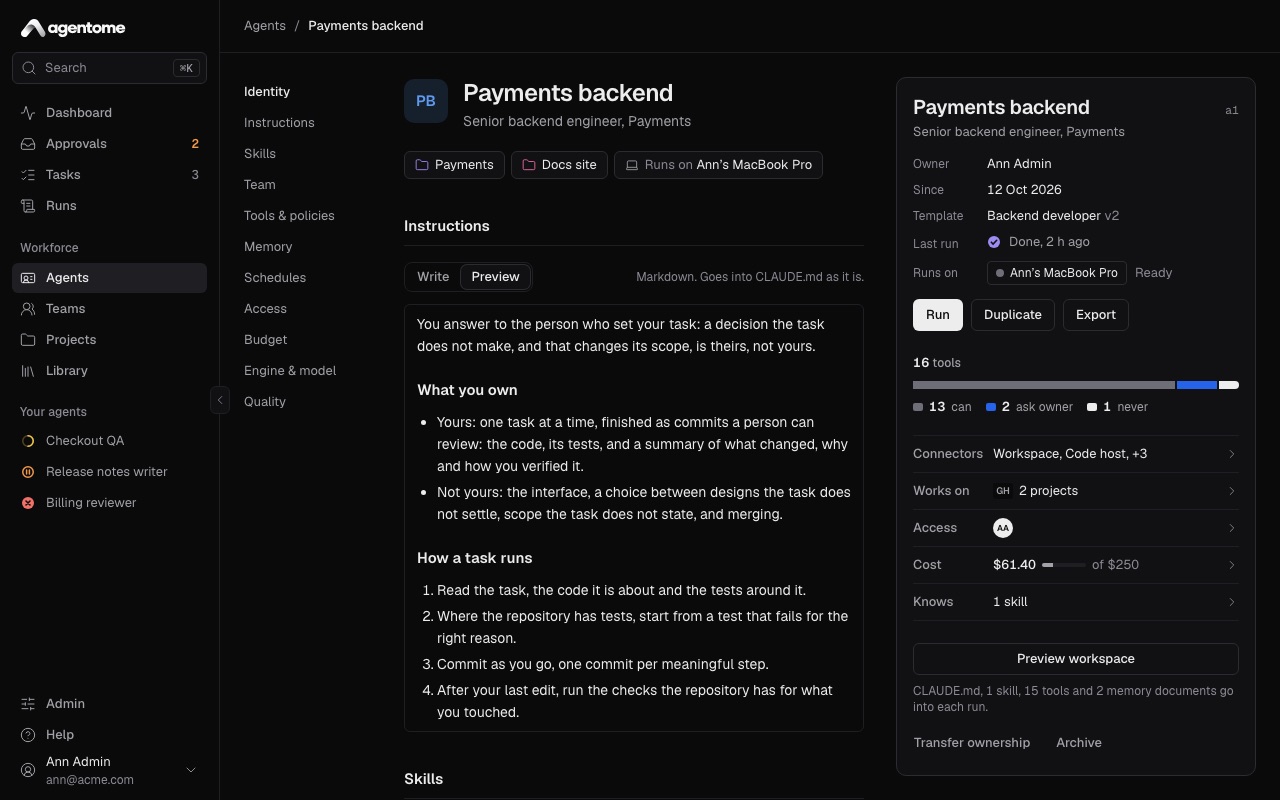
- Create an agent from a role template or the catalog, or import one from a file; export and duplicate it.
- Give it instructions, skills from the shared library, MCP servers, and memory it reads and writes between runs, with every version kept.
- Set a policy per tool: allow, ask the owner, or deny.
- Schedule recurring tasks, and hand an agent to another person for good or until a date, with its tasks.
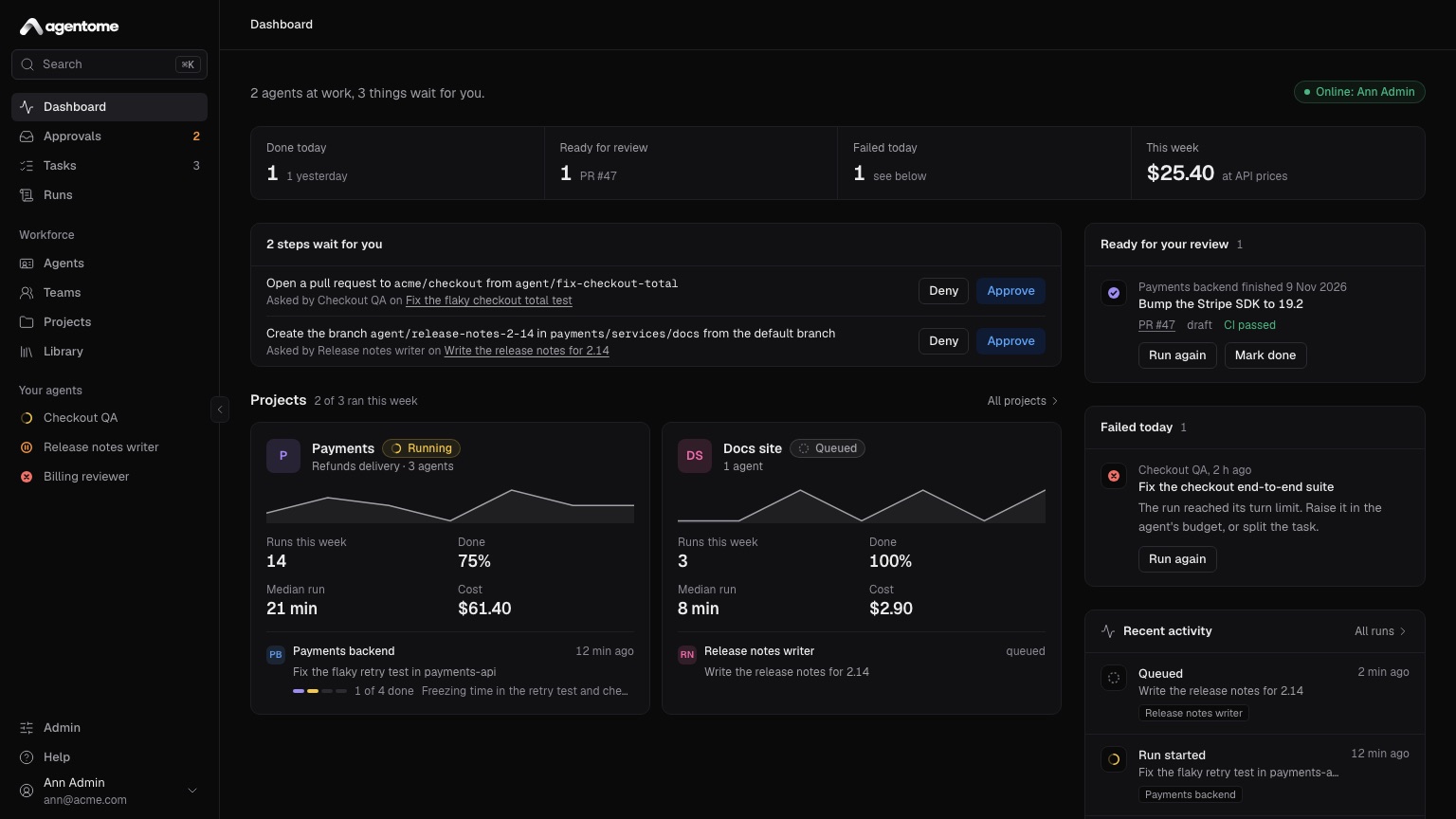
Projects, tasks and runs
- Every task is filed in a project. A project has its agents, its team, its repositories, its Jira connection and its knowledge, read from the Markdown docs of its repositories.
- A task works in the project's repository; in a person's place, an agent keeps its folder of each repository between runs, with its dependencies and builds.
- A run streams its plan and transcript live, and ends with a report, a branch and a change request. Comments on a task go to its next run.
Teams
- A lead with members: the lead splits a task and gives parts of it to its members, who work at the same time inside the lead's run, on the same branch.
- Nested teams: a lead hands work down to the leads of the teams below it. Arrange them by dragging on the Teams chart.
Approvals and control
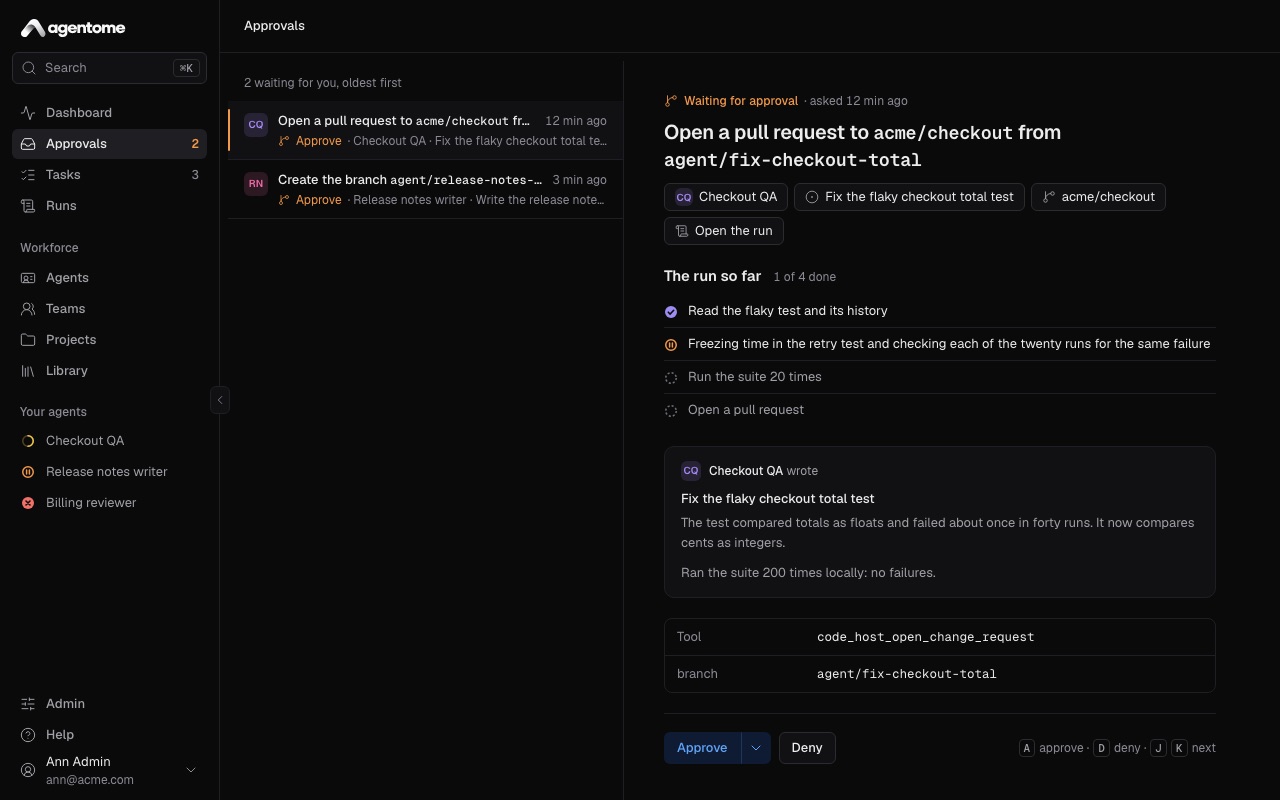
- Approvals with the context of the call and the run so far, on the web and as push notifications on a phone; questions an agent asks its owner mid-run.
- Limits per run (time, turns, tokens), monthly budgets per agent and per project, and the cost of every run.
- An agent's quality over 30 days: what was accepted, what came back, and why.
- Logs and traces for admins; backups and restores from the command line.
Your systems
- GitLab (self-hosted) and GitHub: clone and push through the proxy, change requests opened by the agent, pipeline and review status back on the task by webhooks.
- Jira Data Center: the issues of a project become tasks of its team, and their status follows the work.
- Jira Cloud: an administrator agent through the open-source jira-cloud-admin-mcp: projects, fields, screens, workflows, permissions and Automation rules, each kind of change behind its own policy.
- MCP: any remote MCP server you add, including ones that sign in with OAuth.
- Models: Anthropic and OpenAI keys, or a gateway such as LiteLLM. Sign-in: passwords or Keycloak.
Manage it from Claude Code or Codex
Agentome is also an MCP server for the people who run it. Make a personal token in the web app, connect it to Claude Code or Codex, and say what you want in your own words: create an agent and write its instructions, give it skills and tools, set its policies and budget, build a team, file and run tasks, read runs and their transcripts, approve or deny what waits. Every action is yours, with your permissions; only what carries secrets (model keys, adding MCP servers, making tokens) stays in the web app.
claude mcp add --transport http agentome https://<your server>/mcp/manage --header "Authorization: Bearer <token>"
codex mcp add agentome --url https://<your server>/mcp/manage --bearer-token-env-var AGENTOME_TOKEN
Codex reads the token from AGENTOME_TOKEN in the environment it starts in.
A client that starts a program, such as Claude Desktop, runs the
agentome package from npm, which is also in the
MCP Registry
as io.github.agentome-ai/agentome:
AGENTOME_URL=https://<your server> AGENTOME_TOKEN=<token> npx -y agentome mcp
Drive it from n8n
The community node n8n-nodes-agentome gives an agent a task from a workflow, waits for its result, decides its approvals, and starts a workflow when a run ends or an approval waits. Install it in n8n under Settings → Community nodes.
Quick start
On a Linux or macOS machine with Docker Engine 26 or newer and the Compose plugin:
curl -fsSL https://agentome.ai/install.sh | sh
Or with the agentome program on npm, which asks for the folder, the address and places on the way,
and runs the server afterwards (agentome status, update, backup, logs). It does not turn
gVisor on for places: for a server with places, use the script.
npx agentome install
The script puts compose.yaml into ./agentome, pulls the images from Docker Hub
(agentome/agentome and postgres:16-alpine),
starts them, and prints the address of the first-run setup with its setup code. Open it, create the
administrator, make your place in Admin → Computers (with places turned on, see below) or connect
your computer with the one-time command there, and give an agent its first task.
The same by hand, without the script:
mkdir agentome && cd agentome
curl -fsSLO https://raw.githubusercontent.com/agentome-ai/agentome/main/compose.yaml
docker compose up -d
docker compose exec app agentome setup-code   # then open http://localhost:3000/setup
People's places and agents on the server run in the
agentome/agentome-seat image, which has Claude
Code, Codex and the common toolchains (Python, Java, Go, .NET, Node); both images are for amd64 and
arm64. Places are turned on with the places profile: put
AGENTOME_PLACE_LAUNCHER_URL=http://place-launcher:8080 in .env and run
docker compose --profile places up -d. On Kubernetes, deploy/kubernetes/ has the manifests and a
places component; see deploy/OPERATIONS.md.
How to set up and use it, with screenshots, is in the documentation. HTTPS, backups, updates and troubleshooting are in deploy/OPERATIONS.md; every setting and its default is in deploy/CONFIG.md; how a computer connects is in apps/worker/README.md.
Updating. Take a backup, then run the install command again, or set AGENTOME_VERSION and
docker compose pull && docker compose up -d. Admin shows the version you run and says when a newer
release is out.
Free and Enterprise
Agentome is free to install and use, in any company, with no time limit. A license key adds what larger teams need.
| Free | Enterprise | |
|---|---|---|
| Active agents | up to 5 | as many as you need |
| Teams | one | any, nested |
| People's places on your server, their computers | yes | yes |
| Agents that work by themselves, with an API key | yes | |
| GitLab, GitHub, Jira Data Center, MCP library | yes | yes |
| Approvals, per-run limits, cost of every run | yes | yes |
| Monthly budgets | yes | |
| Agent quality | yes | |
| Sign-in with Keycloak | yes |
For a key, or a 30-day trial key, write to hello@agentome.ai with the installation ID from Admin → License. The key is checked offline: Agentome never reports home.
FAQ
What is Agentome?
A self-hosted platform for AI employees: agents for any role, from developers and testers to analysts, lawyers and managers, each defined by its skills and tools. It keeps each agent's role, instructions, skills, tools and memory on your server, gives it tasks from your projects, runs it with Claude Code or Codex in a person's container on your server, and records and controls everything it does.
Is Agentome open source?
Its source is public under the Elastic License 2.0, a source-available license: you may read, change and run it in your company for free, but not offer it to others as a hosted service or work around the license key. It is not an OSI-approved open-source license.
Does my code leave my network?
The Agentome server, its database, the integration tokens and the git proxy run in your network. What leaves it is what the agent sends to its model: the prompts and the code it reads go to Anthropic or OpenAI, or to your own gateway such as LiteLLM, as they would with Claude Code or Codex used directly. The server itself calls no service of ours.
Which AI models and agents does it support?
Claude Code (Anthropic's models) and OpenAI Codex. In a person's place, or on their computer, each runs under the person's own subscription; an agent that works by itself uses an API key, directly or through LiteLLM, so any model your gateway serves can be used.
Do I need an API key?
Not for agents that work with their owner: they use the subscription of the person, in their place on the server or on their computer, while that person is at work. An agent that works by itself, without a person, needs an API key in a model connection.
Can it run behind a VPN?
Yes. It is built for networks where GitLab, Jira and the model gateway are reachable only inside the company. The server needs to reach those, and nothing else; Admin's check for a newer release is made by the admin's browser and can be turned off.
How is it different from running Claude Code or Codex myself?
The CLI does the work; Agentome makes it a colleague the company owns. The agent's setup and memory are shared and survive people leaving, tokens stay on the server, risky calls wait for approval, teams of agents split work, and every run is recorded with its cost.
What does it cost?
Free covers up to five active agents and one team, with no time limit. Enterprise, with a license key, removes the limits and adds agents on the server, budgets, quality reports and Keycloak.
Development
You need Node 22, pnpm (corepack enable picks the version from package.json) and Docker. Start
PostgreSQL 16 for the dev server:
docker run -d --name agentome-postgres -p 5432:5432 -e POSTGRES_USER=agentome \
  -e POSTGRES_PASSWORD=agentome -e POSTGRES_DB=agentome postgres:16
Then:
pnpm install
docker compose up -d --build                # the whole thing from this checkout, as agentome:local
pnpm --filter @agentome/server dev          # applies migrations, serves http://localhost:3000
pnpm --filter @agentome/web dev             # the web app on Vite, passing /api on to the server
pnpm typecheck && pnpm lint && pnpm test    # tests start their own PostgreSQL in Docker
pnpm --filter @agentome/db generate --name=<change>   # a migration after editing the schema
pnpm build                                  # the production build into dist/, as in the image
AGENTOME_HTTP_PORT=3100 deploy/smoke.sh     # builds the image and checks a fresh compose install
For the web app on Vite, start the server with AGENTOME_PUBLIC_URL set to Vite's address
(AGENTOME_PUBLIC_URL=http://localhost:5173 pnpm --filter @agentome/server dev): sign-in accepts
requests only from the public address. The server answers /health, /ready and /openapi.json.
The stack is Node 22 and TypeScript, Fastify, Drizzle on PostgreSQL 16, pg-boss, React with Vite and
Tailwind, Vitest and Playwright.
Contributing and security
Issues are welcome; see CONTRIBUTING.md. Report a vulnerability privately as SECURITY.md says. What changed in each release is in CHANGELOG.md.
License
Agentome is licensed under the Elastic License 2.0: you may use, change and run it, including in your company, but not offer it to others as a hosted service, and not move, change, disable or circumvent the license key or what it unlocks. Parts taken from other projects keep their licenses; see THIRD-PARTY-NOTICES.md.







