
Nutrition MCP
Nutrition tracking: log meals and macros, USDA and Open Food Facts lookups, history, app import.
One address for any MCP client. You sign in at nutrition-mcp.com once, after adding it.
What it does
- Reads
- Writes
- High impact
At most: moves money, runs code or commands, deletes data, or sends messages for you.
What it costs
FreeOdel charges nothing per call. The publisher may charge for its own service.
Tools
None listed · checked 24 Oct 2026Odel could not list its tools without signing in.
A remote MCP server for personal nutrition tracking — log meals with calories, macros, fiber, total and added sugar, saturated and trans fat, sodium (with an optional daily ceiling) and caffeine (optionally ingredient by ingredient), look up generic foods in USDA FoodData Central and packaged products by barcode in Open Food Facts, record where each nutrient value came from, save meals you eat often and log them again by name, log water, body weight and body measurements, review nutrition history, and import an existing food diary from another app, all through conversation. Alcohol tracking is opt-in and off by default. The website and the in-chat widgets are available in English, German, Spanish, French, Dutch, Polish, Italian, Ukrainian, Japanese and Turkish; set_language picks the widget language.
Help me pay for the servers on Patreon
Table of Contents
- Quick Start
- Demo
- Tech Stack
- MCP Tools
- MCP Resources
- Self-hosting
- Development
- Connect to Claude.ai
- Apple Health sync
- Troubleshooting
- API Endpoints
- Deploy
- Support & security
- Data sources
- License
Quick Start
Already hosted and ready to use — just connect it to your MCP client:
https://nutrition-mcp.com/mcp
On Claude.ai: open Nutrition MCP in the Claude directory and click Connect (see Connect to Claude.ai below)
On first connect, sign in with Google or enter an email and password and choose Create account. Your data persists across reconnections. Trouble connecting? See Troubleshooting.
By connecting you agree to the Terms of Service; how your data is handled is in the Privacy Policy.
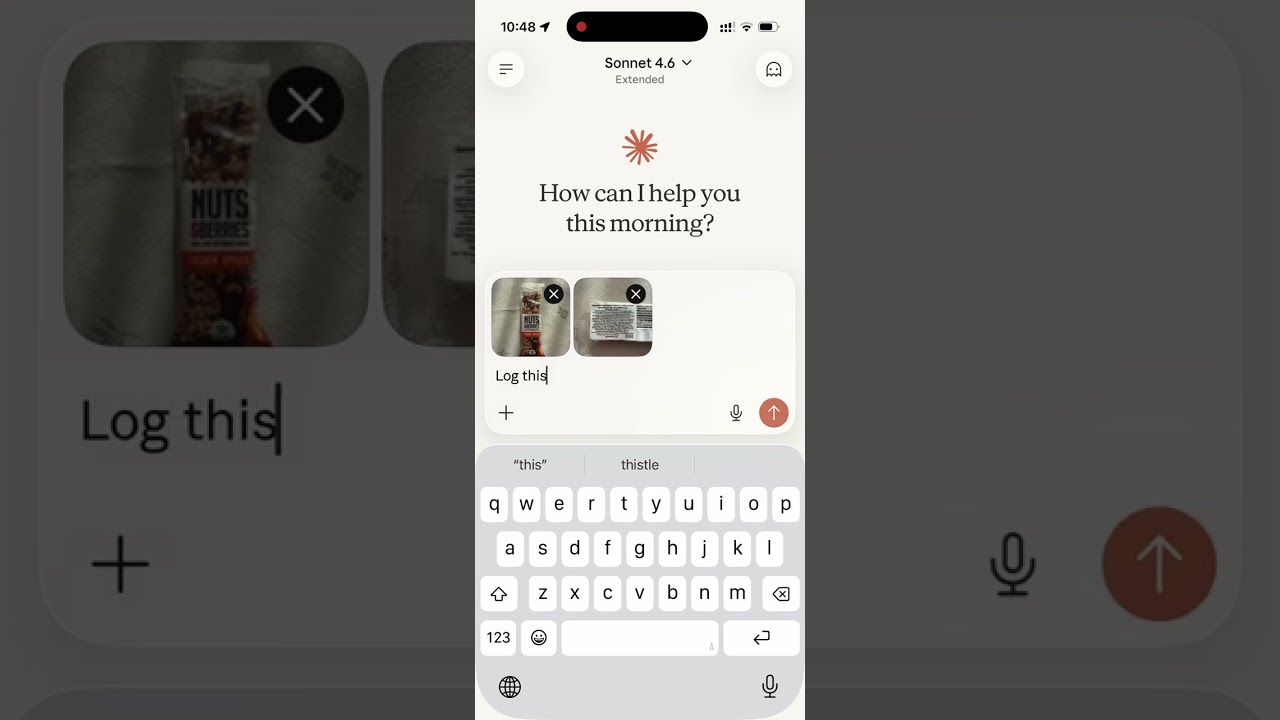
Switching from another tracker? See the nutrition-app alternatives — how it compares to MyFitnessPal, Cronometer, Lose It!, MacroFactor, Yazio, and Lifesum. Bring your history with you: say "import my meals" and an importer opens in the chat, where you pick the CSV you exported from your old app, map its columns, and check what will be added before anything is saved. Exports from MyFitnessPal, Cronometer, Lose It! and MacroFactor are recognised automatically; any other CSV works by mapping its columns yourself. In clients that can't show in-chat panels, paste the export instead and the AI imports it for you. If your export has an alcohol column and you want it kept, turn alcohol tracking on before importing — the importer skips that column while tracking is off, and re-importing the same file later won't backfill it.
Demo
Read the story behind it: How I Replaced MyFitnessPal and Other Apps with a Single MCP Server
Tech Stack
- Bun — runtime and package manager
- Hono — HTTP framework
- MCP TypeScript SDK v2 (
@modelcontextprotocol/server) with Zod 4 schemas — Model Context Protocol over Streamable HTTP, answering both the2026-07-28and the2025-11-25protocol revisions - Supabase — PostgreSQL database + user authentication
- OAuth 2.0 — authentication for Claude.ai and other MCP clients: per-client dynamic client registration (RFC 7591) with exact redirect-URI matching, mandatory PKCE (
S256), token-endpoint client authentication (none,client_secret_post,client_secret_basic), codes and refresh tokens bound to the client they were issued to,isson every authorization response (RFC 9207), and client secrets, access tokens, refresh tokens and codes stored only as a SHA-256 hash. Access tokens last 24 hours; refresh tokens last 90 days from their last use and rotate on every refresh; expired tokens and never-used client registrations are swept hourly
MCP Tools
| Tool | Description |
|---|---|
log_meal | Log a meal with description, type, calories, macros, fiber, total and added sugar, saturated and trans fat, sodium (mg), alcohol, caffeine (mg), notes — from text or a photo of your plate; each value records its source |
start_meal_import | Open the in-chat CSV importer: pick an export from another app, map its columns, preview, confirm |
bulk_import_meals | Write up to 50 imported rows per call — each row validated, duplicates skipped so a re-send is safe while the timezone is unchanged |
lookup_barcode | Look up a packaged product's label nutrition by barcode via Open Food Facts, including added sugar when listed (read from a photo or typed; data © OFF contributors, ODbL) |
search_foods | Search USDA FoodData Central generic foods by English name; up to 10 candidates with their ids and macros per 100 g |
get_food_macros | USDA FoodData Central values for one generic food by its id, per 100 g or scaled to amount_g, with its listed portion sizes |
get_meals_today | Get all meals logged today, one compact line per meal with its id; detail: "full" adds notes |
get_meals_by_date | Get meals for a specific date (YYYY-MM-DD), one compact line per meal; detail: "full" adds notes |
get_meals_by_date_range | Get meals between two dates (inclusive), up to 31 days per call; one compact line per meal, detail: "full" adds notes |
search_meals | Search past meals by keyword (including ingredient names) and saved meals by name, grouped into recurring variations (counts, last logged, typical macros) |
get_nutrition_summary | Daily nutrition totals + goal progress for a date range, up to 92 days per call |
get_digest | A digest of one period (yesterday, today so far, the last 7 or 30 days): calories and nutrients against goals, trends, water and weight, meals or logging habits, and highlights from the user's own log |
update_meal | Update any fields of an existing meal |
delete_meal | Delete a meal by ID |
save_meal | Save a meal under a name, with values per serving and optional ingredients, to log again later |
log_saved_meal | Log a saved meal, scaled by servings, with single ingredients set to the amount eaten or left out |
get_saved_meals | List saved meals with their values and ingredients, optionally filtered by name |
update_saved_meal | Change a saved meal's name, values or ingredients; meals already logged from it keep theirs |
delete_saved_meal | Delete a saved meal; meals already logged from it keep their values |
set_nutrition_goals | Set daily calorie, macro, fiber and water targets to reach, total-sugar/added-sugar/saturated-fat/alcohol/caffeine/sodium limits to stay under, plus an optional target weight |
get_nutrition_goals | Get the current daily targets and limits |
get_goal_progress | Get intake vs. targets and limits for a given day (default: today), plus latest weight vs. target |
log_water | Log a hydration entry in milliliters |
get_water_today | Get today's water intake total and entries |
get_water_by_date | Get water intake for a specific date |
delete_water | Delete a water log entry by ID |
log_weight | Log a body-weight measurement in kg or lb (converted and stored server-side) |
get_weight_today | Get today's weight entries |
get_weight_by_date | Get weight entries for a specific date |
get_weight_by_date_range | Get weight entries between two dates (inclusive), grouped by day, up to 366 days per call |
get_weight_trends | Weight trend: smoothed trend weight, weekly rate, latest, overall change, min/max, goal progress; widget zooms to 7 days, 30 days, 90 days, 1 year or all history |
update_weight | Update an existing weight entry |
delete_weight | Delete a weight entry by ID |
set_weight_unit | Set the preferred weight unit (kg or lb; null to clear) |
log_body_measurement | Log a tape measurement (waist, hips, neck, chest, shoulders, upper arm, forearm, thigh, calf) in cm or in |
get_body_measurements | List body measurements by day, optionally for one site; last 30 days by default, up to 366 days per call |
update_body_measurement | Update a measurement's value, unit, time or notes (the site is fixed) |
delete_body_measurement | Delete a body measurement by ID |
set_length_unit | Set the preferred length unit (cm or in; null to clear) |
get_trends | 7/14/30-day averages, std dev, streaks, best/worst day; group_by week/month/quarter/year averages per calendar period, per logged day, against the targets then in effect |
get_meal_patterns | Pre-aggregated behavioural patterns (breakfast effect, late dinner, weekend vs weekday, outliers) |
export_all_data | Export everything stored about you — logs, saved meals and ingredients, where each nutrient value came from, goals, profile, account, telemetry, app connections and the Apple Health sync record — as one ZIP of CSVs + README; 60-minute link |
get_profile | Get timezone (+ local date/time), widget language, weight and length units, widget display, alcohol tracking and Apple Health sync status in one call |
set_timezone | Set the user's IANA timezone (e.g. America/Los_Angeles) |
set_language | Set the UI language for in-chat widgets (dashboards, charts) — not the language the AI replies in |
get_current_time | Get the current date and time in the user's timezone, plus the UTC instant — for hosts with no clock in context |
set_widget_display | Enable or disable the in-chat visual widgets (dashboards, rings, charts); enabled by default |
set_alcohol_tracking | Turn alcohol tracking on or off (off by default) and choose US standard drinks or UK units; turning it off hides alcohol rather than deleting it |
delete_account | Permanently delete the user's Nutrition MCP account and all data it stores about them |
MCP Resources
| URI | Description |
|---|---|
nutrition://weekly-summary | Rolling 7-day digest (averages vs targets, best/roughest day) for proactive pulls |
In-chat widgets
On hosts that support MCP Apps, the tools also draw a card in the chat. Each card carries the same figures as the text answer:
- Nutrition summary (
get_nutrition_summary) and meal logged (log_meal,update_meal,log_saved_meal): a half-gauge of calories. For one day the arc is split into meals; for a range it shows the average against the peak day. Show more opens the nutrients: each one has its own mini gauge and, expanded, the meals and ingredients it came from, plus a by-day strip for a range and calories by meal. Sodium and saturated and trans fat are in that list. The meal-logged card only appears once goals are set. - Goal progress (
get_goal_progress): intake against targets and limits for a day, and latest weight against the target weight. - Trends (
get_trends): a 7/14/30-day toggle and a nutrient switcher over a bar chart, with one card per nutrient. - Weight trends (
get_weight_trends): weight over time, zoomed to 7 days, 30 days, 90 days, 1 year or all history. - Digest (
get_digest): one period in collapsible sections — calories and nutrients against goals, trends, water and weight, meals or logging habits, and highlights. - Import (
start_meal_import): the CSV importer. The file is read in the browser, mapped, and previewed before anything is saved.
Cards follow the light or dark theme of the host and the language set with set_language. They are on by default; set_widget_display turns them off, and the text answers are unchanged.
Self-hosting
0. Get the code
git clone https://github.com/akutishevsky/nutrition-mcp.git
cd nutrition-mcp
bun install
cp .env.example .env   # fill in real values as you go through the steps below
Requires Bun 1.x (matches the Dockerfile's oven/bun:1 base image; no exact minor version is pinned).
bun run gen:all regenerates the public site pages without starting the server.
Making it yours: The public site includes the maintainer's personal bits — Google Analytics, Microsoft Clarity, Patreon/GitHub/contact links, and the
nutrition-mcp.comdomain. Runbun run gen:allto produce the public pages, thenbun run depersonalizeto strip the personal bits in one pass (the consent-gated analytics snippet, the consent banner and the footer "Cookie settings" button, plus the analytics CSP hosts, the Support/Contact sections, social links, and the domain → ayour-domain.complaceholder). Usebun run depersonalize --dryto preview without writing. Afterwards, swap in your ownpublic/og.png,favicon.ico,favicon.svg,apple-touch-icon.png,icon-192.pngandicon-512.png, replace the domain placeholder with your real domain, and rewrite the analytics paragraphs of the privacy policy and terms (src/copy/legal*.ts), which still name both services. Its edits to the generated pages are undone bybun run gen:all— to regenerate, first change the sources it reads from (inscripts/site-partials.ts, either your ownGA_MEASUREMENT_ID/CLARITY_PROJECT_ID, whichanalyticsHead()loads only after a visitor accepts the consent banner, orANALYTICS_ENABLEDset to false to drop the snippet, banner and button altogether;SITEinsrc/routes.ts), then run it again. This script only touches the generated files underpublic/, the import widget's support address,src/index.tsand the security.txt contact insrc/security-txt.ts(blanked, so/.well-known/security.txtanswers 404 until you set your own) — it doesn't touch this README orSECURITY.md, so if you're publishing your own fork, rewriteSECURITY.mdfor your deployment and also edit or remove the Patreon line near the top of this file and the Medium link in Demo.
1. Supabase setup
-
Create a Supabase project.
-
Enable Email Auth (Authentication → Providers → Email) and disable email confirmation.
-
Apply the schema. The full schema lives in
supabase/migrations/. With the Supabase CLI:bashsupabase link --project-ref <your-project-ref> supabase db pushThis creates every table, index, RLS policy, and foreign key the app needs. No local Postgres is involved — migrations run against your hosted project.
-
Copy the service role key from Project Settings → API and use it as
SUPABASE_SECRET_KEY.
2. Environment variables
| Variable | Description |
|---|---|
SUPABASE_URL | Your Supabase project URL |
SUPABASE_SECRET_KEY | Supabase service role key (bypasses RLS) |
OAUTH_CLIENT_ID | (optional, legacy) ID of the pre-registration static OAuth client. Clients now register themselves via POST /register; this only keeps older connections working until the legacy client is retired |
OAUTH_CLIENT_SECRET | (optional, legacy) Secret of the legacy static OAuth client |
ALLOWED_ORIGINS | (optional) Comma-separated list of extra browser origins allowed to call /mcp via CORS — localhost/127.0.0.1 on any port are always allowed regardless |
GOOGLE_CLIENT_ID | (optional) Google OAuth client ID for "Sign in with Google" |
GOOGLE_CLIENT_SECRET | (optional) Google OAuth client secret |
OFF_USER_AGENT | Open Food Facts User-Agent for barcode lookups, in the form AppName (email) |
USDA_API_KEY | (optional) USDA FoodData Central API key for search_foods and get_food_macros; without it those tools report that USDA data is not configured |
PATREON_CLIENT_ID | (optional) Patreon OAuth client ID, for showing recent posts on the landing page's Support section |
PATREON_CLIENT_SECRET | (optional) Patreon OAuth client secret |
PATREON_CAMPAIGN_ID | (optional) Patreon campaign ID to fetch posts from |
PATREON_ACCESS_TOKEN | (optional) Creator's Access Token from Patreon's client management page — one-time bootstrap seed, see below |
PATREON_REFRESH_TOKEN | (optional) Creator's Refresh Token from the same page — one-time bootstrap seed, see below |
PUBLIC_BASE_URL | (optional) Public origin (e.g. https://your-domain.example) that the Apple Health shortcut is pointed at. Set it on any deploy that is not nutrition-mcp.com; without it, a phone paired on that deploy is sent to the production site |
HEALTH_SYNC_SHORTCUT_URL | (optional, build time) https://www.icloud.com/shortcuts/… link to the published Nutrition MCP Health shortcut, shown as the install button on /apple-health. A Dockerfile build argument like NOINDEX; unset, the page says the shortcut is coming soon |
PORT | Server port (default: 8080) |
NOINDEX | (optional) Any non-empty value sends X-Robots-Tag: noindex, nofollow on every response and leaves Google Analytics, Clarity and the consent banner (with its footer "Cookie settings" button) out of the generated pages, for a dev or staging deploy. Must be set at build time too, since the pages are generated during the build |
ADDED_SUGAR_REQUIRED_FROM | (optional) ISO-8601 instant (a date, or a date-time with an offset) from which log_meal / update_meal refuse a sugar_g given without added_sugar_g. Unset, empty or unparseable leaves the rule off. Set it well after the deploy that first advertised added_sugar_g: hosts cache the tool list for days, and a client on an older list cannot send the field |
Legacy only — a fresh deploy doesn't need these, since every client registers its own credentials via POST /register. To set the optional OAUTH_CLIENT_* pair for the legacy static client:
bun run generate-oauth-creds
or manually:
openssl rand -hex 16   # use as OAUTH_CLIENT_ID
openssl rand -hex 32   # use as OAUTH_CLIENT_SECRET
Patreon posts, one-time setup:
PATREON_ACCESS_TOKEN/PATREON_REFRESH_TOKENare only ever read once, at server boot, to seed thepatreon_tokenstable if it's still empty — the server refreshes and stores its own pair from then on, so leaving these two set permanently is safe (every later boot is a no-op). You never need to touch the database by hand.
3. Google sign-in (optional)
Email/password works out of the box. To also offer "Continue with Google",
follow docs/google-auth-setup.md to create a
Google OAuth client, enable the Google provider in Supabase, and set
GOOGLE_CLIENT_ID / GOOGLE_CLIENT_SECRET. This adds the POST /authorize/google
and GET /auth/google/callback routes — see API Endpoints.
Development
bun install
cp .env.example .env   # fill in your credentials — see Self-hosting above for what to put here
bun run dev             # regenerates public/ pages, then starts with hot reload on http://localhost:8080
The generated pages under public/ (index, tools, privacy, terms, login, /alternatives, locale mirrors, sitemap.xml) are build artifacts, not tracked in git — they're regenerated on every Docker build, in CI, and once at each bun run dev start. --watch only restarts the src/index.ts process on save, so it does not rerun generation — after editing src/copy/, src/routes.ts, or scripts/site-partials.ts, run bun run gen:all yourself to pick up the change.
Testing and quality
bun test                # run the test suite
bun run format           # format with Prettier (4-space indentation)
bun run format:check     # verify the tree is prettier-clean
bun run typecheck        # typecheck src/
CI runs format:check and typecheck on every PR; typecheck is scoped to src/, so a type error in a test file or under scripts/ won't be caught by it.
For in-chat widget development (public/widgets/), bun run harness starts a local host simulator so you can test widgets without a real MCP client.
Connect to Claude.ai
- Open Nutrition MCP in the Claude directory
- Click Connect
- Sign in or register when prompted
- Done — Claude can now use your nutrition tools
Alternatively, add https://nutrition-mcp.com/mcp as a custom connector under Customize → Connectors. If you reconnect later, sign in with the same email and password to keep your data.
Apple Health sync
An optional iOS Shortcut, Nutrition MCP Health, copies your daily totals into Apple Health on your iPhone: calories (Dietary Energy), protein, carbohydrates, total fat, fiber and caffeine, plus water if you opt in when connecting. Alcohol is never sent, and neither are sodium, saturated and trans fat or sugar. There is no app to install and no new MCP tool — your AI app keeps doing the logging, and the shortcut only reads finished days. The setup guide — install link, connecting, automations and everyday use — is at nutrition-mcp.com/apple-health (the install link appears there once the shortcut is published); how the shortcut is built is in docs/apple-health-shortcut.md.
- Connecting: run the shortcut on your iPhone. It asks whether to include water and whether to send the last 7 days too, then opens a sign-in page in Safari — sign in with the same account your AI app uses. The page hands control back to the shortcut, which finishes connecting. The connect link works once, for 30 minutes, and only the iPhone that started it can finish it.
- What arrives: only finished days. A day counts as finished at 05:00 the next morning in your timezone, so yesterday appears after 05:00 today and today is never in Health. Each day is one entry per type at 12:00, labelled "Shortcuts". Every sync looks back over the last 7 finished days, so a missed morning catches up by itself.
- Later changes: a meal added to a day that was already sent follows as a small extra entry (12:01, 12:02, …) while the day is within those 7 days. Health cannot lower a value, so a deleted or smaller meal leaves Health higher and the shortcut shows a notice saying how to fix the day by hand.
- When it runs: whenever one of its automations fires — opening the Health app, stopping your alarm, optionally plugging in — or when you choose Sync now in the shortcut.
- What the server keeps: the connection, and for 8 days what it sent, so a day is sent once and afterwards only topped up. Both are in your data export (
health_sync.csv, and ahealth_syncrow inconnections.csv). The connection ends after 90 days without a sync and 365 days after connecting at the latest; Disconnect in the shortcut, or deleting your account, removes it at once. Nothing is ever removed from Apple Health — that data is on your iPhone. - Your profile timezone decides where one day ends. If you never set one, the timezone your iPhone reported when connecting is used.
get_profileshows whether the sync is connected and which day it has sent through.
Your data
export_all_data returns everything stored about the account as one ZIP, behind a link that expires after 60 minutes. Each export replaces the last. The ZIP holds:
meals.csvandmeal_items.csv— every meal and its ingredients, with the source of each nutrient value.meals.csvuses the importer's column names, so it can be imported again.saved_meals.csvandsaved_meal_items.csv— saved meals and their ingredients.water.csv,weight.csvandbody_measurements.csv— every entry.goals.csvandgoals_history.csv— current targets and limits, and how they changed.profile.csvandaccount.csv— settings and account details.telemetry.csv— the tool-call log kept for the account.connections.csv— the apps connected to the account, including the Apple Health sync link.health_sync.csv— the days sent to Apple Health in the last 8 days.README.txt— the timezone the timestamps are written in, which columns are in milligrams, and which files can be imported.
Every timestamp has a timezone column next to it, and each file has its header even when it has no rows.
Troubleshooting
The full version, in 10 languages, is at nutrition-mcp.com/tools#troubleshooting. In short:
- Won't connect, or keeps asking to sign in: remove the connector and add it again with exactly
https://nutrition-mcp.com/mcp, then sign in with the same email and password (or Google account) as before — your data belongs to the account, not the connection. It stays connected as long as you use it at least every 90 days. {"error":"session_expired"}on the sign-in page: the page is valid for 10 minutes and resets when the server restarts; reload it or start connecting again.session_mismatchmeans sign-in was finished in a different browser from the one that opened it.- Can't sign in / forgot password: use Sign in for an existing account — a wrong email or password shows "Wrong email or password" and never creates a new account; Create account is only for a first visit. If you signed up with Google, use Continue with Google. There is no self-service reset yet — email anton@nutrition-mcp.com from your account's address.
- History gone after reconnecting: each email is a separate account; sign in with the one you used originally.
- The AI answers but doesn't log: check the connector is enabled for the conversation, ask explicitly, and approve tool permission prompts.
- Meals on the wrong day: days follow your timezone (UTC until you set one). Set it with
set_timezone; past entries regroup, but one given a specific time while the timezone was wrong keeps that moment — fix it withupdate_meal. Set it before importing history: re-importing another app's file after a timezone change adds the rows again (a Nutrition MCP export is recognized and not duplicated). - No charts or cards: widgets need a host that supports MCP Apps; after
set_widget_display, start a new conversation. The meal-logged card only appears once goals are set. - Importer won't open or can't save: ask the AI to import the file itself with
bulk_import_meals(duplicates are skipped, so re-sending is safe as long as your timezone hasn't changed in between; set it before the first import). If you use the importer panel and want an alcohol column kept, turn alcohol tracking on first; the panel skips it while tracking is off. - "Rate limit exceeded" / "Too many failed authentication attempts": 60 requests a minute per account, 30 a minute per network on the sign-in pages. After 20 rejected connection attempts in a row, a network is paused for 5 minutes, growing to at most an hour — usually an old connector retrying; remove and re-add it.
- Barcode not found or wrong: data comes from Open Food Facts (8–14 digits, no caffeine data; added sugar only when the product lists it, marked when Open Food Facts estimated it from the ingredients); when no product is found, the name or a label photo can supply the figures instead.
- USDA data unavailable until a time is named: USDA FoodData Central lookups (
search_foods,get_food_macros) share one hourly quota across all users. After USDA's limit is reached, or when the key's hourly allowance is nearly used up, lookups pause for 60 minutes; each user is also capped at 30 lookups per hour. Foods looked up in the last 30 days keep working during a pause. USDA's names are in English, so search with English food names. - Yesterday isn't in Apple Health yet: days are sent once they are finished, at 05:00 the next morning in your timezone; the next sync after that (opening Health, stopping your alarm, or Sync now) brings it. Every sync covers the last 7 days.
- Apple Health shows more than chat: Health can't lower a value it already has. Delete that day's entries from Shortcuts under Health → Browse → Nutrition → (type) → Show All Data and enter the right total by hand. Never use "Delete All Data from Shortcuts" — it also removes what your other shortcuts logged. If every day looks doubled, another app writes the same types; switch one off under Health → Sharing → Apps.
- Apple Health sync stopped: run Nutrition MCP Health by hand to see why. If it asks to connect again (90 days without a sync, 365 days after connecting, or after Disconnect), sign in on the page it opens within 30 minutes. If it only syncs by hand, check its automations are on and set to Run Immediately; if a notice says a day didn't reach Health, allow Shortcuts to write every nutrition type under Health → Sharing → Apps → Shortcuts.
- Export link doesn't work: links expire after 60 minutes and each export replaces the last; ask for a fresh one. An export reporting 0 meals when you expected history usually means you signed in with a different email.
- Deleting your account:
delete_accountpermanently removes everything after you confirm; export first if you want a copy. - Reporting a problem: bugs on GitHub Issues (never include your password); security issues privately, as SECURITY.md describes.
API Endpoints
| Endpoint | Description |
|---|---|
GET /health | Health check |
GET /.well-known/oauth-authorization-server | OAuth metadata discovery (root + /mcp-scoped variants) |
GET /.well-known/oauth-protected-resource | OAuth protected-resource metadata discovery (root + /mcp-scoped variants) |
POST /register | Dynamic client registration (RFC 7591) — per-client, redirect URIs enforced |
GET /authorize | OAuth authorization (shows login page) |
POST /authorize/google | Login-page form; redirects to Google's consent screen |
GET /auth/google/callback | Google OAuth callback — exchanges the code, completes sign-in |
POST /approve | Login/register handler |
POST /token | Token exchange — client-authenticated, redirect_uri + PKCE verifier required |
GET /.well-known/security.txt | Security contact (RFC 9116); Expires rolls forward daily |
GET /security.txt | 301 redirect to /.well-known/security.txt |
GET /favicon.ico | Server icon |
GET /favicon.svg | Site icon (SVG) |
GET /api/stats | Landing-page totals (meals, calories, macros, timezones), aggregated only |
GET /api/patreon-posts | Recent Patreon posts for the landing page's Support section |
GET /api/github-stars | Cached GitHub star count for the site's GitHub buttons |
POST /api/v1/health-sync/start | Apple Health sync: start connecting from the shortcut (returns a connect link) |
GET /health-sync/connect/:id | Apple Health sync: opens the normal sign-in page for that connect request |
GET /health-sync/callback | Apple Health sync: sign-in callback; hands a claim code back to the shortcut |
POST /api/v1/health-sync/claim | Apple Health sync: exchange claim code + device secret for the sync token |
GET /api/v1/health-sync/pending | Apple Health sync: closed-day totals to log (Bearer nmhs_… token) |
POST /api/v1/health-sync/ack | Apple Health sync: record what the shortcut logged (Bearer token) |
POST /api/v1/health-sync/revoke | Apple Health sync: disconnect (Bearer token) |
ALL /mcp | MCP endpoint (authenticated) |
Deploy
The project includes a Dockerfile for container-based deployment.
- Push your repo to a hosting provider (e.g. DigitalOcean App Platform)
- Set the environment variables listed above
- The app auto-detects the Dockerfile and deploys on port
8080 - Point your domain to the deployed URL
Support & security
- Help, bugs, feature requests: open a GitHub issue or email anton@nutrition-mcp.com.
- Security vulnerabilities: do not open a public issue. Report privately via GitHub private vulnerability reporting or email anton@nutrition-mcp.com — see SECURITY.md. Machine-readable contact: https://nutrition-mcp.com/.well-known/security.txt
- Account deletion / your data: the
delete_accountandexport_all_datatools, or email the address above. See the privacy policy.
Food data sources
Nutrition figures come from three places, and each nutrient value records which one it came from (the user, a label or barcode record, USDA, or an estimate). The in-chat widgets show that source as a tag beside each number, per meal and per ingredient, and the export carries it in nutrient_sources. A value is tagged USDA or Open Food Facts only when it matches that record for the amount logged; the server checks this, so a value cannot claim a source it does not match.
USDA FoodData Central (search_foods, get_food_macros) covers generic, unbranded foods from the Foundation, SR Legacy and Survey (FNDDS) data types, with values per 100 g scaled to the grams eaten and the portion sizes USDA lists. Its data is English-only, so search with English food names. A nutrient USDA does not record for a food is reported as not recorded and is never shown as zero. Requests send the search words (cleaned and up to 200 characters) or a FoodData Central id to USDA's API with this server's key, and no user identifier.
Suggested citation for FoodData Central, from fdc.nal.usda.gov:
U.S. Department of Agriculture, Agricultural Research Service, Beltsville Human Nutrition Research Center. FoodData Central. [Internet]. [cited 2026-10-10]. Available from https://fdc.nal.usda.gov/.
Nutrition MCP is not endorsed by the U.S. Department of Agriculture.
Open Food Facts (lookup_barcode) uses product data from Open Food Facts for packaged products, looked up by barcode. Product data © Open Food Facts contributors, available under the Open Database License (ODbL). Every lookup result names Open Food Facts and the licence.
Values with no record behind them are estimates, or come from a label the user shares.