Cursor Delegate
Stop burning your frontier agent's limits on boilerplate.
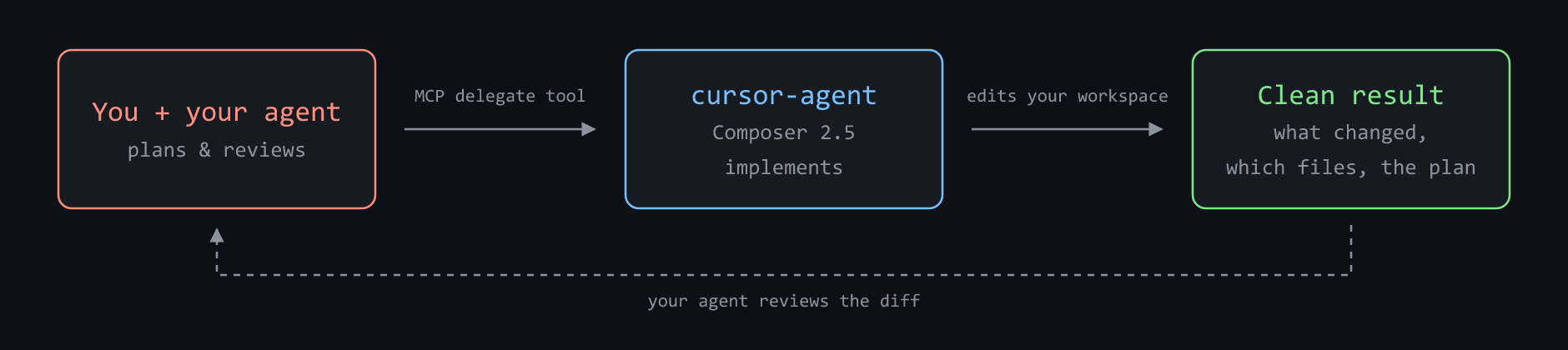
Delegate edits to Cursor's CLI agent — your agent writes the brief and reviews the diff.





Use your best coding agent where its judgment matters most: understanding the task, shaping the plan, and reviewing the result.
Cursor Delegate is the MCP bridge that lets Claude Code, ChatGPT/Codex, Copilot — or any MCP client — hand implementation to Cursor's CLI agent, then get a clean, structured result back for review.
🧠 Frontier quality, kept
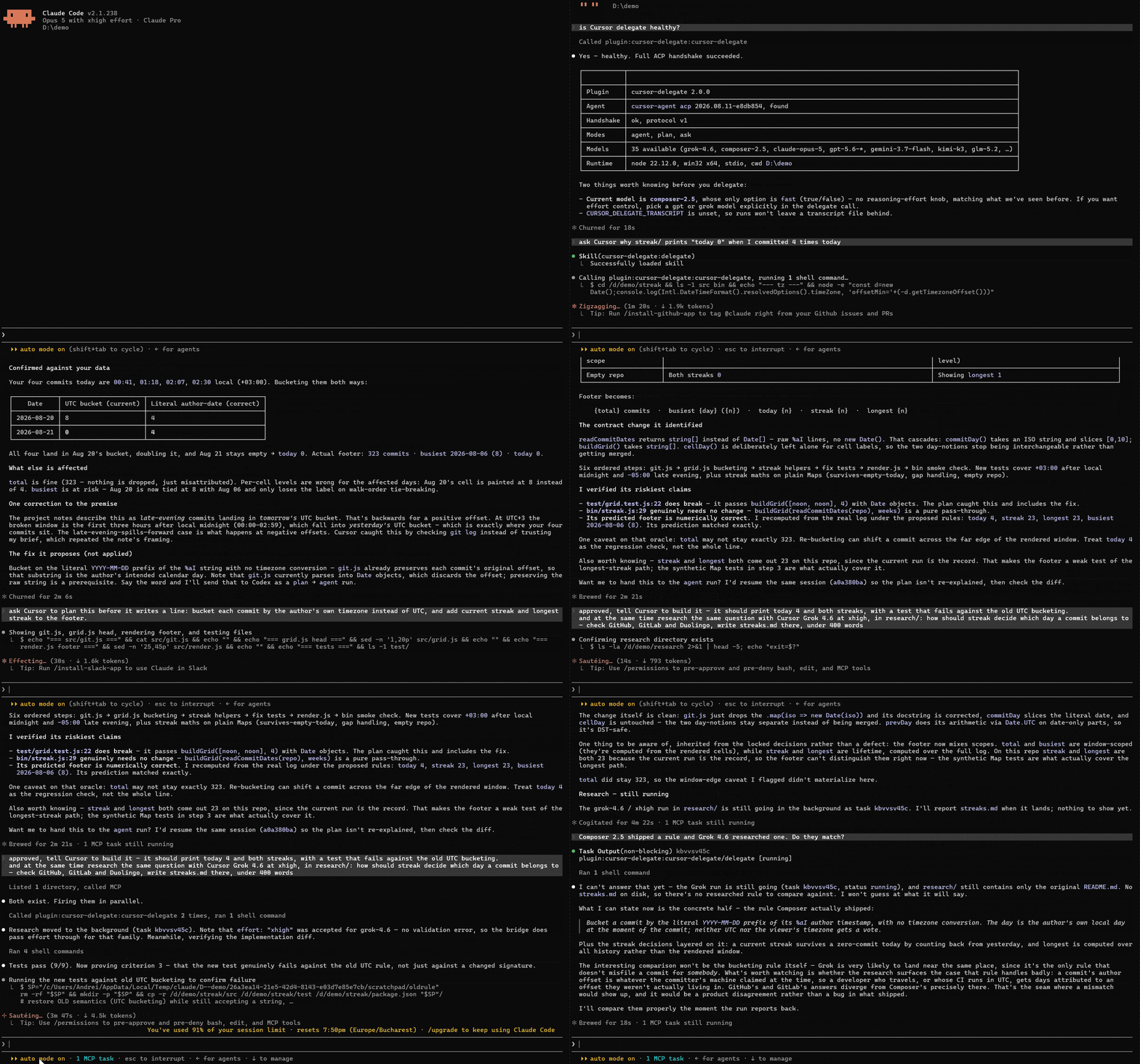
Your assistant does what frontier models are for: understands the task, writes a precise brief, reviews the finished diff. Composer 2.5 runs the implementation loop under that brief. The bundled skill puts the review step in the loop — the agent that scoped the work reads the changed files back before reporting.
⚡ Done faster
Composer 2.5 is built for throughput on multi-file edits. The whole delegation is one call — brief in, result out — so you review a finished diff instead of babysitting edits landing file by file.
🔋 Your limits stop being the bottleneck
Composer and Grok draw from the Cursor Models usage pool, separate from third-party model usage on supported Cursor plans. Your Claude or Codex subscription handles the brief and review while Cursor runs the implementation. If you pay per token on API, implementation moves onto the Cursor capacity you already have.
Features
- 🤝 Native plugins — install into Claude Code, ChatGPT/Codex, or GitHub Copilot CLI and just say "delegate this to Cursor". The shared skill teaches your agent how to delegate well.
- 💬 No stalled runs — if Cursor needs to clarify, it ends the turn and returns the question as a normal result. Your agent reads it and answers by resuming the same session — nothing blocks on a modal waiting for input.
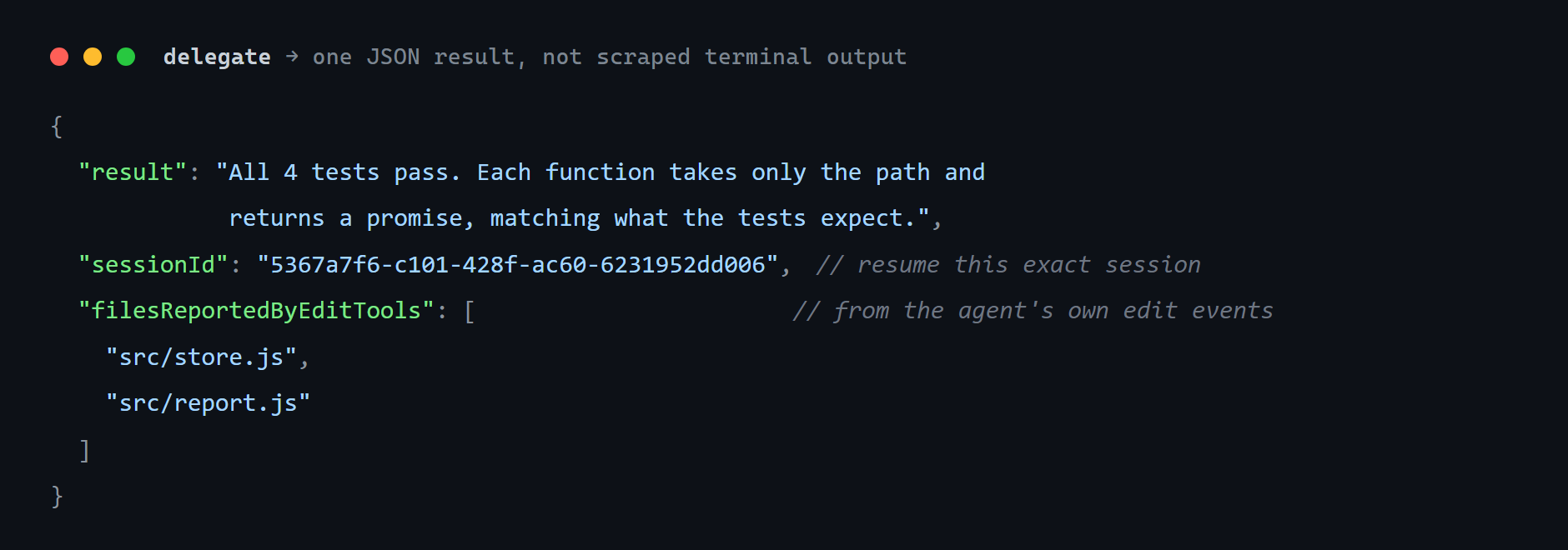
- 📦 Clean, named results — final answer, changed files, session id, and the plan, returned as one compact JSON payload. Nothing to scrape.
- 📋 Plan first —
planmode: Cursor drafts a plan, you review it, then the same session implements it. - 🔍 Ask anything —
askmode: Q&A over your codebase. - 🩺 Self-diagnosing — a
doctortool that tells you exactly what's missing if setup isn't right. - 🔌 Portable — plain stdio MCP, so it runs anywhere: VS Code, JetBrains, Windsurf, Visual Studio, OpenCode, Antigravity, and more.
plan and ask are instructions to the agent, and workspace is its working directory — Security and the delegate reference spell out what the bridge enforces and what it reports back.
Install
You need Node.js 20+ and the Cursor CLI, logged in (cursor-agent login).
Claude Code
/plugin marketplace add andreilungeanu/cursor-delegate-mcp
/plugin install cursor-delegate@cursor-delegate-mcp
Then just ask:
Delegate to Cursor: migrate src/api from callbacks to async/await and update the tests, then walk me through what changed.
That's the whole loop — Claude writes the brief, Cursor grinds through the files, Claude walks you through the diff.
ChatGPT desktop / Codex
codex plugin marketplace add andreilungeanu/cursor-delegate-mcp
codex plugin add cursor-delegate@cursor-delegate-mcp
GitHub Copilot CLI
copilot plugin install andreilungeanu/cursor-delegate-mcp
Any other MCP client
{
  "mcpServers": {
    "cursor-delegate": {
      "command": "npx",
      "args": ["-y", "cursor-delegate-mcp"]
    }
  }
}
Client-specific config locations
VS Code — one-click install, or .vscode/mcp.json


Or add it manually:
{
  "servers": {
    "cursor-delegate": {
      "type": "stdio",
      "command": "npx",
      "args": ["-y", "cursor-delegate-mcp"]
    }
  }
}
Or run Chat: Install Plugin From Source with this repository's URL.
JetBrains AI Assistant — Settings → Tools → AI Assistant → MCP
Under Settings → Tools → AI Assistant → Model Context Protocol (MCP), add a server with command npx and arguments -y cursor-delegate-mcp.
Windsurf — ~/.codeium/windsurf/mcp_config.json
Same mcpServers block as the generic snippet above. Cascade caps you at 100 tools across all servers.
Visual Studio 2022 / 2026 — %USERPROFILE%\.mcp.json
Same servers + type: "stdio" shape as VS Code. Requires Visual Studio 2026, or 2022 17.14+. Note the top-level key is servers, not mcpServers. Visual Studio also discovers .mcp.json next to the solution, plus .vscode/mcp.json.
OpenCode — ~/.config/opencode/opencode.json or project opencode.json
OpenCode does not use mcpServers. Local servers go under mcp, with type: "local" and command as one array:
{
  "$schema": "https://opencode.ai/config.json",
  "mcp": {
    "cursor-delegate": {
      "type": "local",
      "command": ["npx", "-y", "cursor-delegate-mcp"],
      "enabled": true
    }
  }
}
Google Antigravity — ~/.gemini/config/mcp_config.json or workspace .agents/mcp_config.json
Same mcpServers block as the generic snippet above. In the IDE: … on the agent panel → MCP Servers → Manage MCP Servers → View raw config. Antigravity 2.0, IDE, and CLI share the Gemini config file. You may need to approve the server's tools on first run.
Kiro — .kiro/settings/mcp.json or ~/.kiro/settings/mcp.json
Same mcpServers block as the generic snippet above. Workspace file wins when both exist.
Kilo Code — kilo.jsonc (mcp key, not mcpServers)
Same shape as OpenCode: type: "local" and command as one array. In the VS Code extension: Settings → MCP → Add Server → Local (stdio). On Windows, if npx is not found, use command cmd with arguments /c, npx, -y, cursor-delegate-mcp.
Zed — Settings → AI → MCP Servers, or context_servers in Zed settings
{
  "context_servers": {
    "cursor-delegate": {
      "command": "npx",
      "args": ["-y", "cursor-delegate-mcp"],
      "env": {}
    }
  }
}
Zed's native agent uses this. External ACP agents in Zed read their own MCP config unless you forward Zed's servers.
License
MIT © Andrei Lungeanu
Technical reference · Security · Privacy · Terms · Changelog