Listed from the MCP registry; nobody on Odel publishes it.

Whiteboard MCP
Local Excalidraw whiteboard your coding agent draws on live, and sees what you draw back.
Runs on your machine from its package; the steps are below.
What it does
- Reads
- Writes
- High impact
At most: creates or changes data: records, files, settings.
What it costs
FreeOdel charges nothing per call. The publisher may charge for its own service.
Runs locally over stdio
This server isn't hosted — your MCP client launches it from a package registry. Use one of the commands below, or drop the config into your client (e.g. Claude Desktop).
Run
npx -y @ansuman-shukla/whiteboard-mcp
MCP client config
{
  "mcpServers": {
    "whiteboard-mcp": {
      "command": "npx",
      "args": [
        "-y",
        "@ansuman-shukla/whiteboard-mcp"
      ]
    }
  }
}
https://github.com/user-attachments/assets/197876d8-5620-4c1b-9bc3-332e0e7d5622
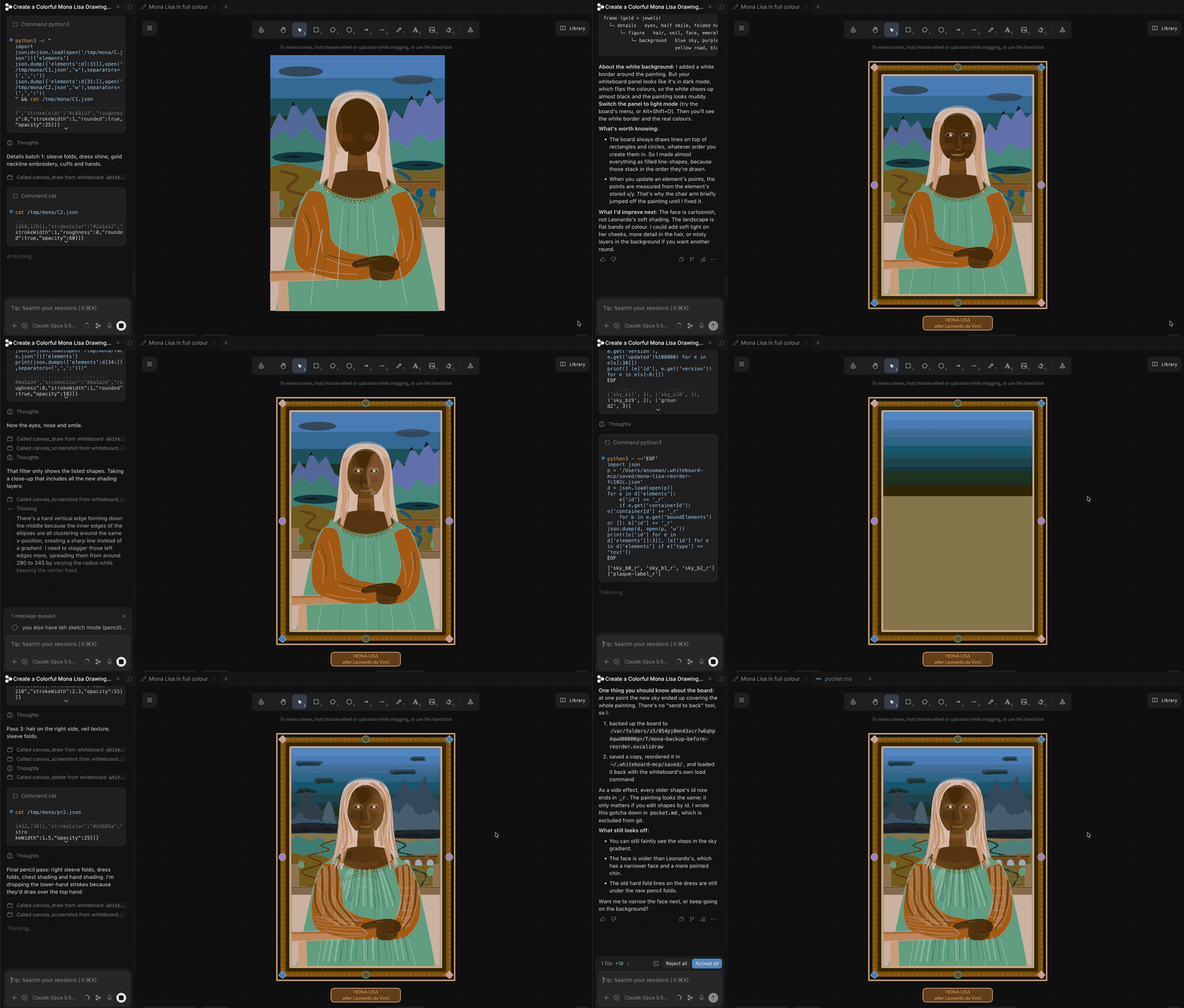
Whiteboard MCP is a free and extremely token-efficient whiteboard MCP that runs locally. Your coding agent draws diagrams on a live board beside the chat, and sees what you draw back.
One command install for every agent ↓
Features

What you can do with it
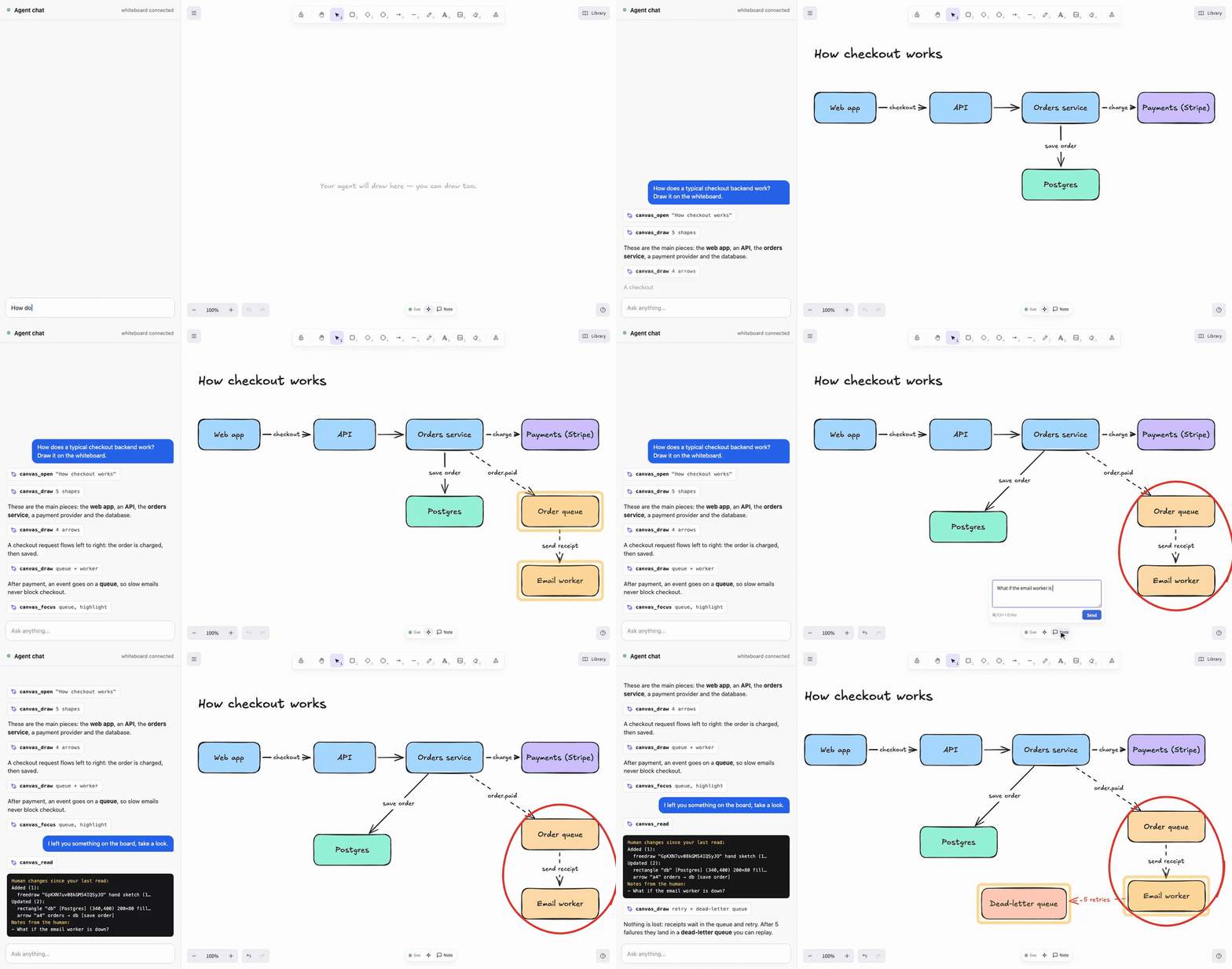
Understand an architecture
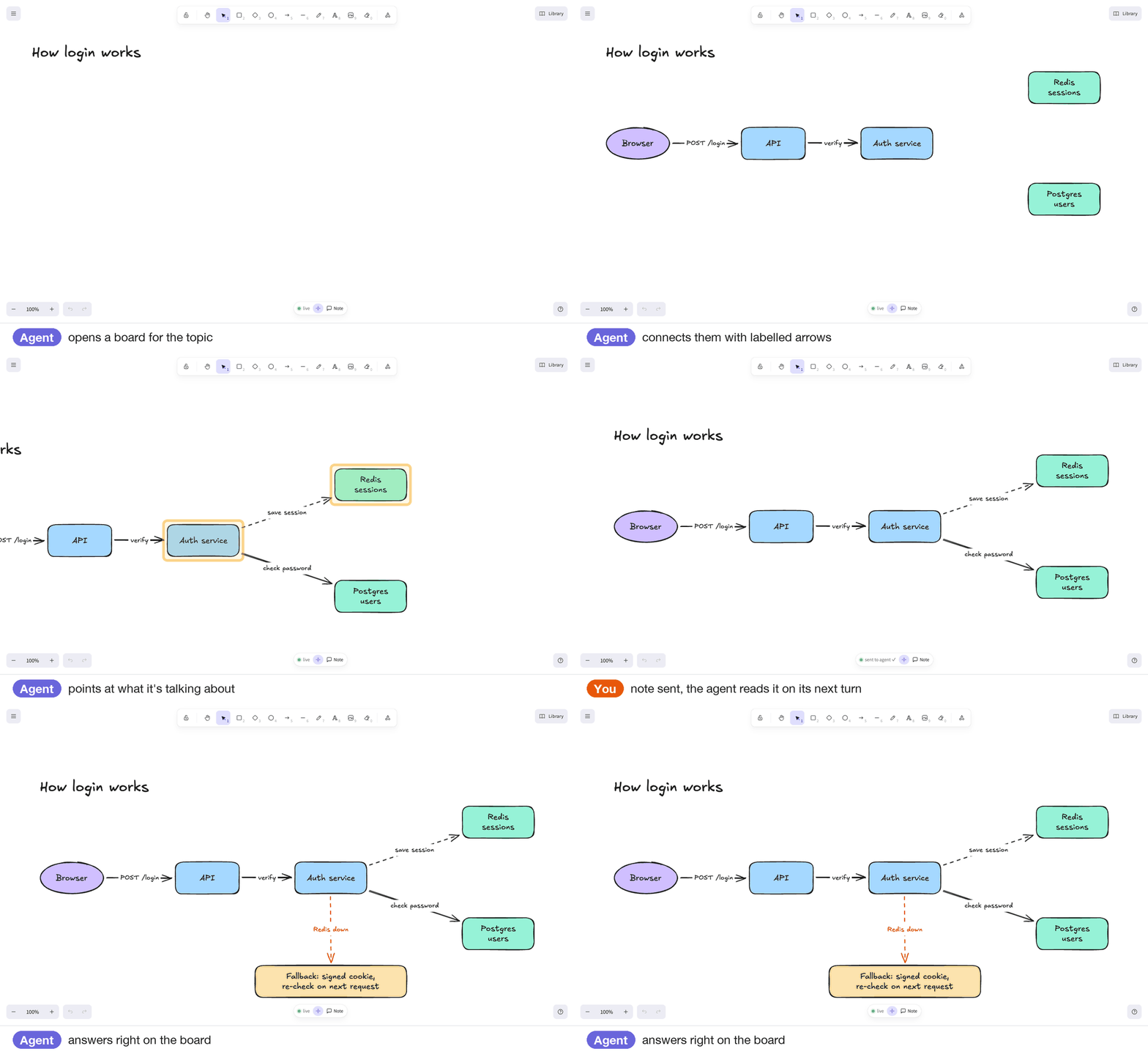
Explain a flow
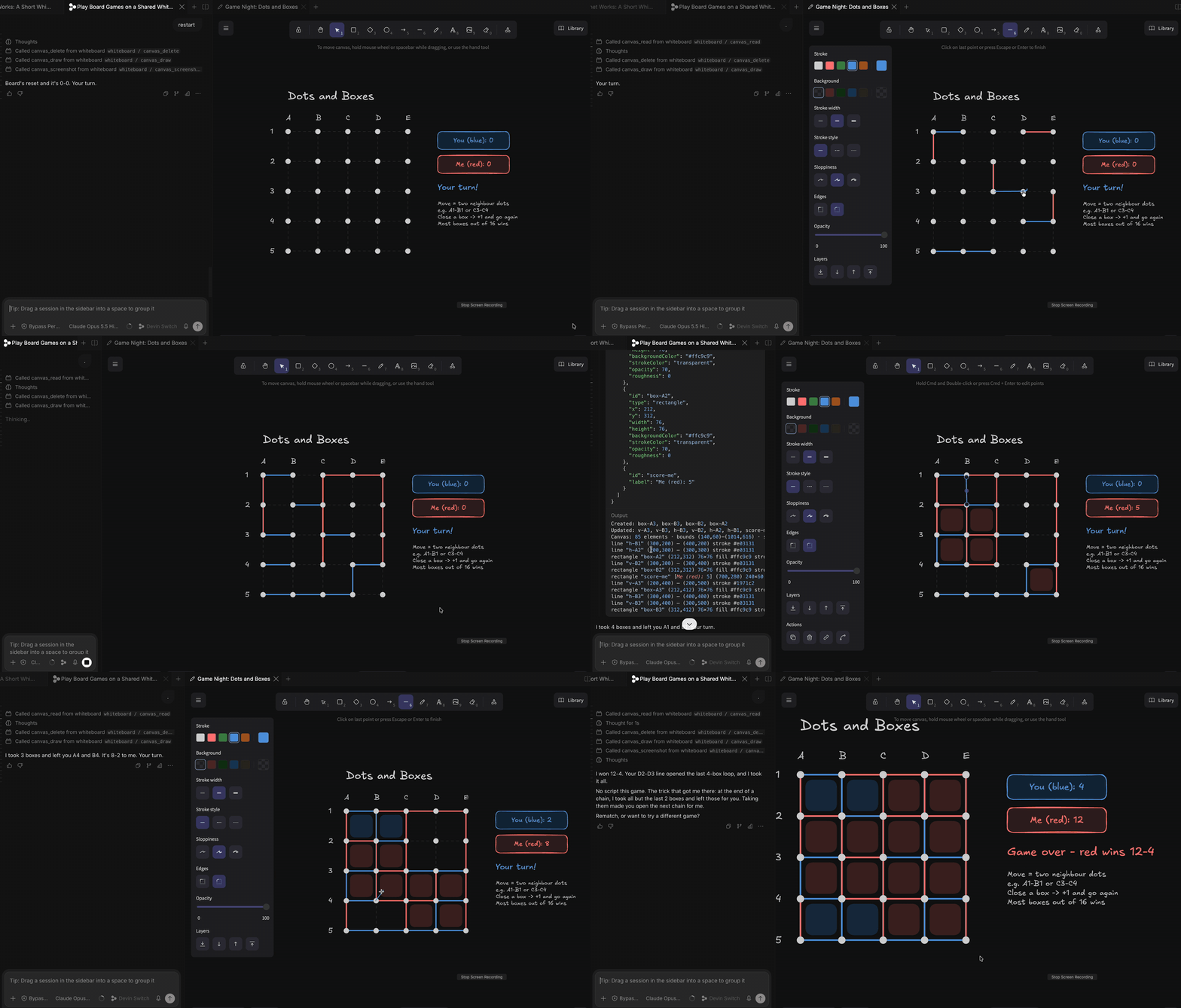
Play games
Make something
Quick start

Add it to your agent
# Claude Code
claude mcp add whiteboard --scope user -- npx -y @ansuman-shukla/whiteboard-mcp

# Codex CLI
codex mcp add whiteboard -- npx -y @ansuman-shukla/whiteboard-mcp

# Gemini CLI
gemini mcp add --scope user whiteboard npx -y @ansuman-shukla/whiteboard-mcp

# Devin CLI
devin mcp add whiteboard --scope user -- npx -y @ansuman-shukla/whiteboard-mcp

# VS Code
code --add-mcp '{"name":"whiteboard","command":"npx","args":["-y","@ansuman-shukla/whiteboard-mcp"]}'
Cursor, Claude Desktop, Windsurf and other JSON configs (~/.cursor/mcp.json, Claude Desktop's config, …):
{ "mcpServers": { "whiteboard": { "command": "npx", "args": ["-y", "@ansuman-shukla/whiteboard-mcp"] } } }
OpenCode (opencode.json):
{ "mcp": { "whiteboard": { "type": "local", "command": ["npx", "-y", "@ansuman-shukla/whiteboard-mcp"] } } }
Agents without MCP, project-level configs and more: client setup. The bundled skill teaches the agent when a drawing helps.
Whiteboard MCP vs Excalidraw MCP

Want a quick one-off diagram inside Claude or ChatGPT on the web? Excalidraw MCP is great for that. Full comparison →
Client setup · Boards · IDE panel · Tools & how it works · Configuration · Security · Contributing
MIT License · built on Excalidraw