Listed from the MCP registry; nobody on Odel publishes it.

Apprua
Publish the apps you build with AI on your own PC or server, from any AI app that supports MCP.
Runs on your machine from its package; the steps are below.

What it does
- Reads
- Writes
- High impact
At most: moves money, runs code or commands, deletes data, or sends messages for you.
What it costs
FreeOdel charges nothing per call. The publisher may charge for its own service.
Runs locally over stdio
This server isn't hosted — your MCP client launches it from a package registry. Use one of the commands below, or drop the config into your client (e.g. Claude Desktop).
Run
npx -y @apprua/mcp
MCP client config
{
  "mcpServers": {
    "apprua": {
      "command": "npx",
      "args": [
        "-y",
        "@apprua/mcp"
      ]
    }
  }
}
 Apprua
You built an app with AI. Now really use it.
Apprua puts it on your own PC or your own server, with one sentence to your AI app.
Install on Windows · Install on a server · Italiano
A shopping list, a quote calculator, a tool for your team: the AI wrote it and it works, but it lives in a chat or a folder. Apprua gives it a real address that you and the people you choose can open. No Git, Docker, servers or certificates to learn. You don't have to be a developer: if you can ask an AI for an app, you can publish it. Free and open source.
Three steps, then just ask
1. Install Apprua on your Windows PC or on a Linux server. You copy one command; the installer does the rest (the first time it takes a while: it downloads what it needs).
2. Connect your AI app. The portal gives you the lines to paste, with your personal key already in them. It works with Claude, OpenAI Codex, Cursor, VS Code and any app that supports MCP connectors.
3. Tell your AI:
"Publish this app on Apprua."
A few minutes later your AI answers with the address of the app. To change it, ask for the change and then "update it on Apprua". Pause it, give it a secret, go back to yesterday's version: you ask in the chat, the same way.
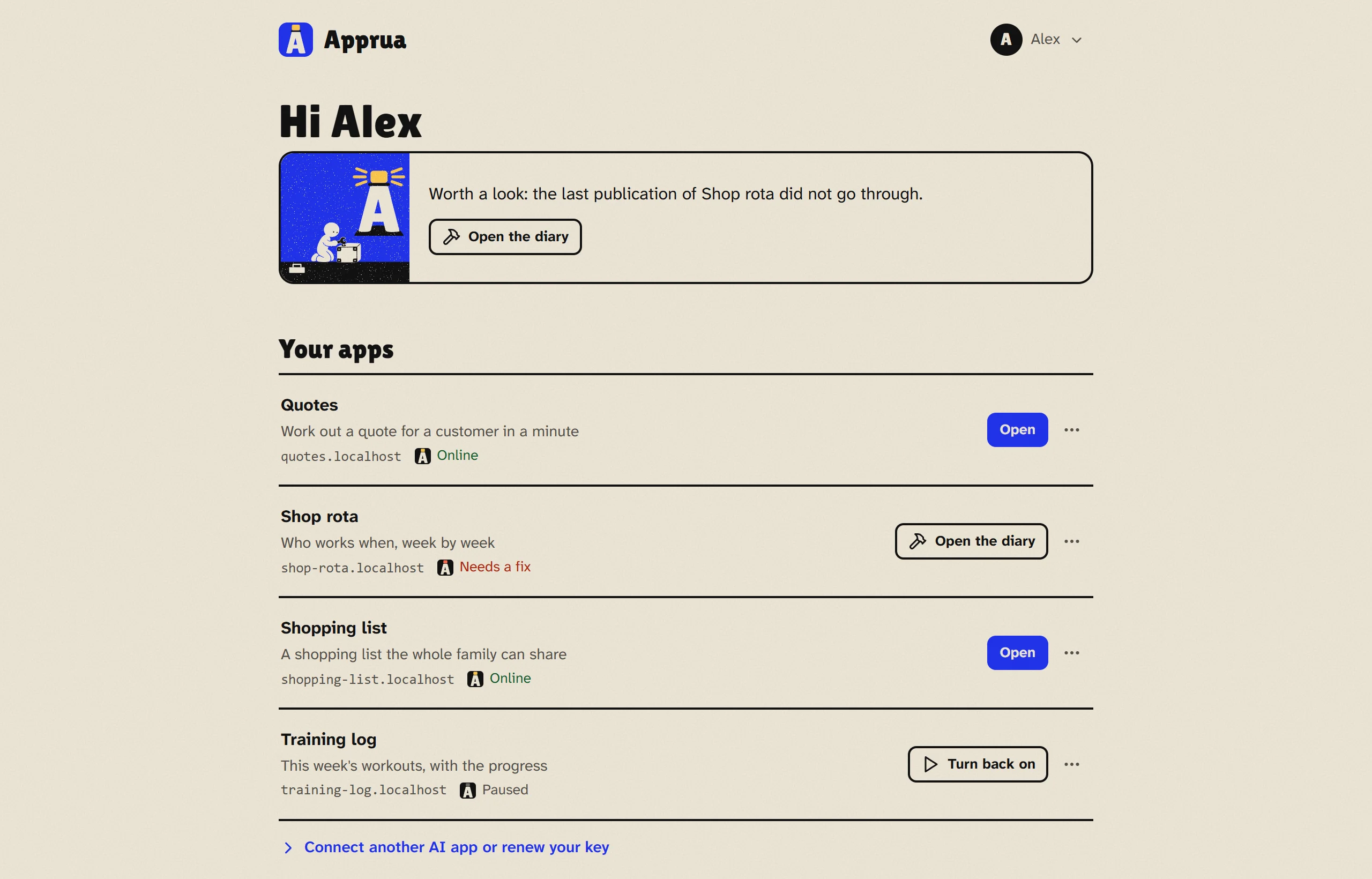
Why use it
- It stays yours. Apprua runs on your machine and has no cloud of its own: your apps and their data stay on your PC or server, and you decide who can open each one.
- Nothing new to learn. You keep talking to your AI app as you do now. Apprua packs, checks, builds and publishes.
- Careful from the start. A sign-in stands in front of every app on the network; each app runs in its own space with its own memory; a publication whose files hold keys in the most common formats (API keys, private keys,
.envfiles) is refused before it is published. - Every version kept. Each publication is saved: going back is one sentence away, and you can always download the code.
- For you or for your team. A personal profile with nothing to set up, or a team profile with accounts, limits and administrators.
- A home for the apps people already make. In a company, apps built with AI already pass from hand to hand. With Apprua, IT offers one official place on the company server: every app has an owner, a sign-in and all its versions. Less shadow IT, without saying no to people's ideas.
- A calm portal. In English and Italian, light and dark, also on the phone.
What it is made for
| A good fit | Not made for |
|---|---|
| Tools for you or your office: lists, calculators, forms, dashboards | Sites and services with thousands of visitors |
| Small management tools and archives | AI models running locally |
| Prototypes for other people to try | Video processing and very large databases |
| Apps used by a few dozen people | On a PC: apps that must keep working when the PC is off |
Every app gets its own memory (usually 512 MB to 2 GB), and an administrator can give it more, as far as the machine allows.
Start here
| Who you are | Where it goes | Guide |
|---|---|---|
| One person who wants a home for their apps | Your Windows PC | Apprua on your PC |
| A team, a studio, a company | A Linux server | Apprua on a server |
Then connect your AI app, use it every day, and if something goes wrong, common problems. The whole guide starts here.
How it works
AI app ──MCP──▶ Apprua connector (on your PC) ──key──▶ Apprua (your PC or server) ──▶ engine (Coolify) ──▶ your app
                                                              │
                                                              └─ code archive (every version of every app)
Apprua checks what arrives, keeps the version and asks the engine to build and run the app. The first engine is Coolify; it sits behind a small driver interface (packages/server/src/engine), so others can be added. Security notes and known limits are in SECURITY; what Apprua keeps about people is in Privacy.
Repository
| Path | What |
|---|---|
packages/server | Apprua server: API for the connector, portal, checks, code archive, engine drivers |
packages/mcp | The connector: an MCP server (stdio) for AI apps |
install/ | Installers for Linux and Windows (WSL2), backups |
docs/ | The guide (English, Italiano) and the configuration |
brand/ | The logo and the APPRUA wordmark (see TRADEMARKS.md) |
scripts/ | Release helpers: see RELEASING and the changelog |
Development: Node.js 24, npm install, npm run build, npm test.
License
Apprua is free software under the GNU Affero General Public License v3.0 (LICENSE), and its core will stay that way. You can use it, change it and share it; if you offer a changed version to others over a network, you share your changes under the same license. The apps you publish with Apprua stay yours: publishing an app through Apprua does not put that app under the AGPL.
Contributions are welcome, also without writing code: try it, report what doesn't work, suggest ideas, improve the guide. See CONTRIBUTING. On your first pull request a bot asks you to sign the Contributor License Agreement with one comment. For security problems read SECURITY.
The license covers the code, not the brand: the name "Apprua" and the lighthouse logo have their own simple rules in TRADEMARKS.
Who makes Apprua
Apprua is made and maintained by Saverio Abbruzzo.







