Listed from the MCP registry; nobody on Odel publishes it.

Flutter MCP Toolkit
Inspect and drive Flutter debug apps/games: semantic snapshots, search, and custom client tools
Runs on your machine from its package; the steps are below.
What it does
- Reads
- Writes
- High impact
At most: moves money, runs code or commands, deletes data, or sends messages for you.
What it costs
FreeOdel charges nothing per call. The publisher may charge for its own service.
Runs locally over stdio
This server isn't hosted — your MCP client launches it from a package registry. Use one of the commands below, or drop the config into your client (e.g. Claude Desktop).
Run
docker run -i --rm ghcr.io/arenukvern/flutter-mcp-toolkit:8.0.0
MCP client config
{
  "mcpServers": {
    "flutter-mcp-toolkit": {
      "command": "docker",
      "args": [
        "run",
        "-i",
        "--rm",
        "ghcr.io/arenukvern/flutter-mcp-toolkit:8.0.0"
      ]
    }
  }
}Distributed as an MCP bundle (`https://github.com/Arenukvern/mcp_flutter/releases/download/v8.0.0/flutter-mcp-toolkit.mcpb`) — download it and import the bundle in your MCP client.











Docs: docs.page/arenukvern/mcp_flutter · llms.txt · Contribute: guide
flutter-mcp-toolkit is a Dart MCP server plus the mcp_toolkit Flutter package. An agent can discover your debug app, read semantic UI snapshots, tap and type, hot-reload, and call custom tools your app registers at runtime — a closed loop with runtime proof instead of guessing.
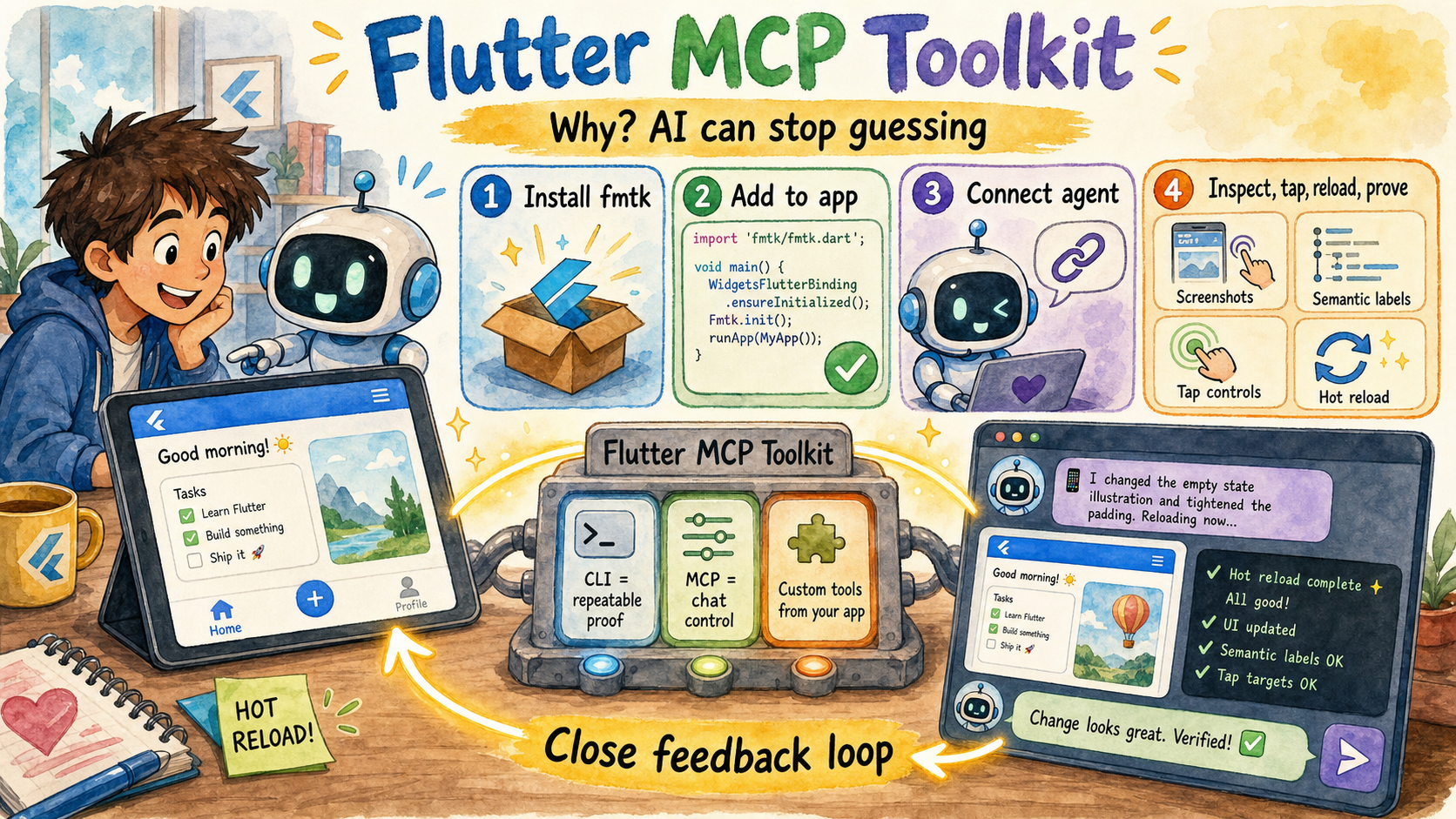
The picture's story: the toolkit gives an AI assistant a shared window and control loop into a running Flutter app, so it can inspect state, act like a user, hot reload, read proof, and use custom tools from your app instead of guessing.
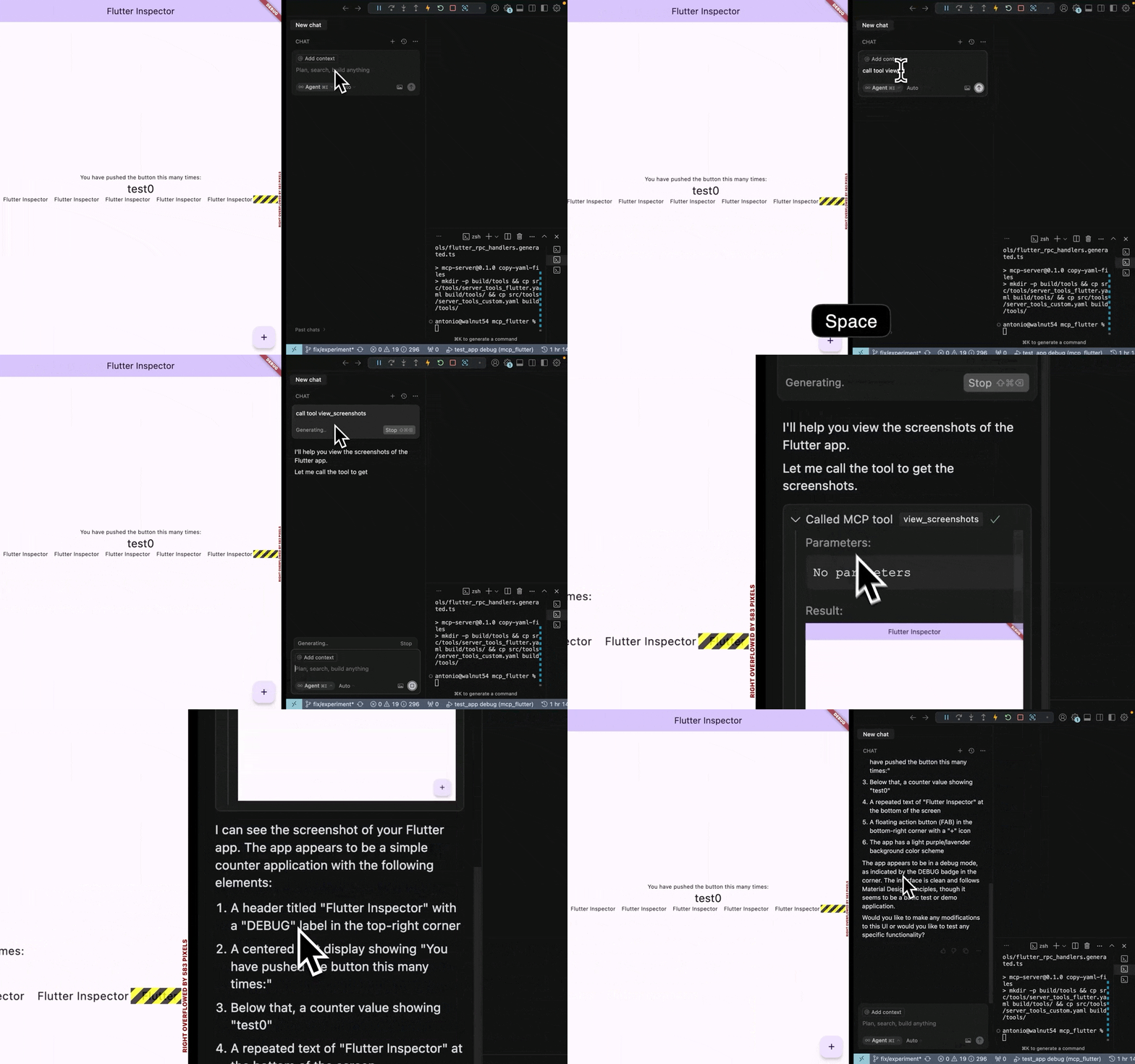
See it in action
Existing walkthroughs (YouTube):
- Dynamic tools in Cursor — short video
- Grok Build (2026, June) — video
- IntentCall / WebMCP projection — video
- Cursor MCP setup — video
Full list and suggested watch order: Video walkthroughs.
Evaluate in 30 seconds
| Question | Answer |
|---|---|
| What is it? | MCP server (flutter-mcp-toolkit-server) + in-app mcp_toolkit bootstrap over the VM service. |
| What can an agent do? | Inspect UI/errors, drive widgets, reload, screenshots (Flutter render pipeline), dynamic app tools. |
| When to use this vs Dart MCP? | Dart MCP: Dart/Flutter tooling (analyzer, tests). This toolkit: a running debug app (UI + your app-defined tools). |
| When not to use it? | Release builds, no debug VM, or you only need static analysis — use Dart MCP or CI instead. |
| Supported install targets | Release binaries: macOS Apple Silicon and Linux x64 (details). Intel macOS is not supported. |
| Fastest proof | Quickstart → doctor → agent calls fmt_discover_debug_apps + fmt_semantic_snapshot. |
| Tool list | Generated: docs/reference/tools.mdx (regenerate with make docs-reference). |
Five-minute quickstart
1. Marketplace (recommended) — see client setup:
Claude Code: /plugin marketplace add Arenukvern/mcp_flutter
             /plugin install flutter-mcp-toolkit@flutter-mcp-toolkit
Cursor:      flutter-mcp-toolkit init cursor   # needs CLI on PATH — install script first
Codex:       codex plugin marketplace add Arenukvern/mcp_flutter
2. Install script (recommended for server + CLI on PATH) — curl:
curl -fsSL https://raw.githubusercontent.com/Arenukvern/mcp_flutter/main/install.sh | bash
2b. Claude Desktop (MCPB) — install flutter-mcp-toolkit.mcpb from the
latest release: one bundle
with macOS (Apple Silicon) + Linux x64 server binaries, installed directly by
MCPB-aware clients. The bundle does not include the flutter-mcp-toolkit
CLI — steps 3–4 still need it, so keep the install script too. macOS binaries
are unsigned — clear the quarantine attribute if Gatekeeper blocks them
(details).
3. Instrument the app — cd my_flutter_app && flutter-mcp-toolkit codegen-init (paste main() snippet before runApp).
4. Run and verify — flutter run --debug then flutter-mcp-toolkit doctor.
Connect the MCP server in your host (flutter-mcp-toolkit-server on stdio). Example for Claude Code:
claude mcp add flutter-mcp-toolkit -- flutter-mcp-toolkit-server
First agent prompt: “Discover debug Flutter apps, connect, and return a semantic snapshot.”
Full steps: docs/quickstart.mdx.
What do you want to do?
| Goal | Start here |
|---|---|
| See what is on screen | See the UI |
| Tap, type, scroll | Drive the UI |
| Debug errors + reload loop | Debug a running app |
| Custom MCP tools in your app | Custom tools |
| Scripts / CI one-shots | CI and scripts |
| Checked-in E2E | E2E scenarios |
| Several apps at once | Multiple apps |
Packages
| Package | Role |
|---|---|
mcp_toolkit | Flutter app bootstrap, VM extensions, dynamic tools |
flutter_mcp_toolkit_core / capability_* | Shared contracts and fmt_* server capabilities |
flutter_mcp_harness | Programmatic automation (packages/harness) |
Server binary: GitHub Releases (flutter-mcp-toolkit, fmtk, flutter-mcp-toolkit-server) — not on pub.dev. See mcp_server_dart/README.md.
News (recent)
- 2026-11 — Docs-first refresh, generated tool reference, registry publish hardening.
- 2026-10-02 — 6.0.0 invoke tier / harness composition (automation chain).
Older releases: CHANGELOG.md.
Security & trust
Debug-mode only by design. Overview: how it works. Assessed by MseeP.ai.
Smithery listing is currently unavailable (404 as of 2026-11); use the official MCP Registry or marketplace install. Relisting requires owner action on Smithery.
Contributing
CONTRIBUTING.md · contribution guide · make check-contracts before PRs.
✨ Contributors
Huge thanks to all contributors for making this project better!
This roster is maintained with all-contributors.
To add someone, update .all-contributorsrc and
regenerate the README table, or use the all-contributors bot/CLI from a PR.
More detail: docs/contributing/contributors.mdx.


📖 Learn More
- Flutter DevTools Documentation
- Dart VM Service Protocol
- Flutter DevTools RPC Constants (I guess and hope they are correct:))
Star History
📄 License
MIT - Feel free to use in your projects!
Flutter and Dart are trademarks of Google LLC.