Listed from the MCP registry; nobody on Odel publishes it.

Worklog
Work log for AI agents: record, search and report finished work, with web view and timesheet.
Runs on your machine from its package; the steps are below.
What it does
- Reads
- Writes
- High impact
At most: creates or changes data: records, files, settings.
What it costs
FreeOdel charges nothing per call. The publisher may charge for its own service.
Runs locally over stdio
This server isn't hosted — your MCP client launches it from a package registry. Use one of the commands below, or drop the config into your client (e.g. Claude Desktop).
Run
docker run -i --rm ghcr.io/axute/worklog-mcp:1.1.1
MCP client config
{
  "mcpServers": {
    "worklog": {
      "command": "docker",
      "args": [
        "run",
        "-i",
        "--rm",
        "ghcr.io/axute/worklog-mcp:1.1.1"
      ]
    }
  }
}



Your AI agents keep your work log. worklog is an MCP server: Claude Code, Claude Desktop, claude.ai and other MCP clients record what they finished – one entry per result – and you get it back as a searchable log, reports and a timesheet.

Features
- For agents: tools to log, correct and search entries, and prompts for weekly and monthly reports, a stand-up and for logging the history of an old project from its git log afterwards.
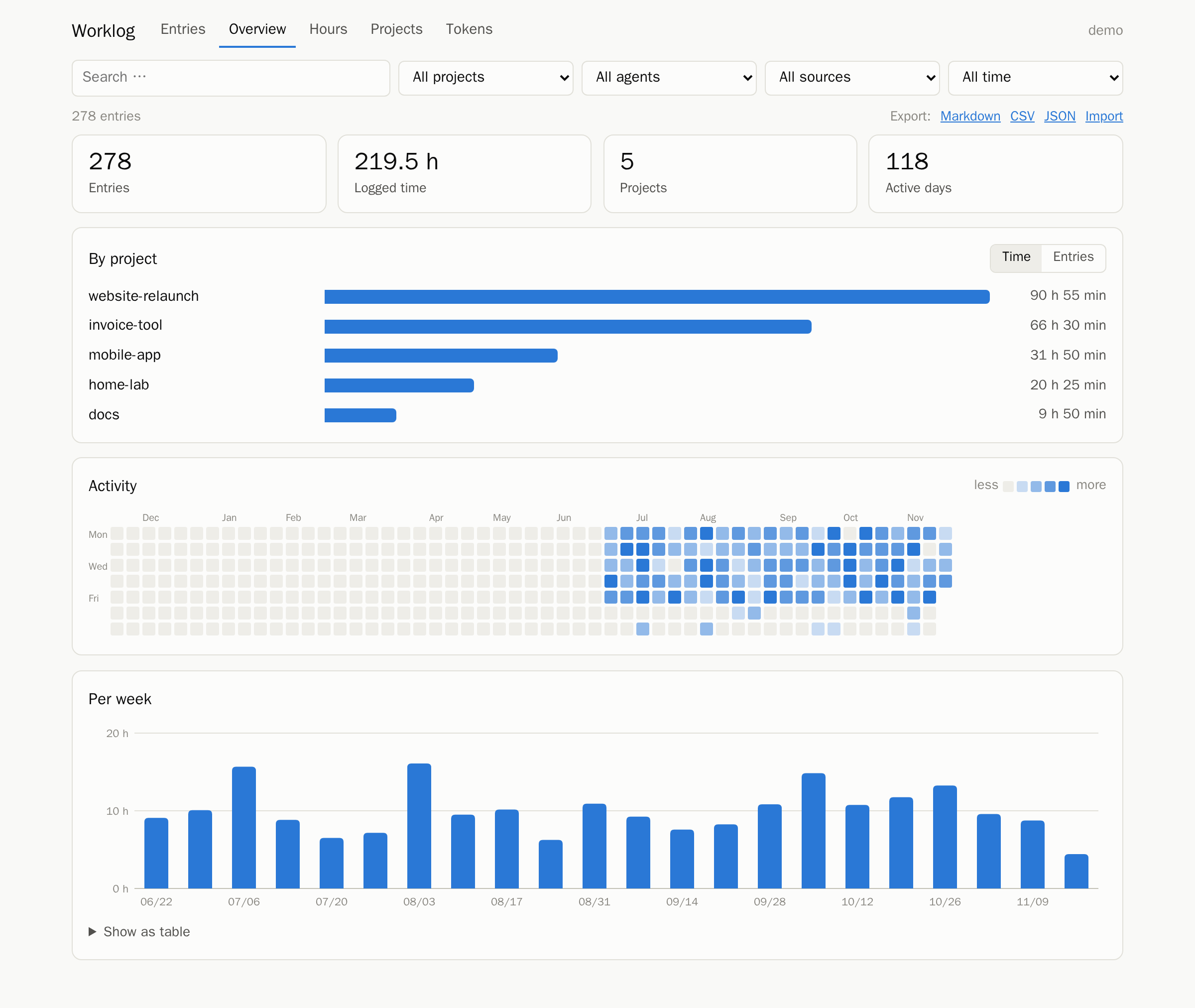
- Web view: entries with full text search and filters, overview with activity calendar, timesheet with rounding, project notes, duplicate detection, entries by hand, light and dark, English and German. More
- Your data: export as Markdown, CSV or JSON; JSON import between instances; import of earlier Claude Code, claude.ai and JetBrains Junie sessions. More
- Reports: weekly or monthly report as a file and as a notification to ntfy, Discord, Telegram, e-mail and more (Apprise).
- Safe by default: one token per agent (stored as a hash, the agent name comes from the token), several users strictly separated, optional sign-in through your reverse proxy (e.g. Authelia).
- Small: one container, SQLite, HTTP (Streamable HTTP) or stdio; images for amd64 and arm64.
Quick start
Run the server on your machine and connect Claude Code to it. For a server that other devices or claude.ai reach over HTTPS, continue with the setup guide.
With Docker (image for amd64 and arm64 from GitHub Container Registry):
mkdir -p ~/worklog-data && sudo chown 99:100 ~/worklog-data      # container runs as UID 99; skip on Docker Desktop
docker run -d --name worklog-mcp --restart unless-stopped \
  -p 127.0.0.1:8000:8000 -v ~/worklog-data:/data ghcr.io/axute/worklog-mcp:latest

docker exec worklog-mcp worklog token create laptop --owner me   # prints the token (wl_...) once
Without Docker (Python 3.12 or newer):
python3 -m venv ~/.worklog && . ~/.worklog/bin/activate
pip install git+https://github.com/axute/worklog-mcp.git           # needs git

export WORKLOG_DB=~/worklog/worklog.db WORKLOG_HOST=127.0.0.1    # default: /data/worklog.db on 0.0.0.0
worklog-server                                                    # runs in the foreground; Ctrl+C stops it

# in a second terminal, with the same WORKLOG_DB:
worklog token create laptop --owner me                            # prints the token (wl_...) once
Connect Claude Code and check:
claude mcp add --transport http --scope user worklog http://127.0.0.1:8000/mcp \
  --header "Authorization: Bearer wl_..."
claude mcp list                                                   # worklog … ✓ Connected
In a new Claude Code session, ask for example "Log to worklog: project test, summary 'worklog is running'". The entry shows up in the web view at http://127.0.0.1:8000/ui/ (sign in there with a token that has the read scope; laptop has it), or with worklog export --owner me. To make agents log on their own, add the agent rule to ~/.claude/CLAUDE.md.
Documentation
- Setup guide: from an empty server to agents that log on their own – HTTPS, Traefik, clients (Claude Code, claude.ai, VS Code, stdio), agent rule, reminder hook, backups and updates
- MCP tools, prompts and REST API
- Web view: views, sign-in, rights
- Users, tokens and data: users, tokens, export and import, reports and notifications, importing earlier sessions
- Configuration: all environment variables
- Changelog
Development
./scripts/test.sh          # pytest in a python:3.12-slim container, dependencies cached in a Docker volume
./scripts/test.sh -k auth  # extra pytest arguments are passed through
The tests start the real server on 127.0.0.1 with a temporary database and talk to it with the FastMCP client; no outside network is used.
License
MIT, see LICENSE.