Listed from the MCP registry; nobody on Odel publishes it.

LangChain
LangChain/LangGraph/DeepAgents knowledge + LangGraph agent debugging (Polly-like)
Runs on your machine from its package; the steps are below.
What it does
- Reads
- Writes
- High impact
At most: only reads or looks up information.
What it costs
FreeOdel charges nothing per call. The publisher may charge for its own service.
Runs locally over stdio
This server isn't hosted — your MCP client launches it from a package registry. Use one of the commands below, or drop the config into your client (e.g. Claude Desktop).
Run
npx -y langchain-mcp
MCP client config
{
  "mcpServers": {
    "langchain": {
      "command": "npx",
      "args": [
        "-y",
        "langchain-mcp"
      ]
    }
  }
}


Overview
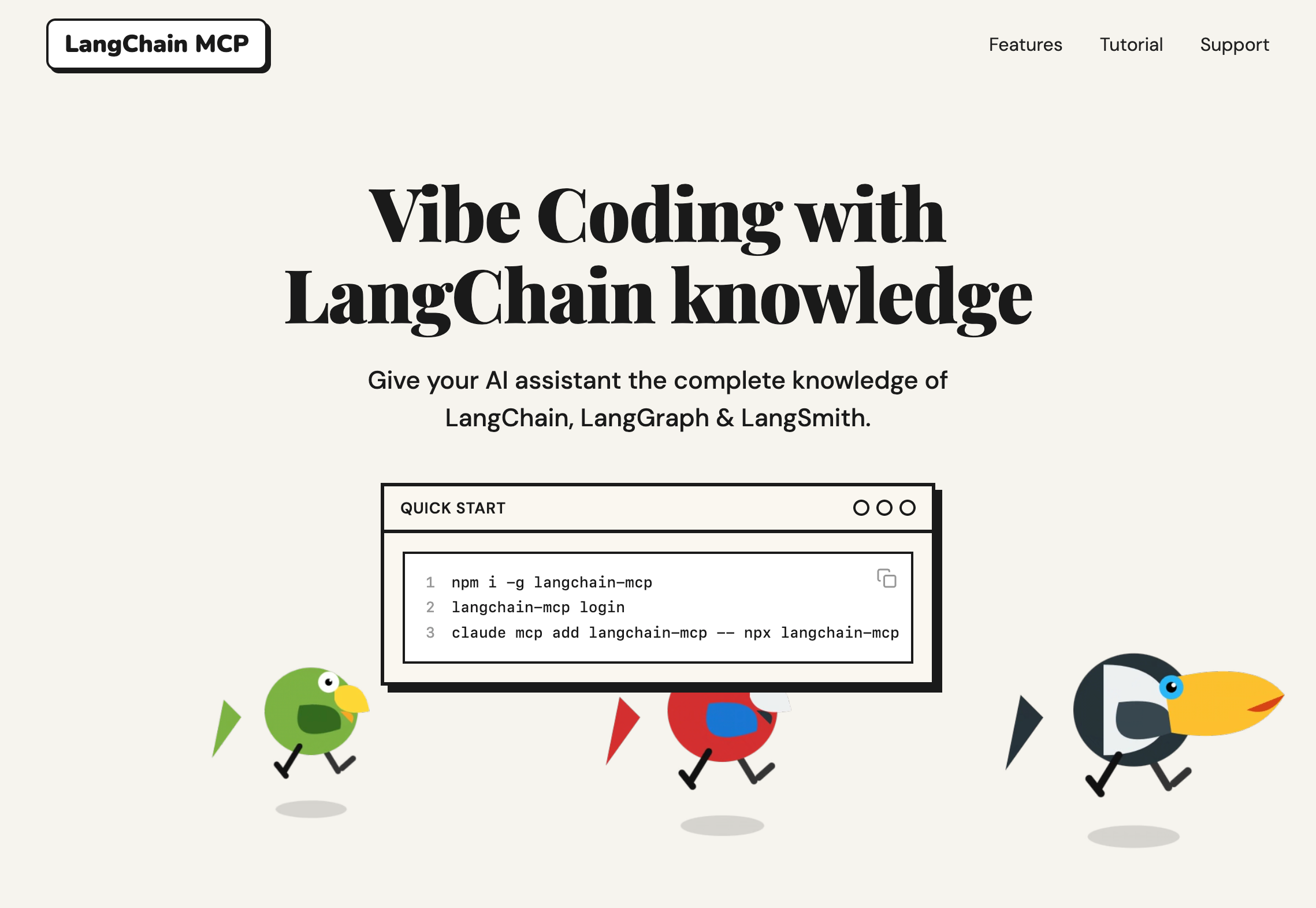
LangChain MCP is a Model Context Protocol (MCP) server that provides semantic search across the entire LangChain ecosystem. Build AI applications faster with instant access to documentation and source code for LangChain, LangGraph, LangSmith, and DeepAgents.
Features
- Semantic Search - Natural language queries across all LangChain ecosystem docs
- Source Code Search - Find code examples in Python and JavaScript repositories
- MCP Protocol - Works seamlessly with Claude Code, Claude Desktop, Cursor, and any MCP-compatible client
- Production Ready - Scalable API with authentication and usage tracking
- Fast & Accurate - Powered by ChromaDB and OpenRouter embeddings
Installation
Quick Start (Recommended)
# Install globally
npm install -g langchain-mcp

# Login with Google
langchain-mcp login

# Add to Claude Code
claude mcp add langchain-mcp -- npx langchain-mcp
Manual Configuration
Add the following configuration to your client's config file:
Claude Desktop
- macOS:
~/Library/Application Support/Claude/claude_desktop_config.json - Windows:
%APPDATA%\Claude\claude_desktop_config.json
Cursor
- macOS/Linux:
~/.cursor/mcp.json - Windows:
%USERPROFILE%\.cursor\mcp.json
{
  "mcpServers": {
    "langchain-mcp": {
      "command": "npx",
      "args": ["langchain-mcp"]
    }
  }
}
Usage
CLI Commands
langchain-mcp login      # Login via Google OAuth
langchain-mcp status     # Check usage and remaining credits
langchain-mcp logout     # Logout and clear credentials
Available MCP Tools
| Tool | Description | Parameters |
|---|---|---|
search_docs | Search documentation, references, and tutorials | query, limit (default: 5) |
search_langchain_code | Search LangChain source code | query, language (py/js), limit |
search_langgraph_code | Search LangGraph source code | query, language (py/js), limit |
search_deepagents_code | Search DeepAgents source code | query, language (py/js), limit |
Pricing
- Free tier available for new users
- Donation bonus for supporters
Documentation
Self-deploy
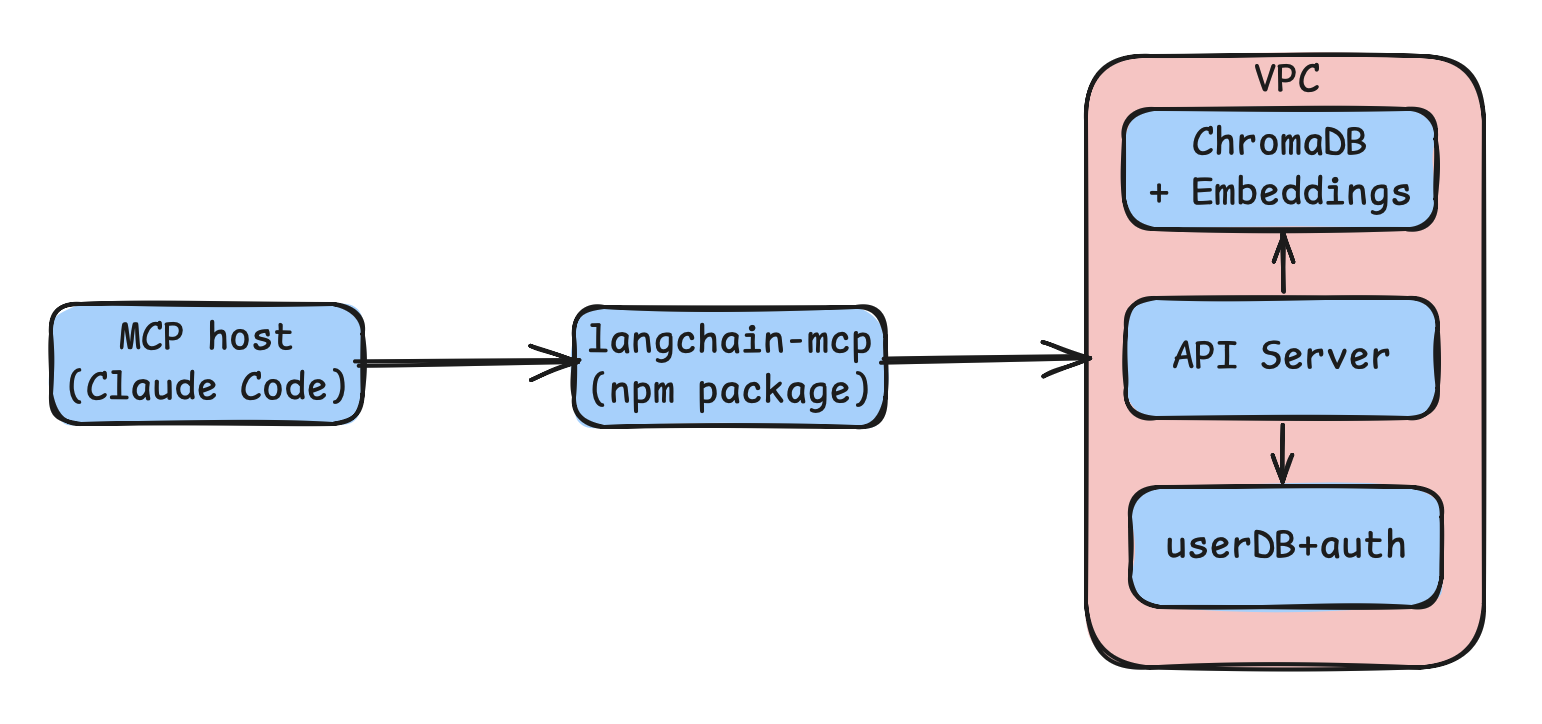
Project Structure
langchain-MCP/
├── packages/
│   ├── ingest/              # Python - Data ingestion (uv)
│   ├── api/                 # TypeScript - API server (Express)
│   ├── mcp-server/          # TypeScript - MCP client (npm package)
│   └── mcp-server-local/    # TypeScript - Local MCP server (dev)
├── config/
│   └── settings.json        # Shared configuration
└── deploy.sh                # Deployment script
Architecture
Setup Development Environment
1. Ingest Documentation & Source Code
cd packages/ingest
uv sync
uv run ingest --list     # List available repositories
uv run ingest docs       # Ingest documentation only
uv run ingest            # Ingest all (docs + code)
2. Run API Server
cd packages/api
npm install
npm run dev              # Development server on port 3000
3. Test Local MCP Server
cd packages/mcp-server-local
npm install
npm run dev
Configuration
All settings in config/settings.json:
{
  "embedding": {
    "provider": "openrouter",
    "model": "qwen/qwen3-embedding-8b"
  },
  "chromadb": {
    "path": "./data/chroma"
  },
  "chunking": {
    "docs": { "chunk_size": 2000, "chunk_overlap": 200 },
    "code": { "chunk_size": 4000, "chunk_overlap": 200 }
  },
  "repos": [
    {
      "name": "langchain",
      "url": "https://github.com/langchain-ai/langchain",
      "type": "code",
      "languages": ["python", "javascript"]
    }
  ]
}
Supported Embedding Providers
sentence-transformer(local)openaicoheregoogleollamaopenrouter(default)
See ChromaDB Integrations for more options.
Deployment
The project includes automated deployment scripts for VPS hosting:
# Manual deployment
./deploy.sh

# GitHub Actions (production branch)
git push origin main:production
Deployment includes:
- Code synchronization via rsync
- Automatic npm installation and build
- PM2 process management
- Nginx static file serving
- Environment variable management
Roadmap
- Semantic search across docs and code
- Google OAuth authentication
- Usage tracking and credits system
- MCP registry registration
- Claude Code, Desktop, and Cursor support
- Rate limiting (per user / per IP)
- Additional embedding model options
- Local mode (no API key required)
- Browser extension for quick searches
- VSCode extension integration
Contributing
Forking and contributions are welcome!
Support
- Website: langchain-mcp.xyz
- Issues: GitHub Issues
- Donate: Support development at Ko-fi
License
MIT License - see the LICENSE file for details.
Built with ❤️ by baixianger







