
Presio
Present PDFs from your browser — try it at presio.xyz.
Upload a PDF presentation, get a short link, and control the slideshow from one browser window while viewers watch in another. Presio is a hosted service; this repository is its source code.

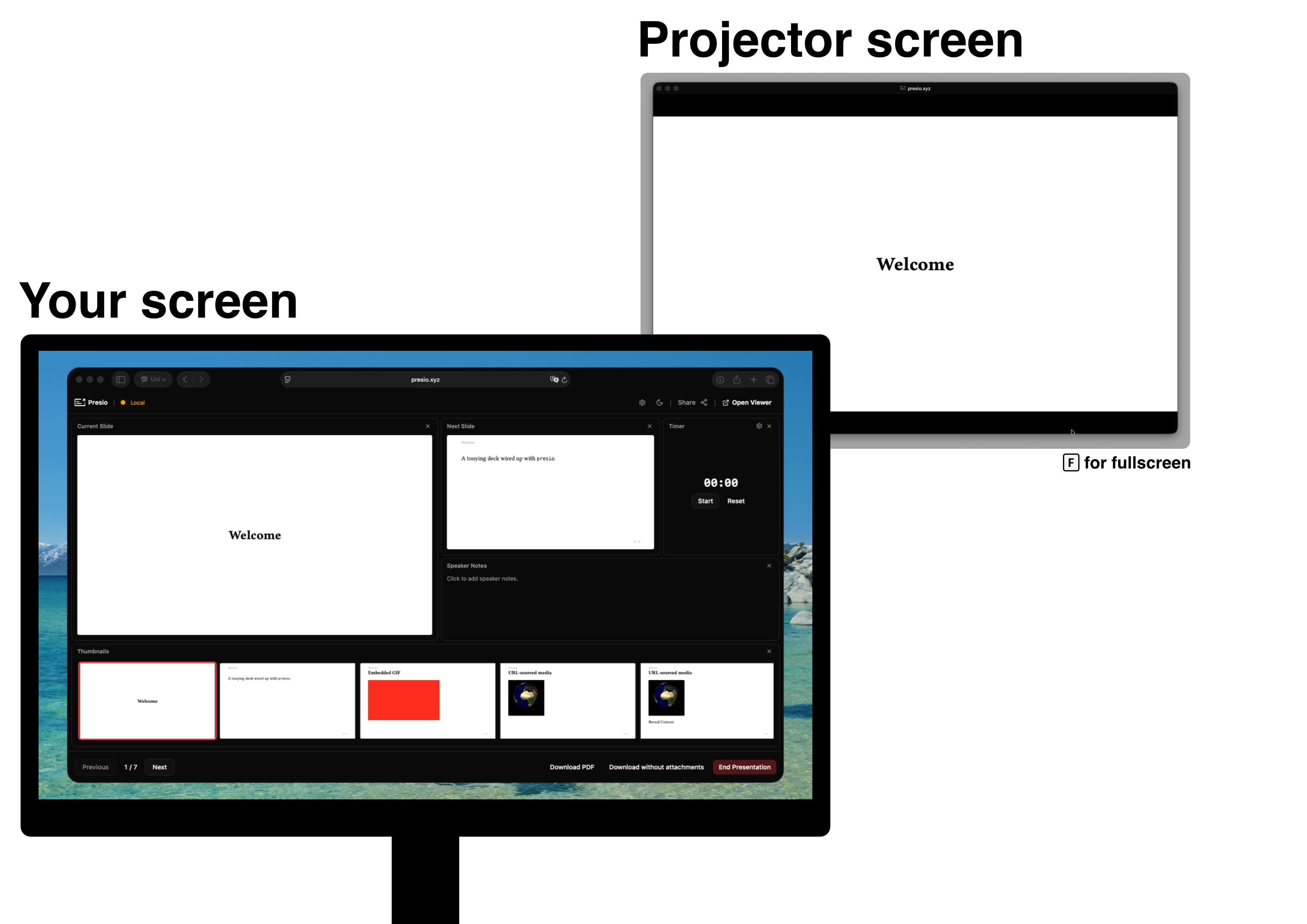
Features
- Local by default — your PDF stays in the browser and is never uploaded. Works offline; local presentations are kept for up to 7 days.
- Controller + viewer — drive slides from the controller window while a viewer window mirrors it, kept perfectly in sync.
- Present across devices — log in and sync online to get a 6-character session code. Viewers enter it on the home page and follow along live over WebSockets.
- Shared control — hand out a controller passphrase to let someone else drive.
- Speaker notes — written next to your current and next slide, rendered as markdown.
- Embedded media — local videos and GIFs, direct video URLs, and YouTube/Vimeo. Playback, autoplay, and seeking all stay in sync with viewers.
- Presentation timer — track how long you've been talking.
- Customizable controller — rearrange the layout and remap keyboard shortcuts.
- Recent presentations — pick up where you left off from the home page.
- Download — anyone can grab the PDF from the presentation view.
- Agent APIs — MCP server and REST API for AI agents; see Use it from an AI agent.
Adding videos and speaker notes
Presio is agnostic to the typesetting engine used — any PDF works, and notes can also be embedded by hand from plain Typst or LaTeX (see Embedding notes by hand). Official packages are available for the two most common ones:
- Typst — presio-typst-package
- LaTeX — presio-latex-package
Typst
#import "@preview/presio:0.2.1": media, speaker-notes

= Introduction

Hello world.

#speaker-notes[
  Remember to mention the demo before moving on.
]

#media("https://www.youtube.com/watch?v=dQw4w9WgXcQ", width: 60%, aspect-ratio: 16/9)
LaTeX

\documentclass{beamer}
\usepackage{presio}

\begin{document}

\begin{frame}{Introduction}
  Hello world.
  \presionote{Remember to mention the demo before moving on.}
\end{frame}

\begin{frame}{The demo}
  \presiomedia[width=0.7\linewidth]{https://www.youtube.com/watch?v=dQw4w9WgXcQ}
\end{frame}

\end{document}
For LaTeX, copy presio.sty from the package repository next to your .tex file — that's the whole install.
Embedding notes by hand
Prefer not to use the packages? Presio reads speaker notes from JSON files
attached to the PDF (Typst) or from note: link annotations (LaTeX), and
renders them as markdown in the controller's notes panel.
Typst — define a helper and call it on each slide:
#let speaker-notes(notes) = context {
  // Page number keeps the attachment filename unique per slide
  let page-num = counter(page).display()
  let filename = "notes-slide-" + page-num + ".json"

  let json-string = json.encode((slide: page-num, notes: notes))

  pdf.attach(
    filename,
    bytes(json-string),
    description: "Speaker notes for slide " + page-num,
    mime-type: "application/json",
  )
}

#speaker-notes("Remember to mention the demo.")
LaTeX — use hyperref to create an invisible note: link:
\usepackage{hyperref}

\newcommand{\speakernote}[1]{%
  \href{note:#1}{\phantom{n}}%
}

% Usage on a slide:
\speakernote{Remember to mention the demo.}
Validate what you produced at presio.xyz/check — it shows per-page thumbnails and reports whether the notes and media sidecars are valid.
Self-hosting
Want to run Presio yourself instead of using the hosted service? For a full
deployment (accounts, cross-device sync, your own domain) see
deploy/README.md.
For a single offline container with no accounts and no Supabase — just present PDFs on your own machine or LAN — nothing needs building:
docker run -d -p 3001:3001 -e PRESIO_MODE=local -e LOCAL_DATA_DIR=/data \
  -e TRUST_PROXY=false -v presio-data:/data \
  ghcr.io/benedict-armstrong/presio-local:1
The :1 tag tracks the current major release line — fixes and features, no
breaking changes. See Versions and upgrading.
See "Running fully local / offline" for what this mode does and doesn't include.