Backlot
Local emulator for Slack, Gmail, Drive, GitHub, Jira, Notion, S3 and more, with per-document ACLs
Runs on your machine from its package; the steps are below.
What it does
- Reads
- Writes
- High impact
At most: creates or changes data: records, files, settings.
What it costs
FreeOdel charges nothing per call. The publisher may charge for its own service.
Runs locally over stdio
This server isn't hosted — your MCP client launches it from a package registry. Use one of the commands below, or drop the config into your client (e.g. Claude Desktop).
Run
uvx backlot
MCP client config
{
  "mcpServers": {
    "backlot": {
      "command": "uvx",
      "args": [
        "backlot"
      ]
    }
  }
}






Run enterprise SaaS APIs locally.
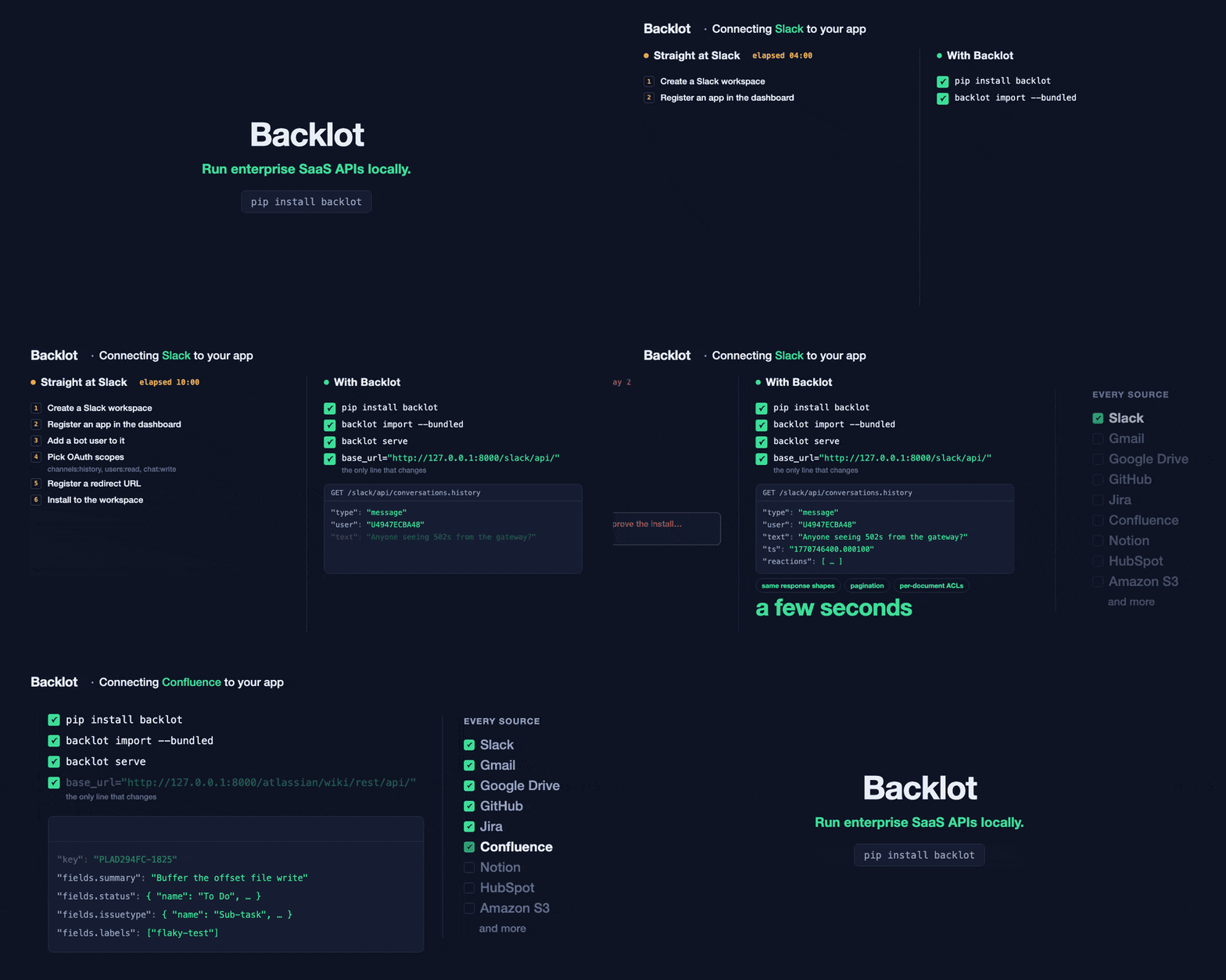
Backlot is a local emulator for Slack, Gmail, Google Drive, GitHub, Jira, Notion, S3 and other enterprise APIs. It reproduces the response shapes, pagination, authentication, errors and per-document access controls an integration has to handle, over a deterministic corpus you control — so you build and test against the official vendor SDKs with no vendor account, no OAuth approval, no secrets in CI and no network.
Try it in 60 seconds
pip install backlot
backlot import --bundled   # a corpus ships with the package; nothing to fetch or write
backlot serve              # every supported API, at http://127.0.0.1:8000
Point an official SDK at it by changing one base URL:
from slack_sdk import WebClient  # pip install slack_sdk

slack = WebClient(token="admin-service-token", base_url="http://127.0.0.1:8000/slack/api/")
print(slack.conversations_list()["channels"])
The same call targets Slack in production and Backlot in development. Backlot supplies the data and the credentials; your code keeps the vendor's request and response contract.
A test can run its own server instead, on a free port, with nothing to start or clean up:
import backlot
from slack_sdk import WebClient

with backlot.serve() as s:  # no arguments: a tiny hello-world corpus
    slack = WebClient(token=s.token, base_url=f"{s.base_url}/slack/api/")
    channels = slack.conversations_list()["channels"]
Let your coding agent run Backlot instantly
This repo is its own plugin marketplace, so the agent skill installs with no clone and no pip install first. Or hand the agent every source as MCP tools: backlot mcp starts a server if none is running and serves them all over stdio, with --user <email> answering as that person.
claude plugin marketplace add brekkylab/backlot && claude plugin install backlot@brekkylab
codex plugin marketplace add brekkylab/backlot && codex plugin add backlot@brekkylab
pip install "backlot[mcp]" && claude mcp add backlot -- backlot mcp   # every source as MCP tools
and prompt like this:
Mock our Slack workspace with three messages in an #incidents channel, get a server running, then show me what
conversations.historyactually returns for that channel.
Why not use mocks?
A hand-written mock returns the response your code already expects. Backlot implements the other side of the integration, so it exposes the assumptions a mock would repeat — it is for when the behavior of the API, not just the contents of one response, is what you need to test.
| ❌ Hand-written mocks | ✅ Backlot |
|---|---|
| Test-specific response dictionaries | Vendor-shaped responses served over HTTP |
| Usually cover the happy path | Pagination, validation, auth and vendor-shaped errors |
| Custom test helpers | Official vendor SDKs and ordinary HTTP clients |
| Little or no identity model | Generated users, tokens, groups and document ACLs |
| Fixtures drift between tests | One deterministic corpus, shared locally and in CI |
| Each API mocked differently | Every API served from one process |
What it serves
Every source on one local port, each behind the path prefix its own SDK expects, all reading one SQLite corpus.
The corpus defines the facts: messages, files, issues, authors, timestamps, threads, comments, labels, readers. Backlot derives stable ids, users, groups and tokens from them, so every run serves the same records, the same ACL-filtered views and the same pages.
It emulates the documented subset of each API it supports, not every vendor endpoint. The endpoint-by-endpoint matrix says which, and an implemented endpoint that diverges from the real API is a bug.

| Service | Base path | Example, on the official SDK |
|---|---|---|
| Slack | /slack/api | slack.py |
| Microsoft Teams | /msgraph/v1.0 | msteams.py |
| Gmail | /gmail/v1 | gmail.py |
| Google Drive (Docs, Sheets, Slides) | /drive/v3 /docs/v1 /sheets/v4 /slides/v1 | gdrive.py |
| GitHub | /github | github.py |
| Jira | /atlassian/rest/api | jira.py |
| Confluence | /atlassian/wiki/rest/api | confluence.py |
| Notion | /notion/v1 | notion.py |
| Linear | /linear/graphql | linear/ |
| HubSpot | /hubspot | hubspot.py |
| Fireflies | /fireflies/graphql | fireflies.py |
| Amazon S3 | /s3 | s3.py |
The roadmap lives in the tracking issue — ask there for the source you need.
When you need this
- 🔌 Building or upgrading an integration. The cursors, page shapes and error bodies the real API returns, without an account to get them from.
- 🧪 Testing it, and keeping it tested. One fixture on your laptop and in CI, with no secrets and nothing to flake. Every user in the corpus gets a token, so you can also assert that one caller's documents never reach another.
- 🤖 Evaluating a RAG pipeline or an agent. The same corpus, the same ids and the same answers on every run, so a score that moves means your code moved. Slack also takes writes, so an agent that posts, edits or reacts can be run here and graded on what it actually did — one endpoint reports it, another puts the corpus back for the next run (docs/write-overlay.md).
- 🐛 Reproducing a bug in data you can't see. A document inside someone else's workspace breaks your parser. Write one shaped like it, serve it, and keep the failing test.
Bring your own corpus
The bundled corpus covers every supported service, but the main workflow is to serve your own test world: a JSONL file, one source document per line.
{"source_type":"slack","channel":"incidents","author_email":"bob@acme.com","created":"2026-02-10T18:00:00Z","content":"Anyone seeing 502s from the gateway?","replies":[{"content":"Looking now.","author_email":"ava@acme.com","created":"2026-02-10T18:00:40Z"}]}
backlot import my-corpus.jsonl --dry-run   # validate against each service's schema, touch nothing
backlot import my-corpus.jsonl && backlot serve
Every imported identity gets deterministic credentials, listed at GET /_meta/users; send the same request with another user's token to test what that caller is allowed to see. Preparing a corpus covers schemas, rosters, sharded corpora and public datasets, and Auth and tokens covers each service's authentication style.
Examples
| Point this at it | Runnable |
|---|---|
| 📦 Official vendor SDKs, one script per service | examples/using-official-sdk/ |
🔗 MCP tools for an agent: backlot mcp, or a vendor's own MCP server pointed at Backlot | examples/using-mcp-with-agents/ |
| 🦙 Load it as documents, with the official LlamaIndex readers | examples/using-llamaindex-readers/ |
🐍 Read it with pandas, pyarrow or dask, over an fsspec filesystem | examples/using-fsspec/ |
🗂️ Read it with ls, cat and grep, over mirage's virtual filesystem | examples/using-mirage/ |
| 📥 Your own corpus, from a JSONL file | examples/bring-your-own-corpus/ |
Documentation
| Every source Backlot serves, and every endpoint of each | docs/supported-sources.md |
| Building a corpus, and public datasets | docs/corpus.md |
| Auth schemes and tokens | docs/auth.md |
| Measuring Backlot against the real APIs | docs/fidelity.md |
| Writes, and where they go | docs/write-overlay.md |
Every BACKLOT_* setting, and Docker | docs/configuration.md |
| Usage telemetry: why it is collected, what is sent, and how to turn it off | docs/telemetry.md |
| Notices and trademarks | NOTICE.md |
Contributing
See CONTRIBUTING.md. Fidelity to the real APIs is the point, so a divergence is a bug — measure against the real service, and bring a test that fails without your fix.
Backlot exists thanks to all the people who contribute.

License
Apache-2.0. NOTICE.md has the MIT License earlier releases were under.