Listed from the MCP registry; nobody on Odel publishes it.

Toolport
Local MCP gateway: set up servers once and share them with every AI client
Runs on your machine from its package; the steps are below.
What it does
- Reads
- Writes
- High impact
At most: moves money, runs code or commands, deletes data, or sends messages for you.
What it costs
FreeOdel charges nothing per call. The publisher may charge for its own service.
Runs locally over stdio
This server isn't hosted — your MCP client launches it from a package registry. Use one of the commands below, or drop the config into your client (e.g. Claude Desktop).
Run
docker run -i --rm ghcr.io/btsouth/toolport-gateway:v2.4.3
MCP client config
{
  "mcpServers": {
    "toolport": {
      "command": "docker",
      "args": [
        "run",
        "-i",
        "--rm",
        "ghcr.io/btsouth/toolport-gateway:v2.4.3"
      ]
    }
  }
}





One setup for every coding agent.
Claude Code, Codex, Cursor, OpenCode and 40+ other agents each keep their own MCP servers, skills, rules files and credentials. Toolport finds all of them, shows what drifted or leaked, and gives every agent the same setup.
npx @toolport/cli
toolport scan · project ~/work/demo

Agents  3 found, 0 connected to Toolport
  ·  Claude Code  2 servers  direct  ~/.claude.json
  ·  Codex        0 servers  no MCP  ~/.codex/config.toml
  ·  Cursor       2 servers  direct  ~/.cursor/mcp.json

Plaintext secrets on disk  2
  ✗  github  GITHUB_TOKEN  Claude Code  ~/.claude.json
  ✗  github  GITHUB_TOKEN  Cursor       ~/.cursor/mcp.json
  → toolport fix --only secrets moves them into your OS keychain

MCP drift  1 shared, 1 conflicting
  ! filesystem  2 different definitions (command, arguments or URL differ)
      Claude Code, Cursor
  · github  configured separately in 2 agents; add it to Toolport once and every agent shares it
      Claude Code, Cursor

Skills & rules  2 skills, 1 rules files
  ✓ Works with skills.sh: ~/.agents/skills is read by Codex, Cursor
  ✗ 1 link to a missing folder  [fixable]
      ~/.claude/skills/old-skill points at nothing. Clients skip it without saying so.
That one command checks every agent on your machine in a few seconds: plaintext secrets in configs, MCP servers that differ between agents, broken skill links, and how many tokens each agent loads before your first prompt. Nothing leaves your machine, and secret values are never printed.
CLI guide · Desktop app · Website · Discord
The CLI
| Command | What it does |
|---|---|
npx @toolport/cli | Check every agent: secrets on disk, MCP drift, skills and rules health, turn-0 token budget |
npx @toolport/cli usage | See where your tokens go across Claude Code, Codex and OpenCode: cache health, what stays in context, list-price cost |
npx @toolport/cli --fix | Preview and apply safe fixes: broken skill links, stale entries, rules links, secrets into your OS keychain |
npx @toolport/cli init | Write a secret-free toolport.toml for this repo |
npx @toolport/cli up | Set up every agent in this repo from toolport.toml |
npx @toolport/cli export | Share your servers as a secret-free file or gist; import brings one in |
npx @toolport/cli hook install | A quiet session start check: silent when healthy, one line when something drifted |
npx @toolport/cli report | A static HTML report card of all of the above |
Add --json to any command for scripts, and scan --check in CI to fail when
something needs attention (exit code 2).
Where your tokens go
toolport usage reads your local agent transcripts, offline, and shows what each turn
actually carries: the startup floor (system prompt, tools, rules files), shell output,
file reads, screenshots that stay in context, and every MCP server. It flags cache
breaks inside a session, repeat reads of unchanged files, servers with no calls, and
servers whose bursts of calls are a fit for Code Mode.
One file for the whole repo
Commit a toolport.toml and anyone who clones the repo runs npx @toolport/cli up:
version = 1
name = "acme-api"

[rules]
source = "AGENTS.md"            # Claude Code and Gemini get a pointer to it

[[skills]]
path = ".agents/skills/release" # linked into each agent that doesn't see it yet

[[skills]]
source = "vercel-labs/agent-skills@frontend-design"

[[servers]]
name = "github"
command = "npx"
args = ["-y", "@modelcontextprotocol/server-github"]
env = ["GITHUB_TOKEN"]          # names only: values go in the OS keychain
toolport up refuses a manifest that contains a literal secret, asks for missing
credentials without echoing them, and stores them in your OS keychain.
Works with skills.sh. Skills installed with npx skills add land in
~/.agents/skills; Toolport shows which agents read that folder and links the ones
that don't.
Let your agent do it
Install the Toolport skill into your coding agents:
npx skills add btsouth/toolport
Or paste this directly into Claude Code, Codex or any coding agent:
Run
npx @toolport/cli --json, explain what it found, then runnpx @toolport/cli fix --dry-runand apply the fixes I agree with.
The desktop app and gateway
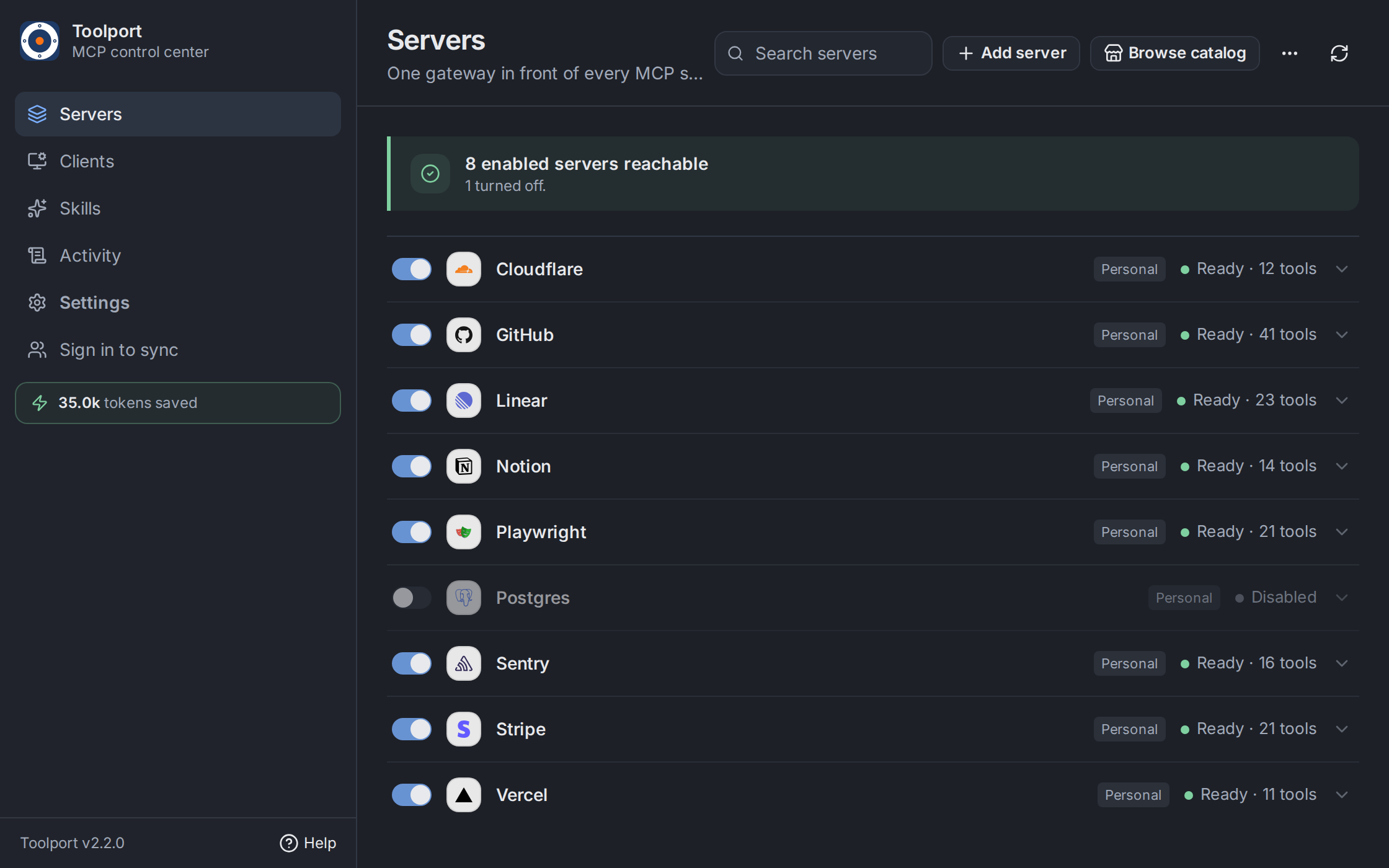
The free Toolport app for Windows, macOS and Linux adds everything the CLI points you toward:
- A local gateway for MCP. Add a server once and every agent reaches it through one Toolport entry. Fix a server once and every agent gets the fix. Access sets choose which servers each agent can reach.
- Every machine, too. Pro syncs your servers to each computer you sign in on. Secrets stay on each machine.
- Skills and rules in one place. See which skills and rules files each agent loads, turn skills on or off per agent, and link agents to the rules file the others share. See skills and rules.
- Safe by default. API keys move out of plain-text configs into your OS keychain. Toolport pins every tool definition and flags changes, such as a tool you approved rewriting its description, plus hidden instructions in descriptions and results. The default Ask level holds destructive calls for your OK. Strict also quarantines changed tools and blocks detected injection. Every call is in Activity. See security.
- Lighter on context where it helps. For agents that send every tool definition on every request, Toolport's search tools can cut input tokens by several times. Code Mode runs a burst of calls as one script so only the result enters context. See the benchmarks.
Get started with the app
- Download Toolport for Windows, macOS, or Linux.
- Add a server from the catalog, import an existing setup, or paste a server config. Curated servers that need launch arguments show a Launch setup section in the app.
- Authenticate the server, then open Clients and connect your AI apps. Restart or reload the client once so it picks up Toolport.
Installers and release notes are also on GitHub Releases. On Arch and Omarchy, the pacman repository keeps Toolport on your normal update path.
Working with a team? Toolport Teams shares server configuration and policies while each member keeps their own credentials.
Documentation
- The toolport CLI
- Upgrade from 1.24.x to 2.0
- Supported clients and setup
- Toolport with T3 Code: the rows it uses, the T3 Code card and Connect all on Clients, and "via T3 Code" in Activity
- Skills and rules each agent loads
- Access sets, environment variables, and configuration
- Headless gateway and Docker
- Arch and Omarchy install (pacman repository)
- Open WebUI and agent plugin
- Security and troubleshooting
- Uninstall
- Changelog
Development
Requires Node.js and stable Rust, plus the platform dependencies described in Contributing.
npm ci
npm run build:gateway
npm run tauri dev
The CLI builds on its own, without the desktop or search features:
cargo build --manifest-path src-tauri/Cargo.toml --no-default-features --features cli --bin toolport
Release packages use --profile release-cli, which adds full LTO and strips symbols.
See Contributing for testing and build instructions.
Toolport Teams
Share server configuration and policies across a team while each member keeps their own credentials. Hosted and self-hosted options.
License
The CLI, desktop app and gateway are MIT licensed.






