Listed from the MCP registry; nobody on Odel publishes it.
Is this yours? Claim it
Camberstack: Google Ads
Hosted MCP for Google Ads, Search Console, GA4, Merchant Center, Tag Manager: approve every change.
One address for any MCP client. You sign in at camberstack.io once, after adding it.
What it does
- Reads
- Writes
- High impact
At most: creates or changes data: records, files, settings.
What it costs
FreeOdel charges nothing per call. The publisher may charge for its own service.
What it asks for at sign-in
| Access to | Read | Change |
|---|---|---|
| Ads | Not stated: ads | |
From the sign-in at camberstack.io, as the endpoint publishes it. You approve it there.
Tools
None listed · checked 24 Nov 2026Odel could not list its tools without signing in.

Camberstack: Google Ads, Search Console, GA4, Merchant Center and Tag Manager MCP server for Claude and ChatGPT

Connect Google Ads, Search Console (GSC), Google Analytics 4 (GA4), Merchant Center (GMC) and Tag Manager (GTM) to Claude, ChatGPT, Cursor or any MCP client with one Google sign-in, and use them together: the searches you pay for that already rank, whether ad clicks convert on the landing page, which disapproved products were earning in Shopping, whether the tags behind your conversions fire where they should. Your AI reads with read-only tools and can propose changes, from negative keywords to whole Search, Performance Max, Display and YouTube campaigns, GA4 key events, Merchant Center product fixes and Tag Manager tags. Nothing changes until you approve a specific proposal, and risky changes and deletions Google can't reverse are flagged first. No developer token, API keys or Google Cloud project. A demo account lets anyone try every tool first.
Demo account 000-000-0001: sample data for a fictional plumbing business.
Hosted: https://camberstack.io/mcp. Free: every tool and all five services on 1 Google Ads account, with 10 applied
changes every 30 days (reading and proposing are never limited). Plus $7/mo: unlimited changes on 1 account. Pro $15/mo:
up to 5 accounts. Agency $49/mo: up to 25.
Setup guides, with screenshots and troubleshooting: Connect Google Ads to Claude · Connect Google Ads to ChatGPT · every tool · Cursor, VS Code and others
Ask it things like
- "Which searches am I paying for that already rank in the top 3 organically?"
- "Which landing pages get ad clicks but no conversions?"
- "Why were my best-selling products disapproved, and what were they earning in Shopping ads?"
- "Find search terms wasting money this month and propose negative keywords."
- "Build a Search campaign for our new service page, paused, with 3 ad groups."
- "Is my Google Ads conversion tag set up right in Tag Manager?"
- "Which Search Console queries on page 2 would be worth the most clicks if they moved up?"
What it does
- Google Ads: account overview with what needs attention, any read-only GAQL query, Keyword Planner ideas and metrics, and proposals that add negatives, change budgets, bids and targeting, edit ads, or build whole Search, Performance Max, Display and YouTube (Demand Gen) campaigns, always created paused.
- Search Console: site summary, performance by query, page, country or device, rising and falling queries, page-2 opportunities, URL inspection, sitemaps.
- GA4: landing-page and custom reports, properties and streams, key events and Google Ads links.
- Merchant Center: product issues, disapproved products joined with what they earned in Shopping ads, and product fixes as overrides that never touch your feed.
- Tag Manager: containers, tags and triggers with tracking problems flagged (a conversion tag on every page, no Conversion Linker, retired Universal Analytics), and proposals that add, pause or delete tags and publish.
- Across them: searches you pay for that already rank organically, and landing-page speed from real Chrome users.
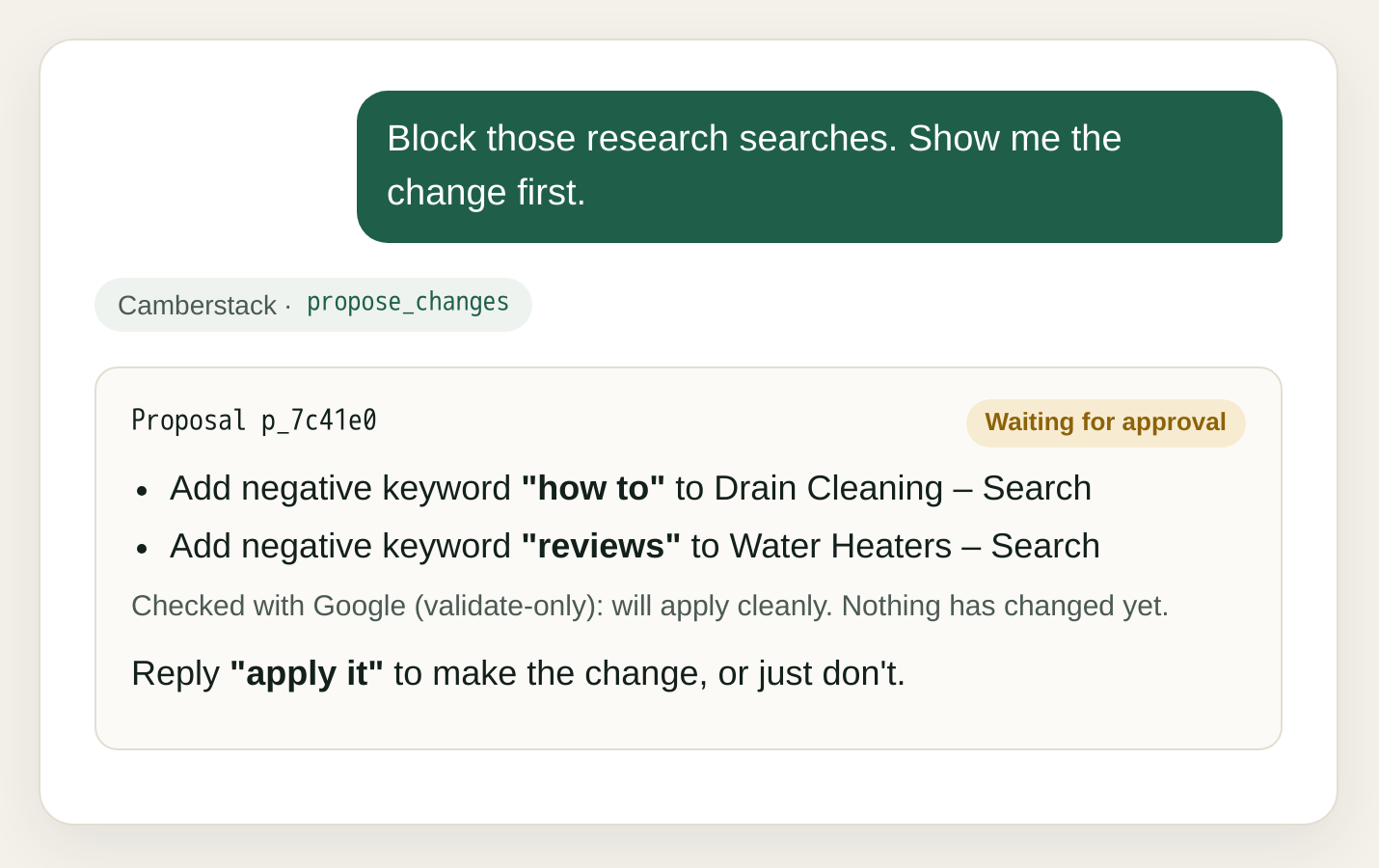
Every change is a proposal: Camberstack checks it against the live account, dry-runs it with Google where it can, and shows a plain-English summary. Risky changes are flagged with ⚠, and nothing is applied until you approve. Full tool reference: camberstack.io/tools.
Security and sign-in
You sign in with Google and grant only the services you want: Google Ads, Search Console, Analytics, Merchant Center or Tag Manager, each addable later from a one-click link. Your Google token is stored encrypted (AES-256-GCM) and never leaves the server; your AI app gets Camberstack's own tokens, stored only as hashes. Disconnecting revokes Google access and deletes the stored credentials.
Running it yourself, environment variables and implementation notes: docs/INTERNALS.md.
License
MIT