Listed from the MCP registry; nobody on Odel publishes it.

Claude Find
Pull Deep Memory from across your Claude Code Sessions — when you need it.
Runs on your machine from its package; the steps are below.
What it does
- Reads
- Writes
- High impact
At most: creates or changes data: records, files, settings.
What it costs
FreeOdel charges nothing per call. The publisher may charge for its own service.
Runs locally over stdio
This server isn't hosted — your MCP client launches it from a package registry. Use one of the commands below, or drop the config into your client (e.g. Claude Desktop).
Run
npx -y claude-find
MCP client config
{
  "mcpServers": {
    "claude-find": {
      "command": "npx",
      "args": [
        "-y",
        "claude-find"
      ]
    }
  }
}Pull deep memory from across your Claude Code sessions — when you need it.
Semantic search over all your past Claude Code sessions. Finds context by meaning and keywords. Searches the raw conversation transcripts, not compressed summaries, so Claude gets the full picture: reasoning, constraints, failed approaches, and decisions.
Setup
brew install bun ollama
bunx claude-find setup
setup starts Ollama, pulls the embedding model, sets session retention to permanent, and registers the MCP server with Claude Code. Sessions are indexed in the background on startup. Searches work immediately and return progressively more complete results as indexing continues.
Linux / Windows
Install Bun and Ollama, then run bunx claude-find setup. It detects your platform and guides you through anything missing.
Use it
In any Claude Code session:
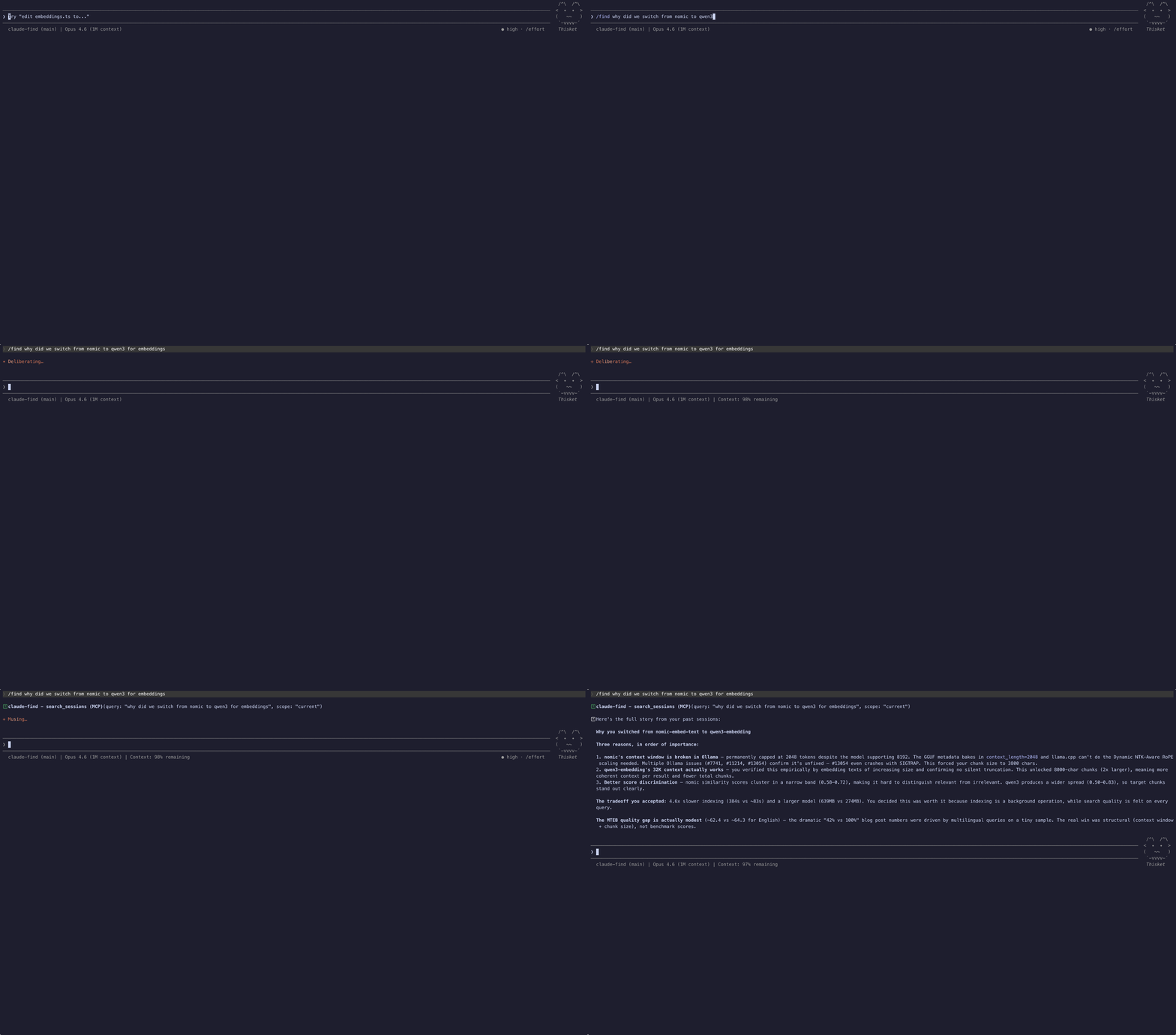
/find that database migration we discussed last week
/find why we chose websockets over polling
/find the session where we kept getting timeout errors
/find refactoring the payment module across all projects
Claude searches your past sessions semantically, finds the relevant conversations, and synthesizes the context: what was tried, what failed, what constraints you set, and what decisions were made.
How it works
- Indexes all Claude Code session JSONL files from
~/.claude/projects/ - Extracts user + assistant messages, compact summaries, file paths from tool calls
- Enriches each chunk with metadata context (project, branch, files, date) for better retrieval
- Embeds conversation chunks using qwen3-embedding via Ollama (GPU accelerated)
- Searches with hybrid semantic + keyword (FTS5) merged via Reciprocal Rank Fusion
- Returns raw conversation chunks so Claude can synthesize with full context
After upgrading, run bunx claude-find index to rebuild the index with the latest improvements.
What makes this different
- Searches raw transcripts. Nothing lost through compression.
- Retroactive: works on all existing sessions immediately. No hooks needed.
- Permanent history: setup disables Claude Code's 30-day session cleanup so your sessions are searchable forever.
- Non-blocking: indexes in the background at startup. Searches work instantly, even mid-indexing.
- Uses compact summaries: Claude's own session understanding, boosted in ranking.
- Indexes tool call metadata: search by files touched, errors encountered.
- Fast: Ollama + GPU keeps indexing fast and memory bounded.
Requirements
License
MIT







