Listed from the MCP registry; nobody on Odel publishes it. Is this yours? Claim @chatbotx

ChatbotX
Omnichannel customer messaging, CRM contacts, flows, sequences, broadcasts, and AI automation.
One address for any MCP client. You sign in once, after adding it.

What it does
- Reads
- Writes
- High impact
At most: only reads or looks up information.
What it costs
FreeOdel charges nothing per call. The publisher may charge for its own service.
Tools
None listed · checked 7 Nov 2026Odel could not list its tools without signing in.


NEW: Get a Lifetime Deal on ChatbotX Cloud
NEW: get 500+ MCP and CLI Tools for Your AI Agents
Agentic chat marketing platform built for OpenClaw, Hermes, and Claude
An alternative to ManyChat, Chatfuel, Wati, Respond, etc...
Website | Roadmap | Docs | Discord










Register
·
CLI
·
MCP
·
Public API
N8N custom node · Make.com integration
✨ Features
- Omnichannel: WhatsApp, Facebook, Instagram, Threads, TikTok, Telegram, Zalo, Email, API, and Webchat
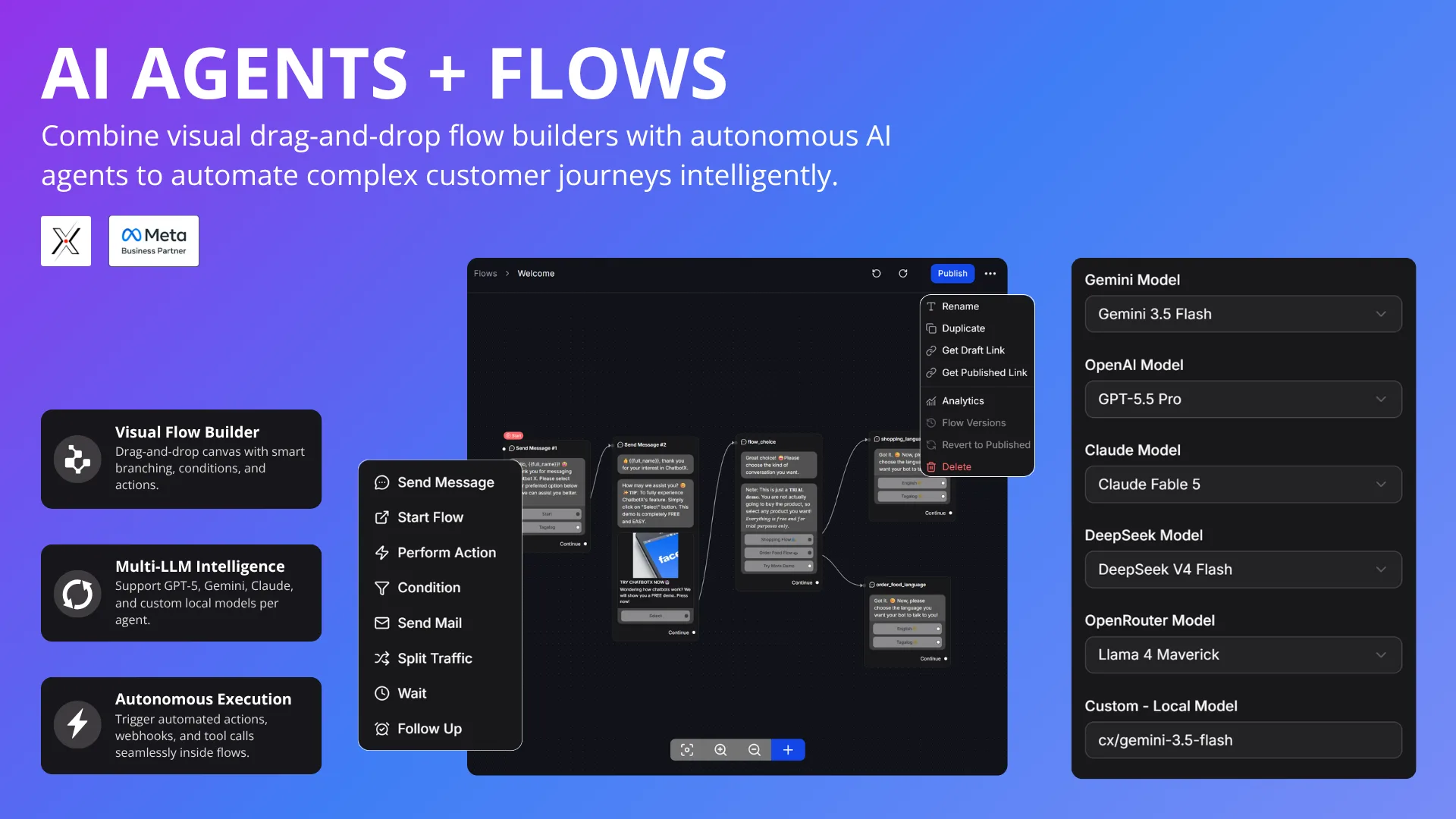
- Visual Flow Builder: Drag-and-drop chatbot builder with 15+ node types
- AI Agents: OpenAI, Claude, Gemini, DeepSeek, OpenRouter, NVIDIA NIM, and Local LLMs
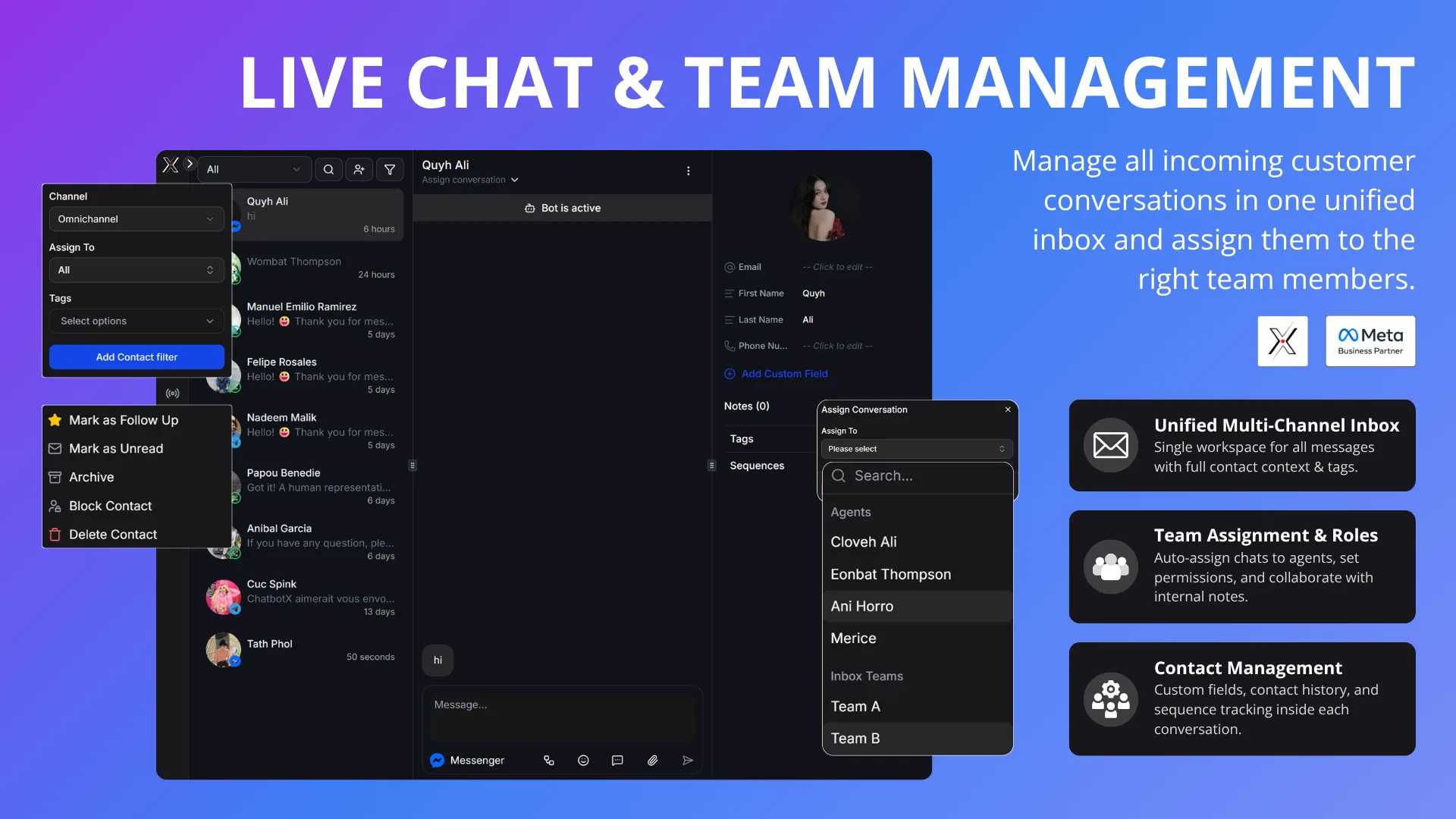
- Live Chat Inbox: Real-time inbox with human takeover and conversation assignment
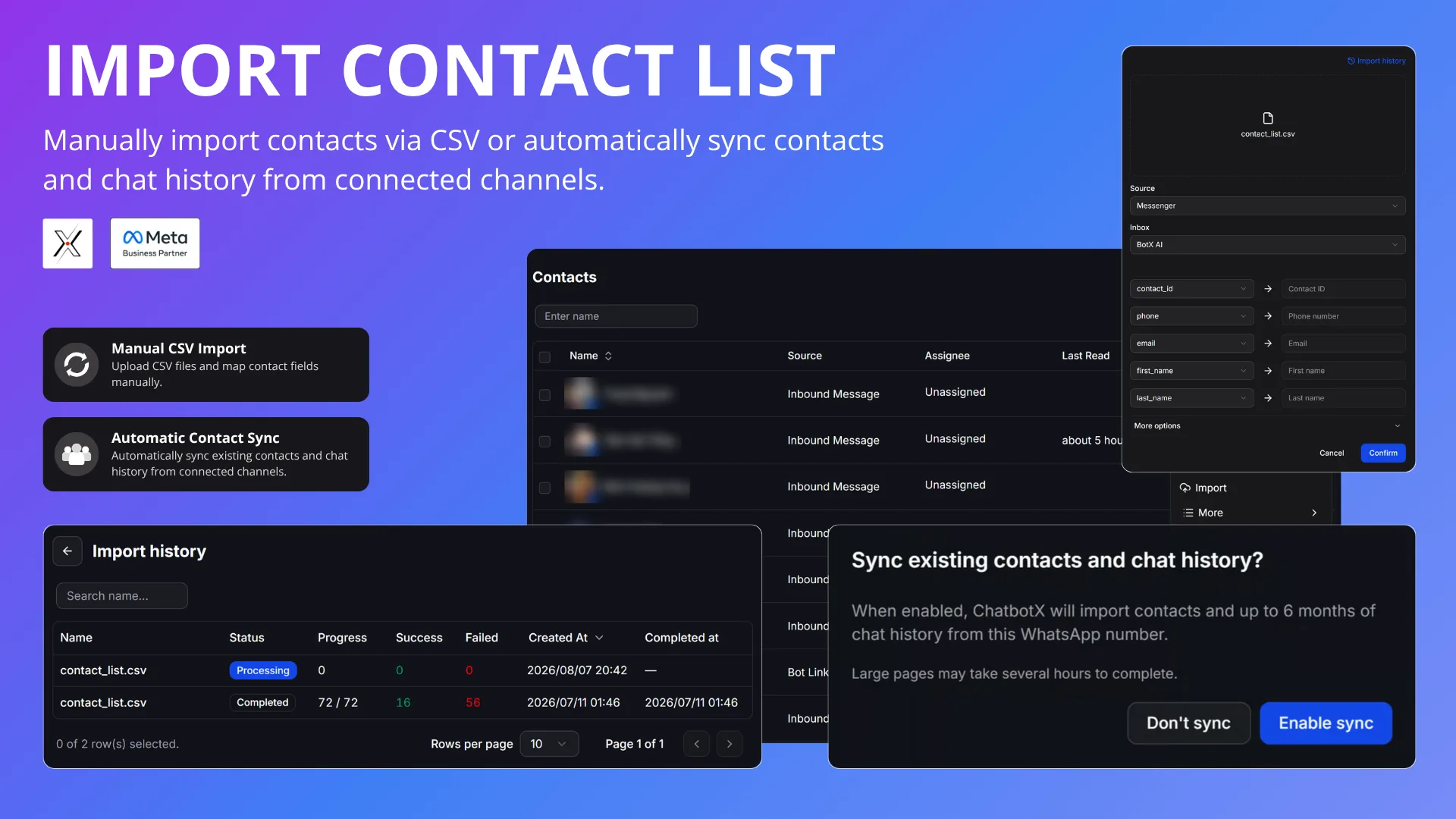
- Contact CRM: Manage contacts with tags, custom fields, and segmentation
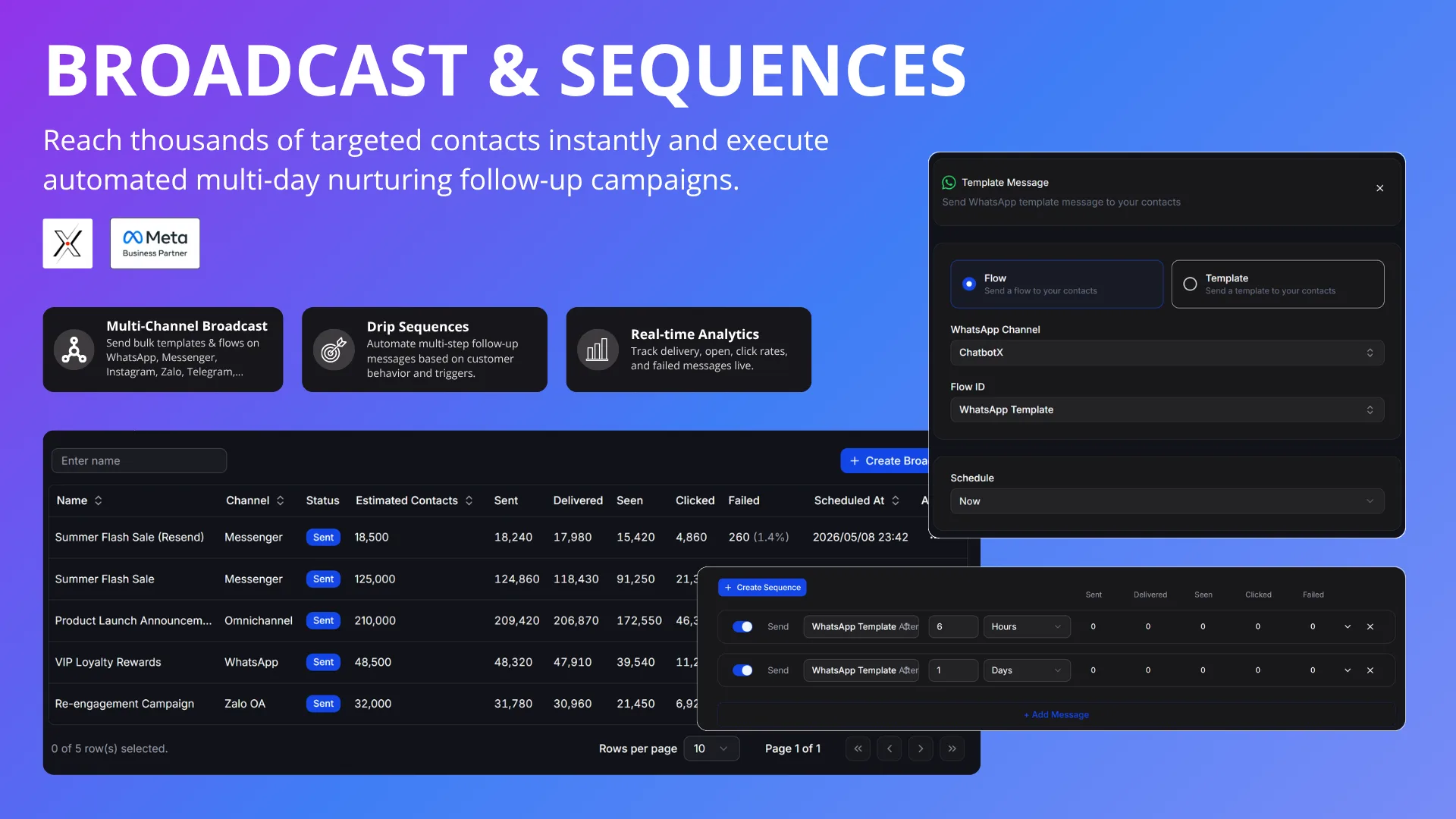
- Broadcasting: Send targeted messages to specific contact segments
- Sequences: Automate drip campaigns with scheduled messages and auto-enrollment
- Team Management: Invite team members, assign roles, and manage permissions
- Rich Messaging: Media, files, buttons, quick replies, catalogs, locations, and carousel cards
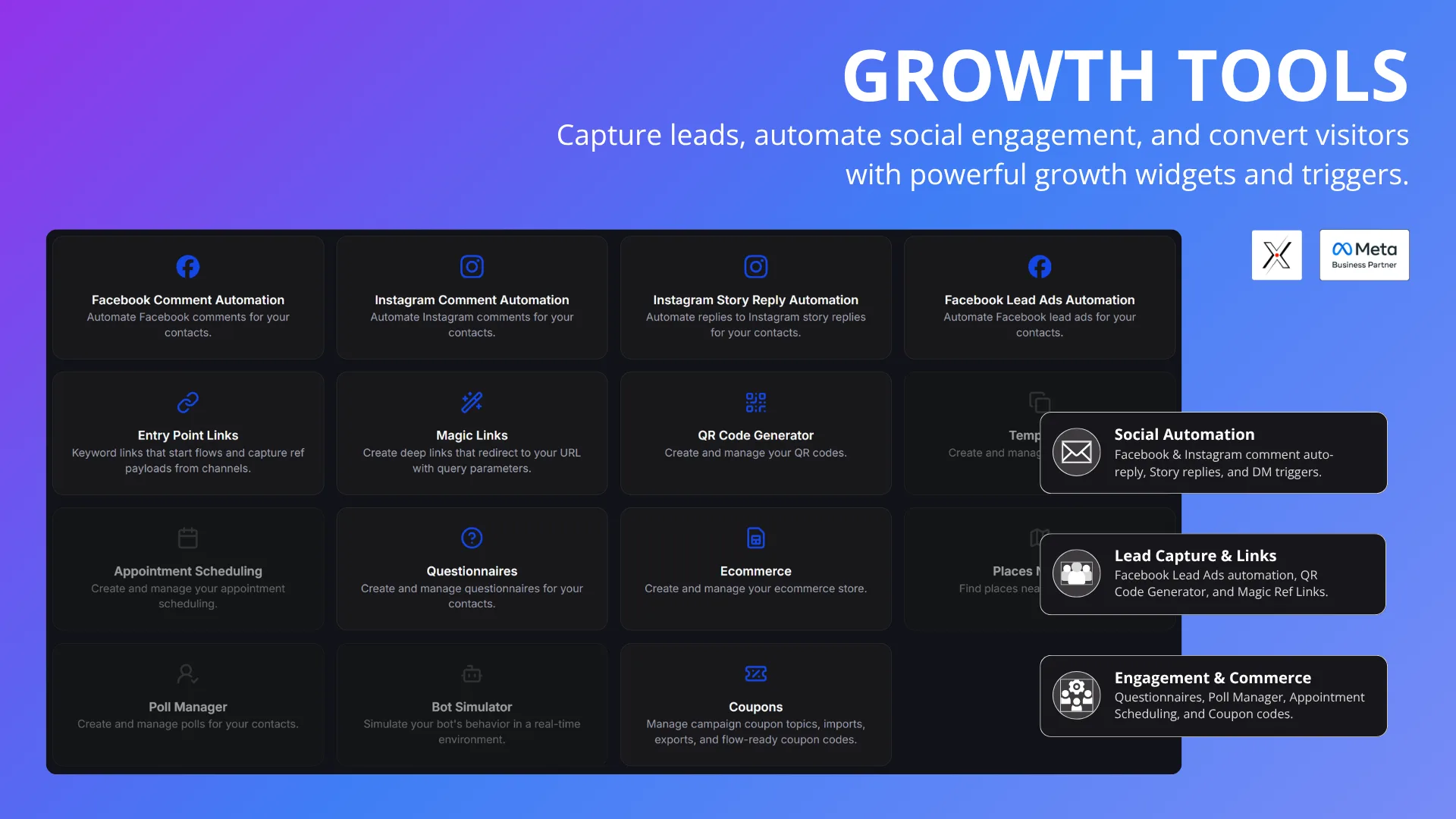
- Comment-to-DM: Automatically message users who comment with specific keywords
- Comment Automation: Auto-reply, like, and hide comments on Messenger, Instagram, Threads, and TikTok posts (on Threads: public reply and hide only — it has no DM or like API)
- A/B Testing: Test and optimize different message flows
- Triggers: Execute actions based on events within your bot
- Webhooks & HTTP: Integrate external APIs directly into your flows
- Growth Tools: Generate conversation starter links for each platform
- Analytics: Track performance metrics, user engagement, and campaign results
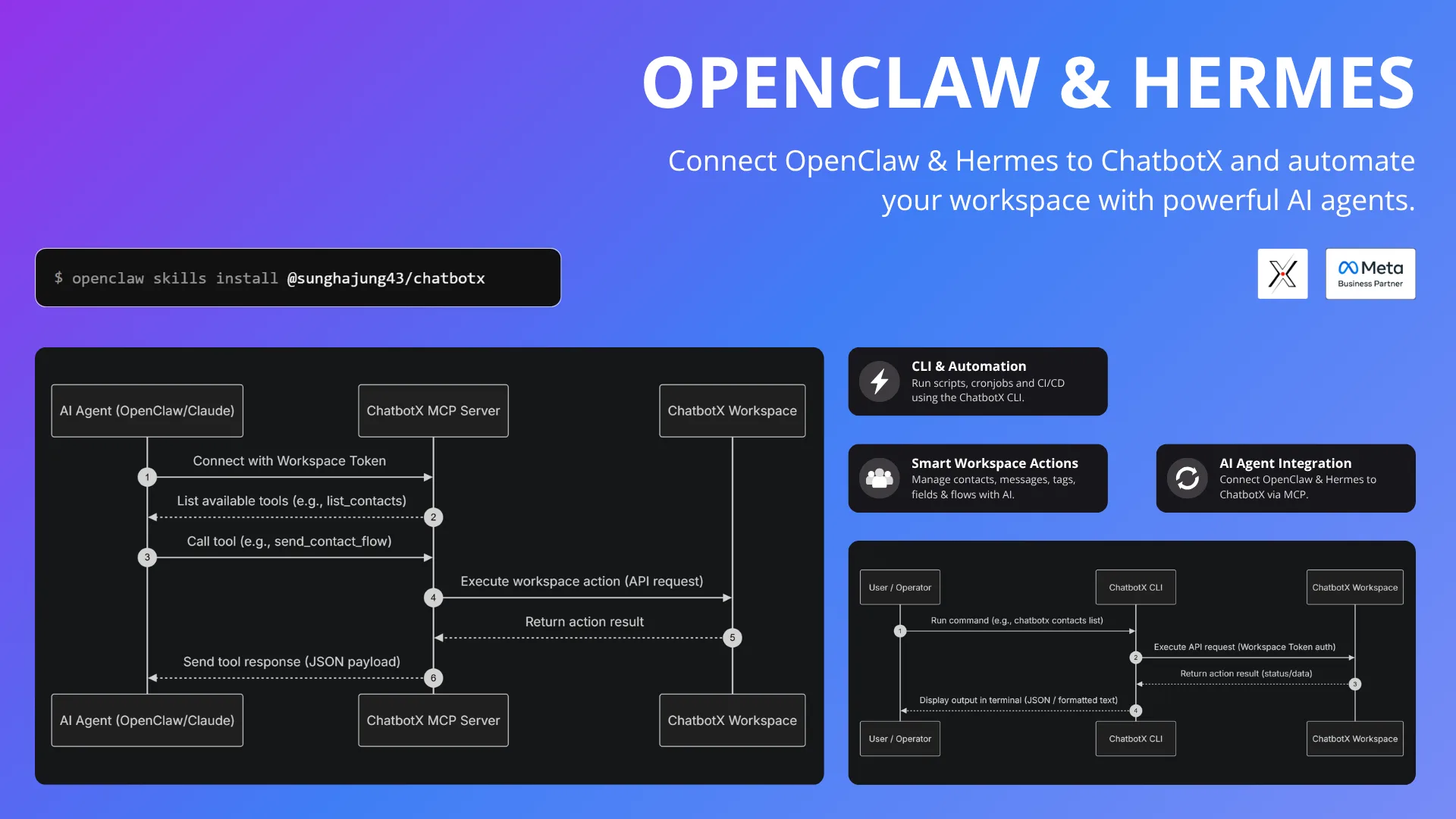
- APIs, CLI, and MCP: Build advanced agent workflows with MCP-compatible clients
 |  |
|---|---|
 |  |
 |  |
Why ChatbotX?
| Feature | ManyChat | ChatbotX |
|---|---|---|
| Self-Hosted | ❌ | ✅ |
| White Label | ❌ | ✅ |
| CLI & MCP | ❌ | ✅ |
| Cost Growth | ✅ | ❌ |
| Public API | Limited | ✅ |
| Omnichannel | Limited | ✅ |
| AI Agents | Limited | ✅ |
| AI Credits | Add-on | BYOK |
Tech Stack
- Node.js 24
- TypeScript 5
- pnpm 10 workspaces
- Turborepo
- Next.js 16 and React 19 for
apps/builder - uWebSockets.js gateway with Redis Streams for realtime messaging
- Drizzle ORM with PostgreSQL and pgvector
- Redis and BullMQ for queues and worker coordination
- RustFS / S3-compatible storage for uploaded assets
- Docker Compose for local infrastructure
Quick Start
To have the project up and running, please follow the Quick Start Guide.
Self-hosting ChatbotX without developing on it? Use chatbotx-docker-compose — a standalone repo that runs the pre-built ghcr.io images with docker compose up, no local checkout of this monorepo required. The compose files in this repository (docker-compose.yml, docker-compose.dev.yml) provision local infrastructure only and expect the apps to run from source via pnpm dev.
Project Structure
.
|-- apps/
|   |-- builder/       # Next.js web app and product builder
|   |-- worker/        # background workers for chat, AI, triggers, webhooks, analytics, sequences
|   |-- realtime/      # realtime server
|   |-- cli/           # ChatbotX command line client
|   `-- mcp-server/    # MCP server backed by public APIs
|-- integrations/
|   |-- whatsapp/
|   |-- messenger/
|   |-- instagram/
|   |-- threads/
|   |-- telegram/
|   |-- zalo/
|   |-- tiktok/
|   |-- webchat/
|   |-- smtp/
|   |-- openai/
|   |-- google-sheets/
|   `-- ...           # email/CRM: mailchimp, klaviyo, active-campaign, drip, get-response, mailer-lite, moosend, sendgrid
|-- packages/
|   |-- database/
|   |-- ai/
|   |-- auth/
|   |-- business/
|   |-- automated-response/
|   |-- analytics/
|   |-- event-bus/
|   |-- mail/
|   |-- imports/
|   |-- flow-config/
|   |-- variables/
|   |-- sdk/
|   |-- scheduler/
|   |-- sequence-scheduler/
|   |-- ui/
|   `-- worker-config/
|-- docker-compose.yml
|-- pnpm-workspace.yaml
`-- turbo.json
Development Commands
pnpm dev              # run turbo dev
pnpm build            # build all packages/apps through Turborepo
pnpm lint             # run Ultracite lint
pnpm fix              # run Ultracite fix
pnpm check:circular   # check circular dependencies
pnpm check:unused     # check unused files and dependencies
Useful package-level commands:
pnpm --filter builder dev
pnpm --filter worker dev
pnpm --filter realtime dev
pnpm --filter chatbotx dev:cli
pnpm --filter chatbotx-mcp dev:mcp
pnpm --filter @chatbotx.io/database db:studio
Worker process modes
The worker image defaults to worker standalone: core queues, schedule, and
sequence workers share one Node process so common application code is loaded
once. Use worker core for local development without schedules, or worker <name> to isolate a workload such as heavy.
worker all remains available for one process per worker. It caps each child
heap at WORKER_MAX_OLD_SPACE_MB only when it is set (there is no default);
size it so the host has enough memory for every child. The standalone process retains
the normal V8 heap limit.
Database pool sizing
DATABASE_POOL_MAX defaults to 10 connections per process. In the worker
Docker image, consolidated worker standalone and worker core modes default
to 80 (SHARD_POOL_MAX to 40); set the variables explicitly to override.
Keep replicas × (DATABASE_POOL_MAX + shards × SHARD_POOL_MAX) at or below
PostgreSQL max_connections. The consolidated process runs about 350
concurrent job slots (trigger 100, sequence 100, webhook 50, …) over these pools.
Services
The default Docker Compose stack includes:
- PostgreSQL with pgvector on
5432 - Redis on
6379 - RedisInsight on
5540 - RustFS object storage on
9000and console on9001 - MailHog SMTP on
1025and UI on8025 - Adminer on
8080
Support
If ChatbotX helps you avoid expensive chatbot automation tools, please give us a ⭐ on GitHub. We're also working hard to bring open-source mobile apps to iOS and Android this year
License
ChatbotX' Community Edition is released as open source under the MIT License and enterprise features are released under Commercial License