
FitLLM Engine
FitLLM is an open-source, zero-dependency engine that checks whether a local LLM fits on a GPU or Apple Silicon Mac using architecture-aware memory math.




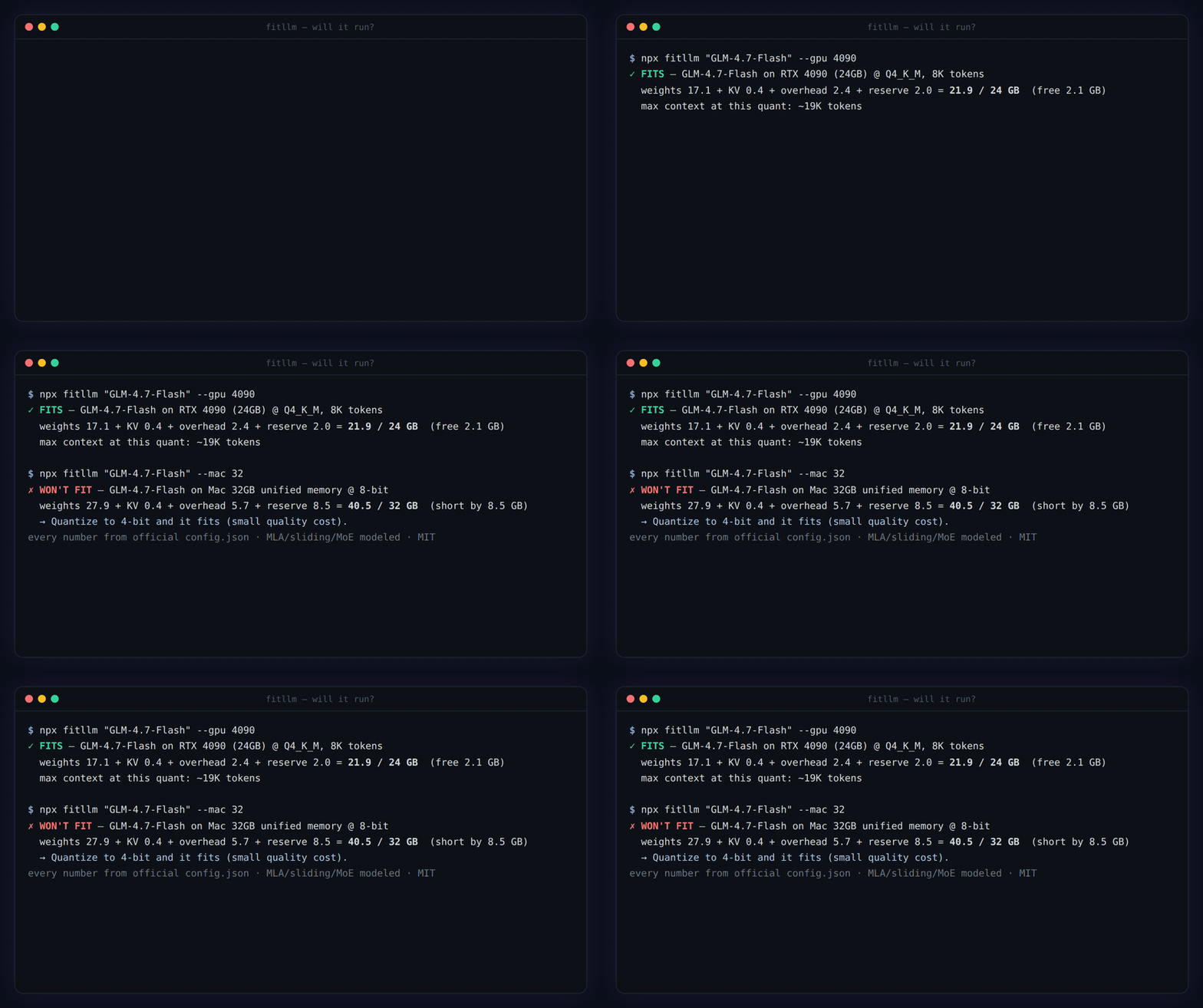
Live: https://fitllm.run · Bilingual · Free · No ads · No login
Open engine: fitllm-engine (MIT · npm
fitllm-engine·npx fitllm)Zero dependencies. One readable file:
engine.js. Conformance-vector tested. MIT.
Quick start
npx fitllm "Gemma 4 12b" --gpu "RTX 4090"     # one line, exit 0 fits / 1 won't — run before you download
npx fitllm --top --gpu 4090                    # what can this hardware run?
npm install fitllm-engine                      # use the same engine as a library (see Usage)
Remote MCP server
Connect any Streamable HTTP MCP client to https://fitllm.run/api/mcp:
{
  "mcpServers": {
    "fitllm": {
      "url": "https://fitllm.run/api/mcp"
    }
  }
}
Tools
check_llm_fit— check one model against a GPU, multi-GPU rig, or Mac and return the verdict, memory breakdown, and a fix when it does not fit.what_fits_on_hardware— rank the supported local models that fit the given GPU, multi-GPU rig, or Mac.list_supported— list the built-in model and hardware names accepted by the fit checker.
The server is read-only, stateless, and requires no authentication.
npx fitllm "GLM-4.7-Flash" --gpu 4090     # ✓ FITS — 21.9/24 GB, free 2.1 GB
npx fitllm "gpt-oss-120b" --mac 64        # ✗ WON'T FIT → what to change to make it fit
npx fitllm "Qwen 3.6 35B" --gpu "5090 + 3090"   # multi-GPU rig — VRAM pools (56GB), even mixed cards
npx fitllm --top --detect                 # what CAN this machine run? — best quant per model
npx fitllm --detect                       # reads this machine's real hardware
Why a CLI? The "will it run?" question is born in the terminal — one line before ollama pull. No install, no tab-switching, and it reads your actual hardware with --detect instead of asking you to know your VRAM. Exit code 0/1 makes it a pre-download guard:
# in your model-pull script — stop BEFORE the 40 GB download:
npx fitllm "gpt-oss-120b" --detect || { echo "won't fit — aborting pull"; exit 1; }
This is the open calculation core of FitLLM. The math is open so you can audit it.
Ask an LLM "does Qwen 3.6 fit my GPU?" and it pattern-matches to an architecture from its training cutoff — and usually says no. Catalog-based calculators lag new releases. The CLI, API, and MCP use a curated catalog pinned to official configs. The web calculator can additionally inspect a pasted Hugging Face ID's official config.json live, so supported architectures work on day-one releases — including the hybrid / sliding-window / MoE structures that naive formulas get wrong.
Covers Apple Silicon unified memory (M1–M6, Pro/Max/Ultra — up to the 512GB Mac Studio), NVIDIA GPUs (RTX 20/30/40/50, workstation RTX 6000 Ada / RTX PRO 6000, datacenter A100/H100/H200/B200), AMD Radeon (RX 7000/9000, PRO W7900) and multi-GPU presets (2×3090, 2×4090, 4×3090) — with GGUF Q-tier weight quantization kept separate from KV-cache quantization. Hardware entries carry their source URLs per-value in engine.js; new entries require ≥2 independent sources (CONTRIBUTING).
Why most LLM memory calculators are wrong
Almost every "can I run this LLM?" calculator estimates the KV cache with the textbook formula:
KV ≈ 2 × num_layers × num_kv_heads × head_dim × context_length × bytes
That assumes every layer keeps a full-context KV cache with one uniform head shape. True for Llama-1/2 — wrong for most 2025–2026 models:
| Model | What naive formulas miss | Naive KV | FitLLM KV | Off by |
|---|---|---|---|---|
| Gemma 4 31B @131K, 8-bit | 50 of 60 layers are sliding-window (keep only the last 1024 tokens); the 10 global layers use a different head shape (4 KV-heads × 512, not 16 × 256) | ~60 GB | ~5.4 GB | 11× |
| Qwen 3.6 27B @131K, 8-bit | 48 of 64 layers are linear attention (Gated DeltaNet) — no growing KV cache | ~16 GB | ~4 GB | 4× |
| Qwen 3.8 27B @256K, F16 KV | same shape, newest generation: KV lives on 16 of 64 layers only | 64.0 GiB | 16.0 GiB | 4× |
| GLM-4.7-Flash @128K, bf16 | MLA: K/V compressed into one shared latent (512+64 dims, cached once — not per-head K and V) | ~117 GB | ~6.6 GB | 17.8× |
| Plain dense (Llama, Mistral…) | nothing — standard transformer | same | same | 1× ✅ |
An 11× error flips the verdict: a naive calculator says Gemma 4 31B won't fit in 64 GB at long context, when it fits comfortably.
The five things they ignore
- Sliding-window attention (Gemma 2/3/4, gpt-oss): most layers only keep the last N tokens, so their KV stops growing. Only the global layers scale with full context.
- Hybrid / linear attention (Qwen 3.6 / 3.8, many 2026 models): linear-attention layers use a fixed-size recurrent state, not a growing KV cache. That state is modeled too, as its own component (
linearState) — it is a constant per sequence, so it never inflates the context curve. - MLA — Multi-head Latent Attention (GLM-5.2, GLM-4.7-Flash, DeepSeek family): the cache is a single low-rank latent (
kv_lora_rank+ RoPE dims) shared across all heads — per-head "2 × heads × head_dim" formulas over-count by an order of magnitude. Verified against the DeepSeek-V2 paper (arXiv:2405.04434) and the official DeepSeek-V3 inference code. - Heterogeneous head dims + MoE: global layers can use a different
head_dim(Gemma 4: 512 vs 256). MoE keeps every expert in memory while activating only a few per token. - PLE — Per-Layer Embeddings (Gemma 4 e2b/e4b): llama.cpp keeps the
per_layer_token_embdtensor in system RAM by default regardless of-ngl(forcing it onto CUDA crashes for K-quant GGUFs; only non-K quants can opt in — ggml-org/llama.cpp#14430), so only the non-PLE weights need VRAM. Counting all 5.1B params against a GPU over-predicts e2b's resident weights by ~1.9× and flips small-card verdicts. On Apple Silicon system RAM is accelerator memory, so total params stay correct there. (Caveats: vLLM loads PLE fully onto the GPU — this engine's GPU math is anchored to the default GGUF/llama.cpp behavior its quant tiers come from; the residency measurements are from the E-series PLE stack, and a direct measurement on a Gemma 4 GGUF is welcome in issue #7.)
This engine models each layer type separately, verified against official HuggingFace config.json files.
What it computes
Total = Parameters (quantization-adjusted)
      + KV cache (per layer kind: sliding / global / linear / dense)
      + Runtime overhead (quant metadata + KV block padding + activations + fixed)
      + macOS base (Apple Silicon unified memory)
Plus a parseHfConfig() that turns configs from verified, modeled Hugging Face architecture families into the model shape above; unsupported structures fail closed instead of returning a guess. (No token/s prediction — deliberately: speed depends on runtime/backend in ways a static model can't claim honestly. Fit is a verifiable claim; speed is not.)
Usage
// from npm:  npm install fitllm-engine
import { simulate, LOCAL_MODELS, parseHfConfig } from 'fitllm-engine';
// …or vendored single-file:
// import { simulate, LOCAL_MODELS, parseHfConfig } from './engine.js';

const model = LOCAL_MODELS.find((m) => m.name === 'Gemma 4 31b');
const sim = simulate(model, /*ram*/ 64, /*ctx*/ 131072, /*bits*/ 8);
// → { used, free, verdict: 'yes'|'tight'|'no', param, kv, rt, os, maxContext, ... }

// a config from a modeled Hugging Face architecture family:
const m = parseHfConfig('Qwen/Qwen3-32B', configJson, totalSizeBytes);
Verification
- Architecture values checked against official HuggingFace
config.json. - Gemma 4 31B full-context KV reproduces 20.78 GiB, matching the published architecture analysis. Reproduce it by hand:
global: 10 layers × 2(K,V) × 4 heads × 512 dim × 2 B × 262,144 = 21,474,836,480 B
local:  50 layers × 2(K,V) × 16 heads × 256 dim × 2 B × 1,024  =    838,860,800 B
total = 22,313,697,280 B ÷ 1024³ = 20.78 GiB
- MLA per-token cost: GLM-4.7-Flash = (512 + 64) × 2 B × 47 layers = 54,144 B/token — pinned by conformance vectors.
All figures are estimates — real usage varies with the runtime (MLX/Ollama/llama.cpp), OS state, and quantization scheme.
Conformance vectors
vectors/fit-vectors-v1.json pins 28 language-neutral test vectors (exact KV bytes, per-token costs, fit verdicts) derived by hand from official config.json values — e.g. "Gemma 4 31B at 262,144 ctx, bf16 = exactly 22,313,697,280 bytes". Any implementation in any language conforms if every vector passes — run ours with node vectors/run.mjs.
Why this matters: the formulas are easy to copy; a verified answer key is not. If you port this engine to Python, Rust or Go, you don't become an untrusted fork — pass the vectors and you're a conformant implementation of the same standard. Port the engine, keep the vectors.
The Fit Census — every model × every device, one truth table
census/ holds 8,424 verdicts (24 models incl. draft tier × 93 GPUs/Macs × quant tiers) computed by this engine — as CSV/JSON you can import, chart or cite, plus a starter matrix ("biggest model that fits comfortably per device"). Regenerate it yourself: npm run census. Real-world measurements land next to predictions via fixtures/ PRs — predicted vs. measured, in public.
Embed a fit badge
Show whether a model runs on given hardware — live from the engine, one line in any README or model card:


Params: model (name, fuzzy), gpu (name, fuzzy) or ram (GB, Apple unified memory), optional quant (GGUF tier / 4|8|16), ctx, kv. Verdict color: green fits · yellow tight · red won't fit.
Why embed it? The #1 question under every model card and local-AI tutorial is "will it run on my machine?" The badge answers it live from the engine — recomputed when the data updates, not a stale claim frozen into your README. If you publish models or write guides: one line replaces a whole FAQ paragraph and cuts the "it OOM'd on my 8GB card" issues before they're filed.
Ask your AI assistant (MCP)
The engine runs as a public MCP server at https://fitllm.run/api/mcp — connect it once and your assistant answers "can I run X on my Y?" with this engine's math instead of guessing from stale training data (LLMs routinely get KV-cache math wrong — see the 17.8× table above).
- Claude (web / desktop / mobile): Settings → Connectors → Add custom connector → paste
https://fitllm.run/api/mcp - Claude Code:
claude mcp add --transport http fitllm https://fitllm.run/api/mcp - Cursor / Windsurf: add to
mcp.json→{ "mcpServers": { "fitllm": { "url": "https://fitllm.run/api/mcp" } } } - ChatGPT: Settings → Apps → Advanced → Developer mode → add MCP server (Plus/Pro)
Tools: check_llm_fit (verdict + full memory breakdown + fix suggestion — supports multi-GPU rigs like "RTX 5090 + RTX 3090"), what_fits_on_hardware (ranked list for your machine), list_supported. Resources: fitllm://models, fitllm://hardware, fitllm://census, fitllm://engine. Intentionally open: read-only, stateless, no auth, no secrets — every call is a pure function of public data.
Listed on: official MCP registry (run.fitllm/fitllm) · Glama · mcp.so · Smithery
For agents & scripts — plain HTTP API
No MCP client? One GET, no auth, no key — JSON by default, plain text for curl:
curl 'https://fitllm.run/api/check?model=gemma%204%2031b&gpu=4090'
# multi-GPU rigs: gpu=5090%2B3090 · Mac: ram=64 · usage: curl https://fitllm.run/api/check
Open data: the full Fit Census (8,424 verdicts, CC0) at fitllm.run/data and on Hugging Face Datasets. Try the engine in-browser: HF Space demo.
Principles
No ads. No login. No affiliate links. Output is never for sale. Fit is a winnable, verifiable claim; raw tok/s is not — so this engine refuses speed predictions rather than dress a guess as precision.
Help calibrate
Ran a model and measured real peak memory? Report a measurement — it improves the estimates for everyone.
Built by
yongha — GitHub. Powers fitllm.run.
License
MIT © click6067-ship-it