Listed from the MCP registry; nobody on Odel publishes it.
c2n Web Components
Exact APIs, examples, theme tokens and markup validation for the c2n (c2-*) Lit web components.
Runs on your machine from its package; the steps are below.
What it does
- Reads
- Writes
- High impact
At most: only reads or looks up information.
What it costs
FreeOdel charges nothing per call. The publisher may charge for its own service.
Runs locally over stdio
This server isn't hosted — your MCP client launches it from a package registry. Use one of the commands below, or drop the config into your client (e.g. Claude Desktop).
Run
npx -y @c2n/mcp
MCP client config
{
  "mcpServers": {
    "c2n-web-components": {
      "command": "npx",
      "args": [
        "-y",
        "@c2n/mcp"
      ]
    }
  }
}



Every building block your AI needs to ship a web app. 100+ components and 700+ ready-made variants, built with AI and for AI. Your coding agent reads the exact API of every element over MCP and composes it into real apps, in plain HTML, React, Vue, Angular, Astro or anything that speaks the DOM.
Docs & live demos · Components · Examples · Theming

Highlights
- Built for AI agents: an MCP server (
@c2n/mcp) and a Claude Code / Codex / Copilot skill (@c2n/skill) hand your agent exact APIs, examples and themes, so it builds instead of guessing. - 100+ components, 700+ variants: inputs, tables, charts, maps, overlays, navigation, chat, dashboards, plus icon sets and illustrations.
- One package, ship only what you use:
npm install @c2n/components, import@c2n/components/table; bundlers drop the rest. - Themed with CSS variables: ~35
--c2-theme--*tokens restyle the whole app, light and dark built in. - Any framework: generated React/Vue types, an Angular forms adapter, SSR-safe elements.
Quick start
npm install @c2n/components
import '@c2n/components/theme.css'
import '@c2n/components/button'
import '@c2n/components/text-field'
<form class="newsletter">
  <c2-text-field placeholder="Your email"></c2-text-field>
  <c2-button type="submit">Subscribe</c2-button>
</form>
Make it yours by setting a few tokens, or style one component through its own variables:
:root {
  --c2-theme--color-primary: #7c3aed;
  --c2-theme--radius-md: 10px;
}

.newsletter c2-button {
  --c2-button__container--height: 44px;
}
React, Vue and Angular setup: Frameworks guide.
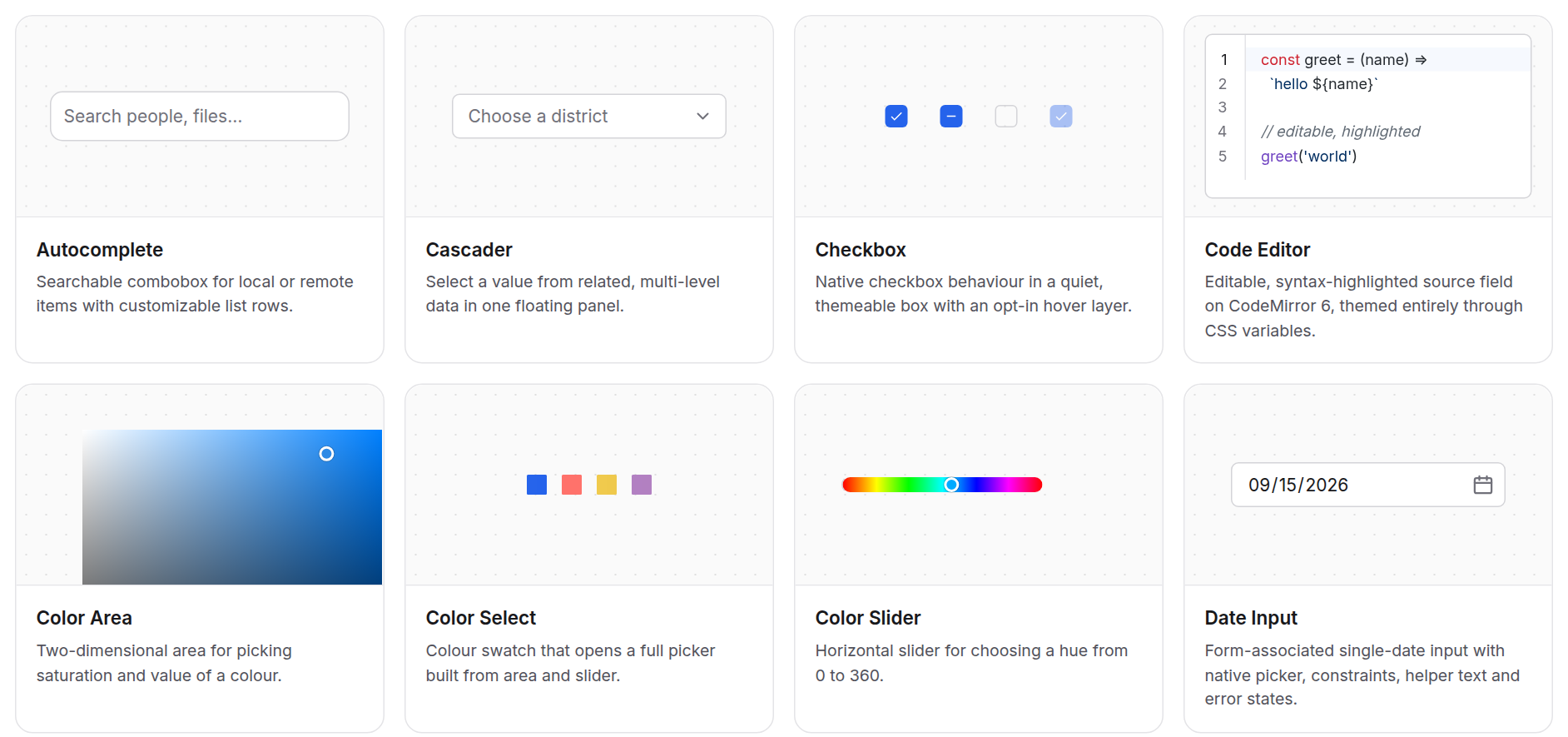
A gallery for every component
Each component ships styled variants you can copy, or open in the live studio to tweak and export.

Real apps
Complete example apps in React, Vue, Angular, Next.js and plain HTML live in apps/examples.

Use with AI agents
claude mcp add --transport stdio c2n -- npx -y @c2n/mcp
Or install the Claude Code plugin: /plugin marketplace add code2nguyen/web-components then /plugin install c2n@c2n.
Contributing
pnpm install
pnpm run ui                                    # build everything, start the docs site
pnpm --dir packages/components/button run dev     # work on one component
pnpm test                                      # browser tests for changed components
pnpm run generate                              # scaffold a new component
More in tests/README.md and CLAUDE.md.







