Listed from the MCP registry; nobody on Odel publishes it.

Purgatory (p7y)
Self-hosted Docker sandboxes for agents: create one, deploy a compose stack, read its files and URLs
Runs on your machine from its package; the steps are below.
What it does
- Reads
- Writes
- High impact
At most: moves money, runs code or commands, deletes data, or sends messages for you.
What it costs
FreeOdel charges nothing per call. The publisher may charge for its own service.
Runs locally
This server runs on your machine over stdio, but its source registry didn't list a distribution package. Check the source repository for setup instructions.
 Purgatorium (p9m)



Note
Early, before 1.0. It works and is tested (CI on every change, releases with a changelog), but expect rough edges, and breaking changes between minor versions.
Self-hosted sandboxes for your team and their AI agents: everyone gets their own Docker, every app gets a URL, idle sandboxes sleep.
Think of it as a self-hosted Vercel for the apps your team and its agents spin up. Today you deploy with docker compose; git-based builds are on the roadmap.
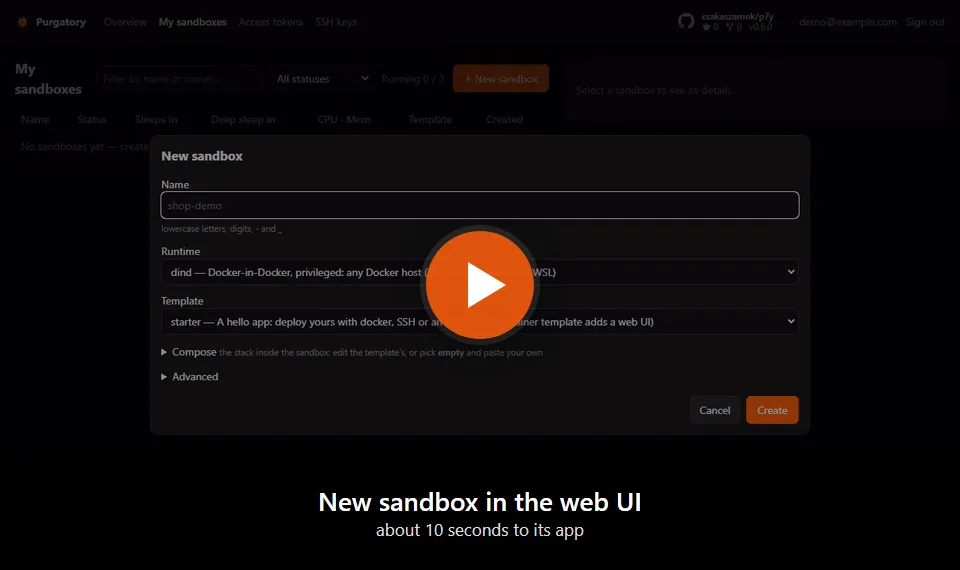
About 10 seconds from New sandbox to your own Docker and a public URL for your app; a sleeping sandbox is back in under 10. (Measured with the images already pulled: the first sandbox on a new server also downloads them.)

- Its own Docker daemon for every sandbox (with a Portainer UI if you want one)
- A public URL for every app, and TLS addresses for Postgres, Redis and SSH
- Sleeps when idle, wakes on the next request; a delete archives, nothing is lost
- Made for agents: tokens limited to one sandbox, an agent guide, an MCP server and a Claude Code plugin (
/plugin marketplace add p9m-team/p9m, then/p9m:init <address>gets each project a sandbox: users need no web UI, only the admin has one).p9m-team/p9mis the official marketplace: it points at this repository'splugins/p9m, so use that name, not this repository's
Hide the complexity. Keep it simple. Focus on what matters.
Purgatorium abstracts away infrastructure complexity and operational overhead, providing an intuitive user experience that lets users focus on their work and business goals rather than managing the underlying technology.
Why Purgatorium, and how it compares with a laptop, a cloud PaaS, a shared Docker host, Coolify and a VM for everyone · How it works: the components (Docker-in-Docker, frp, Traefik, Sablier), a sandbox's lifecycle and the path of a request
The same from a script or an agent
All real runs, in real time; press one to watch it.
 |  |  |
With curl through the API, by an agent over the MCP server, and the MCP server by hand (JSON-RPC over HTTP, so even curl can call its tools).
Try it on your laptop
With Docker Desktop, or Docker Engine and the compose plugin on Linux, and ports 80 and 443 free (on Windows, in Git Bash or WSL):
mkdir p9m && cd p9m
curl -fsSLO https://github.com/csakaszamok/p9m/releases/latest/download/docker-compose.yml
curl -fsSL https://github.com/csakaszamok/p9m/releases/latest/download/setup.sh | bash   # prints the admin password
docker compose up -d
Open http://p9m.lvh.me (lvh.me and all its subdomains point to 127.0.0.1, so no DNS to set up), sign in as administrator with the password setup.sh printed, and press New sandbox. The first one takes a minute or two while the images are pulled; after that about 10 seconds. Its app opens at its own http://<name>-….lvh.me address.
An app takes seconds to open the first time? In Chrome, Settings → Privacy and security → Security → Use secure DNS: with "your current service provider" each new
*.lvh.mename can wait for a slow or filtering resolver. Turn it off, or pick a provider such as Cloudflare (1.1.1.1).
To remove it: delete the sandboxes in the UI first (each is a compose project of its own, so the next step would leave them running), then docker compose down -v in the p9m directory, and delete the directory.
Install
On a Linux host with Docker Engine, the compose plugin and sysbox, no clone needed. First check the host; it changes nothing:
curl -fsSL https://github.com/csakaszamok/p9m/releases/latest/download/check-host.sh | bash -s -- dev.example.com
Then:
mkdir p9m && cd p9m
curl -fsSLO https://github.com/csakaszamok/p9m/releases/latest/download/docker-compose.yml
curl -fsSL https://github.com/csakaszamok/p9m/releases/latest/download/setup.sh | bash -s -- dev.example.com   # .env with your domain and random secrets
docker compose up -d
curl -fsSL https://github.com/csakaszamok/p9m/releases/latest/download/check-host.sh | bash   # again, in p9m: what is not secure yet
Then sign in at http://p9m.<HOST_DOMAIN> (by default http://p9m.lvh.me). Rather read the scripts before running them? Download them instead of piping them into bash: see Install.
When to use something else
Purgatorium is for a team's apps and agents' deployments that should be up at a URL, cheaply, on your own server. For other jobs other tools fit better:
- Production that must scale and stay up → a cloud PaaS, or Coolify / Dokploy on your own servers
- Untrusted code from strangers → a microVM sandbox such as E2B or Docker Sandboxes (or Purgatorium's
kataruntime on a host with KVM) - Writing code in a cloud IDE → Coder or GitHub Codespaces
- An agent running short scripts from an SDK → E2B or Daytona
More in how it compares.
Documentation
csakaszamok.github.io/p9m: tutorials, install, configuration, let your agent deploy, MCP, API, and llms-full.txt for agents.
Security: sandboxes run under sysbox, without a privileged container; install it on the server. For code you do not trust, the opt-in
kataruntime runs each sandbox in its own VM (needs a host with KVM). The privilegeddindruntime is for development only (Docker Desktop, a laptop) and is not allowed unlessALLOWED_RUNTIMESsays so. Web apps in a sandbox open only for its owner unless labelled otherwise (details).
Contributing · Security issues · AGPL-3.0
Free to use, also commercially, on your own servers or for your customers. Changed it and people use it over the network? Then they get your changed source too, under the same license (AGPL-3.0). Every product built on Purgatorium says so: Based on Purgatorium (p9m), in its About page and its docs, is marked as changed, and does not take the names "Purgatorium" or "p9m" (NOTICE). Versions up to 0.10.3 were released under Apache-2.0.







