
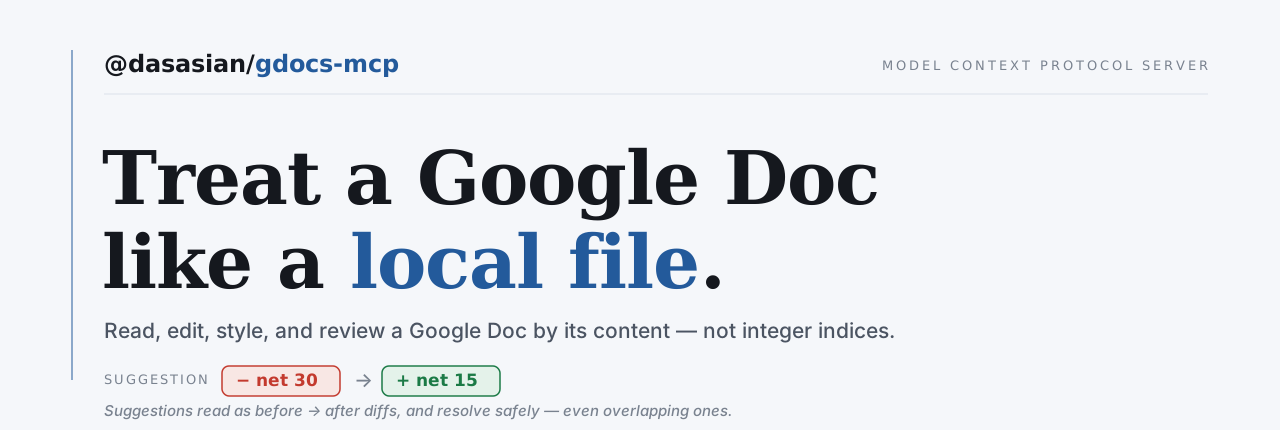




@dasasian/gdocs-mcp
An MCP server that lets an AI agent (like Claude Code) treat a Google Doc like a local file — read it, edit it by content, review and resolve suggestions, manage comments, and work across tabs and multiple Google accounts.
Status: beta. The tool surface is complete and every change is verified against the live API, not just unit tests. Markdown code blocks are the one construct still to render (see Roadmap).
Why this exists
Most Google Docs MCP servers treat a doc as flat text. This one fills the gap nobody else does:
- Suggestions as diffs you can act on.
list_suggestionsshows pending tracked-changes asbefore → after;apply_suggestionsaccepts/rejects one or more cleanly.read_doccan render them inline as<ins>/<del>. - File-like editing.
edit_docmatches a unique snippet of text (like a localEdit) and rewrites it — indices are never exposed. - Comments. Read threads (author, quoted text, replies, resolved status), reply, resolve, add.
- Tabs as sub-files. Full create/rename/delete, and every read/edit tool can target a specific tab.
- Multiple accounts. Authorize several Google accounts; pick a default per project.
What you can ask for
You don't call tools. You ask in plain language and the agent drives them.
Fill a template without rebuilding it
"Copy the Proposal Template into /Clients/Acme, name it 'Acme Q3 Proposal', then fill in the client name, the dates, and the pricing table."
The copy keeps the letterhead, the logo at its exact size, the fonts and the page setup — everything a markdown round-trip cannot rebuild. Then only the words that change are edited. The alternative is retyping a document you already have.
A whole review pass in one instruction
"Show me the pending suggestions as a diff, accept the typo fixes, reject anything that changes meaning, then reply to the open comments and resolve the ones that are settled."
Four tools, one sentence, and the judgement in the middle is the part you wanted help with. Most Docs integrations cannot see tracked changes at all, let alone act on them safely.
More: publishing a folder of markdown as a Drive tree, auditing many docs for style drift, pulling a doc back into your repo with its images → docs/recipes.md.
Install
npm install -g @dasasian/gdocs-mcp
Or from source:
git clone https://github.com/dasasian/gdocs-mcp && cd gdocs-mcp
npm install && npm run build
npm link   # makes `gdocs-mcp` available globally, same as the published package
Then follow the setup below exactly as an installed user would. (npm link symlinks the
gdocs-mcp binary to your build; see CONTRIBUTING.md for the dev workflow.)
Setup
You need a Google Cloud OAuth client (one-time). Each user creates their own — this keeps your credentials yours and avoids Google app-verification for the restricted Drive scope.
- Create a project + enable APIs (or use the setup guide):
gcloud projects create my-gdocs-mcp gcloud config set project my-gdocs-mcp gcloud services enable docs.googleapis.com drive.googleapis.com - OAuth consent screen (Cloud Console → APIs & Services → OAuth consent screen): User type External, add yourself as a Test user. For long-lived tokens, set publishing status to In production (avoids the 7-day refresh-token expiry).
- OAuth client → Create credentials → OAuth client ID → Desktop app. Download the JSON and save it as
~/.config/gdocs-mcp/client_secret.json. - Authorize an account (opens a browser):
Repeat for each Google account you want to use.gdocs-mcp add-account
Configure your MCP client
In a project's .mcp.json (Claude Code) or equivalent:
{
  "mcpServers": {
    "gdocs": {
      "command": "gdocs-mcp",
      "env": { "GDOCS_DEFAULT_ACCOUNT": "you@example.com" }
    }
  }
}
GDOCS_DEFAULT_ACCOUNT sets which authorized account this project uses by default — so a work project and a personal project can point at different accounts without re-authorizing. Any tool call can override it with an account argument.
Prefer it available in every project? Register once at user scope: claude mcp add gdocs -s user -e GDOCS_DEFAULT_ACCOUNT=you@example.com -- gdocs-mcp. Then a project can pin its own defaults with a .gdocs-mcp.json — both the account and a default folder for new docs:
{ "account": "work@company.com", "folder": "https://drive.google.com/drive/folders/…" }
With a folder set, create_doc files new docs there automatically (an explicit folder argument still overrides). See docs/setup.md for the full resolution order.
You don't have to edit that file by hand — just tell the agent "make damithsc@gmail.com my default account for this project" or "make my Manuscripts folder the default here," and it writes the .gdocs-mcp.json for you via set_project_default (searching for the folder by name if needed).
Tools
The table below is the reference. For what to actually ask for, see What you can ask for above, or the full set in docs/recipes.md.
| Tool | Description |
|---|---|
read_doc | Read as markdown + inline HTML — text color/size/font come back as <span style="…">, so styling is visible and round-trips. Modes: clean · tracked (<ins>/<del>) · accepted · rejected. segment: body (default) / header / footer / all — a body read always reports what the headers/footers hold, so a letterhead never reads as empty |
edit_doc | Replace a unique text snippet (string-anchored, markup-tolerant; new text supports inline markdown) |
set_style | Style existing text in place — like selecting in Docs and applying formatting: a from/to selection, a single from snippet, or the whole_document. bold/italic/underline/strikethrough, color, font size/family, link, alignment, paragraph spacing (before/after/line) |
get_page_setup / set_page_setup | Read / set document-level page setup: margins, page size (preset or explicit), orientation (File > Page setup) |
get_style | Read the computed (inherited-resolved) style at a text anchor — paragraph spacing, alignment, fonts, colors that markdown can't show (read counterpart to set_style) |
overwrite_doc | Replace a doc/tab body with markdown-rendered content — guarded against orphaning comments/suggestions |
insert_content | Insert new markdown content at a position — at: "end" (default) / "top" / a unique anchor. The way to add a paragraph after a table that ends the doc, where edit_doc has nothing to anchor on |
export_doc | Export a doc to a local file — pdf (default), docx, odt, rtf, txt, html, epub, md (rendered server-side by Google) |
create_doc | Create a doc from markdown, optionally in a folder |
list_suggestions | Pending suggestions as before → after diffs — segment to read a header/footer's |
apply_suggestions | Accept or reject one or more suggestions atomically — required for overlapping/adjacent "clusters"; segment to resolve a header/footer's |
insert_image | Insert an inline image from a URL or a local file — position, size, left/center/right align. segment: "header" (+ createSegment) puts a letterhead logo where it repeats |
download_images | Download a doc’s embedded images to a local folder (pairs with read_doc’s image markers — the inverse of publishing) |
insert_table | Insert a rows×columns table — data fill (cells accept inline markdown), per-column align, column widths, header shading; segment/createSegment for a letterhead table |
edit_table | Table structure ops — insert/delete a row or column (surgical — locate the table by cell text); segment for header/footer tables |
set_table_style | Style an existing table (located by cell text): cell padding, background, cell borders (width: 0 = borderless), column widths, pinned header rows — scope table/row/column/cell; segment for header/footer tables |
get_table_style | Read a table's style (located by cell text): column widths, pinned header rows, and the matched cell's padding, background and per-side borders — the read counterpart to set_table_style |
list_comments / add_comment / resolve_comment | Comment threads (add_comment also replies, via replyTo) |
list_tabs / add_tab / rename_tab / delete_tab | Tab structure |
drive | Drive as a filesystem: ls find mkdir cp mv. Paths are / or ~ (My Drive), /shared/<drive>, /shared-with-me, /lost+found; anything else is an id. cp preserves what markdown can’t round-trip (headers/footers, image sizing, exact formatting), so prefer it over rebuilding a template. See Drive as a filesystem |
list_permissions / share_doc / unshare_doc | Sharing (share_doc handles both people and anyone-with-link). list_permissions names every audience, including domain-wide grants a Workspace adds on creation; unshare_doc revokes those by permissionId, and requires expectRole since a revocation appears in no version history |
list_accounts | Authorized Google accounts |
set_project_default / get_project_config | Set/show this project’s default account + folder (writes .gdocs-mcp.json) |
Every doc tool accepts an optional account (override the default) and, where relevant, a tab (target a tab by id or title).
Drive as a filesystem
Drive navigation is one tool speaking shell, because the model already knows shell. Arguments are positional and differ per command, exactly as they do in a terminal.
{ "cmd": "ls",    "args": ["/Work/2026"] }
{ "cmd": "find",  "args": ["quarterly report", "-type", "d"] }
{ "cmd": "mkdir", "args": ["-p", "/Work/2027/Q1"] }
{ "cmd": "cp",    "args": ["/Work/Template", "/Work/2027/Q1/Report"] }
{ "cmd": "mv",    "args": ["/Work/Roof", "/Archive"], "expectName": "Roof" }
| path | is |
|---|---|
/… or ~/… | My Drive |
/shared/<drive name>/… | a shared drive |
/shared-with-me | files others shared with you, which you never filed |
/lost+found | files you own that are in no folder — see below |
| anything else | a Drive id or URL, so ids from any other tool paste straight in |
Flags and operands parse in any order (cp -r a b, cp a b -r, cp a -r b), and -- ends the options.
Three places Drive is not a filesystem. The vocabulary is borrowed only where it is honest, and refuses where it is not:
- Two files may share a name in one folder, and matching folds case. No filesystem the model learned from does either, so it would not think to check. A path matching more than one thing is refused with the candidates listed, never guessed — and
cp/mvrefuse to create that state too, rather than manufacturing an ambiguity the resolver would then decline to resolve. cp -rdoes not exist. Drive'sfiles.copyrefuses folders (its own web UI cannot copy one either), socpon a folder explains that rather than half-working.mvinto/shared/…gives the file away. Shellmvacross filesystems leaves you owning the file; moving into a shared drive transfers ownership to that organization and cannot be undone from your side. It requiresacceptOwnershipTransfer: true.
Paths see less than find does. A file with no parent still opens and still turns up in a search, but no path can name it — nothing that browses the tree will ever show it. find is the complete view; /lost+found is where those files surface.
There is no rm. See #47.
Known limitations
These are Google-API constraints, not bugs — the highlights are below; the complete reference (with the API reason and the workaround for each) is in docs/limitations.md.
- Can't create suggestions. No API writes in suggestion mode — every edit is direct (live text).
apply_suggestionsonly resolves existing ones. Tools that write say so. - No suggestion attribution (author/timestamp) — suggestions are listed in document order.
- Comments created via the API aren't anchored to text, and Drive returns author name only (no email).
- Images are inline only (no floating/x,y positioning), and Google downscales/re-encodes embedded images, so pulled copies aren't byte-identical.
- Headers and footers are separate content trees — not part of the body. Every content tool (
read_doc,edit_doc,set_style,get_style,insert_content,insert_image,insert_table,edit_table,set_table_style,list_suggestions,apply_suggestions) takessegment: "header" | "footer"to reach them, andpagewhen a doc defines more than one. - Markdown can't express computed style (spacing, fonts, colors) or deep table styling — read it with
get_style, set it withset_style/set_table_style. Code blocks aren't rendered from markdown yet (roadmap).
See docs/limitations.md for the full table, including how each is mitigated or surfaced.
Roadmap
- Code blocks in the markdown writer — the remaining Tier-2 block type (tables and images already render; standalone
insert_table/insert_imagetools exist too).
Suggestion attribution (author/timestamp) is not on the roadmap — it has no API path for typical suggestions (see docs/limitations.md).
The "manuscript sync" use case (chapter files ⇄ tabs, reviewing suggestions, merging) is intentionally not a server feature — an AI agent orchestrates it over these primitives. See DESIGN.md §10b.
Development
npm install
npm run build      # tsc
npm test           # vitest
npm run typecheck
See DESIGN.md for the full architecture and the empirical findings behind it.
Acknowledgements
Architecture and approach informed by prior open-source Google Docs MCP servers — notably @a-bonus/google-docs-mcp and taylorwilsdon/google_workspace_mcp.
License
MIT © Dasasian