
brain-mcp
Your Obsidian vault as private, searchable memory for Claude, Cursor, Hermes and any MCP client
Runs on your machine from its package; the steps are below.
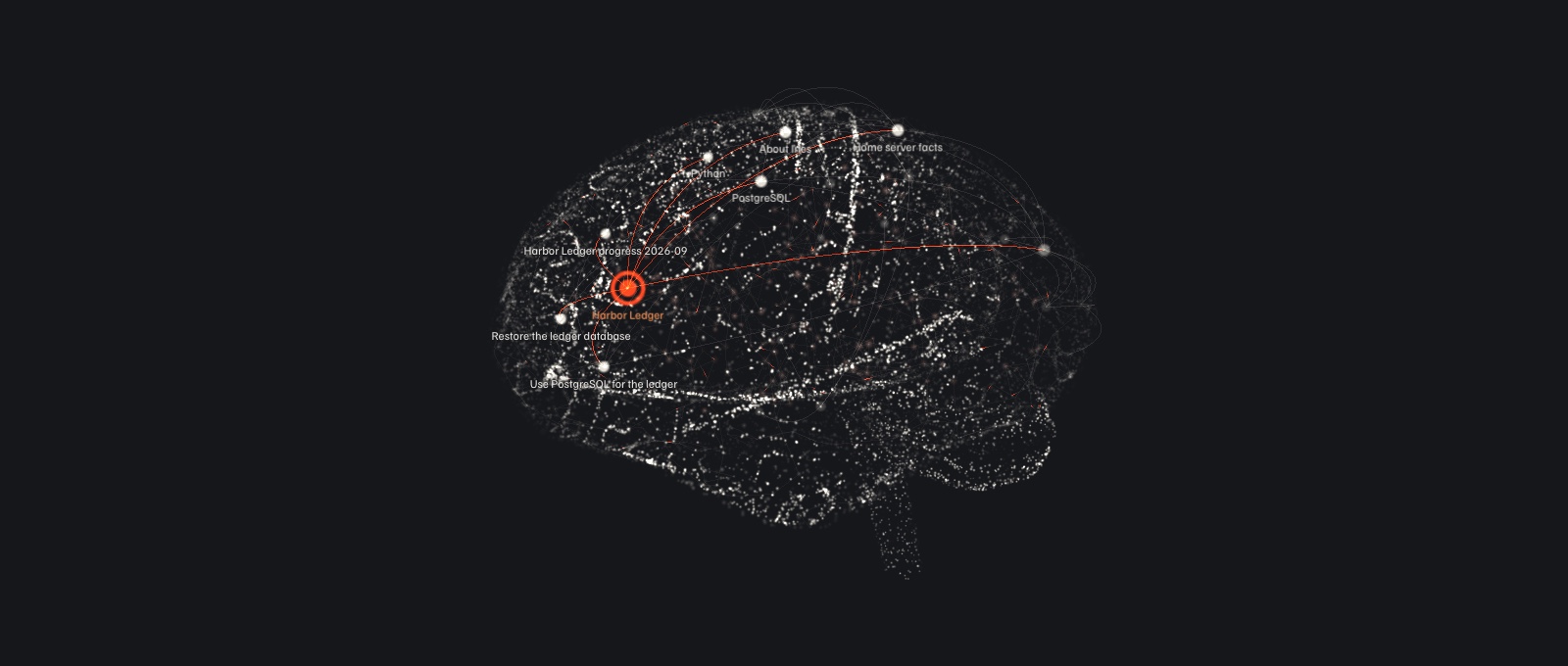
What it does
- Reads
- Writes
- High impact
At most: creates or changes data: records, files, settings.
What it costs
FreeOdel charges nothing per call. The publisher may charge for its own service.
Runs locally over stdio
This server isn't hosted — your MCP client launches it from a package registry. Use one of the commands below, or drop the config into your client (e.g. Claude Desktop).
Run
npx -y debawho-brain-mcp
MCP client config
{
  "mcpServers": {
    "brain-mcp": {
      "command": "npx",
      "args": [
        "-y",
        "debawho-brain-mcp"
      ]
    }
  }
}
brain-mcp
Your Obsidian vault, as memory for every AI you use.
An open-source Model Context Protocol server that serves your notes, from your own machine, to Claude and any MCP client.












Website · Quick start · How it works · Contribute · Research questions
Why brain-mcp
Every new chat starts from zero. You explain who you are, what you are building and how you like to work, and tomorrow, in another app, you explain it again.
brain-mcp keeps that context in the Markdown notes you already own. Connect any MCP client and it learns who you are, how you work, what your projects are and what you touched this week. It can search, follow links and write back to the vault as you talk.
- Your files, your machine. Notes stay plain Markdown in a folder you control. Nothing is uploaded to a third party.
- One memory, every client. Claude Code, Claude Desktop, claude.ai, Cursor, Hermes Agent, your phone and anything else that speaks MCP read the same vault.
- Hybrid retrieval, fully local. Keyword search plus meaning search with a small embedding model, then a reranker, all on your CPU. It can also answer "the vault does not record this" instead of guessing.
- Measured. Every ranking change is scored by two bundled evals, keyword and hybrid side by side.
- Private by default. OAuth 2.1 with PKCE for remote access, read, write and private scopes, secret redaction and an audit log of every call.
- Writes back.
brain_rememberandbrain_captureturn what a model learns into notes you can read and edit. - Small and readable. About 3,800 lines of strict TypeScript. Easy to study, easy to extend.
How it works
flowchart LR
    V["Obsidian vault<br/>plain Markdown"]

    subgraph S["brain-mcp: one Node process, one SQLite file"]
        I["Indexer<br/>sections, links,<br/>topics, projects"]
        DB[("SQLite<br/>FTS5 word index<br/>section embeddings<br/>link graph")]
        M["Local models on CPU<br/>bge-small embedder<br/>bge-reranker"]
        R["Hybrid retrieval"]
        T["13 MCP tools"]
        G["Scopes, redaction,<br/>audit log"]
        I --> DB --> R --> T --> G
        M -.-> DB
        M -.-> R
    end

    V -->|file watcher| I
    G -->|stdio| C1["Claude Code,<br/>Claude Desktop"]
    G -->|HTTP + bearer token| C2["Clients on<br/>your network"]
    G -->|OAuth 2.1 through<br/>Cloudflare Tunnel| C3["claude.ai, phone,<br/>any MCP client"]
    T -. "remember, capture, write,<br/>edit, move, delete<br/>(allowed folders only)" .-> V
- Index. Every note is split into sections and indexed with its links, topics and project. Each section also gets an embedding (
bge-small-en-v1.5) in the background. A file watcher keeps both current within a second of a save. - Retrieve. A question goes through five steps:
- Understand: expand shorthands (
pg→ PostgreSQL) and fix typos against the vault's own words. - Search four ways: keywords per section (BM25), meaning (embeddings), exact dates, and note titles.
- Fuse the four lists with reciprocal rank fusion.
- Rerank the best candidates with a cross-encoder (
bge-reranker-base). When keyword and meaning search agree on the top hit, only the top 3 are reranked. - Decide: if even the best passage scores below a floor, answer "nothing relevant"; otherwise return the strong hits, cited by note, with a coverage label (good, thin, none).
- Understand: expand shorthands (
- Serve. Over stdio beside your editor, over HTTP with a bearer token on your network, or behind an OAuth 2.1 login through Cloudflare Tunnel for the public internet.
- Remember and write.
brain_rememberappends durable facts and refuses near duplicates. Four more tools write, edit, move and delete hand-written notes, inside the folders you allow.
The retrieval step from question to answer:
flowchart LR
    Q["Question"] --> U["Understand<br/>shorthands,<br/>typo fixes"]
    U --> K["Keywords<br/>per section, BM25"]
    U --> D["Meaning<br/>embeddings"]
    U --> DT["Exact dates"]
    U --> NT["Note titles<br/>BM25"]
    K & D & DT & NT --> F["Fuse<br/>reciprocal rank fusion"]
    F --> RR["Rerank top 16<br/>cross-encoder<br/>(top 3 when keywords<br/>and meaning agree)"]
    RR --> GT{"Best score<br/>above the floor?"}
    GT -->|no| X["Nothing relevant"]
    GT -->|yes| A["Cited passages<br/>coverage: good or thin"]
Everything runs on your machine: the models are downloaded once into data/models, and no note leaves the server. If the models are not ready yet, retrieval falls back to keywords, so the server never blocks. Set BRAIN_MCP_HYBRID=0 to stay keyword-only.
Note
The architecture is intentionally simple right now, and ideas are welcome. It is one process and one SQLite file, with a hybrid ranker built from fixed rules. Some of it is already tweakable: the retrieval block in brain.config.json (embedding and reranker models, how many candidates to rerank, the score blend, the "nothing relevant" floor, your own shorthands), context budgets under context, and fusion constants such as RRF_K and TITLE_BONUS in src/vault/index.ts. Much more could become configurable, such as pluggable retrievers and storage, graph strategies, and query rewriting. If you have an idea, open an issue or a research proposal, even before there is code.
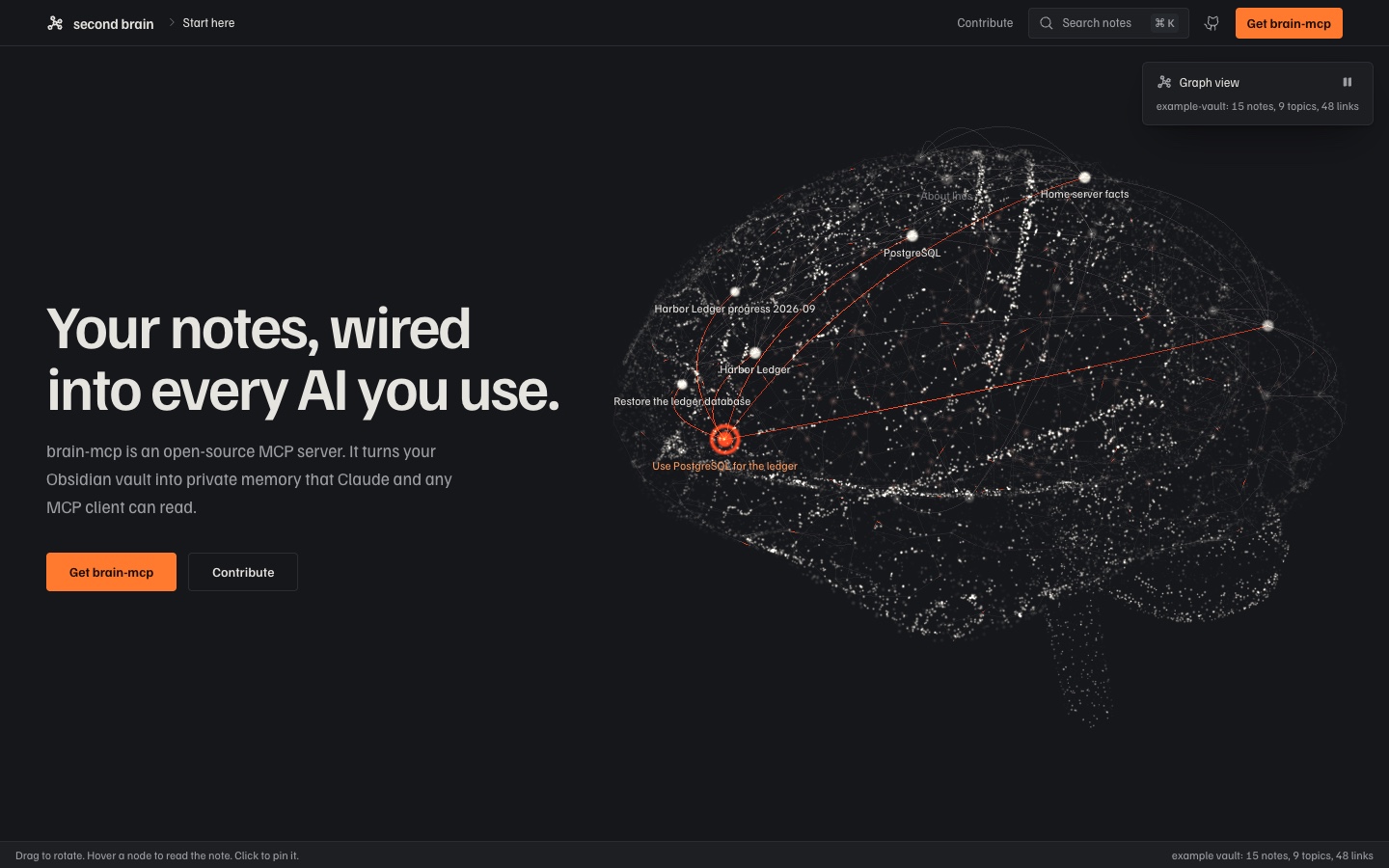
The bundled example vault as a knowledge graph on the project site. Drag to rotate, hover a node to read the note.
Tools
| Tool | What it returns |
|---|---|
brain_identity | Persona bundle: profile note, memory notes, facts captured with brain_remember, skills, project list and recent focus. The server instructions ask clients to call this first. Pass topic for a smaller bundle. |
brain_context | The sections most relevant to a question, with source note ids and a coverage label, from the hybrid ranker, packed under a size budget. Says so explicitly when the vault does not record the answer. |
brain_search | Hybrid search (keywords, meaning, reranker, spelling correction) with project, type, topic and date filters. Returns ranked notes with snippets. |
brain_read | One note, or one section of it, with metadata, topics and resolved links. |
brain_project | Briefing on a project: description, latest progress, decisions, recent changes and notes grouped by type. With no argument it lists projects. |
brain_graph | Links out, backlinks grouped by project, and notes that share topics. |
brain_recent | Notes modified in the last N days, newest first. |
brain_capture | Writes a new note with graph-ready frontmatter into the capture folder. |
brain_remember | Appends a fact to the memory file; it joins brain_identity straight away. Near duplicates are refused (token Jaccard ≥ 0.6 or containment ≥ 0.85), partial overlaps get a Supersedes line, and force=true overrides. |
brain_write | Creates a note at a chosen path in a writable folder (Notes/ and the capture folder by default), or replaces one with overwrite=true. A hub note groups every note whose project matches its title. |
brain_edit | Changes part of a note in one of three ways: replace text that matches once, replace a section under a heading, or append. Keeps the file's line endings and bumps modified. |
brain_move | Moves or renames a note within the writable folders. Never overwrites, and names any notes whose links stop resolving. |
brain_delete | Moves a note into .trash/, which is never indexed. Nothing is erased. |
The four write tools need the brain:write scope. They refuse notes a pipeline generates, hidden folders, paths outside the vault, and the memory file, which stays append-only through brain_remember.
Also exposed: the resources brain://identity and brain://note/{path}, and the prompts assume_persona and project_briefing.
The index lives in data/index.db, embeddings included. It is rebuilt on every start (about 10 ms for the 15-note example vault) and kept current by the watcher; embeddings are keyed by a hash of the text, so unchanged sections are never embedded twice. Every tool call is appended to logs/audit.jsonl.
Quick start
Requires Node 22 or newer. One command sets it up on your notes:
npx debawho-brain-mcp init
It lists the Obsidian vaults on your machine and asks which one to serve (or makes a starter vault in ~/second-brain), asks your name, offers smart search, and offers to connect Claude Code for you. Your notes stay where they are; the config, index and logs go in ~/.brain-mcp/. Then ask Claude "what do you know about me?"
The package itself is about 50 MB and searches by keyword. Smart search adds two local models that rank by meaning, and puts the right note first more often (67% against 42% on the example vault's eval). It is a one-time download of 100 to 200 MB for your platform's ONNX runtime, plus 300 MB of models, all kept in ~/.brain-mcp/. init asks for it; add it later with npx debawho-brain-mcp smart-search, or take it out with npx debawho-brain-mcp smart-search remove.
To connect a client yourself, Claude Code:
claude mcp add --scope user brain -- npx -y debawho-brain-mcp --stdio
hermes mcp add brain --command npx --args -y debawho-brain-mcp --stdio
Claude Desktop, Cursor and other clients that read an mcpServers config:
{
  "mcpServers": {
    "brain": { "command": "npx", "args": ["-y", "debawho-brain-mcp", "--stdio"] }
  }
}
On Windows, put cmd /c in front of npx: "command": "cmd", "args": ["/c", "npx", "-y", "debawho-brain-mcp", "--stdio"]. Run npx debawho-brain-mcp --help for the HTTP and OAuth modes.
From source
For development, the checks and evals, or Docker:
git clone https://github.com/debashishthakur/brain-mcp.git
cd brain-mcp
npm install
npm run build
node scripts/smoke.mjs
The repository ships with example-vault/, a small fictional vault belonging to Ines Varga, a backend engineer with two side projects. brain.config.json points at it, so the smoke test drives every tool, resource and prompt over stdio against real notes, then restores the vault.
The first hybrid query downloads the two models (about 300 MB) from Hugging Face into data/models. After that, everything runs offline.
Make it yours (from source)
npm run setup
The same setup as init, for a clone. It asks for your name (it suggests the one from git config) and where your notes are. Point it at an existing Obsidian vault, or press Enter for a starter vault in my-vault/ with a profile note to fill in. It writes brain.config.local.json, which git ignores and the server uses from then on, with its own index so your notes never mix with the example. It ends by printing the claude mcp add command for your machine: run it, then ask Claude "what do you know about me?"
Delete brain.config.local.json to go back to the example vault. The checks and evals always run against the example vault, so they keep passing after setup.
All checks (the same ones CI runs)
npm run typecheck
node scripts/verify.mjs          # redaction, file watcher, HTTP bearer auth, audit log
node scripts/verify-memory.mjs   # brain_remember dedupe, topic identity, brain_context
node scripts/verify-write.mjs    # write, edit, move and delete on a throwaway vault
node scripts/verify-oauth.mjs    # the full OAuth 2.1 flow against a throwaway auth database
node scripts/verify-hybrid.mjs   # hybrid search: refusal, spelling, identifiers, context
node scripts/verify-setup.mjs    # npm run setup, in a temp folder
node scripts/verify-package.mjs  # the npm package as a new user gets it: pack, install, init, serve
node scripts/verify-smart-search.mjs  # the smart-search add-on: this OS's runtime only, hybrid ranking, remove
node scripts/eval-retrieval.mjs  # 12 questions, keyword vs hybrid
node scripts/eval-hybrid.mjs     # 15 harder questions: paraphrase, typo, identifier, date, multi-hop, alias, off-topic
node scripts/debug-rank.mjs "your question"   # trace one query through every ranking step
If npm install reports held-back install scripts, the two packages that need them (better-sqlite3 and esbuild) are already listed under allowScripts in package.json. Run npm install-scripts approve better-sqlite3 esbuild if your npm still asks. The scripts of onnxruntime-node and protobufjs are not needed for CPU use.
Run with Docker
Token-mode HTTP server in a container, using the example vault by default. The image is Alpine-based and searches by keyword, because the ONNX runtime behind smart search needs glibc.
export BRAIN_MCP_TOKEN="$(node -e "console.log(require('crypto').randomBytes(32).toString('hex'))")"
docker compose up --build
The compose file publishes 127.0.0.1-friendly port 3737, mounts brain.config.json and example-vault read-only, and keeps data/ and logs/ on the host. Health is checked at GET /healthz.
Keep the service private. The container binds 0.0.0.0 only so Docker can publish the port. Publish it on loopback (127.0.0.1:3737:3737) or a private network such as Tailscale — do not expose it to the public internet. Anything public should use OAuth (--oauth) behind a TLS proxy, as in the security model below.
To use your own vault, point vaultPath at a host mount (or replace the example-vault volume) and keep BRAIN_MCP_CONFIG on a config file whose vaultPath matches that mount.
Retrieval eval
Two scripts score retrieval on the example vault, keyword and hybrid side by side. Results are deterministic and reproducible from a fresh clone.
eval-retrieval.mjs, 12 everyday questions:
| Ranker | Right note first | Right note in top 5 | Expected note in the context pack | Time per question (laptop CPU) |
|---|---|---|---|---|
| Keyword only | 42% | 100% | 100% | 2 ms |
| Hybrid (default) | 67% | 75% | 75% | about 0.6 s |
eval-hybrid.mjs, 15 harder questions:
| Ranker | Right note first | Right note in top 5 | Off-topic questions refused |
|---|---|---|---|
| Keyword only | 67% | 100% | 2 of 3 |
| Hybrid (default) | 67% | 75% | 3 of 3 |
Hybrid search puts the right note first far more often and refuses questions the vault cannot answer. Its weak spot is the "nothing relevant" floor: on these short example notes it also refuses some real questions, such as "the raspberry pi overheating in the sun". Calibrating that floor is issue #3, and a faster reranker is issue #10. When you point the server at your own vault, replace the cases with questions about your notes.
Use your own vault
npx debawho-brain-mcp init, or npm run setup in a clone, does this for you. To do it by hand, copy brain.config.json to brain.config.local.json (or ~/.brain-mcp/config.json for the npm package) and change what differs:
{
  "vaultPath": "../my-vault",
  "dataDir": "./data/local",
  "owner": "Your Name",
  "privatePaths": ["Private/**", "Journal/**"],
  "identity": {
    "profileNote": "About me",
    "memoryProject": "Assistant Memory",
    "skillsProject": "Assistant Skills"
  }
}
vaultPath and dataDir are resolved relative to the config file. The server uses the first config it finds: --config <path>, then BRAIN_MCP_CONFIG, then brain.config.local.json, then ~/.brain-mcp/config.json (npm package only), then brain.config.json. Run npm run reindex to check the note count; the first log line names the config in use.
What the server reads from a note
Any Markdown file in the vault is indexed. Frontmatter makes it richer:
| Field | Used for |
|---|---|
title | Display name and title matching. Falls back to the file name. |
type | hub marks a project hub, concept a shared topic note. progress and decision notes get their own sections in brain_project. Other useful values: runbook, architecture, plan, research, spec, audit, agent, note. |
project | The project a note belongs to, usually a wikilink to its hub: "[[Harbor Ledger]]". |
topics | Concepts the note is about, as wikilinks. Drives the topic filter and shared-topic neighbours. |
related, part-of | Extra links, added to the graph like body wikilinks. |
aliases | Other names brain_read and brain_graph will resolve. |
visibility | private hides the note from connections without the brain:private scope. |
modified | Date used for recency, brain_recent and the identity focus list. Falls back to the file's mtime. |
note-count, last-touched | Shown next to each hub in the identity bundle. |
Wikilinks in the body ([[Note]], [[Note#Heading]], [[Note|alias]]) become graph edges. A leading # Title that repeats the title is dropped from what clients read, and a generated ## Connections trailer after a --- rule is left out of search and context.
How the identity bundle is assembled
- Profile: the note named by
identity.profileNote, matched by title, alias, path or file name. - Memory: every note whose
projectisidentity.memoryProject. Write each one with a How to apply line; the bundle tells the client to follow them. - Captured facts: the file at
memoryFile, whichbrain_rememberappends to. - Skills: notes in
identity.skillsProject, listed by their first paragraph. - Projects: every note with
type: hub. - Current focus: content notes modified in the last
identity.focusWindowDaysdays.
Configuration reference
| Key | Meaning |
|---|---|
vaultPath | Vault folder, relative to the config file. |
dataDir | Folder for the search index and the OAuth database, relative to the config file. Default: data/ in a clone, ~/.brain-mcp/data/ for the npm package. Setup sets ./data/local, so your index never mixes with the example vault's. The models stay in data/models either way. |
owner | Name used in the server instructions and the identity bundle. |
captureDir | The only folder the server writes to. |
memoryFile | File brain_remember appends to. Must be inside captureDir. |
ignoreDirs | Top-level folders that are never indexed. Any path segment starting with . is skipped too. |
denyPaths | Globs that are never served to anyone. |
privateProjects, privatePaths | Project names and globs that need the brain:private scope. |
context.* | brain_context budget, per-section cap, sections per note and candidate pool sizes. |
identity.* | Profile note, memory and skills projects, focus window and size caps. |
retrieval.* | Hybrid ranking: hybrid on or off, embedModel, rerankModel, rerankN (candidates to rerank), blend (fused rank vs reranker), floor (below it, "nothing relevant"), keepRatio, earlyExit, and aliases for your own shorthands. Every field is optional. |
writableDirs | Folders the write, edit, move and delete tools may change. Default: the capture folder and Notes. |
http.* | Host, port and path for HTTP modes. The shipped config uses 127.0.0.1:3737/mcp. |
auth.* | Mode, public URL, token lifetimes, lockout policy and default scopes for OAuth. |
Environment overrides: BRAIN_MCP_HOME (where the npm package keeps its config, index and logs; default ~/.brain-mcp), BRAIN_MCP_CONFIG, BRAIN_MCP_DATA_DIR, BRAIN_MCP_LOG_DIR, BRAIN_MCP_HOST, BRAIN_MCP_PORT, BRAIN_MCP_AUTH_MODE (token or oauth), BRAIN_MCP_PUBLIC_URL, and BRAIN_MCP_HYBRID=0 to switch back to keyword-only ranking.
Connect a client
Claude Code
claude mcp add --scope user brain -- npx -y debawho-brain-mcp --stdio
From a clone, run the build instead: claude mcp add --scope user brain -- node /absolute/path/to/brain-mcp/dist/index.js --stdio.
Or commit a .mcp.json to a project so it is available whenever that folder is open:
{
  "mcpServers": {
    "brain": {
      "command": "node",
      "args": ["/absolute/path/to/brain-mcp/dist/index.js", "--stdio"]
    }
  }
}
Claude Desktop
Add the same mcpServers block to claude_desktop_config.json (macOS: ~/Library/Application Support/Claude/, Windows: %APPDATA%\Claude\) and restart the app.
Hermes Agent
hermes mcp add brain --command npx --args -y debawho-brain-mcp --stdio
hermes mcp test brain    # connects and lists the 13 tools
The tools appear in Hermes as mcp_brain_brain_identity, mcp_brain_brain_context and so on. For the remote server, use hermes mcp add brain --url https://brain.example.com/mcp --auth oauth and sign in once.
Agent skill
skills/brain-mcp is a SKILL.md that teaches an agent to use the server well: load the owner's identity only for their own work, pick the right tool for each question, cite note ids, say when the vault doesn't record something, and write back only with the owner's consent. Copy the folder into your agent's skills directory, for example ~/.claude/skills/brain-mcp/ for Claude Code. It is instructions only, with no scripts.
HTTP on your own network
export BRAIN_MCP_TOKEN="$(node dist/index.js --gen-token)"   # keep this somewhere safe
node dist/index.js --http                                     # http://127.0.0.1:3737/mcp
BRAIN_MCP_TOKEN grants the read, write and private scopes. BRAIN_MCP_TOKEN_RO grants read only. Tokens shorter than 32 characters are ignored, and the server refuses to start in this mode with no token. It binds to loopback; only expose it over a private network such as Tailscale. Anything public should use --oauth.
Remote access: claude.ai, your phone, any MCP client
--oauth starts the public transport: an OAuth 2.1 authorization server plus the protected /mcp endpoint, meant to listen on loopback behind Cloudflare Tunnel or another TLS-terminating proxy. node scripts/verify-oauth.mjs checks the whole flow end to end.
What a client goes through. Discovery (/.well-known/oauth-protected-resource/mcp → /.well-known/oauth-authorization-server), dynamic client registration at /register (https or loopback redirect URIs only), /authorize with PKCE S256, a login page (password plus a 6-digit authenticator code, both checked every time; five failures pause sign-in for 15 minutes), a consent page listing the scopes, then /token. Access tokens live one hour. Refresh tokens rotate on every use and live 30 days, and presenting a rotated-out refresh token revokes the whole grant. Tokens are opaque and stored only as SHA-256 hashes; the password is stored as an scrypt hash.
On a Linux box (Node 22+). Clone to ~/brain-mcp, put your vault where vaultPath expects it, set auth.publicUrl to your hostname (for example https://brain.example.com), then:
~/brain-mcp/deploy/setup-linux.sh                      # builds, installs the systemd unit
cd ~/brain-mcp && node dist/index.js auth init         # password + QR code for your authenticator app
sudo systemctl start brain-mcp
Then follow the Cloudflare Tunnel steps the script prints. deploy/cloudflared-config.yml is the ingress template.
On a Windows box (elevated PowerShell, Node 22+ via winget install OpenJS.NodeJS.LTS). Clone to $HOME\brain-mcp, then:
Set-ExecutionPolicy -Scope Process Bypass -Force
& "$HOME\brain-mcp\deploy\setup-windows.ps1"   # builds, registers a boot-time task as SYSTEM, disables sleep
cd $HOME\brain-mcp; node dist\index.js auth init
Start-ScheduledTask -TaskName brain-mcp
Connect clients
- claude.ai: Settings → Connectors → Add custom connector →
https://brain.example.com/mcp. Sign in once on the page that opens. - Claude Code:
claude mcp add --scope user --transport http brain https://brain.example.com/mcp, then run/mcpand authenticate. - Anything else that speaks MCP over HTTP with OAuth: the same URL.
Manage access from the box:
node dist/index.js auth status          # configured? counts, recent failures
node dist/index.js auth clients         # every registered client and its live grants
node dist/index.js auth grants          # active refresh grants with last-used time
node dist/index.js auth revoke-client <client_id>
node dist/index.js auth revoke-all
node dist/index.js auth set-password    # or rotate-totp
Keep the vault fresh on the box with Syncthing, or a git push and a pull on a timer. The watcher picks changes up within a second.
Security model
- Transport. stdio inherits the OS user. HTTP needs a bearer token compared in constant time, and each session is bound to the client id that opened it.
- Scopes.
brain:read,brain:write,brain:private. Notes markedvisibility: private, or matched byprivateProjectsorprivatePaths, need the private scope.denyPathsare never served. The example vault keeps one note underPrivate/so you can watch this work. - Redaction. Credential-shaped strings (Anthropic, OpenAI, GitHub, AWS, Google, Slack and Stripe keys, JWTs, private keys,
password=style assignments, credentials embedded in URLs) are masked as[REDACTED:kind]before they leave the server. - Writes are confined to the writable folders (
writableDirs). Generated notes, hidden folders and paths outside the vault are refused, and deletes go to.trash/. - Local models. Embeddings and reranking run on your CPU. Note text is never sent to a model service.
- Audit. Every call records timestamp, transport, client, session, tool, truncated arguments, note ids returned and redaction count.
Found a vulnerability? Please report it privately, as described in SECURITY.md.
Roadmap
- Section-level full-text search with title and graph fusion
- Remote access with OAuth 2.1, PKCE, password and authenticator code
- Secret redaction, scopes and an audit log
- Live index with a file watcher
- Hybrid retrieval: local embeddings fused with BM25, a cross-encoder reranker, spelling correction (#1)
- Write, edit, move and delete tools for hand-written notes
- Calibrate the "nothing relevant" floor so real questions are not refused (#3)
- A faster reranker that keeps accuracy (#10)
- Graph expansion with Personalized PageRank over wikilinks (#2)
- Harder eval questions (#4)
- Docker image (#5) —
Dockerfile+docker-compose.yml, see Run with Docker - Importers for other note tools (#6)
- Passkey sign-in (#7)
- Temporal memory (#8)
Contributing
Important
brain-mcp is built to be learned from and experimented on, and it needs contributors to succeed. It is a small, readable codebase with a real, measurable problem at its centre: helping an AI find the right note in someone's personal knowledge. If you are learning how MCP servers work, studying retrieval, or researching memory for AI systems, this is a good place to do it, and every improvement you make is measured by the bundled eval.
The architecture is deliberately simple today, so there is plenty of room to reshape it. Proposals to make parts of it configurable or swappable are as welcome as code.
Good for learning
| You want to learn | Start here |
|---|---|
| How an MCP server exposes tools, resources and prompts | src/tools.ts, src/index.ts |
| Hybrid search: BM25, embeddings, rank fusion | src/vault/index.ts, src/context.ts |
| Running embedding and reranker models on a CPU | src/vault/dense.ts |
| Turning wikilinks and frontmatter into a knowledge graph | src/vault/parse.ts |
| OAuth 2.1 with PKCE, token rotation and TOTP | src/auth/ |
| Scopes and secret redaction | src/policy.ts |
| Evaluating retrieval honestly | scripts/eval-retrieval.mjs |
Open research questions
Each of these is an open issue with a suggested approach and a definition of done:
- When should retrieval abstain? Hybrid search refuses all off-topic questions, but also some real ones. Calibrating the floor is open. (#3)
- Which reranker gives the best accuracy per millisecond on a CPU? A model six times faster finds the right note in 58% of everyday questions instead of 75%. (#10)
- Can the graph a vault already has replace an LLM-built one for multi-hop questions? (#2)
- How should AI memory handle facts that change over time? (#8)
- How do you evaluate retrieval over personal data without sharing that data? Start with a harder public eval set. (#4)
How to contribute
- Pick something. Browse good first issues, research questions or help wanted, or open an issue with your idea.
- Run the checks. Everything runs against the bundled example vault, so no personal data is needed.
- Measure. If your change touches ranking, run
node scripts/eval-retrieval.mjsbefore and after and paste both into the pull request. Good ideas win on numbers. - Open a pull request. CI builds, typechecks and runs every verification script.
Read CONTRIBUTING.md for the details, and please follow the code of conduct.
Citing
If you use brain-mcp in research or teaching, please cite it. GitHub's Cite this repository button uses CITATION.cff.
Project structure
brain-mcp/
├── src/
│   ├── index.ts          entry point: init, stdio, --http, --oauth, --reindex
│   ├── tools.ts          the 13 MCP tools, resources and prompts
│   ├── context.ts        brain_context: fusion and packing under a budget
│   ├── identity.ts       the persona bundle
│   ├── memory.ts         brain_remember and near-duplicate checks
│   ├── policy.ts         scopes and secret redaction
│   ├── vault/            parsing notes, the SQLite index, hybrid ranking
│   │   └── dense.ts      local embeddings and the reranker
│   └── auth/             OAuth 2.1 server, login page, TOTP, token store
├── scripts/              setup, smoke test, verification scripts, retrieval eval
├── templates/            the starter vault init and npm run setup create
├── example-vault/        a fictional vault used by every script
├── deploy/               Linux and Windows setup, Cloudflare Tunnel template
└── brain.config.json     the example vault's config; npm run setup writes yours beside it
License
MIT. Created by Debashish Thakur.







