Listed from the MCP registry; nobody on Odel publishes it.

OpenWorkProof
Verifiable agent evidence; opt-in Codex guard and reference SOC alert review.
Runs on your machine from its package; the steps are below.
What it does
- Reads
- Writes
- High impact
At most: moves money, runs code or commands, deletes data, or sends messages for you.
What it costs
FreeOdel charges nothing per call. The publisher may charge for its own service.
Runs locally over stdio
This server isn't hosted — your MCP client launches it from a package registry. Use one of the commands below, or drop the config into your client (e.g. Claude Desktop).
Run
uvx openworkproof
MCP client config
{
  "mcpServers": {
    "openworkproof": {
      "command": "uvx",
      "args": [
        "openworkproof"
      ]
    }
  }
}English · 简体中文
Contributors: dengyier & Tim Shing(成孝添)
Check what an AI agent was allowed to do, what it recorded, and whether its evidence holds up.
OpenWorkProof (OWP) is an open-source toolkit for developers and teams using AI agents. Use it to review signed work records, check exported evidence, or run a bounded Codex preview-editing task. Security engineers can also try a reference workflow for reviewing Slips alerts.
You keep the final decision to accept or reject the result. Connecting OWP to an agent gives it tools; protection of a Codex task requires a separate Guard setup.
Get started · Codex Guard · Docs · Community
Current release: 1.6.1 · PyPI · Release notes · MCP Registry
What can you do with it?
| Your task | What OWP helps you do | Start here |
|---|---|---|
| Review an agent's work records | Check signed task scope, recorded actions and evidence; export a bundle another reviewer can inspect. Your integration must supply the records. | MCP tools, offline verification |
| Let Codex edit a preview copy | Explicitly allow supported text edits inside one preview directory and reject out-of-scope requests in the guarded launch path. | Guard setup — experimental |
| Review Slips alert data | Group supplied JSONL alerts into review cases, inspect simulated decisions and export a signed evidence bundle. | SOC walkthrough — reference implementation |
| Add evidence review to a delivery workflow | Integrate verification into a GitHub Action or your own agent workflow, then keep human acceptance as a separate step. | GitHub Action example, integration details |
OWP does not automatically watch every agent or tool on your computer. Fleet permissions, WorkBuddy integration and live SOC remediation are not part of the verified release paths above.
Get started with MCP
You need Python 3.10+, uv, and an MCP-capable client. Add this local stdio server to the client's MCP configuration:
{
  "mcpServers": {
    "openworkproof": {
      "command": "uvx",
      "args": ["openworkproof==1.6.1"]
    }
  }
}
This is the common mcpServers configuration shape. Some clients use a different file or top-level key; see the client-specific setup. uvx downloads the package and dependencies when needed. OWP does not require an OWP cloud account or API key.
After the client connects, it should discover 32 tools. Try this first with the included synthetic data:
Use
owp_soc_sample_alertsto get the OpenWorkProof sample. Pass itsalerts_jsonltoowp_soc_analyze_slips, then pass the returned bundle toowp_soc_verify_bundle. Explain the cases and simulated actions. Do not operate a real host. If independently obtained trusted keys and checkpoints are missing, keep the verification result UNKNOWN and explain what is missing.
You should receive a case summary and evidence bundle. UNKNOWN is expected without independent trust information; it does not mean installation failed. This sample uses a deterministic investigation stub and simulated actions. It does not test detection accuracy or remediate a host.
To use your own alerts, follow the SOC guide. Alert content is returned to your MCP client and can enter its model conversation, so use data you are authorized to share with that client.
Optional: install the SOC Review Skill
The Skill gives your agent a repeatable procedure for using those tools. With Node.js/npm available:
npx skills add dengyier/OpenWorkProof --skill openworkproof-soc-review
Choose your agent and install scope in the installer. Read the instructions first, or use the Skill ZIP with the 2026-11-09 credit revision.
The Skill does not configure MCP or enable Guard. Configure the MCP server above separately. Your client's usual model charges still apply.
Try Codex preview protection
Experimental, separately enabled. Guard is for supported local text-editing tasks in a designated preview directory. Use a new test project or a copy you own first.
Read the English first-run guide before enabling. It includes a complete test project, scope review, expected checks and uninstall steps. The approval prompts are currently in Chinese, while the default output is JSON. Review the scope yourself and enter yes only when you understand it; do not use a trust shortcut to skip that review.
enable runs a live probe and run uses your existing Codex login and model allowance. Continue only after doctor confirms the required setup, current review and live probe. Ordinary Codex launches are not automatically protected.
The recorded live-host baseline covers macOS, Python 3.12 and Codex CLI 0.147.0, from the Guard implementation introduced in 1.5.0. Check compatibility and rerun the probe in your own environment. Builds, deployment, online search, personal MCP/plugins and whole-computer isolation are outside this launch path. See scope and limitations.
Install the CLI package, then run these commands from your target Git project after creating a preview directory and a text file such as preview/index.html:
uv tool install --python 3.12 'openworkproof==1.6.1'
owp-guard install --project "$(pwd -P)" --allow-dir preview
owp-guard enable --project "$(pwd -P)"
owp-guard doctor --project "$(pwd -P)"
owp-guard run --project "$(pwd -P)" --prompt "Update the heading in preview/index.html. Keep the change in preview; do not publish."
Check an evidence bundle from the command line
Already have an OWP bundle? Install the package as above, then use the command matching its format:
# Core Surface Bundle
owp surface-verify /path/to/surface-bundle

# Core Acceptance Bundle
owp acceptance-bundle-verify /path/to/acceptance-bundle

# SOC reference output; missing external trust intentionally returns UNKNOWN/nonzero
owp-aisoc verify /path/to/soc-review
These formats and their trust requirements differ. Follow the Core verification guide or SOC trust guide. Obtain expected public keys and checkpoints through a separate trusted route; copying them from an untrusted bundle does not establish who you are trusting.
What a result means
- Verification checks evidence under the stated scope and trust inputs. It does not establish that a business outcome is correct. Core
VERIFIEDand bindingBOUNDdo not mean customer acceptance or payment. - Human acceptance is separate. The intended reviewer keeps the decision to accept or reject a delivery. See the acceptance workflow.
- SOC results are reference results. Investigation is a deterministic stub; actions and acceptance statuses are simulated. There is no live SOC deployment, production detection benchmark, OS isolation or HSM in this integration.
- Signing tools can handle sensitive keys. Generic key-generation/signing tools can return or accept private-key material. Keep production signing keys out of model conversations and use an externally controlled signing workflow.
OWP is open source. The current package and Skill are free to use under their licenses; your model provider and infrastructure may charge separately. Public listings, automated scores and engineering tests are not customer adoption or a security certification.
Documentation
| Need | Documentation |
|---|---|
| Connect MCP and understand the 32 tools | MCP setup and tool reference |
| Review Slips alerts and install the Skill | SOC walkthrough |
| Set up a guarded Codex task | English guide · 中文指南 |
| Build an integration with signed task scope and human authority | Human Agency protocol · runnable example |
| Understand protocol mechanics and historical validation | English reference · 中文参考 · status |
| Report a reproducible problem or contribute | Contributing · Issues |
Community and contributing
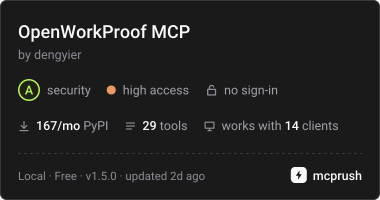
The card is a live directory badge; follow it for the scanned version and scope. Find OWP on MCPRush, Glama, and AgentSkills.in.
The community record preserves directory contributions, external research, integration experiments and technical writing, with their original links and checked dates. These records have different scopes and do not imply endorsement or production adoption.
Contribute a reproducible bug report, an integration, or a documentation improvement. Please report security issues privately through GitHub Security Advisories.
License
OWP Core: Apache-2.0. Tim Shing(成孝添), GitHub alphatin123, contributed the aisoc component under MIT. The combined package metadata uses Apache-2.0 AND MIT.







