
omp-worker-mcp
Durable Model Context Protocol (MCP) server for delegating background coding tasks and DAG workflows to local Oh My Pi (OMP) CLI sub-agents.
English • 简体中文 • Documentation Hub


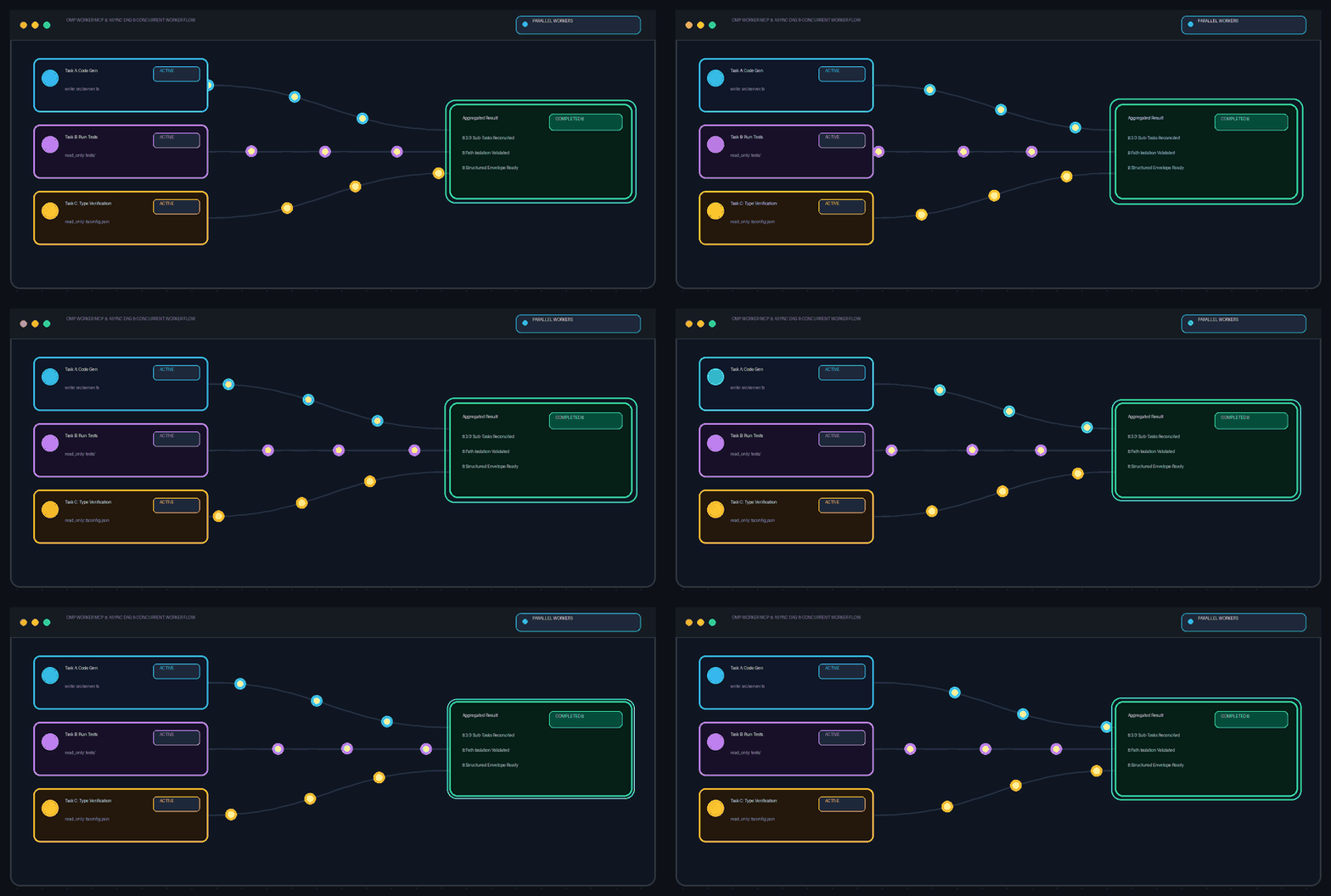
Asynchronous task execution, DAG dependency resolution, path ownership isolation, and structured result verification.
Quick Start • Entrypoints • Safety Contract • Platform Support • Docs Hub
Value & Operating Model
omp-worker-mcp implements an outcome-led Supervisor-Worker pattern that decouples high-level planning from concrete implementation:
- Main Agent Remains in Control: The primary host harness (e.g., Codex, Claude Code) retains full authority over architecture, task decomposition, trade-off decisions, and final acceptance review.
- Durable Local Background Execution: Concrete, long-running coding, refactoring, and exploratory tasks are offloaded to local OMP worker processes running in the background without blocking conversational turns.
- Topological DAG Orchestration: Independent work units can be orchestrated as a directed acyclic graph (DAG) with automated dependency resolution, concurrency limits, and failure containment.
- Explicit Path Ownership Boundaries: Write tasks must declare explicit write-path ownership. The server validates and rejects overlapping concurrent write scopes in batch DAGs, supplying declared boundaries as worker constraints to prevent write collisions.
- Structured Results & Supervised Resumption: Workers report deliverables via the structured
OMP_WORKER_RESULTenvelope (status, summary, artifacts, verification checks, remaining items). Supervisors can inspect logs in real time and inject corrective guidance viaomp_continueto retry within the same session.
Installation & Quick Start
1. Install OMP
Install Oh My Pi (OMP) from its official project. (Note: running omp-worker-mcp requires local Node.js >= 22.0.0.)
2. Verify OMP Reachability
Verify that the OMP CLI is reachable in your environment:
omp --version
Troubleshooting: If omp is not on your PATH, set OMP_WORKER_OMP_COMMAND to its executable path in your MCP configuration.
3. Configure OMP & Default Worker Model
Run omp setup in your terminal to authenticate, configure your local OMP environment, and select your default worker model. This default model is what background OMP workers use during task execution.
(Optional advanced configuration): You can specify your default model via modelRoles.default: <provider>/<model> in ~/.omp/agent/config.yml. For upstream configuration options, see Oh My Pi.
4. Install / Register omp-worker-mcp from npm via npx & Restart Host
Add omp-worker-mcp to your host harness's stdio mcpServers configuration. The host runs the published npm package using npx -y omp-worker-mcp, which downloads and caches it on first use; ordinary users do not need git clone or npm install -g. Keep the JSON configuration below as the executable setup and restart your host harness:
{
  "mcpServers": {
    "omp-worker": {
      "command": "npx",
      "args": ["-y", "omp-worker-mcp"],
      "env": {
        "OMP_WORKER_OMP_COMMAND": "omp"
      }
    }
  }
}
For detailed client configurations covering Codex (config.toml), Claude Code, Cursor, VS Code / GitHub Copilot, Windsurf Cascade, and Continue, see Client Configurations.
5. Send Your First Prompt
After restarting your host harness, paste a read-only inspection prompt directly into your conversation to verify the full delegation chain:
Please use the configured omp-worker-mcp to perform a read-only inspection of the current workspace, review the project structure and dependencies, and provide a concise summary report. Do not modify any files.
For Contributors / Local Development: Building from Source
git clone https://github.com/divenire990/omp-worker-mcp.git
cd omp-worker-mcp
npm ci
npm run build
npm test
Recommended Entrypoints
While MCP registration and policy heuristics guide host harnesses to select high-level entrypoints based on task complexity, automatic invocation is not guaranteed. Users may also explicitly request omp-worker-mcp in prompts when delegation is critical or if the host falls back to direct execution:
omp_run_compact(Single Task): High-level single-task entrypoint selected by the host to delegate a discrete coding or research assignment, wait up towait_secondsfor execution, and return a compact structured summary and artifact list.omp_run_batch_compact(Multi-Task / DAG): High-level multi-task entrypoint selected by the host to dispatch interdependent tasks with explicit dependency graphs and concurrency limits, waiting for aggregated results.
For lower-level primitives (omp_delegate, omp_wait, omp_result, omp_continue, omp_cancel, omp_wait_group, omp_cancel_group) and complete schemas, consult the Tool Reference.
Task Safety & Ownership
- Declared Write Ownership in Batch DAGs: In batch DAG tasks (
omp_run_batch_compact),writetask items must explicitly declare the workspace paths they own viaownership, whileread_onlytask items declare no write scope. For single-task execution (omp_run_compact), read-only and no-modification constraints are expressed directly ingoalandacceptance. - DAG Overlap Validation: The server validates batch groups and rejects concurrent tasks with overlapping write scopes; tasks operating on shared paths must declare sequential
depends_ondependencies. - Structured Verification Contract: Subagents deliver results using the structured
OMP_WORKER_RESULTenvelope (status, summary, artifacts, verification checks, remaining items).
High-impact operations (e.g., npm publish, git push, production deployments, secret modification) must always remain under direct host harness and human supervision.
Platform Support & Boundaries
- Upstream Engine: Interfaces with the Oh My Pi (OMP) CLI (MIT License). The upstream binary is not bundled and must be installed separately in your local runtime
PATH. - Runtime Requirement: Node.js >= 22.0.0 (native ECMAScript Modules and modern Node.js APIs).
- Operating Systems:
- Windows and macOS (Apple Silicon): Verified with Node.js 22+ and real OMP CLI end-to-end testing.
- Linux: Supported by the architecture, but awaiting broader production verification.
- Support Tiers:
- Author-Verified: Codex (author's daily local workflow; not a cross-platform CI guarantee).
- Documented / Reproducible: Claude Code, Cursor, VS Code / GitHub Copilot, Windsurf Cascade, Continue (not CI integration-tested).
- Cloud / Remote Hosts: Conditional (requires complete runtime, OMP CLI in PATH, writable workspace, and process spawning permissions).
Documentation Hub
Detailed documentation is organized in the docs/ directory:
- Documentation Index: Overview of documentation layout and responsibilities.
- Author Workflow Enablement & Architecture: Enablement tutorial, policy templates, host-worker supervision loop, and authoring guidelines.
- Client Configurations: Documented and reproducible configuration guidance for Codex, Claude Code, Cursor, VS Code / GitHub Copilot, Windsurf Cascade, and Continue.
- Operations & State Lifecycle: Environment variables, state directory layout, retention policies, and recovery.
- Tool Reference & Safety Contract: Full MCP tool specifications and safety boundaries.
- Benchmark Protocol: Reproducible evaluation protocol comparing direct host execution against supervisor-worker delegation.
- Official MCP Registry Publishing Guide: Step-by-step maintainer release workflow for npm and the Official MCP Registry.
Compatibility & Changelog
- Public Contract & Deprecation: Review COMPATIBILITY.md for versioning guarantees.
- Release History: Review CHANGELOG.md for notable updates.
License
This project is licensed under the MIT License.