Listed from the MCP registry; nobody on Odel publishes it.

Bambu Printer MCP
Control Bambu Lab printers, slice models, manage AMS filament, and connect Blender over your LAN.
Runs on your machine from its package; the steps are below.
What it does
- Reads
- Writes
- High impact
At most: moves money, runs code or commands, deletes data, or sends messages for you.
What it costs
FreeOdel charges nothing per call. The publisher may charge for its own service.
Runs locally over stdio
This server isn't hosted — your MCP client launches it from a package registry. Use one of the commands below, or drop the config into your client (e.g. Claude Desktop).
Distributed as an MCP bundle (`https://github.com/DMontgomery40/bambu-printer-mcp/releases/download/v1.1.26/bambu-printer-mcp.mcpb`) — download it and import the bundle in your MCP client.
Thank you, FULU Foundation, Louis Rossmann, and the OrcaSlicer-bambulab contributors. We stand with open-source developers, the right to repair, and your right to control hardware you own. You should be able to choose your software and print without a vendor cloud standing in the way.
Want to skip Bambu's software and cloud? Use FULU OrcaSlicer-bambulab to slice and export, then this MCP's direct LAN path on supported printers and firmware. That workflow does not require Bambu Studio, Bambu Connect, or Bambu Cloud. Start with the FULU setup guide. The optional BambuNetwork bridge is a separate path that still uses Bambu's networking runtime; cloud jobs still use Bambu's services.






A Bambu Lab-focused MCP server for controlling Bambu printers, manipulating STL files, and managing end-to-end 3MF print workflows from Claude Desktop, Claude Code, or any MCP-compatible client.
Browse the documentation site for searchable setup guides, slicing and AMS guidance, and the full tool reference. It is generated from this README and the docs folder.
Built with help from our contributors. Huge thanks to everyone sharing fixes, careful bug reports, and real printer testing!
This is a stripped-down, Bambu-only fork of mcp-3D-printer-server. All OctoPrint, Klipper, Duet, Repetier, Prusa Connect, and Creality Cloud support has been removed. What remains is a focused, lean implementation for Bambu Lab hardware.
Stock H2S chipless nozzles reporting exact status 5 are treated as configured diameter/type/flow settings, which must still match the job. This compatibility exception uses contributor evidence from firmware 01.02.00.00 (TH 02.00.19.36); it does not verify the physical nozzle or apply to other unknown-nozzle reports.
Set up with your agent
Tell your agent your printer's model and LAN address, if you know them, then copy and paste this:
Install bambu-printer-mcp in the agent/harness I'm using now.

Read https://github.com/DMontgomery40/bambu-printer-mcp/blob/main/docs/SETUP.md
and https://github.com/DMontgomery40/bambu-printer-mcp/blob/main/docs/FULU.md
for the current setup instructions and supported workflows.

Detect my OS and harness, then use its native MCP configuration or installer.
Preserve my existing servers and settings. Prefer the published npm package
(npx -y bambu-printer-mcp, stdio); use Node.js 24 if a runtime is needed.

Find existing printer settings in relevant local configuration or available
LAN discovery. Confirm the detected printer's model, address, and identity
with me before connecting. Ask only for values you cannot find:
PRINTER_HOST, BAMBU_MODEL, BAMBU_SERIAL, and BAMBU_TOKEN (the LAN access code).
Keep credentials in local/private configuration; do not repeat access codes
or tokens in chat. Never guess the printer model.

Use direct LAN printing by default. Explain any LAN/Developer Mode setting
I need to enable. Prefer FULU OrcaSlicer-bambulab GUI slicing/export; discover
an existing slicer before suggesting an install. For FULU/Orca CLI auto-slicing,
require MCP 1.1.11+ and its matching installed profile tree (see guide).
A slicer is not needed here to print a pre-sliced file. Configure the optional FULU
BambuNetwork bridge only if I choose it, and explain its runtime/auth needs.
X2D supports status and slicing; native printing requires macOS or x86-64 Linux and a locally built helper.

If this harness does not already provide code mode or an equivalent, suggest
a compatible code-mode integration as an optional addition. It is not required;
finish ordinary MCP setup without it unless I choose to add it.

Verify that the MCP initializes, lists its tools, and reads printer status.
Do not start a print or change printer settings as a setup test. Tell me what
worked and whether I need to restart or reload the harness.
Setup reference · FULU guide · Optional code mode
What to ask your agent
Ask for the result you want, not the steps. Current models plan across tools: they search the web, read photos, look up exact dimensions, edit models, slice, and print. Expect a question or two when a choice matters, such as which filament to use or whether to start the print.
This server provides the printer, slicing, AMS, and mesh tools. Web search, photos, and Blender edits come from your agent and its other connections, such as a Blender MCP server. Printing a model your agent edited uses CLI slicing with your installed slicer presets; see the slicing guide.
Start from anything
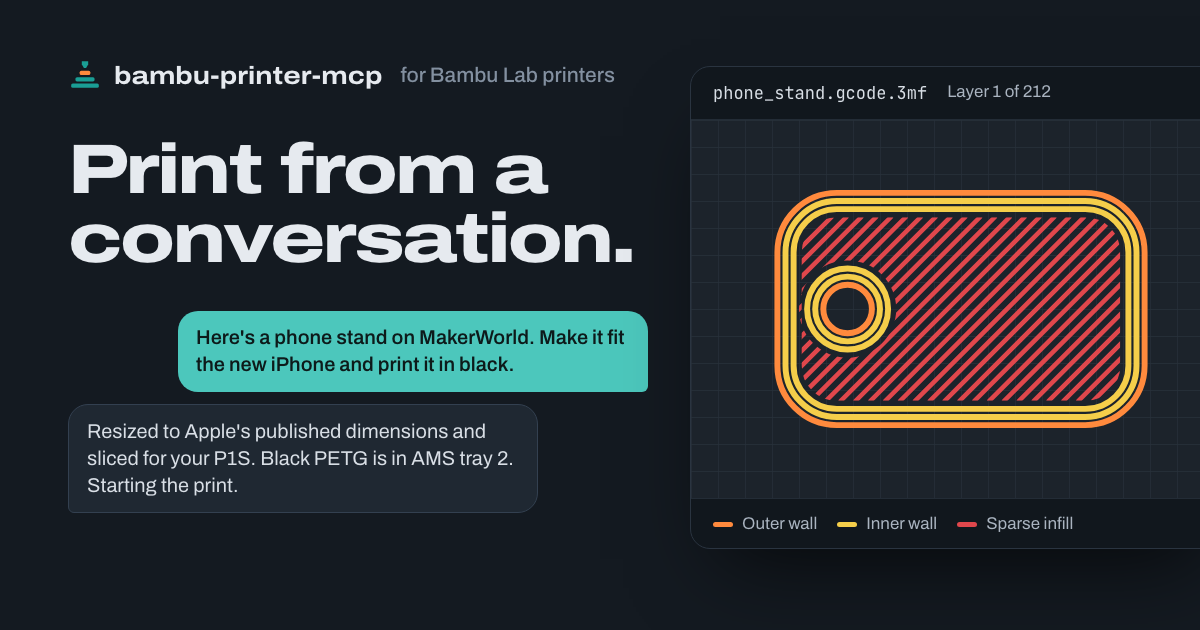
- "Here's a phone stand on MakerWorld. Make it fit the new iPhone and print it in black."
Your agent looks up Apple's published dimensions, adjusts the stand in Blender, slices it for your printer, and finds the AMS tray with black filament. - "I want one of these." (with a photo of a planter you saw at a café)
It works out the shape and size from the photo, finds or models a matching design, and asks about anything the photo can't show. - "Can you print a replacement?" (with a photo of a snapped dishwasher rack clip)
It asks for a measurement or two where the fit matters, models the part, and prints it in a loaded material that suits the job.
From anywhere, while it prints
If your agent is always on, such as OpenClaw or Hermes Agent running on a computer at home, message it from Telegram or any other chat app. For direct LAN printing, the server runs on the printer's local network; you don't have to.
- "How's the print going? Send me a picture."
It reports progress and time remaining, and sends a snapshot from the chamber camera. - "The corner is lifting. Pause it."
It pauses the job so you can decide whether to resume or cancel. - "One of the parts came loose. Skip it and keep printing the rest."
It finds that object on the plate and skips only that one. - "Start drying the PETG so it's ready when I get home."
On a heated AMS, it starts the drying cycle for the unit holding that spool.
Before you print
- "Start the bracket I sliced last night."
It checks the camera image before it sends the job. - "What's loaded in the AMS? Print this in whatever black I have."
It reads the live AMS inventory and matches the file's filaments to your trays. - "Are there any errors on the printer?"
It reads the printer's HMS diagnostics and explains them.
Start here
Start here
| I want to… | Read next |
|---|---|
| Use open-source slicing and a cloud-free print workflow | FULU setup: slicer, LAN, and optional bridge |
| Connect this MCP to my agent | Copy the setup request |
| See what my agent can do with it | What to ask your agent |
| Troubleshoot setup or configure it manually | Installation, environment variables, and LAN reference |
| Prepare a printable file or troubleshoot slicing | Slicing guide and model routing |
| Choose filament trays or inspect a printer | AMS setup and printer tools |
| Edit an STL through Blender | Blender MCP setup |
| See release changes or contributor credit | Changelog, releases, and contributors |
What's new in bambu-printer-mcp
What's new in bambu-printer-mcp
See the changelog for versioned changes. Recent releases add reliable npm and desktop-extension installs, standard Blender MCP integration, corrected P2S/A1 routing, and safer multi-filament CLI slicing. X2D status and slicing are available, with optional native printing on macOS through the installed Bambu Studio networking plug-in.
Table of Contents
Table of Contents
- Start here
- Description
- FULU and open-source printing
- Features
- Set up with your agent
- What to ask your agent
- AMS (Automatic Material System) Setup
- Bambu Communication Notes (MQTT and FTP)
- Available Tools
- Available Resources
- Bambu Lab Printer Limitations
- General Limitations and Considerations
- Acknowledgements
- License
Description
Description
bambu-printer-mcp is a Model Context Protocol server for Bambu Lab 3D printers. A straightforward workflow is: slice in FULU OrcaSlicer-bambulab, OrcaSlicer, or Bambu Studio, export a sliced .gcode.3mf, then pass its path to print_3mf. The default direct LAN path uploads via FTPS and chooses the MQTT command for the target model. See the slicing guide for CLI options, model routing, and validation limits.
What this is not. This package intentionally supports only Bambu Lab printers. It does not include adapters for OctoPrint, Klipper (Moonraker), Duet, Repetier, Prusa Connect, or Creality Cloud. If you need multi-printer support, use the parent project mcp-3D-printer-server instead.
Why a separate package? The parent project carries all printer adapters in a single binary. When working exclusively with Bambu hardware, that breadth adds unnecessary weight. This fork strips the project to its Bambu core for a smaller, faster install. See each project's changelog for its current fixes and supported workflows.
Note on resource usage. STL manipulation loads entire mesh geometry into memory. For large or complex STL files (greater than 10 MB), these operations can be memory-intensive. See General Limitations and Considerations for details.
FULU and open-source printing
FULU and open-source printing
FULU OrcaSlicer-bambulab is a supported slicer target (SLICER_TYPE=orcaslicer-bambulab; aliases include fulu-orca and orca-studio). Use its GUI to export a sliced project for direct LAN printing, or configure its CLI with matching installed profiles. From 1.1.11, FULU/Orca share the machine-preset gate and profile safety checks.
The optional FULU BambuNetwork bridge exposes bambu_network_bridge_status, bambu_network_call, and print_3mf_bambu_network, also reachable through print_3mf with connection_mode: "bambu_network". Slicer selection does not enable the bridge. It needs a separately installed FULU runtime and an explicit launch command; cloud printing also needs an authenticated BambuNetwork session. On Linux, FULU's v1.0.0 host needs a small cat wrapper and the 02.05.02.5x plug-in; the guide covers both. LAN bridge prints open the plug-in's own LAN session with Bambu's printer certificate, which the server supplies.
Follow the FULU setup guide for the direct LAN recipe, Linux/Windows/macOS bridge setup, connection probes, authentication, and troubleshooting. Bridge protocol tests and a successful handshake do not establish a successful physical print.
Features
Features
- Get detailed printer status: temperatures (nozzle, bed, chamber), print progress, current layer, time remaining, and live AMS slot data
- Query live AMS inventory with resolved Bambu/Orca filament profile paths via
get_printer_filaments. Profile suggestions use the selected slicer installation on Windows, macOS and Linux, including an explicitBAMBU_PROFILES_ROOT; unavailable profiles leave live inventory readable. Includes per-tray display names, match confidence (high/medium/low/none), resolution tier (exact-model-nozzle/model/generic/unresolved), and a summary with recommended auto-slice filament. Retries automatically when AMS data hasn't arrived yet (common on first MQTT push from idle printers). - List, upload, and delete files on the printer's SD card via FTPS
- Capture a JPEG snapshot from the chamber camera. Supports A1, A1 mini, P1S, P1P (TCP-on-6000), and X1, X1C, X1E, P2S, H2, H2S, H2D, H2C, H2D Pro, X2D (RTSP via ffmpeg). Requires ffmpeg in PATH for the RTSP path.
- Upload and print pre-sliced
.3mfprojects with checked plate selection and calibration flags. Legacy.gcode.3mfroutes require a single external-spool-only plate; see the slicing guide. - Slice through BambuStudio CLI with automatic BBL inheritance/include resolution, per-slot filament colours, and fallback prime-tower placement for multi-nozzle printers. Missing dependencies stop the slice; custom settings and saved project tower positions are preserved. Multi-colour slicing is verified by the contributor on BambuStudio 02.08.02.60 for Windows; older CLI versions have separate limitations. See slicing guide.
- Recognize X2D status and slice with its own installed BambuStudio preset (
BAMBU_MODEL=x2d). On macOS and x86-64 Linux,print_3mfselects the native route after resolving the model, including an elicited model. Install the optional helper as described below; Windows native print requests, and Linux requests without the helper, fail before slicing or contacting the printer. Legacy FTPS and remote G-code starts remain unsupported for X2D. - Parse AMS mapping from the 3MF's embedded slicer metadata (
Metadata/plate_<n>.json+ gcode filament header) and send it correctly formatted per the OpenBambuAPI spec, with correct H2S/H2D/H2Cams_mapping2parallel array format - Auto-match AMS slots by RFID (
auto_match_amsflag onprint_3mf). Resolves requiredtray_info_idxfrom the sliced 3MF against live AMS inventory. Handles same-SKU different-color filaments by matching on(tray_info_idx, tray_color)and tracking already-claimed slots. Dry-run withresolve_3mf_ams_slotsbefore printing. - Cancel, pause, and resume in-progress print jobs via MQTT
- Skip specific objects during a running multi-object print via
skip_objects(uselist_3mf_plate_objectsto find object IDs first) - Set print speed mode (
silent/standard/sport/ludicrous), clear HMS/print errors, trigger AMS RFID re-read, and control H2/P2 airduct mode (cooling/heating) via MQTT - Start/stop AMS filament drying (
set_ams_drying) on heated AMS units (AMS Pro / AMS-HT). Sendsprint.ams_controlMQTT command. - Set nozzle and bed temperature via G-code dispatch over MQTT
- Print, heating and resume start without a prompt; clearing hardware errors and resuming a file that could not be re-read still ask a person; see hardware safety.
- Set fan speed (part, auxiliary, chamber) and chamber light mode (on/off/flashing) via MQTT
- Read HMS (Health Management System) diagnostics as an MCP resource at
printer://{host}/hms— read-only error summary from the printer, with automatic settle retry - Start G-code files already stored on the printer
- Collar charm print wrapper (
print_collar_charm) — specialized two-color workflow with fixed tray policy for inner (black, AMS 1 slot 1) and outer (white, AMS 2 slot 1) charm parts - STL manipulation: scale, rotate, extend base, merge vertices, center at origin, lay flat, and inspect model info
- Slice STL or 3MF files using an external CLI, or use the optional
orca-slicer-apibackend in a separate container without a local slicer executable. Remote slicing requires a matching read-only Orca profile tree and currently supports one filament slot and one selected plate. BambuStudio, FULU, and Orca require the exact machine preset and resolve BBL dependencies before slicing; see FULU/Orca CLI setup and validation limits. - Inspect slicer settings from a saved 3MF template or extracted profile via
get_slice_settings - Enumerate saved slicing templates from the local registry via
list_templates - Save templates into the local registry via
save_template - Slice directly from a named template via
slice_with_template - For simple single-material slices, auto-select the printer's current or first loaded AMS filament when no explicit slicer profile or
load_filamentsoverride is provided - Template-driven slicing can reuse a saved 3MF's process settings while still pulling the live printer filament choice over MQTT
- Optional Blender MCP bridge for advanced mesh operations
- Dual transport: stdio (default, for Claude Desktop / Claude Code) and Streamable HTTP
AMS (Automatic Material System) Setup
AMS (Automatic Material System) Setup
The Bambu AMS is a multi-spool feeder that lets you assign different filaments to different parts of a multi-color or multi-material print. This section explains how AMS slot mapping works with this MCP server.
How AMS slots work
The AMS has 4 slots per unit, numbered 0 through 3. If you have multiple AMS units chained together, the second unit's slots are 4 through 7, and so on. When you slice a model in Bambu Studio or OrcaSlicer, each color/material in the print is assigned to a specific AMS slot.
Automatic AMS mapping from the 3MF
When you slice a model in Bambu Studio, the slicer embeds AMS mapping information inside the 3MF file at Metadata/project_settings.config. The print_3mf tool reads this file automatically and extracts the correct mapping. In most cases, you do not need to specify ams_mapping manually -- the tool handles it.
Manual AMS mapping
If you need to override the embedded mapping (for example, you swapped filament positions since slicing), pass the ams_mapping array to print_3mf:
{
  "three_mf_path": "/path/to/model.3mf",
  "ams_mapping": [0, 2],
  "use_ams": true
}
Each element in the array corresponds to a filament slot used in the print file, in the order they appear in the slicer. The value is the physical AMS slot number (0-based) where that filament is currently loaded. In the example above, the first filament in the print uses AMS slot 0, and the second uses AMS slot 2.
Mapping is positional: each entry corresponds to a project filament, and -1 means unused. H2/P2S project-file commands use project-length mapping plus a parallel ams_mapping2; other project-file routes retain at least five positions without truncating longer projects. Prefer ams_slots in plate filament order or auto_match_ams: true when you do not already have the full project mapping.
Single-material prints
For a single-material plate, explicitly select its loaded tray. For example, use AMS slot 2:
{
  "three_mf_path": "/path/to/model.3mf",
  "ams_slots": [2]
}
This expands slot 2 into the correct project filament position. There is no universal fixed default mapping for every model and project.
Printing without AMS
If you are using the direct-feed spool holder (no AMS attached) or want to bypass the AMS entirely, set use_ams to false:
{
  "three_mf_path": "/path/to/model.3mf",
  "use_ams": false
}
For H2 projects with declared filaments, also provide the required mapping; use_ams: false alone does not remove the firmware's mapping requirement. See print_3mf.
Dual-nozzle printers (H2D, H2D Pro, H2C, X2D) have two external spool holders, and the printer reports one virtual slot per nozzle. Use Bambu Studio's ids in ams_slots/ams_mapping: 254 is the left/deputy nozzle's external spool and 255 the right/main nozzle's. The server composes the selected plate's filament_map with physical_extruder_map to verify each filament's physical nozzle (0 = right, 1 = left), and requires the matching fresh vir_slot report. An explicit external-spool mapping is preserved with use_ams: false; a missing mapping is derived only from these inspected headers. Single-nozzle printers keep 254 as their only external tray.
Auto-match AMS by RFID
For pre-sliced 3MFs that declare filament types, the auto_match_ams flag on print_3mf (or the standalone resolve_3mf_ams_slots dry-run tool) automatically resolves the required filaments against your live AMS inventory. The matcher works as follows:
- Reads the required
tray_info_idxvalues from the 3MF'sMetadata/slice_info.configandMetadata/plate_<n>.json - Reads your live AMS trays from the printer's MQTT status push
- Matches on
(tray_info_idx, tray_color)— so two filaments of the same SKU but different colors (e.g. two GFG02 PETG HF spools in black and white) resolve to different slots - Tracks already-claimed slots so two requirements can't collapse onto the same physical position
- Falls back to SKU-only matching when the 3MF carries no color data or only one tray of that SKU is loaded
If resolution fails, returns a structured missing report with per-requirement reasons:
no_loaded_match— no AMS tray of that SKU is loadedcolor_mismatch— the SKU matches but the loaded color differsexhausted— all matching trays are already claimed by other requirementsno_sku— the 3MF doesn't declare atray_info_idxfor this filament
Dry-run with resolve_3mf_ams_slots before printing to preview the match without uploading or starting a job.
AMS settle-time handling
The first MQTT status push from an idle printer is often sparse (model/module info only) — AMS slot data arrives on a second push. The server's filament inventory and HMS handlers both retry after a 1.5-second settle window when the expected data isn't present in the first response. This is transparent to the caller.
Checking AMS status
Use get_printer_filaments for the parsed, enriched view (profile paths, display names, match confidence) or get_printer_status for the raw AMS data from the printer:
"What filaments are loaded in my AMS right now?"
Bambu Communication Notes (MQTT and FTP)
Bambu Communication Notes (MQTT and FTP)
Bambu Lab printers do not use a conventional REST API. Instead, they expose two local protocols that this server uses directly:
MQTT (port 8883, TLS): All printer commands and state reports flow over an MQTT broker running on the printer itself. Authentication uses username bblp and your LAN access code; the serial number identifies the device topics. Commands like starting a print, cancelling a job, and dispatching G-code lines are all MQTT publishes to the device topic. Status data is received by subscribing to the printer's report topic and requesting a push_all refresh. This implementation is based on community reverse engineering documented in the OpenBambuAPI project.
FTPS (port 990, implicit TLS): File operations (upload and directory listing) use FTPS. The printer's SD card is accessible as a filesystem with directories including cache/ (for 3MF and G-code print files), timelapse/, and logs/. Authentication uses the username bblp and your access token as the password.
What this fork fixes
This package works around two protocol-level issues in the bambu-js library it previously used, and no longer depends on bambu-js at all: file transfers and listings use basic-ftp directly, and printer commands use bambu-node.
Bug 1: FTP double-path error in bambu-js.
The bambu-js library's sendFile method has a path construction bug. It calls ensureDir to change the working directory into the target directory (e.g., /cache), and then calls uploadFrom with the full relative path including the directory prefix (e.g., cache/file.3mf). The result is that the file lands at the wrong path on the printer (e.g., /cache/cache/file.3mf instead of /cache/file.3mf), and the subsequent print command fails because it references a file that does not exist at the expected path.
This fork bypasses bambu-js for all uploads and uses basic-ftp directly. The upload function (ftpUpload) connects to the printer, resolves the absolute remote path, changes to the correct directory with ensureDir, and then uploads using only the basename -- avoiding the double-path construction entirely.
// From src/printers/bambu.ts
private async ftpUpload(host, token, localPath, remotePath): Promise<void> {
  const client = new FTPClient(15_000);
  await client.access({ host, port: 990, user: "bblp", password: token,
                        secure: "implicit", secureOptions: { rejectUnauthorized: false } });
  const absoluteRemote = remotePath.startsWith("/") ? remotePath : `/${remotePath}`;
  const remoteDir = path.posix.dirname(absoluteRemote);
  await client.ensureDir(remoteDir);
  // basename only -- no double-path
  await client.uploadFrom(localPath, path.posix.basename(absoluteRemote));
  client.close();
}
Bug 2: AMS mapping format in the project_file MQTT command.
The bambu-js library's project file command hardcodes use_ams: true and does not support the ams_mapping field at all. Without the fix, the mapping is a simple array of slot indices (e.g., [0, 2]), which does not match the OpenBambuAPI specification.
For the non-H2/P2S project-file route, this implementation retains at least five positions in the ams_mapping array where position i is the project filament index and the value is the AMS slot feeding that filament. For example, a single-filament print from AMS slot 0 sends [0, -1, -1, -1, -1].
This fork sends the project_file command directly via bambu-node (bypassing bambu-js entirely for print initiation) and constructs the mapping in the format the target firmware expects:
// Non-H2/P2S project_file: at least five entries; preserve longer projects
ams_mapping = [0, -1, -1, -1, -1];

// H2S/H2D/H2C/P2S: project-length lookup table + parallel ams_mapping2
ams_mapping = [-1, 1, -1, -1];
ams_mapping2 = [
  { ams_id: 255, slot_id: 255 },
  { ams_id: 0, slot_id: 1 },
  { ams_id: 255, slot_id: 255 },
  { ams_id: 255, slot_id: 255 }
];
The command payload also includes all required fields per the OpenBambuAPI spec: param (the internal gcode path within the 3MF), url (the sdcard path), md5 (computed from the plate's embedded gcode), and all calibration flags.
Verified print procedure (H2S, LAN-only, no client cert)
This is the sequence that successfully started a print on an H2S in the original LAN-only test. It's documented here because several common approaches fail on this firmware, and this fork's transport is what makes it reliable.
Result: print started in RUNNING state, printer accepted the MQTT project_file command, no client certificate was required. Authentication was plain bblp + LAN access code over TLS with rejectUnauthorized: false.
What doesn't work on stock bambu-cli:
bambu-cli print start <file>andbambu-cli files uploadboth fail with522 SSL connection failed: session reuse required. Bambu's FTPS server requires TLS session reuse between the control and data channels, which the Go FTPS client in bambu-cli does not negotiate correctly.bambu-cli print start --no-uploadstill opens an FTPS session (to stat the remote file) and hits the same 522.
What works — two-step upload + MQTT dispatch:
-
Upload the
.gcode.3mfvia curl (curl's OpenSSL backend negotiates FTPS session reuse correctly):bashcurl -k --ftp-pasv --ssl-reqd \ -u "bblp:<ACCESS_CODE>" \ -T /path/to/file.gcode.3mf \ "ftps://<PRINTER_IP>:990/<remote-name>.gcode.3mf"Keep
<remote-name>simple ASCII, ending in.gcode.3mf. The file lands at the FTP root, which corresponds to/data/on the printer's SD card. -
Send the
project_filecommand over MQTT todevice/<SERIAL>/request:jsimport mqtt from "mqtt"; const payload = { print: { sequence_id: "0", command: "project_file", param: "Metadata/plate_1.gcode", // path inside the 3MF subtask_name: "<remote-name>.gcode.3mf", file: "<remote-name>.gcode.3mf", url: "ftp:///<remote-name>.gcode.3mf", // three slashes, FTP root md5: "", project_id: "0", profile_id: "0", task_id: "0", subtask_id: "0", timelapse: false, bed_type: "auto", bed_leveling: true, bed_levelling: true, flow_cali: true, vibration_cali: true, layer_inspect: true, use_ams: true, ams_mapping: [0, -1, -1, -1, -1] } }; const client = mqtt.connect(`mqtts://<PRINTER_IP>:8883`, { username: "bblp", password: "<ACCESS_CODE>", rejectUnauthorized: false, }); client.on("connect", () => { client.publish(`device/<SERIAL>/request`, JSON.stringify(payload)); });
Notes:
urlmust beftp:///<filename>(three slashes) — the empty host component is required; the printer rejectsftp://<filename>as "unsupported print file path or name".paramuses the internal plate path inside the 3MF (Metadata/plate_1.gcodefor plate 1), not a filesystem path.md5: ""is accepted; populating it is optional.- On AMS-equipped H2 printers,
use_ams: falsedoes not suppress mapping lookup if the sliced file declares filaments. The working H2 path is to senduse_ams: trueplus a valid mapping. For H2, the mapping length must match the project-level filament declaration length, and the populated positions must matchplate_<n>.json.filament_ids. Preferams_slotsat the tool layer and let the server expand it. If no mapping is provided for an H2 pre-sliced job with declared filaments, the server fails before sending; pass explicitams_slots, rawams_mapping, orauto_match_ams: true. - No client X.509 certificate was needed. The earlier assumption that post-Jan 2025 firmware mandates mTLS on all models does not hold for the H2S in LAN mode — user/password over TLS is sufficient.
- The MCP server's
ftpUploadhelper (basic-ftp withsecure: "implicit"and a short idle timeout) performs the equivalent upload natively and is the preferred path when using the server itself; the curl form is the manual-debug equivalent.
Available Tools
Available Tools
STL Manipulation Tools
STL Manipulation Tools
All STL tools load the full mesh geometry into memory. For files larger than 10 MB, monitor memory usage and prefer testing on smaller files first.
get_stl_info
Inspect an STL file without modifying it. Returns bounding box dimensions, face count, vertex count, and model center.
{
  "stl_path": "/path/to/model.stl"
}
scale_stl
Scale an STL model along individual axes. Omit any axis to leave it unchanged (defaults to 1.0).
{
  "stl_path": "/path/to/model.stl",
  "scale_x": 1.5,
  "scale_y": 1.5,
  "scale_z": 1.0
}
For uniform scaling, set all three axes to the same value:
{
  "stl_path": "/path/to/model.stl",
  "scale_x": 2.0,
  "scale_y": 2.0,
  "scale_z": 2.0
}
rotate_stl
Rotate an STL model around one or more axes. Angles are in degrees. Omitted axes default to 0.
{
  "stl_path": "/path/to/model.stl",
  "angle_x": 0,
  "angle_y": 0,
  "angle_z": 90
}
extend_stl_base
Add solid geometry underneath the model to increase its base height. Useful for improving bed adhesion on models with a small or unstable footprint.
{
  "stl_path": "/path/to/model.stl",
  "extension_height": 3.0
}
extension_height is in millimeters.
merge_vertices
Merge vertices that are closer together than the specified tolerance. This can close small gaps in a mesh and slightly reduce file size. Useful as a cleanup step before slicing.
{
  "stl_path": "/path/to/model.stl",
  "tolerance": 0.01
}
tolerance is in millimeters and defaults to 0.01 if omitted.
center_model
Translate the model so the center of its bounding box sits at the world origin (0, 0, 0). Useful before applying transformations or exporting for use in another tool.
{
  "stl_path": "/path/to/model.stl"
}
lay_flat
Identify the largest flat surface on the model and rotate the model so that face is oriented downward on the XY plane (Z = 0). This is a common preparation step before slicing to minimize the need for supports.
{
  "stl_path": "/path/to/model.stl"
}
Note: this works best on models with a clearly dominant flat face. Results on organic or rounded shapes may be unpredictable.
Printer Control Tools
Printer Control Tools
All printer tools accept optional host, bambu_serial, and bambu_token arguments. If omitted, values fall back to the environment variables PRINTER_HOST, BAMBU_SERIAL, and BAMBU_TOKEN. Passing them explicitly is useful when working with more than one printer.
The server also accepts the alias variables BAMBU_PRINTER_HOST, BAMBU_PRINTER_SERIAL, and BAMBU_PRINTER_ACCESS_TOKEN, plus BAMBU_PRINTER_MODEL and BAMBU_STUDIO_PATH.
get_printer_status
Retrieve current printer state including temperatures, print progress, layer count, time remaining, and AMS slot data. Internally sends a push_all MQTT command to force a fresh status report before reading cached state.
{
  "host": "192.168.1.100",
  "bambu_serial": "01P00A123456789",
  "bambu_token": "your_access_token"
}
Chamber status decodes the current temperature from newer firmware's packed CTC reports, including P2S, while retaining legacy chamber/frame fields.
A Bambu Lab H3C is shown as model: "H3C". It is recognised by its model id N10 or serial prefix 32X, taken from Bambu Studio 02.09.01.70. The H3C is status-only. Printing, uploading a printable file, heating, resuming and clearing errors refuse it before anything is sent; stop and heater-off still work. h3c is not a bambu_model value. This support comes from Bambu Studio's source: no H3C has been tested.
On an H3C, get_printer_status also returns toolRack, decoded as Bambu Studio 02.09.01.70 reads it. It holds the rack's state (holder), each nozzle with its dock address, diameter, temperatures and the AMS slot feeding it (nozzles), and its rack AMS units (rackAms, type 6 "AMS-3H" or 7 "AMS-B"). Values Studio's code doesn't define read unknown. It is for display only: it is not safety evidence, and it has not been checked against a real H3C report.
Returns a structured object with fields including status (gcode_state string), temperatures.nozzle, temperatures.bed, temperatures.chamber, print.progress, print.currentLayer, print.totalLayers, print.timeRemaining, and ams (raw AMS data from the printer).
get_printer_filaments
Read the live AMS inventory and resolve each loaded tray to Bambu Studio
filament profile JSON paths when bambu_model is known. The result includes a
summary, per-slot display labels, profile match confidence, and a recommended
load_filaments value for simple single-material CLI slicing.
{
  "bambu_model": "h2d",
  "nozzle_diameter": "0.4",
  "host": "192.168.1.100",
  "bambu_serial": "094...",
  "bambu_token": "your_access_token"
}
High-signal fields:
summary.loaded_slots,summary.resolved_profile_slots,summary.unresolved_loaded_slots,summary.empty_slotstrays[].display_name,trays[].tray_color,trays[].remain_percenttrays[].resolved_profile_pathtrays[].profile_resolution:exact-model-nozzle,model,generic, orunresolvedtrays[].match_confidence:high,medium,low, ornonerecommended.load_filaments: the profile path the MCP will use for auto-slicing when no explicit filament override is provided
list_printer_files
List files stored on the printer's SD card. Scans the top-level folder (directories["/"], where H2-series printers keep print and upload files; listed in files as /<name>) and the cache/, timelapse/, and logs/ directories, and returns both a flat list and a directory-grouped breakdown.
This is a read-only query: it never creates directories. Optional directories absent from a successful root listing return empty lists. Authentication, TLS, permission, and transfer failures are reported as errors rather than empty or partial results.
{
  "host": "192.168.1.100",
  "bambu_serial": "01P00A123456789",
  "bambu_token": "your_access_token"
}
camera_snapshot
Capture a single JPEG frame from the printer's chamber camera. Read-only.
Two transports are wired in, picked by bambu_model:
- TCP-on-6000 for A1, A1 mini, P1S, P1P. Native protocol per OpenBambuAPI/video.md: TLS on port 6000, 80-byte auth packet (
bblp+ access token), repeating 16-byte frame header + JPEG payload. The printer first replays the last frame it buffered, which after an idle period can show the chamber as it was long ago, so the tool skips that frame and returns the next live one (about 3 s). If no live frame follows withintimeout_ms, it fails instead of returning a possibly stale image. - RTSP for X1, X1 Carbon, X1E, P2S, X2D and H2, H2S, H2D, H2C, H2D Pro. Shells out to ffmpeg with
rtsps://bblp:<token>@<host>:322/streaming/live/1 -frames:v 1. The H2 series wasn't documented in OpenBambuAPI'svideo.mdbut its firmware uses the same RTSP endpoint as X1 (verified live against an H2S, 2026-04-27).
Requires ffmpeg in PATH for the RTSP path. Install with brew install ffmpeg on macOS. Configure a trusted custom binary with the server-side FFMPEG_PATH environment variable, or set MCP_ALLOW_EXECUTABLE_ARG=1 before using the ffmpeg_path tool argument. The TCP-on-6000 path uses native Node TLS and does not require ffmpeg.
{
  "save_path": "/tmp/snap.jpg",
  "timeout_ms": 8000,
  "bambu_model": "h2s",
  "host": "192.168.1.100",
  "bambu_serial": "01P00A123456789",
  "bambu_token": "your_access_token"
}
Returns { status, format: "image/jpeg", sizeBytes, base64, savedTo?, transport }. transport is "tcp-6000" or "rtsps-322" so callers can tell which path produced the frame. Pass save_path to also write the bytes to disk; otherwise only the base64 payload is returned.
counterpart_print_record
Use list_jobs: true to discover the retained job IDs before selecting an older job_id. Latest-job reads discover newer dispatches made by another MCP process. The process that authorized dispatch owns report writes while it is alive; after it exits, a restarted observer can take over from the saved record. Concurrent passive MCP sessions read the same disk evidence without overwriting the active recorder. Camera bytes appear once, in structuredContent, when include_frames: true.
Read the flight record of a job this server dispatched, without contacting the printer. Firmware finished means the printer finished its commands; it does not verify the physical object.
{"job_id":"optional saved record UUID", "include_frames":false}
Omit job_id for the latest job on the configured printer; ordinary printer target overrides select another saved printer. The result has contract: "counterpart/1", status: "recorded" | "unavailable", an optional version-1 record, and separate physical evidence. Bambu records allowlisted native report fields; other adapters retain their existing normalized observations, without inventing fields their firmware/adapter does not expose. A record is established at the existing send-authorization boundary, so a lost transport/helper reply still leaves the exact hash/mapping with dispatch.outcome: "unconfirmed". A successful transport reply marks it accepted; a matching active firmware report marks it observed-active. These outcomes do not verify physical success or authorize a retry. The record retains the inspected artifact SHA-256, selected plate/hash, filament mapping/materials, timestamped allowlisted state/error/stage/AMS/temperature changes, latest state, truncation count and camera metadata. Printer names, hosts, serials, credentials, arbitrary report text and URLs are excluded; the target and dispatched job identity are hashed. Raw unknown fields remain unknown; AMS remain: -1 is not empty. After an active report has been seen, firmware terminal reports freeze the job record so later cooling does not evict its failure evidence. Returned task/subtask execution IDs are hashed. A changed execution ID or an observed ended-to-active reprint invalidates current-progress evidence durably (a bounded one-byte marker), including same-filename reprints; explicit archived reads keep the original evidence. History before this feature or outside retained/connected observations is unavailable, not reconstructed by contacting the printer.
Storage is private (directory 0700, files 0600), survives MCP restart, and is capped at ten jobs, 1 MiB/2048 report changes per job, a 64 KiB visual-observation sidecar, and 32 JPEGs of at most 512 KiB each. At most four images are returned per request. Older changes/jobs are removed; droppedReports, droppedFrames and skippedCheckpoints disclose gaps. COUNTERPART_RECORD_DIR is a trusted server environment override, never a tool-selected filesystem path. Storage failure warns on stderr and marks a record volatile; diagnostics never authorize printing, resume or another mutation.
While the client monitors counterpart_print_progress, existing reports trigger bounded asynchronous preparation-frame candidates (up to three stage changes), a first-layer frame, a completed-first-layer follow-up when layer 2 is observed, then a snapshot at crossed ten-layer milestones and height fractions (5%, 30%, 60%, 90%). The 32-frame ring preserves baseline/first-layer evidence and the latest recorded empty-footprint anomaly. There is no additional status polling or autonomous watcher. Without a monitoring client, known layer geometry, a matching active job and a usable existing camera source, no physical verdict is inferred. Skipped heights are not backfilled. Each frame binds its ID, actual report layer/time, expected sliced Z, capture receipt/acquisition time and image SHA-256. Image acquisition must be at or after its associated report boundary; an active stream waits for a newer frame when its cached frame predates that boundary. Old cached frames, a layer/state change during acquisition, and bounded camera failures are marked unavailable. A stable reported layer is not a hardware-synchronized shutter. include_frames:true reads saved JPEG base64 from disk; it does not open a camera. Expected geometry is the selected 3MF plate's or inspected standalone G-code snapshot's sliced layer Z and extrusion-path XY bounds, including swept extrema for G2/G3 XY arcs, not a calibrated camera silhouette or measured flow. Oversize/unsupported G-code or missing layer reports leave geometry/correspondence unknown.
physical.status is unknown, consistent, suspect_no_growth or suspect_no_extrusion, independently of firmware state. Without a usable client visual observation or calibrated height measurements it remains unknown, including after FINISH. When physical.assessment is present, the client worker should fetch its frameId and any useful referenceFrameIds with counterpart_print_record using frame_format:"images" and optional frame_ids (at most four). This returns normal MCP image content exactly once, indexed by imageContentIndex in frame metadata. Image format defaults to compact view:"evidence"; omittedReports/omittedGeometryLayers disclose omitted journal detail. view:"record" retains the full forensic record. The request includes the selected sliced footprint bounds, layer/height and explicit visibility/deposition criteria.
The client vision worker then calls counterpart_print_assess with:
{"job_id":"saved job UUID","artifact_sha256":"saved dispatch hash","frame_id":"saved frame UUID","image_sha256":"saved JPEG hash","visibility":"clear","footprint_visible":true,"deposition":"absent","attempted":true}
The hashes/IDs must match the saved job and image. visibility is clear|dark|occluded|out_of_view|unknown; deposition is absent|present|unknown. Set attempted only when the frame follows attempted object deposition, and footprint_visible only when sufficient expected deposition area can be judged. Optional reference_frame_id, reference_visibility and reference_empty provide empty-bed context. A clearly visible empty footprint after attempted printing is sufficient for suspect_no_extrusion; no reference is required. A lowered, dark or occluded reference is not proof and does not suppress a clear direct observation. Dark/occluded/unlocatable current evidence stays unknown. Merely visible material does not verify height, coverage or final success.
This tool writes only bounded local visual observations (idempotently) and has no printer/camera I/O, model call or control. Observations live separately from the single-writer telemetry journal, so a worker process cannot overwrite live reports. Their result survives MCP restart and firmware FINISH. A suspect_no_extrusion warning stays active for the job through later unknown/dark/occluded observations and FINISH; only a later clear present observation with a visible footprint at a higher layer may supersede it (without proving final success). It is the first structured progress problem, with the observed layer (physical.observedLayer) and separate wording after firmware completion. A first-layer unknown observation still permits a new assessment at the crossed ten-layer checkpoint (10, 20, …), subject to fresh reports, available geometry and camera visibility. Image interpretation is the client worker's responsibility: the MCP does not contain an image classifier or pretend pixel change proves extrusion. Clients must consume pending assessments and should never announce a first layer is down from a counter alone. Installing these backend tools alone does not add that worker loop to an older client.
A worker may also fetch the images/geometry and pass up to four calibrated height measurements to this read tool:
{"measurements":[
  {"frameId":"saved frame UUID", "visible":true, "observedHeightMm":24, "uncertaintyMm":0.5, "method":"calibrated-height"},
  {"frameId":"another saved frame UUID", "visible":true, "observedHeightMm":24, "uncertaintyMm":0.5, "method":"calibrated-height"}
]}
The MCP validates the saved frame identities/times and evaluates these client-supplied measurements; it runs no vision model. Two visible, sufficiently separated expected heights can support consistency, or an unchanged short observed height can support suspect_no_growth. Occluded, out-of-view, uncalibrated, uncertain, stale or contradictory evidence stays unknown. consistent concerns height in those frames only; it does not verify final shape, strength or print success. The assessment returns frame IDs and explicit limitations and is computed without altering the record. There is no automatic stop, pause, resume, model call or printer-setting change.
Sensor limits: Bambu Studio v02.08.02.61 declares P1S lidar calibration unavailable, X1 Carbon lidar calibration available, and H2D calibration/wrapping capabilities. These are capability/configuration facts, not deposited-height measurements. Studio parses xcam detection options and live support bits and AMS air-print capability with firmware exceptions. This feature records reported evidence; it never enables a detector or assumes a capability from a model name.
Validation is offline replay and mocked transports only. No real-printer physical-success claim is made.
camera_stream_start, camera_frame, camera_stream_stop
Development capability; discover these tools before using them with an installed server. Start one shared camera connection while a viewer is open, then request changed frames. The connection closes after 30 seconds without a viewer request. Snapshots reuse its latest frame. A1/P1 use the existing TLS protocol; X1/H2/P2S use one ffmpeg process for the stream lifetime.
{"fps": 1, "idle_timeout_ms": 30000, "bambu_model": "p1s"}
Pass the usual optional host, bambu_serial, and bambu_token overrides to each tool. camera_stream_start returns {status: "started" | "running", transport, fps, startedAt}. Then call camera_frame with, for example, { "since_seq": 0, "wait_ms": 10000, "max_width": 300, "max_bytes": 20000 }. A changed frame returns JPEG base64, seq, dimensions and capture time. Keep the last delivered seq on unchanged; those replies carry no image. max_width preserves aspect ratio; optional max_bytes caps JPEG bytes by downscaling further (base64 adds about one third), and changed_only defaults to true with a 0.02 normalized thumbnail threshold.
Stop requests close the shared connection immediately, affecting every viewer of that printer; normally let idle expiry close it. Other printers keep their own connections. These tools send no motion, heating or print commands. See the camera stream contract for limits, cancellation, availability and lifecycle details.
delete_printer_file
Delete a single file from the printer's SD card via FTPS. Destructive. Requires confirm: true — without it the call returns status: "skipped" and does not contact the printer. Path traversal segments (..) are rejected. Only files under cache/, timelapse/, and logs/ can be deleted, plus top-level files on H2-series printers (not X2D), named /<name> as list_printer_files reports them. A bare name means cache/<name>.
{
  "filename": "old_print.gcode.3mf",
  "confirm": true,
  "host": "192.168.1.100",
  "bambu_serial": "01P00A123456789",
  "bambu_token": "your_access_token"
}
A bare filename defaults to cache/<filename>. To target other directories pass a relative path:
{ "filename": "timelapse/2026-04-26_12-00.mp4", "confirm": true }
{ "filename": "logs/printer.log", "confirm": true }
upload_gcode
Write G-code content from a string directly to the printer's cache/ directory. The content is written to a temporary file and uploaded via FTPS.
{
  "filename": "calibration.gcode",
  "gcode": "G28\nM104 S210\nG1 X100 Y100 Z10 F3000\n",
  "host": "192.168.1.100",
  "bambu_serial": "01P00A123456789",
  "bambu_token": "your_access_token"
}
upload_file
Upload a local file (G-code or 3MF) to the printer. If print is true and the file is a .gcode file, start_print_job is called automatically after a successful upload. For .3mf files, upload completes normally but you must use print_3mf to initiate the print (which handles plate selection and metadata).
{
  "file_path": "/Users/yourname/Downloads/part.3mf",
  "filename": "part.3mf",
  "print": false,
  "host": "192.168.1.100",
  "bambu_serial": "01P00A123456789",
  "bambu_token": "your_access_token"
}
start_print_job
Start printing a .gcode file that is already on the printer's SD card. Do not use this for .3mf files -- use print_3mf instead, which handles the project_file MQTT command with proper metadata.
{
  "filename": "cache/calibration.gcode",
  "host": "192.168.1.100",
  "bambu_serial": "01P00A123456789",
  "bambu_token": "your_access_token"
}
If filename does not include a directory prefix, the server prepends cache/ automatically.
cancel_print
Cancel the currently running print job. Sends Bambu Studio's stop, {"print":{"command":"stop","param":"","sequence_id":"<n>"}}, at MQTT QoS 1, and waits up to 10 seconds for the printer to acknowledge it. A stop that isn't acknowledged returns an error, and its MQTT client is closed so it can't be sent late. Not resumable — use pause_print if you may want to continue.
{
  "host": "192.168.1.100",
  "bambu_serial": "01P00A123456789",
  "bambu_token": "your_access_token"
}
pause_print
Pause the currently running print job. Sends an UpdateState MQTT command with state: "pause". Resumable via resume_print.
{
  "host": "192.168.1.100",
  "bambu_serial": "01P00A123456789",
  "bambu_token": "your_access_token"
}
resume_print
Resume a paused print job that this server inspected and started. Resume reheats and moves the printer, so it is checked like a print start:
- A fresh report must show that job paused, with the inspected nozzle and filament still in place.
- The server downloads the job's file from the printer over FTPS and compares its SHA-256 with the inspected bytes. A P1S deletes an uploaded project once it starts printing and keeps the plate G-code it extracted,
cache/<name>_plate_<n>.gcode, which is byte-identical to the 3MF'sMetadata/plate_<n>.gcode. When the project is gone, the server compares that file with the inspected plate. A different file refuses the resume, and the job can no longer be resumed from here. - The resume starts without a prompt when the bytes were verified. Only a file that could not be re-read asks a person; that prompt names the job, its peak temperatures, materials and SHA-256.
- The printer is read again, and on X2D and H2 the native helper rechecks it once more right before sending. Only then does the server send
UpdateStatewithstate: "resume".
The server keeps one resume record per printer. Cancelling the job ends it, and so does a report that the job finished, failed or went idle after it was seen running, or another job seen in its place. A later job with the same name, such as the same file reprinted from the touchscreen, is never resumed. The server watches every MQTT report it receives, not just its own reads. It doesn't see reports while its MQTT session is disconnected.
The result is {status, message, jobName, bytesVerified}, where jobName is the name counterpart_print_progress reports. On the BambuNetwork and X2D native routes, Bambu's plug-in puts the file on the printer, so its FTPS path isn't verified. If the file can't be read back there, the resume matches the job by its unique name and returns bytesVerified: false, and a person is asked, with the prompt saying so. On every other route, a file that can't be re-read refuses the resume.
{
  "host": "192.168.1.100",
  "bambu_serial": "01P00A123456789",
  "bambu_token": "your_access_token"
}
clear_hms_errors
Clear HMS or print error state on the printer. Sends Bambu's clean_print_error MQTT command.
{
  "host": "192.168.1.100",
  "bambu_serial": "01P00A123456789",
  "bambu_token": "your_access_token"
}
set_print_speed
Set the active print speed mode. Accepted mode values are silent, standard, sport, ludicrous, or their numeric equivalents 1, 2, 3, and 4.
{
  "mode": "sport",
  "host": "192.168.1.100",
  "bambu_serial": "01P00A123456789",
  "bambu_token": "your_access_token"
}
set_airduct_mode
Set H2/P2 airduct mode to cooling or heating. This is intended for supported printers only.
{
  "mode": "cooling",
  "host": "192.168.1.100",
  "bambu_serial": "01P00A123456789",
  "bambu_token": "your_access_token"
}
reread_ams_rfid
Trigger a Bambu AMS RFID re-read for one AMS slot. This can move AMS filament; use it only when the printer is idle and unloaded.
{
  "ams_id": 0,
  "slot_id": 1,
  "host": "192.168.1.100",
  "bambu_serial": "01P00A123456789",
  "bambu_token": "your_access_token"
}
set_temperature
Set a checked target temperature for the bed or nozzle through MQTT. Positive targets require the printer model and fresh matching printer telemetry; nozzle heating also requires the declared loaded material and matching nozzle_diameter (default 0.4). Independent model/component and material ceilings apply. A target of zero turns the heater off without requiring material or nozzle metadata. Accepted component values are bed, nozzle, extruder, tool, and tool0.
Manual nozzle heating checks the reported currently loaded AMS tray or external spool. It refuses ambiguous active-nozzle/material selection on multi-nozzle printers; use a checked sliced job or the printer's own controls there. Stop and heater-off commands cancel pending server print/heating operations. Resuming through MCP requires the same paused job inspected and started by this server instance, with fresh matching telemetry; other paused jobs remain controllable at the printer.
{
  "component": "nozzle",
  "temperature": 220,
  "bambu_model": "p1s",
  "material": "PLA",
  "nozzle_diameter": 0.4,
  "host": "192.168.1.100",
  "bambu_serial": "01P00A123456789",
  "bambu_token": "your_access_token"
}
set_fan_speed
Set a printer fan speed from 0 to 100 percent. Accepted fan values are part, auxiliary, chamber, 1, 2, and 3.
{
  "fan": "chamber",
  "speed": 40,
  "host": "192.168.1.100",
  "bambu_serial": "01P00A123456789",
  "bambu_token": "your_access_token"
}
set_light
Set a printer light node mode. Common Bambu firmware reports the chamber light as chamber_light; valid modes are on, off, and flashing.
{
  "light": "chamber_light",
  "mode": "on",
  "host": "192.168.1.100",
  "bambu_serial": "01P00A123456789",
  "bambu_token": "your_access_token"
}
skip_objects
Skip specific object IDs during a running multi-object print. Use list_3mf_plate_objects on the sliced 3MF to find the IDs first.
{
  "object_ids": [6495, 6496],
  "host": "192.168.1.100",
  "bambu_serial": "01P00A123456789",
  "bambu_token": "your_access_token"
}
set_ams_drying
Start or stop the AMS filament drying cycle on heated AMS units (AMS Pro / AMS-HT). The action parameter accepts start or stop. The ams_id must be an integer from 0 to 3.
{
  "action": "start",
  "ams_id": 0,
  "host": "192.168.1.100",
  "bambu_serial": "01P00A123456789",
  "bambu_token": "your_access_token"
}
To stop drying:
{
  "action": "stop",
  "ams_id": 0
}
inspect_print_file
Inspect a prepared sliced 3MF or textual G-code file offline before deciding what to export or print. This tool copies the file into a private read-only snapshot and reuses the same archive, selected-plate, model/nozzle/material and temperature checks used by print preflight. It never contacts a printer or auto-slices an unsliced project.
{
  "file_path": "/path/to/bracket.gcode.3mf",
  "bambu_model": "p1s",
  "plate_index": 0,
  "nozzle_diameters": [0.4],
  "bed_type": "textured_plate"
}
file_path and explicit bambu_model are required; the model is never inferred from configuration. plate_index is zero-based and defaults to 0. Nozzle/bed checks are optional comparisons against file declarations, not observations of installed hardware. Only these five argument names are accepted; credentials, host and executable/bridge overrides are not part of this tool.
The generic result has receipt_version: "1", evidence: "file-only", dispatch_authorized: false, artifact (sha256, byte_length, file_format), the requested selection, and the original inspection including declared model, nozzles, materials/used filament positions, internal plate path and checked temperature peaks. Hash and byte length identify the exact inspected snapshot; a consumer must compare them with its own artifact and selected plate. The temporary snapshot is removed, and its path is not a dispatch capability. The receipt does not prove printer readiness, physical material/nozzle contents, fit, full motion simulation or permission to print. Actual print routes still independently inspect the dispatched snapshot and require fresh hardware state.
Print options
Every print route sends the options Bambu Studio's Send dialog sends (Bambu Studio 02.08.02.61, SelectMachine.cpp:3344-3356): bed leveling, flow calibration and nozzle offset calibration, vibration calibration, first-layer inspection and extruder_cali_manual_mode. That covers the BambuNetwork bridge, the native helper and LAN project_file. Each option you don't pass resolves as Studio resolves it:
- Studio's saved choice for that printer type in
BambuStudio.conf, if the printer offers it. For example, a P1S offers only on/off for bed leveling, so a saved "auto" counts as unset. - Otherwise "auto" if the printer offers it, else "on". On a P1S, flow calibration and nozzle offset calibration are hidden, so they stay "auto".
Studio hard-codes vibration calibration off, first-layer inspection on and extruder_cali_manual_mode 0. For a P1S with nothing passed, the bridge sends task_bed_leveling: true, auto_bed_leveling: 1, task_flow_cali: false, auto_flow_cali: 2, task_vibration_cali: false, task_layer_inspect: true, auto_offset_cali: 2 and extruder_cali_manual_mode: 0. An option you pass wins. bed_leveling/flow_calibration set "on" or "off", and auto_bed_leveling, auto_flow_cali and auto_offset_cali take 0 (off), 1 (on) or 2 (auto). On the H2/P2S LAN project_file route, the printer only receives flow calibration as on or off: no verified field requests "auto", so "auto" sends off, as before. The BambuNetw