Listed from the MCP registry; nobody on Odel publishes it.

Conning
Run commands on your remote test machines over SSH without the agent ever seeing a secret.
Runs on your machine from its package; the steps are below.
What it does
- Reads
- Writes
- High impact
At most: moves money, runs code or commands, deletes data, or sends messages for you.
What it costs
FreeOdel charges nothing per call. The publisher may charge for its own service.
Runs locally over stdio
This server isn't hosted — your MCP client launches it from a package registry. Use one of the commands below, or drop the config into your client (e.g. Claude Desktop).
Run
uvx conning
MCP client config
{
  "mcpServers": {
    "conning": {
      "command": "uvx",
      "args": [
        "conning"
      ]
    }
  }
}Run
docker run -i --rm ghcr.io/eranyonai/conning:0.6.5
MCP client config
{
  "mcpServers": {
    "conning": {
      "command": "docker",
      "args": [
        "run",
        "-i",
        "--rm",
        "ghcr.io/eranyonai/conning:0.6.5"
      ]
    }
  }
}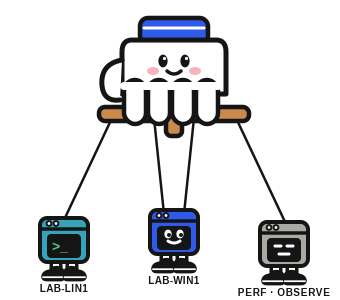
A light, local SSH controller for humans and agents. Conning is one small CLI and MCP server on your own machine. It runs commands, long jobs and file copies on your test machines over plain OpenSSH. You drive it from a terminal; your agent (Claude Code, Codex, Cursor...) gets the same four commands as MCP tools, with identical output. Conning holds the keys, so the agent never sees a password, and you approve anything risky.
conn targets add lab --host 10.0.0.5 --user tester   # asks for the rest, pins the host key
conn run lab uname -a                                 # exit code first, then the output
conn run -t lab apt upgrade                           # you, at a terminal: live, like ssh -t
conn ssh lab                                          # you: a shell there, same login and jump hosts
conn targets mode lab auto                            # optional: let the agent run anything there
Status: early (0.6). Linux, macOS and Windows targets work, with long jobs, transfers, jump hosts and approvals. See docs/design.md for every decision so far.
What it is
- Light. One Python package and no daemon: the MCP server runs on stdio when your agent starts it. Four tools cost about 1k tokens a turn. Results lead with the exit code and are capped at 8 KB by default, with a handle to page the rest; fan-out to many targets collapses identical results.
- Local. It runs next to you and your agent. Targets only need inbound SSH, and nothing gets
installed on them. Secrets stay where they are (OS keychain,
op://, ssh-agent): the target file holds references, and no tool ever returns a secret. - SSH. Plain OpenSSH underneath, never your
~/.ssh/config: a generated config per target, pinned host keys, forwarding off, jump hosts. Windows targets need OpenSSH and PowerShell 7. - For humans and agents. Each target has a mode,
askorauto. Inask, read-only commands and your allow rules run, and anything else waits for you; "always allow" remembers two words, sosystemctl statusnever lets throughsystemctl stop. Only you grant trust: in the agent client's prompt, inconn watchor at your terminal.
Install
uv tool install conning        # or: pipx install conning
conn mcp install claude        # or codex, cursor, opencode, pi: adds the server, its skill, and denies raw ssh/scp
For Tab completion that reads the target (its files, commands and shell history), run
conn completion install once; it adds one line to your bash, zsh or fish rc file, and conn doctor
reminds you if it's missing. Set history = false on a target to keep its shell history out (D53).
The MCP server needs no install at all:
claude mcp add conning -- uvx conning mcp
Or run the server in Docker
docker run -i --rm --network host \
  -v ~/.config/conning:/conning \
  -v "$SSH_AUTH_SOCK":/ssh-agent -e SSH_AUTH_SOCK=/ssh-agent \
  ghcr.io/eranyonai/conning:latest
The image carries Python, the OpenSSH client and Conning, and nothing else. Targets, pinned host
keys and job output live on the /conning volume, and conn runs as that folder's owner, so files it
writes there stay yours on the host. On Docker Desktop for Mac, forward the agent with
-v /run/host-services/ssh-auth.sock:/ssh-agent instead. Two things stay on your machine (D46):
- Approving.
conn targets add,conn approve,conn allowand turning onautoneed your terminal. Install the CLI on the host and point it at the same folder:CONNING_HOME=~/.config/conning conn approve a:1. Approving in the agent client works from the container as usual. - Secrets. The OS keychain is not reachable from a container, so use
env:orop://references, or forward your ssh-agent as above and use a key.docker run --rm ... conning doctorchecks the rest.
Targets on a lab LAN or VPN need --network host (Linux) or a route the container can use.
The agent's four tools
| Tool | What it does |
|---|---|
targets(filter?, check?) | One line per target: name, OS, shell, host, user, tags, mode. Never a secret. |
run(target, cmd | argv, wait=30, max_bytes=8192, ...) | Runs on one target, a list or tag:<tag>. Exit code first. Still running after wait seconds: returns a job id (wait=0 is async). |
read(id, wait?, range?, grep?, signal?) | Long-polls a job for new lines, pages a saved output, or reads a remote file. |
transfer(source, dest) | Copies files between local:<path> and <target>:<path>, checked by sha256. |
Agents without MCP can use the same commands through the conn CLI; the output is identical.
For agents: CLI reference
This block is generated by conn help --markdown, so you don't need to call --help. A test keeps it
in sync with the code.
# Agent commands (same output as the MCP tools)

conn targets [--check] [filter]
    List targets: name, OS, shell, host, user, tags, mode. Never secrets.

conn run [--wait WAIT] [--timeout TIMEOUT] [--cwd CWD] [--shell] [-t]
                [--max-bytes MAX_BYTES] [--grep GREP]
                target [argv ...]
    Run a command on one target, a list, or tag:<tag>. Exit code first.

conn read [--wait WAIT] [--range RANGE] [--grep GREP] [--signal {INT,TERM,KILL}]
                 [--max-bytes MAX_BYTES]
                 id
    Page a job (new lines only), a saved output, an approval, or a remote file.

conn transfer source dest
    Copy files: local:<path> to <target>:<path>, or back. sha256 checked.

# At a terminal

conn ssh target
    Human only: an interactive shell on a target, with its login, key, port and jump hosts.

# Targets (conn targets <verb>)

conn targets add [--host HOST] [--user USER] [--like TARGET] [--port PORT]
                        [--jump TARGET] [--auth {ssh-agent,key,password}] [--secret SECRET]
                        [--key KEY] [--os {linux,windows,darwin}] [--mode {ask,auto}] [--tag TAG]
                        name
    Add a target. Without a terminal it is saved as pending until a human approves it.

conn targets import [--match MATCH]
    Import hosts from ~/.ssh/config as pending targets (unsafe options dropped).

conn targets test name
    Probe a target: reachability, OS, shell, pinned host key.

conn targets mode target [{ask,auto}]
    Show or set ask or auto; auto runs anything without asking and needs a human.

conn targets rename old new
    Human only: rename a target; its host keys, password and pending work follow.

conn targets rm name
    Remove a target and its pinned host key.

# Trust

conn approve [--always] what
    Human only: make a target live, or allow a pending command a:<id>.

conn allow target [words ...]
    Human only: let a command run without asking (no words: list the rules).

conn deny target words [words ...]
    Remove an allow rule, so the command asks again (no terminal needed).

# This machine

conn watch [--history HISTORY] [--no-prompt]
    Live control room: every command on every target, job output, approval prompts.

conn doctor
    Check this machine's setup: config and state dirs, ssh, keychain, targets.

conn mcp [--approve-in-client | --no-approve-in-client] <serve|install> ...
    Run the MCP server on stdio, or install it into an agent client.

conn completion {bash,zsh,fish,install}
    Tab completion that reads the target; conn completion install turns it on in your shell.

conn help [--markdown]
    Show this help; --markdown prints the block cached in README.md.
A target is one login on one machine. To use the same machine as another user, add it again:
conn targets add lab-tester --like lab --user tester copies the host, port, OS and tags and asks for the new
user's password. conn targets shows which user each target uses.
A target behind a bastion names it as its jump host: add the bastion as a target first, then
conn targets add lab --host 10.0.0.5 --user tester --jump gw. Every hop gets its own login and its own pinned
host key, and conn targets import keeps a ProxyJump to another host it imports. The bastion is a target the
agent can see too; in ask mode it can only run read-only commands there without you.
A target you add with conn targets add from an agent session is saved as pending. It does nothing until
the human runs conn approve <name>, which shows the host, the pinned host-key fingerprint and where
the secret comes from.
A command outside a target's allowlist returns status=pending_approval id=a:<id>, and a desktop
notification tells the human. They answer in one of three places (allow once, always allow its first
two words, or deny), and the agent picks up the result with read a:<id>:
- In the agent client: any MCP client that supports elicitation shows the question before the
command is queued, and an approved command runs in the same call. Clients without it fall back to
the two below. If a client would answer such prompts by itself instead of asking you, run the server
as
conn mcp --no-approve-in-client. - In
conn watch, which also shows every command and its output as it happens. - With
conn approve a:<id>in any terminal. When you runconn runyourself at a terminal, it just asks you there and prints the result.
read a:<id> long-polls only while a conn watch is open. With nobody watching, it returns at once
with nobody is watching: ask the user to run conn approve a:<id>, so the agent asks you instead of
waiting out its timeout for an answer no one was asked for.
Read-only commands such as uname, hostname, df, ps, ls, ip addr, systemctl status and
journalctl run without asking on every target; each is checked so its changing forms (hostname x,
ip addr add) still ask, and safe = false in a target's entry turns the list off.
conn allow <target> make test lets another command run without asking from then on; conn deny
takes it back. Every command, answer and rule change lands in a hash-chained audit log, and
conn doctor checks your setup when something doesn't work.
Safety model
| Mode | What the agent can do | Default for |
|---|---|---|
ask | The built-in read-only list and allowlisted commands run; anything else waits for your approval. | every new target |
auto | Any command runs without asking, until you set the mode back to ask. conn doctor warns about it. | never by default |
- No tool returns a secret, adds a live target or changes policy.
- Secrets travel over stdin or the SSH channel's env, never argv. Output is redacted before it is saved.
- Remote output is marked untrusted. Shell wrappers (
sh -c,python -c,sudo...) and shell syntax (;,|,$(...)) always ask. conn mcp installalso denies the agent rawssh/scpandconn ssh, so it can't go around Conning (pi has no permission rules, so there it only adds the server).- The audit log is hash-chained. It runs as your user, so it is tamper-evident, not tamper-proof.
Development
uv sync
uv run pytest --cov=conning      # CI requires 95% coverage on Linux
uv run ruff check && uv run ruff format --check
The end-to-end tests drive the real conn and MCP server against a throwaway local sshd (Linux, root
to start it; CI's e2e job does this on every push):
eval "$(sudo sh tests/e2e/start-sshd.sh /tmp/conning-sshd | sed 's/^/export /')"
uv run --with keyrings.alt pytest -m e2e   # keyrings.alt: a file keychain for typed passwords
After changing the CLI, refresh the README block with uv run conn help --markdown.
Docs
- docs/design.md: the design and every decision, with its status.
- docs/blog.html: the development blog, from the first idea to today.
- docs/manual-test.md: a ten-minute check of every feature against a throwaway target.
- docs/field-test.md: using it for real work, and how to report what gets in the way.
Why Python
Python is the easiest thing to install on a developer's machine and the language most of the AI
tooling around it is written in. uvx conning mcp runs with no prior install, pip/pipx/uv
are already there, and the MCP SDK, keychain bindings and agent clients all live in the same
ecosystem. Go or Rust would give a single binary, but Conning drives the real OpenSSH binary and
mostly waits on the network, so their speed buys little here.






