Listed from the MCP registry; nobody on Odel publishes it.

Luminous Music Player
Model Context Protocol (MCP) server for Luminous Music Player
Runs on your machine from its package; the steps are below.
What it does
- Reads
- Writes
- High impact
At most: creates or changes data: records, files, settings.
What it costs
FreeOdel charges nothing per call. The publisher may charge for its own service.
Runs locally over stdio
This server isn't hosted — your MCP client launches it from a package registry. Use one of the commands below, or drop the config into your client (e.g. Claude Desktop).
Distributed as an MCP bundle (`https://github.com/esoltys/luminous-mcp/releases/download/v1.13.0/luminous-mcp-windows-x64.mcpb`) — download it and import the bundle in your MCP client.
Distributed as an MCP bundle (`https://github.com/esoltys/luminous-mcp/releases/download/v1.13.0/luminous-mcp-darwin-arm64.mcpb`) — download it and import the bundle in your MCP client.
Distributed as an MCP bundle (`https://github.com/esoltys/luminous-mcp/releases/download/v1.13.0/luminous-mcp-darwin-x64.mcpb`) — download it and import the bundle in your MCP client.
Distributed as an MCP bundle (`https://github.com/esoltys/luminous-mcp/releases/download/v1.13.0/luminous-mcp-linux-x64.mcpb`) — download it and import the bundle in your MCP client.
Distributed as an MCP bundle (`https://github.com/esoltys/luminous-mcp/releases/download/v1.13.0/luminous-mcp-linux-arm64.mcpb`) — download it and import the bundle in your MCP client.
Luminous MCP Server
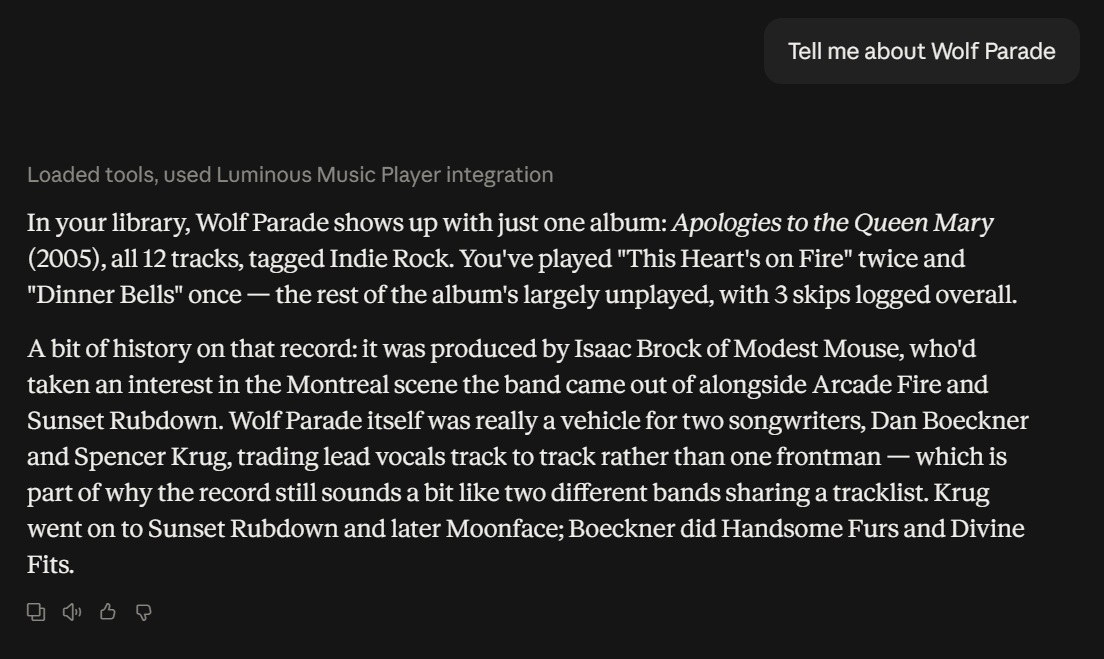
A Model Context Protocol (MCP) server for Luminous Music Player.
Connects your AI assistants (Claude Desktop, Antigravity, Cursor, Zed, Ollama) to your local music library.
Features
- Library Search & Filtering: Search tracks, albums, artists, genres, composers, and lyrics using SQLite FTS5. Filter by BPM, LUFS loudness, dynamic range, and bit depth.
- Listening Analytics: Inspect play counts, skip rates, top tracks/artists, and forgotten favorites.
- Playlist Management: Query, generate, and populate static and dynamic playlists.
- Metadata Hygiene & Library Curation: Audit library for missing tags (album art, composer, year, lyrics), curate artist profiles and album descriptions with markdown source citations, manage external links, and organize custom genre taxonomies.
- Playback Control: Interact with running Luminous instances for transport controls (play, pause, next/prev, seek, volume, shuffle, repeat) and queue replacement.
- Real-Time UI State Sync: Non-blocking loopback notifications automatically signal running desktop instances to update playlist views immediately upon MCP mutations.
Example Prompts
Here are prompt examples demonstrating natural language queries you can ask your AI assistant:
Playback & Transport Control
- "What is currently playing right now in Luminous?"
- "Play track 'Strobe' by deadmau5 now."
- "Pause playback."
- "Set volume to 50%."
- "Skip to the next song."
- "Seek forward to 2 minutes 15 seconds."
- "Turn on shuffle and set repeat mode to all."
- "Replace the current queue with these tracks and begin playback."
Music Discovery & Acoustic Filtering
- "Look up the track details and audio specs for my song 'Heartbeat Highway' by Cannons."
- "Find all songs by Def Leppard on my 'Hysteria' album, including their release years and play counts."
- "Search my library for electronic or synthwave tracks released between 2020 and 2026."
- "Find quiet ambient or folk songs with an integrated loudness lower than -14 LUFS (like my Danheim collection) for evening relaxation."
Listening Habits & Analytics Insights
- "What are my top 5 most listened to artists in my library and what are my total play counts for each?"
- "Surface some forgotten favorites: tracks I used to listen to frequently that haven't been played in the last few months."
- "Which tracks in my library have the highest skip count or skip ratio?"
- "Show me my recent listening history from today, including playback context and duration."
Artist Catalog & Collaborations
- "Give me an artist summary for Cannons: how many tracks and albums do I own, who are their composers/producers, and what are my top played songs by them?"
- "Summarize my Danheim catalog: total tracks, albums, and genre distribution."
- "What albums do I have by Shania Twain, and which of her tracks have I played the most?"
Album & Artist Curation
- "Look up the album description and reviews for 'Currents' by Tame Impala."
- "Add an album description for 'Random Access Memories' citing Pitchfork and Rolling Stone reviews."
- "Update the artist profile for Cannons with their official website, Bandcamp, and biographical summary."
- "What tags and external links are associated with my album 'Hysteria'?"
- "Which artists in my library are tagged Canadian?"
Playlist Creation & Curation
- "Inspect my 'Late Night Mix' or 'Road Trip' playlist and show me the tracks and running order."
- "Create a new playlist called 'Indie & Synth Gems' and populate it with 10 tracks by Cannons and similar electronic/alternative artists in my library."
- "Find my top 10 most played Country and Southern Rock tracks (like Ella Langley or Brothers Osborne) and add them to a new playlist named 'Country Favorites'."
- "List all of my current playlists and how many tracks each one contains."
Metadata Hygiene & Library Auditing
- "Audit my library for missing metadata: how many tracks are missing genres, release years, or album art?"
- "Check which songs in my library are missing MusicBrainz recording or track IDs."
- "Find tracks in my library with compound genre tags (like 'Metal; Progressive Metal' or 'Ambient; Ambient Folk') so I can review my taxonomy."
Token Efficiency & Optimization
Luminous MCP implements strict token-efficiency and context window optimization best practices designed specifically for LLMs:
| Optimization Feature | Implementation | Token & Context Window Impact |
|---|---|---|
| Compact JSON Serialization | Stripped indentation whitespace by default (JSON.stringify(obj)); optional pretty printing via pretty argument or LUMINOUS_PRETTY_JSON=1 | 15%–25% reduction across all tool responses |
| Sparse Field Pruning | Recursively strips null, undefined, and empty strings ("") while preserving semantic falsy values (0, false, []) | 25%–35% reduction across metadata-dense inspection tools |
| On-Demand Lyrics Gating | Full song lyrics gated behind explicit include_lyrics: true flag in get_track_details (defaults to boolean indicator has_lyrics) | 500–1,500+ tokens saved per track lookup |
| Search Detail Levels | search_library defaults to compact essential fields (id, title, artist, album, year, duration_seconds); detail_level: "full" on demand | 50%–70% reduction on search listings |
| Metric Deduplication | Canonical ISO 8601 timestamps (last_played_iso, played_at_iso), single float ratios (skip_ratio), and seconds durations (duration_seconds) | 15%–20% reduction on analytics and history queries |
| Bounded Collections | Caps artist summary entity lists (collaborators, composers, producers) to top 20 frequency-ranked entries, while returning total counts | Prevents 1,000–3,000+ token explosions on prolific artists |
| Offset Pagination | Incremental limit & offset pagination with total_matches and has_more metadata for search_library, get_recent_history, find_artists_by_tag and list_artists (full-library artist enumeration with has_profile curation flag and country filter) | Eliminates redundant page re-fetching during multi-turn exploration |
Getting Started
Prerequisites
- Bun (v1.1+)
- Luminous Music Player installed with a music library scanned
Installation
git clone https://github.com/esoltys/luminous-mcp.git
cd luminous-mcp
bun install
bun run build
Running the Server
bun run start
Portable Luminous installs
In portable mode (a portable or luminous.portable file, or a data/ folder, next to the Luminous executable) the library lives in <luminous folder>/data/luminous.db, which the server cannot discover automatically. Point it there with LUMINOUS_DATA_DIR=<luminous folder>/data (or LUMINOUS_DB_PATH).
Artist tag vocabulary
update_artist_profile / update_artist_profiles only accept curated attribute tags: by default nationality (Canadian) and named awards (Grammy Award) are allowed, genre and decade/era tags are rejected, and other tags are accepted with a warning. get_tag_policy returns the rules in force and list_artist_tags reports every tag in use (case variants grouped, each marked allowed / unknown / denied) without changing anything.
To use your own rules, point LUMINOUS_ARTIST_TAG_VOCAB at a JSON file. It replaces the defaults entirely and a missing or invalid file stops the server at startup:
{
  "unknown_tags": "reject",
  "categories": [
    { "id": "label", "label": "record label", "kind": "allowed", "description": "Label", "values": ["Sub Pop"], "examples": ["Sub Pop"] },
    { "id": "mood", "label": "mood", "kind": "denied", "description": "Moods are subjective", "values": ["Sad"] }
  ]
}
values match tags exactly and patterns are regular expressions matched against the whole tag, both case-insensitively. Denied categories win over allowed ones. Decade/era tags are still rejected on album profiles when the vocabulary has a category with id decade_era.
One-Click Install (Claude Desktop via .mcpb)
Install directly via the official MCP Bundle (.mcpb) format (zero external dependencies; includes a self-contained binary):
- Download the signed
.mcpbfor your OS/architecture from GitHub Releases (or build locally withbun run package:mcpbto producedist/luminous-mcp.mcpb). - Open Claude Desktop, go to Settings > Extensions > Advanced settings, and click Install Extension... (or drag the
.mcpbfile into Settings > Extensions). - Click Install.
Note: Anthropic deprecated standalone
.mcpbdesktop extension listings inclaude.ai/directory, and public directory submissions for local (stdio) MCP servers are currently restricted to Verified organizations usingnode/python/bashlaunchers (whereasluminous-mcpusesbun:sqlite). Use the signed.mcpbreleases above for Claude Desktop, or the Plugin Bundle below for direct Claude Code installs.
Claude Plugin Bundle (Claude Code)
This repository includes .claude-plugin/plugin.json, .mcp.json, and skills/luminous/SKILL.md for direct installation as a local Claude Code plugin from GitHub (requires Bun v1.1+ on PATH).
Manual Configuration (Claude Desktop, Antigravity, Cursor)
Alternatively, add luminous to your claude_desktop_config.json or MCP client configuration:
{
  "mcpServers": {
    "luminous": {
      "command": "bun",
      "args": ["run", "C:/path/to/luminous-mcp/src/index.ts"]
    }
  }
}
Network, Container & Sandboxed Environments (SSE Transport)
When running AI assistants or agents inside a container, WSL sandbox, or remote host, run Luminous MCP natively on the host with the SSE HTTP transport:
bun run start:sse
By default, this listens on http://0.0.0.0:21850/sse (override with LUMINOUS_MCP_PORT and LUMINOUS_MCP_HOST). It also exposes a GET /health endpoint for health checks.
Connect your client using the SSE URL:
{
  "mcpServers": {
    "luminous": {
      "url": "http://<host-ip>:21850/sse"
    }
  }
}
For OpenClaw running in WSL or Docker:
openclaw mcp add luminous --url http://<host-ip>:21850/sse --transport sse
Verifying downloads
Each .mcpb bundle is signed with an embedded PEM signature (mcpb sign), and each release publishes SHA256SUMS.txt plus SHA256SUMS.txt.sigstore.json, a cosign keyless signature made by this repository's Release workflow (no certificate is bought or stored; the signing identity is recorded in the public Sigstore log). To verify a download:
bun x @anthropic-ai/mcpb verify luminous-mcp-linux-x64.mcpb
bun x @anthropic-ai/mcpb info luminous-mcp-linux-x64.mcpb
And to verify the release checksums with Cosign:
cosign verify-blob SHA256SUMS.txt \
  --bundle SHA256SUMS.txt.sigstore.json \
  --certificate-identity-regexp '^https://github.com/esoltys/luminous-mcp/\.github/workflows/release\.yml@refs/tags/v.*$' \
  --certificate-oidc-issuer https://token.actions.githubusercontent.com
sha256sum --check --ignore-missing SHA256SUMS.txt   # macOS: shasum -a 256 -c
The .mcpb signature verifies the bundle archive itself; the standalone binaries inside are not OS code-signed, so Windows SmartScreen or macOS Gatekeeper may warn on first run.
Releasing
Bump version in package.json, SERVER_VERSION in src/constants.ts, and version in .claude-plugin/plugin.json (tests keep all three in sync), merge to main, then push a matching tag:
git tag v0.2.0 && git push origin v0.2.0
The Release workflow builds .mcpb bundles for Windows, macOS (arm64/x64) and Linux (x64/arm64), signs them, writes SHA256SUMS.txt (signed with Cosign), publishes server.json to the official MCP Registry (io.github.esoltys/luminous-mcp), and attaches everything to a GitHub Release. bun run scripts/package-mcpb.ts --target bun-linux-x64 builds a single cross-compiled bundle locally.
Claude Directory Status
Public claude.ai/directory submissions via https://claude.ai/directory/manage are currently not supported for luminous-mcp because Anthropic's directory validator restricts local (stdio) MCP servers and lockfile-based plugins to Verified organizations and only permits node, python3, python, bash, or sh launchers (not bun). Distribution for Claude users is handled through signed .mcpb GitHub Releases, the official MCP Registry (io.github.esoltys/luminous-mcp), and direct GitHub plugin installation in Claude Code.
Development
- Typecheck:
bun run typecheck - Tests:
bun test - Build:
bun run build
License
MIT © Eric James Soltys