
AIHawk
AI browser agent: browses, clicks, types, and reads real web pages from plain-English instructions.
Runs on your machine from its package; the steps are below.
What it does
- Reads
- Writes
- High impact
At most: moves money, runs code or commands, deletes data, or sends messages for you.
What it costs
FreeOdel charges nothing per call. The publisher may charge for its own service.
Runs locally over stdio
This server isn't hosted — your MCP client launches it from a package registry. Use one of the commands below, or drop the config into your client (e.g. Claude Desktop).
Run
uvx aihawk
MCP client config
{
  "mcpServers": {
    "aihawk": {
      "command": "uvx",
      "args": [
        "aihawk"
      ]
    }
  }
}
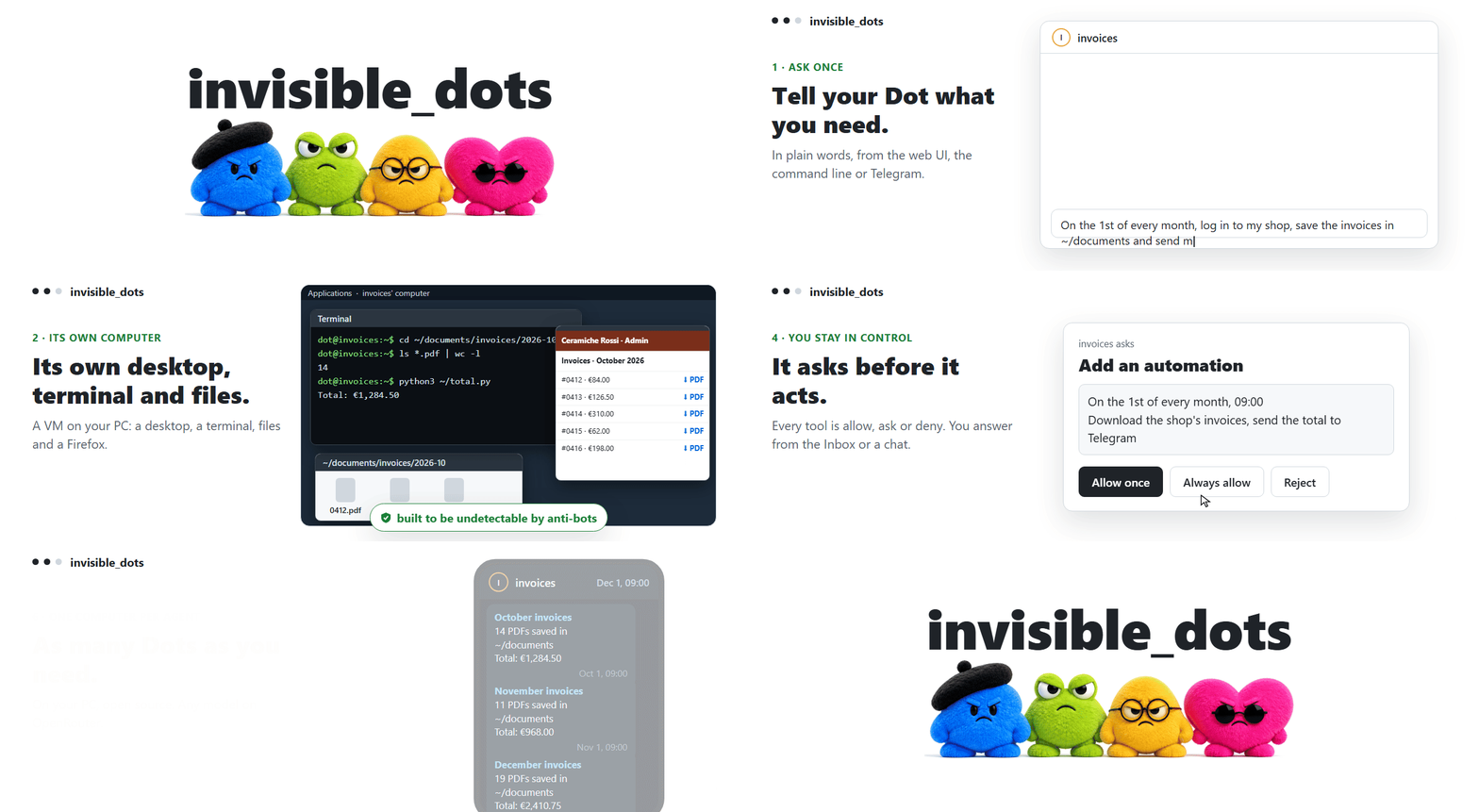
Open-source, self-hosted alternative to OpenAI Dots, Grok Bot. Built to be undetectable by anti-bot systems.
Quickstart
You need Node 24+, Go 1.25+, Git and hardware virtualization (x86-64), plus an OpenRouter key.
Windows (PowerShell):
winget install -e --id OpenJS.NodeJS.LTS; winget install -e --id GoLang.Go; winget install -e --id Git.Git
git clone https://github.com/feder-cr/invisible_dots; cd invisible_dots
npm ci; npm run build --workspace @invisible-dots/cli
node apps/cli/dist/invisible-dots.mjs setup --all
node apps/cli/dist/invisible-dots.mjs server
Linux (Ubuntu 24.04):
curl -fsSL https://deb.nodesource.com/setup_24.x | sudo -E bash - && sudo apt-get install -y nodejs git && sudo snap install go --classic
git clone https://github.com/feder-cr/invisible_dots && cd invisible_dots
npm ci && npm run build --workspace @invisible-dots/cli
node apps/cli/dist/invisible-dots.mjs setup --all
node apps/cli/dist/invisible-dots.mjs server
setup --all installs QEMU and turns on the accelerator (KVM, or the Windows Hypervisor Platform), then builds or
downloads the Dot's images; run it again after a restart and it carries on. Then open http://127.0.0.2:3000,
paste your OpenRouter key and create your first Dot. Every step and its failure modes:
the guide's quickstart.
What to ask a Dot
Anything that needs a computer and a person's judgement, for as long as it takes:
Open a browser identity called research, go to https://example.com and tell me the page's title and its first sentence. Leave the browser open.
Every morning, check one-way fares from Milan to Lisbon for the next two weeks, write them to ~/workspace/fares.csv and tell me the cheapest day.
Log in to the shop with the shopping identity, download this month's invoices to ~/documents, and remember where the invoices page is for next time.
What a Dot has
| A computer of its own | A hardware-accelerated VM with a Linux desktop and a persistent disk. It sleeps when idle and wakes for the next message, task or automation. |
| A browser that is not blocked | invisible_playwright_mcp: Firefox patched in C++, the fingerprint set inside the engine. Each identity keeps its own cookies and logins. |
| Memory and skills | It writes its own notes and how-tos in its home folder, as Claude Code does, and reads them on the next task. |
| Your MCP servers | Any MCP server you declare, a program on its computer or a URL, as in Claude Code. Its keys stay out of the config. |
| Permissions you set | Every tool belongs to a permission: allow, ask or deny. An ask waits in your Inbox, survives a restart and runs the call once. |
| Tasks and automations | A queue with priorities and start times, and its own recurring jobs, for which its computer is started on time. |
| Many ways to reach it | Web UI, command line, HTTP API with live events, Telegram, and WhatsApp as an opt-in. |
| Nothing lost on a crash | A restart or a kill -9 keeps every message and task you saw accepted, and a tool call cut short is never run twice. |
Documentation
- Guide: install, the web UI, the command line, the browser, channels, configuration, updating
- Architecture: every component and why it is there
- Troubleshooting and development and tests
Related projects
The pieces of this one. A Dot's browser is invisible_playwright_mcp, on invisible_playwright and invisible_core; the engine is a fork of nanobot.
License
MIT, see LICENSE. Third-party components and their licenses: THIRD_PARTY_NOTICES.md.
Disclaimer
This project is provided as-is, with no warranties. Use it at your own risk and in compliance with the laws of your jurisdiction. A Dot acts with your accounts and from your connection: respect the terms of the sites it visits and their robots.txt.



Built by Federico Elia






