Listed from the MCP registry; nobody on Odel publishes it.
NagataPress
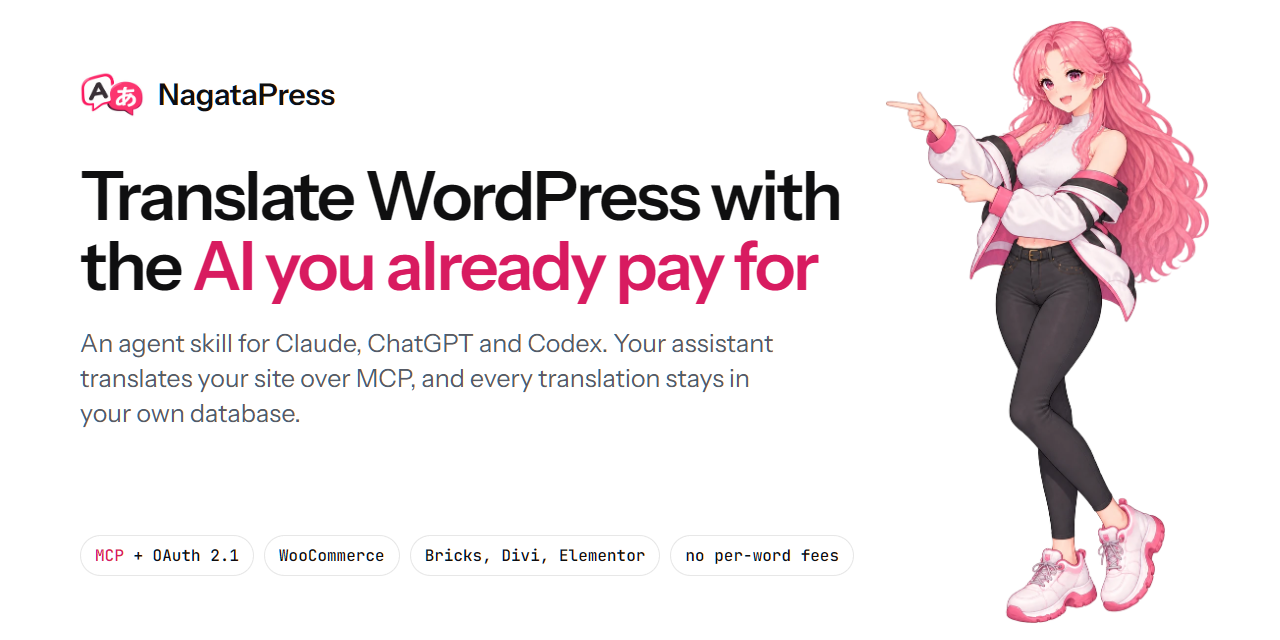
Translate a WordPress or WooCommerce site with your AI assistant, over MCP on your own site.
Runs on your machine from its package; the steps are below.
What it does
- Reads
- Writes
- High impact
At most: creates or changes data: records, files, settings.
What it costs
FreeOdel charges nothing per call. The publisher may charge for its own service.
Runs locally
This server runs on your machine over stdio, but its source registry didn't list a distribution package. Check the source repository for setup instructions.
English | Čeština




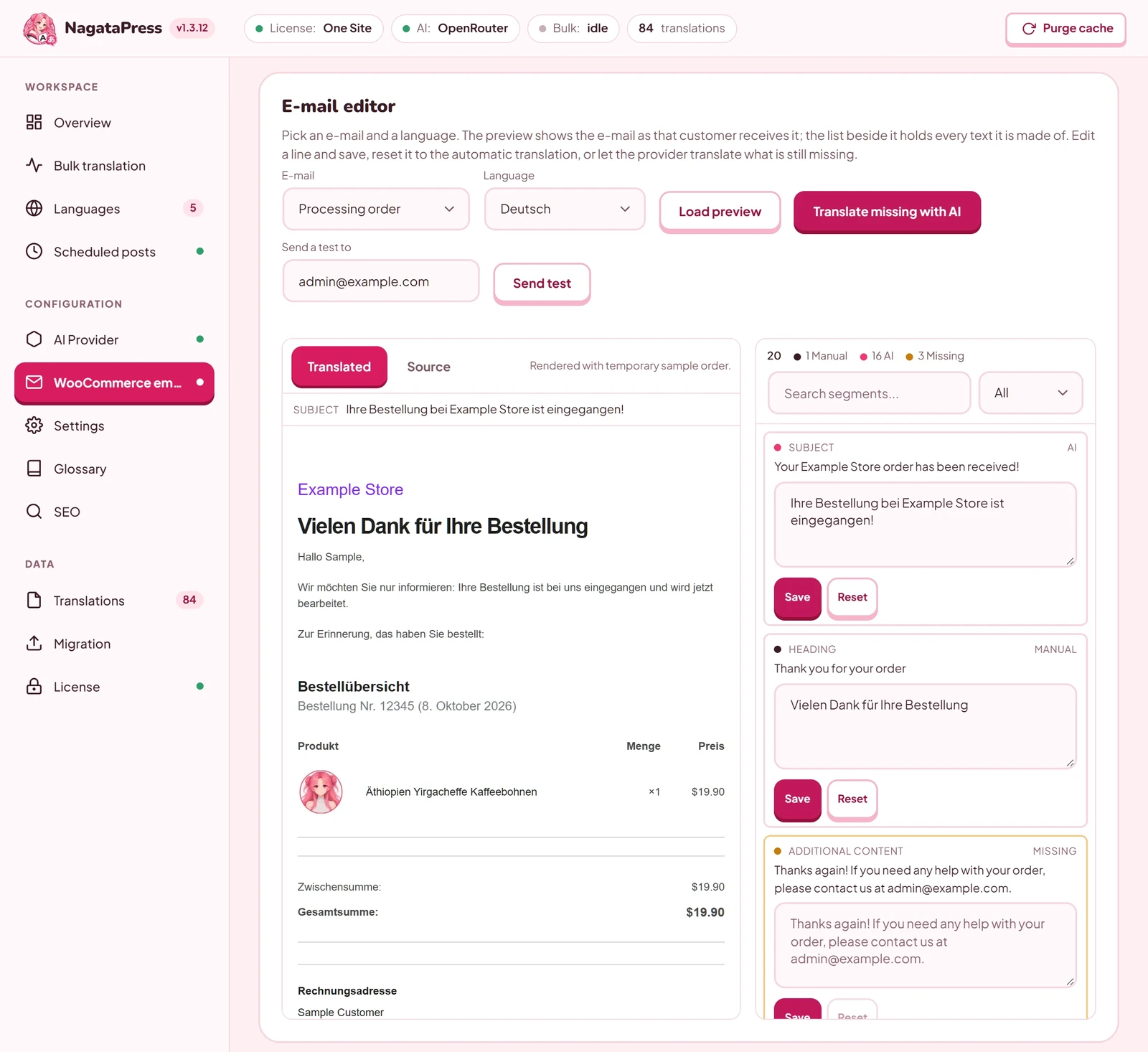
NagataPress is an AI translation plugin for WordPress and WooCommerce. It translates the whole site: posts, pages, menus, page builders, SEO fields and, on a shop, the cart, checkout and customer e-mails. Translations are stored in the site's own database, so a page view never calls an AI. You choose how to translate:
- With your own API key (Claude, OpenAI, Gemini, Mistral, OpenRouter). The plugin calls the provider in background runs.
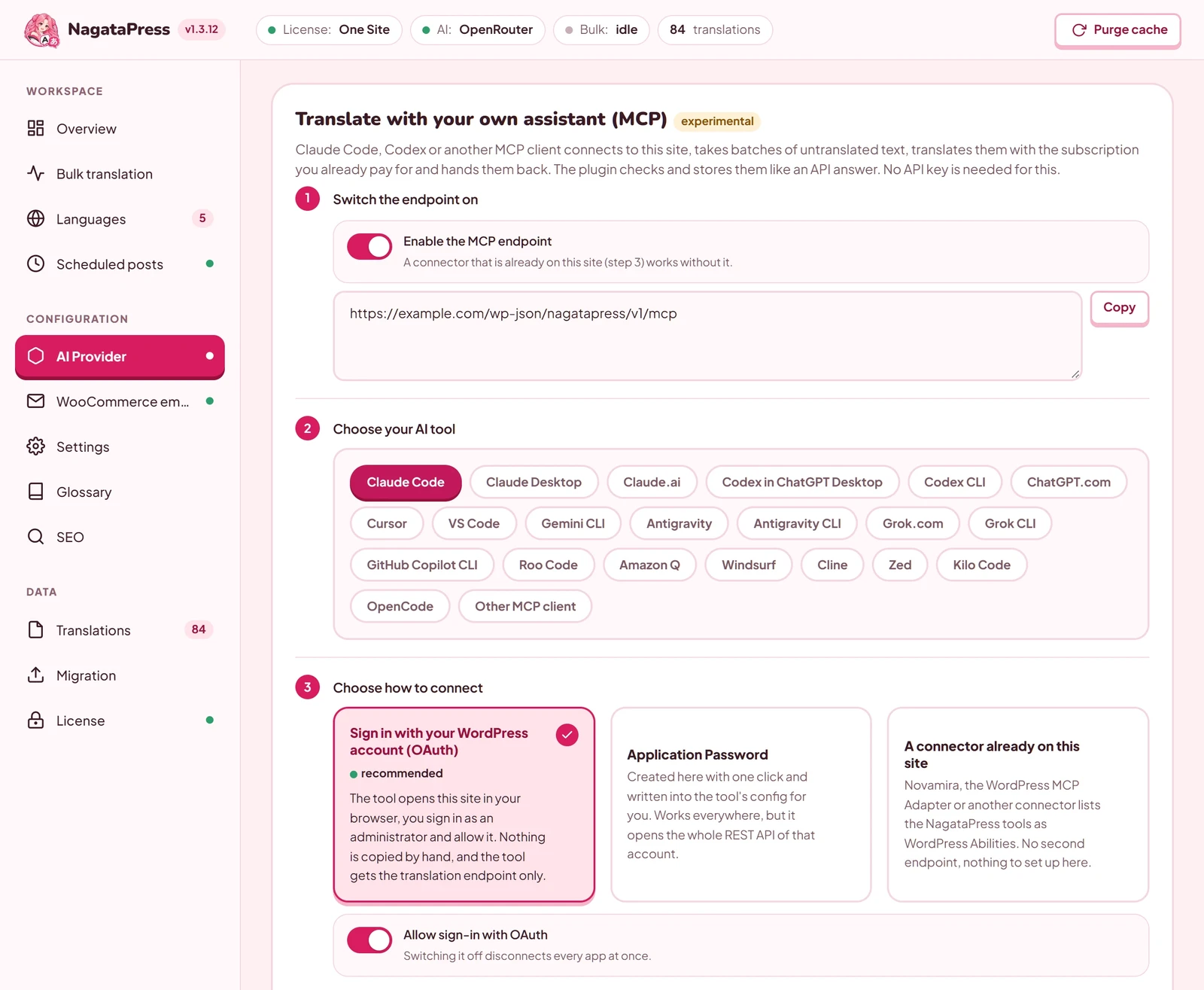
- With your AI assistant over MCP. Claude, ChatGPT/Codex, Cursor and other MCP clients connect to your site (OAuth 2.1) and translate within the plan you already pay for. No per-word fees, no credit packs.
This repository holds the NagataPress skill for AI assistants. The plugin itself is not published here. It is distributed from nagatapress.com, with a 14-day free trial.
See it
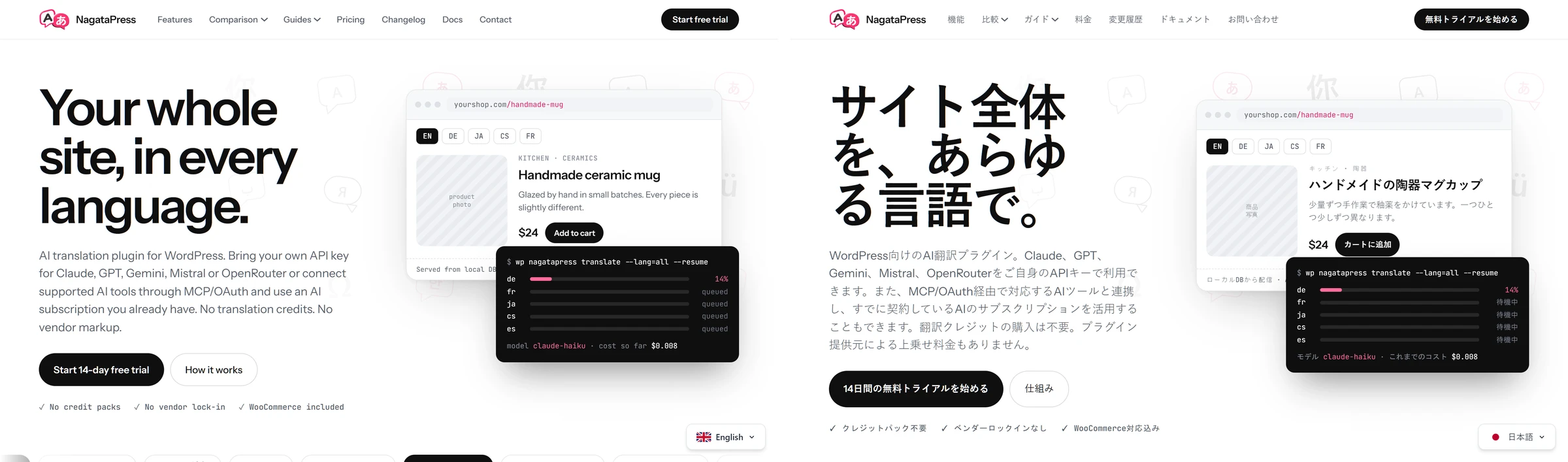
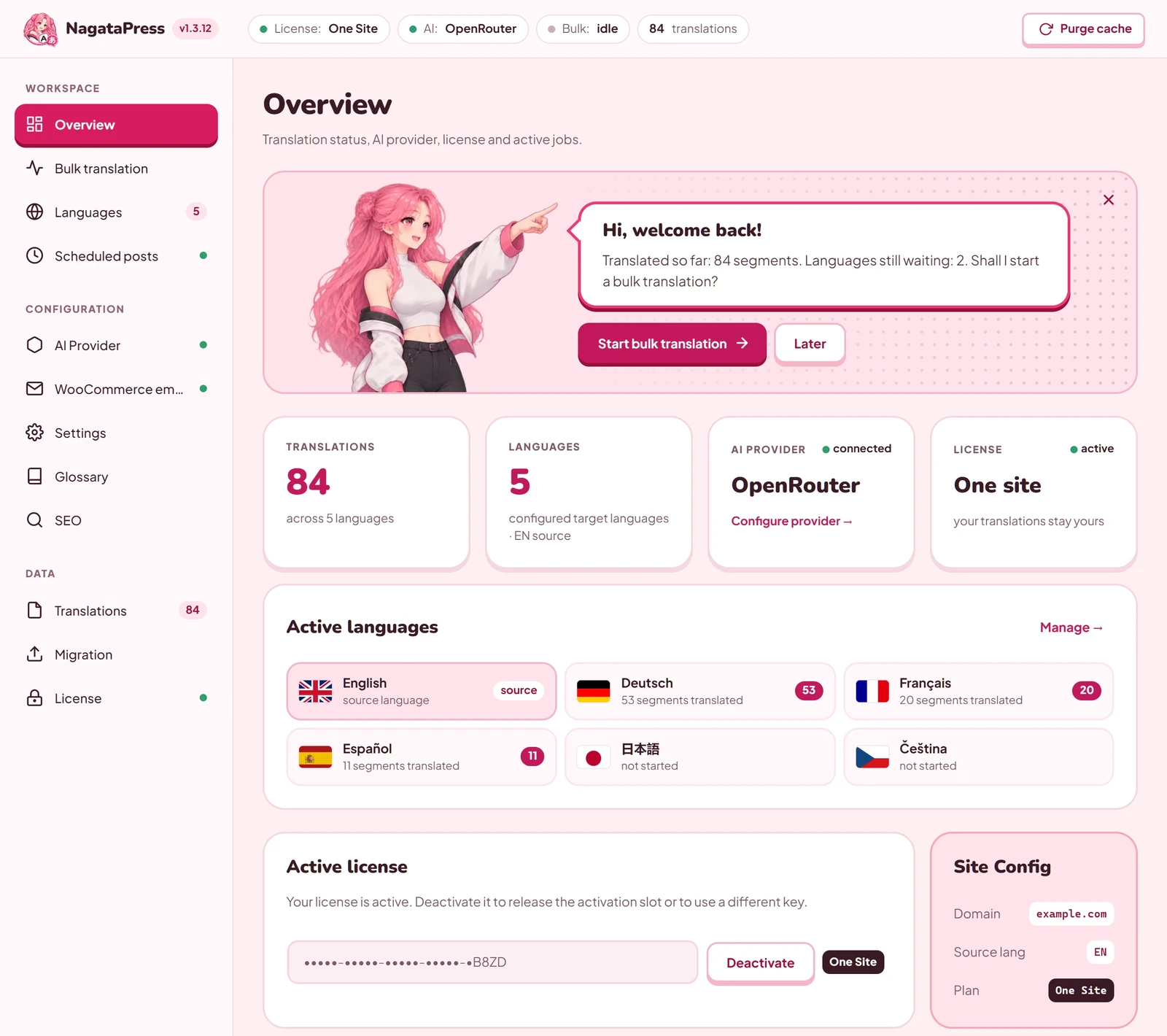
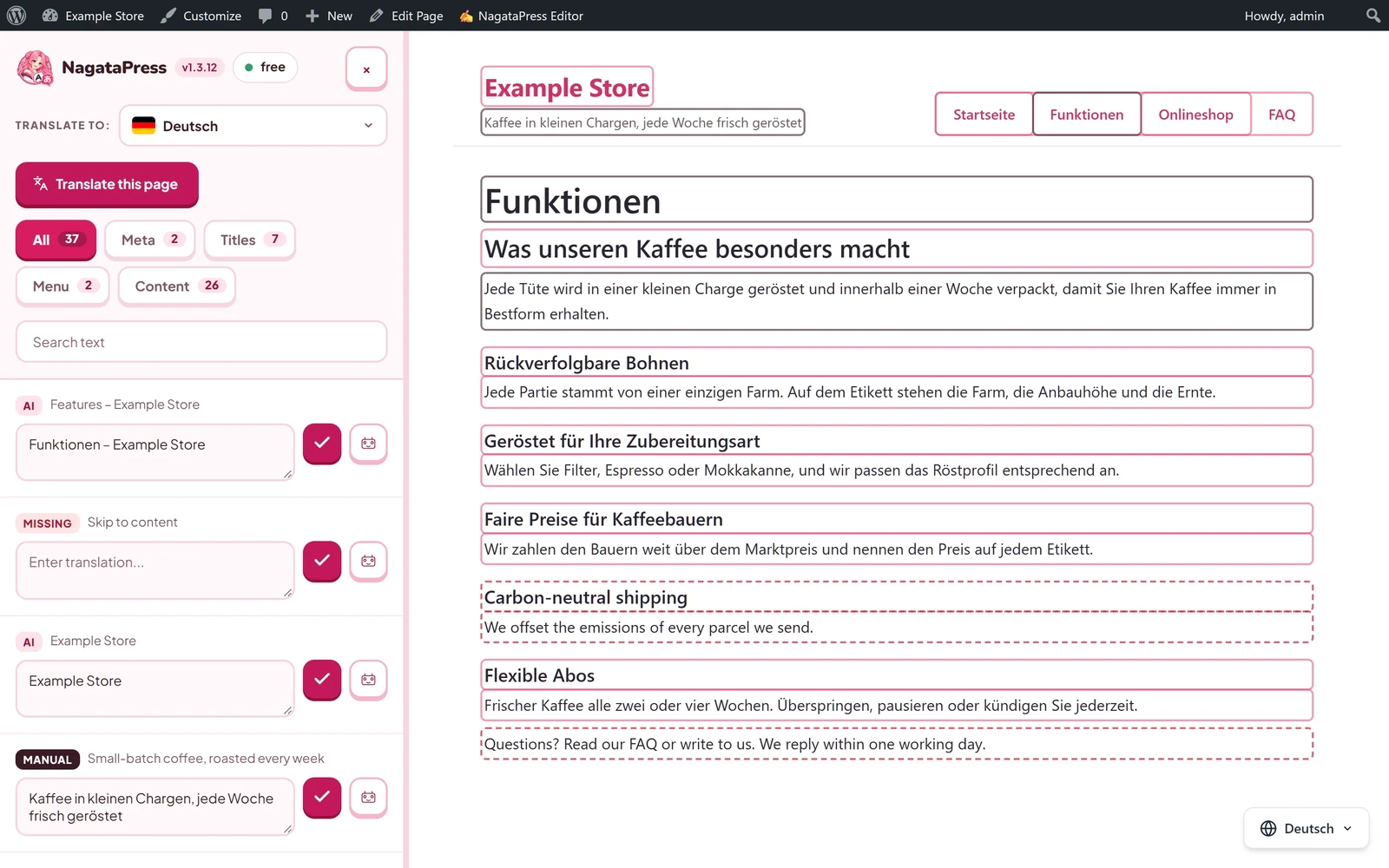
nagatapress.com is translated by NagataPress into 13 languages. The same page in English and Japanese:
| Connect your AI tool (MCP) | Overview |
|---|---|
 |  |
| Visual editor on the page | WooCommerce e-mails |
 |  |
The NagataPress skill

The skill teaches your assistant how to work with NagataPress:
- Translate a site over MCP. It runs the batch loop the way the plugin checks it. It keeps every number, price, product name and link marker, uses the right plural form next to a number, and follows the site's glossary and brand context, so fewer translations are rejected.
- Set NagataPress up with you. It proposes target languages, Never Translate terms, a glossary, a translation style and the shop's test cart, and changes only what you confirm.
- Connect your AI tool. Exact steps for Claude, ChatGPT, Codex, Cursor, VS Code, Gemini CLI and more, plus fixes for failed connections.
- Answer questions on setup, licensing, languages, SEO, WooCommerce, WP-CLI, hooks, migration and troubleshooting.
The skill is plain text: Markdown and one small YAML file. It contains no scripts, no keys and no data from any site. It does not connect your assistant to a site by itself. To translate, connect the assistant to your site's MCP endpoint (https://<your-site>/wp-json/nagatapress/v1/mcp) first, as connect-clients.md explains.
Install
| Where you use AI | How |
|---|---|
npx skills (Claude Code, Codex, Cursor and others) | npx skills add ffscz/NagataPress |
| Claude (claude.ai, desktop app) | Download nagatapress-skill-<version>.zip from Releases (under Assets, not "Source code"), open Customize > Skills, click +, choose Upload a skill and pick the ZIP. Code execution must be on. |
| Claude Code by hand | Copy skills/nagatapress/ to ~/.claude/skills/nagatapress/ (or .claude/skills/nagatapress/ in a project). |
| Codex by hand | Copy skills/nagatapress/ to ~/.agents/skills/nagatapress/ (or .agents/skills/nagatapress/ in a repository). |
| ChatGPT with Skills (Business, Enterprise, Edu) | Skills in your profile menu, add a new skill, Upload from your computer, pick the ZIP. |
| Any chat that reads a link | Read https://nagatapress.com/skill/nagatapress-skill.md and follow it to help me with NagataPress on my WordPress site. |
What is inside
skills/nagatapress/
├── SKILL.md                      the workflow and the translation rules
├── agents/openai.yaml            display name for Codex and ChatGPT
└── references/
    ├── mcp-translation.md        tools, schemas, tokens, rejection reasons
    ├── connect-clients.md        connecting MCP clients, OAuth details
    ├── setup-and-features.md     install, license, languages, SEO, WooCommerce
    ├── troubleshooting.md        common problems and their fixes
    └── developers.md             WP-CLI, hooks, filters, REST routes, tables
Versions
The skill follows the plugin's version (plugin-version in SKILL.md). When the site says something different, the assistant trusts the site, because it is the newer source. Each skill version is a skill-X.Y.Z tag and a release with the ZIP and its SHA-256, and the same ZIP is on nagatapress.com/docs.
Links
- Website and pricing: https://nagatapress.com
- Documentation: https://nagatapress.com/docs/
- Translate WooCommerce with Claude or ChatGPT: https://nagatapress.com/translate-woocommerce-with-claude-chatgpt/
- Security of the MCP endpoint and OAuth: https://nagatapress.com/docs/#docs-17-security
- Changelog: https://nagatapress.com/changelog/
Repository
Report a mistake in the skill through Issues, and ask questions in Discussions. Please do not report a security vulnerability publicly, but through a private vulnerability report, see SECURITY.md. For licensing, billing or help with your site, use the contact page. If you want to suggest a change to the skill, read CONTRIBUTING.md first.
License

The skill and the other files in this repository are licensed under the Apache License 2.0. The NagataPress plugin is commercial software and is not covered by this license.