Listed from the MCP registry; nobody on Odel publishes it.

handup
Approval inbox for AI agents: ask a human to approve, deny or answer from terminal, desktop or phone
Runs on your machine from its package; the steps are below.
What it does
- Reads
- Writes
- High impact
At most: moves money, runs code or commands, deletes data, or sends messages for you.
What it costs
FreeOdel charges nothing per call. The publisher may charge for its own service.
Runs locally over stdio
This server isn't hosted — your MCP client launches it from a package registry. Use one of the commands below, or drop the config into your client (e.g. Claude Desktop).
Distributed as an MCP bundle (`https://github.com/gethandup/handup/releases/download/v0.1.13/handup_0.1.13.mcpb`) — download it and import the bundle in your MCP client.





Your agents ask before risky actions like migrations, releases and emails. You see exactly what they want to do and approve or deny from your terminal, desktop or phone.
https://github.com/user-attachments/assets/d11dc54f-1422-48c8-a593-1b35e86ccfb0
Beta. handup runs on your Linux, Mac or Windows computer; the Android app lets you decide from your phone. No iPhone app yet. Releases work fully for a 14-day trial, then need a license.
Quick start
curl -fsSL https://github.com/gethandup/handup/releases/latest/download/install.sh | sh
handup setup
On a Mac you can use Homebrew instead of the script:
brew install --cask gethandup/tap/handup. Other packages (deb, rpm, Arch,
Alpine, desktop app, Android) are on the Releases
page; see downloads.
handup setup starts handup in the background, connects every agent it finds
(Claude Code, Codex, Cursor, omp) and installs the handup skill. Restart your
agents, then try it:
handup ask --title "Hello from handup" --wait
Approve it in handup inbox, the desktop app, or your phone. To use your
phone, install the Android app and pair it over
Tailscale (about five minutes).
This repository holds handup's documentation, agent skill and examples. The application source is not here.
What you get
- Real previews: commands, diffs, code, Markdown, JSON, HTML, email, images, video, audio, PDFs and file bundles, snapshotted so what you approve is what runs.
- Any agent that speaks MCP: Claude Code, Codex, Cursor, omp, opencode and any other MCP client, plus the CLI and a local HTTP API for scripts and CI.
- Decide anywhere: terminal inbox, desktop app, or your phone over Tailscale (five-minute setup), or through a self-hostable end-to-end encrypted relay for the Android app.
- Dictate answers: a mic beside answers and feedback adds your words for you to edit, free on the device by default, with optional cloud speech providers using your own API key.
- Feedback, not errors: deny with a note and the agent revises and asks again.
- Fewer taps: scoped allow rules, presence routing and a timed YOLO mode, with every auto-handled request still in the history.
Pricing
- Free 14-day trial: every install works fully for 14 days, with no account or card.
- Personal license, $30 one-time (plus tax where applicable): one person, all
their own machines, no subscription. Buy on gethandup.dev,
then run
handup license activate <key>(License and trial).
Set up by hand
handup setup runs these steps for you; run them yourself to pick and choose:
handup service install   # start handup in the background (not on Windows: run handup serve)
handup integrate all     # connect every detected agent (--list shows what it found)
handup skill install     # teach agents when and how to ask (--agent claude|codex, --project)
Only one agent? Use
handup integrate claude,
handup integrate codex,
handup integrate omp, or
handup integrate mcp --client cursor.
Agents that don't load skills can use handup prompt instead: it prints
instructions to paste into AGENTS.md or CLAUDE.md.
To install just the agent skill without
handup: DO_NOT_TRACK=1 npx --yes skills@1.7.0 add gethandup/handup --skill handup.
Docs
Read them on docs.gethandup.dev; the product site is gethandup.dev.
- Getting started
- Agent setup: Claude Code, Codex, Cursor, omp, shell/CI, any agent or custom harness
- Desktop, mobile, remote access, relay
- Rules, presence and YOLO
- CLI and daemon reference
- Integrations: event hooks, submit tokens, callbacks
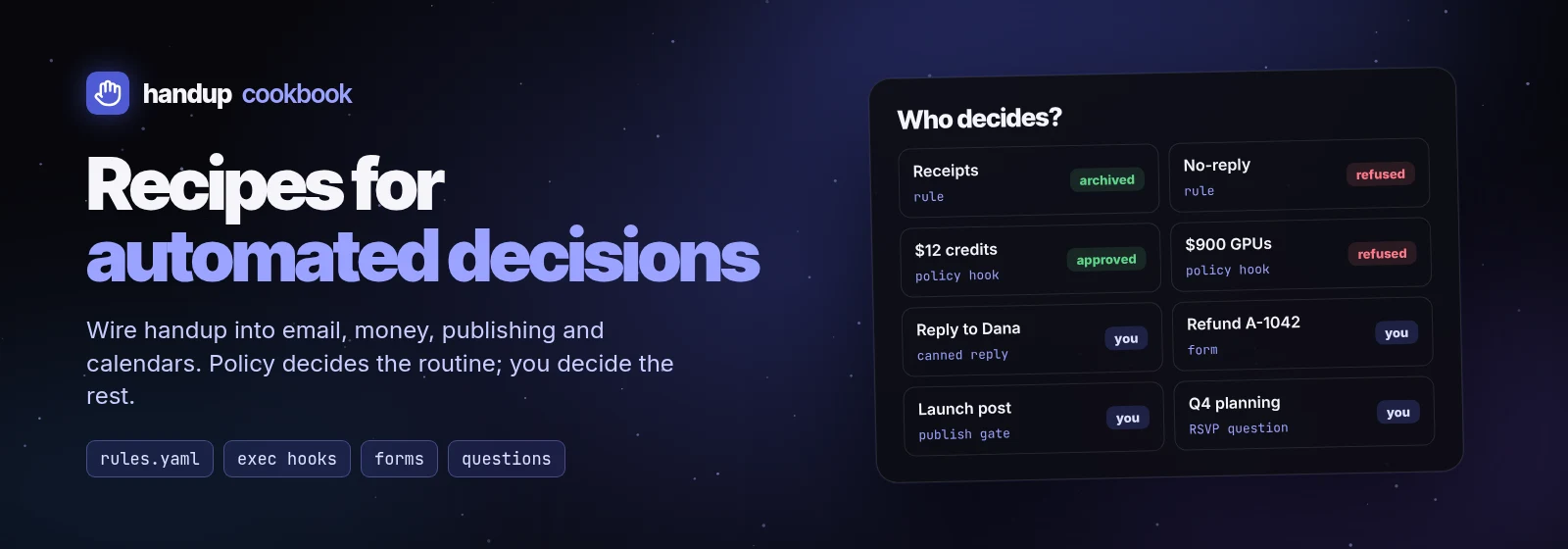
- Cookbook: advanced recipes for automated decisions
- Examples and the LLM-readable guide
Cookbook
Advanced recipes with runnable scripts in examples/cookbook:
- Canned email replies: pick a template, edit, send what you approved
- Route email by sender: rules archive receipts, refuse no-reply senders, flag VIPs
- Policy auto-decider: a hook that decides thresholds and allowlists in code
- Form approvals: adjust amount, reason and flags before approving
- Publish gate: edit, then Publish now or Schedule; silence fails closed
- Meeting replies: RSVP and slot questions in one card
Issues
Bug reports and feature requests are welcome in Issues. For anything else, email support@gethandup.dev. Report security problems privately; see SECURITY.md.
License
Documentation is CC BY 4.0; the agent skill, examples and code snippets are MIT. The handup application is not in this repository; it is licensed under the handup Terms of Service, its end-user license agreement.







