Listed from the MCP registry; nobody on Odel publishes it.

gPTY
Spawn panes, inject input and read output in a tiling terminal workspace
Runs on your machine from its package; the steps are below.
What it does
- Reads
- Writes
- High impact
At most: moves money, runs code or commands, deletes data, or sends messages for you.
What it costs
FreeOdel charges nothing per call. The publisher may charge for its own service.
Runs locally over stdio
This server isn't hosted — your MCP client launches it from a package registry. Use one of the commands below, or drop the config into your client (e.g. Claude Desktop).
Distributed via cargo as `gpty`.





gPTY - a desktop workspace built on Rust and Godot. It provides a tiling grid for panes (terminals, code viewers, file trees, wikis, media, and more), a concept capture engine, and a JSON-RPC/MCP control surface so AI agents and automation tools can spawn panes, inject text, and observe output on terminals without scraping a TUI. Every pane can be driven from a shell, a script, or an agent over one public API.
It is a side project in active development and a vast majority of this codebase, including most of the Godot UI layout and the Rust (gpty-core) GDExtension bridge, was generated using various LLMs under human review; and as such, the underlying code may contain unidiomatic patterns and/or bugs. It does not follow the core UNIX philosophy very well, as in, it does aim to do several things; though it does also intend to do them all well.
The chosen stack also brings with it more costs, much more than terminal emulators. A TUI can just draw into cells the terminal already owns, while gPTY runs a Godot renderer - an idle window can hold around 800 MB of resident memory, all of it owned by the renderer (multiple panes/terminals themselves are cheap in the GUI's own memory (RSS), under 1 MB each, but each one runs a shell in its own process at about 6 MB, up to the 96-pane ceiling). A first Forward+ launch (the explicit default, pinned in project.godot) holds about 1.2 GB because the graphics driver compiles its pipelines into that process; about 428 MB of it stays resident for the run, and later launches drop the number back to ~798 MB. Another drawback of a game engine is that it draws a frame every frame whether or not anything changed, whereas a terminal emulator composites only when its cells change (output, a blinking cursor, a resize). A GPU window that repaints even while idle draws power that a standard PTY simply would not. Memory usage and power draw remain areas that the project aims to continually refine and reduce, rather than have them be fixed prices to pay. Refer to the Trade-offs section for up-to-date statistics.
Features
Panes
Watch: the pane grid split and reflow
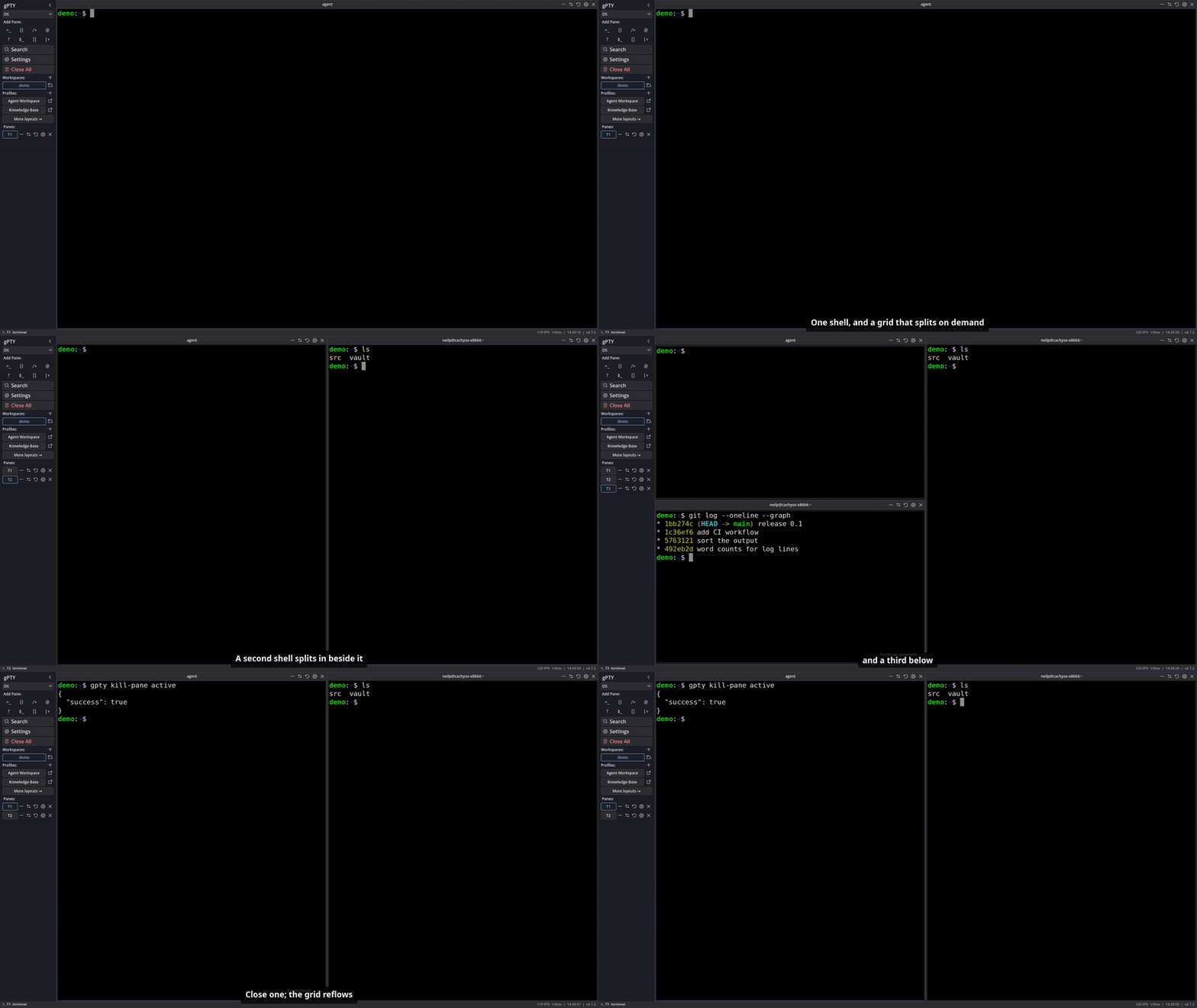
- Tiling grid - split, resize, and rearrange independent shell sessions; save and reload workspaces (tab sets) and named profiles.
- Emulation -
alacritty_terminalgrid with16/256/true color, scrollback with regex search, and wrapped text selection. - Memory - scrollback, settings, and workspaces restore on restart, with full-text search across each pane's history.
- File Tree - Native Godot OS file tree browser.
- Code Viewer - Text and Markdown rendered in a pane.
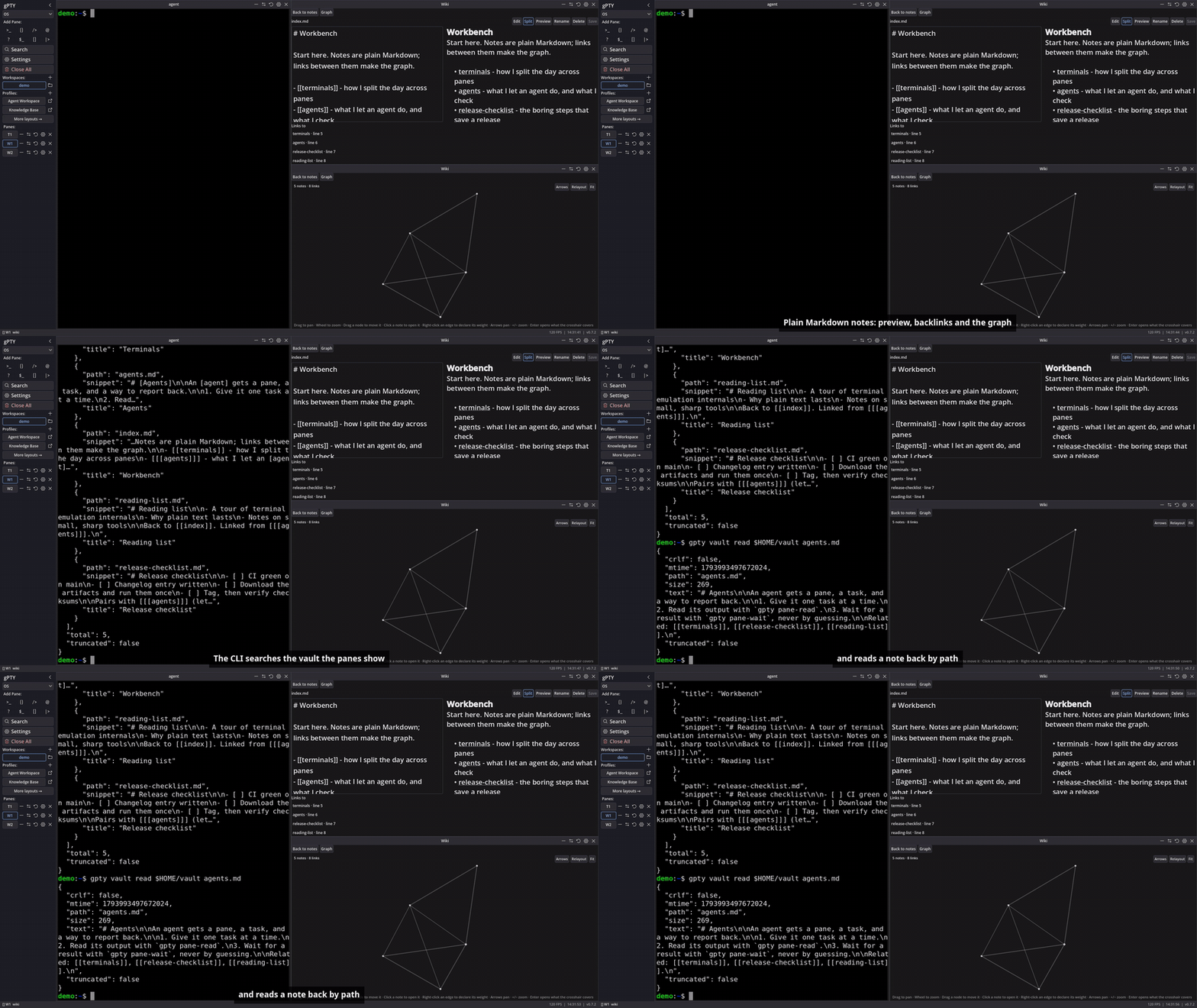
- Wiki - a vault of plain Markdown notes with full-text search, a live-preview editor,
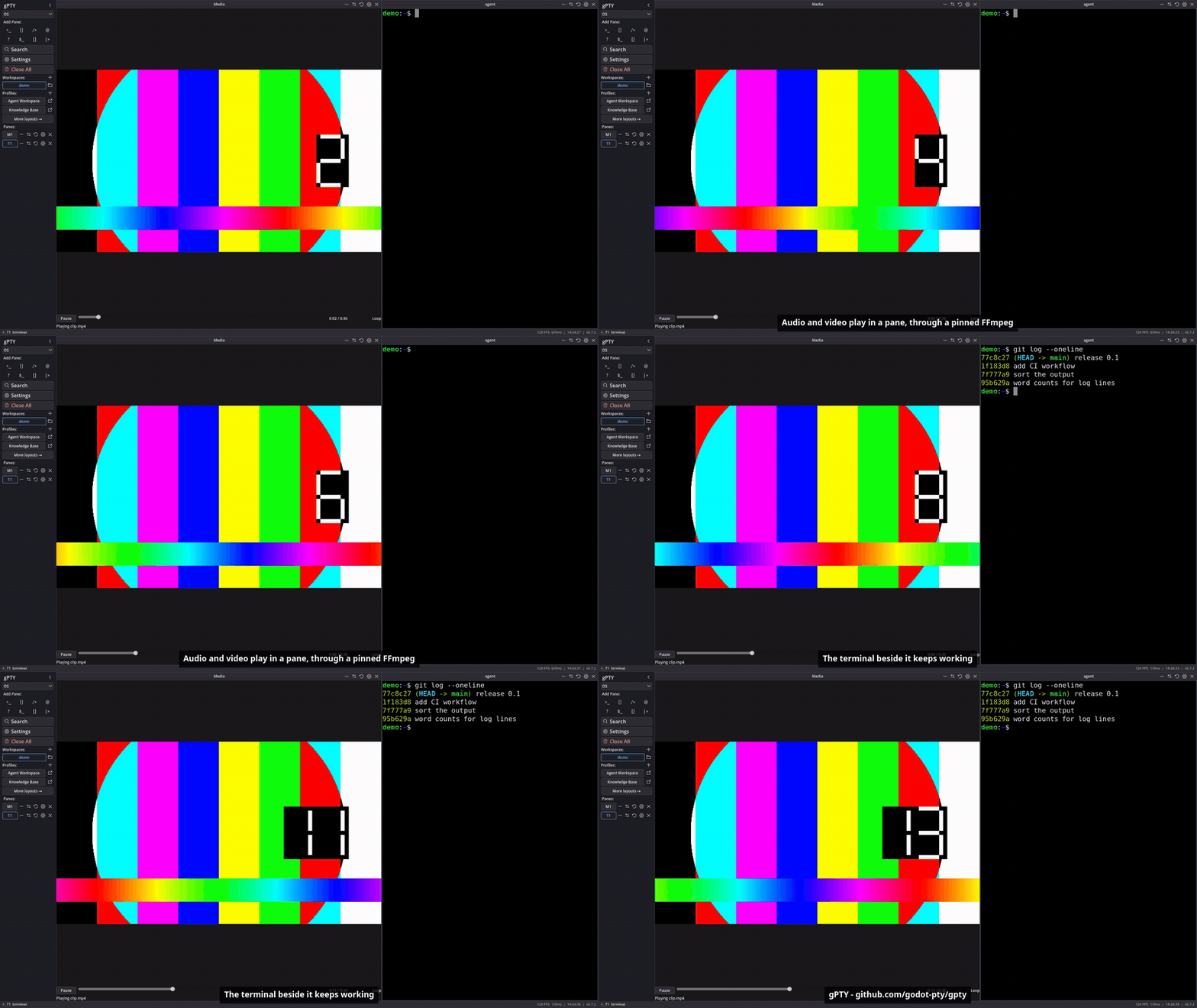
[[wikilinks]], backlinks, and an orbital 3D link map with a planar fallback, opening on the graph and reopened where you left off. The shipped Knowledge Base profile opens the bundled wiki inside a release. - Media - play local audio and video in a pane through a pinned, minimal FFmpeg backend (v0.7).
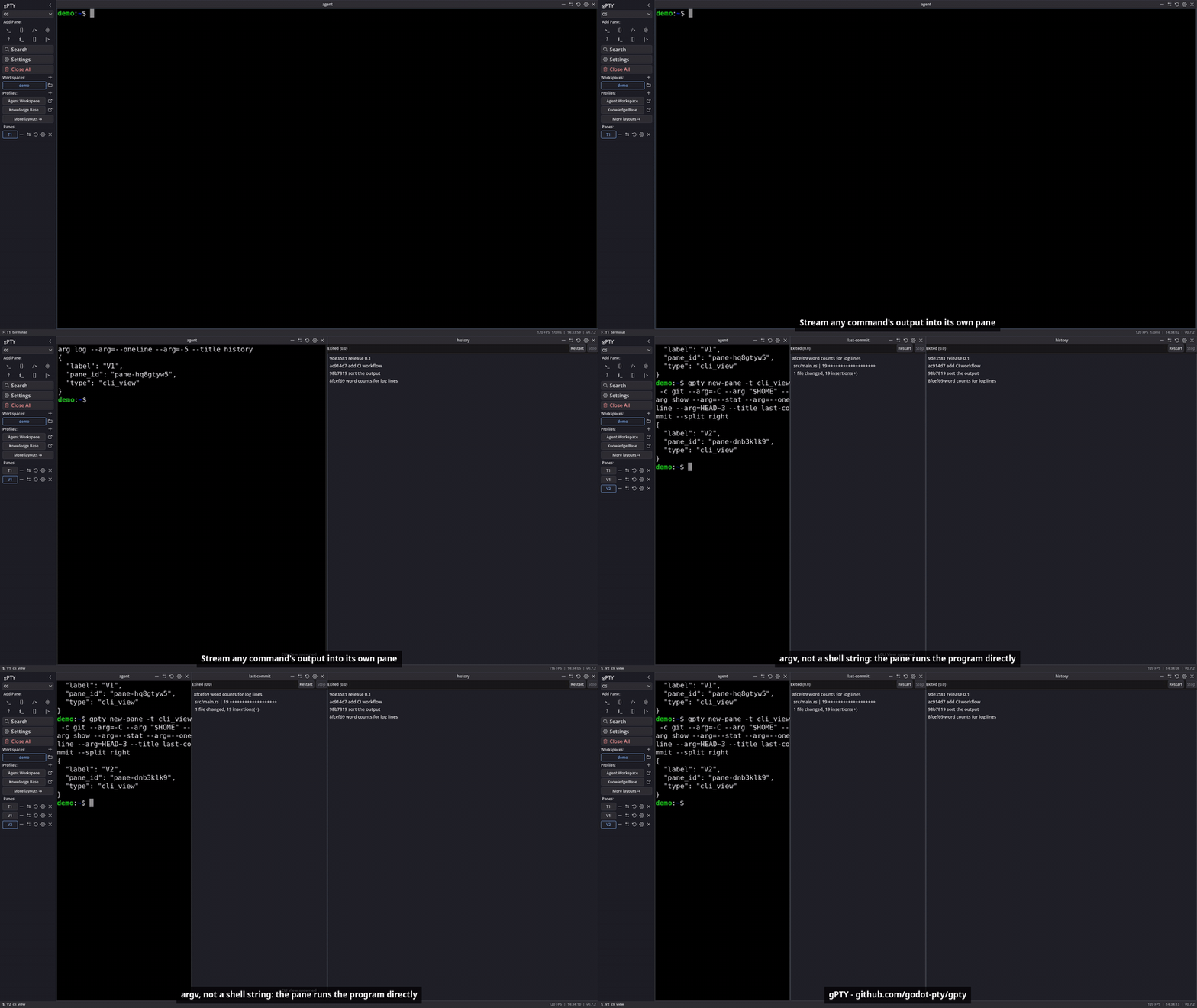
cli_view- stream any command's output into a pane, so a plugin can add UI without a Godot SDK.- Interface - one design system across every pane, overlay and dialog: a dark theme and a light theme that follows the desktop, a UI scale, keyboard rings on the pane chrome, the Wiki pane and the vault graph, a command palette with saved commands, and accessible names for screen readers (v0.8).
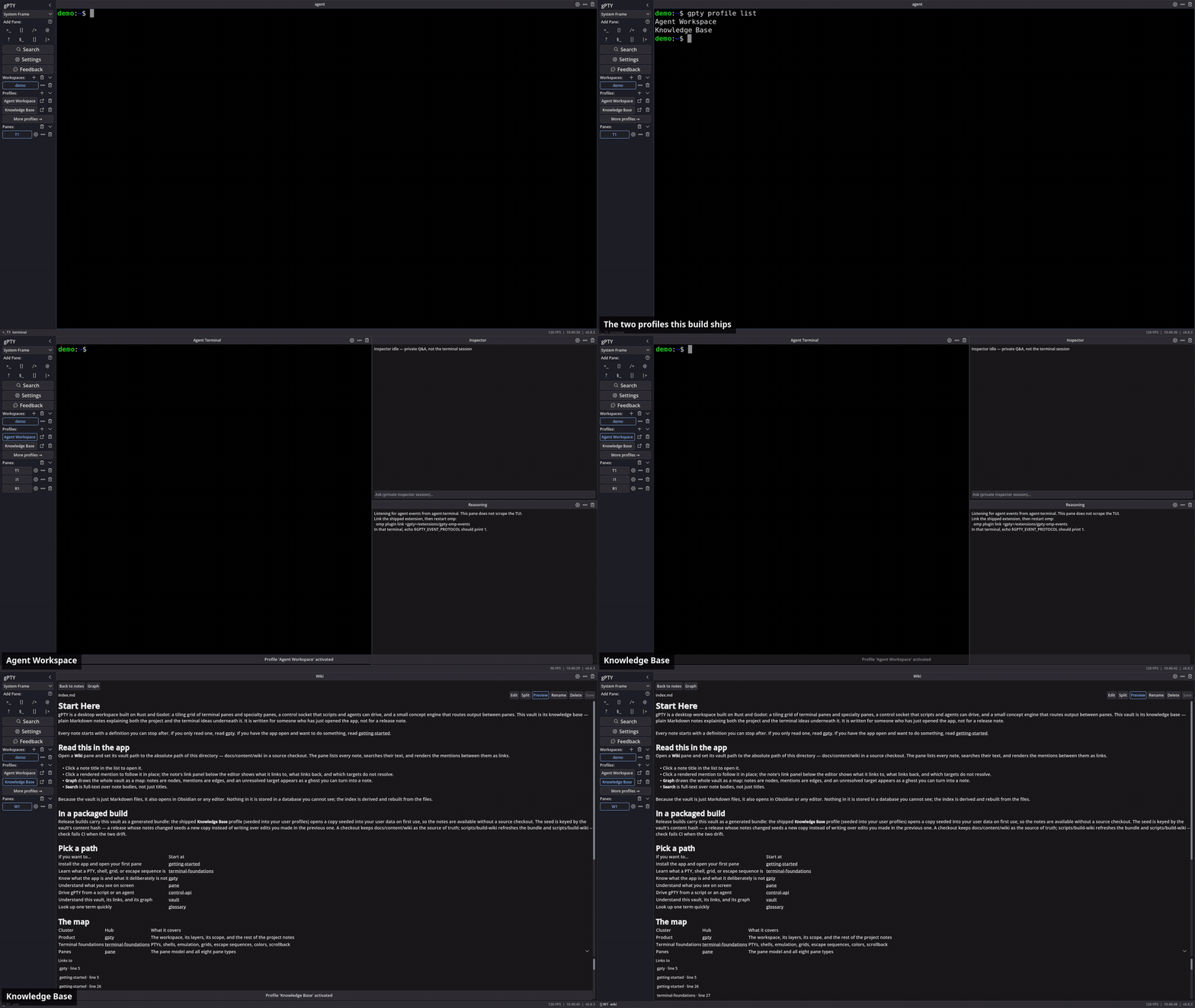
Watch: the two profiles the app ships open from the sidebar
Watch: the wiki vault, its link graph and a CLI search
Watch: audio and video in a pane
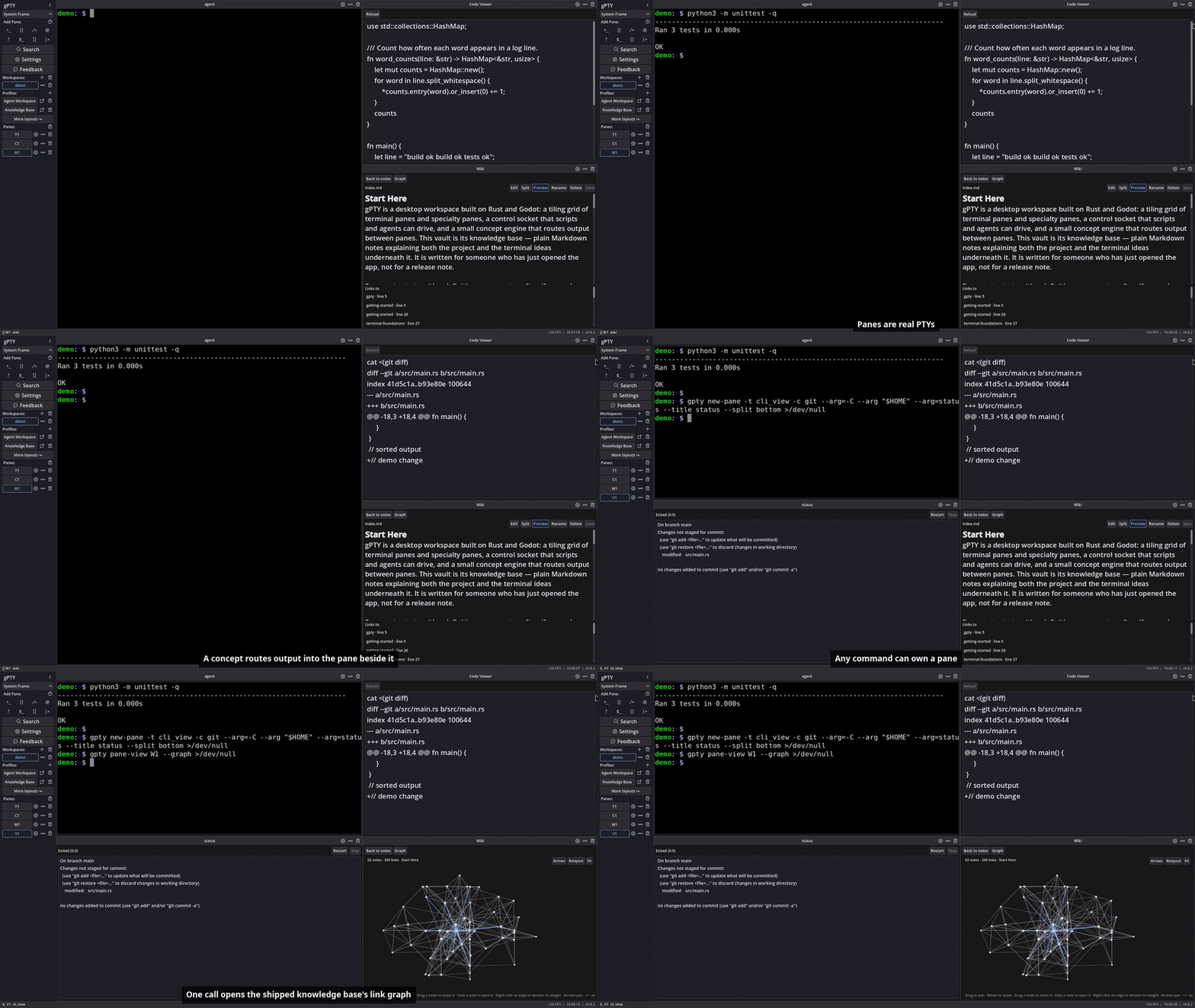
Watch: a command streamed into its own pane
Agents & Automation
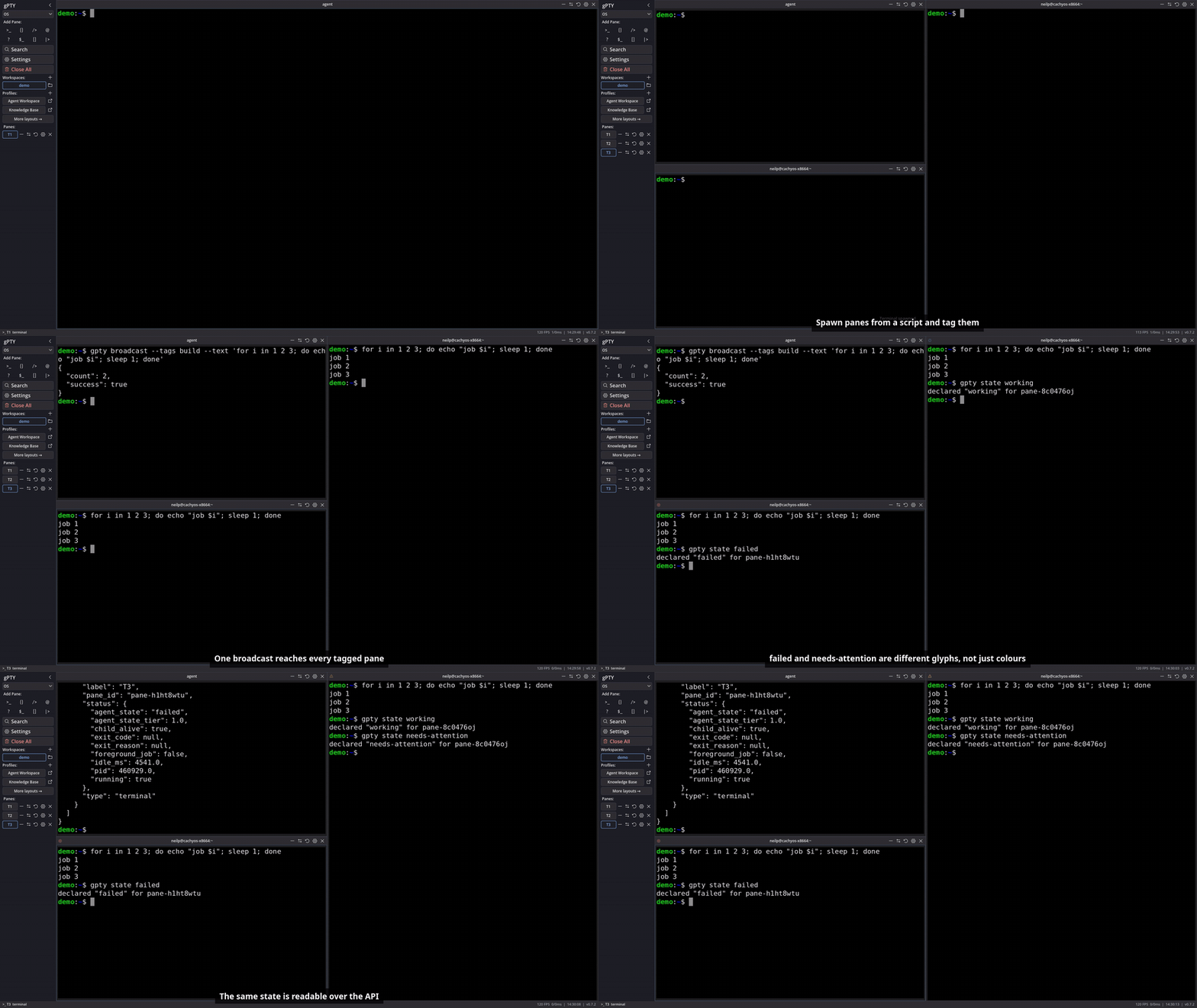
Watch: tagged panes, one broadcast and agent state badges
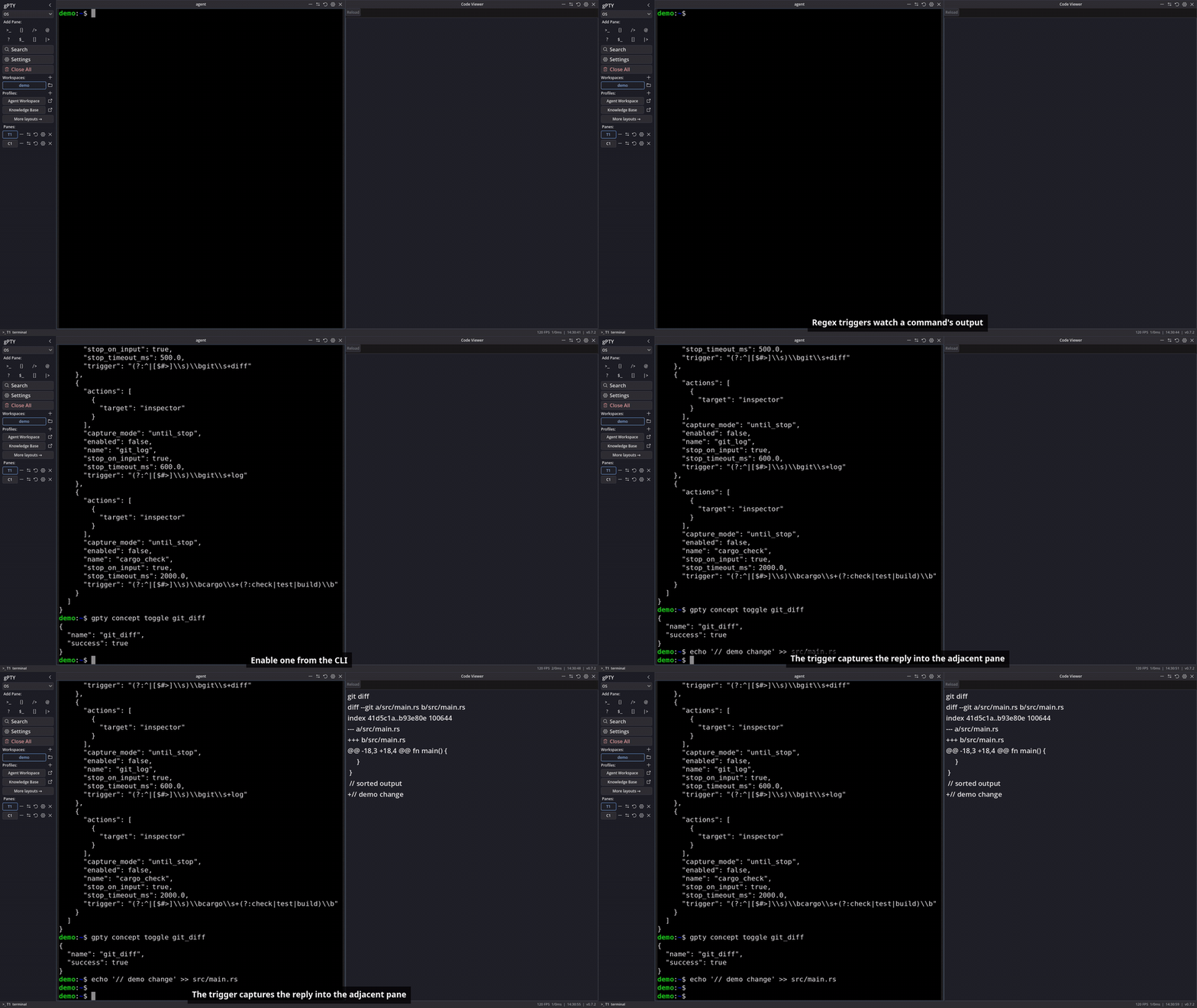
Watch: a concept routing output into the adjacent pane
- One API, three doors - the same operations are available as a JSON-RPC socket, the
gptyCLI, and an MCP server: spawn panes, inject input, read output, run a command and wait for a pattern, broadcast to tagged panes. The server is listed in the official MCP registry asio.github.godot-pty/gpty. - Agent state badges - an agent declares
workingorneeds attentionfrom its own pane and the tab shows it. Display only. - Observability panes - Reasoning passively shows documented agent lifecycle events (OMP today, adapter-neutral vocabulary); Inspector is a private, tool-free Q&A session. gPTY never orchestrates agent state.
- Concepts - regex triggers on terminal output capture the reply and route it into an adjacent pane. Write your own in Settings, by hand or in the visual graph editor. Concepts display only; they never type into a shell.
Limited Extensibility
- Plugins - manifest-based, reviewed in the GUI before install, with a public registry.
Status
- Documentation & Blogs: https://gpty.dev
- Releases ship
SHA256SUMSand build-provenance attestations; the control socket is owner-only. - Repository tracks OpenSSF recommendations; registered as project 16201 with scorecard.
- Release assets carry SLSA Build Level 2 provenance.
- gPTY has been added to the Linux Foundation & health will be tracked via LFX Insights.
- gPTY has been requested as an addition to Anthropic's oss-scanner (PR 1561).
- gPTY has been requested as an addition to Google's oss-fuzz (PR 16597).
- Subprojects: the core app, the plugin profiles and the plugin inventory live in the godot-pty organization; SUBPROJECTS.md records each repository's status and intent.
| Component | Choice | Rationale |
|---|---|---|
| PTY library | portable-pty | Cross-platform (Linux /dev/ptmx + Windows ConPTY) with a single API |
| ANSI parsing | vte crate | Fast Rust ANSI state machine |
| Async runtime | tokio | Per-terminal tasks; channel-driven capture state machine |
| I/O threading | Dedicated std::thread per PTY | Predictable blocking reads; bridges to tokio via mpsc |
| Concept capture | Rust regex over parsed LineParser output | Linear-time matching (ReDoS-safe); captures buffer raw bytes for grid-faithful replay |
| Grid rendering | alacritty_terminal | Full DEC STD 070 grid state machine; pass arrays to Godot _draw() |
| Godot bridge | gdext 0.5 | Native GDExtension for Godot 4.7+ |
| Rust edition | 2024 | Requires Rust >= 1.85 |
Trade-offs
Hosting a terminal inside a game engine is expensive, in terms of RAM & power usage. The following are measured on the shipped v0.8.6 Linux build (captured on CachyOS with Godot 4.7.2, the NVIDIA 620.73.04 driver and Vulkan 1.4.363 loader, VmRSS from /proc in a private sandbox, five readings per row after the app answers on its control socket; the OpenGL3 row is warmed by a discarded launch, because the earlier 366 MB figure was a cold-cache reading). The newest measured build in docs/data/cost-history.json owns these figures; a release without a GPU session keeps them, and scripts/measure-cost --stamp requires the stamp to name that newest entry:
| Configuration | Resident Memory |
|---|---|
| One pane, idle (Forward+, the default) | 798 MB |
| Eight panes, idle (Forward+, the default) | 798 MB - eight panes cost the same as one |
| Zero panes, renderer still up | 798 MB - the cost is the renderer, not the terminals |
| First launch, cold pipeline cache | 1226 MB, back to ~798 MB on every later run |
Same build, --rendering-driver opengl3, warm | 321 MB |
| 30,000 lines through one pane, past the 10,000-row scrollback cap | +52 MB, then flat |
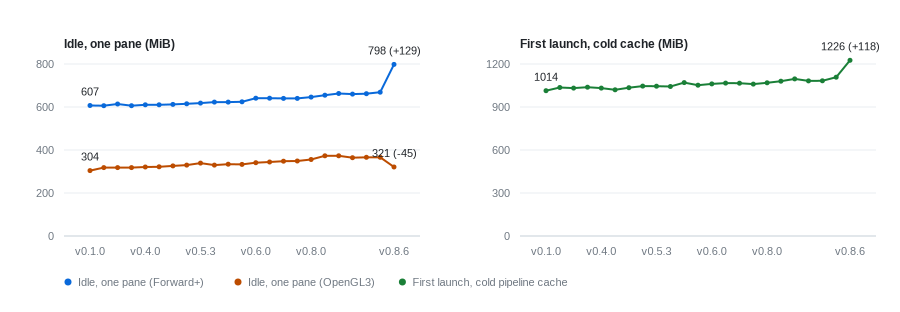
The chart is that table's history: every release from v0.1.0 was measured from its own shipped Linux archive on one machine (scripts/backfill-cost-history for the ones that shipped before the harness existed, scripts/measure-cost --record from now on), docs/data/cost-history.json holds the ledger, and scripts/render-cost-chart draws it - so the line is the project's own record, not a hand-drawn impression. Each point is what that build cost as shipped, its Godot engine included; a run is one launch sampled five times, so neighbours within a percent of each other are run-to-run noise rather than a change. OpenGL3 points through v0.8.5 were taken with a cold GL pipeline cache (the old method warmed only Vulkan); the table's 321 MB is the warm figure, and the arm is warmed per renderer from v0.8.6's ledger entry onward. v0.1.0 and v0.2.0 predate the control socket, so they are measured as they open (one terminal) rather than driven to a known pane count.
The above is Electron-level memory for what a TUI does inside a terminal window, and power follows from it: the window is GPU-composited and repaints while idle, so an idle gPTY is not "free" the way an idle shell (basically) is. Both of these issues are acknowledged, and are treated as debts with a plan, rather than leaving them as a permanent tax.
- The renderer is the lever, and Forward+ stays the default. Compatibility (OpenGL3) is 2.5x lighter than Forward+ on the same build (321 against 798 MB warm) and the 2026-11-22 bake-off found no material repaint penalty, but the orbital vault graph's bloom and the v0.8.6 visual identity need Forward+; Compatibility stays the documented opt-in (
--rendering-driver opengl3), with the bake-off's captures and numbers in the v0.9.0 budget. A per-platform flip is one verified project-setting override (rendering/renderer/rendering_method.<os>, no export-preset key). Windows ships the full chain already - Vulkan, then D3D12/WARP, then native OpenGL 3, then the statically linked ANGLE - pinned ingodot/project.godotand exercised byscripts/smoke_pane_api.py --renderer-smokein thewindowsCI job. - Repaint is already bounded. The
max_fpssetting and the terminal flood back-off limit how often a pane redraws; what is missing is an idle-frame measurement to hold it to. - Cost becomes a number in v0.9. The v0.9.0 instrumentation release adds an in-app frame-time, CPU, memory and power readout (read from the OS, "unavailable" where the OS exposes nothing) and a gated performance budget, so later reductions are measured instead of claimed.
Installation & Usage
Standalone binaries (no Godot install required) are published on GitHub Releases for Linux, macOS, and Windows.
| Platform | Package |
|---|---|
| Linux | gpty-v<version>-linux-x86_64.tar.gz - extract; ./gpty-gui.sh starts the GUI, ./gpty is the CLI |
| macOS | gpty-v<version>-macos.zip - unzip, right-click the .app → Open; gpty beside it is the CLI |
| Windows | gpty-v<version>-windows-x86_64.zip - unzip; gpty-gui.exe starts the GUI, gpty.exe is the CLI |
Every release also bundles the gPTY knowledge base; the Knowledge Base profile in the sidebar opens the bundled wiki from your user data.
In the file names, <version> is the release tag you downloaded (for example v0.7.0).
Verifying releases
Each release publishes a SHA256SUMS listing every asset. Check the file you downloaded before running it:
sha256sum -c SHA256SUMS            # Linux
shasum -a 256 -c SHA256SUMS        # macOS
certutil -hashfile <asset> SHA256  # Windows
Checksums catch a corrupted or tampered download in transit. Each asset also carries a build-provenance attestation binding it to the workflow run that built it:
gh attestation verify <asset> --repo godot-pty/gpty
The binaries are not code-signed (see SECURITY.md).
CLI
The gpty binary controls a running GUI over JSON-RPC IPC, and every release bundle ships it next to the GUI. It is also on crates.io - cargo install gpty puts the same binary on PATH (a Rust toolchain and a C compiler are required, for its bundled SQLite), and that copy is what an MCP client launches for gpty mcp. A downloaded bundle installs the same way from a checkout: scripts/install-cli <bundle-or-tarball> links it at ~/.local/bin/gpty through a versioned directory, so upgrading is one command (see CONTRIBUTING.md's CLI section). The CLI starts one on demand only for commands a fresh workspace can satisfy - new-pane and profile load - while gpty daemon start starts one explicitly and --no-daemon never starts one. Every other command needs a workspace that already exists, so it fails with no gpty GUI is running (start one with \gpty daemon start`) instead of opening a window it cannot use. Building from source (cargo build -p gpty, or cargo build --workspace) is only needed when working on the CLI itself; if you install it that way, **reinstall it after a version bump** (cargo install --path crates/gpty-cli --force). A stale gptyearlier onPATH` shadows the release's CLI and fails opaquely (a subcommand it lacks dies in clap before any IPC), which is why the CLI warns once, on stderr, when it sees that the running GUI's version or IPC protocol differs from its own - the warning names both sides, but the reinstall is the fix.
Once the GUI is running (launched from Godot or a release binary), the CLI connects over a Unix socket ($XDG_RUNTIME_DIR/gpty.sock on Linux, or GPTY_SOCKET env var):
# Check if the GUI is running (exit 1 when it is not)
gpty daemon status

# Print the bundled agent skill (for coding agents running inside a pane)
gpty --skill

# Declare this pane's agent state, from inside the pane (display only)
gpty state working

# Spawn a new terminal pane
gpty new-pane --pane-type terminal

# List all active panes
gpty list-panes

# Target a pane by id (what list-panes reports) or by a label that is unique
# across workspaces; a label two workspaces share is refused, not guessed
gpty inject T1 --text "echo hello"

# Read a pane's screen and scrollback; run a command in a new pane and wait for its output
gpty pane-read T1 --lines 200
gpty pane-run --command "cargo test"
gpty pane-wait T1 --pattern "tests passed" --timeout-ms 30000

# Change what a pane shows without taking the keyboard: a wiki pane's link
# graph, a note by vault-relative path, or the note view mode
gpty pane-view W1 --graph
gpty pane-view W1 --note index.md --mode split

# Configure a pane's own settings - the same closed per-type table the pane
# settings panel writes (gpty pane-settings lists every key)
gpty new-pane --pane-type media --setting file_path=/clip.mp4
gpty pane-set W1 --setting vault_path=/notes --setting font_size=16

# Search and read a wiki vault
gpty vault search <vault> <pattern>
gpty vault read <vault> <path>

# Close a pane
gpty kill-pane T1

# Save, load, and activate profiles
gpty profile save my-setup
gpty profile load my-setup
gpty profile list

# Install a plugin (reviewed in the GUI - its actions run as you)
gpty plugin install godot-pty/gpty-omp
gpty plugin list

# Manage the GUI daemon
gpty daemon start
gpty daemon status
gpty daemon stop

# Generate AI tool manifests (no GUI needed)
gpty schema
gpty schema --format mcp

# Run as MCP server over stdio (no GUI needed)
echo '{"jsonrpc":"2.0","id":1,"method":"initialize"}' | gpty mcp
See gpty --help for all subcommands and flags.
MCP integration
gpty ships an MCP (Model Context Protocol) server so AI agents and coding harnesses can control the workspace. The repo-root mcp.json declares it for auto-discovery:
{"mcpServers": {"gpty": {"command": "gpty", "args": ["mcp"]}}}
- Direct: run
gpty mcpover stdio - exposes a tool per CLI subcommand (new-pane,list-panes,workspace-list,kill-pane,focus-pane,move-pane,inject,pane-read,pane-status,pane-view,pane-set,pane-settings,pane-run,pane-wait,broadcast,vault-search,vault-read,vault-weight,profile-*,daemon-*,concept-*,version). - Manifest:
gpty schema --format mcpprints the MCP tool manifest (JSON Schema, works without a running GUI) for hand-off to agent configurations.
Tool schemas are generated from the same clap definitions as the CLI (crates/gpty-cli/src/commands/schema.rs), so they cannot drift from gpty --help.
Roadmap
See ROADMAP.md for what is released, in progress, and planned, one page per release chain.
Security
See SECURITY.md for the threat model, reporting process, and what gpty does not defend against. Implementation rules - the Concept Engine's ReDoS stance, PTY environment sanitization, IPC hardening, OSC 52 restrictions - live in the security rules.
Contributing
See CONTRIBUTING.md for setup instructions, build commands, testing, code style, and the pull request process. Project roles, access and succession are in MAINTAINERS.md and GOVERNANCE.md. Participation is covered by CODE_OF_CONDUCT.md; where to ask for help is in SUPPORT.md.
Changelog
See CHANGELOG.md for the complete versioned changes and history.
License
gPTY is free software, licensed under the GNU General Public License, version 3 or later - see LICENSE for the full text.
LICENSE-EXCEPTIONS.md adds two permissions under section 7 of that license, so the ecosystem side stays permissive:
- Plugins, extensions, and adapters are not required to be GPLv3. Anything that works with gPTY over its CLI, JSON-RPC, MCP, or event interfaces - including native pane types - may be licensed under Apache-2.0, MIT, or any other terms you choose, and shipped alongside gPTY without obligation.
- Configuration and data files carry no copyleft. Profiles, workspaces, layouts, concepts, and settings are yours to license however you like; the default
*.jsonfiles shipped with gPTY are Apache-2.0.
Copyright (C) 2026 Neil Pathare.
gPTY is distributed in the hope that it will be useful, but absolutely without any warranty and assumes no liability for any usage by end-users; without even the implied warranty of MERCHANTABILITY or FITNESS FOR A PARTICULAR PURPOSE. See the GNU General Public License for more details.






