Listed from the MCP registry; nobody on Odel publishes it.
Is this yours? Claim it
GovContractScout
MCP server for the GovContractScout US government contracts API: search, NAICS, match scoring.
One address for any MCP client. You sign in at scout.govbidportals.com once, after adding it.
What it does
- Reads
- Writes
- High impact
At most: only reads or looks up information.
What it costs
FreeOdel charges nothing per call. The publisher may charge for its own service.
Tools
None listed · checked 18 Nov 2026Odel could not list its tools without signing in.
GovContractScout MCP Server

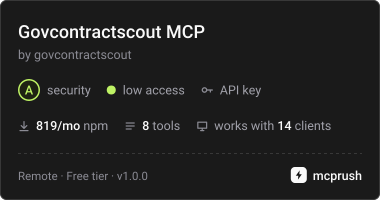
Model Context Protocol (MCP) server exposing the GovContractScout US state, local, and federal government contracts API to AI agents. Search live contracts, pull details, look up NAICS codes, list states, and score contract fit — without raw HTTP.
AI agent (Claude, Cursor, etc.) ⇄ MCP ⇄ GovContractScout /v1 API ⇄ 50-state procurement data
Tools
| Tool | Description |
|---|---|
search_contracts | Search active government contracts by state, NAICS, keyword (returns title, agency, due date, match signals) |
get_contract | Fetch one contract's full record by ID (includes the original solicitation link + documents) |
search_naics | Look up NAICS codes by keyword |
get_states | List the states we index + live contract counts |
score_contract | Score a contract's fit for a business profile (uses /v1/match) |
win_likelihood | Estimate win probability vs the historical award archetype — derived data, paid |
archetypes | List winning-business archetypes — who wins what — derived data, paid |
All tools hit the same /v1 API as the public REST endpoint — same data, same auth, same rate limits. Live data from state procurement portals, updated daily.
Hosted endpoint (no install)
There is also a remote server at https://scout.govbidportals.com/mcp — Streamable HTTP, protocol 2025-06-18, nothing to install. It serves everything above plus get_profile (8 tools total).
Two ways to authenticate:
- OAuth 2.1 — clients that support it connect on their own. The 401 challenge points at
https://scout.govbidportals.com/.well-known/oauth-protected-resource, then you sign in and link your account. - API key header — a client that only sends fixed headers can pass the same
gcs_live_...key the REST API takes:
curl -X POST https://scout.govbidportals.com/mcp \
  -H "Authorization: Bearer gcs_live_YOUR_KEY" \
  -H "Content-Type: application/json" \
  -H "Accept: application/json, text/event-stream" \
  -d '{"jsonrpc":"2.0","id":1,"method":"initialize","params":{"protocolVersion":"2025-06-18","capabilities":{},"clientInfo":{"name":"my-agent","version":"1"}}}'
Both credentials carry the same plan, quota, and rate limits as the key you would use locally.
Requirements
- Node.js 18+
- A GovContractScout API key (
gcs_live_...) — free tier works (100 calls/month); paid tiers for production. Paid tiers need no account: buy at scout.govbidportals.com/docs/api#pricing and the key is emailed to you on checkout. The free tier needs an account: scout.govbidportals.com/api-keys — instant, no card.
Quickstart
Claude Code
claude mcp add govcontractscout \
  --env GCS_API_KEY=gcs_live_YOUR_KEY \
  -- npx -y govcontractscout-mcp
Any MCP client (mcp.json / mcp.settings)
{
  "mcpServers": {
    "govcontractscout": {
      "command": "npx",
      "args": ["-y", "govcontractscout-mcp"],
      "env": {
        "GCS_API_KEY": "gcs_live_YOUR_KEY"
      }
    }
  }
}
Manual (from source)
npm install && npm run build
GCS_API_KEY=gcs_live_YOUR_KEY node dist/index.js
Configuration
| Variable | Required | Default | Description |
|---|---|---|---|
GCS_API_KEY | ✅ | — | Your API key from the dashboard |
GOVCONTRACTSCOUT_API_BASE | ❌ | https://scout.govbidportals.com | API base URL override (self-hosting) |
Example
Ask your agent:
"Find open IT services contracts in California due this month, then score the top one for a 10-person consulting firm with T&M experience."
The agent calls search_contracts (state=CA, naics=IT services), then score_contract — no HTTP knowledge required from the agent.
Design notes
- Idempotent scoring —
score_contractsends a deterministicIdempotency-Key, so retries never double-burn quota. - Same moat as the API — list/search results deliberately exclude source URLs and raw
source_portalfields (that's the aggregation moat);get_contractdetail includes the original solicitation link, exactly as the API does. The MCP exposes what the API exposes. - Honest coverage — contracts carry a
data_qualityfield (level + which fields are populated). Some states have richer data than others; the API tells you exactly what you're getting.
API / pricing
- Free: 100 calls/month, account required
- Paid: no account required — buy at
scout.govbidportals.com/docs/api#pricing; the key is emailed on checkout - Starter $99/mo · Growth $199/mo · annual = 17% off
win_likelihoodandarchetypesare paid-tier (Starter+) — the derived-data layer- Full API docs: scout.govbidportals.com/docs/api
Development
npm run dev    # tsx watch
npm run build  # tsc -> dist/
npm start      # run built server
The server is a thin wrapper over the public REST API (/v1/contracts, /v1/contracts/:id, /v1/naics, /v1/states, /v1/match) — see the API docs for schemas.
License
MIT