Listed from the MCP registry; nobody on Odel publishes it.

Excaliplant
Render PlantUML to SVG, PNG or hand-drawn Excalidraw. Text in, no file or network access.
Runs on your machine from its package; the steps are below.

What it does
- Reads
- Writes
- High impact
At most: creates or changes data: records, files, settings.
What it costs
FreeOdel charges nothing per call. The publisher may charge for its own service.
Runs locally over stdio
This server isn't hosted — your MCP client launches it from a package registry. Use one of the commands below, or drop the config into your client (e.g. Claude Desktop).
Run
npx -y @grethel-labs/excaliplant
MCP client config
{
  "mcpServers": {
    "excaliplant": {
      "command": "npx",
      "args": [
        "-y",
        "@grethel-labs/excaliplant"
      ]
    }
  }
}

PlantUML in, hand-drawn diagrams out.
Render PlantUML as editable Excalidraw scenes, SVG and PNG — 29 diagram types, zero Java, zero network.
▶ Try it live — write PlantUML in your browser
Live preview, every render option, all 43 examples open and editable, share by link, export SVG, PNG or Excalidraw.


Sequence Class & IE Activity State Component & C4 Use case Deployment Object Timing Gantt Mind map WBS JSON YAML ArchiMate Chen ER Network Salt wireframe EBNF Regex Graphviz DOT Chronology Files Chart AsciiMath LaTeX Ditaa Legacy activity Creole
Every diagram is rendered by excaliplant from examples/ — with PlantUML source, SVG and .excalidraw downloads in the gallery.
Why excaliplant?
- Looks like a whiteboard, stays a diagram. Output is a real Excalidraw scene: open it in Excalidraw, move boxes, arrows stay bound.
- Broad PlantUML coverage. Sequence, class, activity, state, component, C4, Gantt, mind maps, JSON, regex, math — see the full list.
- Interactive hooks and tooltips. Attach hover and click styles, browser events, and plain-text tooltips to diagram elements. Hooks · Tooltips
- The PlantUML language, not just diagrams. Preprocessor (
!procedure,!function, loops, JSON variables,!include), Creole markup,skinparam,<style>, themes, colours and bundled C4/ArchiMate libraries. - Pure JavaScript. No Java, no Graphviz, no PlantUML server. Layout runs on ELK and purpose-built engines.
- Deterministic. Same input, same bytes — ideal for docs in git.
- Safe for untrusted input. Resource limits, escaped output, no file or network access unless you opt in.
Quick start
npm install @grethel-labs/excaliplant
Command line
npx excaliplant diagram.puml -o diagram.svg          # hand-drawn SVG
npx excaliplant diagram.puml -o diagram.png --width 1600
npx excaliplant diagram.puml -o diagram.excalidraw   # open in excalidraw.com
cat diagram.puml | npx excaliplant -f svg --theme dark > diagram.svg
JavaScript
import { render } from "@grethel-labs/excaliplant";

const result = await render(`
@startuml
Alice -> Bob : hello
Bob --> Alice : hi!
@enduml
`);

result.kind; //           "sequence"
result.excalidraw; //     Excalidraw scene (JSON)
await result.toSvg(); //  standalone SVG with embedded Excalifont
await result.toPng({ width: 1200 }); // PNG Buffer
result.diagnostics; //    warnings with line numbers
Use it everywhere
One package, several front doors. Everything is built from this repository and released together with the npm package.
| Where | What | Docs |
|---|---|---|
| Markdown | Render PlantUML to inline SVG or image assets for GitHub, GitLab, and Forgejo. Includes markdown-it and remark plugins. | docs/markdown.md |
| AI assistants | An agent skill for Claude Code, Claude, Codex, Gemini CLI, opencode, Cursor, Copilot, Antigravity and more (excaliplant skills install), always bundled with the current Excalidraw element spec | docs/skills.md |
| MCP clients | excaliplant mcp — an MCP server with render_plantuml, validate_plantuml, list_diagram_types and get_example | docs/mcp.md |
| VS Code | Live Markdown preview and commands for .puml files | docs/vscode.md |
| Obsidian | Renders plantuml code blocks in your notes | docs/obsidian.md |
| Directories | Where excaliplant is listed (Claude, Codex, Gemini CLI, skills.sh, MCP registry, Markdown ecosystems) and how to submit it | docs/publishing.md |
How it works

Each diagram type is a small module with four hooks — detect, parse, layout, draw — on top of a shared core (preprocessor, PlantUML syntax helpers, text measurement with real font metrics, a drawing canvas and the renderers). Modules never touch Excalidraw or SVG directly; they draw shapes on a canvas, which keeps the three output formats in sync. See docs/architecture.md.
Supported diagrams
| Diagram | Examples | Highlights |
|---|---|---|
| Sequence | 4 | Participants, all arrow styles, activations, notes, fragments, dividers, autonumber, boxes. |
| Class & IE | 3 | Classes, interfaces, enums, generics, members, packages, all UML relations, IE crow's feet. |
| Activity | 3 | New syntax with if/switch/while/repeat/fork/split, partitions, notes and swimlanes. |
| State | 2 | Composite states, concurrent regions, choice, fork/join, history, entry/exit actions. |
| Component & C4 | 4 | Components, interfaces, ports, packages, nodes — and C4 via !include <C4/...>. |
| Use case | 2 | Actors, use cases, system boundaries, include/extend. |
| Deployment | 2 | Nodes, clouds, databases, queues, artifacts and nested deployment targets. |
| Object | 1 | Objects with fields, maps (key => value) and links. |
| Timing | 2 | Robust, concise, clock, binary and analog signals with messages and constraints. |
| Gantt | 1 | Tasks, dependencies, milestones, progress, resources, closed days, today marker. |
| Mind map | 1 | OrgMode/Markdown outlines on both sides, colours, boxless nodes. |
| WBS | 1 | Work breakdown structures as org charts. |
| JSON | 1 | JSON documents as linked tables with highlights. |
| YAML | 1 | YAML documents as linked tables. |
| ArchiMate | 1 | ArchiMate elements by layer with icons, junctions and Rel_* macros. |
| Chen ER | 1 | Chen ER diagrams: entities, weak entities, relationships, attributes, cardinalities. |
| Network | 1 | Networks, addresses, multi-homed nodes, groups and peer links. |
| Salt wireframe | 1 | Wireframes: grids, buttons, inputs, check boxes, trees, tabs, group boxes. |
| EBNF | 1 | EBNF grammars as railroad diagrams. |
| Regex | 1 | Regular expressions as railroad diagrams. |
| Graphviz DOT | 1 | Graphviz DOT graphs laid out with ELK. |
| Chronology | 1 | Events and spans on a time line with links. |
| Files | 1 | File trees from path lists with notes. |
| Chart | 1 | Bar, line, area and scatter charts. |
| AsciiMath | 1 | AsciiMath formulas. |
| LaTeX | 1 | LaTeX formulas. |
| Ditaa | 1 | ASCII art boxes, lines, arrows and colour tags. |
| Legacy activity | 1 | The classic (*) --> "Activity" syntax with sync bars and branches. |
| Creole | 1 | Rich text with headings, lists, tables and links. |
PlantUML language support
| Feature | Notes |
|---|---|
| Preprocessor | !$var, !define/!definelong, !if/!elseif/!else, !ifdef, !while, !foreach, !procedure, !function/!return, default and keyword arguments, JSON variables, builtins (%strlen, %upper, %date, %lighten, …), !include/!includesub via resolver, !theme, !pragma, !log, !assert |
| Standard library | Bundled, offline implementations of <C4/C4_Context>, <C4/C4_Container>, <C4/C4_Component>, … and <archimate/Archimate> |
| Creole | **bold**, //italic//, ""mono"", --strike--, __underline__, ~~wave~~, headings, bullet and numbered lists, tables, separators, <b>, <i>, <color>, <size>, <back>, <sub>, <sup>, [[links]], <U+XXXX> |
| Styling | skinparam (single line and blocks), <style> sheets, inline colours #back;line:red;line.dashed;text:blue, all HTML colour names, gradients (first colour) |
| Commons | title, caption, header, footer, legend, mainframe, hide/show, left to right direction, newpage, multiple @start…@end blocks |
Themes
Pick a theme with --theme / { theme }, or let PlantUML's !theme choose the closest match. Available: sketch, plain, hachure, mono, dark, blueprint, grethel-labs-dark, grethel-labs-light, pastel-dark, pastel-light, transparent-dark, transparent-light. Add --clean / { sketch: false } for straight lines.
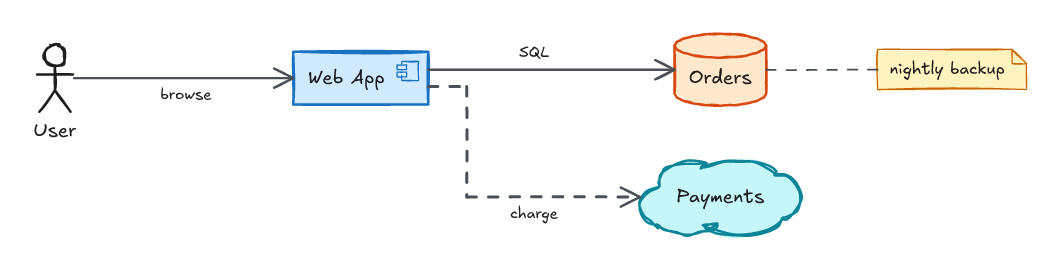 sketch | 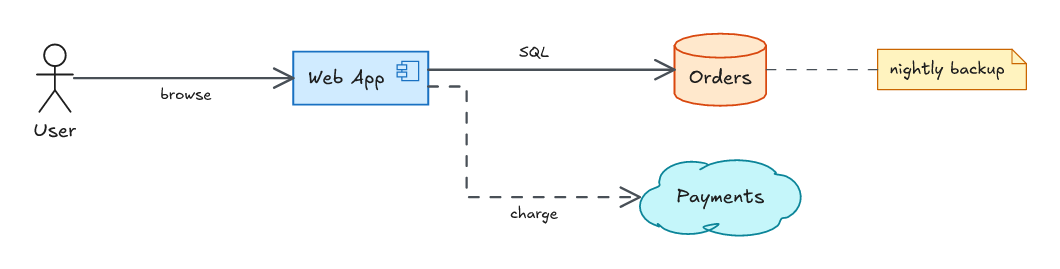 plain | 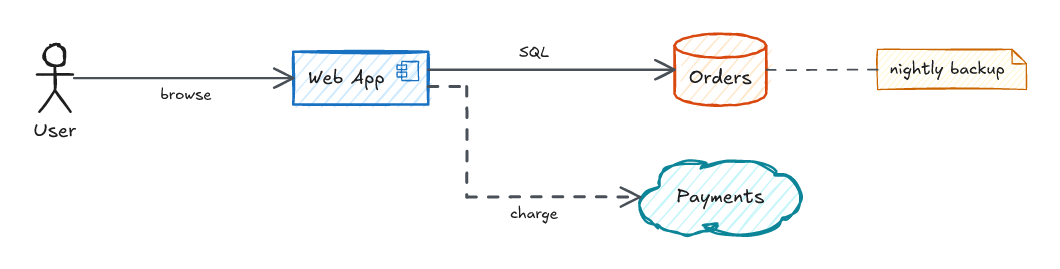 hachure |
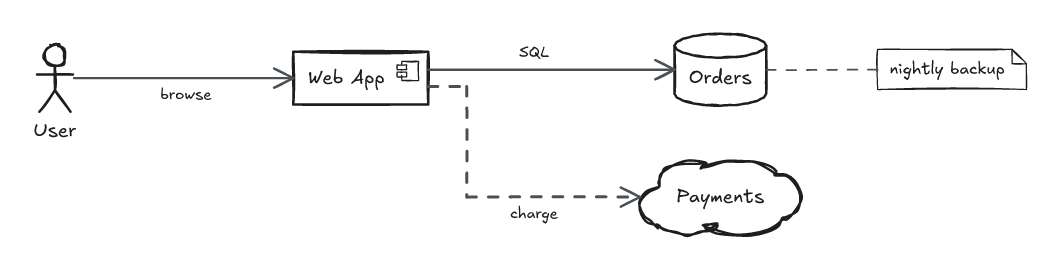 mono | 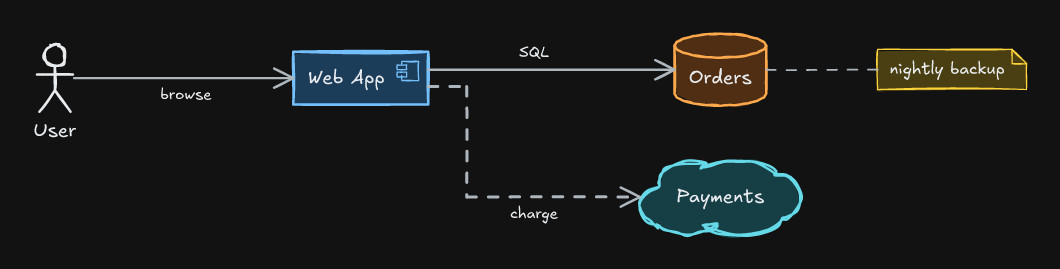 dark | 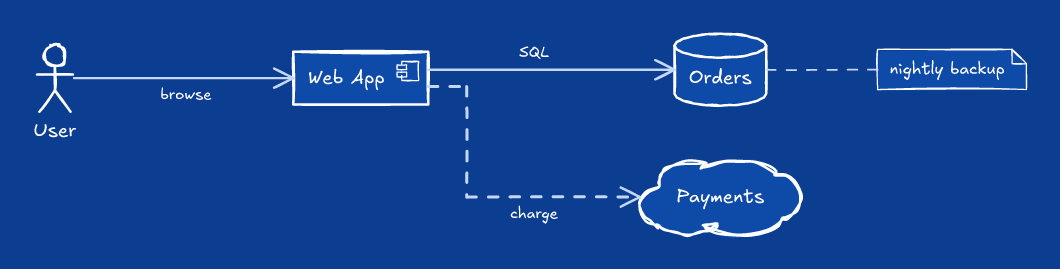 blueprint |
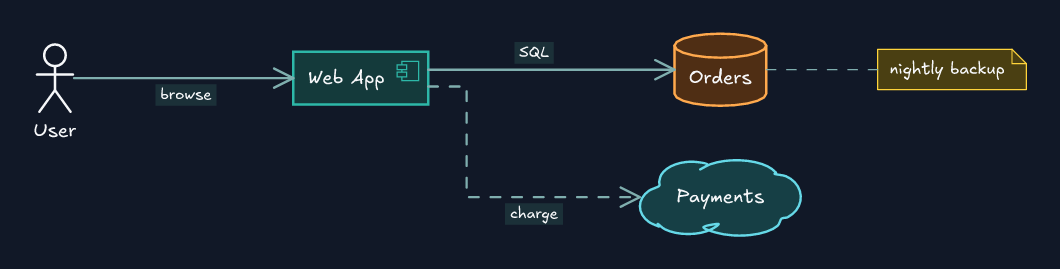 grethel-labs-dark | 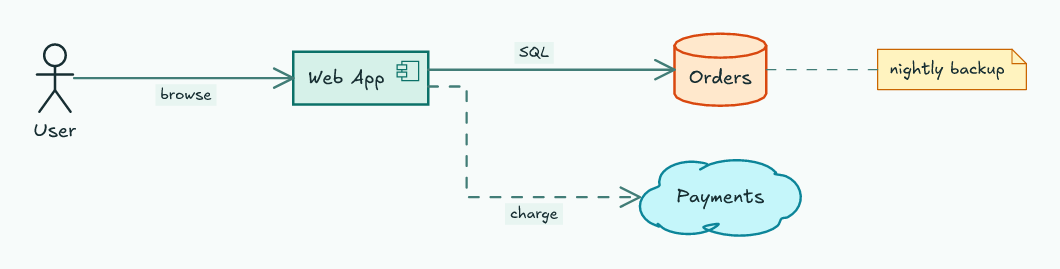 grethel-labs-light | 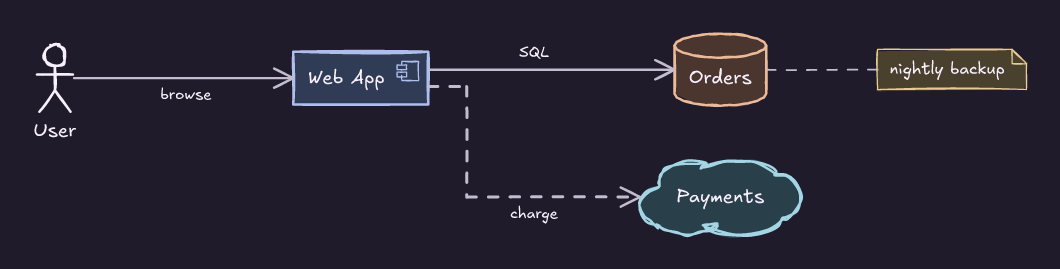 pastel-dark |
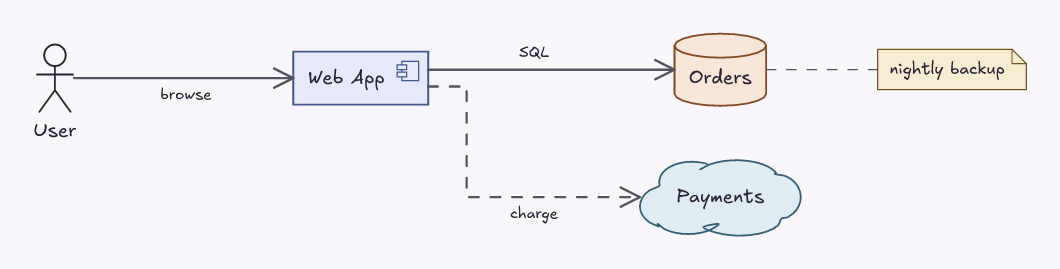 pastel-light | 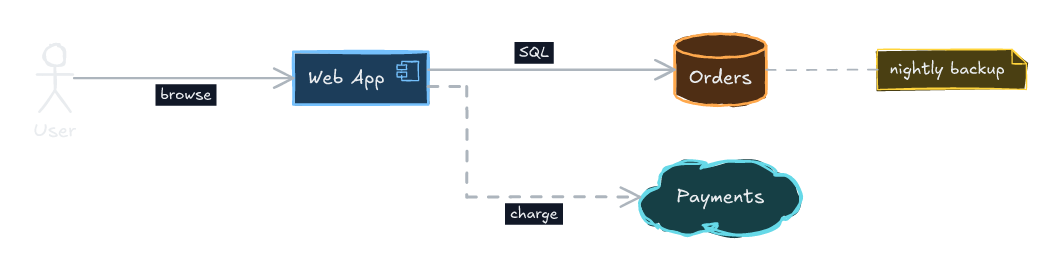 transparent-dark | 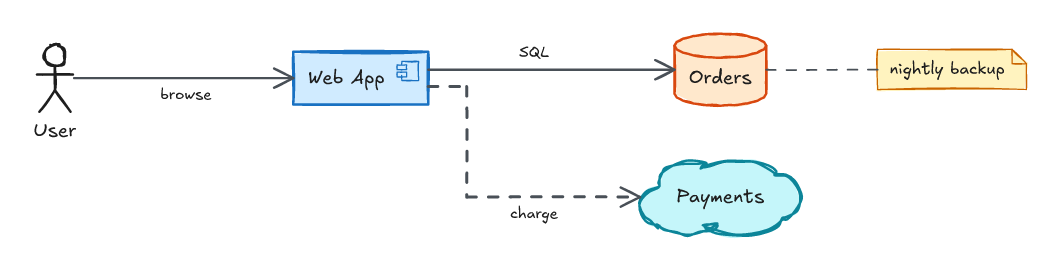 transparent-light |
Override individual colours using stable theme paths. For example, pass
{ theme: "pastel-dark", themeColors: { "roles.class.fill": "#523c64cc" } }
to render(), or set EXCALIPLANT_COLOR__ROLES__CLASS__FILL='#523c64cc'
for the CLI. Accepted values include hex colours with an optional alpha
channel and transparent. PlantUML source styles can override theme defaults.
Use transparent-light over white or off-white surfaces and
transparent-dark over ink or charcoal surfaces. These profiles let the
viewer's background show through while keeping internal diagram surfaces
available for labels and nodes.
Built-in themes live in src/draw/themes/. Run npm run themes after
editing a definition. The check resolves inheritance and verifies named
colour pairs declared in the JSON files, including transparency over each
reference backdrop. Text pairs require 4.5:1 and graphic pairs require 3:1.
API
| Export | Description |
|---|---|
render(source, options?) | Render the first (or options.block) diagram → RenderResult |
renderAll(source, options?) | Render every @start…@end block |
parse(source, options?) | Parse without layout → { kind, model, diagnostics } |
detectKind(source) | Detected diagram kind |
listDiagramTypes() | Supported kinds and their start keywords |
renderPlantUml(source) | 0.x-compatible: await → Excalidraw JSON, .toSvg(), .toPng() |
preprocessText(source, options?) | Run only the preprocessor |
DiagramRegistry, defineDiagram | Register your own diagram modules |
THEMES, THEME_NAMES, DEFAULT_LIMITS | Built-in themes and resource limits |
RenderResult has kind, name, excalidraw, diagnostics, pages, model, toJSON(), toSvg({ padding, background, embedFont, interactive }) and toPng({ width, scale, background }).
Interactive element hooks
Use the element hook specification and JSON Schema when integrating a viewer or validating hook data. Try the interactive services example in the Playground.
Put excaliplant @hook directives at the start of the diagram or newpage page,
before the diagram body. Use a unique #id, one or more reusable .classes, or
both. The alias: selector binds a graph node or sequence participant by its
PlantUML alias. An element:<id> selector targets any drawing element in any
diagram kind, including connectors and their labels. Get that ID from
result.excalidraw.elements using the same seed,
diagram block, page and drawing order. Quote aliases that contain spaces. In raw
diagram formats such as Ditaa and JSON, put a binding before its style lines.
@startuml
@hook #openOrders alias:orders .service .navigation click-mode:button
@hook alias:payments .service
@hook .service hover FontColor navy
@hook #openOrders click BackgroundColor gold
@hook #openOrders click LineThickness 3
@tooltip alias:orders "Tracks orders after checkout"
@tooltip alias:payments "Authorizes payments"
component "Orders" as orders
component "Payments" as payments
orders --> payments
@enduml
Each style line takes a property supported by excaliplant's <style> syntax,
including BackgroundColor, LineColor, LineThickness, LineStyle,
RoundCorner, FontColor and FontSize. Both states start from the diagram
and the roles.hook-hover.* and roles.hook-click.* theme defaults. Classes
override defaults in the order on the binding line, and ID styles take priority
over class styles. The default click-mode:toggle keeps the hook selected
until the next click. Use click-mode:button to trigger an action on every
activation and show the click style only while the control is held down.
Nested elements handle hover and click on the element under the pointer by
default. Add click-from-children to a parent hook binding to receive clicks
from its hooked descendants. See nested hooks for
parent resolution and the forwarded event payload.
Render the SVG with toSvg({ interactive: true }) and insert it inline into the
host page. Then use the browser entry point to enable and listen for interactions.
import { bindHooks, onHook } from "@grethel-labs/excaliplant/hooks";

const stop = bindHooks(svg);
const stopOrders = onHook(svg, "#openOrders", ({ detail }) => {
  if (detail.type === "click" && detail.active) showOrders(detail.elementId);
});
const stopServices = onHook(svg, ".service", ({ detail }) => {
  if (detail.type === "hover") reportServiceHover(detail);
});
// Call stopOrders(), stopServices() and stop() when unmounting this SVG.
The bubbling excaliplant:hook event reports hover enter and leave, toggle
selection and deselection, and button activation. A button click always reports
detail.active: true and detail.clickMode: "button". Enter and Space also
activate a focused hook.
detail.id is the optional hook ID, detail.classes lists the hook's classes,
and detail.elementId identifies the scene primitive that received the event.
Each targeted Excalidraw element includes the hook metadata and resolved styles
in customData.excaliplantHook for hosts that embed their own viewer. SVG image
embedding and PNG provide a static preview.
Element tooltips
Add a @tooltip directive before the diagram body and hover over the element
in the Playground to read the text. Tooltips work on their own or alongside
@hook directives.
@startuml
@tooltip alias:storefront "Receives customer orders."
@tooltip alias:events "Queues order events for downstream services."
component "Storefront" as storefront
component "Order events" as events
storefront --> events : publishes orders
@enduml
Use element:<id> to attach different tooltips to a connector and its caption.
Try the tooltip example in the Playground
or see the element tooltip specification.
Render options
| Option | Default | Description |
|---|---|---|
theme | "sketch" | Theme name or theme object |
sketch | theme default | false for clean strokes, true for hand-drawn strokes |
roughness | theme default | Shape roughness from 0 (clean) to 2 (very sketchy) |
edgeRoughness | theme default | Connector roughness from 0 (clean) to 2 (very sketchy) |
seed | "excaliplant" | Seed for ids and stroke wobble |
block | 0 | Block index or @startuml name |
page | 0 | Page of a newpage document |
strict | false | Throw on unrecognised lines instead of warning |
include | — | Resolver for !include returning text, { text, path }, or null |
sourcePath | — | Entry path in the include resolver's namespace |
strictIncludes | false | Fail on missing or cyclic includes |
defines | — | Predefined preprocessor variables |
date | null | Date returned by %date() (empty by default for reproducible output) |
limits | DEFAULT_LIMITS | Input size, lines, nodes, edges, elements, preprocessor budget, PNG width |
kind | auto | Force a diagram module |
registry | built-in | Custom DiagramRegistry |
Numeric roughness values override the corresponding setting from the theme or
sketch. Both accept decimals. The playground presets use 0 for Architect,
1 for Artist and 2 for Cartoonist.
CLI options
excaliplant [input.puml] [-o output] [options]

  -o, --output <file>       Output file (format from extension unless -f is given)
  -f, --format <fmt>        excalidraw | svg | png
  -t, --theme <name>        sketch | plain | hachure | mono | dark | blueprint
      --clean               Clean strokes instead of the hand-drawn look
      --width <px>          PNG width (16–16000)
      --scale <n>           PNG scale relative to the SVG size (default 2)
      --background <color>  Background colour for SVG/PNG
      --seed <value>        Seed for stroke wobble and element ids
      --page <n>            Page of a newpage document
      --all                 Render every block ("{n}" in -o is the block number)
      --project <dir>       Find and render entry diagrams in a PlantUML project
      --include-dir <dir>   Allow !include of files below <dir>
  -D, --define NAME=value   Predefine a preprocessor variable
      --strict              Fail on unrecognised lines
      --list-types          List supported diagram types
Pass a directory to discover its main diagram. Use --project <dir> --all
to render every entry, or pass a file relative to the project directory to
choose one. Markdown can also render a referenced PlantUML file with its
local includes. See Markdown includes.
Security
excaliplant is built to render untrusted PlantUML:
- No file-system or network access while rendering.
!includeonly works through a resolver you pass in. The CLI restricts local includes to the selected project or--include-dirtree. It refuses!includeurland!import. - Every text and attribute in SVG output is escaped; colours are validated; links are limited to
http(s)andmailto. - Budgets for input size, lines, preprocessor steps/recursion/loop iterations, nodes, edges, drawing elements and PNG size (see
DEFAULT_LIMITS). - Parsers are scanner-based or use bounded regular expressions; hostile inputs are covered by
test/security.test.mjs.
Please report vulnerabilities as described in SECURITY.md.
Compatibility notes
excaliplant re-implements PlantUML in JavaScript, so diagrams look different from PlantUML's output — that is the point. Layout decisions differ (ELK instead of Graphviz), sprites and <&icons> render as placeholder glyphs, and the bundled standard library covers C4 and ArchiMate only. Unknown lines are reported as warnings (or errors with strict), never silently dropped.
Development
npm ci
npm test            # node:test suite (examples, syntax, security, CLI)
npm run typecheck   # tsc --checkJs
npm run format      # prettier
npm run docs        # regenerate gallery, screenshots and this README
npm run check       # everything CI checks
Add a diagram example by dropping a .puml file into examples/<kind>/ — it becomes a test case and a gallery entry. Contribution guidelines live in CONTRIBUTING.md.
Releases are fully automated: every pull request carries one release:major|minor|patch|none label, and merging publishes the next version to npm with provenance (see docs/releasing.md).
License
MIT. Excalifont is licensed under the SIL Open Font License; see THIRD_PARTY_NOTICES.md.
AI-generated project notice: this repository was created almost entirely with AI assistance. Review the code before relying on it; the MIT warranty disclaimer applies.







