Listed from the MCP registry; nobody on Odel publishes it.
Multi Gmail
Manage multiple Gmail accounts in Claude Desktop — search, send, reply, draft, and organize.
Runs on your machine from its package; the steps are below.
What it does
- Reads
- Writes
- High impact
At most: moves money, runs code or commands, deletes data, or sends messages for you.
What it costs
FreeOdel charges nothing per call. The publisher may charge for its own service.
Runs locally over stdio
This server isn't hosted — your MCP client launches it from a package registry. Use one of the commands below, or drop the config into your client (e.g. Claude Desktop).
Run
npx -y multi-gmail-mcp
MCP client config
{
  "mcpServers": {
    "multi-gmail": {
      "command": "npx",
      "args": [
        "-y",
        "multi-gmail-mcp"
      ]
    }
  }
}multi-gmail-mcp
A Model Context Protocol (MCP) server that lets Claude Desktop manage multiple Gmail accounts simultaneously. Listed on the official Anthropic MCP registry and published on npm.
Features
- Connect unlimited Gmail accounts — personal, work, side projects
- Search any inbox using full Gmail search syntax
- Read complete emails with MIME parsing
- Send, reply in thread, and create drafts
- Organize with labels: add, remove, list, archive
- Mark as read / unread
- Tokens stored locally in
~/.gmail-mcp-tokens.db— never committed to git - Auto-refreshes OAuth tokens silently
Requirements
- Node.js >= 22.5.0
- A Google Cloud project with the Gmail API enabled
- Claude Desktop
Installation
npm install -g multi-gmail-mcp
This registers two global commands: gmail-mcp (the MCP server) and gmail-mcp-cli (account manager).
Google Cloud Setup
You only need to do this once.
- Go to console.cloud.google.com → create a project
- Enable the Gmail API (APIs & Services → Library)
- Configure the OAuth consent screen — External, add your Gmail addresses as test users
- Add scopes:
gmail.readonly,gmail.send,gmail.modify,gmail.labels - Create a Desktop app OAuth credential → download the JSON
- Save it to
~/.gmail-mcp-oauth.json
Alternatively, set environment variables in the Claude Desktop config (see below).
Authenticating Gmail Accounts
# Add accounts (opens browser for Google sign-in)
gmail-mcp-cli add personal@gmail.com
gmail-mcp-cli add work@company.com

# List authenticated accounts
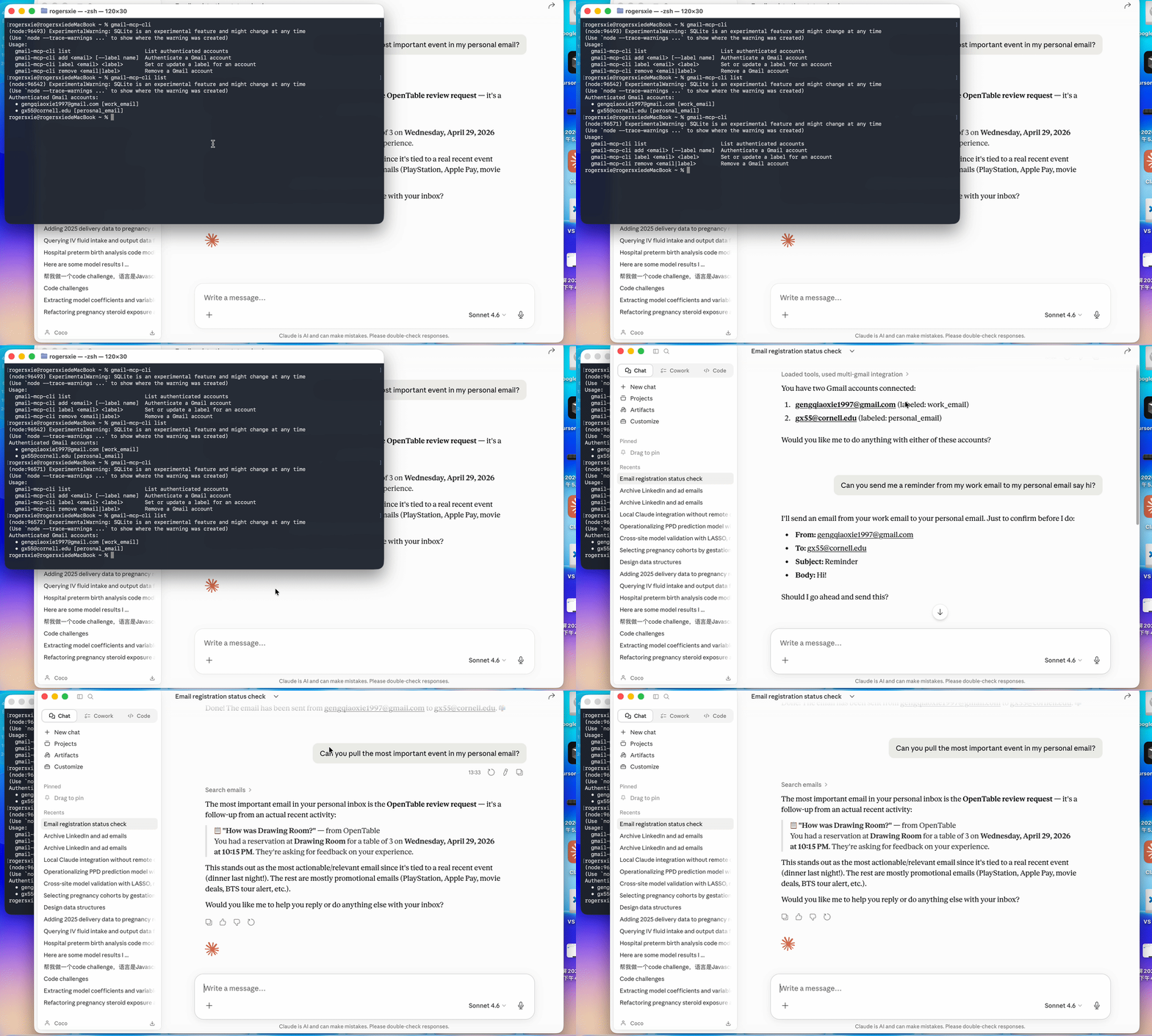
gmail-mcp-cli list

# Remove an account
gmail-mcp-cli remove work@company.com
Tokens are saved to ~/.gmail-mcp-tokens.db and refreshed automatically.
Claude Desktop Configuration
Edit ~/Library/Application Support/Claude/claude_desktop_config.json:
{
  "mcpServers": {
    "multi-gmail": {
      "command": "gmail-mcp"
    }
  }
}
If you prefer environment variables over ~/.gmail-mcp-oauth.json:
{
  "mcpServers": {
    "multi-gmail": {
      "command": "gmail-mcp",
      "env": {
        "GOOGLE_CLIENT_ID": "your-client-id.apps.googleusercontent.com",
        "GOOGLE_CLIENT_SECRET": "your-client-secret"
      }
    }
  }
}
Restart Claude Desktop after saving. Click the hammer icon to confirm 19 tools are loaded.
Available Tools
Account Management
| Tool | Description |
|---|---|
list_accounts | List all authenticated Gmail accounts |
initiate_auth | Start OAuth flow — returns a URL to open in browser |
complete_auth | Finalize auth after completing Google sign-in |
remove_account | Remove an account and its stored credentials |
Reading Email
| Tool | Description |
|---|---|
search_emails | Search with Gmail syntax (is:unread, from:, after:, etc.) |
get_email | Fetch full email content by message ID |
Writing Email
| Tool | Description |
|---|---|
send_email | Send an email (supports To, CC, BCC) |
reply_to_email | Reply in thread, preserving References headers |
create_draft | Save an email as a draft |
Organization
| Tool | Description |
|---|---|
list_labels | List all Gmail labels for an account |
add_label | Add one or more labels to a message |
remove_label | Remove one or more labels from a message |
archive_email | Remove from Inbox |
mark_as_read | Remove the UNREAD label |
mark_as_unread | Add the UNREAD label |
Example Prompts
List all my authenticated Gmail accounts.
Search my work@company.com inbox for unread emails from this week.
Reply to that email from my personal account saying I'll be there Saturday.
Send an email from personal@gmail.com to friend@example.com
with subject "Dinner plans" and body "Are you free Saturday?"
Archive everything older than a week in my side-project inbox that's already read.
Check both my accounts for emails from GitHub and summarize them.
Security
~/.gmail-mcp-oauth.jsonand~/.gmail-mcp-tokens.dblive in your home directory — outside the project, never committed.gitignoreexcludes*.db,.gmail-mcp-oauth.json, and.env- The server runs over stdio only — no network port is opened
- OAuth scopes are limited to the minimum required
See SECURITY.md for full details: token storage, network behavior, scope rationale, revocation steps, and how to report a vulnerability.
Registry
Listed on the official Anthropic MCP registry:
io.github.gx-55/multi-gmail-mcp
curl "https://registry.modelcontextprotocol.io/v0.1/servers?search=io.github.gx-55"
Project Structure
multi-gmail-mcp/
├── bin/
│   ├── gmail-mcp.js        # Entry point for the MCP server command
│   └── gmail-mcp-cli.js    # Entry point for the CLI command
├── src/
│   ├── server.js           # MCP server — all 19 tools
│   ├── gmail-client.js     # Gmail API wrapper
│   ├── auth.js             # OAuth2 flow with auto-refresh
│   ├── db.js               # SQLite token storage (node:sqlite)
│   └── cli.js              # Account management CLI
└── package.json
Troubleshooting
"No OAuth credentials found"
Make sure ~/.gmail-mcp-oauth.json exists or set GOOGLE_CLIENT_ID / GOOGLE_CLIENT_SECRET in the Claude Desktop config.
"Account not found. Authenticate it first"
Run gmail-mcp-cli add your@gmail.com before using that account in Claude.
Tools not appearing in Claude Desktop
Confirm gmail-mcp is in your PATH (which gmail-mcp) and restart Claude Desktop.
Token expired errors
Tokens auto-refresh if a valid refresh token is stored. If refresh fails, remove the account and re-authenticate: gmail-mcp-cli remove your@gmail.com && gmail-mcp-cli add your@gmail.com.