Listed from the MCP registry; nobody on Odel publishes it.
Is this yours? Claim it
House AI
The Amazon for interior design: redesign rooms, exteriors and yards from a photo, then buy the look.
One address for any MCP client. No sign-in needed on this server.
What it does
7 read7 other
Grouped by tool name. At most: creates or changes data: records, files, settings.
What it costs
FreeOdel charges nothing per call. The publisher may charge for its own service.
Tools
14 · grouped by tool name · checked 13 Nov 2026Read · 7Look things up
- search_design_styles
- get_design_style
- get_house_ai_app_link
- get_photo_upload_link
- find_furniture_and_decor
- list_my_designs
- get_my_credits
Other · 7Neither hinted nor named
- redesign_room
- redesign_exterior
- paint_walls
- change_flooring
- empty_room
- furnish_empty_room
- shop_this_look
House AI for Claude, ChatGPT, Cursor and other AI apps
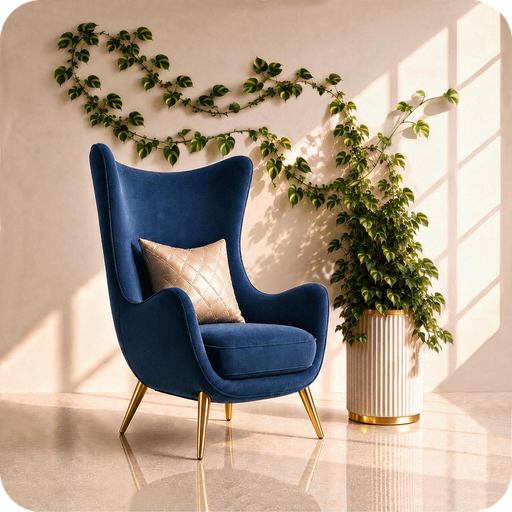
House AI is the Amazon for interior design. This repo connects it to AI assistants and coding agents through the Model Context Protocol. Share a photo of a room, a house or a yard, pick a style, and House AI shows you a photorealistic redesign of that same space. You can also preview a wall paint color or new flooring, empty a cluttered room, furnish an empty one, and find real furniture and decor like the pieces in your design.
House AI has 250k+ users in 175+ countries and is #7 on the App Store. Partner decor shops and stores list their products with House AI, so in the app you can buy what you see in your redesign in one click. In your AI assistant, House AI finds those products and links you to each store.
- Server:
https://mcp.houseaiapp.com/mcp(Streamable HTTP) - Docs: https://www.houseaiapp.com/connector
- Sign-in: your House AI account (email, Google or Apple). Designs use your House AI credits, exactly as in the app, and are saved to your House AI history. Browsing styles works without signing in.
Connect
Claude (claude.ai, Desktop, mobile)
Settings, then Connectors, then Add custom connector, and enter https://mcp.houseaiapp.com/mcp. Claude asks you to sign in the first time a tool needs your account.
ChatGPT
Open Plugins, select +, then Add custom MCP server. Enter https://mcp.houseaiapp.com/mcp, choose OAuth, and select Create as a plugin (OpenAI's steps). You can attach a room photo right in the chat.
Claude Code
As a plugin from this repo:
/plugin marketplace add Apex-Byte-Technologies/house-ai-mcp
/plugin install house-ai@house-ai-mcp
Or directly:
claude mcp add --transport http house-ai https://mcp.houseaiapp.com/mcp
Then run /mcp to sign in.
Cursor and VS Code
Use the Add to Cursor and Install in VS Code buttons on https://www.houseaiapp.com/connector, or add this server:
{ "mcpServers": { "house-ai": { "url": "https://mcp.houseaiapp.com/mcp" } } }
Codex
[mcp_servers.house_ai]
url = "https://mcp.houseaiapp.com/mcp"
Then run codex mcp login house_ai.
Gemini CLI
gemini extensions install https://github.com/Apex-Byte-Technologies/house-ai-mcp
Any other MCP client
Add https://mcp.houseaiapp.com/mcp as a Streamable HTTP server. If your client can't sign in with OAuth, create a personal API token at https://www.houseaiapp.com/app/connector and send it as Authorization: Bearer <token>.
Tools
| Tool | What it does | Sign-in |
|---|---|---|
search_design_styles | Browse interior, exterior and landscaping styles | No |
get_design_style | A style's palette, materials, furniture, lighting and decor | No |
get_house_ai_app_link | Download link for the House AI app | No |
get_photo_upload_link | A private, 30-minute photo upload page | Yes |
redesign_room | Redesign a room from a photo in a chosen style | Yes |
redesign_exterior | Restyle a house exterior or redesign a yard | Yes |
paint_walls | Preview a new wall paint color | Yes |
change_flooring | Preview new flooring | Yes |
empty_room | Remove furniture and clutter from a room photo | Yes |
furnish_empty_room | Virtually stage an empty room | Yes |
find_furniture_and_decor | Search real furniture and decor, optionally under a budget | Yes |
shop_this_look | Find products like an item in a design | Yes |
list_my_designs | Your recent House AI designs | Yes |
get_my_credits | Designs you can still make today or this plan period | Yes |
Each design uses one House AI credit. Product results link to each retailer's own site.
Try asking
- "Help me redesign my living room in a Japandi style."
- "Here's a photo of my kitchen. Show me a modern farmhouse remodel."
- "What would my house look like with white siding and a black front door?"
- "Find a jute rug under $200 like the one in that design."
Privacy, terms and support
- Privacy policy: https://www.houseaiapp.com/privacy-policy#connector
- Terms of service: https://www.houseaiapp.com/tos
- Support: https://www.houseaiapp.com/contact-us or info@houseaiapp.com
The House AI server itself is not open source. This repo holds the public connection files (Claude Code plugin, Cursor plugin, Gemini CLI extension and MCP Registry entry).
License
MIT for the files in this repo.