Listed from the MCP registry; nobody on Odel publishes it.

AIDrive
Versioned files, evidence-linked memory and governed handoffs through a local AIDrive API.
Runs on your machine from its package; the steps are below.
What it does
- Reads
- Writes
- High impact
Not assessed yet.
What it costs
FreeOdel charges nothing per call. The publisher may charge for its own service.
Runs locally over stdio
This server isn't hosted — your MCP client launches it from a package registry. Use one of the commands below, or drop the config into your client (e.g. Claude Desktop).
Distributed via cargo as `aidrive-mcp-server`.

Switch assistants. Keep the project moving.
A local shared workspace for Claude Code, Codex and OpenCode.
Versioned files. Decisions with sources. Handoffs that keep their context.





Why · Install · Quick start · Screens · How it works · Status · Reference
Warning
Experimental source preview. Initial pilot testing has been completed. Final clean-machine package acceptance remains open. ROADMAP.md records what is verified and what is not. Read Limits before you rely on it.
Important
Security fix after the pilot review (2026-11-26). The review found that any program on the computer could make itself the owner of a packaged install, and that an assistant's proposed rule could skip review. Both are fixed in v0.0.1-alpha.3 and aidrive-mcp-server 0.0.2: owner sign-in now needs a one-time link from aidrive open, and assistant rules wait for you. Do not use the older alpha.2 archives. Details: security review, P1 and P2.
Why AIDrive
Using two or three AI coding assistants on one project means each session starts cold, decisions get lost between tools, and one assistant quietly overwrites another's work. AIDrive gives them one shared, governed project state.
| Keep work safe | Carry context forward | Stay in control |
|---|---|---|
| Every write names its source version. Stale writes are refused with HTTP 409. | Handoffs and decisions cite exact sources. Changed evidence is flagged for review. | Review proposals, assign per-key roles and inspect changes in one local workspace. |
Claude Code and Codex can capture sessions in bound folders, with local redaction before storage. Messages address an exact chat, so choosing an assistant does not lose the project or session identity. Check capture and delivery limits before relying on either.
Install
Experimental packages: Windows x64 ZIP · Linux x64 tar.gz · release notes and checksums.
Extract the setup archive, open a terminal in your project folder, then run C:\path\to\AIDrive\install.cmd on Windows or sh /path/to/AIDrive/install.sh on Linux. The setup contains the programs, web UI, PostgreSQL and local installers. The installer opens the web app at http://localhost:7480, signed in; later, run aidrive open. Clean-machine pilot acceptance remains open; review Limits before use.
Build from source: you need Rust 1.92+ and Node.js for the web app; PostgreSQL 17 is bundled by the API build.
git clone https://github.com/icedracon/AIDrive.git
cd AIDrive
cargo install --locked --path apps/api          # aidrive-api, PostgreSQL 17 bundled inside
cargo install --locked --path apps/mcp-server   # aidrive-mcp-server
AIDRIVE_LOCAL_TRUST=1 aidrive-api --embedded-db # keep running
On PowerShell, first set $env:AIDRIVE_LOCAL_TRUST="1", then run aidrive-api --embedded-db. Keep local trust on loopback.
Then in each project folder: aidrive-mcp-server connect --client claude (or codex, opencode; add --capture to capture sessions) and aidrive-mcp-server install-hooks once. Web app: cd apps/web, npm ci, then npm run dev. Open http://localhost:3000 and restart your assistant to load MCP configuration. Building the release folder: bash scripts/package-release.sh. Details in docs/REFERENCE.md.
Packaged installer workflow — for a built release folder
The packaging scripts produce one folder (or zip) for Windows and Linux; final clean-machine pilot acceptance remains open. It needs no internet, admin rights, Rust, Node.js, Docker, WSL or system PostgreSQL. Open a terminal in your project folder and run its installer:
C:\path\to\AIDrive\install.cmd # Windows
sh /path/to/AIDrive/install.sh # Linux
It checks the archive against SHA256SUMS, installs aidrive and aidrive-mcp-server, starts AIDrive in the background (API, web app and PostgreSQL 17 on loopback), installs the session hooks for Claude Code and Codex, connects Claude Code, Codex and OpenCode to a space named after the folder, and opens the web app signed in. Later, aidrive open signs you in again with a one-time link (the web app never signs anyone in from a page request alone).
Commands after install
aidrive up [--project DIR] [--capture|--no-capture] [--no-connect]   # safe to re-run
aidrive open                                                            # web app, signed in (one-time link)
aidrive status                                                          # what runs where
aidrive down                                                            # stop; data stays
aidrive uninstall                                                       # stop, remove hooks and MCP entries
Data lives in %LOCALAPPDATA%\AIDrive or ~/.local/share/AIDrive. Updating: run the newer release's installer; data is kept and migrations run on start.
Quick start
- Start a session of Claude Code or Codex in the project folder. AIDrive puts a short project brief into it: project rules, approved decisions, what waits for you, where the last session stopped.
- Work as usual. The assistant reads and writes shared files with
read_fileandupdate_file, records decisions withpropose_memoryand hands work over withrecord_handoff. - Switch assistants. The next one starts from the same brief and the handoff, and sees which decisions went stale since.
- Review in the web app (port 3000 from source, 7480 in a package): the review inbox, the workspace console with each assistant's chats and transcripts, and the Map.
MCP tools (selection)
| Tool | What it does |
|---|---|
get_project_brief | Start here: rules, decisions, pending reviews, the handoff, what changed since this key's last action |
read_file / update_file / precheck_file | Versioned text files; writes must name the version read |
propose_memory / search_memory | Knowledge with evidence, stale and disputed flags, as_of history |
record_handoff / get_latest_handoff | Hand work over with exact sources |
send_message / get_messages / list_chats | Messages to one exact chat of another assistant |
search_sessions / get_session_excerpt | Search captured Claude Code and Codex sessions |
register_file / resolve_file | Index scratch files and build folders, review them later |
list_pending / decide_proposal / decide_handoff | Reviews by assistants with a medium or grand role |
The full list and their rules are in docs/REFERENCE.md.
What it looks like
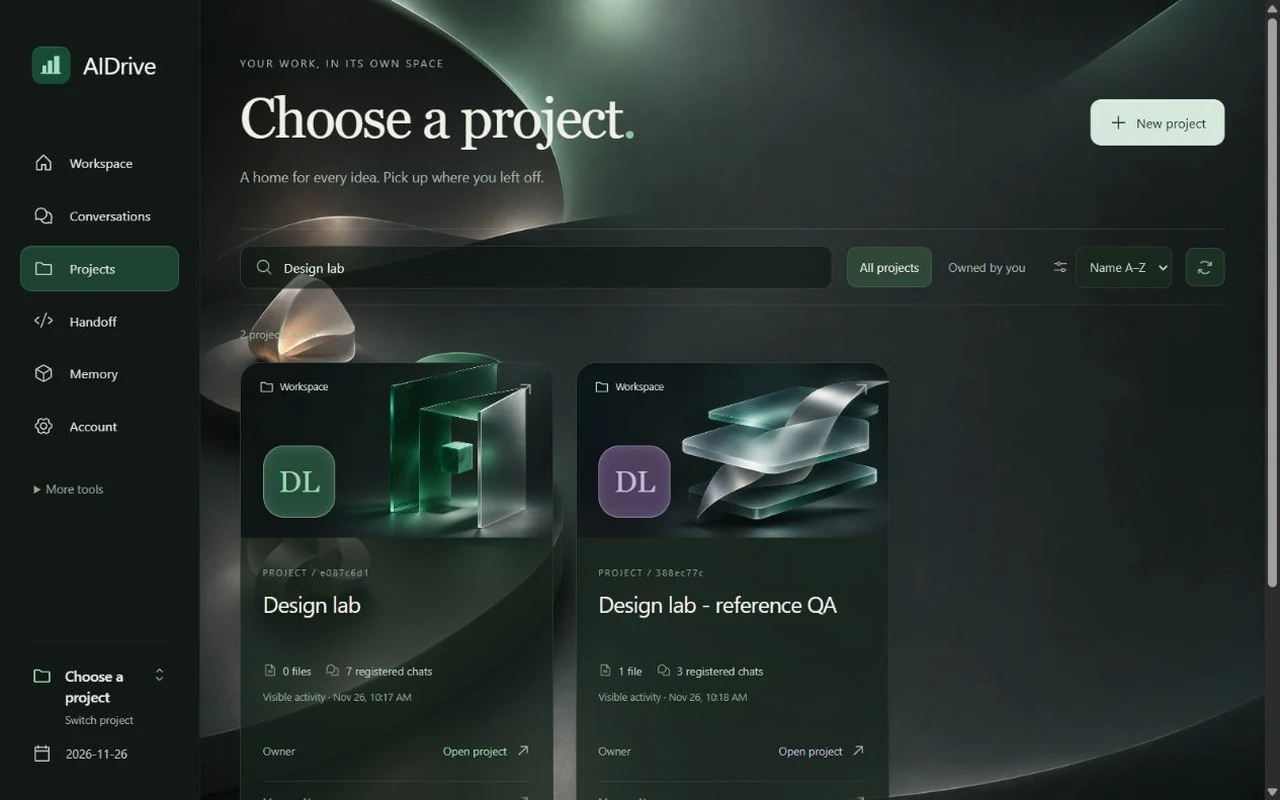
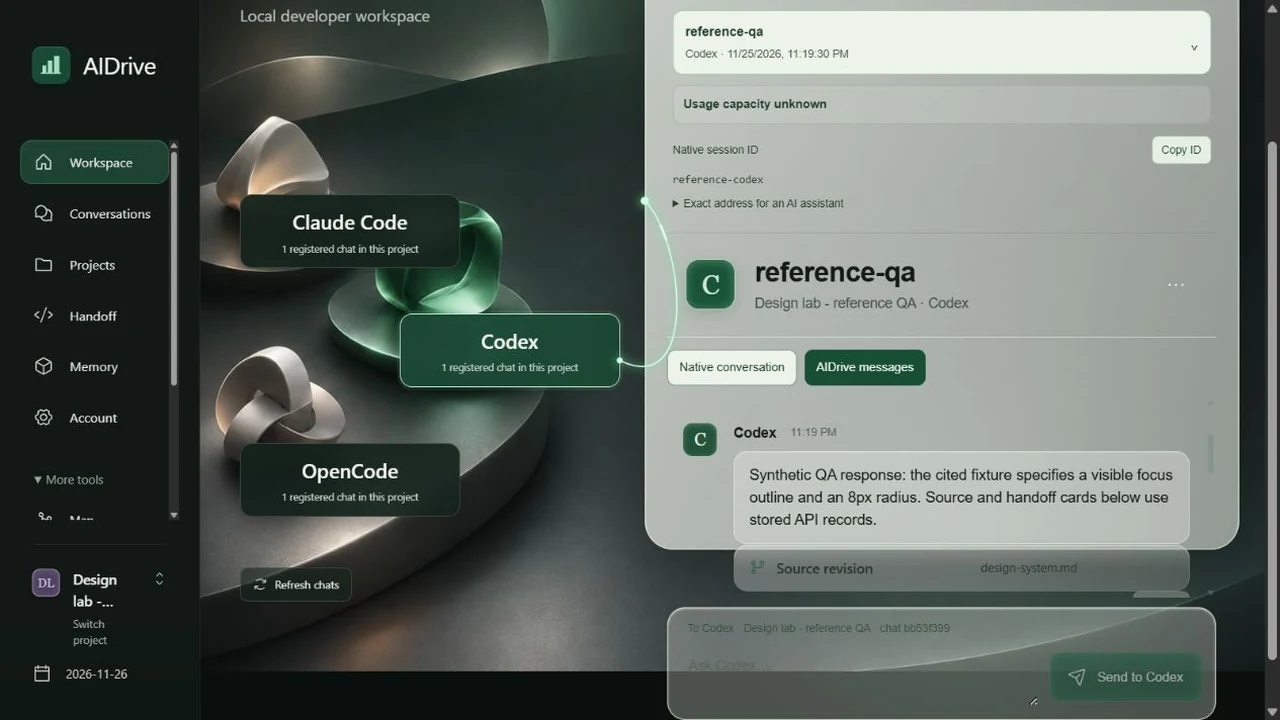
Choose the assistant, then the project and exact chat.
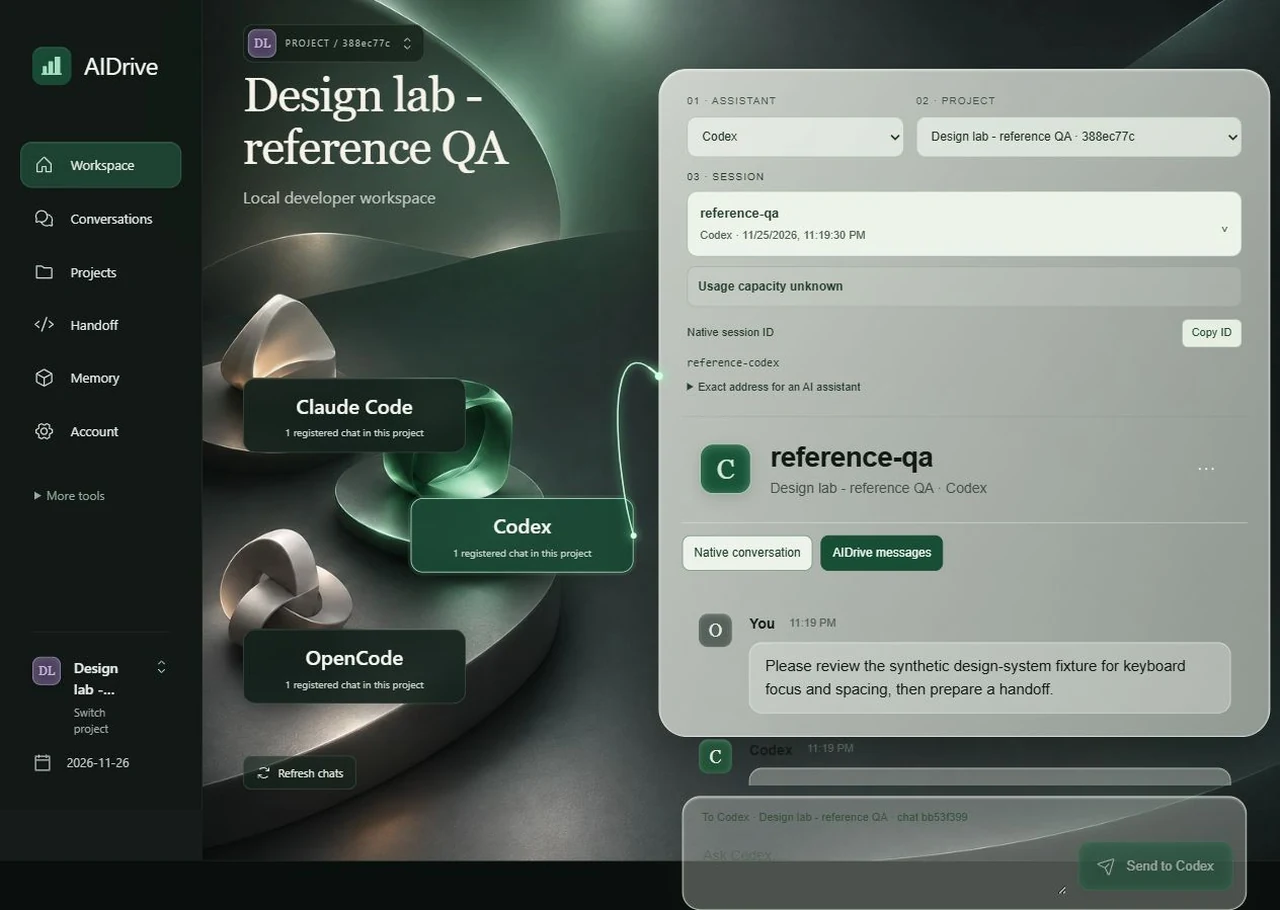
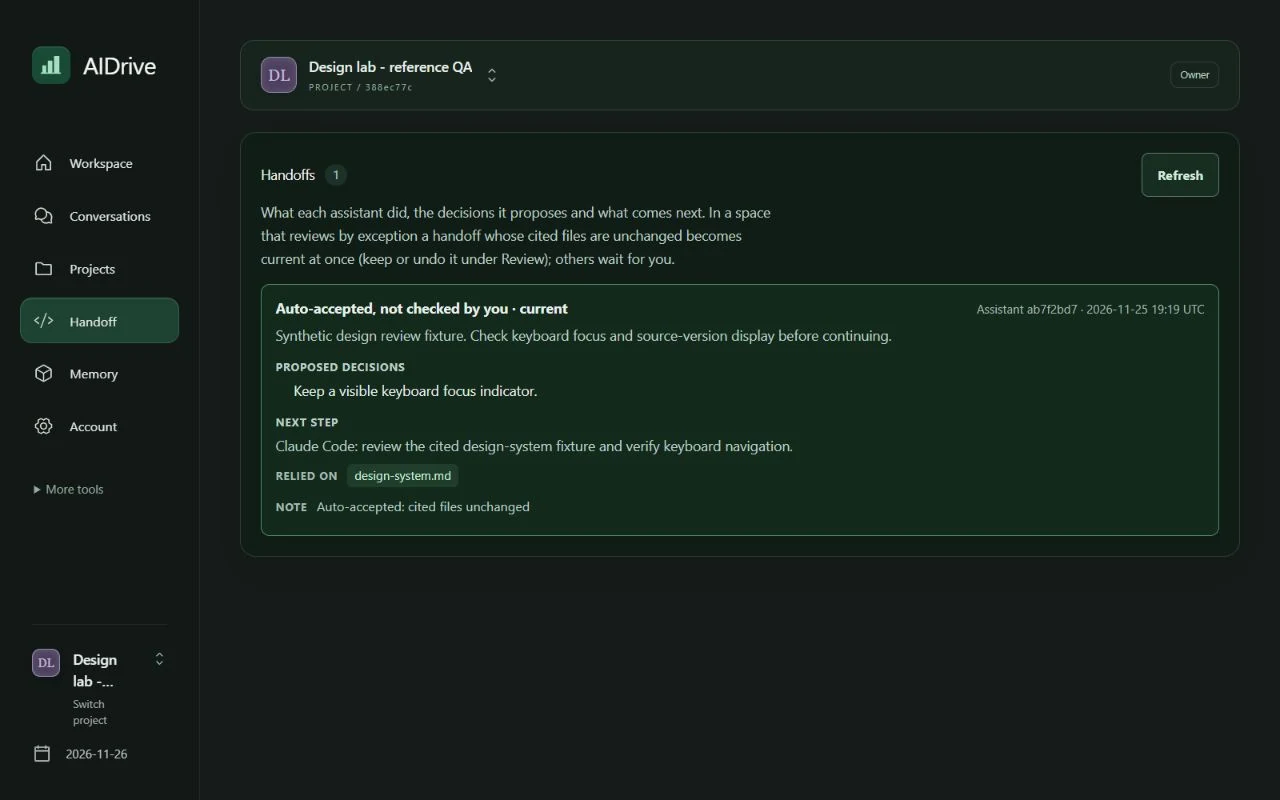
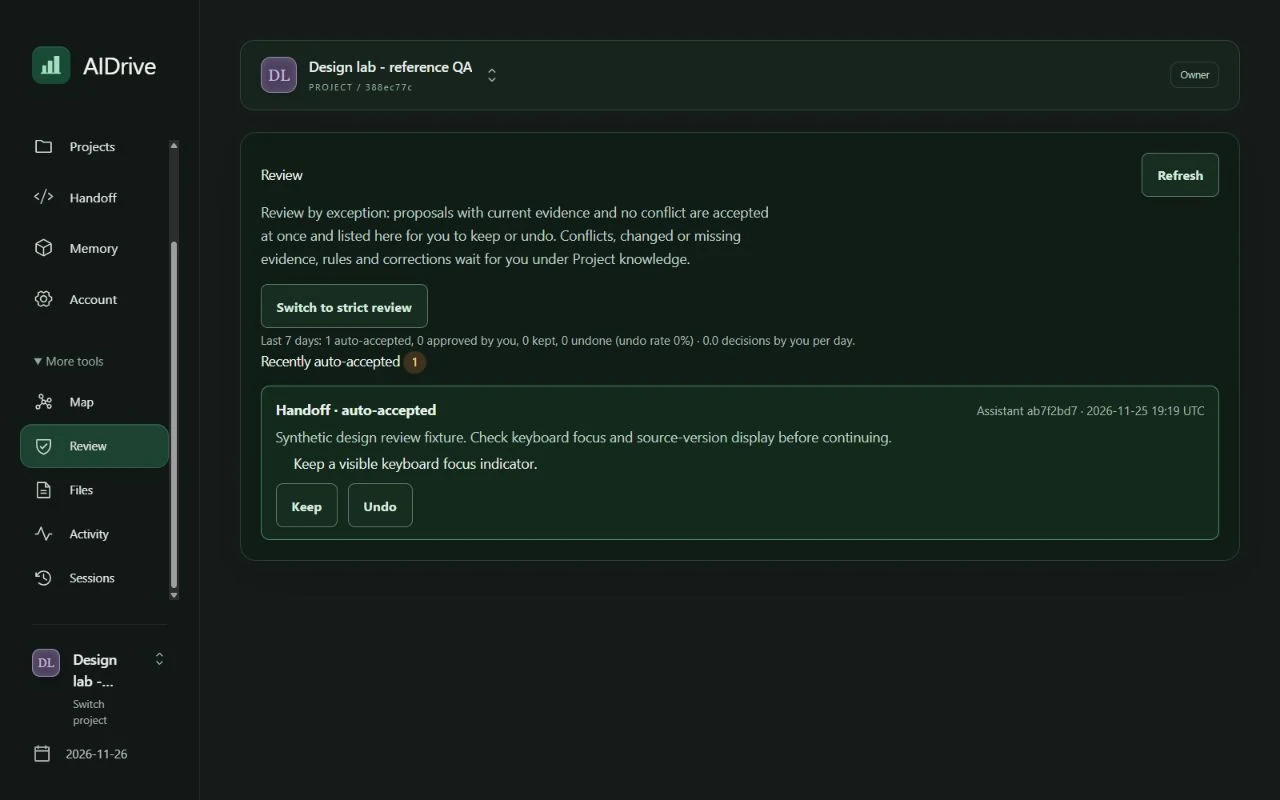
| Continue the work | Review the evidence |
|---|---|
 |  |
Explore messages, maps and captured-session search
Messages — a stored reply with its cited source. This image does not prove an idle assistant was awakened.
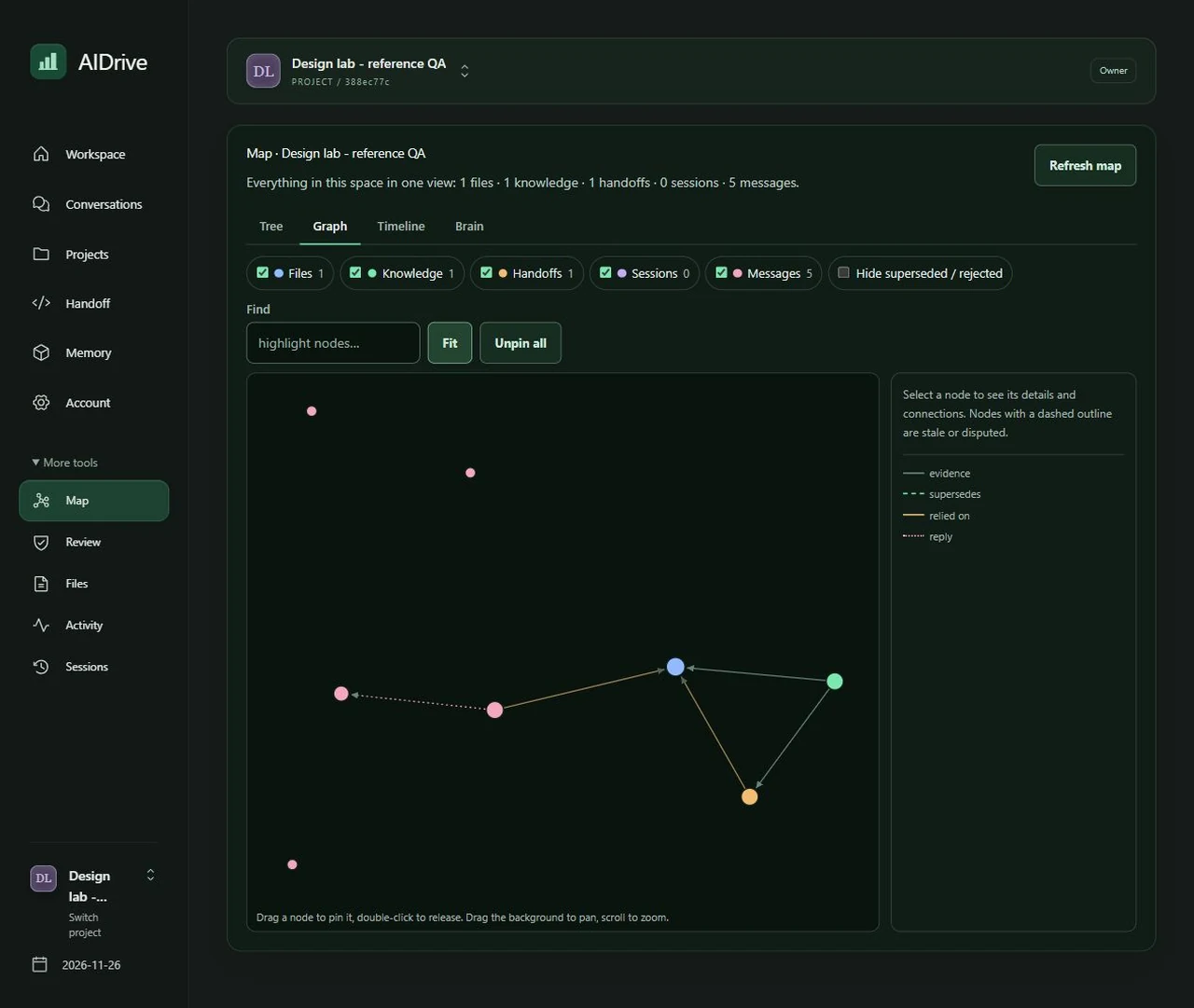
Knowledge map — relationships between files, decisions and handoffs.
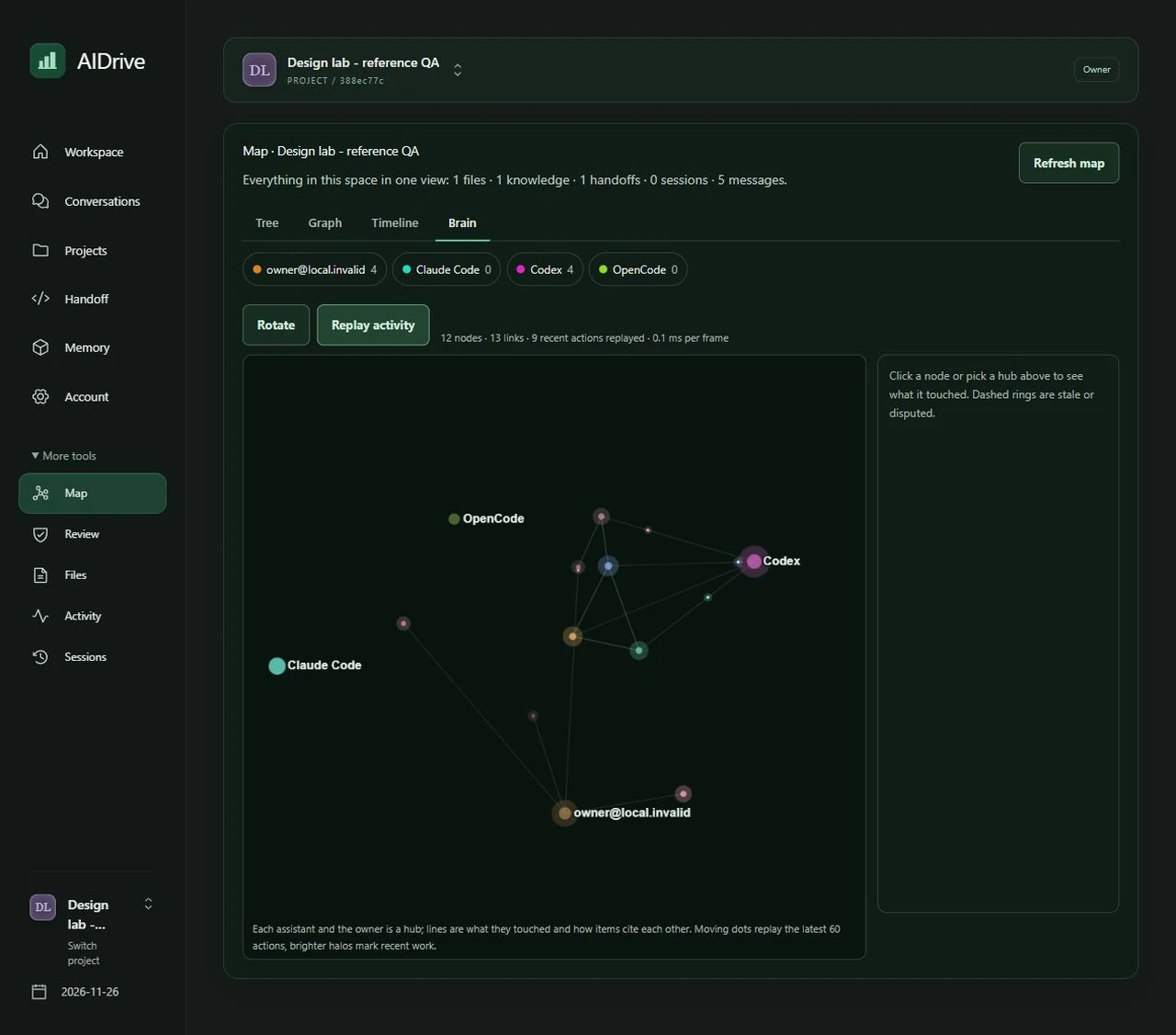
3D map — assistants and the items they touched.
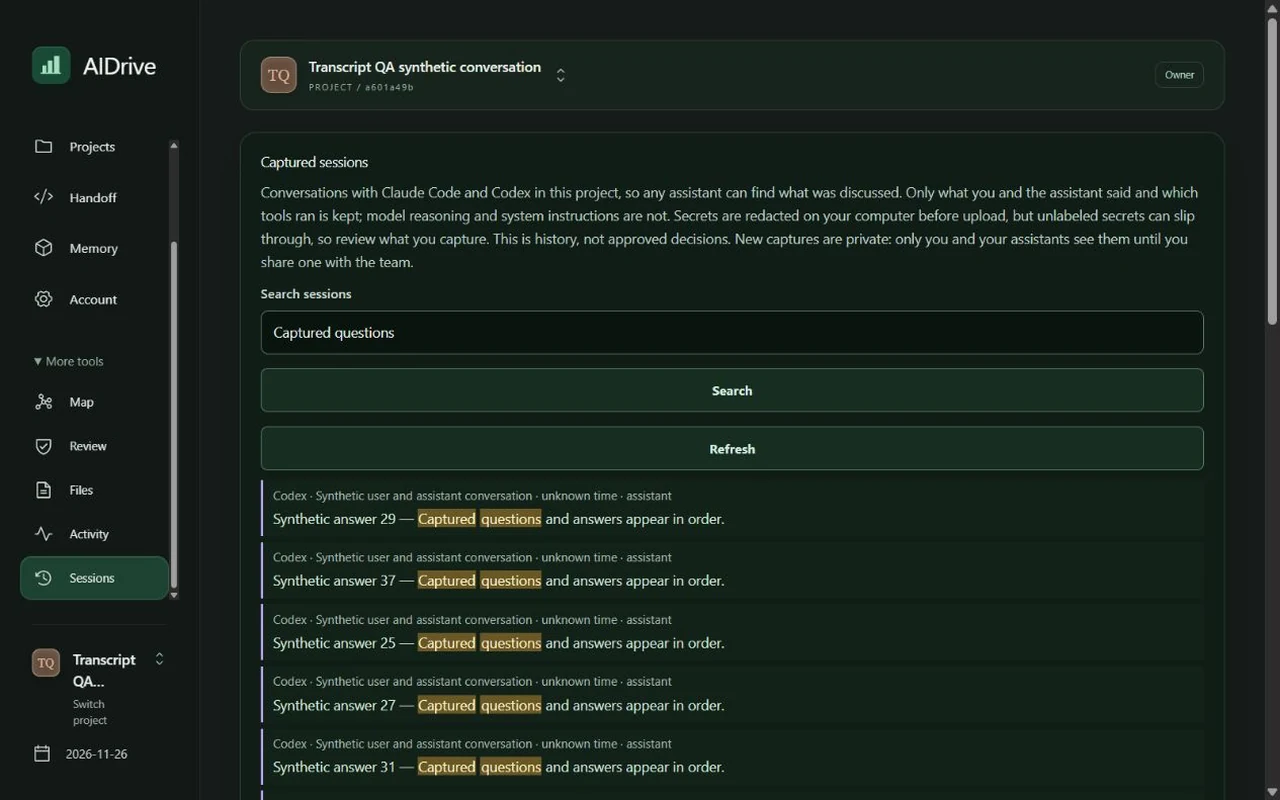
Session search — captured conversation history in English and Armenian.
All screenshots use synthetic projects on a local test install.
Watch a decision become stale when its source changes

bash scripts/demo.sh replays the terminal demonstration on a throwaway install.
How it works
 Claude Code ─┐                         ┌─ web app (owner): review inbox, console, Map
 Codex ───────┼── MCP (stdio) ── aidrive-mcp-server ── HTTP ── aidrive-api ── PostgreSQL 17 (RLS)
 OpenCode ────┘        hooks: brief at start, capture every turn            └─ bundled, loopback only
- aidrive-api (Rust, Axum) serves the HTTP API and the web app. Every write goes through
app.*SQL functions; row-level security decides who sees what. - aidrive-mcp-server is the MCP server each assistant runs, plus the hooks and a small background watcher that capture sessions in bound folders every minute.
- Roles: low (
files:write) reads, edits, proposes and hands off; medium (review:accept) also decides other assistants' proposals and handoffs, never its own; grand can do what the owner does with project state. No role issues keys or decides private items.
Architecture, database and threat model: docs/ARCHITECTURE.md, docs/DATABASE.md, docs/THREAT_MODEL.md.
Status
- Versioned shared files with stale-write refusal
- Knowledge and handoffs with evidence, staleness, review modes and
as_of - Automatic capture of Claude Code and Codex sessions in bound folders (redacted locally)
- Messages to exact chats, assistant roles, file index with review dates
- One-folder install for Windows and Linux with bundled PostgreSQL
- Initial pilot testing completed
- Pilot security review: owner sign-in and assistant-rule findings fixed
- Final clean-machine package acceptance
- Semantic search (measured, not enabled)
- Waking an idle Codex thread (not supported by the current integration)
- macOS release, hosted or multi-user deployment
Limits
- Local only: loopback by default; no hosted or multi-user deployment.
- Text files (
.md,.txt) up to 256 KiB. - Search is lexical (PostgreSQL full text, English and Armenian); semantic search was measured and is not enabled.
- Content written by other assistants is data and can still mislead a model.
- OpenCode sessions are not captured; there the assistant writes a note and a handoff.
- Windows with the Claude desktop app (an MSIX package): files that programs started from it write under
%APPDATA%and%LOCALAPPDATA%land in the app's package folder, so they and other apps (Codex, OpenCode, the logon watcher) can see different AIDrive programs and profiles. Install from a normal terminal, not from inside Claude desktop. If one Codex chat is captured under two profiles, the second is refused (HTTP 422) until one capture identity is used.
Data and privacy
AIDrive itself stores everything on your computer and sends nothing anywhere. The assistants you connect are a different matter: whatever they read from AIDrive becomes part of their context and goes to their model provider, as anything else they read does. Captured sessions are redacted locally before they are stored, private to you and your assistants by default, and you can delete any of them. Capture happens only in folders you bind and only after you agree. See SECURITY.md and docs/SECURITY-REVIEW-2026-11.md.
Contributing
See CONTRIBUTING.md. Report security issues as described in SECURITY.md.
MCP Registry
Find AIDrive in the Glama MCP directory. Directory listing does not establish automated inspection or pilot acceptance.
- MCP Registry name:
mcp-name: io.github.icedracon/aidrive - Published: Official MCP Registry, version 0.0.1 and aidrive-mcp-server on crates.io (now 0.0.2, with the security fix). server.json records the package and stdio launch command.
- Install the MCP client with
cargo install --locked aidrive-mcp-server --version 0.0.2(requires Rust 1.92+). The Windows/Linux setup archives above provide the full application without a Rust toolchain. - Registry installation supplies the MCP client only. Start the local API separately and provide its URL, workspace ID and a scoped agent key. The regular
connectworkflow above manages profiles for supported assistants.
License
Licensed under either of Apache License, Version 2.0 or MIT license at your option. Unless you explicitly state otherwise, any contribution intentionally submitted for inclusion in AIDrive by you, as defined in the Apache-2.0 license, shall be dual licensed as above, without any additional terms or conditions.







