Listed from the MCP registry; nobody on Odel publishes it.

loci
Cross-session memory and hybrid RAG over your notes and docs. Local-first, with cited answers.
Runs on your machine from its package; the steps are below.
What it does
- Reads
- Writes
- High impact
At most: creates or changes data: records, files, settings.
What it costs
FreeOdel charges nothing per call. The publisher may charge for its own service.
Runs locally over stdio
This server isn't hosted — your MCP client launches it from a package registry. Use one of the commands below, or drop the config into your client (e.g. Claude Desktop).
Run
uvx loci-rag
MCP client config
{
  "mcpServers": {
    "loci": {
      "command": "uvx",
      "args": [
        "loci-rag"
      ]
    }
  }
}

English · 简体中文 · 繁體中文 · 日本語 · 한국어




Turn scattered notes, project docs and agent memories into a knowledge base you can search and ask questions about — as an MCP server, from your terminal, or in the browser.
loci combines vector search with BM25 and returns answers with file > section citations. Your files and index stay on your machine. Embedding and chat requests go to the providers you configure; local endpoints can keep the entire workflow offline.
MCP is the point. Mount loci-mcp in Claude Desktop, Cursor, Cline or any other MCP host and your assistant gets the whole knowledge base as tools. The console and a desktop shell are alternate front-ends to the same index — you never need them.
Quick start · MCP setup · Web console · Usage guide · 中文说明
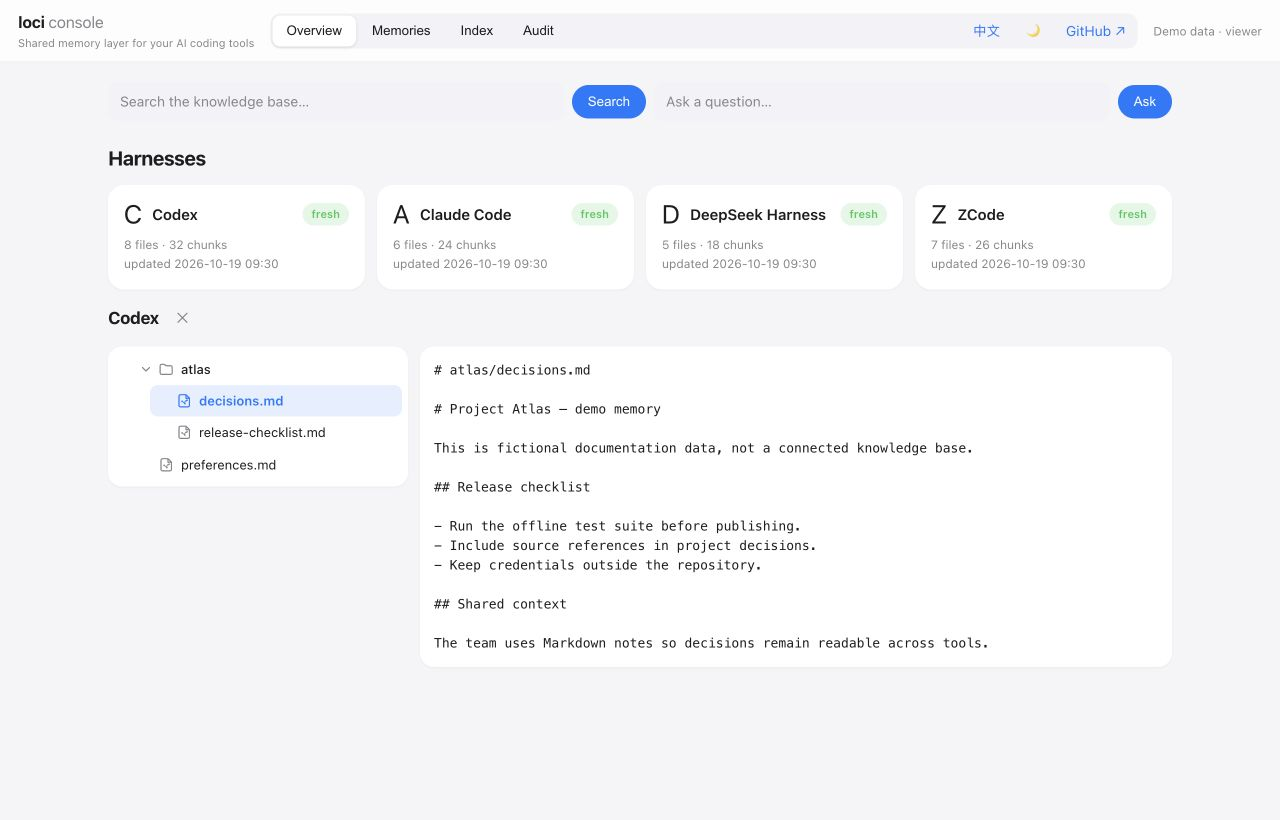
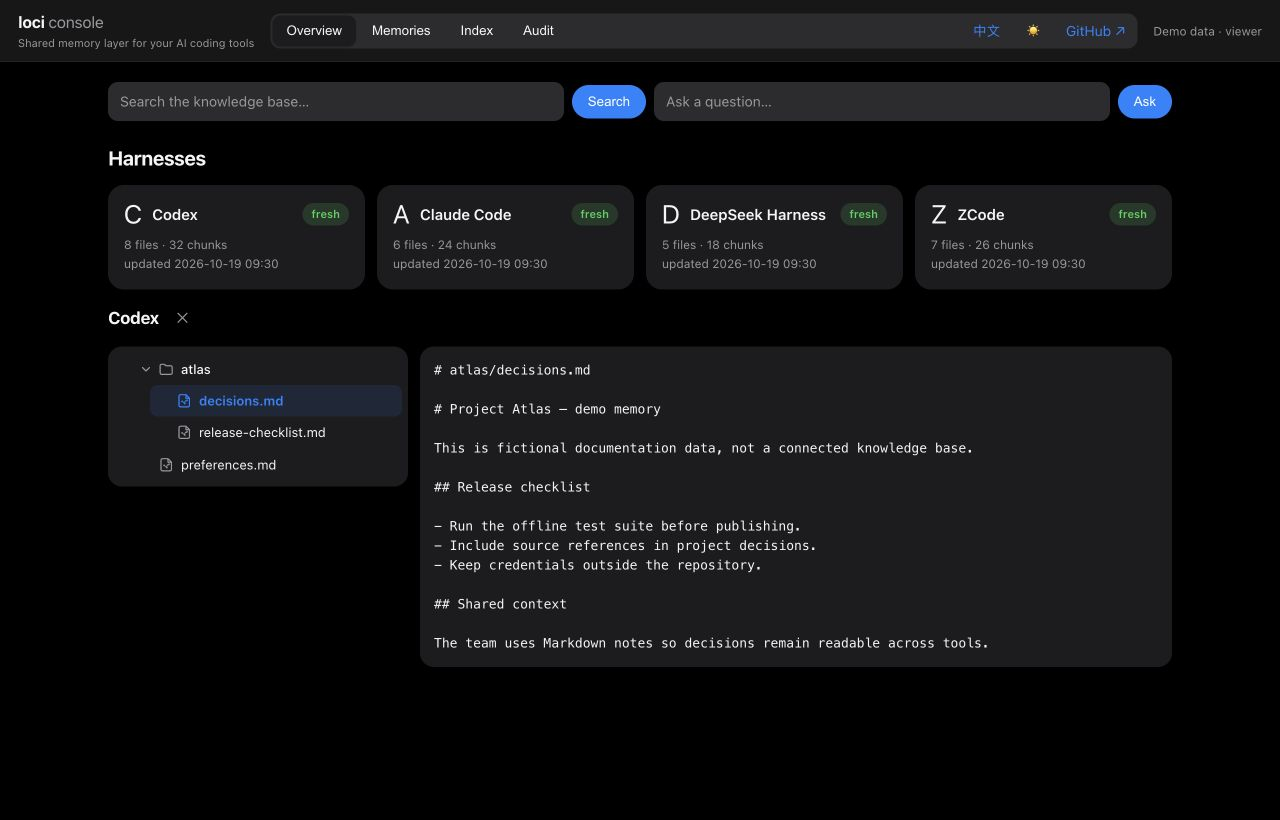
Actual console UI with fictional demo data. No personal knowledge base, account or API key is connected; counts are illustrative.
Dark theme preview
What you can do
| Need | How loci helps |
|---|---|
| Find a decision buried in your notes | Hybrid search across directories, with tag, path and date filters |
| Search for an exact identifier | Literal matching for user_id, api/v2, SHT45 — a symbol does not have to win a semantic ranking |
| Know whether a decision still applies | loci history walks the supersession chain: what replaced it, and when |
| Ask a question and check the evidence | Answers cite source sections; optional claim-by-claim verification |
| Carry context between AI tools | MCP tools share one instance; durable memories are Markdown files |
| See what each coding agent remembers | Harness discovery, file browsing, per-tool stats and digest notes |
| Manage the knowledge base visually | Built-in Web console for search, Q&A, memories, indexing and audit |
| Resume a task exactly where it left off | Structured state by exact key (brain_state_save / brain_state_get) — no ranking in the way |
| Prune memory with evidence instead of vibes | Memory health: citations, corrections and age per note (loci memory-health) |
Markdown, text, HTML, org-mode and chat exports work out of the box. Optional extras add PDF, Word and OCR support. Keep using your existing note editor or Obsidian vault.
What belongs where
Three kinds of "memory" fail differently, and mixing them is the classic misuse:
| Kind | Lives in | Retrieved by | Right for | Wrong for |
|---|---|---|---|---|
| Free-text knowledge | memory notes (brain_remember) | hybrid retrieval | "what do we know about X" | exact resume of a task |
| Structured state | state/<type>/<key>.json (brain_state_save) | exact key, no ranking | task snapshots, entity records, slot state worth persisting | prose you might want to fuzzy-find |
| Live dialogue slots | the host agent's session | the host's own context | this turn's variables | anything you expect to survive the session |
Rules of thumb:
- If retrieval returning a similar but wrong record would be a bug, it is
state — key it and fetch exactly (
brain_state_get type=task key=8f3c). - Real-time slot values change every turn; do not put them in the vector store. Persist the ones worth keeping across sessions as state records.
- Prose that a future question might phrase differently is knowledge —
brain_rememberit, and let ranking do the work.
State records are plain JSON, hand-editable, and deliberately not indexed into vectors: that is the boundary, not an omission.
Decision history
A decision note edited in place loses the fact that something replaced it. Two
frontmatter keys keep that visible, and loci history walks the chain:
---
supersedes: use-staging      # the note this one replaces
effective: 2026-03-01        # when this one took effect
---
loci history use-staging
# decision history, oldest first:
#   1. use-staging (effective 2026-01-05)  → superseded by
#   2. staging-exception (effective 2026-03-01)
# current decision: staging-exception (effective 2026-03-01)
loci ask marks excerpts from superseded notes in the context it sends to the
model, so an answer does not quote last quarter's decision as current policy —
and it tells you how many excerpts were affected.
Memory health
Every search or answer that uses a memory note is ledgered (citations.jsonl
in the instance directory). loci memory-health joins that with feedback
(loci feedback bad — which also sinks the rated chunks in later retrieval)
and age, and flags notes worth looking at:
$ loci memory-health
12 memory note(s), most-cited first
cited  corr  age(d)  last-cited  flags  file
   17     0     41.2        0.3  -      20260920-103000-deploy-policy.md
    0     2     63.8         -     corrected  20260830-090000-old-strategy.md
    0     0     51.4         -     never-cited  20260901-120000-random-idea.md
corrected = rated bad after being used; never-cited = old and unused.
Both are candidates for brain_forget — with evidence, not vibes. loci sees
tool calls, not your conversation, so corrections reach it only through
explicit feedback; the report never silently rewrites retrieval.
Quick start
Try it first, with nothing configured
pip install loci-rag
loci demo
loci demo copies six fictional notes into ./loci-demo-notes, chunks them and
answers three example questions — cited down to file > section — with no
config.toml, no API key and no network. It is keyword-only (BM25, the same
ranking hybrid search fuses with vector hits), which is exactly the point:
something runs before you commit a key. Add [embed] later and the same index
goes hybrid.
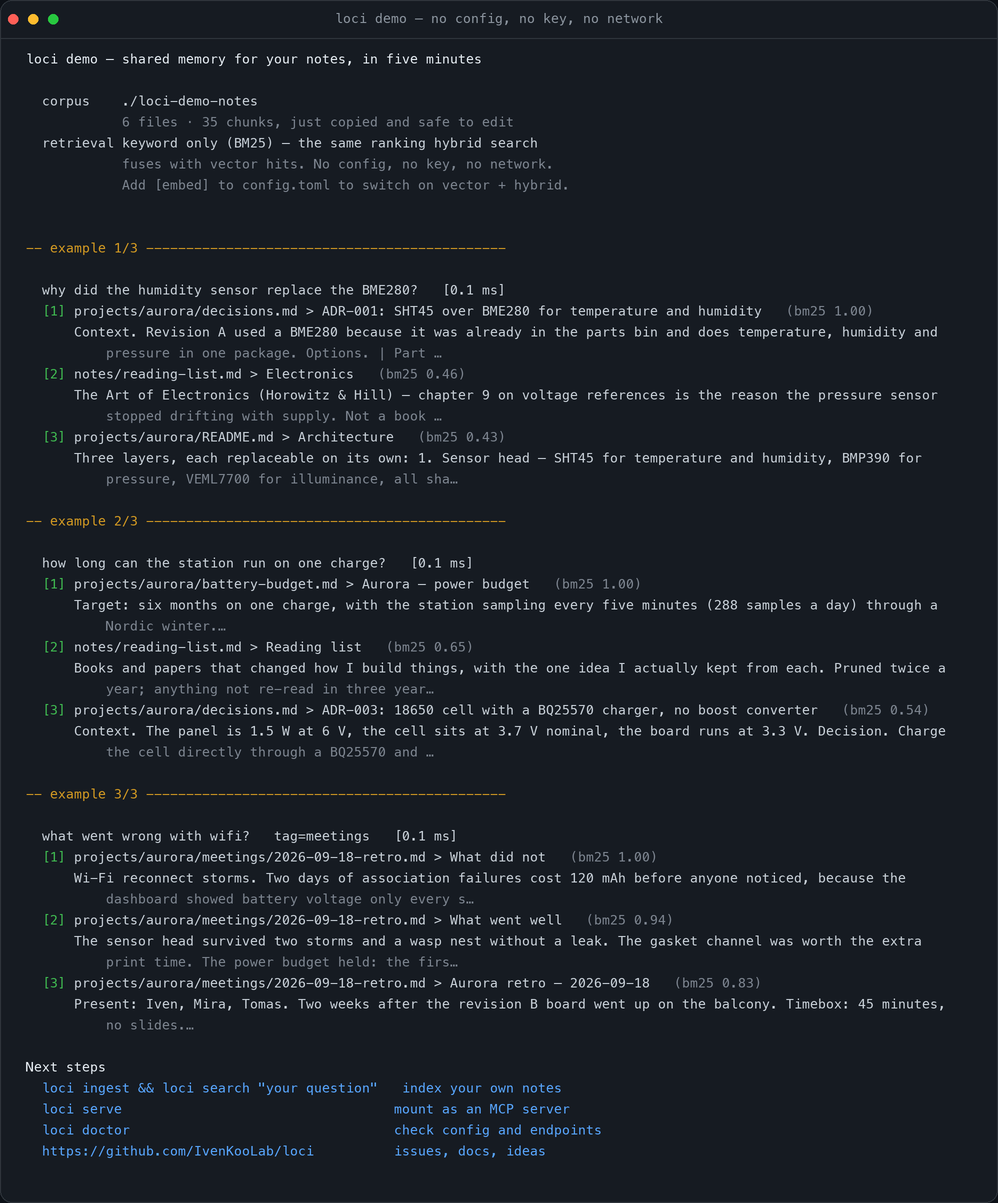
Actual loci demo output on the bundled sample notes; paths shortened, timings vary.
Index your own notes
Requires Python 3.11+. Start from source so the example configuration is available:
git clone https://github.com/IvenKooLab/loci.git
cd loci
python -m pip install -e .
cp config.example.toml config.toml
Edit config.toml: fill in [llm] and [embed], and change [[sources]].path to your notes directory. The embedding endpoint must support /embeddings; chat and embeddings may use different providers.
loci ingest
loci search "deployment decisions"
loci ask "What did we decide about deployment, and why?"
Already have a configuration? Install the package with python -m pip install loci-rag and set LOCI_HOME to your instance directory. For optional document support, use python -m pip install 'loci-rag[pdf,docx]'.
API keys can be supplied through
BRAIN_LLM_API_KEYandBRAIN_EMBED_API_KEY. After changing the embedding model, rebuild withloci ingest --force.
Using Obsidian? See the vault setup, privacy and compatibility guide.
Web console
loci serve-http
Open 127.0.0.1:8765/ui to browse harness memories, search, ask questions, edit shared notes and inspect indexing activity. Clicking a search result opens an evidence pane with the passage it was cut from — the file > section citation, checkable without leaving the console. The console includes Chinese/English and light/dark switches; no frontend build is required.
By default, anonymous loopback clients have admin access. Behind a reverse proxy or SSH tunnel, set [http] local_admin = false and configure role-based tokens. See access control.
For DeepSeek Harness, loci-dsh brings search, Q&A and memory capture into the Harness workbench through the same HTTP backend.
Connect your AI tools
Point each MCP client at the same LOCI_HOME so they share the same config, index and memory files:
{
  "mcpServers": {
    "loci": {
      "command": "loci-mcp",
      "env": { "LOCI_HOME": "/absolute/path/to/your/loci-instance" }
    }
  }
}
Use an absolute executable path if your client cannot find loci-mcp. The instance directory must contain your config.toml.
| MCP tools | Purpose |
|---|---|
brain_search · brain_ask | Retrieve excerpts or get cited answers |
brain_remember · brain_forget | Store or retract durable memories |
brain_state_save · brain_state_get · brain_state_list · brain_state_delete | Exact-key structured state (task snapshots, entity records) |
brain_memory_health | Which memory notes are cited, corrected, or dead weight |
brain_links · brain_graph | Explore note links and extracted relations |
brain_wiki · brain_harness | Consolidate knowledge and inspect agent memories |
brain_governance · brain_quality | Lifecycle scan (superseded / duplicate / stale notes) and retrieval-quality drift |
brain_stats · brain_ingest | Inspect and refresh the index |
The server also exposes note resources and briefing, study-plan and contradiction-check prompts. See the MCP guide for details.
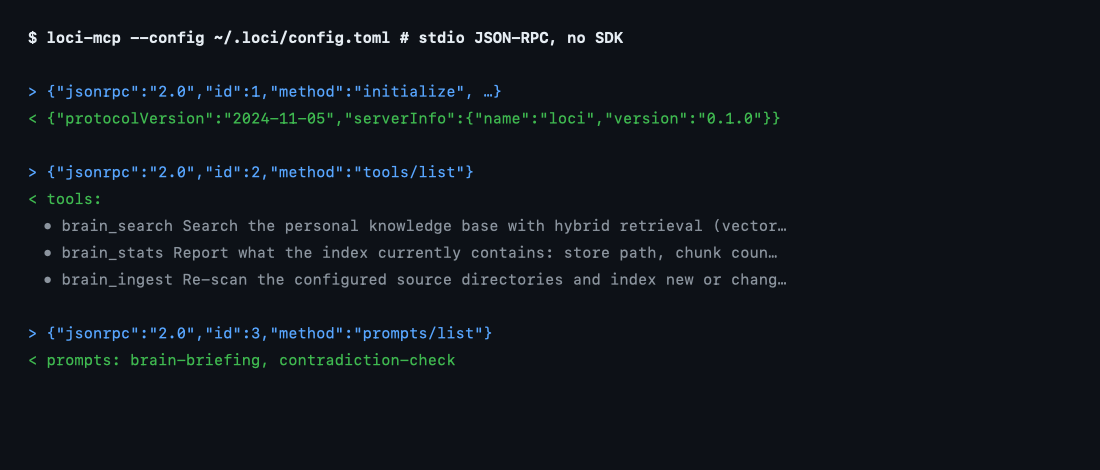
Actual loci-mcp output: initialize, tools/list and prompts/list on the real binary.
Native build (Rust)
The same retrieval pipeline and MCP surface, with no Python runtime to install — one binary, and the index is a single SQLite file instead of a database directory:
cargo build --release -p loci-cli     # in native/
./target/release/loci-mcp --config ~/.loci/config.toml
./target/release/loci gui             # the same console, served natively
Status: retrieval, a subset of MCP tools, harness discovery, migration and the
console are ported. Harness file browsing and digest generation remain
Python-only. See
native/ for what is ported and the fidelity tests that pin it
(chunking, the frozen default tokenizer, the CJK bigram decoy case, RRF, and
incremental ingest).
The two builds keep separate store formats (SQLite vs ChromaDB directory),
but they exchange data: export from Python with loci export, import in the
native build with loci import, which refuses to mix embedding spaces unless
you pass --force.
A small daily workflow
loci watch                            # keep changed documents indexed
loci remember "Use staging for demos" --title "Demo environment"
loci search "demo environment" --tag memory
loci ask "How should I prepare a demo?" --verify
loci harness                          # inspect detected agent memories
loci forget "demo environment"         # retire a memory: file to .trash, out of the index
Indexing is incremental. Notes stay readable as Markdown. For multiple machines, sync source files and memory notes, then rebuild each local index; keep credentials out of the repository.
See a retrieval session

The usage guide includes the original bilingual retrieval example and a small evaluation you can rerun against your own corpus.
Documentation
| Guide | Covers |
|---|---|
| Usage guide / 中文指南 | Commands, filters, harness setup, access control and local models |
| Configuration example | Provider settings, source directories and runtime options |
| Architecture | Modules and the retrieval pipeline |
| Changelog · Roadmap | Released changes and planned work |
| Contributing | Development conventions and offline testing |
loci uses the OpenAI-compatible SDK and ChromaDB, with no LangChain or LlamaIndex dependency. BM25, loaders and the MCP transport are implemented in the project.
python -m pip install -e '.[dev,pdf]'
pytest  # offline tests; no API keys required
Find loci on Glama, ModelScope and awesome-mcp-servers. Source: GitHub. Licensed under MIT.







