Listed from the MCP registry; nobody on Odel publishes it.
Deprecated. Deprecated by the publisher: Renamed: use io.github.j0hanz/filesystem-mcp




Filesystem Context
🔍 Read-only MCP server for secure filesystem exploration, searching, and analysis
Runs on your machine from its package; the steps are below.

What it does
- Reads
- Writes
- High impact
At most: moves money, runs code or commands, deletes data, or sends messages for you.
What it costs
FreeOdel charges nothing per call. The publisher may charge for its own service.
Runs locally over stdio
This server isn't hosted — your MCP client launches it from a package registry. Use one of the commands below, or drop the config into your client (e.g. Claude Desktop).
Run
npx -y @j0hanz/filesystem-context-mcp
MCP client config
{
  "mcpServers": {
    "filesystem-context": {
      "command": "npx",
      "args": [
        "-y",
        "@j0hanz/filesystem-context-mcp"
      ]
    }
  }
}
Filesystem MCP
Let your AI assistant work with your files, safely.
Read, search, edit, and patch files in the folders you choose.
Secret files stay hidden, and risky changes wait for your OK.








Real sessions with a real model, except the web client demo. The apply? prompt comes from the example gatekeeper client, not the server.
Undo skips a file you edited since, so your edit stays
Rename across a repo, reviewed as one diff, with dist/ and .env untouched

Bring back a deleted folder that git can't restore

Secret files stay hidden, and overwrites wait for your OK
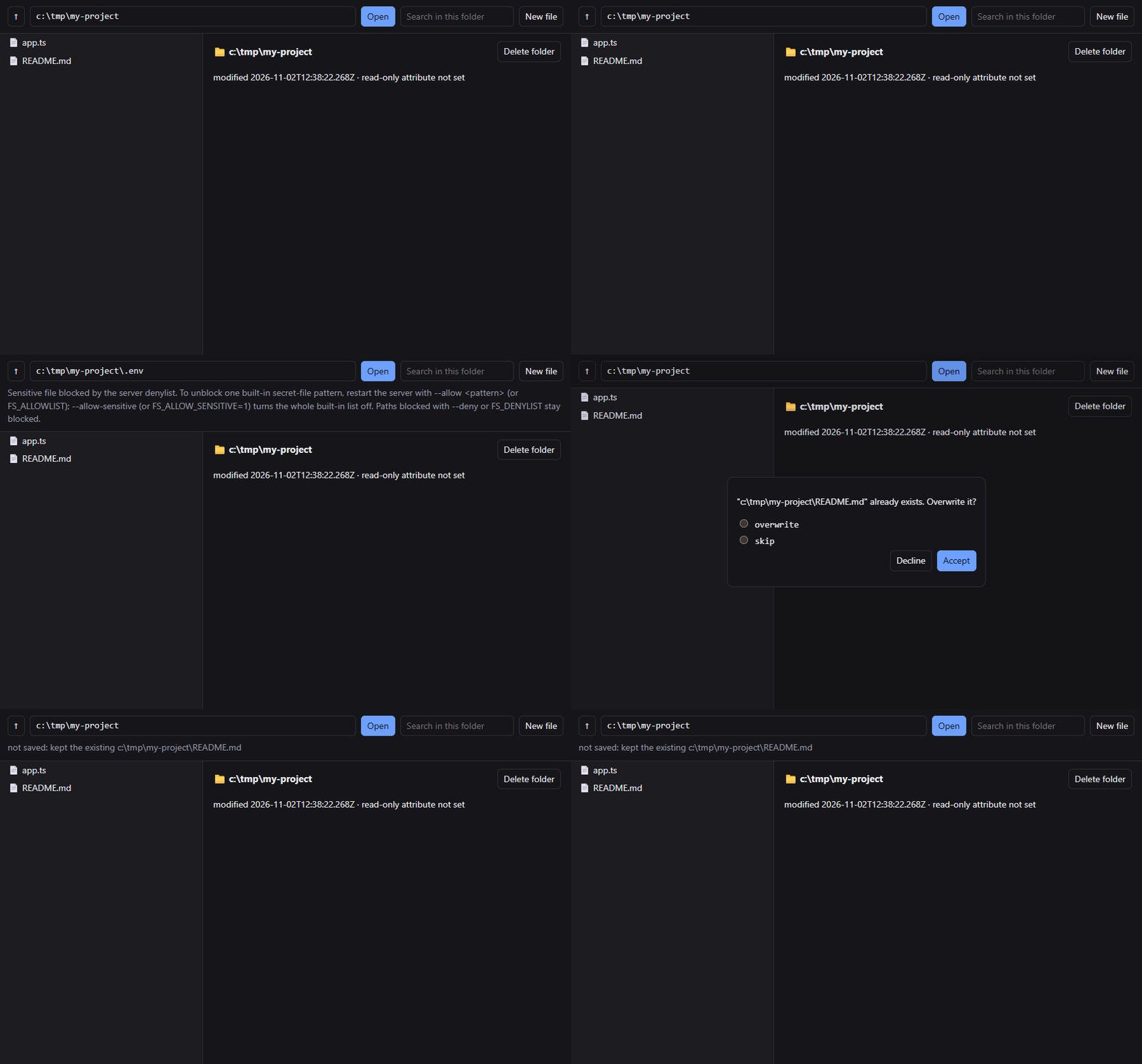
Move files into an archive, then undo a move that overwrote one

Review different edits to three files as one diff before they are written

A patch that no longer fits changes nothing

Find a crash in a 14 MB log without reading all of it

What is this?
Model Context Protocol (MCP) is how AI apps such as Claude, GitHub Copilot in VS Code, and Cursor connect to tools. Filesystem MCP is an MCP server: a small program that runs on your computer and gives the AI 14 tools for working with files. You choose which folders it can use, and everything outside them is off limits.
Once it is connected, you can ask things like:
- "Find every TODO in this repo and group them by file."
- "Rename
getUsertofetchUserin all.tsfiles. Show me the diff first." - "What changed between
config.dev.jsonandconfig.prod.json?" - "Read the last 50 lines of
server.logand explain the error." - "Move the old screenshots into
archive/2025/."
Why Filesystem MCP?
- It is safe by default. The AI can use only the folders you allow, and
.envfiles, private keys, and cloud credentials are blocked. The server asks you before the AI deletes a non-empty folder, opens a folder you did not allow, or writes over a file withcreateormove. These questions need a client that can show them. If yours cannot, the server refuses each of those actions instead of asking. Onlycreateand copies can skip the question, becauseoverwrite: truereplaces a file without asking, on any client.undocan usually restore a file thatcreateor a copy replaced. Edits made withedit,patch, andreplace_textapply without asking, but the AI can show you the diff first withdryRun. If the AI should never change anything,--read-onlyremoves every tool that writes. - Search and editing are made for code. The AI can search inside files like
grep, with a regex engine (RE2) that cannot hang, and by default the server skips.gitignored files and folders likenode_modules. Edits are exact-match replacements that return an error when the text does not match, and you can preview them as a diff first. - It saves the AI's context. The AI can read many files in one call or only the lines it needs, and it can check a file's size and token estimate before reading it.
- It works with any MCP client, over stdio or HTTP, on macOS, Linux, and Windows. You can install it with npx, Docker, or a one-click Claude Desktop extension, or build your own client on it.
- It is private. It runs on your machine, has no telemetry, and makes no network calls.
Compared with the reference server
How this server differs from the official
@modelcontextprotocol/server-filesystem,
checked against its README on 2026-11-05:
| Capability | Filesystem MCP | Reference server |
|---|---|---|
| Search inside files | search_text: literal text or RE2 regex | None; search_files matches names only |
| Secret files | .env, keys, and credentials blocked by default | Not blocked |
| Overwriting a file | create asks first; overwrite: true does not ask | write_file overwrites without asking |
| Delete files | delete; asks before deleting a non-empty folder | None |
| Undo a change | undo reverts recent changes; skips files edited since | None |
.gitignore | Respected by listing and search tools | Not supported |
| Read-only mode | --read-only removes every tool that writes | --read-only removes every tool that writes |
| Per-folder read-only | --read-only-root guards chosen folders | Run a second server with --read-only |
| Apply a unified diff | patch | None |
| Compare two files | diff | None |
| Replace across many files | replace_text over a folder or glob | None |
| Watch files | Subscribe to a file and get change notifications | None |
| Transport | stdio, or Streamable HTTP with --port | stdio |
Quick start
Note
You need Node.js 24 or later. Check with node --version.
- Add the server to your AI app. Pick yours below.
- Replace
/path/to/projectwith the folder the AI may use. You can list several folders. - Restart the app and ask: "Which folders can you access?"
Tip
VS Code currently shares the folders you have open with the server, so the
one-click VS Code install works without a path. In other apps, or over HTTP,
put the folder in args. If the AI says it has no folders, that is the fix.
VS Code
Click Install in VS Code above, or add this to .vscode/mcp.json:
{
  "servers": {
    "filesystem": {
      "command": "npx",
      "args": ["-y", "@j0hanz/filesystem-mcp@latest", "/path/to/project"]
    }
  }
}
Or from a terminal:
code --add-mcp '{"name":"filesystem","command":"npx","args":["-y","@j0hanz/filesystem-mcp@latest","/path/to/project"]}'
Cursor
Click Install in Cursor above, then add your folder to args. Or add this
to .cursor/mcp.json in your project, or ~/.cursor/mcp.json for all
projects:
{
  "mcpServers": {
    "filesystem": {
      "command": "npx",
      "args": ["-y", "@j0hanz/filesystem-mcp@latest", "/path/to/project"]
    }
  }
}
Claude Desktop
For a one-click install, download
filesystem-mcp.mcpb,
open it with Claude Desktop, and pick the folders to allow. Claude Desktop's
built-in Node.js runs it. The extension's settings also let you turn on
read-only mode, pick read-only folders with a folder picker, block more files,
and unblock a built-in secret file.
To set it up by hand, add this to claude_desktop_config.json
(Settings → Developer → Edit Config):
{
  "mcpServers": {
    "filesystem": {
      "command": "npx",
      "args": ["-y", "@j0hanz/filesystem-mcp@latest", "/path/to/project"]
    }
  }
}
Claude Code
claude mcp add filesystem -- npx -y @j0hanz/filesystem-mcp@latest /path/to/project
Or install the plugin, which points the server at your current project:
/plugin marketplace add j0hanz/j0hanz-marketplace
/plugin install filesystem-mcp@j0hanz-marketplace
Visual Studio
Add this to .vs\mcp.json in your solution folder, or %USERPROFILE%\.mcp.json
for all solutions:
{
  "servers": {
    "filesystem": {
      "command": "npx",
      "args": ["-y", "@j0hanz/filesystem-mcp@latest", "C:/path/to/project"]
    }
  }
}
GitHub Copilot CLI and Antigravity CLI (plugin)
The filesystem-mcp plugin sets the server up for your current project:
| Client | Install |
|---|---|
| Copilot CLI | copilot plugin marketplace add j0hanz/j0hanz-marketplace, then copilot plugin install filesystem-mcp@j0hanz-marketplace |
| Antigravity CLI | git clone https://github.com/j0hanz/j0hanz-marketplace, then agy plugin install ./j0hanz-marketplace/plugins/filesystem-mcp |
Docker
The container can only see the folders you mount. This setup blocks writes
twice, with the :ro mount and with the --read-only flag.
{
  "mcpServers": {
    "filesystem": {
      "command": "docker",
      "args": [
        "run",
        "-i",
        "--rm",
        "-v",
        "/path/to/project:/workspace:ro",
        "ghcr.io/j0hanz/filesystem-mcp:latest",
        "--read-only",
        "/workspace"
      ]
    }
  }
}
Drop :ro and --read-only to let the AI make changes. VS Code and Visual
Studio use "servers" instead of "mcpServers". See
Running in Docker for more.
Other MCP clients
Windsurf, Cline, and most other clients use the same mcpServers JSON as
Claude Desktop above. In any client, the server is:
- command:
npx - args:
-y,@j0hanz/filesystem-mcp@latest, then one or more folders
You can also install it globally and run filesystem-mcp /path/to/project:
npm install -g @j0hanz/filesystem-mcp
Tools
| Tool | What it does |
|---|---|
list_roots | Shows the folders the server may use. |
list | Lists a folder as a tree, like ls or tree. |
find_files | Finds files or directories by name or glob, such as **/*.test.ts. |
search_text | Searches inside files for text or a regex, like grep, with optional context lines. |
stat | Gets size, dates, type, permissions, and a token estimate without reading the file. |
read | Reads text files whole or by lines, head, or tail. Images and audio come back as media; others with binary. |
diff | Compares two files and returns a unified diff. |
create ✎ | Writes new files, appends, or makes empty folders. Asks before replacing a file; overwrite: true replaces it without asking. |
edit ✎ | Replaces exact text in files. All edits to a file apply, or none do. dryRun shows the diff first. |
patch ✎ | Applies a unified diff to a file. All hunks apply, or none do. dryRun shows the diff first. |
replace_text ✎ | Finds and replaces text or a regex across many files. dryRun shows what would change. |
move ✎ | Moves, renames, or copies files and folders. Asks before overwriting; a copy with overwrite: true replaces without asking. |
delete ✎ | Deletes files and folders. Asks before deleting a non-empty folder. |
undo ✎ | Reverts recent changes by undo id or the last N calls, for 30 minutes while the server runs. Skips files changed since. |
✎ changes files. --read-only removes these tools. To refuse changes under
one folder while the rest stay writable, pass --read-only-root <dir>
(repeatable, or FS_READ_ONLY_DIRS): those tools still exist, but a call
that writes, moves, or deletes under the folder fails with
Read-only root: ..., while listing, searching, and reading keep working.
Search and listing tools skip hidden files, .gitignored files, and folders
like node_modules, dist, and .git unless the AI asks for them.
Configuration
Most people only need the folder argument. These options cover the common cases:
| Option | What it does |
|---|---|
--read-only | Removes every tool that changes files. |
--read-only-root <dir> | Refuses writes, moves, and deletes under this folder, which stays readable. Repeatable. |
--deny '<pattern>' | Blocks more files, for example --deny 'private/**' or --deny '*.sqlite'. |
--allow '<pattern>' | Unblocks one built-in secret pattern, for example --allow '.env.example'. |
--allow-cwd | Also allows the folder the server was started from. |
--max-file-size <n> | Largest file read will load, in bytes. Default 10 MiB. |
--port <n> | Serves over HTTP at http://127.0.0.1:<n>/mcp instead of stdio. |
--print-config | Prints the settings the server would use, then exits. |
Flags go in args after the package name, for example
["-y", "@j0hanz/filesystem-mcp@latest", "--read-only", "/path/to/project"].
The full configuration reference covers every flag and environment variable, the complete secret-file list, limits, HTTP setup with API keys, Docker, and troubleshooting.
Security
| Protection | How it works |
|---|---|
| Folder sandbox | The server resolves every path, including symlinks, and the resolved path must stay inside an allowed folder. |
| Secret files | .env, *.pem, *.key, SSH keys, .npmrc, cloud credentials, and more are blocked and hidden from listings. |
| You stay in charge | The server asks you before the AI deletes a non-empty folder, gets access to a new folder, or writes over a file with create or move. Only create and copies skip that question: overwrite: true replaces a file without asking, on any client. In-place edits (edit, patch, replace_text) do not ask, but dryRun previews them. A client that cannot show the question gets a refusal instead: a folder outside the list stays closed, a recursive delete of a non-empty folder does not run, and a file is not overwritten unless overwrite: true was passed. |
| Off-limits folders | Neither the AI nor the client can ever add your home folder itself, system folders, or ~/.ssh, ~/.aws, and similar folders. |
| Safe writes | New content goes to a temporary file that is then renamed into place, so a crash never leaves a half-written file. Writes keep the file's permissions. |
| No regex hangs | RE2 runs in linear time, so no search pattern can freeze the server. |
| HTTP | The server listens only on localhost by default. Any other address requires an API key. |
| Container | The Docker image runs as a non-root user. |
If you find a vulnerability, please report it privately. SECURITY.md explains how.
Build your own client
You can also call Filesystem MCP from your own code: an agent, an editor plugin, a web app, a CI job, or a script. The same rules apply as for an AI app, so your code cannot reach outside the allowed folders or read secret files.
import { Client } from '@modelcontextprotocol/client';
import { StdioClientTransport } from '@modelcontextprotocol/client/stdio';

const dir = '/path/to/project';
const client = new Client(
  { name: 'my-app', version: '1.0.0' },
  { capabilities: { elicitation: { form: {} } }, versionNegotiation: { mode: 'auto' } },
);
client.setRequestHandler('elicitation/create', async () => ({ action: 'decline' }));
await client.connect(
  new StdioClientTransport({
    command: 'npx',
    args: ['-y', '@j0hanz/filesystem-mcp', dir],
    cwd: dir,
  }),
);

const result = await client.callTool({ name: 'search_text', arguments: { searchPattern: 'TODO' } });
const { matches } = (result.structuredContent ?? result._meta) as { matches: unknown[] };
console.log(matches);
await client.close(); // stops the server process; without it the script never exits
The basics:
- Where the data is. The text block is written for a model. The same data
as JSON is in
_metafor tools that write their own text (list,search_text,edit, ...) and instructuredContentforstat,create, andlist_roots.readis the exception: the file's text is only in the text block, and_metaholds metadata about it. - Paths. A relative path resolves against the server's working directory when that is inside a root, and against the root otherwise. With several roots, it must exist under exactly one of them. Absolute paths are never ambiguous. Search results are printed relative to the root, or absolute when a relative path would not read back, so a result can be passed straight back. A name that differs from the one on disk only in Unicode form (NFC or NFD) or in its space characters (U+00A0, U+202F) finds that entry.
- Confirmations. Overwrites, recursive deletes, and paths outside the
roots are questions for the user. Declare the
elicitationcapability and answer them in a handler, or, on the 2026-07-28 protocol, take them as data (input_required) and answer later. A client that can do neither gets a refusal.overwrite: trueoncreateand copies never asks. - Protocol versions. The server speaks the 2025 protocol and 2026-07-28, over stdio and Streamable HTTP. Over HTTP, 2025-era clients get no confirmations or change notifications.
- Resources. Read and subscribe to any file as
filesystem-mcp://file/{+path};internal://instructionsand theget-helpprompt hold the server's guide for models.
The client guide has the details, tested with the
TypeScript and Python SDKs, and examples/ has six runnable
clients:
| Example | What it is |
|---|---|
| fsq | Any tool from your shell, over stdio or HTTP; --json for scripts |
| browser | A local web UI where the server's questions appear in the page |
| tail | tail -f through file subscriptions, locally or on a remote server |
| gatekeeper | A coding agent that shows each change's diff and waits for your y/N |
| hooks | Runs a task through a model whenever the workspace changes |
| python | A TODO report for a workspace, with the Python SDK |
Privacy policy
Filesystem MCP runs entirely on your machine. This policy covers the npm
package, the Docker image, and the .mcpb desktop extension.
- Data collection: none. The server has no telemetry, analytics, or crash
reporting, and starts no network connections of its own.
SECURITY.mdnames the Windows paths that make the OS contact a host. - Use and storage: the server reads and writes files only inside the folders you allow, and only when your MCP client calls a tool. Tool results go to that client and nowhere else. Short-lived result caches and the undo history (saved file contents) live in memory and disappear when the server exits.
- Third-party sharing: none by this server. Your MCP client may send tool results to its model provider under that client's own privacy policy.
- Retention: the server keeps nothing after the process exits. Diagnostic logs go to stderr on your machine; your MCP client may save them in its own log files.
- Contact: open an issue at https://github.com/j0hanz/filesystem-mcp/issues, or report security problems privately through GitHub Security Advisories.
Contributing
Bug reports, ideas, and pull requests are welcome. Start with CONTRIBUTING.md. It covers setup, running the server from source, and the checks a pull request needs.
If Filesystem MCP is useful to you, a star on GitHub helps other people find it.