Listed from the MCP registry; nobody on Odel publishes it.

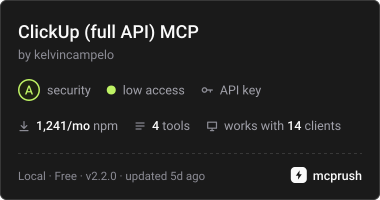
ClickUp (full API)
Complete ClickUp API (173 v2+v3 operations) in 4 tools, ~700 tokens. Tasks, time, Chat, Docs.
Runs on your machine from its package; the steps are below.
What it does
- Reads
- Writes
- High impact
At most: moves money, runs code or commands, deletes data, or sends messages for you.
What it costs
FreeOdel charges nothing per call. The publisher may charge for its own service.
Runs locally over stdio
This server isn't hosted — your MCP client launches it from a package registry. Use one of the commands below, or drop the config into your client (e.g. Claude Desktop).
Run
npx -y clickup-full-mcp
MCP client config
{
  "mcpServers": {
    "clickup-full-api": {
      "command": "npx",
      "args": [
        "-y",
        "clickup-full-mcp"
      ]
    }
  }
}Run
docker run -i --rm ghcr.io/kelvincampelo/clickup-full-mcp:2.2.0
MCP client config
{
  "mcpServers": {
    "clickup-full-api": {
      "command": "docker",
      "args": [
        "run",
        "-i",
        "--rm",
        "ghcr.io/kelvincampelo/clickup-full-mcp:2.2.0"
      ]
    }
  }
}ClickUp MCP Server (clickup-full-mcp)



The entire ClickUp API in 4 tools. A local Model Context Protocol server that lets Claude, Cursor, VS Code Copilot and any other MCP client use all 173 ClickUp API operations (v2 + v3) for about 700 tokens of context instead of ~55,000.
Tasks, subtasks, lists, folders, spaces, comments, checklists, custom fields, tags, dependencies, time tracking, goals, guests, users, user groups, templates, views, webhooks, workspaces and OAuth, plus the v3 Chat, Docs, Attachments, ACLs and Audit Logs APIs. Every tool is generated from ClickUp's official OpenAPI specs, so nothing is hand-picked or missing.
Note
Community project, not affiliated with or endorsed by ClickUp.
Contents
- Why 4 tools?
- Features
- Quick start
- Client setup: Claude Desktop, Claude Code, Cursor, VS Code, others
- Common ClickUp operations: examples you can copy
- Configuration · Finding your Workspace ID
- How tools map to the API · Full tool reference →
- Security
- Troubleshooting
- FAQ
- Contributing
Why 4 tools?
Most API-wrapping MCP servers register one tool per endpoint. For ClickUp that means 173 tool schemas loaded into the model's context on every request, before you've typed anything. That's slower, costs more, crowds out your actual conversation, and makes it harder for the model to pick the right tool. Some clients also cap how many tools a server may register.
By default this server exposes just 4 tools that reach the whole API:
| Tool | What it does |
|---|---|
clickup_search_operations | Finds operations by keyword: "create task", "log time", "send chat message"… |
clickup_describe_operation | Returns one operation's full description and JSON input schema, only when it's needed. |
clickup_call_operation | Calls any of the 173 operations by name. |
clickup_request | Raw escape hatch for any /api/v2 or /api/v3 path. |
Measured tools/list size (v1.0.0, tokens ≈ characters ÷ 4):
| Mode | Tools | Schema size | Context cost |
|---|---|---|---|
full (CLICKUP_TOOL_MODE=full) | 174 | 214 KB | ~55,000 tokens |
full + CLICKUP_TOOLSETS=tasks,comments,time_tracking | 42 | 61 KB | ~15,600 tokens |
meta (default) | 4 | 2.6 KB | ~700 tokens (−98.8%) |
A typical meta-mode exchange costs one or two extra small calls, and the model only ever loads the schemas it actually uses:
// 1. Find the operation
clickup_search_operations  { "query": "create task" }
// → [{ "name": "create_task", "http": "POST /api/v2/list/{list_id}/task", … }, …]

// 2. (optional) Read its schema
clickup_describe_operation { "name": "create_task" }

// 3. Call it, with the same arguments as the full-mode tool
clickup_call_operation     { "name": "create_task", "arguments": { "list_id": "901", "body": { "name": "Ship MCP" } } }
Search understands everyday wording: "log time" finds create_time_entry, "find tasks" finds get_tasks, "post message" finds send_chat_message.
Prefer direct tools? Set CLICKUP_TOOL_MODE=full to register one tool per endpoint, and use CLICKUP_TOOLSETS to trim it to the areas you use. Both modes respect CLICKUP_TOOLSETS, CLICKUP_READ_ONLY and CLICKUP_DISABLED_TOOLS.
Smaller responses, too
The tool list is only half of the cost: every ClickUp response also lands in the context, and ClickUp responses are full of nulls and empty arrays. By default the server returns minified JSON with null and empty fields removed (false, 0, array positions and empty top-level lists like {"tasks":[]} are kept). Measured on the example responses in ClickUp's own spec, compared with indented JSON:
| Response | Indented JSON | Compact (default) | Saved |
|---|---|---|---|
get_tasks (list of tasks) | 10,697 chars | 5,609 chars | 48% |
get_task | 6,675 chars | 4,262 chars | 36% |
get_time_entries_within_date_range | 1,441 chars | 870 chars | 40% |
Need every field exactly as ClickUp sent it? Set CLICKUP_RESPONSE_FORMAT=json (minified, nothing removed) or pretty (indented).
Features
- Complete coverage: 173 operations (138 v2 + 35 v3) with full JSON Schemas for every parameter and request body. See the tool reference.
- Token-efficient by default: 4-tool meta mode (~700 tokens for the whole API) and compact responses (36–48% smaller), or full mode with per-toolset filtering.
- Scoping: read-only mode, toolset filters, and a deny-list for individual tools like
delete_space. - Fixes where the spec is wrong: array filters are encoded the way the live API expects (
statuses[]=a,group_ids=a&group_ids=b, JSONcustom_fields), and upload field names match the live API. - Built for real use: 429 retries that honour
Retry-After/X-RateLimit-Reset, timeouts, response truncation, file uploads, OAuth tokens, and MCP tool annotations (read-only / destructive hints). - Helpful errors: unknown or misplaced arguments are rejected before any HTTP call, with a hint; ClickUp errors include the HTTP status and
ECODE. - Local and private: runs on your machine over stdio. Your token only goes to the ClickUp API.
- Always current: a weekly CI job pulls ClickUp's latest OpenAPI specs and opens a PR when they change.
Quick start
Requirements: Node.js 20+.
-
Get a ClickUp API token: ClickUp → your avatar → Settings → Apps → API Token (starts with
pk_). OAuth access tokens also work. Optionally note your Workspace ID too (how to find it), so the model doesn't have to look it up. -
Add the server to your MCP client (see Client setup). The quickest way runs it straight from npm:
bashnpx -y clickup-full-mcpNo install step:
npxfetches the npm package on first run. The server is also listed in the official MCP Registry asio.github.KelvinCampelo/clickup-full-mcp. -
Ask your assistant something like:
- "List the open tasks assigned to me in the Sprint 42 list."
- "Create a task in Backlog called 'Ship MCP', priority high, due Friday, with a QA checklist."
- "Move every task tagged
bugin Inbox to Triage and comment 'moved by triage bot'." - "Log 1h30 on task
86abc123for today with the note 'code review'." - "How many hours did I track this week, per task?"
- "Summarize this week's messages in the #engineering chat channel."
- "Create a Doc page 'Release notes v1.2' from the tasks closed this sprint."
Tip
For a first run, add CLICKUP_READ_ONLY=true. Only GET endpoints are exposed, so nothing can be changed.
Alternative: run from a local clone
git clone https://github.com/KelvinCampelo/clickup-full-mcp.git
cd clickup-full-mcp
npm install       # also builds dist/
npm test          # optional: end-to-end tests against a mock ClickUp
Then use "command": "node" and "args": ["/ABSOLUTE/PATH/clickup-full-mcp/dist/index.js"] in the client configs below.
Client setup
The server starts in 4-tool meta mode. Add "CLICKUP_TOOL_MODE": "full" to env if you'd rather have one tool per endpoint. CLICKUP_WORKSPACE_ID is optional but saves the model a lookup on every call (how to find it).
One-click install: 

VS Code prompts for your token. Cursor installs with a placeholder; replace pk_xxx afterwards.
Claude Desktop
Edit claude_desktop_config.json (Settings → Developer → Edit Config):
{
  "mcpServers": {
    "clickup": {
      "command": "npx",
      "args": ["-y", "clickup-full-mcp"],
      "env": {
        "CLICKUP_API_TOKEN": "pk_xxx",
        "CLICKUP_WORKSPACE_ID": "1234567"
      }
    }
  }
}
Claude Code
claude mcp add clickup --scope user \
  -e CLICKUP_API_TOKEN=pk_xxx -e CLICKUP_WORKSPACE_ID=1234567 \
  -- npx -y clickup-full-mcp
Cursor
~/.cursor/mcp.json (global) or .cursor/mcp.json (project):
{
  "mcpServers": {
    "clickup": {
      "command": "npx",
      "args": ["-y", "clickup-full-mcp"],
      "env": { "CLICKUP_API_TOKEN": "pk_xxx", "CLICKUP_WORKSPACE_ID": "1234567" }
    }
  }
}
VS Code (GitHub Copilot)
.vscode/mcp.json. VS Code prompts for the token and stores it securely:
{
  "inputs": [{ "type": "promptString", "id": "clickup-token", "description": "ClickUp API token", "password": true }],
  "servers": {
    "clickup": {
      "type": "stdio",
      "command": "npx",
      "args": ["-y", "clickup-full-mcp"],
      "env": { "CLICKUP_API_TOKEN": "${input:clickup-token}" }
    }
  }
}
Windsurf
~/.codeium/windsurf/mcp_config.json:
{
  "mcpServers": {
    "clickup": {
      "command": "npx",
      "args": ["-y", "clickup-full-mcp"],
      "env": { "CLICKUP_API_TOKEN": "pk_xxx", "CLICKUP_WORKSPACE_ID": "1234567" }
    }
  }
}
Codex CLI / Gemini CLI
Codex CLI, ~/.codex/config.toml:
[mcp_servers.clickup]
command = "npx"
args = ["-y", "clickup-full-mcp"]
env = { CLICKUP_API_TOKEN = "pk_xxx", CLICKUP_WORKSPACE_ID = "1234567" }
Gemini CLI, ~/.gemini/settings.json (same mcpServers block as Cursor above).
Any other MCP client or agent framework
Run npx -y clickup-full-mcp (or node dist/index.js from a clone) as a stdio MCP server with the environment variables below. This works with any client or agent SDK that can launch local stdio servers.
Prefer containers? A multi-arch image (amd64/arm64) is published to GHCR with every release:
docker run -i --rm -e CLICKUP_API_TOKEN=pk_xxx ghcr.io/kelvincampelo/clickup-full-mcp
In a client config, use "command": "docker" and "args": ["run", "-i", "--rm", "-e", "CLICKUP_API_TOKEN", "ghcr.io/kelvincampelo/clickup-full-mcp"], with the token in env.
Common ClickUp operations
Each row is one operation. In meta mode (the default), pass the arguments to clickup_call_operation as { "name": "<tool>", "arguments": { … } }; in full mode, call the tool directly. The examples assume CLICKUP_WORKSPACE_ID is set, so team_id / workspace_id can be left out. Dates are Unix timestamps in milliseconds. Every tool's full argument list is in the tool reference.
Tasks
| Goal | Tool | Arguments |
|---|---|---|
| Get tasks in a list, filtered | get_tasks | { "list_id": "901", "statuses": ["to do", "in progress"], "assignees": [183], "include_closed": false } |
| Search tasks across the workspace | get_filtered_team_tasks | { "tags": ["bug"], "due_date_lt": 1767225600000, "include_closed": false } |
| Get one task with its subtasks | get_task | { "task_id": "86abc123", "include_subtasks": true } |
| Create a task | create_task | { "list_id": "901", "body": { "name": "Ship MCP", "markdown_content": "**Why:** …", "priority": 2, "due_date": 1767225600000 } } |
| Create a subtask | create_task | { "list_id": "901", "body": { "name": "Write docs", "parent": "86abc123" } } |
| Change status, assignees, priority | update_task | { "task_id": "86abc123", "body": { "status": "in review", "priority": 1, "assignees": { "add": [183], "rem": [] } } } |
| Move a task to another list | move_task | { "task_id": "86abc123", "list_id": "902", "body": {} } |
| Delete a task | delete_task | { "task_id": "86abc123" } |
Comments, checklists, tags, custom fields
| Goal | Tool | Arguments |
|---|---|---|
| Comment on a task | create_task_comment | { "task_id": "86abc123", "body": { "comment_text": "Deployed to staging", "notify_all": false } } |
| Read a task's comments | get_task_comments | { "task_id": "86abc123" } |
| Add a checklist | create_checklist | { "task_id": "86abc123", "body": { "name": "QA" } } |
| Add a checklist item | create_checklist_item | { "checklist_id": "b955c4dc-…", "body": { "name": "Test on mobile" } } |
| Tag a task | add_tag_to_task | { "task_id": "86abc123", "tag_name": "bug" } |
| List a list's custom fields | get_list_custom_fields | { "list_id": "901" } |
| Set a custom field value | set_custom_field_value | { "task_id": "86abc123", "field_id": "0a52c486-…", "body": { "value": "https://example.com" } } |
Time tracking
| Goal | Tool | Arguments |
|---|---|---|
| Start a timer | start_time_entry | { "body": { "tid": "86abc123", "description": "code review" } } |
| Stop the running timer | stop_time_entry | {} |
| Log time after the fact | create_time_entry | { "body": { "tid": "86abc123", "start": 1763625600000, "duration": 5400000, "description": "code review" } } |
| Timesheet for a date range | get_time_entries_within_date_range | { "start_date": 1763337600000, "end_date": 1763942400000 } |
Workspace structure, Docs and Chat
| Goal | Tool | Arguments |
|---|---|---|
| List workspaces (find your ID) | get_authorized_workspaces | {} |
| Browse spaces → folders → lists | get_spaces → get_folders → get_lists | {} → { "space_id": "90120001" } → { "folder_id": "90120002" } |
| Lists that aren't in a folder | get_folderless_lists | { "space_id": "90120001" } |
| List Docs / read a Doc's pages | search_docs / get_doc_pages | {} / { "doc_id": "…" } |
| Write a Doc page in Markdown | create_doc_page | { "doc_id": "…", "body": { "name": "Release notes", "content": "# v1.2\n…", "content_format": "text/md" } } |
| Find a Chat channel | get_chat_channels | {} |
| Post a Chat message | send_chat_message | { "channel_id": "…", "body": { "type": "message", "content": "Deploy done ✅" } } |
| Anything not covered by a typed tool | clickup_request | { "method": "GET", "path": "/api/v2/team/1234567/space", "query": { "archived": false } } |
Configuration
All configuration is through environment variables. See .env.example.
| Variable | Default | Purpose |
|---|---|---|
CLICKUP_API_TOKEN | (none) | Personal token (pk_…) or OAuth access token. Required for everything except get_access_token. |
CLICKUP_WORKSPACE_ID | (none) | Default Workspace (team) ID. Auto-fills team_id / workspace_id and makes them optional in schemas. |
CLICKUP_TOOL_MODE | meta | meta = 4 tools for the whole API. full = one tool per endpoint. |
CLICKUP_TOOLSETS | all | Comma list of toolsets to expose (works in both modes). |
CLICKUP_READ_ONLY | false | Only expose GET operations; clickup_request is limited to GET. |
CLICKUP_DISABLED_TOOLS | (none) | Comma list of operation names to hide, e.g. delete_space,delete_folder. |
CLICKUP_ENABLE_RAW_REQUEST | true | Expose clickup_request (raw call to any /api/v2 or /api/v3 path). |
CLICKUP_UPLOAD_ROOTS | (none) | Comma list of folders that file_path uploads may read from. Unset means any file the user can read. |
CLICKUP_RESPONSE_FORMAT | compact | compact = minified, null/empty fields removed (why). json = minified, every field. pretty = indented. |
CLICKUP_MAX_RESPONSE_CHARS | 100000 | Truncate very large responses. |
CLICKUP_TIMEOUT_MS / CLICKUP_MAX_RETRIES | 60000 / 3 | Request timeout and 429 retries. |
CLICKUP_BASE_URL | https://api.clickup.com | Override for testing or proxies. The token is sent to this host. |
Finding your Workspace ID
The Workspace ID is the number that identifies your ClickUp Workspace. ClickUp's API calls Workspaces "teams", so it's the same value as team_id (v2) and workspace_id (v3). Any of these works:
-
From the browser address bar. Open ClickUp in a browser. The first number after
app.clickup.com/is your Workspace ID:texthttps://app.clickup.com/9012345678/v/b/t/9012345678 └────┬───┘ Workspace IDIn the desktop app, use Copy link on any Space, List or task and look at the same spot in the copied URL.
-
Ask your assistant. With the server connected, ask "List my ClickUp workspaces". It runs
get_authorized_workspacesand returns each Workspace'sidandname. -
Call the API directly with your token:
bashcurl -s -H "Authorization: pk_xxx" https://api.clickup.com/api/v2/team # {"teams":[{"id":"9012345678","name":"Acme", …}]}
Put the value in CLICKUP_WORKSPACE_ID. If you belong to several Workspaces, pick the one you use most; you can still pass team_id / workspace_id explicitly for the others.
Toolsets
Each toolset links to its generated reference page with every tool's arguments and body fields (index).
attachments (3) · audit_logs (1) · authorization (2) · chat (19) · comments (11) · custom_fields (6) · custom_task_types (1) · docs (8) · folders (7) · goals (8) · guests (10) · lists (11) · members (2) · privacy_and_access (1) · roles (1) · shared_hierarchy (1) · spaces (5) · tags (6) · task_checklists (6) · task_relationships (4) · tasks (13) · templates (3) · time_tracking (17) · user_groups (4) · users (4) · views (12) · webhooks (4) · workspaces (3)
How tools map to the API
📖 Tool reference: every tool with its HTTP endpoint, arguments and request-body fields, generated from the OpenAPI specs.
-
Tool names are snake_case versions of the endpoint (
create_task,get_tasks,send_chat_message,get_doc_pages, …). -
Path and query parameters go at the top level of the arguments.
-
JSON request bodies go in
body:json{ "list_id": "901", "body": { "name": "Ship MCP", "priority": 2, "assignees": [123] } } -
File uploads (
create_task_attachment,create_attachment): passfile_path(a local file) orfile_base64+file_name. -
Errors come back as
isErrorresults with the HTTP status and ClickUp'serr/ECODE. Unknown or misplaced arguments are rejected before any HTTP call, with a hint (e.g. "request-body fields go insidebody"). -
Annotations mark GETs as read-only and DELETEs as destructive, so clients can ask for confirmation.
-
Every tool description ends with its HTTP method and path, e.g.
ClickUp API v2: POST /api/v2/list/{list_id}/task.
OAuth (get_access_token)
For OAuth apps, get_access_token exchanges an authorization code (body: {client_id, client_secret, code}) for an access token. It's sent without an Authorization header. Put the returned access_token in CLICKUP_API_TOKEN; it's sent as Bearer … automatically.
Security
- Your token stays local. It lives only in the server's environment and is only sent to
CLICKUP_BASE_URL.clickup_requestrefuses full URLs and anything that normalizes outside/api/v2/or/api/v3/. - Least privilege. The token has your full ClickUp permissions. Use
CLICKUP_READ_ONLY,CLICKUP_TOOLSETSandCLICKUP_DISABLED_TOOLSto give the model only what it needs. - Uploads read local files. Set
CLICKUP_UPLOAD_ROOTSto restrict which foldersfile_pathcan read. Symlinks are resolved before the check. - Prompt injection. Task descriptions, comments and docs are untrusted text that the model will read. Keep your client's confirmation prompts on for write and delete tools.
Found a vulnerability? Please report it privately, see SECURITY.md.
Troubleshooting
| Symptom | Fix |
|---|---|
CLICKUP_API_TOKEN is not set | Add the token to the env block of your client config, then restart the client. |
HTTP 401 with OAUTH_027 ("Team not authorized") | ClickUp also returns this for IDs that don't exist or that your token can't see. Check the ID before suspecting the token. |
HTTP 401 (other codes) | The token is wrong or was regenerated. Copy a fresh one from Settings → Apps. |
HTTP 404 | The ID doesn't exist or your token can't see it. Task IDs are the short alphanumeric ones; custom IDs need custom_task_ids=true + team_id. |
| Client is slow or warns about too many tools | Keep the default meta mode (4 tools), or use a smaller CLICKUP_TOOLSETS in full mode. |
npx not found (Windows, Claude Desktop) | Use "command": "cmd" and "args": ["/c", "npx", "-y", "clickup-full-mcp"], or run from a local clone with node. |
| Server doesn't start | Run it in a terminal to see the error: CLICKUP_API_TOKEN=pk_xxx npx -y clickup-full-mcp. It logs to stderr. |
Response cut off with [truncated: …] | Use paging/filters, or raise CLICKUP_MAX_RESPONSE_CHARS. |
Run npx -y clickup-full-mcp --version to print the installed version, or --help to list all environment variables.
Server logs (one [clickup-mcp] … ready line on start, plus warnings) go to stderr, which most clients show in their MCP log view.
FAQ
Is there an MCP server that covers the whole ClickUp API? Yes, that's this project. It exposes all 173 operations of ClickUp's public API v2 and v3, generated from the official OpenAPI specs, including Chat, Docs, Attachments, ACLs and Audit Logs.
How do I connect ClickUp to Claude, Cursor or VS Code?
Add the server to your client's MCP config with your ClickUp API token (see Client setup). It runs locally over stdio via npx -y clickup-full-mcp; no hosting needed.
How many tokens does it use? About 700 tokens by default (meta mode, 4 tools) versus ~55,000 when all 173 endpoints are registered as separate tools. See Why 4 tools?.
Can it create tasks, track time, comment, and post in ClickUp Chat? Yes. Anything the ClickUp API can do, including tasks, subtasks, comments, checklists, custom fields, time entries, Docs pages and Chat messages. See Common ClickUp operations.
Can I make it read-only?
Yes: CLICKUP_READ_ONLY=true exposes only GET operations and blocks writes through clickup_request.
Does it work with AI agents and agent SDKs, not just chat apps? Yes. It's a standard stdio MCP server, so any agent framework that can launch MCP servers can use it. Meta mode is especially useful for agents with tight context budgets.
Is it official? No. It's an independent open-source project (MIT) and is not affiliated with ClickUp.
Keeping up with ClickUp
ClickUp's specs are vendored in spec/. A weekly GitHub Action downloads the latest versions, regenerates the tools, the tool reference and the counts in this README, and opens a PR listing every added, removed or renamed operation. Additive updates that pass the tests merge and release themselves; breaking ones wait for review. To refresh manually:
npm run update-spec && npm run build
Fixes for places where the spec doesn't match the live API live in scripts/generate.mjs (NAME_OVERRIDES, JSON_QUERY_PARAMS, UPLOAD_FIELD, queryStyle).
Contributing
Contributions are welcome. See CONTRIBUTING.md for the dev setup, project layout and how the generated code works. Please follow the Code of Conduct.
License
MIT © Kelvin Campelo.
ClickUp's OpenAPI specs in spec/ belong to ClickUp and are included only for reproducible code generation; see NOTICE. "ClickUp" is a trademark of its owner. This project is not affiliated with ClickUp.







