Listed from the MCP registry; nobody on Odel publishes it.

JVMind MAT Heap Dump Analyzer
Analyze Java heap dumps locally with Eclipse MAT, including live JVM capture.
Runs on your machine from its package; the steps are below.
What it does
- Reads
- Writes
- High impact
At most: creates or changes data: records, files, settings.
What it costs
FreeOdel charges nothing per call. The publisher may charge for its own service.
Runs locally over stdio
This server isn't hosted — your MCP client launches it from a package registry. Use one of the commands below, or drop the config into your client (e.g. Claude Desktop).
Run
uvx jvmind-mat-mcp
MCP client config
{
  "mcpServers": {
    "jvmind-mat-heap-dump-analyzer": {
      "command": "uvx",
      "args": [
        "jvmind-mat-mcp"
      ]
    }
  }
}JVMind × MAT — Heap Dump Analysis
English | 中文
Java heap dump analysis built on the Eclipse Memory Analyzer (MAT) engine: upload → parse → MAT-like web queries → domain diagnostics (connection-pool leaks and more) → natural-language agent diagnosis.
Status: the Java parser and query service are tested. MCP Server
v0.2.1is published on PyPI and the official MCP Registry. Python platform integration is still in progress. See PROJECT-STATUS.md.
Quick start
- Project overview → this file +
mat-study/README.md(the design blueprint; Chinese). - Current progress → PROJECT-STATUS.md (completed work, remaining tasks, lessons learned).
- Python team onboarding → TODO-PYTHON-TEAM.md (task list, API contract, acceptance criteria).
- Run the query service → query-service/DEPLOY.md (deploy + curl verification).
- Run the parser → parser-cli/v1-parsehd/README.md (no build required; uses the MAT distribution).
- Analyze heap dumps from Claude/Cursor/VS Code →
mcp-server/README.md (
uvx jvmind-mat-mcp, local stdio).
MCP Server (published)
A local stdio MCP server that exposes MAT heap analysis to Claude Desktop,
Cursor, and VS Code. It can discover local Java processes and capture a live
heap dump from a running JVM, or open an existing .hprof file. Heap dumps
never leave the machine; the MAT helper binds to 127.0.0.1 only.
uvx jvmind-mat-mcp doctor # checks JDK 21 / MAT 1.17 / permissions
| Channel | Location |
|---|---|
| PyPI | https://pypi.org/project/jvmind-mat-mcp/ |
| Official MCP Registry | io.github.kengrary/jvmind-mat |
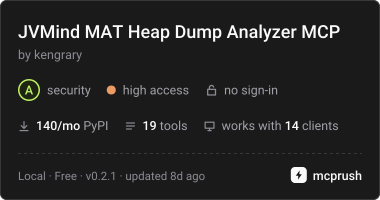
| MCPRush | https://mcprush.com/kengrary/jvmind-mat-heap-dump-analyzer-mcp |
| Documentation | mcp-server/README.md |
Capabilities: list_java_processes / dump_java_heap for live capture,
open_heapdump for existing files, then mat_overview / mat_histogram /
mat_dominator / mat_threads / mat_object / mat_path2gc / mat_oql /
mat_leak_suspects / mat_diagnose_oom and more — 19 tools in total.
Requirements: Python 3.10+, JDK 21+, Eclipse MAT 1.17.x (a small query bundle is installed into MAT on first use).
Tools
All analysis tools take the report_id returned by open_heapdump.
open_heapdump— open a local.hprof, start background indexing, return areport_idget_heapdump_status— poll parse status, progress, and phaselist_heapdumps— list heap dumps known to this MCP serverclose_heapdump— release a heap dump handle and optionally stop the MAT helperlist_java_processes— discover local attachable JVMs (pid, main class, command; MAT helper excluded)dump_java_heap— preview and capture a live heap dump, then start MAT parsing (confirm=true)mat_overview— heap overview: used/committed/live heap, object/class/classloader counts, JDK versionmat_histogram— class histogram sorted by shallow, retained, or object countmat_dominator— dominator tree of the largest retained objects, with parent drill-downmat_threads— list threads or drill into stack frames and frame localsmat_threadlocals— inspect ThreadLocal values grouped by value class or threadmat_object— inspect a single object's fields, statics, references, and GC rootmat_path2gc— shortest path from an object to a GC rootmat_oql— run an OQL query and return rows plus a reusable result set idmat_leak_suspects— run LeakHunter and return suspects with retained sizes and descriptionsmat_diagnose_oom— composite OOM diagnosis: leak suspects + SQL in threads + dominator analysismat_connection_pools— diagnose database connection pools and leaked connectionsmat_top_consumers— top memory consumers by retained heapmat_sql_in_threads— find SQL statements in thread stacks
Architecture
  User uploads a heap dump
        │
   [Python/FastAPI]  ← in progress (TODO-PYTHON-TEAM.md)
   upload / queue / progress / auth / agent
        ├── fork ─────────────▶ [parser-cli / V1]  hprof → *.index   ✅ tested
        │                              (writes to NFS)
        └── reverse proxy ────▶ [query-service]    queries over indexes  ✅ tested
                                  (OSGi bundle, :8090)
                                  histogram / dominators / threads / OQL
                                  + Leak Suspects / path2gc etc.
         Shared: NFS (dump files) + PostgreSQL (tasks/reports)

  Local MCP path (v0.2.1 published):
  Claude Desktop / Cursor / VS Code
        │ stdio
        ▼
   [mcp-server] ──HTTP 127.0.0.1──▶ [query-service :8090]
        └── runs MAT ParseHeapDump when index files are missing
            (reuses the parser-cli V1 logic)
Repository layout
Top level
| File | Contents |
|---|---|
| README.md | English overview (this file) |
| README.zh.md | Chinese overview |
| PROJECT-STATUS.md | Milestones, module status, TODOs, lessons learned |
| TODO-PYTHON-TEAM.md | Python integration task list, API contract, acceptance |
mat-study/ — design documents (Chinese)
| # | Document | What it covers |
|---|---|---|
| — | README.md | Design blueprint (four-layer architecture, decisions, milestones) |
| 01 | MAT source study and architecture | How MAT works and how to reuse it; index file format |
| 02 | Core algorithms and implementation | Dominator tree, paths, retained size; web backend design |
| 03 | Beyond OOM: connection-pool leaks | What else a heap dump can answer; pools, thread pools, classloaders |
| 04 | Tooling the MAT API for agents | How an LLM drives MAT; tool granularity and output trimming |
| 05 | End-to-end integration design | Upload, queue, progress, three-layer soft-reference cache |
| 06 | Technology choices and four-view API | Finalized choices and the four-view API contract |
| 07 | Integrating with JVMind | How to connect to the existing platform (required for the Python team) |
| 08 | MAT feature inventory and gaps | 57 queries reviewed; gap priorities |
| 09 | Frontend implementation guidance | Making the web UI feel like MAT |
| 10 | MAT Inspector capabilities | Inspector features and what is already implemented |
| 12 | Python integration plan | Phased plan for the Python side |
| 13 | Thread-level OOM diagnosis | Finding the OOM-triggering thread and its SQL |
| 14 | Heap dump frontend design | Endpoint mapping, async state machine, integration rules |
parser-cli/ — parsing layer (hprof → index)
| File | Contents |
|---|---|
| README.md | Parser overview (V1/V2 routes) |
| MAT-DEPENDENCIES.md | How to obtain MAT dependencies, version/JDK matrix, bundle list |
| v1-parsehd/README.md | V1 (zero build; MAT distribution + text progress) — current |
| v1-parsehd/VERIFICATION.md | V1 verification report (real hprof, three bugs fixed) |
v1-parsehd/mat_parse_runner.py | Progress parser (Python; reusable by the worker) |
python-worker-snippet.py | Worker snippet for calling the parser |
src/.../*.java | V2 skeleton (self-built jar + JSONL progress; not active) |
query-service/ — query layer (OSGi bundle, :8090) ✅
| File | Contents |
|---|---|
| README.md | Service overview (endpoints, SnapshotManager, route 2) |
| DEPLOY.md | Deploy + end-to-end verification (bundles.info + -clean, curl examples) |
| EQUINOX-A-VERIFICATION.md | Embedded Equinox test and CNF fix (why route 2) |
| BUILD-TROUBLESHOOTING.md | Build troubleshooting (p2 repositories, JDK versions) |
src/.../*.java (21 files) | Service implementation: core/http/model/task/view/equinox |
mcp-server/ — local stdio MCP (✅ v0.2.1 published)
| File | Contents |
|---|---|
| README.md | Install, client config, 19 tools, privacy, troubleshooting |
src/jvmind_mat_mcp/server.py | MCP SDK tool registration |
src/jvmind_mat_mcp/engine.py | Heap dump registry, background parsing, MAT lifecycle |
src/jvmind_mat_mcp/vendor/ | Query-service OSGi bundle shipped with the package |
| Dockerfile | Glama review image (MAT/JDK not included; mount at runtime) |
tests/ | Unit tests, stdio protocol tests, optional real-MAT integration tests |
marketplace/ — directory submission pack (🟡 prepared, not submitted)
| File | Contents |
|---|---|
| README.md | Platform status, remaining steps, quality gaps |
| metadata.json | Shared name, description, tags, install command |
smithery/manifest.json | MCPB manifest (Smithery skipped, kept for later) |
| mcp.so.md / glama.md / pulsemcp.md | Form copy and steps per platform |
Module status
| Module | Form | Status | Entry point |
|---|---|---|---|
| parser-cli | V1 = MAT command; V2 = standalone jar | ✅ V1 tested | v1-parsehd/mat_parse_runner.py |
| query-service | OSGi bundle (HTTP :8090) | ✅ tested | QueryServiceApp.java / QueryHttpServer.java |
| mcp-server | Python stdio MCP (PyPI + official Registry) | ✅ v0.2.1 published | src/jvmind_mat_mcp/server.py |
| marketplace | Directory copy (Smithery skipped) | 🟡 prepared, pending submission | marketplace/README.md |
| Python integration | FastAPI + DB + agent | ⏳ in progress | TODO-PYTHON-TEAM.md |
Key facts (avoid re-learning these)
- MAT dependencies are not on Maven Central → use Tycho (
eclipse-plugin) with a p2 repository or a local Directory target; do not add<dependencies>. - Version ↔ JDK: 1.17 → JDK 21, 1.14 → JDK 17, 1.12 → JDK 11 (keep all three places in sync).
- Deployment: copy the jar into
plugins/, add a line tobundles.info(auto-start=true), and restart with-clean(notdropins/). - The query service has no authentication and is intranet-only. The Python proxy
injects
dumpDir(= the dump directory). - Reopening a dump requires both the hprof and index files on a seekable filesystem (NFS works).
- MCP package
jvmind-mat-mcp; Registry nameio.github.kengrary/jvmind-mat. After changing the Java query layer, rerunmcp-server/scripts/vendor-bundle.sh, otherwise the wheel ships a stale bundle. - On first use the MCP server writes
com.jvmind.mat.queryinto MAT'splugins/andbundles.info; the MAT install must be writable. - Live capture uses
jmap -dump:live: it dumps only live objects, triggers a Full GC, and may pause the target JVM. The default output is the server's current working directory; override it withJVMIND_MCP_DUMP_DIRor the tool'soutput_dir. - Smithery is skipped for now: its web UI only exposes remote HTTPS URLs and the CLI server-creation endpoint was removed. MCPB artifacts are kept for a later retry. The Docker image is for directory review; real analysis still needs MAT + JDK 21 on the host.
Tech stack
- Parsing/query: Java 21 + Eclipse MAT 1.17 (OSGi/Equinox)
- MCP server: Python 3.10+ / MCP Python SDK 2.x /
uv/ stdio - Platform/agent: Python + FastAPI (the existing JVMind platform)
- Storage: NFS (dump files) + PostgreSQL (tasks/reports)
- Distribution: PyPI + official MCP Registry; mcp.so, Glama, and PulseMCP materials are prepared; Smithery is skipped
- License: MIT for this project (see LICENSE); Eclipse MAT is EPL-2.0 and is not redistributed