
talkthrough-mcp




Quickstart · Tools · Benchmarks · FAQ · Troubleshooting · Changelog · Contributing
Don't write a bug report. Record it.
Give Claude Code or Codex a narrated .mov/.mp4 — or a public video link —
and talkthrough turns it into searchable transcript, exact frames, OCR and
wall-clock timestamps, locally — so your agent writes an evidence-backed
issue draft or investigates the fix.
Also works for meetings, workshops, product demos, and production incidents.
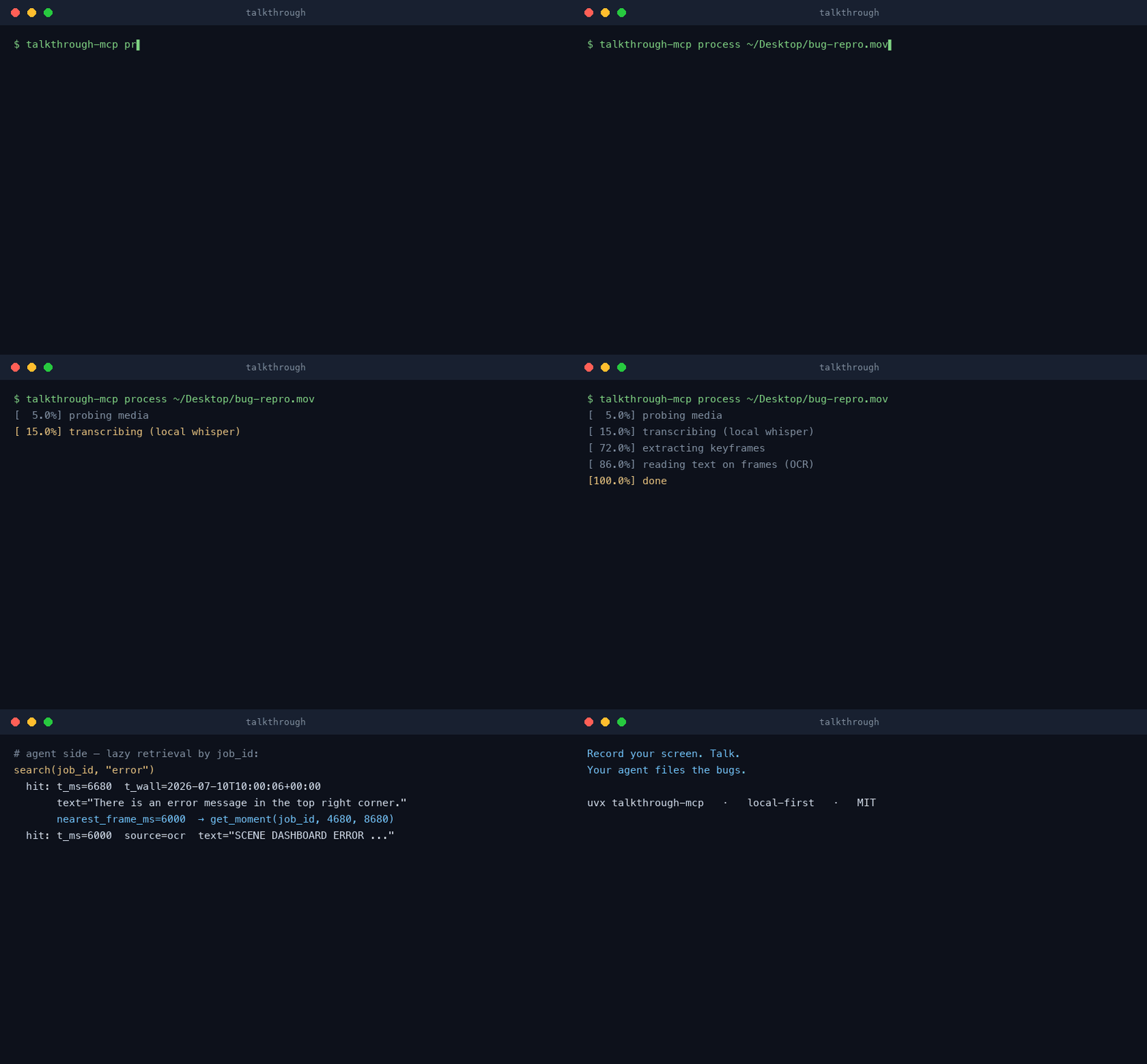
Illustration — an animation of the /talkthrough:bug storyline, not a screen
capture: the recording is indexed locally (transcript · keyframes · OCR ·
wall-clock), the evidence checkpoint is assembled, and the draft is ready to
file with your own tracker tooling (gh, Jira, a GitHub MCP server —
talkthrough itself never leaves your machine and never posts anything).
Real runs, no animation:
- ▶ Watch the demo with sound (1:18) — an
unedited session: a narrated recording goes in, a ready-to-file
bug-report.mdcomes out. - Silent recording → issue draft —
the whole thing as files you can re-run: a Playwright-recorded, audio-free
.mp4and the unedited agent output. Every number is reproducible — processing that file givesjob_id 8703a66bbe77a7d0(the job id is the sha256 prefix, soshasum -a 256predicts it), 17 keyframes / 4 unique, and 0 transcript segments because there is no audio track.
Quickstart
One command, no system dependencies: ffmpeg falls back to a bundled build,
OCR is pip-only, and whisper models download themselves on first use. The
only prerequisite is uv (brew install uv or
curl -LsSf https://astral.sh/uv/install.sh | sh).
Cold setup has two separate stages: uvx first resolves a compatible Python
and the pinned server environment, then the first process_media downloads
any missing media/model assets. A plugin update can create a new environment
and, without system ffmpeg, fetch the ~80 MB bundled ffmpeg again; shared
Whisper/OCR/diarization caches and warm, network-free jobs remain reusable.
See Troubleshooting.





Claude Code
Two install paths — pick one, not both (the plugin already includes the server; installing both would register it twice):
Server only — the 9 tools + 6 prompts, and nothing else on your system. Choose this for a minimal setup, or when you manage MCP servers yourself across several clients:
claude mcp add -s user talkthrough -- uvx --python ">=3.11,<3.14" "talkthrough-mcp[diarization,url]"
Full plugin — the same server, plus native slash commands
(/talkthrough:bug, /talkthrough:triage-recording, …) that handle the
ceremony for you, a ready-made triage subagent, and an agent skill that
teaches Claude the workflow. Choose this for the best out-of-the-box
experience:
/plugin marketplace add korovin-aa97/talkthrough-mcp
/plugin install talkthrough@talkthrough
Every other MCP client
Claude Desktop
claude_desktop_config.json:
{
  "mcpServers": {
    "talkthrough": {
      "command": "uvx",
      "args": [
        "--python",
        ">=3.11,<3.14",
        "talkthrough-mcp[diarization,url]"
      ]
    }
  }
}
Cursor
~/.cursor/mcp.json (or project .cursor/mcp.json):
{
  "mcpServers": {
    "talkthrough": {
      "command": "uvx",
      "args": [
        "--python",
        ">=3.11,<3.14",
        "talkthrough-mcp[diarization,url]"
      ]
    }
  }
}
More: integrations/cursor/
OpenAI Codex CLI
~/.codex/config.toml (or project-scoped .codex/config.toml in trusted projects):
[mcp_servers.talkthrough]
command = "uvx"
args = ["--python", ">=3.11,<3.14", "talkthrough-mcp[diarization,url]"]
More: integrations/codex/
Gemini CLI
~/.gemini/settings.json:
{
  "mcpServers": {
    "talkthrough": {
      "command": "uvx",
      "args": [
        "--python",
        ">=3.11,<3.14",
        "talkthrough-mcp[diarization,url]"
      ]
    }
  }
}
More: integrations/gemini-cli/
Cline / Roo Code
cline_mcp_settings.json (via MCP Servers UI):
{
  "mcpServers": {
    "talkthrough": {
      "command": "uvx",
      "args": [
        "--python",
        ">=3.11,<3.14",
        "talkthrough-mcp[diarization,url]"
      ]
    }
  }
}
More: integrations/cline/
OpenClaw
~/.openclaw/openclaw.json:
{
  "mcp": {
    "servers": {
      "talkthrough": {
        "command": "uvx",
        "args": [
          "--python",
          ">=3.11,<3.14",
          "talkthrough-mcp[diarization,url]"
        ]
      }
    }
  }
}
More: integrations/openclaw/
OpenCode
opencode.json (project) or ~/.config/opencode/opencode.json:
{
  "mcp": {
    "talkthrough": {
      "type": "local",
      "command": [
        "uvx",
        "--python",
        ">=3.11,<3.14",
        "talkthrough-mcp[diarization,url]"
      ],
      "enabled": true
    }
  }
}
More: integrations/opencode/
Goose
~/.config/goose/config.yaml:
extensions:
  talkthrough:
    enabled: true
    type: stdio
    cmd: uvx
    args: ["--python", ">=3.11,<3.14", "talkthrough-mcp[diarization,url]"]
More: integrations/goose/
GitHub Copilot CLI
~/.copilot/mcp-config.json:
{
  "mcpServers": {
    "talkthrough": {
      "command": "uvx",
      "args": [
        "--python",
        ">=3.11,<3.14",
        "talkthrough-mcp[diarization,url]"
      ]
    }
  }
}
Windsurf
~/.codeium/windsurf/mcp_config.json:
{
  "mcpServers": {
    "talkthrough": {
      "command": "uvx",
      "args": [
        "--python",
        ">=3.11,<3.14",
        "talkthrough-mcp[diarization,url]"
      ]
    }
  }
}
More: integrations/windsurf/
Zed
settings.json (Zed):
{
  "context_servers": {
    "talkthrough": {
      "source": "custom",
      "command": {
        "path": "uvx",
        "args": [
          "--python",
          ">=3.11,<3.14",
          "talkthrough-mcp[diarization,url]"
        ]
      }
    }
  }
}
More: integrations/zed/
Any other MCP stdio client uses the same server command: uvx --python ">=3.11,<3.14" "talkthrough-mcp[diarization,url]".
Per-engine folders with exactly these snippets plus verification steps live
in integrations/; agents can self-install via
llms-install.md.
Who said what (speaker diarization) — included in the configs above
Multi-person recordings (meetings, interviews, panels) can carry S1/S2/…
speaker labels. Every install button, snippet, and the plugin above already
ship the [diarization] engine, so asking your agent "who said what" just
works — diarization itself still runs only when requested per call
(process_media(path=..., diarize=true, num_speakers=<count if known>)),
and its models download once on first use.
Prefer the minimal server without the diarization engine? Use
uvx --python ">=3.11,<3.14" talkthrough-mcp as the command instead (the MCP registry entry also
resolves to this lean form) — an explicit diarize=true will then answer
with the one-line install fix. Details in
Speakers.
Upgrading from 0.3.x
Regenerated configs and the plugin carry [diarization,url]. A config you
wrote by hand for 0.3.x — uvx --python ">=3.11,<3.14" talkthrough-mcp, or a
pin without the url extra — upgrades the server in place and lists the new
process_url tool,
but only direct https:// media links work until the extra is there:
YouTube and video pages answer with the one-line install fix. Add url to
your command (uvx --python ">=3.11,<3.14" "talkthrough-mcp[diarization,url]"),
restart the client, and check with talkthrough-mcp --version (0.4.1+),
which names the extras the environment has; the server logs the same line
to stderr at every start, so your client's MCP log shows it too.
Local checkout (development)
git clone https://github.com/korovin-aa97/talkthrough-mcp
claude mcp add talkthrough -- uv run --directory /path/to/talkthrough-mcp talkthrough-mcp
Then, in your agent:
Process
~/Desktop/recording.movand triage it — or just invoke thetriage-recordingserver prompt.
Tools
| Tool | What it does |
|---|---|
process_media(path, recorded_at?, vocabulary?, language?, model?, diarize?, num_speakers?, force?) | Ingest a video/audio file: local STT, keyframes, OCR, wall-clock, opt-in speaker labels. Returns a compact summary. Idempotent by content hash — re-calls are instant; diarize=true on a processed job adds speakers without re-transcribing. |
process_url(url, recorded_at?, vocabulary?, language?, model?, diarize?, num_speakers?, refresh?, force?) | The one network tool: download one public video/audio URL once (a direct https:// media link, one YouTube video, or any public video page yt-dlp can read — with the [url] extra), keep the source inside the job, then run the same local pipeline. Same-URL re-calls serve the stored job without network unless refresh=true; force=true rebuilds from the kept source; the raw URL is never stored. |
get_transcript(job_id, start_ms?, end_ms?, format?) | Paginated transcript as segments, text, or srt (speaker-prefixed when diarized, plus a roster header); truncation returns next_start_ms. |
get_frames(job_id, at_ms? | start_ms?+end_ms?, max_frames?, include_duplicates?) | Keyframe images nearest a timestamp or evenly thinned across a range (unique frames by default, max 6/call); each frame names its absolute path. |
get_moment(job_id, start_ms, end_ms) | The "one remark" bundle: transcript slice + up to 3 frames + their OCR text + wall-clock range (+ speakers_in_range when diarized). |
search(job_id, query, speaker?, match_mode?) | Substring search over the transcript AND on-screen OCR text. all_words remains the default; any_word broadens lexical recall. Hits carry t_ms/t_wall, frame refs, and the speaker when diarized. The optional filter accepts a raw label or saved name. |
label_speakers(job_id, labels, evidence?) | Atomically persist verified names for anonymous speaker labels. Raw S1/S2 labels remain canonical; blank/null removes a name. |
extract_frame(job_id, at_ms, crop?) | Exact-timestamp full-resolution re-extract from the source video (optional crop) when keyframes miss the instant; returns the file's absolute path. URL jobs decode their kept source — no network. |
list_jobs() | Recent processed recordings with source paths, durations, wall-clock starts, counts, speaker counts when diarized, and the provider/id for URL jobs. |
Every tool description ships 10+ usage examples, so agents pick the right tool without extra prompting.
Server prompts (slash commands in MCP clients)
| Prompt | Workflow |
|---|---|
bug | One recording → evidence-backed GitHub issue draft (silent, narration-free recordings work too) |
triage-recording | Narrated screencast → precise findings JSON (bug/feature/question routing, frame evidence) |
spec-from-workshop | Recorded workshop → structured spec with quoted decisions and open questions |
backlog-from-demo | Product demo → prioritized backlog with timestamped evidence |
meeting-actions | Meeting audio → action items, decisions, open questions |
correlate-with-logs | Recording remarks ↔ system logs via wall-clock windows |
The same prompts live as plain files in examples/prompts/
if your client doesn't surface MCP prompts. The findings contract used by
triage-recording is examples/output-contract.schema.json.
Works as a skill too (no MCP required)
The same workflow ships as a cross-engine Agent Skill
at .agents/skills/talkthrough/ — Claude Code,
Codex CLI ($talkthrough), Cursor, Copilot, Gemini CLI, Goose and other
SKILL.md-compatible tools read it. Agents without MCP wiring can drive the
CLI directly: talkthrough-mcp process recording.mov --json prints the
same summary the MCP tool returns, and the job store is shared either way.
Wall-clock anchoring
Every timestamped result carries both t_ms (video-relative) and t_wall
(ISO 8601 real time) once the recording start is known. Resolution ladder:
recorded_atparameter (agent/user override) → confidenceexact- QuickTime
com.apple.quicktime.creationdatetag, carries the local timezone (QuickTime Player recordings; ⌘⇧5 wrote it before macOS 26) →high - Container
creation_timetag (UTC) →medium— macOS 26+ ⌘⇧5/ReplayKit screen recordings land here (nocreationdatetag anymore); passrecorded_at=when local-tzt_wallmatters - File mtime minus duration (recorders finalize files at recording END) →
low - Nothing → tools still work with relative
t_msonly
Why it matters: "the upload spinner froze here" becomes a ±30 s grep window in your server logs.
Speakers (optional diarization)
With the [diarization] extra installed (included in every generated config —
see Quickstart),
process_media(diarize=true) labels who said what — locally, like everything
else here (sherpa-onnx runtime, no
torch, no accounts, no GPU):
- Speakers become
S1,S2, … in order of first appearance; new diarized jobs split speaker changes at word boundaries, while old jobs continue to report honest segment-level precision. Every transcript segment gets aspeaker, and the tools surface it everywhere — roster with talk time inget_transcript,speakers_in_rangeinget_moment,speakeronsearchhits,S1:prefixes in the text/SRT formats, a speaker count inlist_jobs. - Know the headcount? Pass
num_speakers. Clustering toward an exact k removes the main failure mode of unknown-count mode (similar voices merging or one voice splitting). It is a target, not a guarantee: the clusterer can converge on fewer clusters than k, and a re-run that changed nothing says so in the payload (labels_changed: false). Agents are instructed to pass the headcount via the tool guidance; do the same in your own calls. - Already processed a recording? Calling
process_media(diarize=true)on it re-runs only diarization — whisper is not re-run, and labels land in the existing job. Same for changingnum_speakers. The diarization stage itself still re-scans the full audio: minutes on long recordings. - Full rebuilds keep named jobs safe. If a job has active or pending names,
force=truealso requiresdiarize=true; otherwise the call refuses before changing stored data. A successful force rebuilds in staging and moves every previous identity to pending review against the fresh roster. Any processing or commit failure leaves the prior manifest and frames intact. - Labels start anonymous. After checking self-introductions, vocatives, or
video evidence, call
label_speakersto preserve a verified mapping such asS1→ "Alice" across sessions. The roster can expose bounded OCRname_candidates, but those are raw hints and are never saved automatically. The raw label remains present besidespeaker_name. If a later diarization amend changes the labels, verified names stop being active and move to boundedspeaker_names_pending_reviewevidence instead of being silently lost. Re-check the current roster and explicitly confirm or remove each affected label withlabel_speakers. - Video jobs produced before 0.3.1 keep their original flat OCR and can return
name_candidates_noteto explain why hints are absent. They remain fully readable without migration;force=true, diarize=trueregenerates line-aware OCR while preserving saved identities for review.
Models download once (~47 MB total) from pinned, checksum-verified URLs into
~/.talkthrough/models/; warm runs are zero-network like the rest of the
pipeline. Speed on an M-series CPU (4 threads): a 26-minute meeting diarizes
in about 2 minutes (RTF ≈ 0.08), on top of the transcription time. Memory:
expect on the order of 1–1.5 GB peak RSS while an hour-plus meeting is being
diarized (measured on a real 73-minute recording); it is released when the
stage completes.
| Role | Model | Download | Weights license |
|---|---|---|---|
| Segmentation | pyannote segmentation-3.0 (ONNX export by k2-fsa) | 7 MB | MIT |
| Embedding (default) | NeMo en_titanet_small | 40 MB | Apache-2.0 (per its NGC model card, the NeMo Toolkit license) |
| Embedding (alt) | WeSpeaker en_voxceleb_resnet34_LM | 27 MB | CC-BY-4.0 |
| Embedding (alt) | 3D-Speaker campplus_sv_en_voxceleb_16k | 30 MB | Apache-2.0 |
The default won a real-meeting accept-eval (RU/EN/ES + a 3-speaker 26-minute
meeting): it was the only candidate to isolate all three real voices at
num_speakers=3, at 2× the speed of the runner-up.
Pick an alternate embedding model (or point at your own .onnx file for
offline machines) via TALKTHROUGH_DIARIZATION_EMB_MODEL; tune the
unknown-count sensitivity via TALKTHROUGH_DIARIZATION_THRESHOLD (see
docs/TROUBLESHOOTING.md). Honest quality notes
live in Limitations.
Privacy
Everything runs locally: your recordings never leave your machine, speech is
transcribed by a local whisper model, OCR and speaker diarization are local
ONNX inference, and there is no telemetry. For local files the only network
access is one-time tool/model downloads (ffmpeg build, whisper model, OCR
models, diarization models — the latter pinned by URL + sha256). The one
deliberate exception is process_url: it downloads the public source you
name from its provider or CDN, once, and nothing else — no media ever goes
up, no cloud STT or LLM is called, and after that download every tool on
the job is network-free again. The raw URL (which may carry signed tokens)
is not stored: the job keeps a hash, the public provider id or host and a
bounded title. Diarization keeps no voiceprint database: voice embeddings
live only in process memory, and only anonymous turn labels (S1/S2) land
on disk. Your agent sees only the payloads the MCP tools return (text and
selected frames) in your existing session; talkthrough itself makes no LLM
calls.
Languages
Narration in any of Whisper's ~99 languages works: the language is
auto-detected per recording, and the summary reports both language and
language_probability so agents can tell a confident detection from a shaky
one (silence or music at the start can fool the detector — pin it with
language="ru" and force=true when that happens). Speaker diarization is
acoustic — it fingerprints voices, not words — so it is language-independent
and works across all of those languages unchanged.
Pick the model for your languages — per call (model= parameter, agents do
this themselves when a transcript comes back garbled) or as the server
default (TALKTHROUGH_WHISPER_MODEL):
| Model | Size | Best for |
|---|---|---|
small (default) | 464 MB | English and major-language narration on CPU |
large-v3-turbo | ~1.5 GB | recommended for non-English — near-large quality at near-small speed |
medium | ~1.5 GB | conservative alternative to turbo |
tiny / base | 75–145 MB | quick drafts, CI |
*.en variants | — | English-only, slightly faster/better for EN |
Tips that work in every language: pass product names via
vocabulary="Term1, Term2" (biases the decoder so jargon survives), and note
that the workflow prompts instruct agents to write digests in the
narrator's language while keeping quotes verbatim — the server never
translates (exact quotes are evidence; translation is the agent's job).
On-screen text (OCR) defaults to RapidOCR's Latin + Chinese models. For other
scripts set TALKTHROUGH_OCR_LANG to your language — ru/uk (→ the
eslav pack), ja, ko, ar, hi, el, th, or any RapidOCR pack name
like cyrillic — and reprocess with force=true; the matching recognition
model downloads once. Spoken-language support is unaffected either way.
Configuration
| Env var | Default | Meaning |
|---|---|---|
TALKTHROUGH_WHISPER_MODEL | small | default whisper model (tiny/base/small/medium/large-v3/large-v3-turbo); the model tool param overrides per call |
TALKTHROUGH_OCR | on | set off to skip OCR |
TALKTHROUGH_OCR_LANG | Latin+Chinese | recognition script for on-screen text: a language code (ru, ja, ko, ar, hi, …) or a RapidOCR pack name (eslav, cyrillic, latin, …); the model downloads once |
TALKTHROUGH_OCR_PARAMS | — | advanced: JSON object of raw RapidOCR params merged over the derived ones, e.g. {"Rec.lang_type": "cyrillic"} |
TALKTHROUGH_DIARIZE | off | set on to diarize by default (needs the [diarization] extra; degrades with a warning without it); an explicit diarize tool param always wins |
TALKTHROUGH_DIARIZATION_THRESHOLD | 0.5 | clustering sensitivity when num_speakers is unknown: fewer speakers than expected → lower it; more → raise it |
TALKTHROUGH_DIARIZATION_SEG_MODEL | pyannote-segmentation-3-0 | segmentation model: allowlist name or a path to a local .onnx (offline preseed) |
TALKTHROUGH_DIARIZATION_EMB_MODEL | nemo_en_titanet_small | embedding model: allowlist name (see Speakers) or a local .onnx path |
TALKTHROUGH_DIARIZATION_THREADS | min(4, cpus) | ONNX threads for both diarization models |
TALKTHROUGH_MAX_SECONDS | 7200 | max media duration (also checked against provider metadata before a process_url download) |
TALKTHROUGH_MAX_FRAMES | 600 | keyframe budget per job, spread across the whole duration (the 1 s selection floor auto-grows to duration/budget on long recordings) |
TALKTHROUGH_MAX_DOWNLOAD_BYTES | 2147483648 (2 GiB) | hard cap for one process_url download, enforced before and during the transfer |
TALKTHROUGH_HOME | ~/.talkthrough | job store root (URL jobs keep their downloaded source under jobs/<id>/source/) |
CLI
The pipeline is also a CLI — useful for pre-processing long recordings outside an agent session (the store is content-addressed, so the agent then queries the same job instantly):
talkthrough-mcp process ~/Videos/long-session.mov   # prints the summary
talkthrough-mcp process demo.mov --json             # machine-readable
talkthrough-mcp process sync.m4a --diarize --num-speakers 3   # who said what
talkthrough-mcp process-url "https://youtu.be/nHfGfEiVdE8"    # one public URL, downloaded once
talkthrough-mcp gc --keep-days 30                   # clean the job store (sources go with their jobs)
talkthrough-mcp serve                               # stdio MCP server (default)
talkthrough-mcp --version                           # package version + which extras this environment has
--json keeps stdout machine-readable on failure too (0.4.1), including a
missing argument or unknown option: the process exits with code 2, stderr
carries the human error: … line, and stdout
carries one JSON document, {"error": {"type": "UnsupportedUrlError", "message": "…"}}. --version also says which optional extras the
environment has — the quickest check when a hand-written config launches
the minimal server (a launcher without the url extra) that advertises
process_url but can only read direct media links; the server logs the
same line to stderr at every start.
First run notes: missing system ffmpeg triggers a one-time static-ffmpeg
download; the first transcription downloads the whisper model (~460 MB for
small); both are cached. After that, expect roughly 3× faster than real time
on an Apple-Silicon CPU with the default model, OCR included (a 2-minute clip
processes in ~40 s) — and instant re-runs on the same file. Progress streams
as MCP progress notifications, and the CLI prints stage lines. More:
docs/TROUBLESHOOTING.md.
Windows
CI runs lint, the unit suite, a full CLI smoke, and a diarize smoke on
windows-latest (static-ffmpeg Windows build, whisper tiny transcription,
OCR, the instant idempotent re-run, and a speaker-roster assert through the
native sherpa-onnx stack). Notes: the per-job lock always serializes threads;
POSIX also uses fcntl for cross-process locking. Quote paths with spaces
(uv run talkthrough-mcp process "C:\Videos\Screen Recording.mp4").
If something breaks, please open an issue.
Supported inputs
Video: .mov .mp4 .webm .mkv .ogv — audio-only: .m4a .mp3 .wav .ogg
.flac (transcript tools only; frame tools explain why they're unavailable).
URLs (via process_url, since 0.4.0): a direct https:// link to one of
those media files; one public YouTube video (watch, youtu.be, shorts,
a completed live); or any public video page yt-dlp can read — public
Instagram reels, TikTok, Wikimedia Commons file pages (each verified on
release day), the rest of yt-dlp's ~1800 site extractors and pages with a
plain HTML5/HLS player (the [url] extra, which the generated configs above
already carry, brings yt-dlp). Always anonymous: a site that demands a
sign-in from anonymous clients (Vimeo does, with this yt-dlp) is refused
with the reason. The source is
downloaded once, kept inside the job, and never re-fetched for later
questions. Not supported: playlists, channels, active live streams,
private, members-only, age-restricted or DRM-protected videos, cookies or
logins — a site that hides a video behind a login or a bot wall answers
with a clear refusal, not a workaround (Instagram in particular rate-limits
anonymous access). You are responsible for having the right to download
and process what you point it at; talkthrough does not bypass any
restriction.
Limitations
Honest edges, so you can decide fast:
- Speaker labels are word-level and opt-in on new jobs. Each Whisper word
is assigned by maximum overlap with the diarization turns, so fast exchanges
split without losing the raw label. Old jobs remain readable and honestly
report
attribution_precision="segment"; reprocess withforce=trueto add word timings. Sub-second interjections ("yeah", "mhm") can still be absorbed when the diarization engine does not detect a separate turn, and heavy crosstalk degrades clustering (the segmentation model tracks at most 2 simultaneous voices). Quality is pyannote-3.x-generation. The comfort zone without hints is roughly 2–8 speakers; passnum_speakerswhenever the headcount is known — it removes the worst failure mode at any size, and it is the way to go for large meetings (10+). - URL ingestion covers one public video at a time, without logins.
Direct HTTPS media links, single public YouTube videos and public video
pages yt-dlp can read; playlists, channels, live streams, gated or DRM
content and anything behind a login or a bot wall are refused with a
reason. Sites change; a page that worked yesterday can need a newer yt-dlp
tomorrow. A provider's upload date is not a recording time, so URL jobs
have
wall_clock: nullunless you passrecorded_at. - Memory: budget about 2 GB for a cold run. Whisper, the OCR models and
the frame pass live in one process. A 78-second video on
tinywith OCR peaked at 1.6 GB RSS during the 0.4.0 release QA (download included); the defaultsmallmodel needs more, larger models proportionally so. An 8 GB laptop copes; on anything tighter keep the model small or run the CLI ahead of the agent session. - Keyframes + transcript, not motion analysis. A glitch between scene
changes can be invisible in the frame set;
extract_framere-checks any instant, but frame-by-frame motion reasoning is your multimodal model's job. - STT quality tracks the model you pick. The default
smallfavors speed; non-English narration wantsmodel="large-v3-turbo"(see Languages). - OCR reads crisp UI text well; tiny or low-contrast print is best-effort.
- Wall-clock confidence depends on recorder metadata — worst case pass
recorded_at=(see the ladder above). - Windows caveats — POSIX lock degrades to a no-op; see the Windows section above.
How it compares
| talkthrough | cloud recorder SaaS | meeting notetakers | typical video-analyzer MCPs | |
|---|---|---|---|---|
| Runs fully locally | ✅ | ❌ | ❌ | varies |
| Any local video/audio file | ✅ | browser/app captures | meetings only | ✅ |
| Public video URL: downloaded once, kept with the job, analyzed locally | ✅ | n/a | n/a | temp download, often cloud analysis |
| Wall-clock anchoring (log correlation) | ✅ | ❌ | ❌ | ❌ |
| Who-said-what speaker labels | ✅ local, opt-in | some | ✅ cloud | ❌ |
| Ships agent workflows (prompts, skill, findings contract) | ✅ | ❌ | ❌ | ❌ |
| OCR of on-screen text, searchable | ✅ | some | ❌ | rare |
FAQ
Why not just upload the video to a multimodal model (e.g. Gemini)?
For a short, non-sensitive clip — do that. The trade-offs appear with length
and sensitivity: an hour of screen recording costs on the order of a million
tokens per question, the file leaves your machine, and you still can't map a
remark to 14:32:07 UTC to grep your server logs. talkthrough indexes once,
locally, then answers any number of follow-ups from the index.
Why not screenpipe?
Different job. screenpipe is an always-on recorder of your machine going
forward (commercial license). It can't open the .mov a teammate or customer
just sent you. talkthrough analyzes any file it's handed — the two compose
fine.
There are agent skills that "watch" videos. Why a server with an index? Watch-style skills push a budgeted frame dump into the context window (and go sparse on long videos), often call cloud STT for the audio, and keep nothing. talkthrough builds a persistent local index — transcript + OCR, full-text searchable — retrieves exact frames lazily, anchors everything to wall-clock time, and answers the next question without reprocessing.
I use Jam for bug reports — do I need this? Keep Jam for browser bugs: console+network captured at record time is great evidence. talkthrough covers what a browser extension can't — desktop apps, mobile screencasts, ops incidents, meetings, any file — with no account, and correlates with server-side logs via wall-clock time.
Which agent model do I need to drive this?
For v0.4.0 the six model configs below ran 61 isolated behaviour cells on
URL ingestion (YouTube, a TikTok page, a speechless Instagram reel,
playlist refusal, the missing wall clock) and the 0.3.2 integrity fixes;
every cell passes on every runner after two product fixes the first
attempts exposed (Codex needs a per-tool approval for the open-world
process_url, and the server now says itself when a URL job has no wall
clock). For v0.3.0 we ran 210 isolated agent cells across 6 model configs (Claude
haiku/sonnet/opus, Codex gpt-5.5 at two reasoning efforts, and gpt-5.4-mini)
and 35 logical scenarios on 5 real recordings plus safety and speaker-label
fixtures. All 102 LLM-judged full-grid results and every mechanical zero were
manually audited; the 30 new speaker behavior runs passed, and old-server
control left 0 release-caused regressions. This is a model-drift snapshot,
not a leaderboard: see the current matrix in
docs/MODEL-NOTES.md. The chart and narrative in
benchmarks/ remain the historical v0.2.0 snapshot.
Can't I just script ffmpeg + whisper myself?
Yes — that's exactly this pipeline. What you'd be rebuilding: scene-change
detection with perceptual dedup, OCR, transcript+OCR search, the wall-clock
ladder, MCP tools with embedded usage examples, six workflow prompts, and a
findings contract. One uvx command instead of an afternoon of glue.
Is it really local? What leaves my machine?
Nothing goes up, ever. For local files the network is used only for one-time
downloads (ffmpeg build, whisper/OCR/diarization models). process_url is
the single tool that talks to the network at runtime, and only down: it
fetches the public source you named, once. No telemetry. See
Privacy — and SECURITY.md treats a violation of
this promise as a vulnerability.
For agents & tooling
Machine-readable entry points, so AI agents can install and use this server without a human reading docs:
llms-install.md— step-by-step install instructions for agentsllms.txt— index of the documentation.agents/skills/talkthrough/SKILL.md— an Agent Skill teaching the tool workflow; discovered automatically inside a checkout by Codex CLI ($talkthrough) and readable by Claude Code, Cursor, Copilot, Gemini CLI and other SKILL.md-compatible toolsAGENTS.md— instructions for coding agents contributing to this reposerver.json— MCP registry manifestintegrations/— per-engine adapters, all generated from one source of truth and drift-tested (incl. the Claude Code plugin underintegrations/claude-code/)docs/URL_ACCEPTANCE_CORPUS.md— the live URL corpus behind the release QA ofprocess_url(manual, needs the network; CI stays offline)
Roadmap
cloud STT · embeddings/semantic search · hosted/remote mode · .mcpb
bundle · whisper.cpp backend
License
MIT