
Revit Converter MCP
AI-powered BIM tool — convert Revit .rvt files to XKT, IFC and DWG, query model data, and explore building elements through natural language, right inside Claude.
Built by Labs Future · Powered by the Model Context Protocol
What It Does
The Revit Converter MCP is a remote MCP server that connects Claude (or any MCP-compatible AI client) directly to a Revit file conversion and BIM query service. Once configured, you can:
- List and manage models on the server
- Upload your
.rvtfiles by a public URL - Convert Revit models to XKT format for web-based 3D viewing
- Export models to IFC or DWG for interoperability with other tools
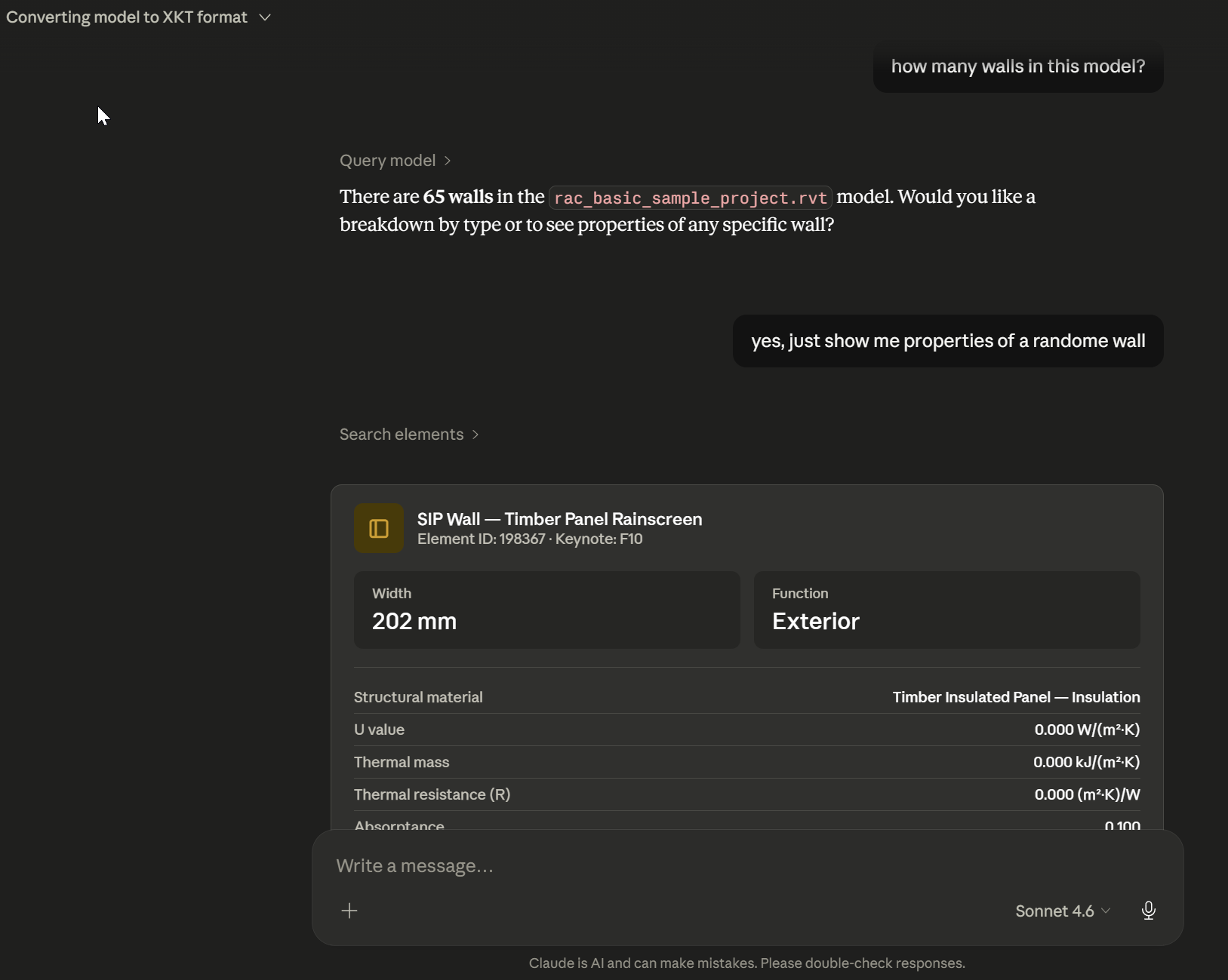
- Query BIM data in natural language — counts, element types, properties
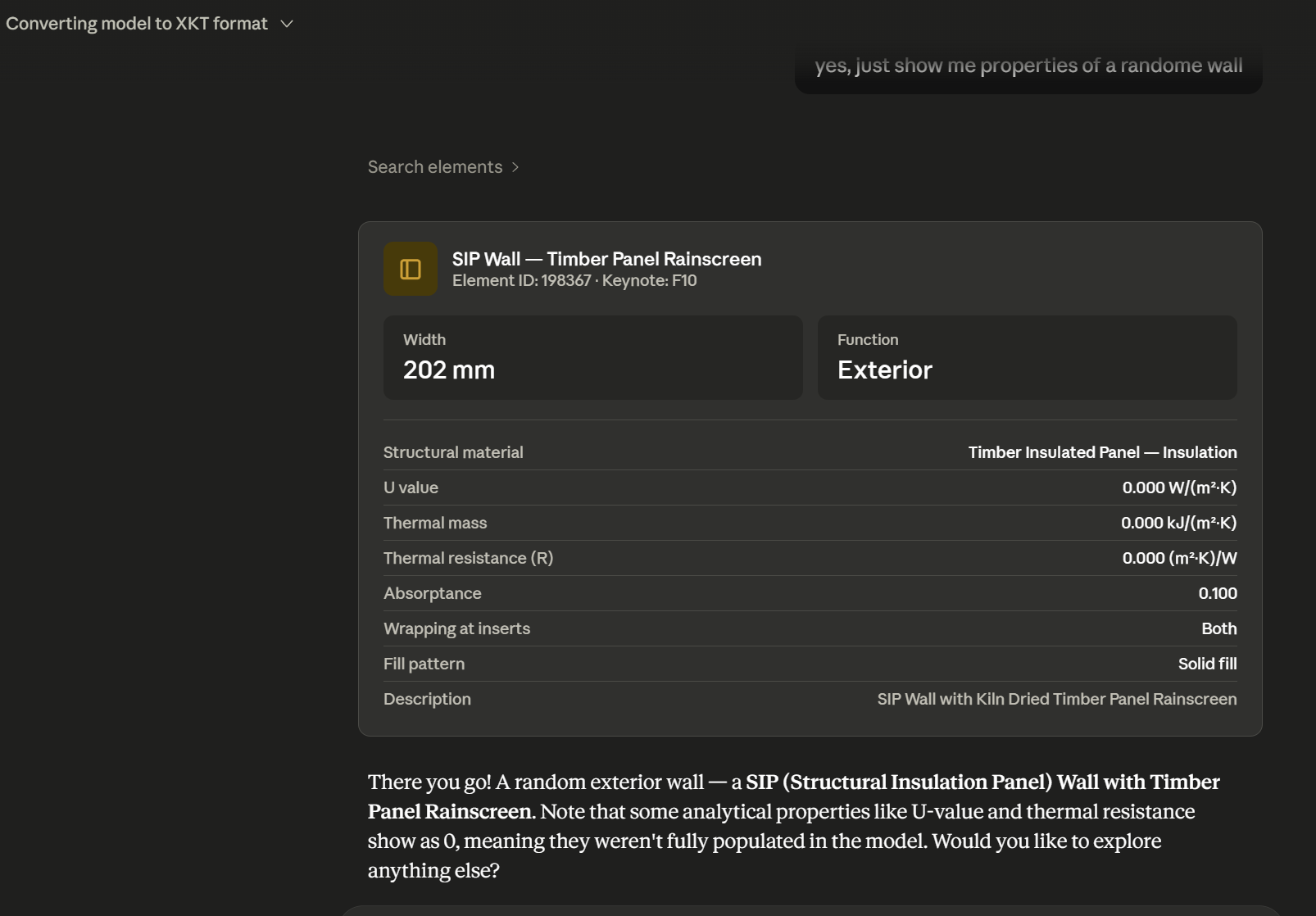
- Inspect individual element metadata (materials, dimensions, thermal values, etc.)
No plugins, no Revit installation needed on the client side.
Available Tools
| Tool | Description |
|---|---|
list_models | List all models stored on the server |
upload_model | Upload a .rvt file from a URL or path |
set_current_model | Set the active model for subsequent operations |
convert_revit_to_xkt | Convert the current model to XKT for 3D web viewing |
get_conversion_status | Check the progress of an ongoing conversion |
export_model | Export the model to IFC or DWG format |
get_export_status | Check export progress and get the download link |
query_model | Query BIM data (element counts, types, filters) |
search_elements | Search and retrieve properties of specific elements |
More tools are on the way — including data audit, workflow automation, optimizing design and deeper BIM data analysis, even model updating. Follow labsfuture.com for updates.
Getting Started
Step 1 — Get an API Key
Sign up at labsfuture.com and navigate to your account dashboard.
- Generate Demo Key — free tier, includes 5 real Revit conversions to try the service
- Generate API Key — for production / unlimited use
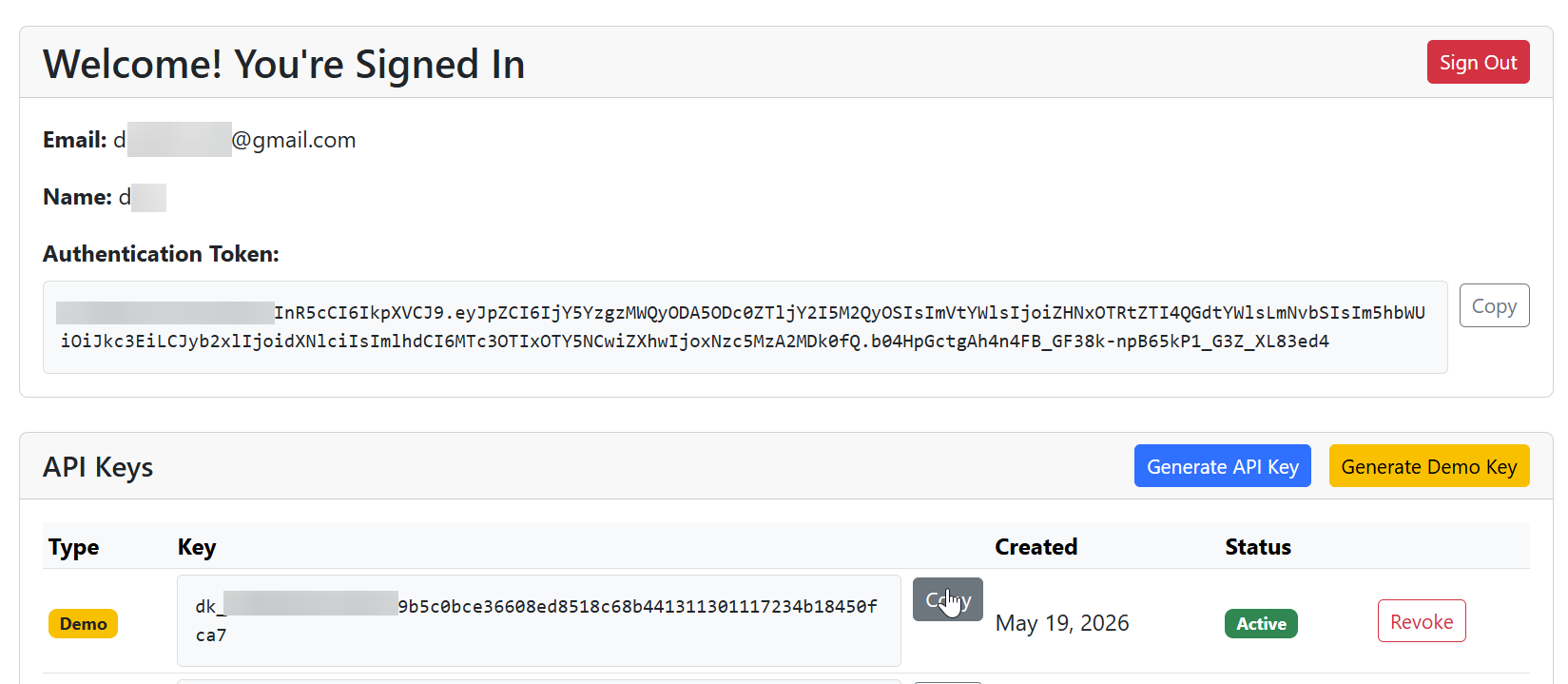
Demo keys start with
dk_. Full API keys start withsk_.
Step 2 — Configure Claude Desktop
Open your Claude Desktop configuration file:
- macOS:
~/Library/Application Support/Claude/claude_desktop_config.json - Windows:
%APPDATA%\Claude\claude_desktop_config.json
Add the following entry under mcpServers:
{
  "mcpServers": {
    "revit-converter": {
      "command": "npx",
      "args": [
        "-y",
        "mcp-remote",
        "https://labsaps-d35810f00db3.herokuapp.com/mcp",
        "--header",
        "Authorization: Bearer labsfuture.comFreeDemo_MCPKey"
      ]
    }
  }
}
Replace the Bearer token with your own key from labsfuture.com. The key above is a shared demo key — get your own for personal model storage and full conversions.
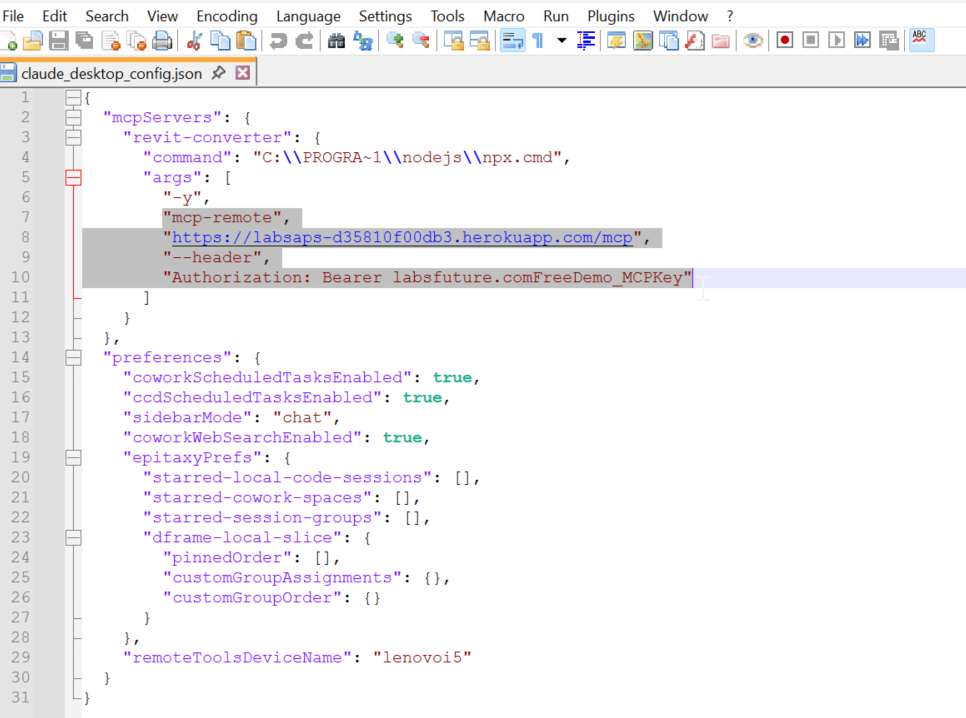
Requires Node.js — npx must be available in your PATH. Install from nodejs.org if needed.
Step 3 — Restart Claude Desktop
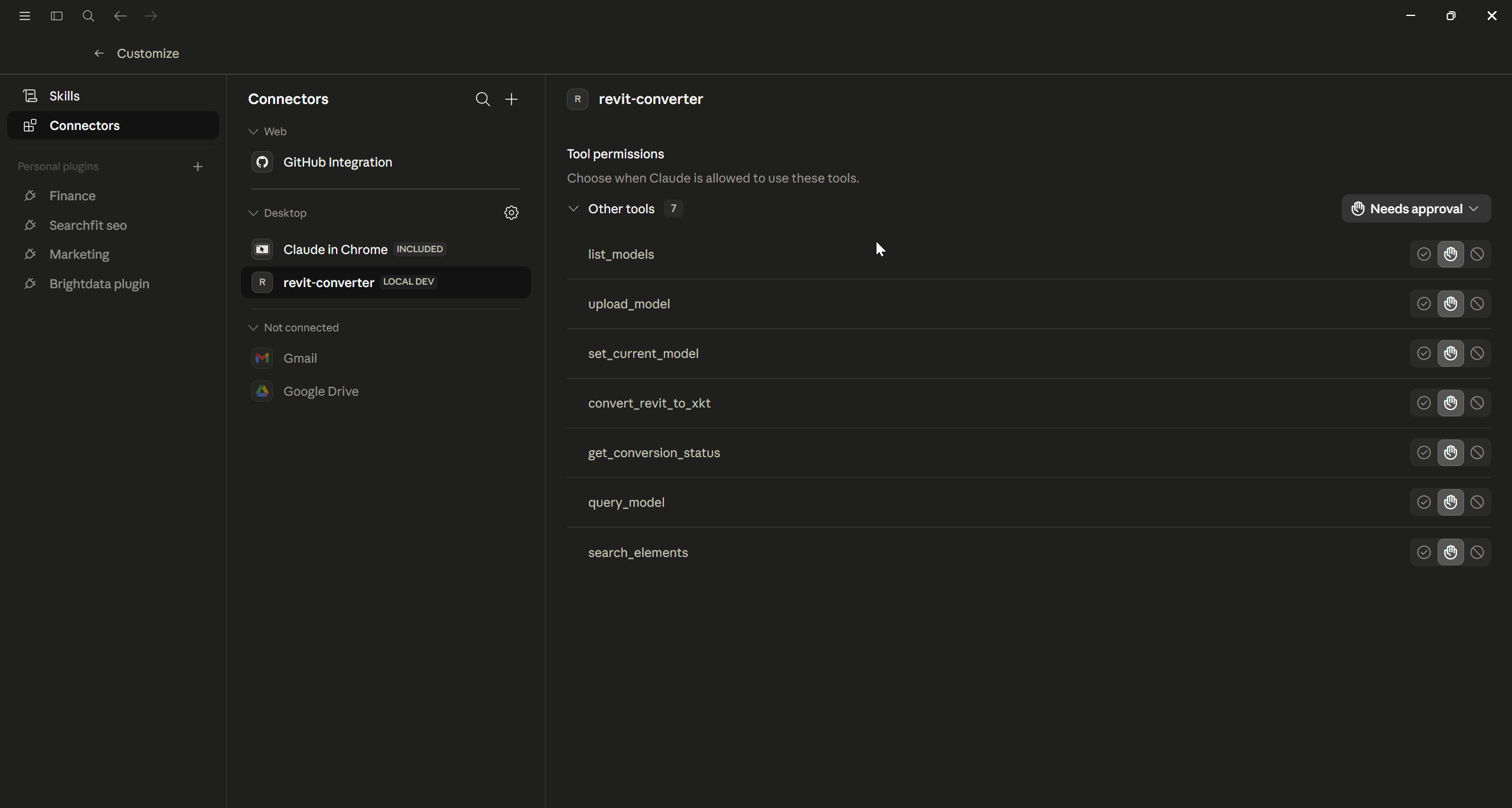
After saving the config, restart Claude Desktop. Open Settings → Connectors and you should see revit-converter listed with 9 tools available.
Usage Examples
Once connected, just talk to Claude naturally:
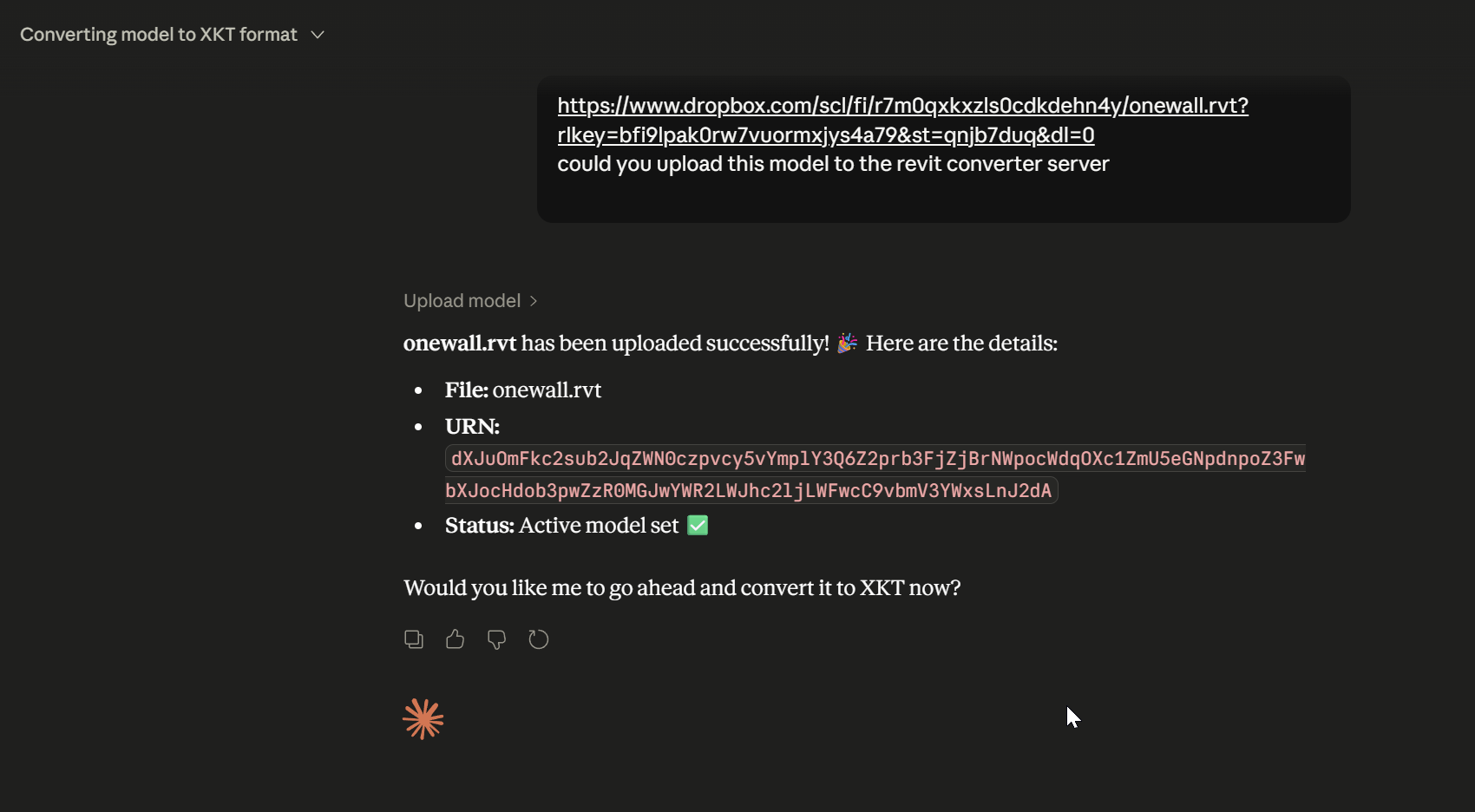
Upload a model
Could you upload this model to the revit converter server?
https://www.dropbox.com/scl/fi/yourfile.rvt?dl=0
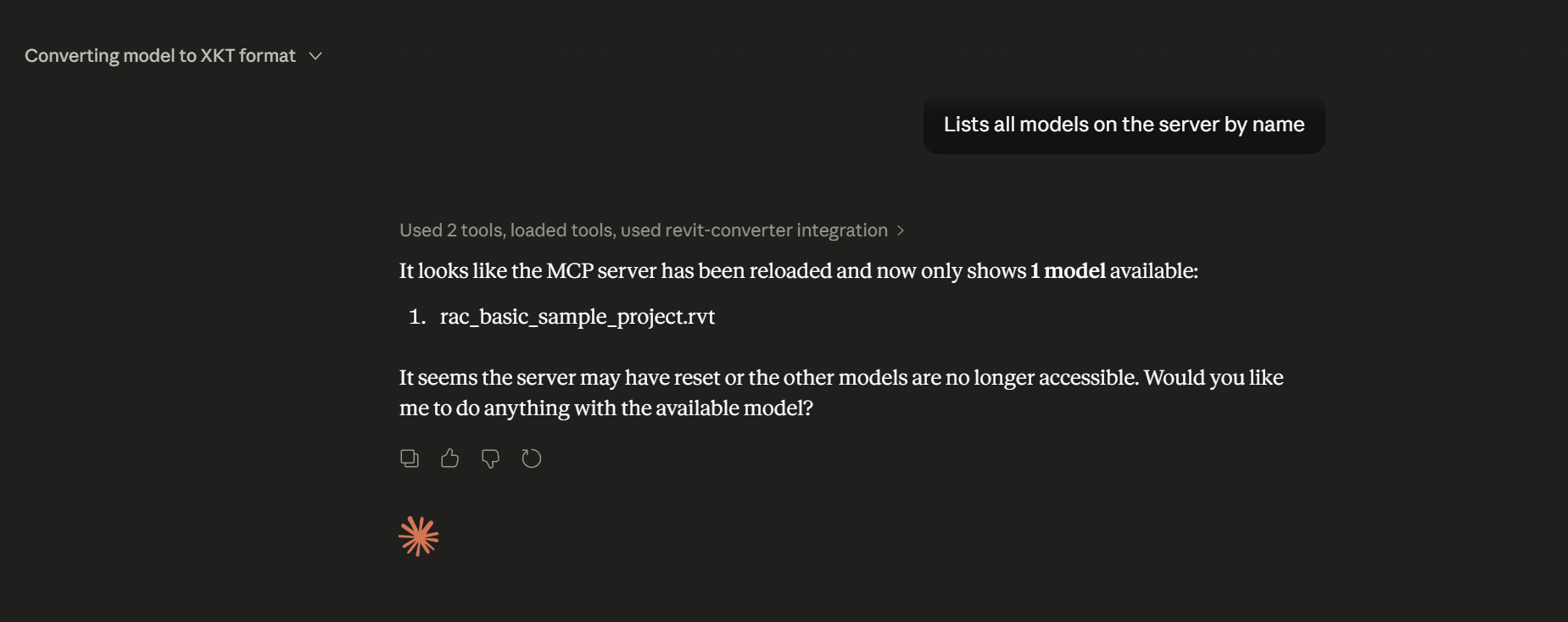
List models on the server
Lists all models on the server by name
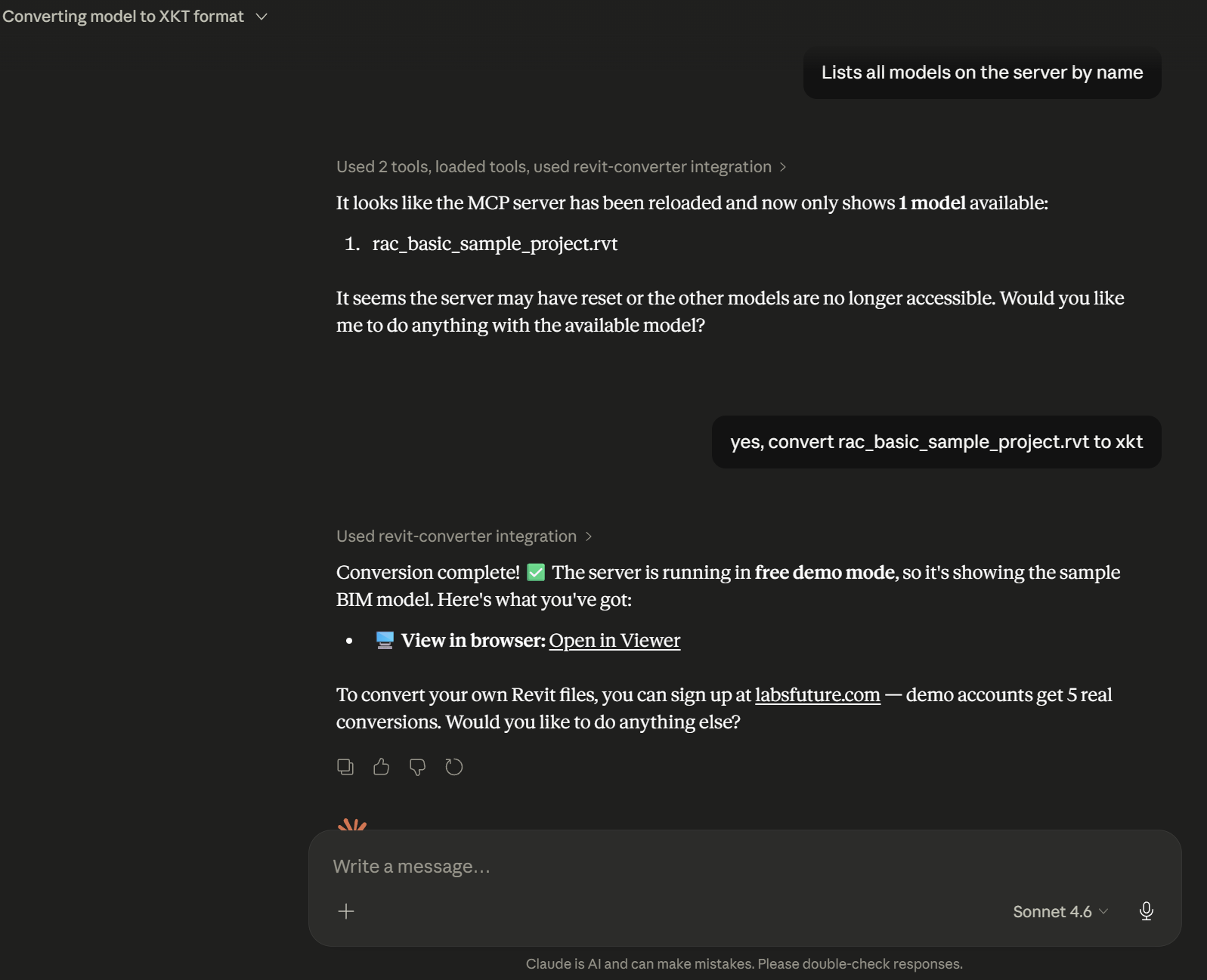
Convert to XKT and view in browser
yes, convert rac_basic_sample_project.rvt to xkt
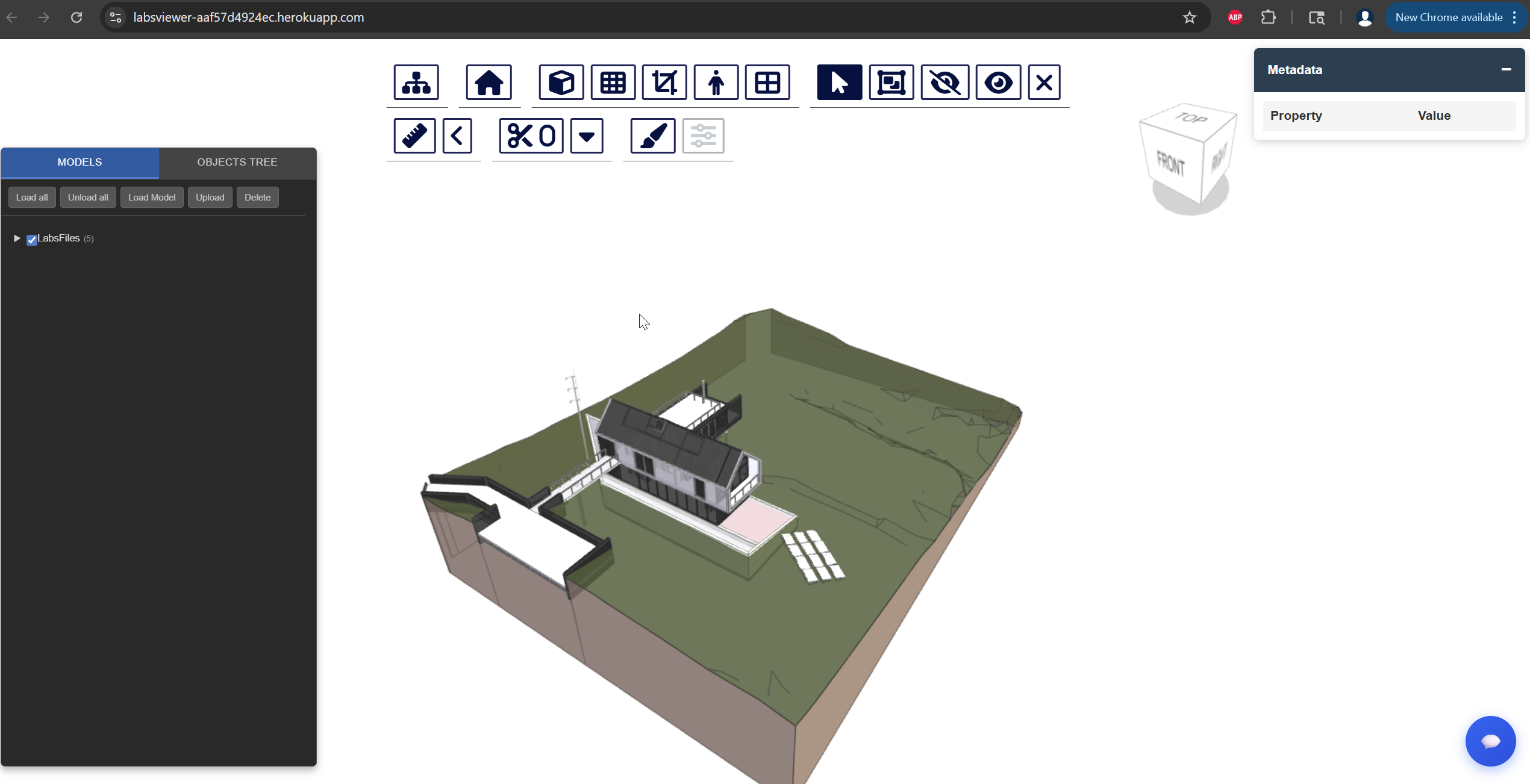
Claude returns a direct viewer link — open it to see your model rendered in 3D:
Export to IFC or DWG
export the current model to IFC
Claude triggers the export job and checks back automatically — when ready, it returns a direct download link valid for 60 minutes.
Query BIM data
how many walls in this model?
Inspect element properties
yes, just show me properties of a random wall
About Labs Future
LabsFuture builds AI-native tools for the AEC industry. The Revit Converter MCP is part of a broader platform that brings BIM workflows into the age of conversational AI — letting architects, engineers, and developers interact with building data through natural language.
Visit www.labsfuture.com to:
- Sign up and get your API key
- Access the 3D web viewer
- Learn about full platform features
Requirements
- Claude Desktop (or any MCP-compatible client)
- Node.js (for
npx mcp-remote) - [Optional] A Labs Future account with an API key
License
See LICENSE for details.