Listed from the MCP registry; nobody on Odel publishes it.

Google Ads Transparency Monitor
List the Google ads a company runs, from the Ads Transparency Center, with a company summary.
Runs on your machine from its package; the steps are below.
What it does
- Reads
- Writes
- High impact
At most: only reads or looks up information.
What it costs
FreeOdel charges nothing per call. The publisher may charge for its own service.
Runs locally over stdio
This server isn't hosted — your MCP client launches it from a package registry. Use one of the commands below, or drop the config into your client (e.g. Claude Desktop).
Run
npx -y @mambalabsdev/mcp-google-ads-transparency-monitor
MCP client config
{
  "mcpServers": {
    "google-ads-transparency-monitor": {
      "command": "npx",
      "args": [
        "-y",
        "@mambalabsdev/mcp-google-ads-transparency-monitor"
      ]
    }
  }
}Google Ads Transparency Monitor MCP Server





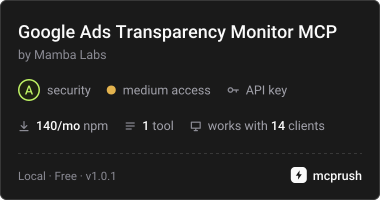
An MCP server for the Mamba Labs Google Ads Transparency Center Scraper by Domain actor on Apify. Give it a company domain or an advertiser name. Each run reads Google's public Ads Transparency Center and returns one row per ad, with the format, first and last shown dates, a creative link, and the ad's page, plus a company summary row with Google's total ad count band.
What's Inside
- What it does
- Quick start
- Prerequisites
- Example prompts
- Tool
- Inputs
- Pricing
- Your keys
- Full actor documentation
- License
What it does
List the Google ads a company runs. Give a company domain (for example stripe.com) or an advertiser name, or lists of either. You get one row per ad with the advertiser, ad ID, format (text, image, or video), first and last shown dates, a creative link, and the ad's Transparency Center page, plus one summary row per input that says whether the company runs Google ads, how many (Google's own count band, for example 8,000 to 9,000), and in which formats. Rows with no ads, blocked requests, or a changed Google page come back free with a row_status saying so.
All of the work runs on Apify. This package is a thin client that starts the actor run, waits for it, and hands back the dataset rows.
Quick start
You need Node.js 18 or newer and an Apify account with an API token.
Add this to your Claude Desktop config (claude_desktop_config.json), Cursor, or any MCP client:
{
  "mcpServers": {
    "mamba-google-ads-transparency-monitor": {
      "command": "npx",
      "args": [
        "-y",
        "@mambalabsdev/mcp-google-ads-transparency-monitor"
      ],
      "env": {
        "APIFY_TOKEN": "your-apify-token"
      }
    }
  }
}
Restart the client. The get_google_ads tool appears.
Prerequisites
- Node.js 18 or newer.
- An Apify API token from console.apify.com/account/integrations, set as
APIFY_TOKEN. The server lists its tool without a token; a call needs one.
Example prompts
- "Does notion.so run Google ads? How many, and in which formats?"
- "Show me the 10 most recent video ads HubSpot ran in the US."
- "For stripe.com, ramp.com, and brex.com, which ones advertised on Google in the last 30 days?"
Tool
get_google_ads. One tool. Example arguments:
{
  "company_domain": "stripe.com",
  "max_ads": "20",
  "since_days": "90"
}
Inputs
Every buyer facing input of the live actor, unchanged. Omitted inputs take the actor's own defaults. Give one of company_domain, advertiser_name, domains, or advertiser_names.
| Input | Type | Required | Description |
|---|---|---|---|
company_domain | string | no | A company website domain, for example stripe.com. |
advertiser_name | string | no | An advertiser name as Google verifies it, for example Stripe, Inc. |
domains | array | no | Several company domains. Up to 500 inputs per run. |
advertiser_names | array | no | Several advertiser names. |
region | string | no | anywhere, or a two letter country code such as US, GB, DE, or FR. Default anywhere. |
formats | array | no | text, image, video. Omit for all formats. |
max_ads | string | no | Ad rows per input, 1 to 1000. Default 50. |
since_days | string | no | Only ads last shown in this many days; 0 for all. Default 90. |
include_summary | string | no | true or false. Default true. |
max_charge_usd | string | no | Optional cost cap for the run. |
skipCache | string | no | true reads fresh results instead of the free 24 hour cache. Default false. |
proxy_mode | string | no | auto, direct, or residential. Default auto. |
Pricing
Pay per event on Apify, billed to your Apify account. Prices in USD.
| Event | Free plan | Bronze | Silver | Gold |
|---|---|---|---|---|
ad-found, per ad row returned | $0.002 | $0.0019 | $0.0018 | $0.0017 |
company-summary, per input with ads | $0.003 | $0.00285 | $0.0027 | $0.00255 |
apify-actor-start, per run start | $0.0005 | $0.0005 | $0.0005 | $0.0005 |
Rows with no ads, blocked rows, changed source rows, error rows, and cached rows are free.
Your keys
The actor needs no provider key. It reads Google's public Ads Transparency Center and holds no key of its own. If a run uses the Apify proxy, that traffic adds nothing to your price: Mamba Labs pays the platform costs of the run. proxy_mode is a reliability setting.
Full actor documentation
apify.com/mambalabs/google-ads-transparency-monitor
License
MIT. See LICENSE.







