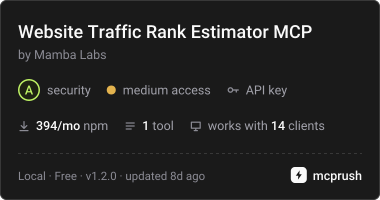
Listed from the MCP registry; nobody on Odel publishes it.

Website Traffic Rank Estimator
Get a research grade Tranco popularity rank and trend for any company domain.
Runs on your machine from its package; the steps are below.
What it does
- Reads
- Writes
- High impact
At most: only reads or looks up information.
What it costs
FreeOdel charges nothing per call. The publisher may charge for its own service.
Runs locally over stdio
This server isn't hosted — your MCP client launches it from a package registry. Use one of the commands below, or drop the config into your client (e.g. Claude Desktop).
Run
npx -y @mambalabsdev/mcp-website-traffic-rank-estimator
MCP client config
{
  "mcpServers": {
    "website-traffic-rank-estimator": {
      "command": "npx",
      "args": [
        "-y",
        "@mambalabsdev/mcp-website-traffic-rank-estimator"
      ]
    }
  }
}Website Traffic Rank Estimator MCP Server





An MCP server that returns a research grade Tranco popularity rank and trend for any company domain. It wraps the Mamba Labs Website Traffic Rank Estimator actor on Apify and returns a Clay-ready flat JSON row to any MCP client.
What's Inside
- What it does
- Quick start
- Prerequisites
- Example prompts
- Inputs
- Output
- Example output
- Features
- Pricing
- Full actor documentation
- Mamba Labs GTM Suite
- License
What it does
Give it a company domain and it returns that domain's position on the public Tranco list, the date of that position, a band from top_1k through beyond_1m, and whether the domain has been rising, falling or stable over roughly forty daily observations. One flat row per company.
These are ranks, not traffic. A Tranco rank does not convert to visits, sessions or a monthly number, and this tool will never return a visit count. A lower rank number is better, so the trend is given in words rather than as a signed number. Most B2B domains are not on the list at all and return not_found, which is normal rather than disqualifying. Cloudflare Radar and Chrome UX Report are available as extra sources with your own free keys, and a source you did not supply a key for reports skipped rather than not_found, because nobody looked.
All of the lookup runs on Apify. This package is a thin client that calls the actor and hands back the result unchanged.
Quick start
You need Node.js 18 or newer and an Apify account with an API token.
Add this to your Claude Desktop config:
{
  "mcpServers": {
    "mamba-website-traffic-rank-estimator": {
      "command": "npx",
      "args": ["-y", "@mambalabsdev/mcp-website-traffic-rank-estimator"],
      "env": {
        "APIFY_TOKEN": "your-apify-token"
      }
    }
  }
}
Get your token at https://console.apify.com/account/integrations, paste it in, and restart Claude Desktop. The estimate_website_traffic_rank tool will be available.
Prerequisites
- Node.js 18 or newer
- An Apify account with an API token
- Optional: your own Cloudflare API token, free at dash.cloudflare.com, if you want the Radar source
- Optional: your own Google API key with the Chrome UX Report API enabled, free at console.cloud.google.com, if you want the CrUX source
Example prompts
- "What is the Tranco rank for stripe.com, and is it rising or falling?"
- "Give me the popularity band for this domain and skip the trend."
- "Rank these domains and flag the ones inside the top 100,000."
- "Look up figma.com on Tranco and Cloudflare Radar. Here is my Cloudflare token."
Inputs
company_domain(optional): bare company domain, for examplestripe.com. This is the lookup key and the join key for every other actor in the fleet.company_name(optional): carried through to the output row for joining. Rank lookup is keyed on the domain alone, so the name does not change the answer.sources(optional): which rank sources to query. One oftranco,tranco_radar,tranco_cruxorall. Tranco is free and needs no key. Cloudflare Radar and Chrome UX Report each need your own free key, and a source you did not supply a key for reportsskippedrather thannot found.includeTrend(optional): when true (the default) the rank history Tranco already returns is used to say whether the domain is rising, falling or stable. It costs nothing extra, because the history arrives in the same response.minRank(optional): one ofnone,1000,10000,100000or1000000. It setsrank_meets_thresholdon the row, so you can filter a list to established sites without writing the comparison yourself. It never drops a row and never changes the rank returned.cloudflareApiToken(optional): your own Cloudflare API token, free to create at dash.cloudflare.com. Used only whensourcesincludes Radar.cruxApiKey(optional): your own Google API key with the Chrome UX Report API enabled, free at console.cloud.google.com. Used only whensourcesincludes CrUX.skipCache(optional): when false (the default) a successful lookup is cached for seven days and reused. Set true to force a fresh fetch.max_charge_usd(optional): spending cap for this call, in USD. The actor stops before any charge that would take the run past this amount and keeps every row already charged.
Output
The tool returns the actor's flat JSON row for the company, with 20 snake_case fields and no nested objects. tranco_rank comes with tranco_rank_date, because a rank without a date has no shelf life. rank_band gives an honest band rather than false precision, rank_trend is a word, and radar_status and crux_status say whether those sources ran. See the Apify Store page for the full output schema.
Example output
{
  "degraded": false,
  "degradation_reason": null,
  "company_domain": "stripe.com",
  "company_name": "Stripe",
  "tranco_rank": 238,
  "tranco_rank_date": "2026-08-21",
  "rank_band": "top_1k",
  "rank_trend": "stable",
  "rank_change": 1,
  "rank_observations": 40,
  "rank_meets_threshold": null,
  "radar_rank": null,
  "radar_bucket": null,
  "radar_status": "skipped",
  "crux_has_data": null,
  "crux_lcp_p75_ms": null,
  "crux_status": "skipped",
  "coverage": 0.67,
  "fetch_status": "ok",
  "run_date": "2026-08-22T19:23:52.998Z"
}
Features
- Tranco popularity rank for any company domain, with the date of that rank
- Trend over roughly forty daily observations, given as rising, falling or stable
- An honest band such as
top_1k, rather than false precision - Optional Cloudflare Radar and Chrome UX Report sources with your own keys
- Never returns a visit count, because a rank is not traffic
- 20 flat snake_case fields, one row per company
Pricing
You pay per event on Apify, billed to your own Apify account. Prices from the live pricing record, read 2026-10-16:
| Event | Price per event (USD) | Fires when |
|---|---|---|
apify-actor-start | $0.00005 | Charged when the Actor starts running. Number of events charged depends on Actor memory (one event per GB, minimum one event). |
company-checked | $0.0025 on the Free plan, down to $0.00175 on higher Apify plans | Once per company for which the rank lookup completed and a non degraded row was produced, whether or not anything was found. A not_found row fires this event, because looking and finding nothing is a real answer and it is the work you asked for. A degraded row, where the lookup could not run at all, fires nothing. |
rank-resolved | $0.002 on the Free plan, down to $0.0014 on higher Apify plans | Once per company where a numeric rank was returned by at least one source and banded. Does not fire when the domain is absent from every source queried, which is a real answer and is covered by the check event. |
The actor's Apify page carries the current prices. Running this server consumes Apify credits.
Full actor documentation
This server is a thin client and holds no lookup logic. For the complete input and output reference, pricing, and run history, see the Apify Store page:
https://apify.com/mambalabs/website-traffic-rank-estimator
Mamba Labs GTM Suite
This server is one of the Mamba Labs GTM Suite MCP servers. Every actor in the suite takes a domain or a company and returns one flat row, so they stack in the same Clay table without reshaping anything. The actor behind this server is the Website Traffic Rank Estimator, immutable Apify actor ID GnOFUzlNVIoXgeJjH.
Built by Mamba Labs | npm | Apify Store
License
MIT
Built by Mamba Labs. https://apify.com/mambalabs