Listed from the MCP registry; nobody on Odel publishes it. Is this yours? Claim @marketplaceadpros

Marketplace Ad Pros: Amazon Ads & Seller Central
Amazon Ads, Seller Central, Vendor Central and AMC data for AI agents. Read-only by default.
One address for any MCP client. You sign in at app.marketplaceadpros.com once, after adding it.
What it does
- Reads
- Writes
- High impact
At most: only reads or looks up information.
What it costs
FreeOdel charges nothing per call. The publisher may charge for its own service.
What it asks for at sign-in
| Access to | Read | Change |
|---|---|---|
| Your identity | ||
| Read | ||
| Write amazon ads | Not stated: write-amazon-ads | |
| Read selling partner | Not stated: read-selling-partner | |
| Write selling partner | Not stated: write-selling-partner | |
| Read tiktok ads | Not stated: read-tiktok-ads | |
| Write tiktok ads | Not stated: write-tiktok-ads | |
| Read keepa | Not stated: read-keepa | |
| Read junglescout | Not stated: read-junglescout | |
| Read awd | Not stated: read-awd | |
| Read search results | Not stated: read-search-results | |
| Write scraping configuration | Not stated: write-scraping-configuration | |
| Write amc audiences | Not stated: write-amc-audiences | |
From the sign-in at app.marketplaceadpros.com, as the endpoint publishes it. You approve it there.
Tools
None listed · checked 5 Nov 2026Odel could not list its tools without signing in.
Marketplace Ad Pros MCP Server for Amazon Ads & Seller Central

A hosted MCP server that connects your Amazon Ads, Seller Central, Vendor Central and Amazon Marketing Cloud data to Claude, ChatGPT, Claude Code, Cursor, n8n and any other MCP-compatible client. Built by Marketplace Ad Pros, an Amazon Ads Verified Partner.
Remote endpoint (Streamable HTTP, OAuth):
https://app.marketplaceadpros.com/mcp
There's nothing to install and no API key to copy. Add the URL to your client, sign in, and connect your Amazon accounts. Access is read-only by default. Write access, such as changing bids, budgets, keywords or listings, is opt-in, and each change asks you to confirm it.
Registry name: com.marketplaceadpros/amazon-ads
What you can do with it
- Amazon Ads: Sponsored Products, Sponsored Brands and Sponsored Display campaigns, ad groups, keywords, targets, product ads and portfolios, plus Amazon DSP. Ask about performance in plain English: ACoS, ROAS, spend, search terms, wasted spend, placement and budget pacing.
- Seller Central & Vendor Central (Selling Partner API): total sales, units, sessions and conversion, TACoS, orders, inventory and FBA, listings, Search Query Performance, Brand Analytics, settlements and fees.
- Amazon Marketing Cloud (AMC): run AMC SQL and curated AMC reports.
- Optimization: daily recommendations, experiments with measured outcomes, budget and bid recommendations from Amazon, and stock- and Buy Box-aware guidance.
- Multi-account: one connection covers every region (NA, EU, FE) and every profile you have access to. You can group ad accounts into brands, which suits agencies.
Connect
Claude (claude.ai, Claude Desktop)
Go to Settings → Connectors → Add custom connector, paste https://app.marketplaceadpros.com/mcp, and sign in when prompted.
Claude Code
claude mcp add --transport http marketplace-ad-pros https://app.marketplaceadpros.com/mcp
Then run /mcp inside Claude Code to authenticate.
ChatGPT
Add a custom connector (app) with the URL https://app.marketplaceadpros.com/mcp and sign in when prompted.
Cursor, VS Code, Windsurf and other JSON-configured clients
{
  "mcpServers": {
    "marketplace-ad-pros": {
      "type": "streamable-http",
      "url": "https://app.marketplaceadpros.com/mcp"
    }
  }
}
Clients without OAuth (n8n, LibreChat, scripts)
Create an API token in the Marketplace Ad Pros app and send it as a bearer token:
  MAP:
    type: streamable-http
    url: https://app.marketplaceadpros.com/mcp
    headers:
      Authorization: "Bearer <your token>"
Pricing
Signing up and connecting your Amazon accounts is free. MCP access starts at $10/week on the AI Connect plan. See pricing.
Legacy: local stdio bridge (npm)
This repository also contains @marketplaceadpros/amazon-ads-mcp-server, a small stdio bridge from 2025 for clients that couldn't connect to remote MCP servers. It forwards every call to the remote endpoint above. Most clients can now connect to that endpoint directly, so use it, and keep the bridge only for clients that need stdio.
stdio bridge setup
Set BEARER_TOKEN to an API token from Marketplace Ad Pros:
{
  "mcpServers": {
    "marketplaceadpros": {
      "command": "npx",
      "args": ["@marketplaceadpros/amazon-ads-mcp-server"],
      "env": {
        "BEARER_TOKEN": "<your token>"
      }
    }
  }
}
To build from source:
npm install
npm run build      # or: npm run watch
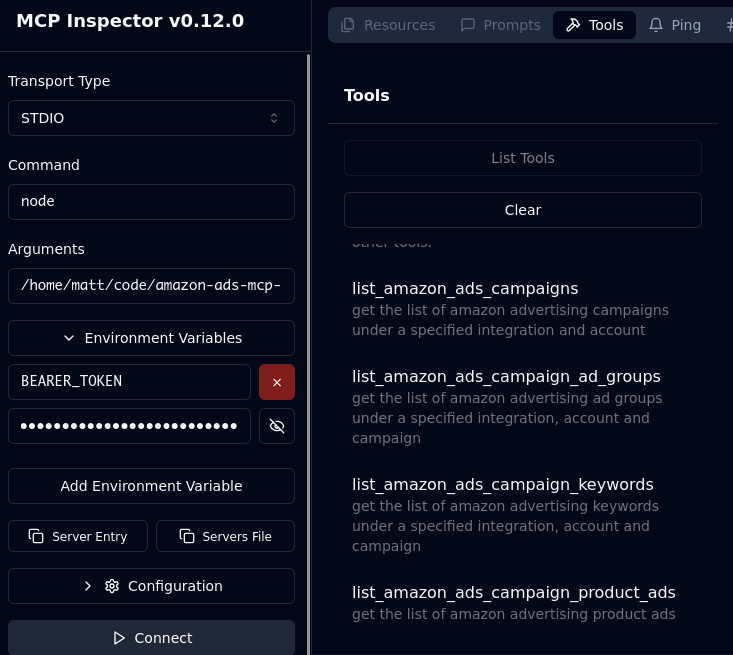
npm run inspector  # debug with the MCP Inspector
Links
- Website: https://marketplaceadpros.com?ref=github-amazon-ads-mcp-server
- Setup guides: https://marketplaceadpros.com/integrations/?ref=github-amazon-ads-mcp-server
- Support: info@marketplaceadpros.com
Acknowledgements
- The Model Context Protocol and Anthropic teams for the MCP specification.