Mastercard Developers MCP
Access Mastercard Developers APIs, documentation, and API specifications through MCP.
Runs on your machine from its package; the steps are below.
What it does
- Reads
- Writes
- High impact
At most: only reads or looks up information.
What it costs
FreeOdel charges nothing per call. The publisher may charge for its own service.
Runs locally over stdio
This server isn't hosted — your MCP client launches it from a package registry. Use one of the commands below, or drop the config into your client (e.g. Claude Desktop).
Run
npx -y @mastercard/developers-mcp
MCP client config
{
  "mcpServers": {
    "mastercard-developers-mcp": {
      "command": "npx",
      "args": [
        "-y",
        "@mastercard/developers-mcp"
      ]
    }
  }
}Mastercard Developers Agent Toolkit

The Mastercard Developers Agent Toolkit allows popular agent frameworks (currently Model Context Protocol - MCP) to integrate with Mastercard Developers for service discovery and integration guides.
Key Features
- Service Discovery: Enables agents to programmatically discover available services on the Mastercard Developers platform.
- Integration Guide Access: Provides access to detailed documentation and integration guides.
- Flexible Deployment: Can be run as a standalone server or integrated as a library in TypeScript/JavaScript projects.
- MCP-Based: Built on the Model Context Protocol (MCP) for standardized communication.
Supported Tool Calls
The toolkit provides the following tools for agents to use:
Services
get-services-list: Lists all available Mastercard Developers Products and Services with their basic information including title, description, and service id.
Documentation
get-documentation: Provides an overview of all available documentation for a specific Mastercard service including section titles, descriptions, and navigation links.get-documentation-section-content: Retrieves the complete content for a specific documentation section.get-documentation-page: Retrieves the complete content of a specific documentation page.get-oauth10a-integration-guide: Retrieves the comprehensive OAuth 1.0a integration guide.get-oauth20-integration-guide: Retrieves the comprehensive OAuth 2.0 integration guide.get-openfinance-integration-guide: Retrieves the comprehensive Open Finance integration guide.
API Operations
get-api-operation-list: Provides a summary of all API operations for a specific Mastercard API specification including HTTP methods, request paths, titles, and descriptions.get-api-operation-details: Provides detailed information about a specific API operation including parameter definitions, request and response schemas, and technical specifications.
Model Context Protocol
We provide a standalone Model Context Protocol (MCP) server that can be used with MCP clients.
npx -y @mastercard/developers-mcp
For more details for the configuration options, see modelcontextprotocol directory
Installation
If you want to use the package in your project, you can install it using npm:
npm install --save @mastercard/developers-agent-toolkit
Requirements
- Node 18+
import { MastercardDevelopersAgentToolkit } from "@mastercard/developers-agent-toolkit/mcp";
import { StdioServerTransport } from "@modelcontextprotocol/sdk/server/stdio.js";

const server = new MastercardDevelopersAgentToolkit({});

async function main() {
  const transport = new StdioServerTransport();
  await server.connect(transport);
  console.error("Mastercard Developers MCP Server running on stdio");
}

main().catch((error) => {
  console.error("Fatal error in main():", error);
  process.exit(1);
});
For more details, checkout typescript directory
Agent Plugins
Agent skills are instructions that agents can use to build faster and more accurately. This repository provides official plugins that bundle the mastercard-best-practices skill together with the Mastercard Developers MCP server for popular agent harnesses.
If you use one of these harnesses, we recommend installing the plugin, which includes the MCP server and updates automatically.
Note: The curated marketplace commands below (
@claude-plugins-official,@openai-curated, and the Cursor slash command) work once the plugin is accepted into each vendor's registry. Until then, use the GitHub-based install shown under Install from this repository.
Claude Code
claude plugin install mastercard-developers@claude-plugins-official
Codex
codex plugin add mastercard-developers@openai-curated
Cursor
/add-plugin mastercard-developers
Manual installation
Manually installed skills don't auto-update. Run
npx skills update -yto get the latest versions.
npx skills add Mastercard/developers-agent-toolkit
Install from this repository
Before the plugins are listed in the curated marketplaces, you can install directly from this GitHub repository.
Claude Code - add this repo as a marketplace, then install:
claude plugin marketplace add Mastercard/developers-agent-toolkit
claude plugin install mastercard-developers@mastercard-developers
Skills only (any supported agent) - install the skill straight from the repo:
npx skills add Mastercard/developers-agent-toolkit
Plugin sources live under providers/, and the marketplace manifests are .claude-plugin/marketplace.json, .codex-plugin/marketplace.json, and .cursor-plugin/marketplace.json.
Using the skill
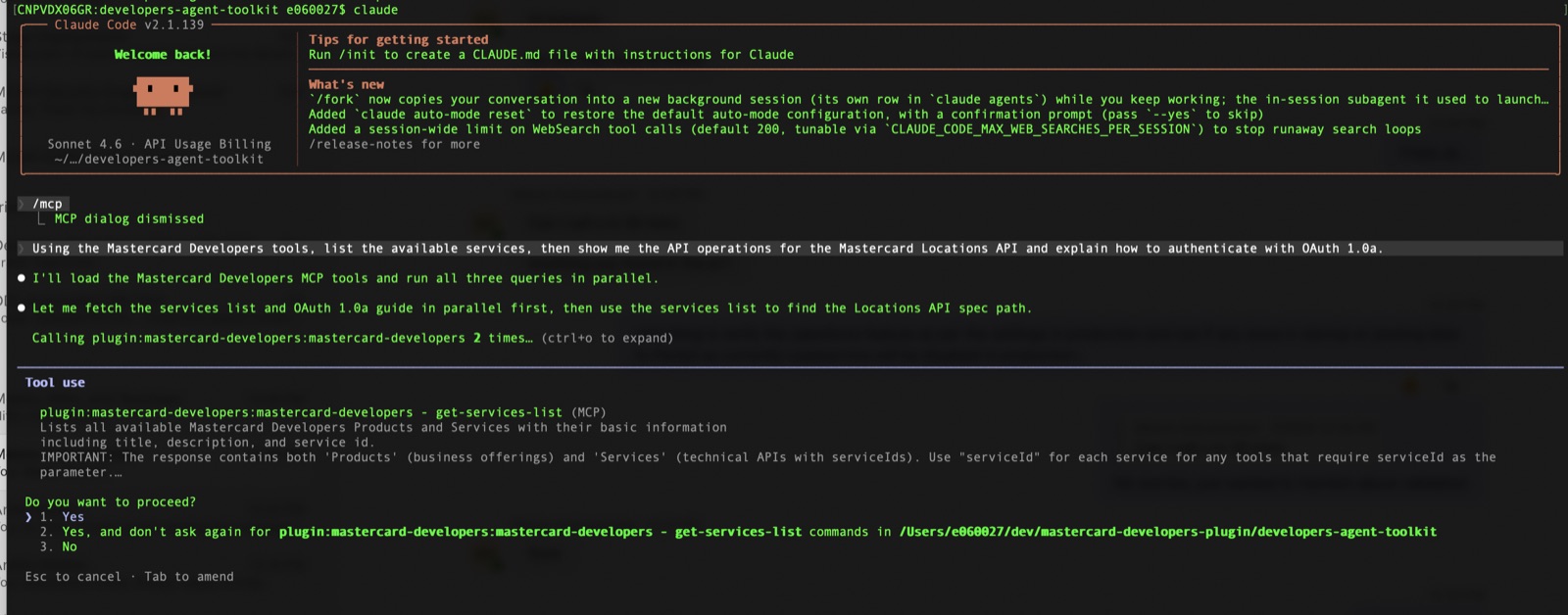
Once the plugin (or MCP server) is installed, just prompt your agent in plain language. The skill guides the agent to call the Mastercard Developers MCP tools instead of relying on training data.
Try a prompt like:
Using the Mastercard Developers tools, list the available services,
then show me the API operations for the Mastercard Locations API and
explain how to authenticate with OAuth 1.0a.
Results will include the service list, the API operations for the Locations API, and details about the OAuth 1.0a integration:
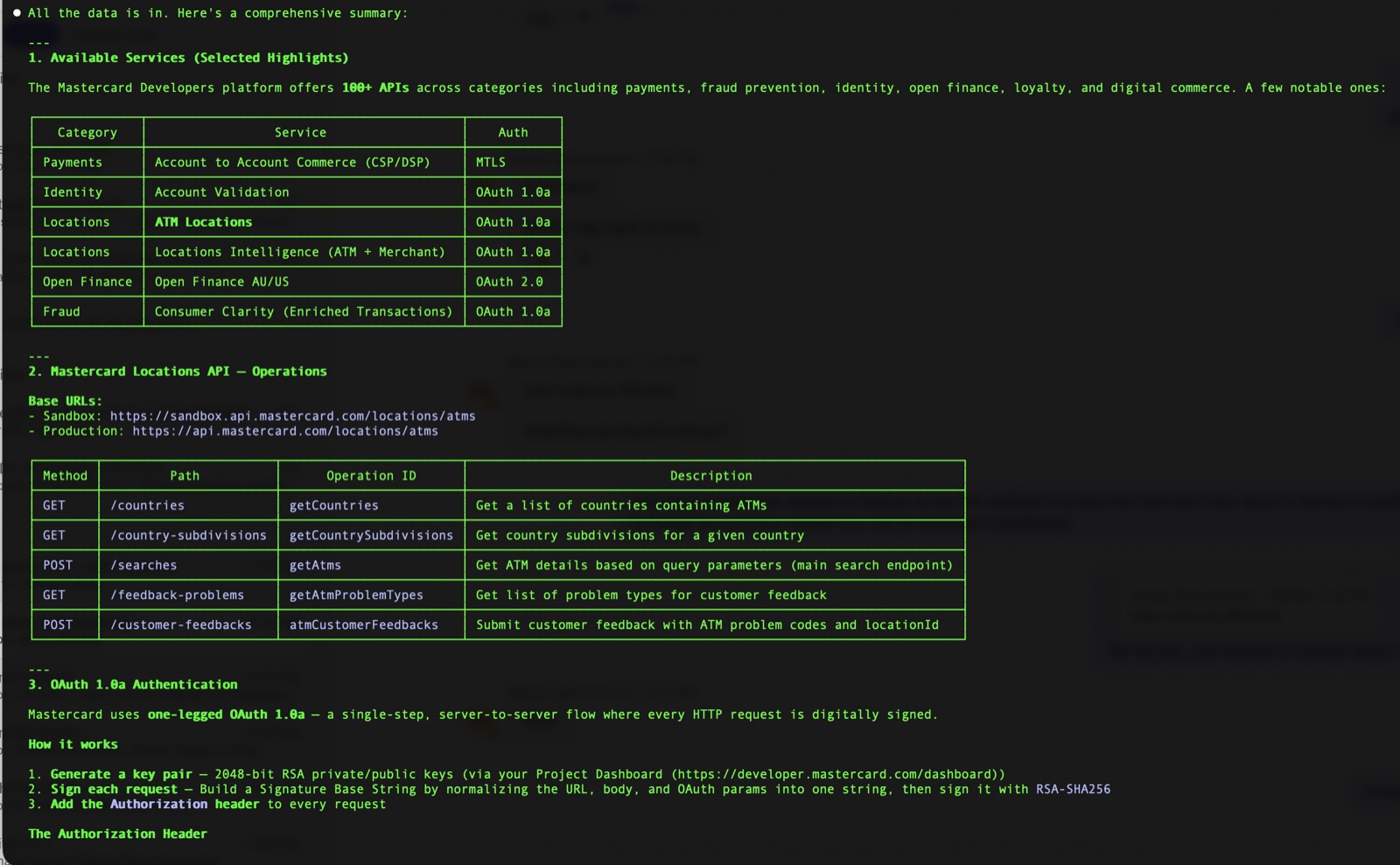
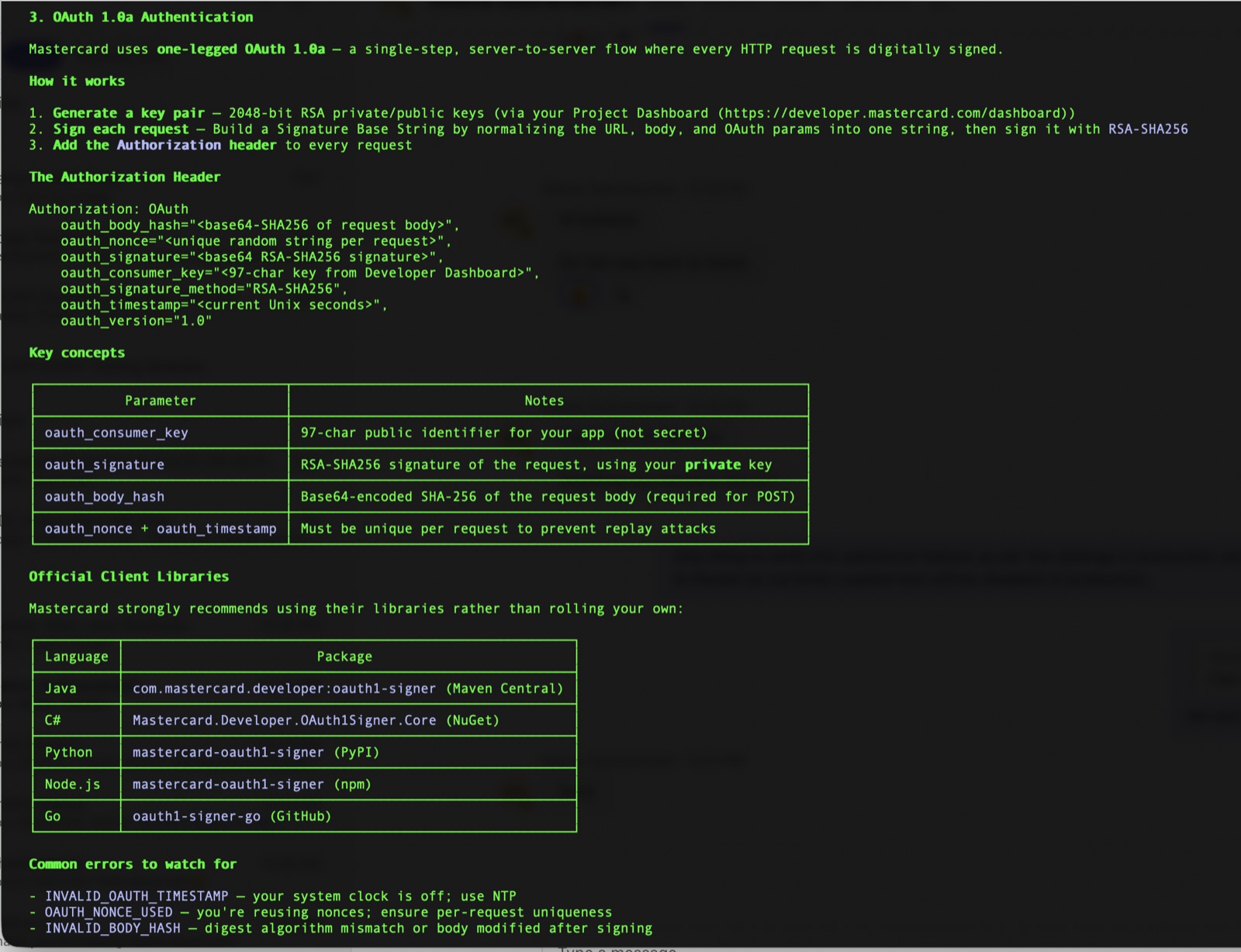
Behind the scenes the agent chains the MCP tools to answer this, for example:
get-services-list- discover available Mastercard products/services.get-api-operation-list- list operations for the chosen service's spec.get-documentation-page- discover the correct swagger spec path.get-oauth10a-integration-guide- pull the official authentication guide.
You don't call these tools directly - just describe your goal and the agent selects the right tools.
Editing skills
The skills/ directory at the repository root is the single source of truth for every agent skill (for example mastercard-best-practices). Each provider under providers/*/plugin/skills/ holds a synchronized copy - do not edit those copies directly.
To update a skill:
-
Edit the canonical file under
skills/(e.g.skills/mastercard-best-practices/SKILL.md). -
Run the sync script from the repository root to propagate the change to every provider:
bashnode scripts/sync.js
To verify (without writing) that the provider copies match the canonical source - useful in CI or a pre-commit hook - run:
node scripts/sync.js --check
This exits non-zero if any provider skill is missing or out of sync.
Contributing
Contributions are welcome. Please feel free to submit a pull request or open an issue to report a bug or suggest a feature.
License
This project is licensed under the MIT License. See the LICENSE file for details.