Listed from the MCP registry; nobody on Odel publishes it.

Iwantmymtg
Query Magic: The Gathering cards, sets, and prices and manage your I Want My MTG collection.
Runs on your machine from its package; the steps are below.
What it does
- Reads
- Writes
- High impact
At most: creates or changes data: records, files, settings.
What it costs
FreeOdel charges nothing per call. The publisher may charge for its own service.
Runs locally over stdio
This server isn't hosted — your MCP client launches it from a package registry. Use one of the commands below, or drop the config into your client (e.g. Claude Desktop).
Run
npx -y iwantmymtg-mcp
MCP client config
{
  "mcpServers": {
    "iwantmymtg": {
      "command": "npx",
      "args": [
        "-y",
        "iwantmymtg-mcp"
      ]
    }
  }
}iwantmymtg-mcp


An MCP server for I Want My MTG. Exposes IWMM's API as tools so Claude Desktop, Claude Code, Cursor, and other MCP clients can search Magic: The Gathering cards/sets and manage a user's collection conversationally.
Published on npm, the MCP Registry, and Smithery. Coverage expands to match the API; see
docs/TOOLS.mdfor the full, always-current tool list.
What you can do
- Anonymous (no key): search cards, look up a card by set+number, get current prices and 30-day price history, find the week's biggest price increases and decreases, get a card's buylist (sell-to-vendor) offers, list sets and their cards, list sealed products.
- Authenticated (with an IWMM API key): manage your inventory and transactions; build and manage decks (create, import from a decklist, edit cards, add the cards you're missing to your buy-list); view portfolio summaries, history, performance, cash flow, realized gains, and breakdowns (including by color, with per-slice drill-down); manage price alerts and notifications.
- Sell tools (with a key): see your collection's market sell value (best buylist offer per card, grouped by vendor), manage a buy-list (want-list), and get a cash-vs-store-credit recommendation for selling toward your buy list.
See the project roadmap for what's next.
Install
Requires Node 20+.
npx iwantmymtg-mcp
Or install globally if you prefer:
npm install -g iwantmymtg-mcp
iwantmymtg-mcp
Claude Desktop
One-click install: download iwantmymtg-mcp.mcpb and double-click it. Claude Desktop installs the server and asks for your API key (optional).
Or add it by hand to claude_desktop_config.json (macOS: ~/Library/Application Support/Claude/claude_desktop_config.json; Windows: %APPDATA%\Claude\claude_desktop_config.json):
{
  "mcpServers": {
    "iwmm": {
      "command": "npx",
      "args": ["-y", "iwantmymtg-mcp"],
      "env": {
        "IWMM_API_KEY": "iwm_live_..."
      }
    }
  }
}
IWMM_API_KEY is optional - read-only tools work without it. Create a key at https://iwantmymtg.net/user/api-keys.
Claude Code
Add to .mcp.json in your project (or ~/.claude/.mcp.json globally):
{
  "mcpServers": {
    "iwmm": {
      "command": "npx",
      "args": ["-y", "iwantmymtg-mcp"],
      "env": { "IWMM_API_KEY": "iwm_live_..." }
    }
  }
}
Cursor
Add to ~/.cursor/mcp.json (global) or .cursor/mcp.json in your project:
{
  "mcpServers": {
    "iwmm": {
      "command": "npx",
      "args": ["-y", "iwantmymtg-mcp"],
      "env": { "IWMM_API_KEY": "iwm_live_..." }
    }
  }
}
After saving, restart Cursor and confirm iwmm appears under Settings -> Features -> MCP Servers.
Example prompts
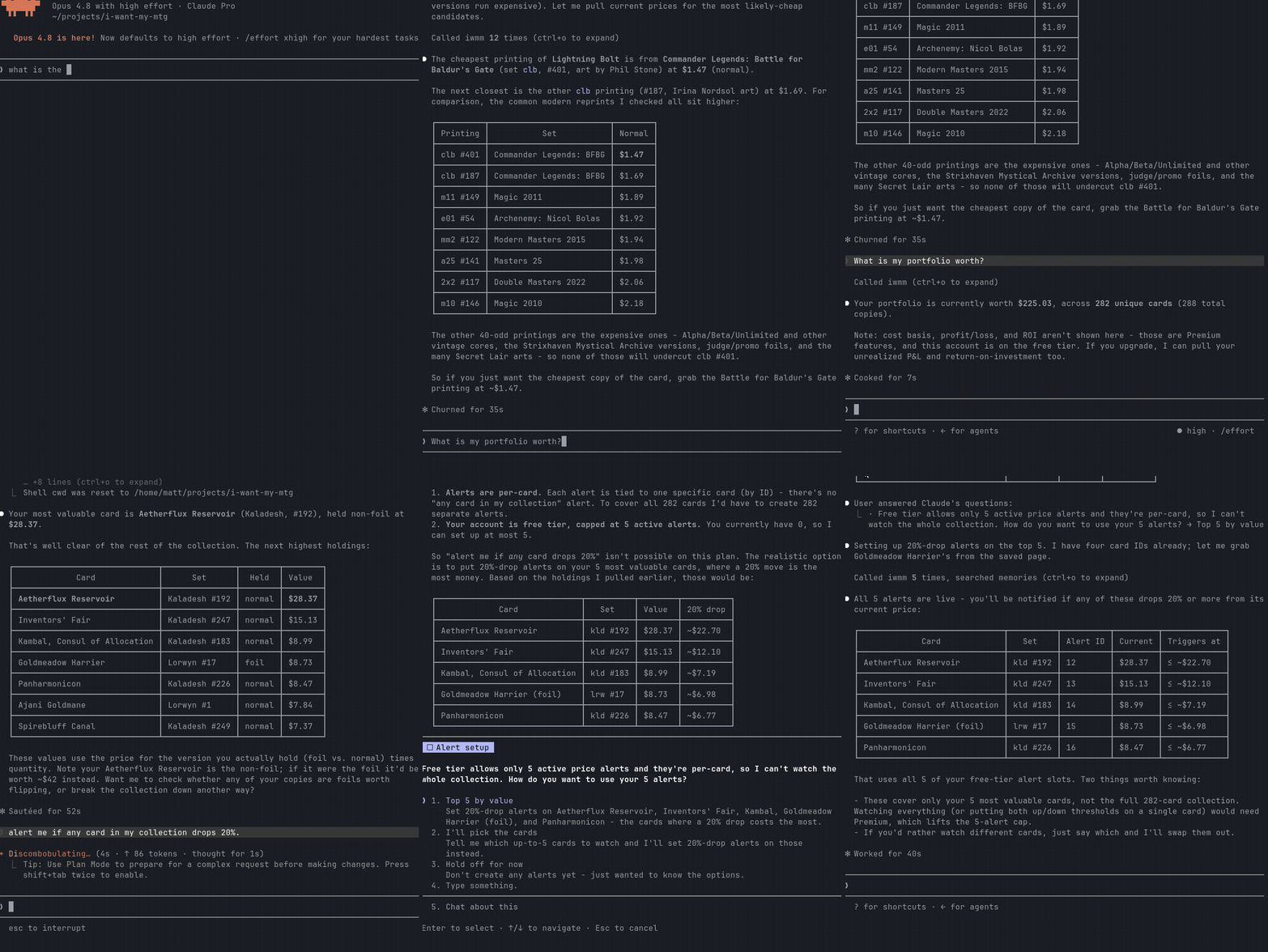
- "Search for Lightning Bolt printings and show me the cheapest one."
- "What's the price history of Bloodbraid Elf from Modern Horizons 3?"
- "Add 4 copies of Lightning Bolt LEA to my inventory."
- "What sealed products are available for MH3?"
- "What's my collection worth to sell right now, and which vendor pays most?"
- "Add these cards to my buy list, then tell me whether cash or store credit is the better deal."
See examples/ for walkthroughs of common flows, and docs/TOOLS.md for the full tool reference.
Configuration
| Env var | Default | Purpose |
|---|---|---|
IWMM_API_KEY | (unset) | Personal API key. Required only for authenticated tools. |
IWMM_BASE_URL | https://iwantmymtg.net | Override for self-hosted or local-dev IWMM instances. |
Local development
npm install
npm run build
node dist/index.js
Or with tsx for live reload:
npm install
npx tsx src/index.ts
License
This project is licensed under the MIT License — see the LICENSE file for details.