Listed from the MCP registry; nobody on Odel publishes it.

Remi
Apple Reminders CLI and MCP server with section support and iCloud sync
Runs on your machine from its package; the steps are below.
What it does
- Reads
- Writes
- High impact
At most: creates or changes data: records, files, settings.
What it costs
FreeOdel charges nothing per call. The publisher may charge for its own service.
Runs locally over stdio
This server isn't hosted — your MCP client launches it from a package registry. Use one of the commands below, or drop the config into your client (e.g. Claude Desktop).
Run
npx -y @mattheworiordan/remi
MCP client config
{
  "mcpServers": {
    "remi": {
      "command": "npx",
      "args": [
        "-y",
        "@mattheworiordan/remi"
      ]
    }
  }
}

remi
The CLI that Apple should have built for Reminders.
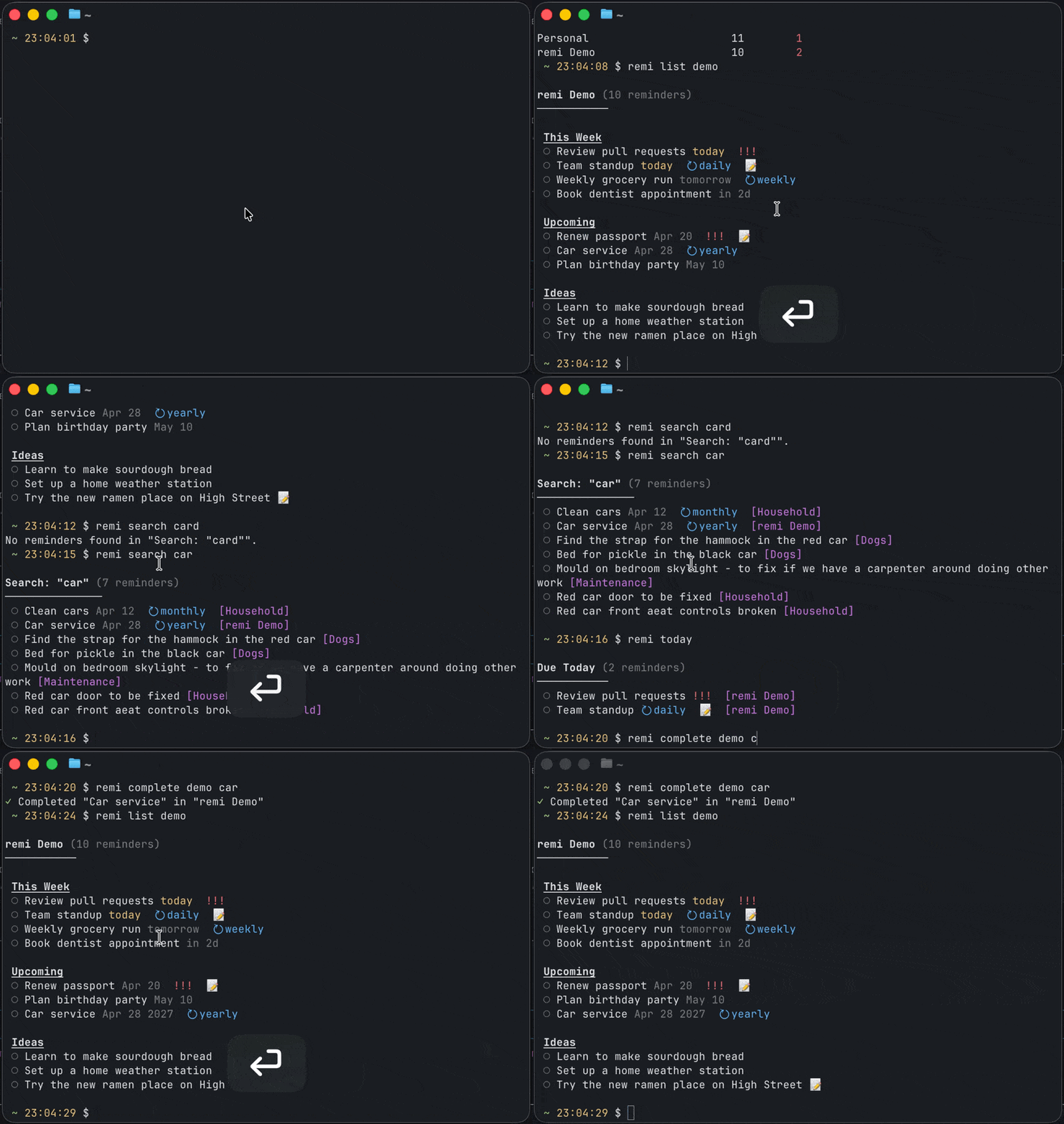
Create lists, add reminders, organize them into sections, and have everything sync across all your Apple devices — from the terminal.
Why remi?
- Sections with iCloud sync — the only CLI that supports Apple Reminders sections. Create them, assign reminders, move between them, and it all syncs.
- Natural language —
--due "next tuesday",--repeat "every 2 weeks on monday,friday" - Fuzzy matching — type
remi list shoppinginstead ofremi list "Groceries / Shopping List" - Agent-first — structured JSON output, Claude Code plugin, skills.sh skill, OpenClaw compatible
- Fast — compiled Swift helpers, no Electron, no GUI
vs other tools
| remi | remindctl | reminders-cli | |
|---|---|---|---|
| Sections | Yes | No | No |
| Section sync (iCloud) | Yes | N/A | N/A |
| Recurrence | Yes | Yes | No |
| Natural language dates | Yes | Yes | No |
| JSON output | Yes | Yes | No |
| AI agent integration | Yes | Partial | No |
Install
brew tap mattheworiordan/tap && brew install remi
Or via npm:
npm install -g @mattheworiordan/remi
# or run without installing
npx @mattheworiordan/remi lists
Quick start
remi lists                                              # See all lists
remi list "Groceries"                                   # View a list (fuzzy: remi list groceries)
remi add "Groceries" "Buy milk" --section "Dairy"       # Add to a section
remi today                                              # What's due today?
remi complete "Groceries" "milk"                        # Fuzzy complete
Usage
Check what's due
remi today                    # Due today
remi overdue                  # Past due
remi upcoming --days 7        # Coming up
remi search "dentist"         # Search across all lists
Manage reminders
remi add "Work" "Review PR" --due "next friday" --priority high
remi add "Work" "Standup" --due tomorrow --repeat daily
remi complete "Work" "standup"
remi update "Work" "Review PR" --due "in 3 days"
remi delete "Work" "Review PR" --confirm
Dates: tomorrow, next tuesday, in 3 days, or YYYY-MM-DD
Recurrence: daily, weekly, monthly, every 2 weeks, every 3 months on monday,friday
Organize with sections
remi sections "Groceries"                                # List sections
remi create-section "Groceries" "Produce"                # Create a section
remi add "Groceries" "Bananas" --section "Produce"       # Add to a section
remi move "Groceries" "Bananas" --to-section "Dairy"     # Move between sections
Sections sync to iCloud via CRDT vector clocks. See how it works.
JSON output
Every command supports --json for machine-readable output:
remi today --json
# {"success": true, "data": [...]}
AI agent integration
remi is designed for AI agents. Use it as an MCP server, Claude Code plugin, or skill:
MCP server
{
  "mcpServers": {
    "remi": {
      "command": "remi",
      "args": ["--mcp"]
    }
  }
}
16 tools: remi_lists, remi_add, remi_complete, remi_move, remi_today, remi_search, and more — all with fuzzy matching and structured responses.
Other integrations
# Claude Code plugin
claude plugin marketplace add mattheworiordan/remi

# skills.sh
npx skills add mattheworiordan/remi

# OpenClaw
clawhub install remi
Permissions
On first run, macOS will ask you to grant Reminders access (click Allow). Section features also need Full Disk Access for your terminal app.
remi authorize    # Guides you through both
remi doctor       # Shows what's granted
Requirements
- macOS 13+ (Ventura or later)
- Node.js 18+
- Xcode Command Line Tools (
xcode-select --install)
How it works
remi uses three layers because Apple never exposed sections in their public API:
| Layer | What | Why |
|---|---|---|
| EventKit | Reminder CRUD, queries, recurrence | Stable public API |
| ReminderKit | Section CRUD | Private framework — only way to create sections that sync |
| SQLite + Token Maps | Section membership | Direct database writes with CRDT vector clocks for iCloud sync |
The full reverse-engineering story explains what we discovered about Apple's undocumented sync architecture.
Contributing
git clone https://github.com/mattheworiordan/remi.git && cd remi
npm install && npm run build:swift && npm run build
npm test                        # Unit tests
npm run test:integration        # Integration tests (needs Reminders access)
License
MIT — Matthew O'Riordan