Listed from the MCP registry; nobody on Odel publishes it.
Is this yours? Claim it
ClipOnIt
AI Explainer: an idea, text or your voice becomes an animated 9:16 video. 24 styles, plus your own.
One address for any MCP client. You sign in at cliponit.app once, after adding it.
What it does
- Reads
- Writes
- High impact
At most: creates or changes data: records, files, settings.
What it costs
FreeOdel charges nothing per call. The publisher may charge for its own service.
What it asks for at sign-in
| Access to | Read | Change |
|---|---|---|
| Clips | Not stated: clips | |
From the sign-in at cliponit.app, as the endpoint publishes it. You approve it there.
Tools
None listed · checked 12 Nov 2026Odel could not list its tools without signing in.
ClipOnIt MCP Server — AI Explainer videos

Ask Claude, ChatGPT or any MCP client for an explainer video on any topic and get back a finished vertical MP4: script, voice-over, animation, subtitles and music. 24 visual styles, and yours.
ClipOnIt is an AI Explainer. This repository documents its remote MCP server, so that an AI assistant can produce explainer videos on your behalf, from a topic, a script or your own voice-over.
Endpoint: https://cliponit.app/mcp (Streamable HTTP)
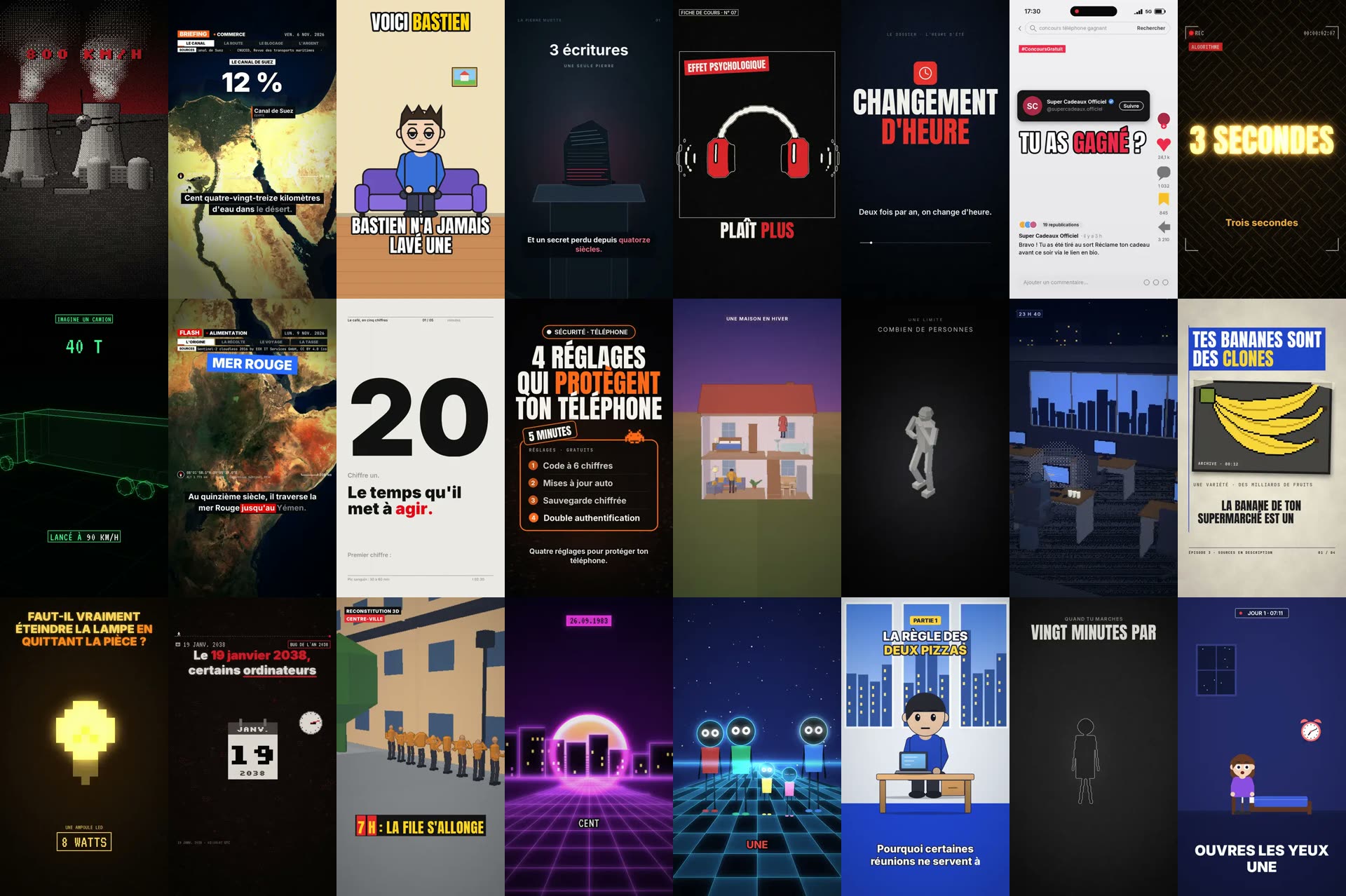
One frame per style, each taken from a video rendered by the ClipOnIt engine.
The fastest path
One call produces the whole video on the server (script, checks, voice, render):
get_quota                                   -> what your plan has left this month
explainer_produce {topic, style?, dry_run: true}  -> cost estimate, nothing created or billed
explainer_produce {topic, style?, duration_s?, voice?}  -> {job}
explainer_job_wait {job_id}                 -> repeat until status = done: job.url is the MP4, job.editor_url opens it in the editor
To post the video on TikTok, open job.editor_url: the owner publishes it from the ClipOnIt editor and confirms there. (publish_tiktok only posts clip exports, not Explainer videos.)
A production takes a few minutes. Instead of a topic you can pass a ready script, or your own voice-over (audio_url / audio_id): the video is then built on your voice.
Examples
"Make a 45-second explainer on why the sky is blue, flat vector style."
The assistant calls explainer_produce {topic: "Why is the sky blue", style: "vecteur-plat", duration_s: 45} then explainer_job_wait and hands back the MP4 link.
"Here is my voice-over, turn it into a video in the night-tale style."
explainer_narrate (or explainer_import_audio) → explainer_audio_status → explainer_produce {audio_id, style: "conte-nocturne"} → explainer_job_wait.
"Same video, but make scene 3 more dramatic and add a map when she mentions Suez."
explainer_assist {script, message} → explainer_check → explainer_render → explainer_wait.
Styles
explainer_styles lists them with their scene fields: pixel-news, archibald, briefing-satellite, cartoon-comedie, conte-nocturne, croquis-cours, documentaire-rouge, ecran-social, enquete-lumineuse, fil-de-fer, flash-dossier, grille-suisse, liste-tech, maison-en-coupe, mannequins, nuit-voxel, papier-presse, pixel-ambiance, reconstitution-3d, retro-synthwave, silhouettes-neon, toon-bureau, trait-minimal, vecteur-plat. And yours: your brand kit (explainer_brand_set) and your own elements (explainer_create_element, explainer_forge).
Connect
Claude.ai / Claude Desktop — Settings → Connectors → Add custom connector → paste https://cliponit.app/mcp → Connect → sign in → Authorize.
Claude Code
claude mcp add --transport http cliponit https://cliponit.app/mcp
Then /mcp → Authenticate.
ChatGPT — chatgpt.com/plugins → + → Add custom MCP server → URL https://cliponit.app/mcp → OAuth → sign in to ClipOnIt.
Cursor / VS Code — add { "mcpServers": { "cliponit": { "url": "https://cliponit.app/mcp" } } } (Cursor ~/.cursor/mcp.json) or { "servers": { "cliponit": { "type": "http", "url": "https://cliponit.app/mcp" } } } (VS Code .vscode/mcp.json), then sign in when prompted.
Anything else — the server speaks JSON-RPC 2.0 over HTTP POST and advertises OAuth 2.1 metadata at /.well-known/oauth-protected-resource.
Authentication
OAuth 2.1 with PKCE (S256). Clients identify themselves with a Client ID Metadata Document (an HTTPS client_id URL) or register through Dynamic Client Registration (RFC 7591), no manual key needed. An API key (Authorization: Bearer ck_…, created from the billing page) works too for scripts.
Plans. The MCP server and the API key work from the free plan: 3 Explainer videos a month with a small watermark, in 8 styles (get_quota, explainer_styles, explainer_produce…). Paid plans (Starter $29, Pro $49, Business $149 a month) add more videos (15, 30 or 100 a month), no watermark, all 24 styles and your own style import, plus the advanced features: AI Director, variants, your own voice-over and your brand kit. Setup guide and quotas: https://cliponit.app/claude-mcp
Explainer tools
A standard account sees 125 tools, 45 of them for explainers (main ones below). The complete, current list with schemas is what tools/list returns.
| Area | Tools |
|---|---|
| Produce | explainer_produce · explainer_job_wait · explainer_job_status · explainer_jobs · explainer_job_cancel · publish_tiktok |
| Plan | explainer_idea · explainer_storyboard · explainer_styles · explainer_templates · explainer_schema · explainer_check |
| Elements | explainer_library · explainer_browse · explainer_search_elements · explainer_suggest_elements · explainer_describe_elements · explainer_library_elements · explainer_my_elements · explainer_create_element · explainer_library_add_element · explainer_forge |
| Build | explainer_compose · explainer_assist · explainer_variants · explainer_critique · explainer_polish · explainer_preview · explainer_versions |
| Voice | explainer_import_audio · explainer_audio_status · explainer_audio_list · explainer_compose_from_audio · explainer_narrate · explainer_retake |
| Render | explainer_render · explainer_wait · explainer_export |
| Library | explainer_list · explainer_delete · explainer_my_templates · explainer_template_save · explainer_template_run · explainer_taste_get · explainer_brand_get · explainer_brand_set |
| Account | get_quota |
Other tools
The server also keeps ClipOnIt's earlier tools working: clipping long videos into short subtitled clips (import_video_url, wait_video, export_clip…), montage (montage_*), remix (repost_*), live (live_*) and ready-made plans (plan_templates, run_plan). tools/list lists them after the explainer tools.
Links
- Web app — https://cliponit.app
- Generate videos with Claude (setup, prompts, plans) — https://cliponit.app/claude-mcp
- API reference (OpenAPI 3.1) — https://cliponit.app/openapi.json · interactive: https://cliponit.app/docs
- Plain-text summary for LLMs — https://cliponit.app/llms.txt
- Discovery manifest — https://cliponit.app/.well-known/mcp.json
License
The contents of this repository (documentation and server manifest) are released under the MIT License. The ClipOnIt service itself is a hosted product; see https://cliponit.app/terms.