
MeltFlex AI Skills


AI agent skills for photorealistic interior and exterior design and 3D via MeltFlex AI — restyle rooms, place real furniture, swap floors, walls, stairs, doors and windows, redesign kitchens, bathrooms, facades and gardens, and turn 3D drafts into photos, all from a single photo. Then go further: cinematic video walkthroughs, 2D floorplan → 3D model or rendered 3D picture, furniture photo → GLB 3D model, and photo → explorable 3D world. Works with Claude Code,  Hermes, Cursor, Codex, Cline, and other AI agents that load Markdown-based skills or speak MCP.
Each user authenticates with their own MeltFlex API key; every generation is billed to their account credits. The skills call the public MeltFlex API directly, so there's nothing extra to install.
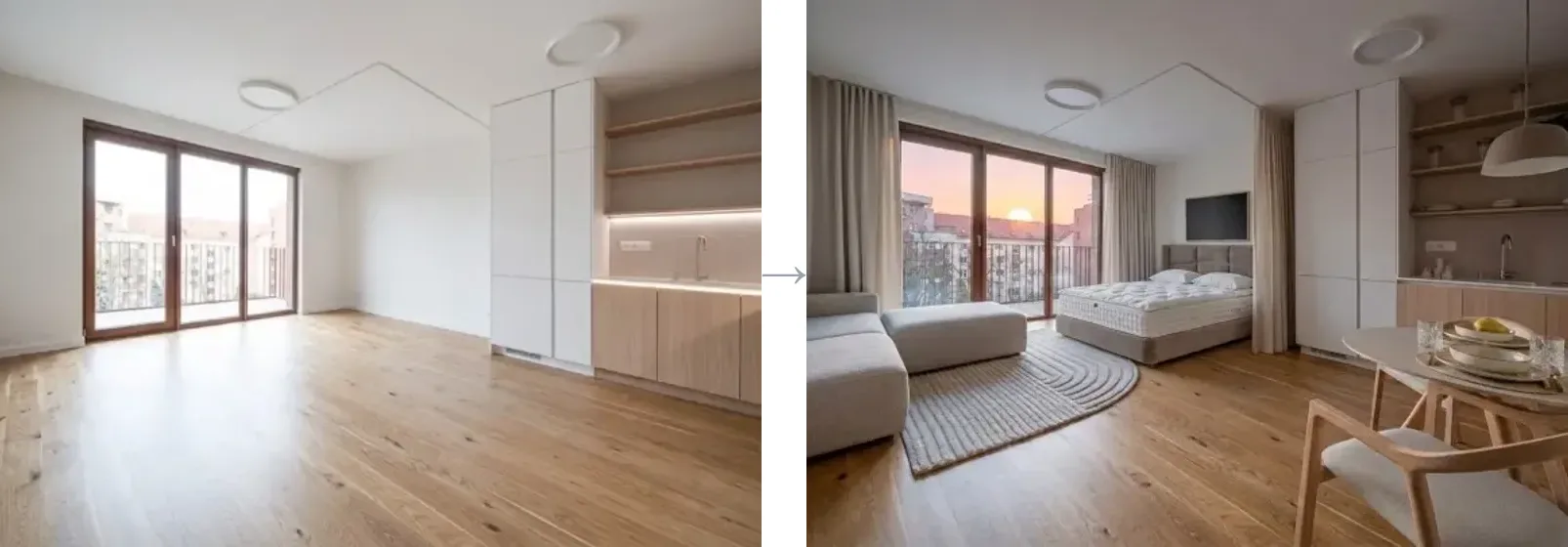
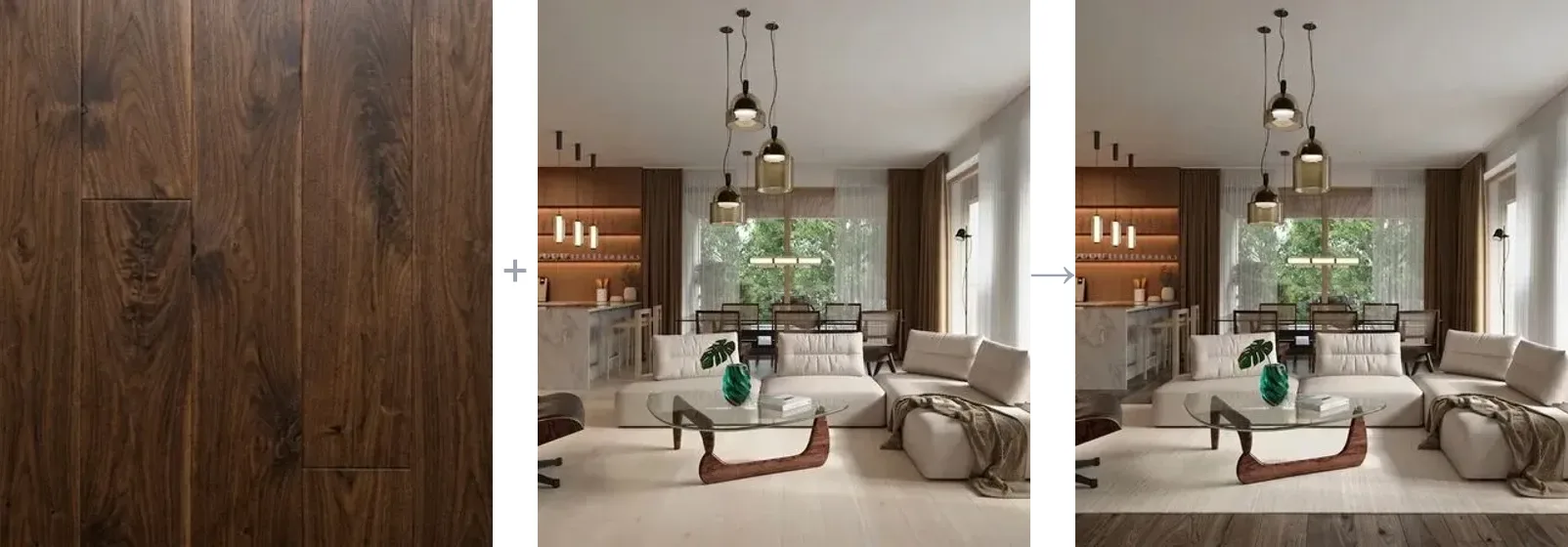
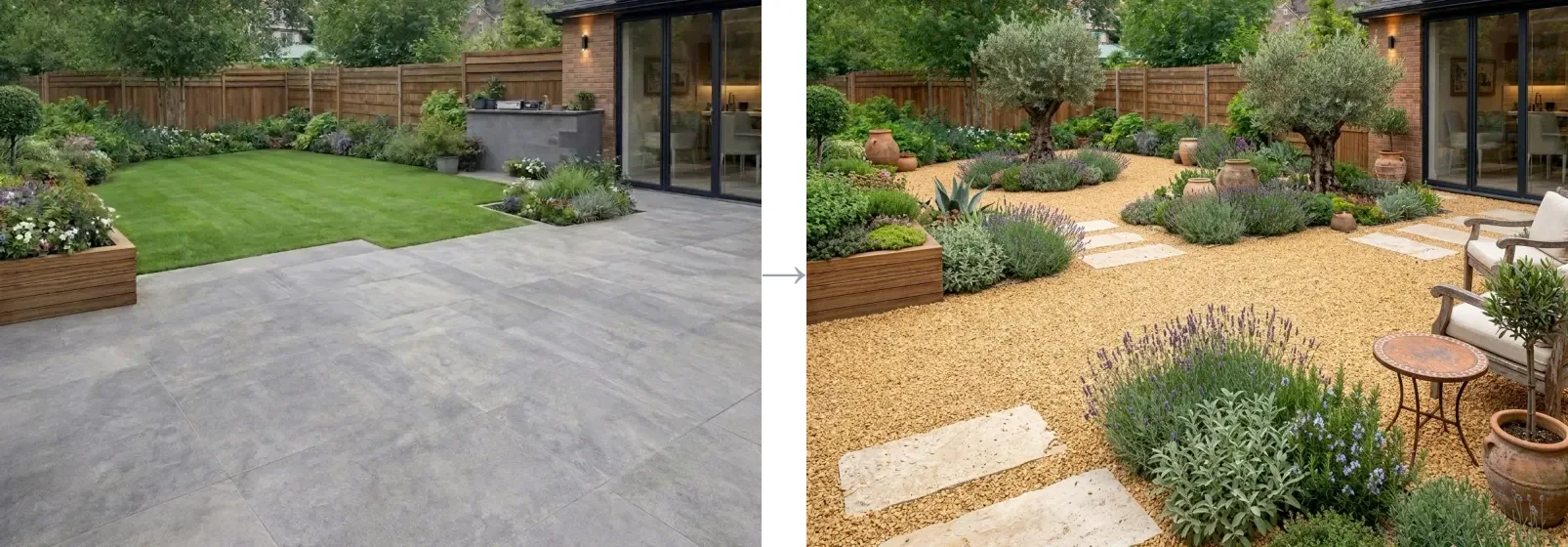
Interior redesign · floor restyle from a material · garden design — a few of the 16 image modes, all from one photo.
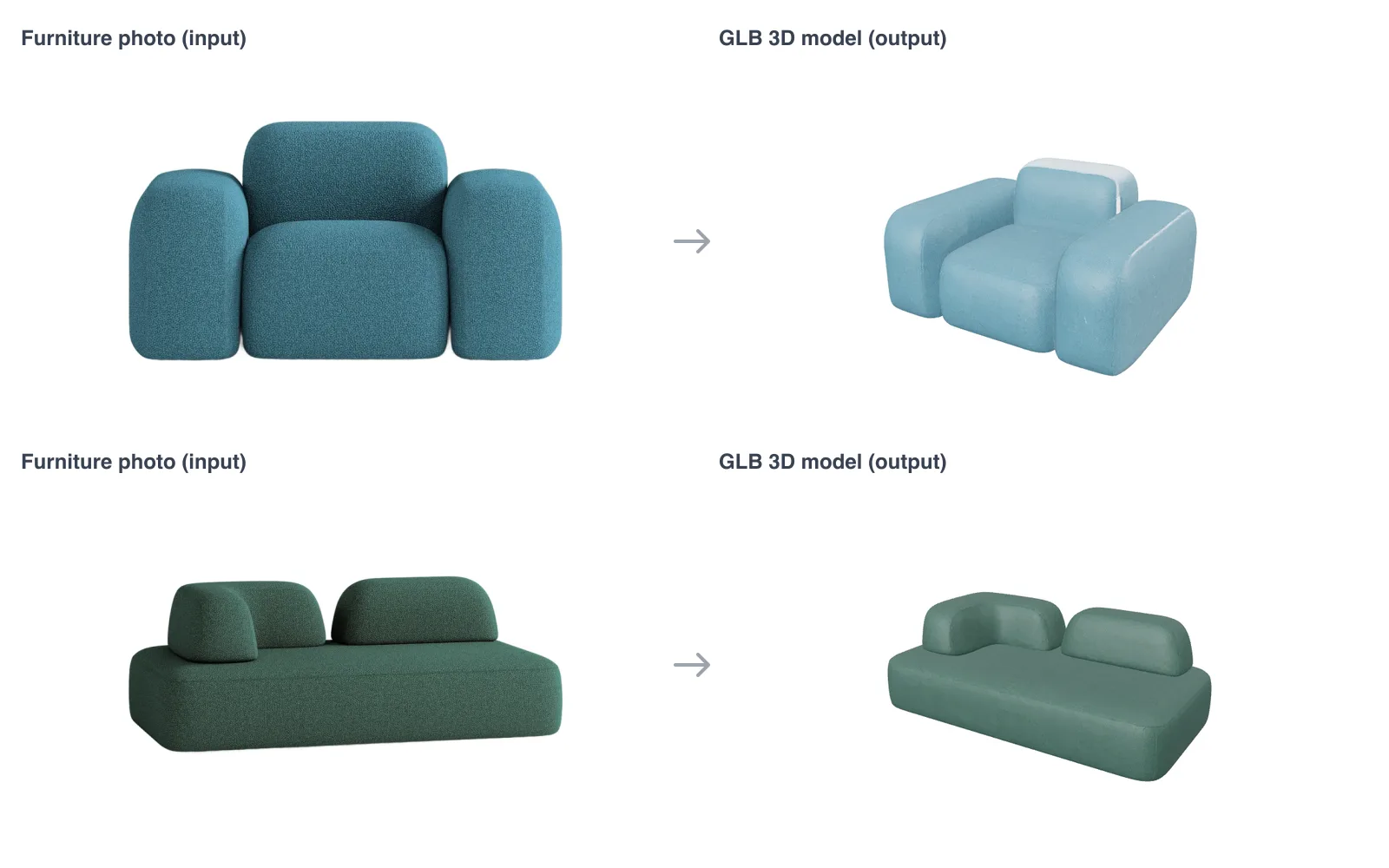
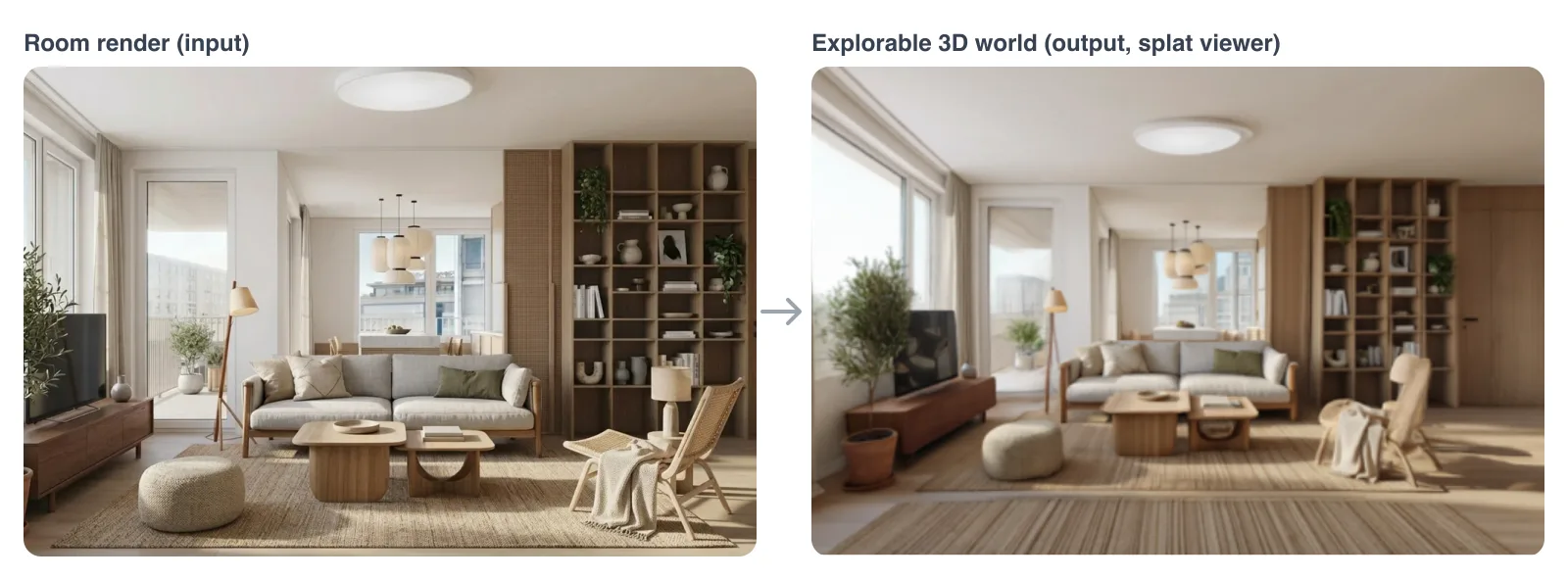
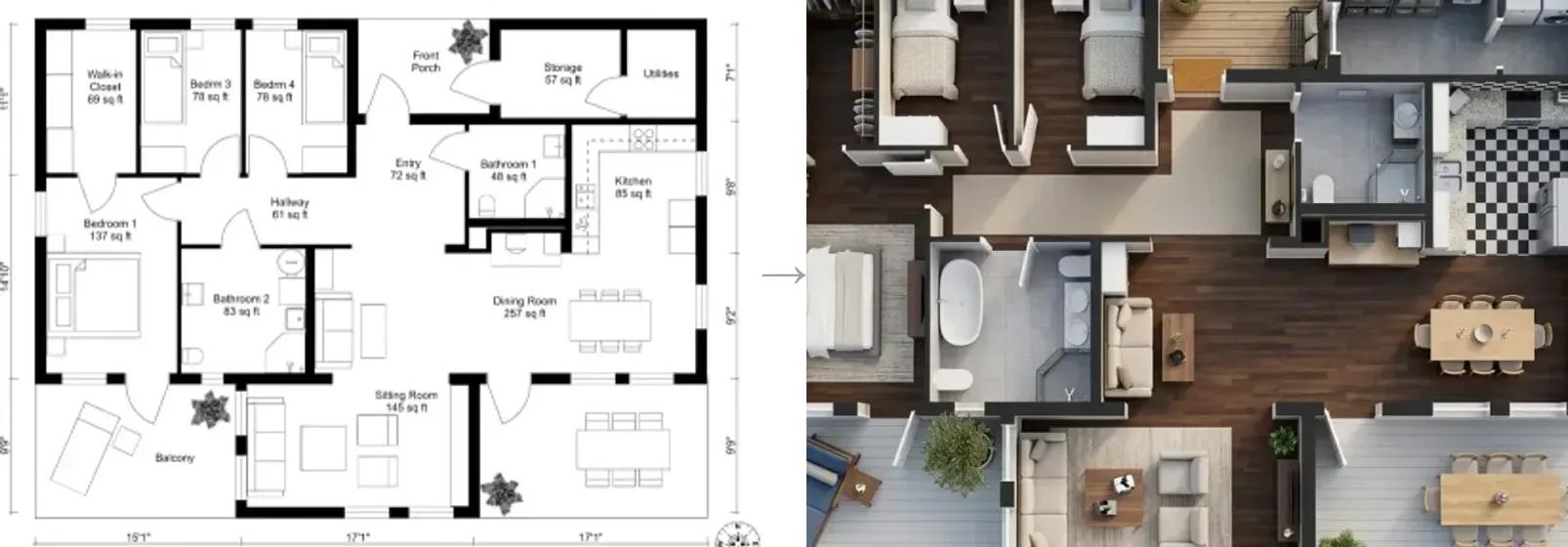
Furniture photo → 3D model · room render → explorable 3D world · 2D floorplan → 3D model. Real outputs of /api/v1/furniture-3d, /api/v1/world and /api/v1/floorplan-to-3d.
Install
Pick one. Each method sets up the skills for your agent.
npx skills — recommended, cross-agent
npx skills add MeltFlexDevs/skills
GitHub CLI (v2.90+)
gh skill install MeltFlexDevs/skills
Claude Code marketplace
Inside Claude Code:
/plugin marketplace add MeltFlexDevs/skills
/plugin install meltflex@meltflex
Setup script
Universal fallback:
git clone --depth 1 https://github.com/MeltFlexDevs/skills.git
cd skills
./setup
More options in INSTALL.md. Agent-driven install (paste into your agent): INSTALL_FOR_AGENTS.md. Cline and other MCP-settings agents: llms-install.md.
Authenticate
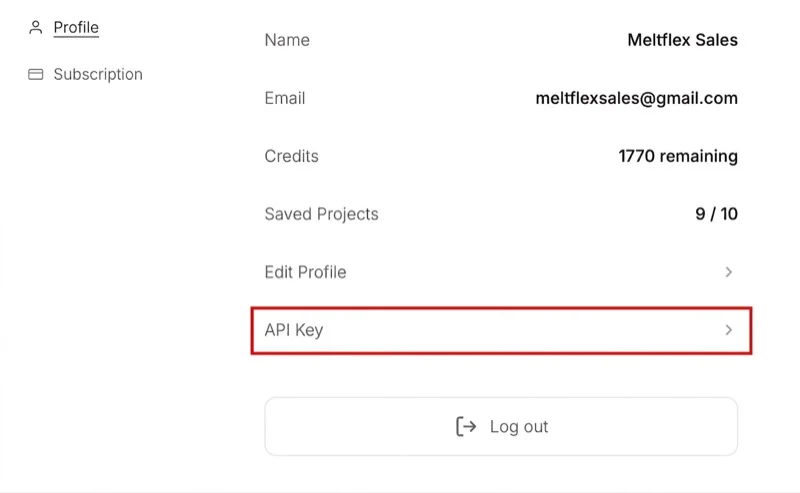
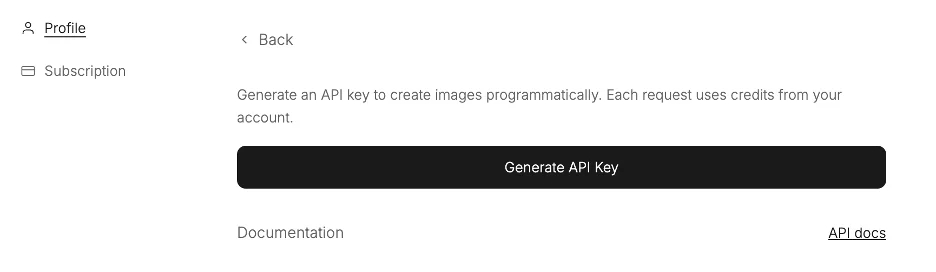
You need an active subscription (any paid plan) — without one the key won't work. After subscribing at https://www.meltflexai.com/settings, open account settings → API Key under Profile, then Generate API Key (shown once — copy it):
Then expose it:
export MELTFLEX_API_KEY="mf_sk_xxxxxxxxxxxx"
If you use the MCP server / CLI, you can skip the copy-paste and sign in from the browser instead: npx -y meltflex-mcp auth login opens https://www.meltflexai.com/cli/authorize, mints a key from your signed-in session and stores it in ~/.meltflex/config.json (chmod 600).
Skills
| Skill | Invoke | Description |
|---|---|---|
| meltflex-design | /meltflex:design | Restyle a room, facade or garden; swap floors, walls, stairs, doors or windows; redesign a kitchen or bathroom; boost a layout; turn a 3D draft into a photo. 16 prompt-driven modes with quality levels, region editing and batches, plus video walkthroughs via the API. |
| meltflex-furniture | /meltflex:furniture | Place specific real furniture/decor products into a room photo, matching their exact colors, materials, and proportions (up to 10 reference items). |
| meltflex-3d | /meltflex:3d | 3D output: a furniture photo → GLB model, a 2D floorplan → GLB model or rendered 3D picture, a room photo → explorable 3D world (splat + hosted viewer). Handles the long-build polling. |
Image skills are self-contained: a room photo in, a photorealistic redesign out, 10 credits per image (auto-refunded on failure).
Image modes
meltflex-design — 16 modes, each the same POST /api/v1/generate endpoint with a mode-tuned prompt:
| Mode | What it's for |
|---|---|
restyle | Change a room's style or theme |
virtual_staging | Furnish an empty room |
layout_boost | Rearrange existing furniture into a better layout |
declutter | Clean up / depersonalize a space |
exterior | Building facade / house exterior |
garden | Landscaping and outdoor design |
wall_texture | Change wall material or finish |
floor_restyle | Change the flooring |
stairs | Restyle a staircase in place |
doors | Swap interior doors |
windows | Swap window frames / glazing |
kitchen | Whole kitchen redesign |
bathroom | Whole bathroom redesign |
photo_to_render | Turn a 3D draft / SketchUp shot into a photo |
seasonal | Time-of-day / seasonal / lighting variation |
region_edit | Change only one area — paint it solid red, send mask: true |
Optional fields on every image call: resolution (512 / 1K / 2K), designLevel (lite −2 cr · quick · pro +5 cr), variations (1–3 per call, charged per image), up to 10 referenceImageUrls.
Video & 3D
Same key, five more outputs. The three 3D builds can take minutes; they answer HTTP 202 + a poll URL when they outlive the request, and /meltflex:3d shows how to poll.
| Output | Endpoint | Credits | Time | MCP tool · CLI |
|---|---|---|---|---|
| Cinematic walkthrough video (MP4, Veo 3.1) | POST /api/v1/video | 100 (4s) / 150 (8s) | ~1 min | generate_video · meltflex video |
| Floorplan → rendered 3D picture (PNG) | POST /api/v1/floorplan-to-3d output: "render" | 10 | ~20 s | REST only |
| Floorplan → GLB 3D model | POST /api/v1/floorplan-to-3d output: "model" | 100 | ~3 min | floorplan_to_3d · meltflex floorplan |
| Furniture photo → GLB 3D model (+ USDZ/FBX/OBJ) | POST /api/v1/furniture-3d | 75 | 2–3 min | furniture_to_3d · meltflex furniture |
| Photo → explorable 3D world (.spz + viewer link) | POST /api/v1/world | 30 (draft) / 200 (hd) | ~1 / ~5 min | generate_world · meltflex world |
Full reference with response bodies and three.js / Spark loader snippets: https://www.meltflexai.com/api.
Quick Reference
| What you want | Skill | Note |
|---|---|---|
| Restyle a room from a photo | meltflex-design | Pick a mode, write a specific prompt |
| Furnish an empty room | meltflex-design | virtual_staging mode |
| Place a specific sofa/bed/table | meltflex-furniture | Pass product images as references |
| Redesign a house exterior or garden | meltflex-design | exterior / garden mode |
| Swap flooring or wall finish | meltflex-design | floor_restyle / wall_texture (attach the material as a reference) |
| Restyle stairs, doors or windows | meltflex-design | stairs / doors / windows mode |
| Redesign a kitchen or bathroom | meltflex-design | kitchen / bathroom mode |
| Turn a 3D draft into a photo | meltflex-design | photo_to_render mode |
| Change only one marked area | meltflex-design | region_edit — paint it red, mask: true |
| Sharper output / several options | meltflex-design | resolution: "2K", designLevel: "pro", variations: 3 |
| Cinematic video walkthrough | meltflex-design | POST /api/v1/video (100–150 credits) |
| 3D model of a furniture piece | meltflex-3d | POST /api/v1/furniture-3d (75 credits) |
| 2D floorplan → 3D model / 3D picture | meltflex-3d | POST /api/v1/floorplan-to-3d (100 / 10 credits) |
| Walk through a room in 3D | meltflex-3d | POST /api/v1/world (30 draft / 200 hd) |
| Check credit balance | — | meltflex credits (CLI) or the MCP check_credits tool |
Use with the MCP server
Agents that prefer tool calls over scripted API calls can run the meltflex-mcp server (npm, stdio). It exposes six tools — generate_interior, generate_video, floorplan_to_3d, furniture_to_3d, generate_world, check_credits — and handles polling and saving files to disk.
npx -y meltflex-mcp auth login              # or: npx -y meltflex-mcp auth mf_sk_xxxxxxxx
claude mcp add meltflex -- npx -y meltflex-mcp
Any MCP client works with the same shape (command: npx, args: ["-y", "meltflex-mcp"], optional env.MELTFLEX_API_KEY). The same package is a terminal CLI: meltflex generate | video | floorplan | furniture | world | credits. A Claude Desktop extension bundle lives in mcpb/.
Hermes
Hermes (Nous Research) speaks MCP, so it runs MeltFlex through the same server.
From the catalog (once merged into the Hermes catalog):
hermes mcp install meltflex
Manually — sign in once, then add the server to ~/.hermes/config.yaml:
npx -y meltflex-mcp auth login
mcp_servers:
  meltflex:
    command: npx
    args: ["-y", "meltflex-mcp"]
Start hermes chat (or run /reload-mcp in a session) to load the six MeltFlex tools. Full guide: https://www.meltflexai.com/mcp.
Going further
- API docs: https://www.meltflexai.com/api
- CLI: https://www.meltflexai.com/cli —
meltflex generatefrom your terminal - MCP server: https://www.meltflexai.com/mcp —
npx -y meltflex-mcp - Cookbook: COOKBOOK.md · Changelog: CHANGELOG.md
Security
The skills never contain a key. Each user supplies their own mf_sk_ key via MELTFLEX_API_KEY; generations spend that user's own credits. Credits, auth, and rate limits are all enforced server-side. Never commit your key — revoke it anytime in settings.
License
MIT — see LICENSE. Contributions welcome — see CONTRIBUTING.md.