Zumen
AI-editable diagrams as code: draw from YAML, propose diffs a human applies, export SVG/Mermaid.
Runs on your machine from its package; the steps are below.
What it does
- Reads
- Writes
- High impact
Not assessed yet.
What it costs
FreeOdel charges nothing per call. The publisher may charge for its own service.
Runs locally over stdio
This server isn't hosted — your MCP client launches it from a package registry. Use one of the commands below, or drop the config into your client (e.g. Claude Desktop).
Run
npx -y @metataro/zumen-mcp
MCP client config
{
  "mcpServers": {
    "zumen": {
      "command": "npx",
      "args": [
        "-y",
        "@metataro/zumen-mcp"
      ]
    }
  }
}日本語版は README.ja.md にあります(詳しい版)。
zumen

Let an AI draw the diagram, fix what you want by hand, ask the AI again — and your fix is still there.
AI-editable diagrams as code: a desktop editor with an MCP server for Claude Code and other agents. One YAML file is the source of truth; it renders SVG and exports Mermaid and draw.io.
Diagrams are plain text (YAML). Where you move things is stored in a pins: block the AI is not allowed to write,
so however many times the AI redraws, your corrections survive.
When it helps
| The problem | With zumen | |
|---|---|---|
| A team whose architecture keeps changing | Updating the diagram is tedious, so the diagram drifts into fiction | Say what changed; the AI updates the diagram, and the layout you tidied stays |
| Specialists drawing on paper, Excel or PowerPoint (lighting plots, pallet patterns, periodontal charts, property flyers…) | No dedicated software, or it is expensive; every redraw is by hand | The AI reads 389 worked examples and draws in the same notation — symbols, dimensions, legends |
| Anyone writing a spec together with an AI | Hard to check whether the AI's drawing is right, or what it changed | Every AI rewrite arrives as a diff; nothing changes until a person presses apply |
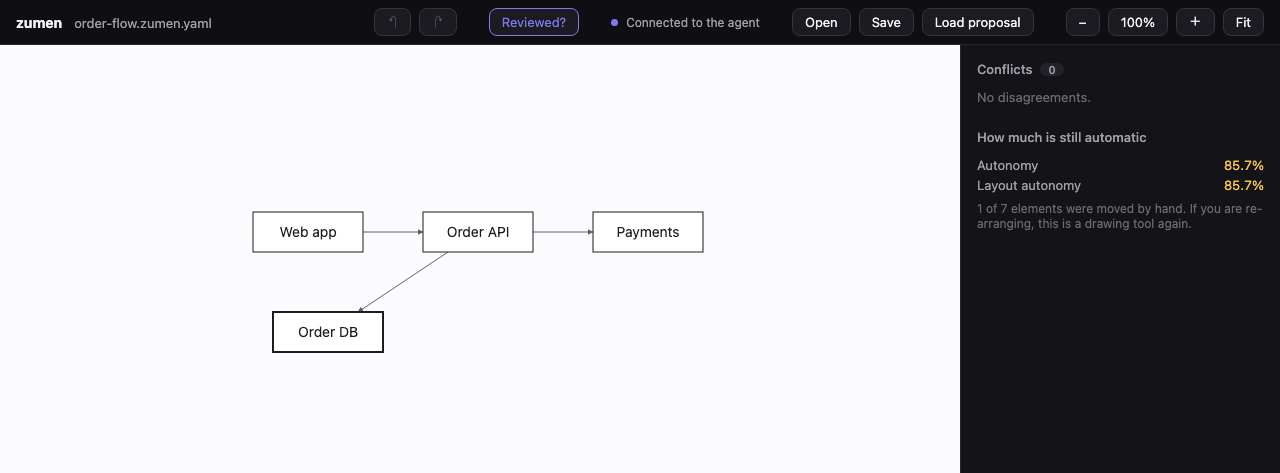
What you see
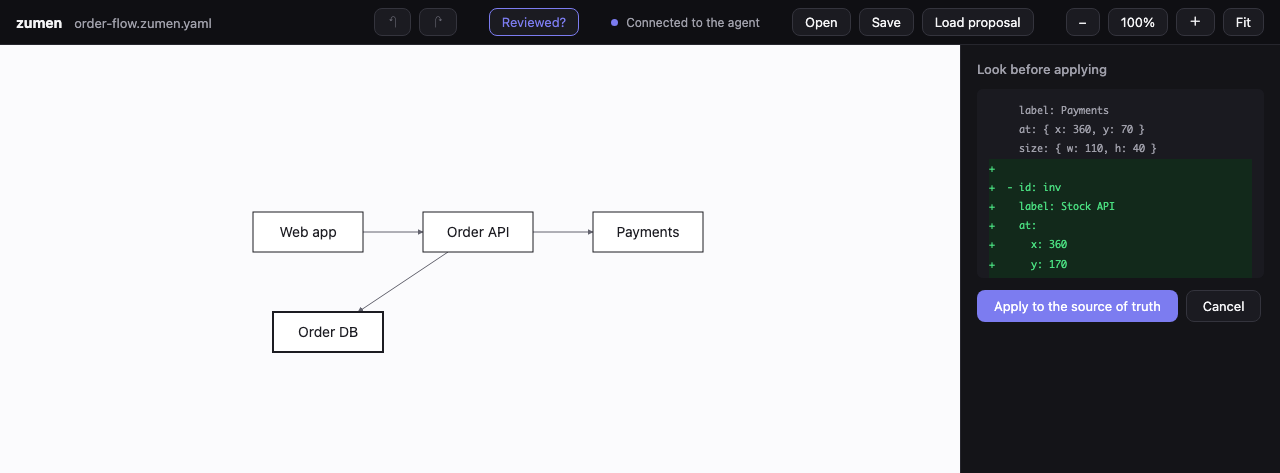
1. Open — the boxes a person moved are drawn with a heavier outline
2. Load the AI's proposal — the change shows as a diff, and nothing is applied until you say so
Try it in a minute
| You want to | Do this |
|---|---|
| View and correct diagrams in the app | Download from Releases (Windows x64 / ARM64, macOS Apple silicon). Not code-signed yet, so the plain executables (zumen-windows-*.exe, zumen-macos-app.tar.gz) are the safest bet |
| Let an AI agent draw (MCP) | claude mcp add zumen -- npx -y @metataro/zumen-mcp (from 0.6.0; until then, run the four lines below and add pnpm mcp to your agent's MCP config — details) |
| Render SVG from your own code | pnpm add @metataro/zumen and toSvg(source) |
git clone https://github.com/meta-taro/zumen.git && cd zumen
corepack enable && pnpm install
pnpm dev     # the window, in a browser (http://localhost:5173)
pnpm mcp     # for an agent
Why
The hard part is not the first diagram. It is the second one, and the tenth: "the architecture changed, so the diagram has to change."
the system changes
  → updating the diagram is tedious
  → nobody updates it
  → the diagram becomes a lie
  → nobody looks at diagrams any more
Existing drawing tools are finished products for drawing the first diagram. zumen does not compete there. It competes on the diagram that has to keep up.
The one line that has to work
ask in prose → a diagram appears → a human fixes one thing
            → ask again → the human's fix is still there
That last step is the whole product. If a human's edit does not survive the next AI pass, nothing else matters.
Concretely: what a person pins lives in a separate pins: block that the AI is not
allowed to write. Regeneration rewrites nodes: and edges:; it cannot touch pins:.
Measured over 10 real AI round trips, 10/10 kept every human edit — and a pin
survives a regeneration in 389/389 of the example drawings, whatever their shape.
What it looks like
389 example drawings, all generated from the YAML sources in
examples/gallery/:
Reading this as an agent? llms.txt is the short version — what it does, what it does not do, and where the spec is.
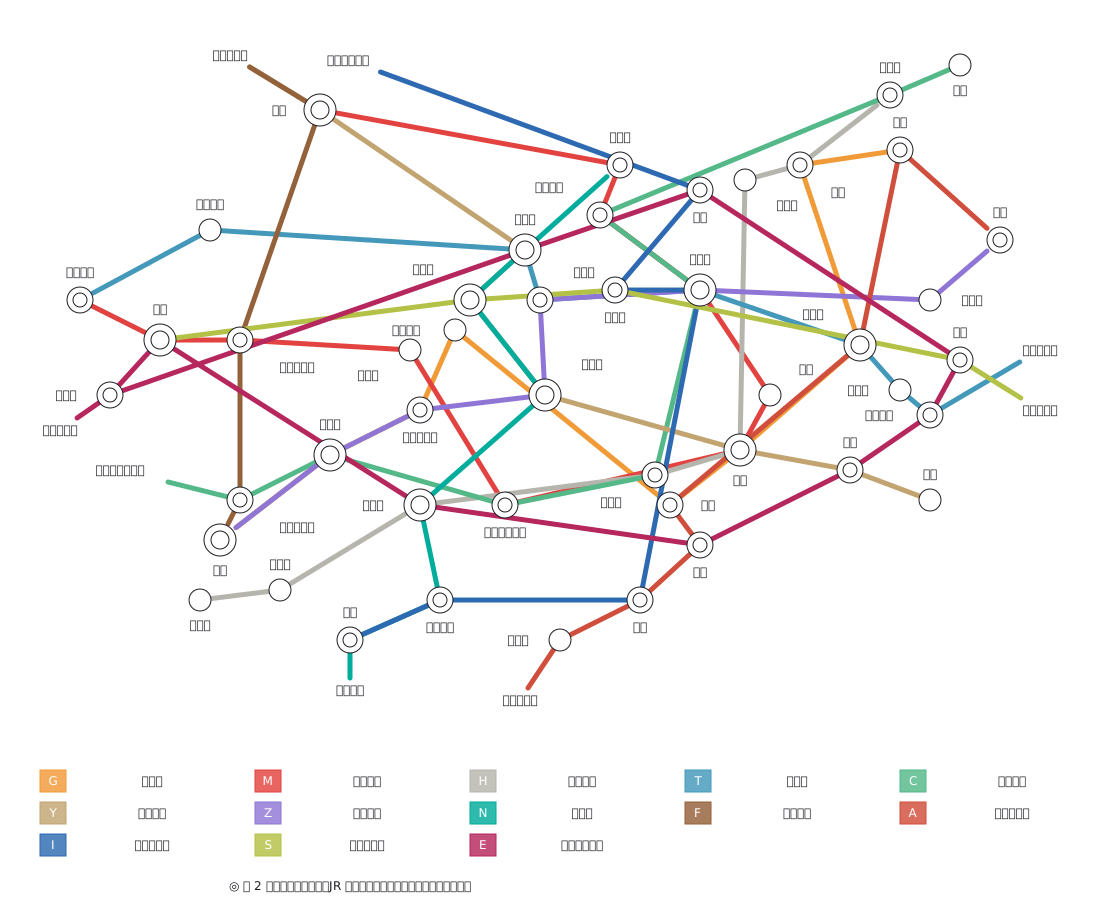 | 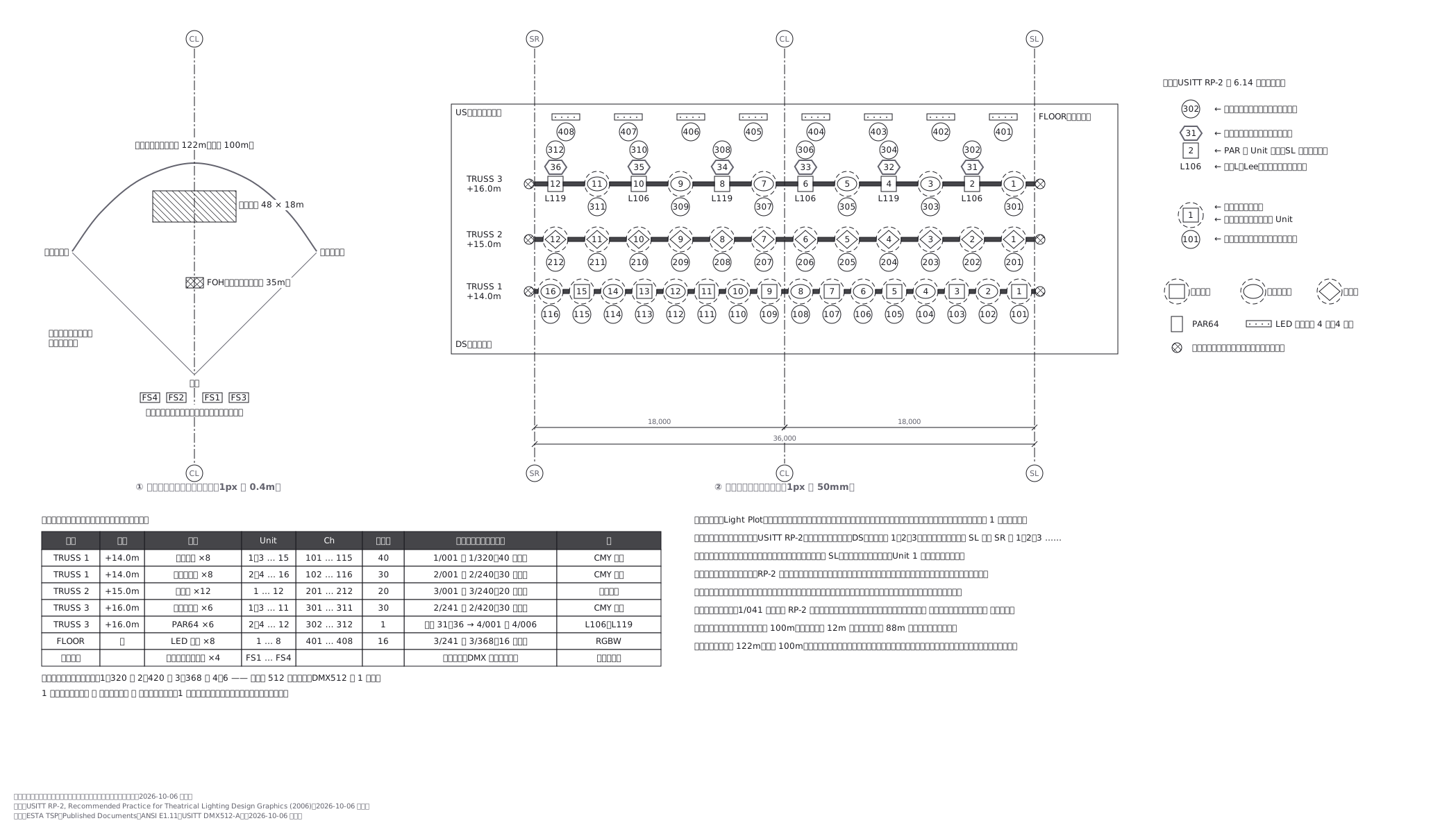 | 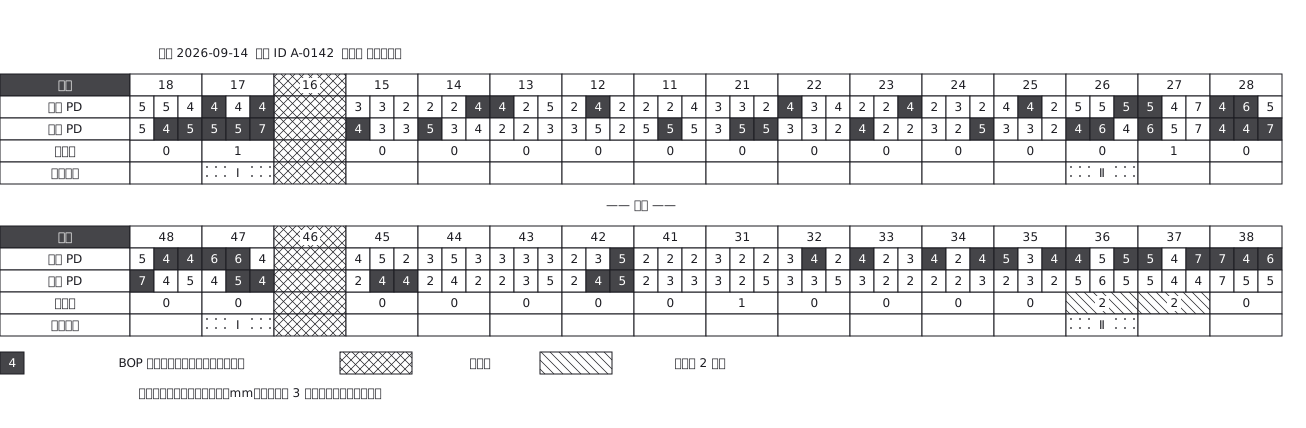 |
| Subway network (13 lines, offsets where lines share track) | Concert lighting plot (USITT RP-2) | Periodontal chart |
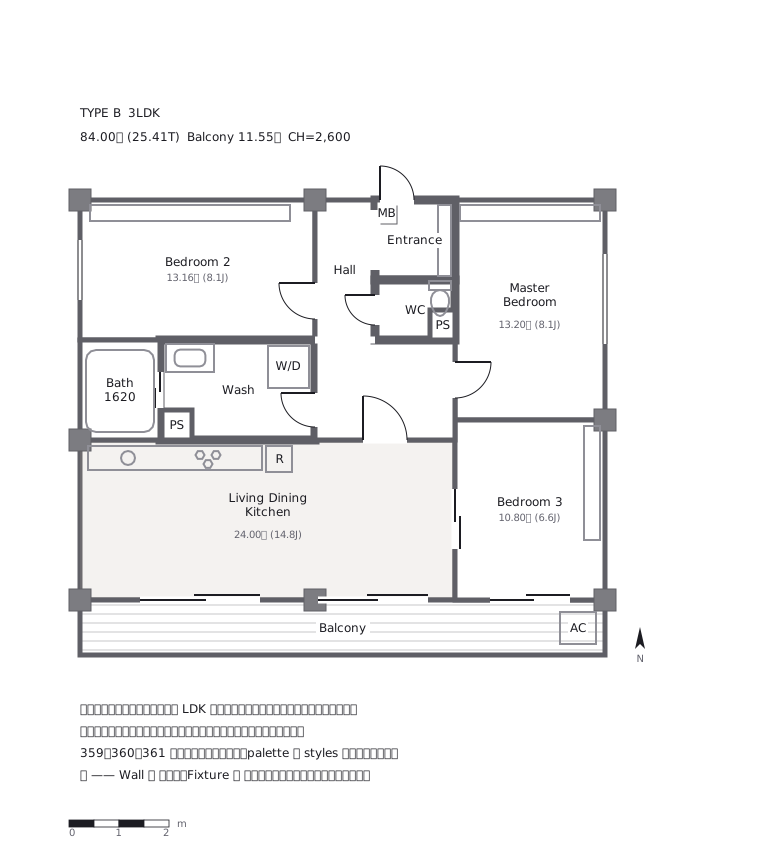 | 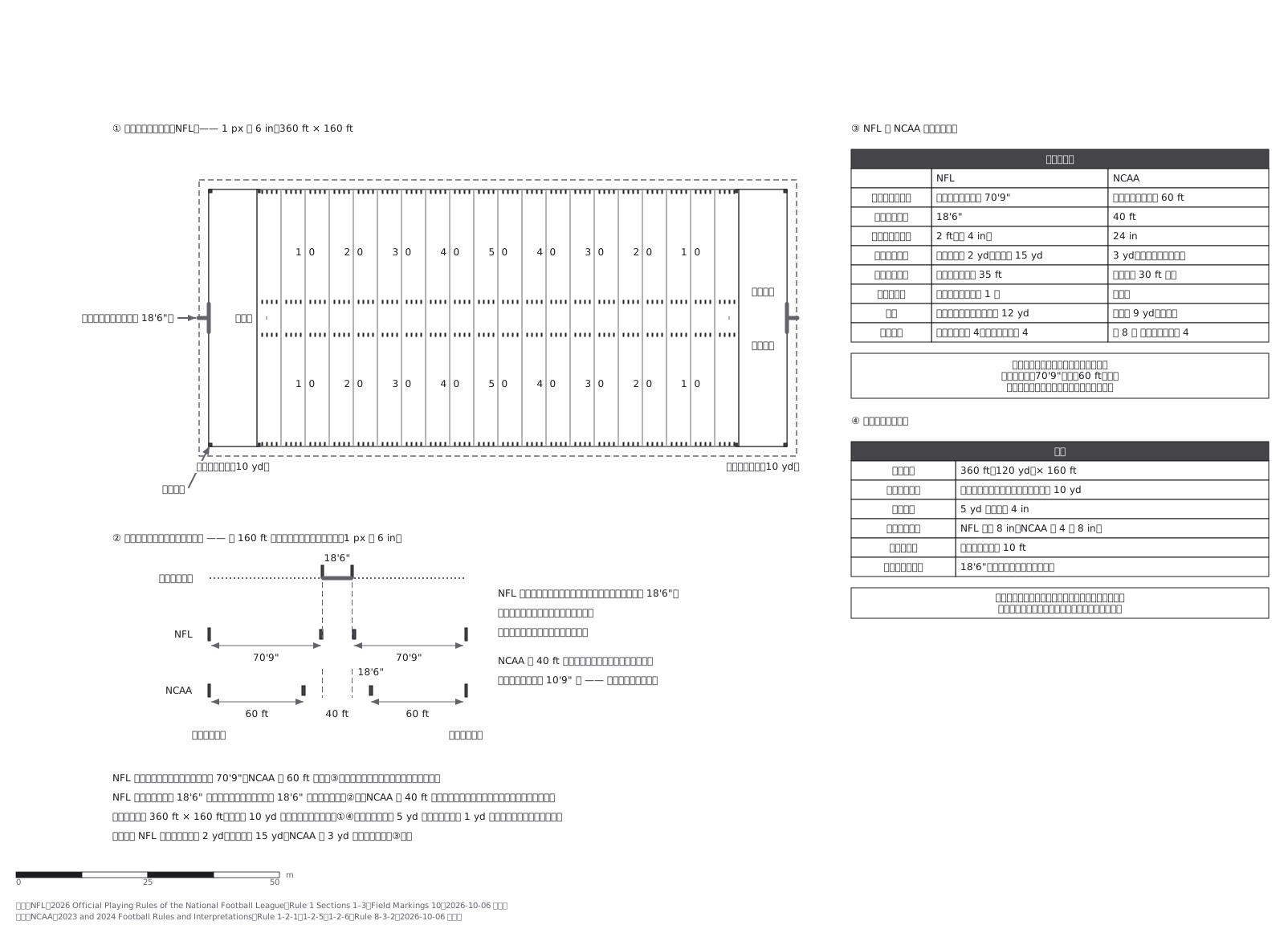 | 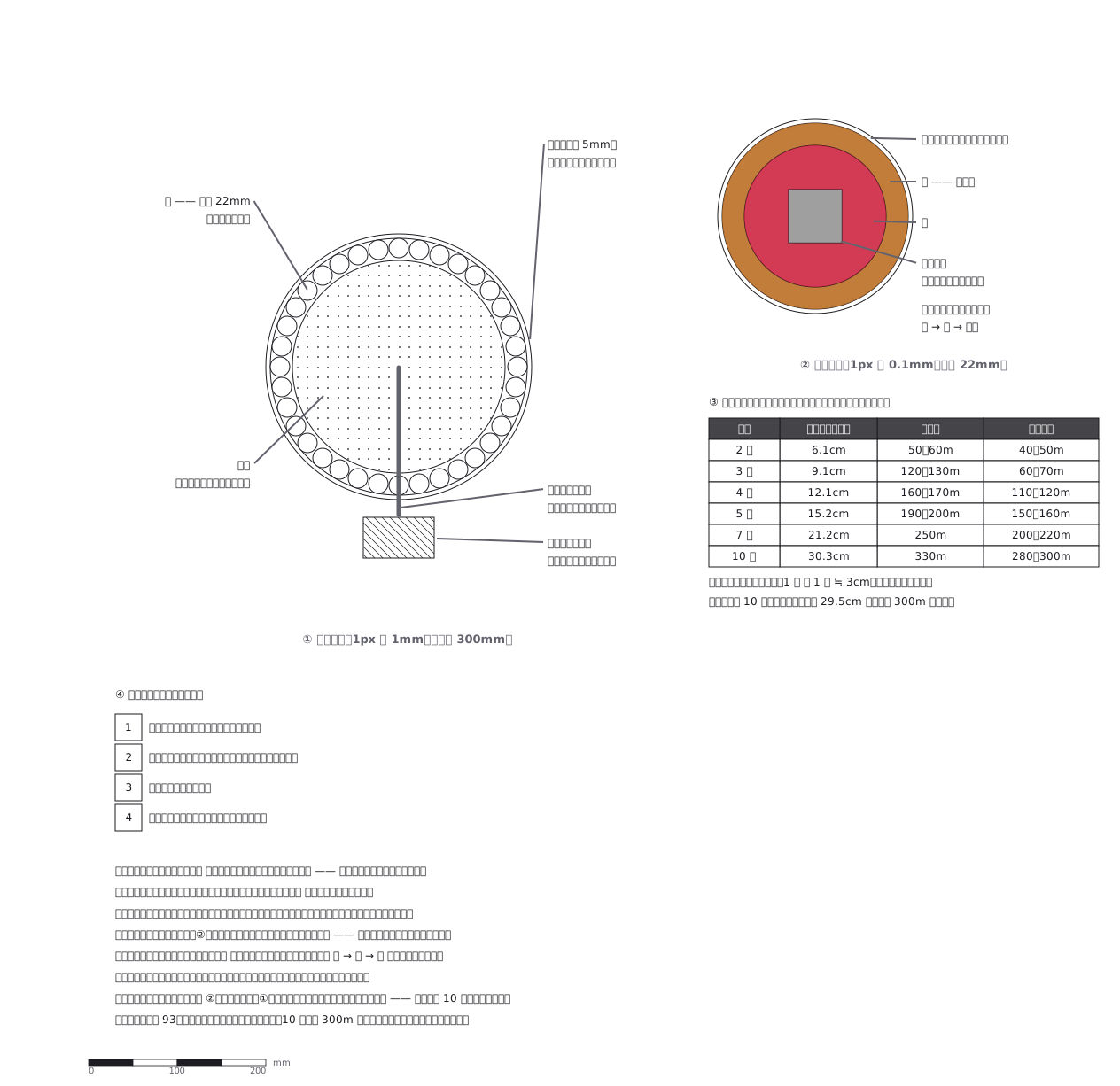 |
| Property sales flyer | Football field (NFL vs NCAA hashes) | Firework shell, in section |
They are deliberately not all boxes and arrows. Among them:
| Transit | Tokyo subway network (13 lines), Yamanote loop, train graph (time × distance), stopping-pattern charts, station track layout, platform timetables |
| Architecture / civil | Floor plans with grid lines and dimensions, elevation sections, site plans with crane radii, road alignment with real curves |
| Plant / electrical | P&ID-style loops, switchgear single-line, electronic circuits with IEC/JIS symbols |
| Specialist | Periodontal charts (32 teeth × 6 sites), stage lighting plots with channel hookup, container ship bay plans (ISO 9711 slot addressing), Japanese inheritance-registration family charts, fishing rigs, go/shogi/chess boards |
| Software / UI | UML, ER, network diagrams, and UI structure specs (desktop vs. mobile, with the structural diff spelled out) |
The point of that range is a claim: one rendering model and a small set of primitives, not a per-industry engine. No new primitive was added for most of those drawings.
The format
One YAML file is the source of truth. It is designed to be read and written by both
people and machines, and to survive git diff.
version: 1
kind: placement
title: Ward office, 2F
scale: { mm: 25 }
# pins is the human-only channel. The AI must never write here.
pins:
  reception:
    position: { x: 240, y: 120 }
nodes:
  - id: reception
    label: Reception
    at: { x: 240, y: 120 }
    size: { w: 200, h: 120 }
    openings:
      - { kind: door, side: bottom, at: 0.5, width: 90 }
  - id: waiting
    label: Waiting area
    at: { x: 240, y: 260 }
    size: { w: 200, h: 140 }
edges:
  - from: reception
    to: waiting
For floor plans and other placement drawings, the source can also say:
- Doors — single, double, sliding, window, plain opening; which way a door swings (
swing: out) and which side it is hinged (hinge) - Style tables (
styles) — rooms carry only a style name; swap the table and the same plan takes another house style - Floor patterns —
rows(boards across),columns(boards lengthwise),grid(tiles) - Screenshots with numbered callouts (
image,to: { node, at },callout) — lay a PNG / JPEG / WebP capture under the drawing and point into it in the image's own pixels, so the points stay put when you scale it; the image is embedded in the SVG - Sources (
sources) — name, retrieval date and licence are drawn along the bottom of the figure, with the URL as a link, so the attribution travels with a single SVG
The full specification is spec/zumen-format-v1.md.
It is written so that another implementation could read and write the same files —
the spec is deliberately separate from this implementation.
Status — honestly
This is not finished software. It is being built in the open, small step by small step.
Works today
- Reading and writing the source, automatic layout, SVG output (light/dark)
- Export to Mermaid, draw.io XML, and embedding into Markdown
- A validator (109 checks) that explains, in the writer's terms, what will not be drawn — including one that lays the drawing out and reports labels that would collide
- Checks that read the drawing the way a professional would: things sitting inside a door's swing, lines running through boxes they do not connect, rooms that cannot be reached from a corridor, and areas or jō counts that do not match the box size and scale
- A Git merge driver so two people editing the same diagram merge structurally
- An MCP server, so an agent can read the spec and write diagrams
- A minimal desktop GUI (Tauri) limited to eight operations — enough to approve or reject what the AI changed, and no more
- A headless check that drives those eight operations for real (46 assertions), and a
separate gate (
pnpm qa:verify) that reads back git-qa evidence and refuses to pass when no human has actually looked at the app
Measured limits
- Automatic layout holds its structure at any size — no overlapping boxes, nothing
escaping its group — but crossings grow with the square of the node count
(2 at 10 nodes, 22 at 40, 51 at 60), and past ~30 nodes the text is too small
to read even on A3. A real architecture of that size has to be split into
several drawings;
zumen_inspectsays so (tooTangled,tooSmallToPrint) rather than pretending otherwise
Does not exist yet
- Rich editing. That is not the goal; see What this will not become
- Web version, real-time collaboration, importing other formats
- 3D — planned as a separate renderer over the same source, not a separate format
- Ribbon-like strokes and over/under crossings. A taping chart and a knot chart both need a stroke with width, and a way to break the strand that passes underneath. Measured: the contour of a leg draws fine as a closed smooth curve; eight thick lines laid over it do not read
Commands
Requires Node 22.18+ and pnpm.
pnpm install
pnpm dev                      # the GUI in a browser (http://localhost:5173)
pnpm app                      # the desktop app (Tauri; needs Rust)

pnpm gui:check                # drive the eight operations for real (needs Chrome)
pnpm qa:verify                # read back human verification evidence (git-qa)

pnpm svg examples/gallery/25-路線図.zumen.yaml out.svg
pnpm svg examples/gallery/25-路線図.zumen.yaml out.svg --embed-font   # carry the typeface inside, so it looks the same on every device
pnpm validate examples/gallery/14-間取り.zumen.yaml
pnpm inspect examples/gallery/14-間取り.zumen.yaml   # observations: crossings, straddles, text overlaps, print ratio
pnpm inspect examples/gallery/*.zumen.yaml --tally   # count them up instead: which check fires, how often, where
pnpm mermaid examples/gallery/04-ネットワーク構成.zumen.yaml
To let an agent draw, run the MCP server:
pnpm mcp
It exposes zumen_spec (read this first), zumen_examples (the catalogue and
sources of the 189 bundled examples), zumen_propose, zumen_export,
zumen_inspect and others. There is no tool that writes the source directly —
an agent proposes, and a human applies.
zumen_spec hands over the syntax. What to draw comes from zumen_examples:
how a periodontal chart, a plywood cutting diagram, a lighting plot, a used-car
appraisal chart, a timber joint or tactile paving is actually put together. Each
one-liner states what that drawing must get right, not its title.
With the server running, it also links to the open desktop window, so you can adjust a diagram by talking: the agent reads what is actually on screen (including unsaved hand edits), puts a proposal on that screen, and waits. You see the diff and press apply — or don't, and say "no, like this."
zumen_live_status    is a window connected, and what is it showing?
zumen_live_read      the source as the screen has it — newer than the disk
zumen_live_propose   put a proposal on the screen; optionally wait for the answer
zumen_timelapse      film the drawing growing: one animated SVG plus numbered frames
                     (no screen recording, so it also works on a machine you are not sitting at)
zumen_live_point     "this box" — selects it, changes nothing
The source of truth does not change. A proposal is a diff on screen until a person
presses apply, and there is no way across the link to press it: applied comes back
only when a human did, and timeout means "hasn't looked yet", not "rejected". The link
binds to 127.0.0.1 only and added no dependencies.
What this will not become
- Not a Figma replacement. For UI it stores structure, not visual design
- Not a general drawing program. Selection, drag, resize and undo exist only as far as a human needs them to approve what the AI changed
- Not an "AI makes a pretty diagram" tool. A diagram nobody argues with is a diagram nobody read. Keeping the human in the loop is the point, not a limitation
Documents
spec/zumen-format-v1.md | the file format |
DESIGN.md | visual decisions (written by a human, not by the AI) |
CHANGELOG.md | what changed, in terms of behaviour |
CONTRIBUTING.md | how to work on this |
README.ja.md | the longer Japanese version |
Name
Zumen (図面) is the ordinary Japanese word for a drawing — the kind a builder, an electrician or a signal engineer works from. Not an illustration. A document.
Licence
MIT. Third-party notices are in LICENSES.md.